


- DxO PureRAW 6 launched March 3, 2026 — DeepPRIME XD3 now works on all cameras (Bayer + X-Trans sensors), not just Fujifilm.
- New features: Hi-Fi DNG compression (4× smaller files), AI sensor dust removal, and faster batch processing.
- Priced at $139.99 (new license) or $89.99 (upgrade) — use exclusive code PHOTOWORKOUT for 15% off.
DxO just dropped PureRAW 6 — and it’s the biggest update the standalone RAW preprocessing tool has seen in years. The headline: DeepPRIME XD3, DxO’s most advanced noise reduction engine, now supports Bayer sensors. That means Canon, Nikon, Sony, and virtually every other camera brand finally gets access to the same elite denoising that was previously locked to Fujifilm X-Trans shooters.
We’ve also secured an exclusive promo code for PhotoWorkout readers: use code PHOTOWORKOUT at checkout for 15% off your DxO PureRAW 6 license. More on that below.
What Is DxO PureRAW?
If you haven’t used PureRAW before, here’s the concept: it sits between your camera’s RAW files and your editor — Lightroom, Capture One, Photoshop, whatever you prefer. Before you start creative editing, PureRAW handles the technical heavy lifting: demosaicing, noise reduction, lens corrections, and sensor defect compensation.
The output is a clean, corrected Linear DNG file that you open in your editor as usual. DxO’s argument is that separating these objective corrections from your creative edits gives you a better starting point — sharper details, less noise, and more faithful colors from frame one.
DxO backs this up with over 20 years of lab-testing cameras and lenses. Each sensor and optic in their database gets a custom correction profile, so the adjustments aren’t generic — they’re calibrated to your exact gear. It’s like having a custom lens correction profile that actually works.
DeepPRIME XD3: Now for All Cameras
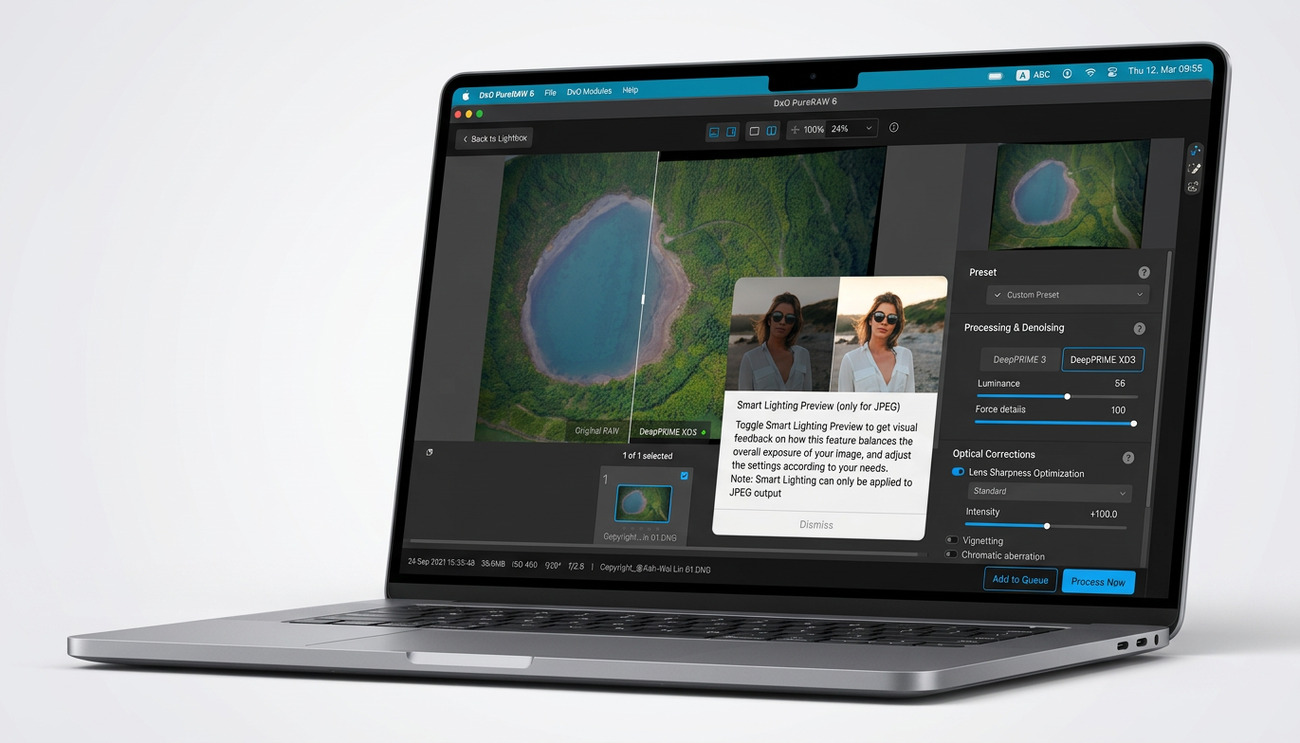
This is the big one. DeepPRIME XD3 uses a larger neural network than its predecessors to remove noise while preserving fine detail and natural textures. It was introduced in PureRAW 5 but only worked with Fujifilm’s X-Trans sensors.
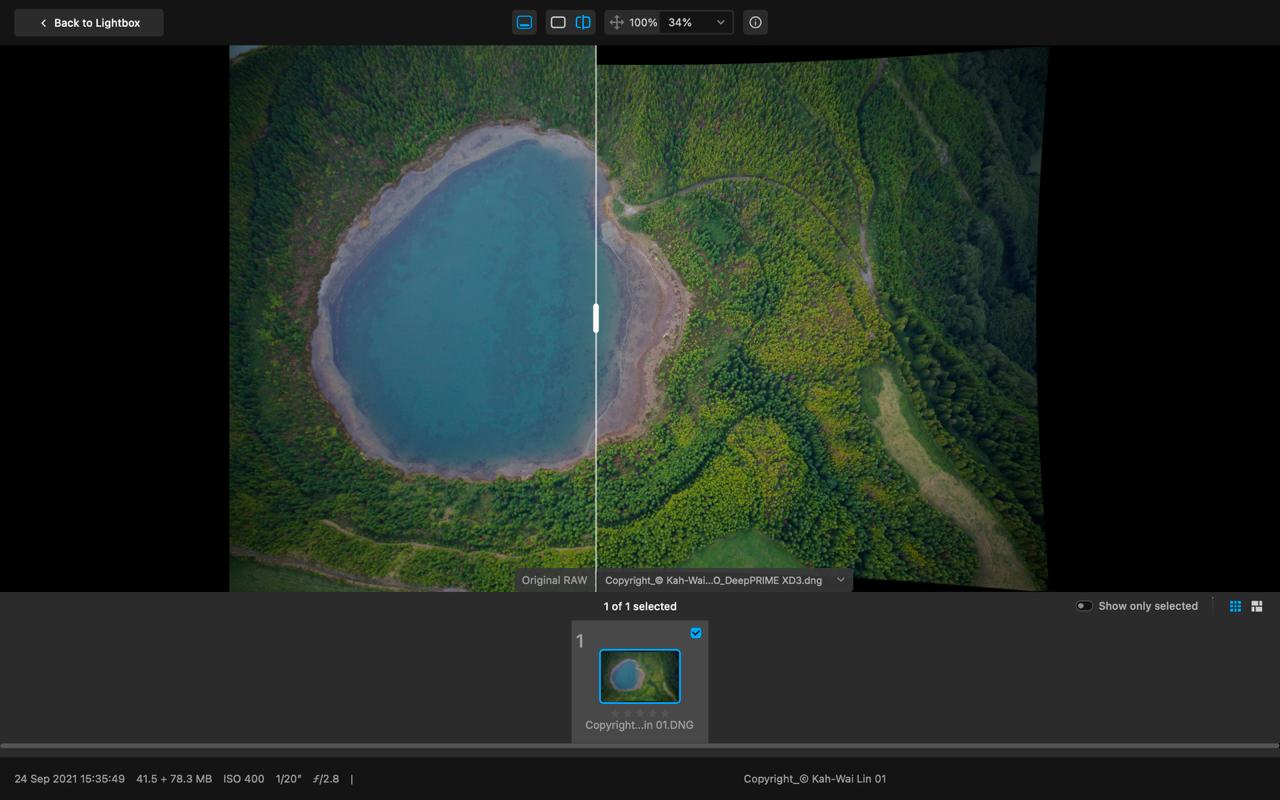
PureRAW 6 extends XD3 to Bayer sensors — which covers the vast majority of cameras on the market. Canon, Nikon, Sony, Panasonic, OM System, Leica — if it shoots RAW, PureRAW 6 can now apply XD3-level processing to it.
DxO positions XD3 as the “extra detail” algorithm for demanding files — think high-ISO wildlife shots, dimly lit event coverage, or astrophotography where every pixel of detail matters. The standard DeepPRIME 3 engine remains available as a faster, general-purpose option when you don’t need maximum detail extraction.
The practical result: DxO claims up to 3 stops of equivalent quality improvement. Shoot at ISO 4000 and get results that look like ISO 500. That’s a game-changer for anyone regularly pushing their camera in low light.
Hi-Fi DNG Compression: 4× Smaller Files
One longstanding pain point with PureRAW has been file size. The Linear DNG output files are fully editable but often significantly larger than the original RAW files. Wedding and event photographers processing thousands of images felt this acutely.
PureRAW 6 introduces High-Fidelity DNG compression that reduces output file sizes by up to 4× compared to standard uncompressed DNGs — with no visible quality loss. Early testing by DC.watch showed a 24.9 MB RAW file producing a 64.5 MB uncompressed DNG versus just 14.4 MB with Hi-Fi compression enabled. That’s a 77% reduction.
The compressed files remain standard DNG format, so there are no compatibility issues with Lightroom, Capture One, or any other editor. Full dynamic range and editing flexibility are preserved. This is a huge quality-of-life improvement for high-volume workflows and long-term archiving.
One caveat: you can’t retroactively compress existing DNG files. Processing must start from your original, unprocessed RAW file.
AI Sensor Dust Removal
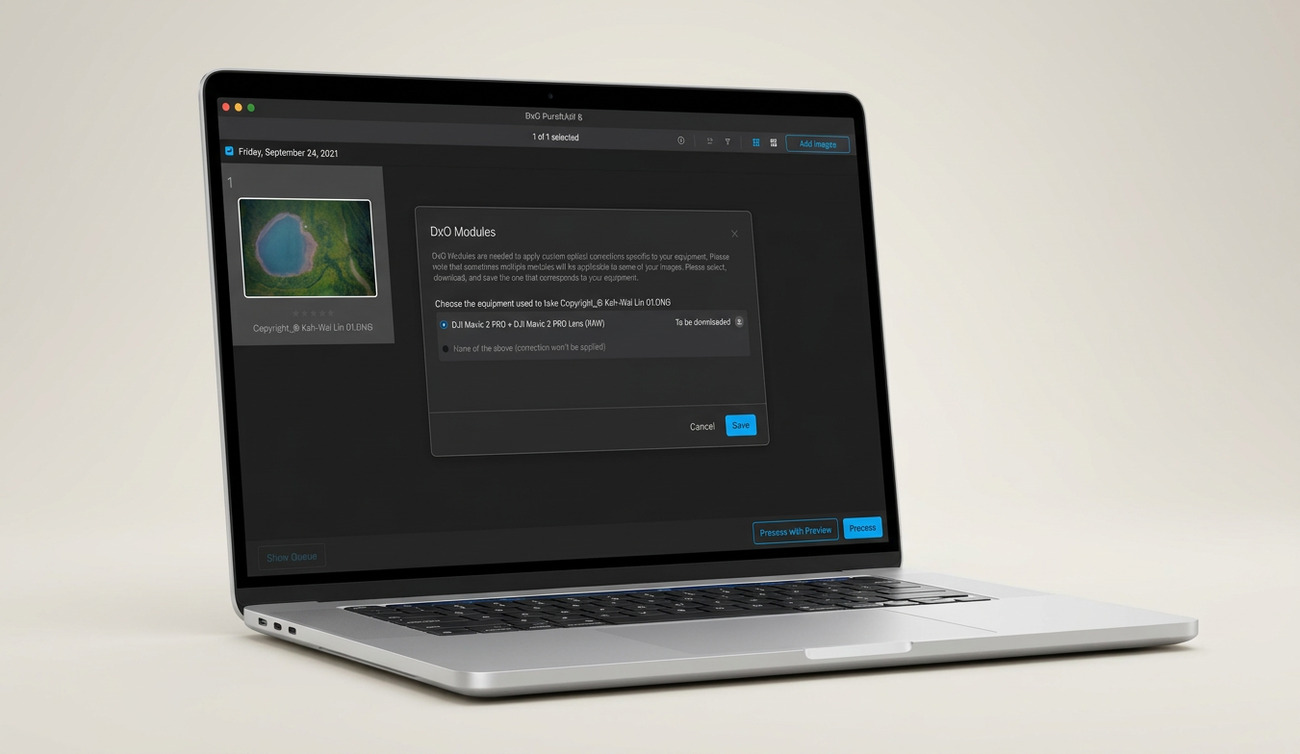
Sensor dust is the bane of every photographer who swaps lenses. PureRAW 6 adds AI-powered dust spot detection and removal that runs automatically during preprocessing — before your files even reach your editor.
The AI scans entire batches of images to identify and eliminate dust marks. You can adjust the cleaning sensitivity threshold for control over how aggressively it works. Landscape photographers shooting at f/11 or smaller (where dust spots become most visible) will appreciate this the most, but it’s useful for anyone who doesn’t clean their sensor as often as they should.
All processing happens locally on your machine — no cloud upload required.
Faster Batch Processing
PureRAW 6 introduces batch parallelization — the software now prepares the next image in the queue before the current one finishes processing. Instead of sequential, one-at-a-time throughput, you get overlapping processing that significantly reduces total batch time.
DxO specifically targets wedding and event photographers with this feature. If you’re processing 2,000+ images from a weekend shoot, the cumulative time savings add up fast.
What PureRAW 6 Doesn’t Do
Worth noting: PureRAW 6 is still a preprocessing tool, not a full editor. It doesn’t replace Lightroom or Photoshop — it feeds them better files. The local adjustments introduced in PureRAW 5 remain manual brush-based; DxO’s AI-powered automatic masking (available in PhotoLab) hasn’t made it into PureRAW yet.
It also doesn’t support HEIF files or smartphone RAW formats, which DxO considers already processed rather than true RAW data. If you’re looking for a complete RAW editing suite, DxO’s own PhotoLab ($229.99) is the full-featured option.
Who Should Buy PureRAW 6?
PureRAW 6 makes the most sense for:
- Wildlife and sports photographers — regularly shooting at high ISOs where DeepPRIME XD3’s detail extraction shines
- Wedding and event photographers — batch parallelization and Hi-Fi compression save time and storage on high-volume shoots
- Astrophotographers — extreme noise reduction for long-exposure, high-ISO star fields
- Landscape photographers — maximum detail extraction plus automatic dust removal at narrow apertures
- Anyone using Lightroom or Capture One who wants better noise reduction than their editor provides natively
If you already own PureRAW 5 and shoot with a Bayer-sensor camera (Canon, Nikon, Sony, etc.), the XD3 upgrade alone justifies the $89.99 upgrade price. If you’re on PureRAW 3 or 4, it’s an even bigger jump in capability.
Pricing
- New license: $139.99 (one-time purchase, perpetual license)
- Upgrade from PureRAW 4 or 5: $89.99
- Free trial: 14 days, full features, no credit card required
No subscription — you buy it once and own it. DxO follows an annual release cycle, so expect PureRAW 7 sometime in early 2027. Each major version is a separate purchase, but upgrade pricing keeps it reasonable.
Available for both macOS and Windows.
Get 15% Off: Exclusive PhotoWorkout Promo Code
We’ve partnered with DxO to bring PhotoWorkout readers an exclusive 15% off on DxO PureRAW 6. Use promo code PHOTOWORKOUT (valid for all new purchases — runs all year) at checkout.
- New license: $139.99 → just $119 with code PHOTOWORKOUT
- Upgrade: $89.99 → a discounted price.50 with code PHOTOWORKOUT
👉 Get DxO PureRAW 6 with 15% off → use code PHOTOWORKOUT
The code works on both new licenses and upgrades. If you’ve been on the fence about trying PureRAW, the 14-day free trial lets you test it risk-free before committing — and the discount will be waiting when you’re ready to buy.
The Bottom Line
DxO PureRAW 6 is a meaningful upgrade that finally brings the company’s best noise reduction technology to all camera systems. The Hi-Fi DNG compression solves a real storage headache, and the automated dust removal is a welcome time-saver. If you’re serious about image quality and shoot in challenging conditions, PureRAW has become genuinely hard to ignore as a first step in your editing workflow.
Remember: use code PHOTOWORKOUT at dxo.com for 15% off your license.
Is DxO PureRAW 6 a subscription?
No. DxO PureRAW 6 is a one-time purchase with a perpetual license. You pay once ($139.99 new or $89.99 upgrade) and own it forever. There are no monthly fees or recurring charges.
Does DxO PureRAW 6 replace Lightroom?
No — PureRAW is a preprocessing tool, not a full editor. It processes your RAW files first (denoising, lens corrections, demosaicing) and outputs clean DNG files that you then open in Lightroom, Capture One, Photoshop, or any other editor. It makes your starting files better, but you still need an editor for creative adjustments.
What cameras does DxO PureRAW 6 support?
PureRAW 6 supports virtually all cameras that shoot RAW files, including those with Bayer sensors (Canon, Nikon, Sony, Panasonic, OM System, Leica, etc.) and Fujifilm X-Trans sensors. DxO maintains a database of tested camera and lens combinations for optimal correction profiles.
How much does DxO PureRAW 6 cost with the PHOTOWORKOUT discount?
With the exclusive PHOTOWORKOUT promo code, a new license drops from $139.99 to approximately just $119, and an upgrade from PureRAW 4 or 5 goes from $89.99 to approximately a discounted price.50. Enter the code PHOTOWORKOUT at checkout on dxo.com.
What’s the difference between DeepPRIME 3 and DeepPRIME XD3?
DeepPRIME 3 is the faster, general-purpose noise reduction engine suitable for everyday processing. DeepPRIME XD3 uses a larger neural network for maximum detail extraction and is designed for demanding files — high-ISO wildlife, astrophotography, or any situation where you need every last bit of detail preserved.
Sources used for this article:
Featured image: Photo by FilterGrade on Unsplash.
Related Posts
Get the Weekly Photography News Digest
Join photographers who get our top stories delivered every Monday morning. No spam, unsubscribe anytime.