

- Photoroom’s Virtual Model feature is now available via API – upload a flat lay clothing photo, get back a photoshoot-quality image on an AI-generated model.
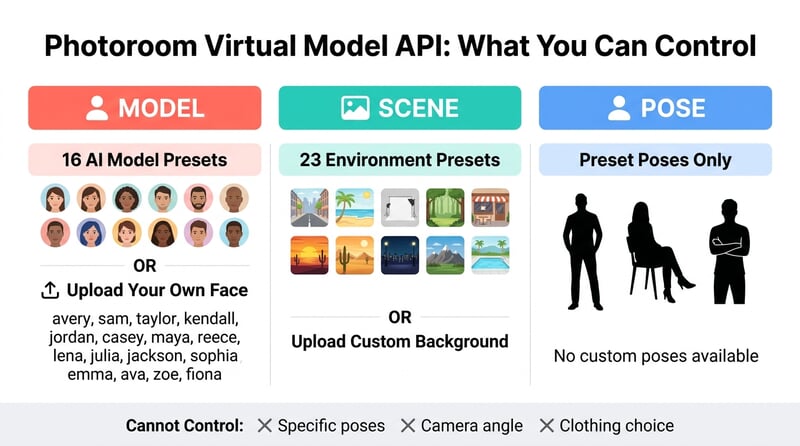
- 12 diverse pre-set models, multiple scene presets (street, studio, bedroom), and pose options – all controlled with a single API call.
- For e-commerce sellers and fashion brands, this could eliminate the need for human models and studio shoots entirely.
- We tested it with real clothing photos – results were impressive, with realistic model placement and natural backgrounds.
Photoroom – the AI photo editing platform processing over 7 billion images per year – just made its Virtual Model feature available through its Image Editing API. The feature takes a flat lay or hanger shot of a clothing item and places it on an AI-generated model in a photoshoot-quality setting.
This isn’t a Photoshop mockup or a rough composite. We’re talking about realistic AI-generated models wearing the actual garment, placed in scenes ranging from urban streets to studio backdrops – all from a single API call.
How the Virtual Model API Works
The concept is straightforward: you send a clothing photo to Photoroom’s /v2/edit endpoint, specify a model, scene, and pose, and receive a complete photoshoot image in return. The API handles everything – background removal, model generation, garment fitting, lighting matching, and scene composition.
The key parameters are:
- virtualModel.mode – Set to
ai.autoto enable the feature - virtualModel.model.preset.name – Choose from 12 pre-set models: avery, sam, taylor, kendall, jordan, casey, maya, reece, lena, jackson, ava, and noor
- virtualModel.scene.preset.name – Select a backdrop: street, studio, library, bedroom, and more
- virtualModel.pose – Pick a pose: standing, seated, crossedarms, etc.
You can also upload your own reference face for a custom model, which is useful for brands that want a consistent “face” across their catalog without hiring an actual model.
API Example: One Curl Command, One Photoshoot
Here’s the actual API call to transform a clothing photo into a model shot. This is directly from Photoroom’s API documentation:
curl --request POST \\
  --url https://image-api.photoroom.com/v2/edit \\
  --header 'x-api-key: YOUR_API_KEY_HERE' \\
  --form imageFile=@/path/to/clothing-photo.jpg \\
  --form removeBackground=false \\
  --form referenceBox=originalImage \\
  --form virtualModel.mode=ai.auto \\
  --form virtualModel.model.preset.name=avery \\
  --form virtualModel.scene.preset.name=street \\
  --form virtualModel.pose=standing \\
  --output result.png
That’s it. One POST request, and you get back a complete image of a model wearing your garment in a street scene.
We Tested It: Before and After Results
We ran three tests using real clothing photos to see how well the Virtual Model API performs. Here are the results.
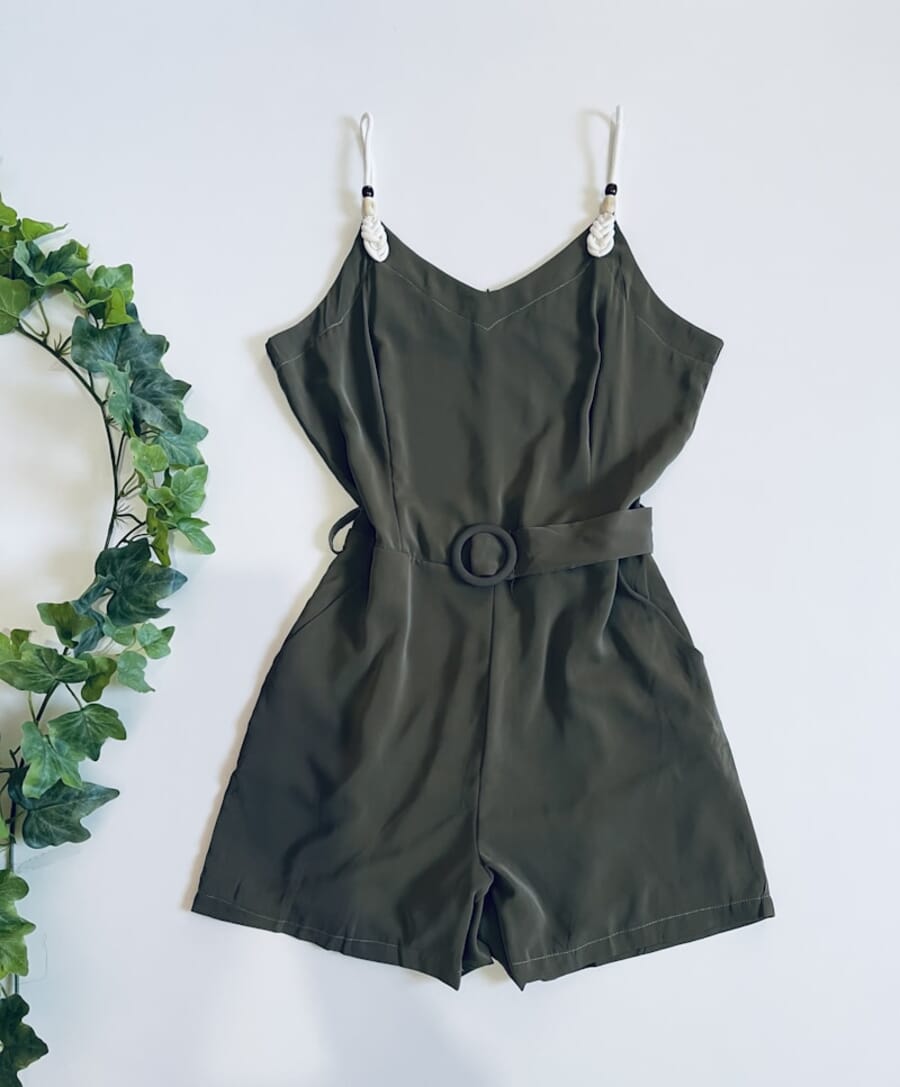
Test 1: Green Dress – “Avery” in Street Scene
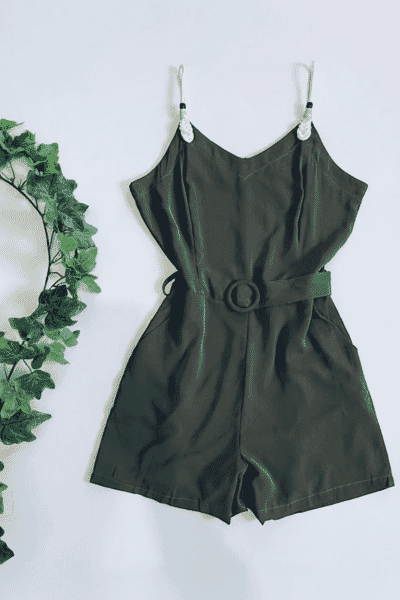
Source: A green sleeveless dress photographed on a hanger.
Result: Model “avery” wearing the dress in an urban street setting, standing pose.
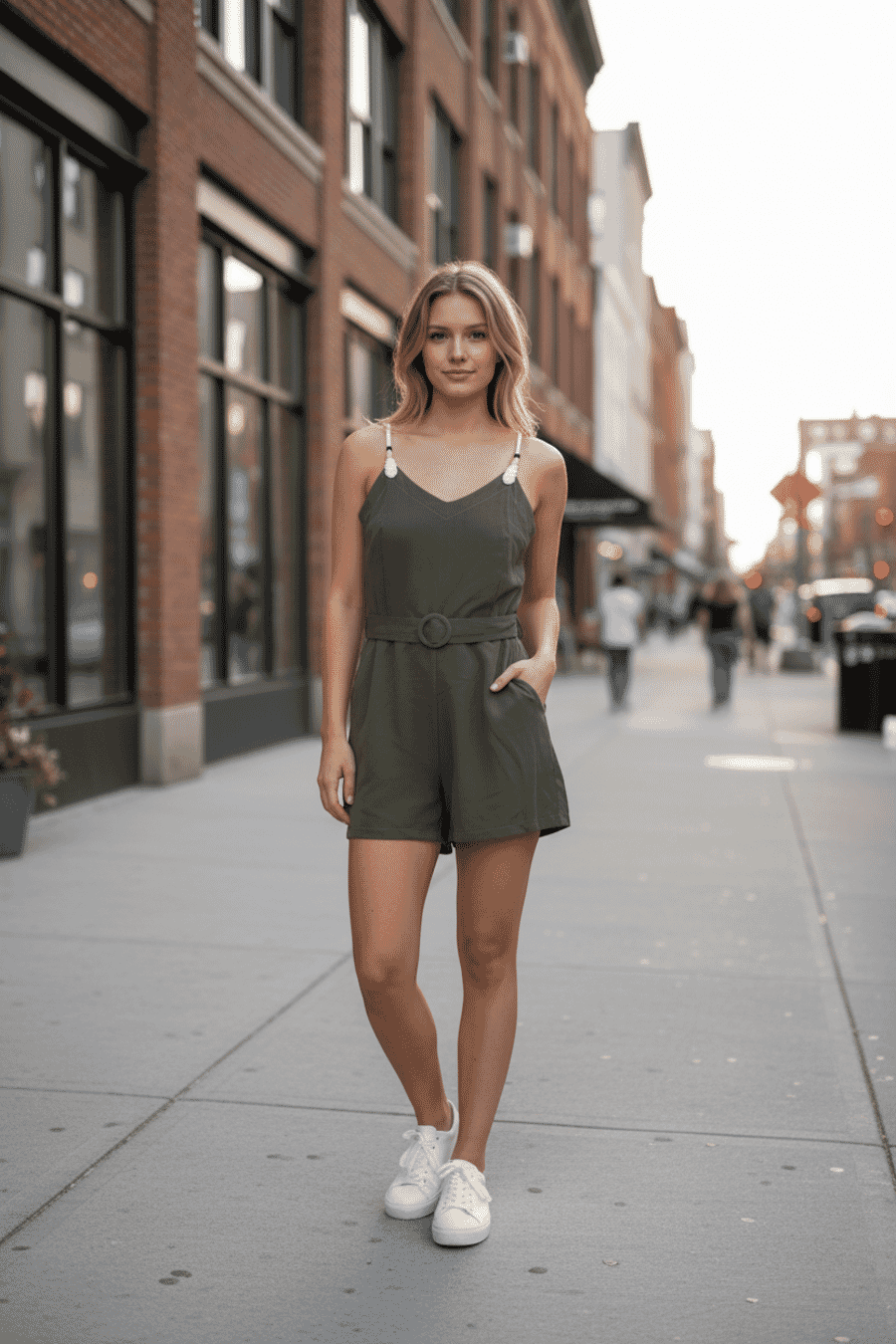
The garment shape and color are preserved accurately. The model looks natural, the street background is convincing, and the lighting on the dress matches the scene. Minor hand artifacts are visible on close inspection – a common AI tell – but at e-commerce thumbnail sizes, this would pass without question.
Test 2: Navy Lace Dress – “Maya” in Studio
Source: A navy crochet lace dress with long sleeves and side cutouts.
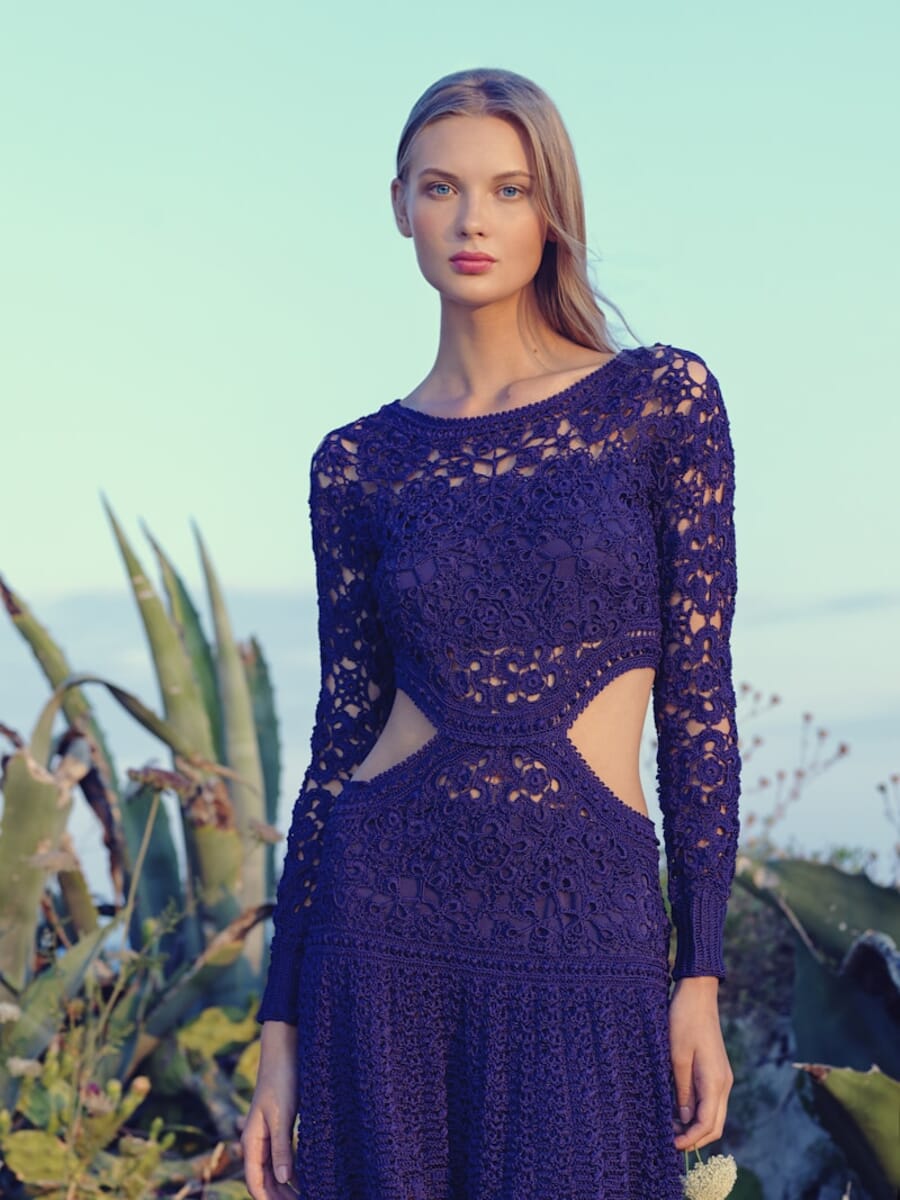
Result: Model “maya” in a clean studio environment, standing pose.
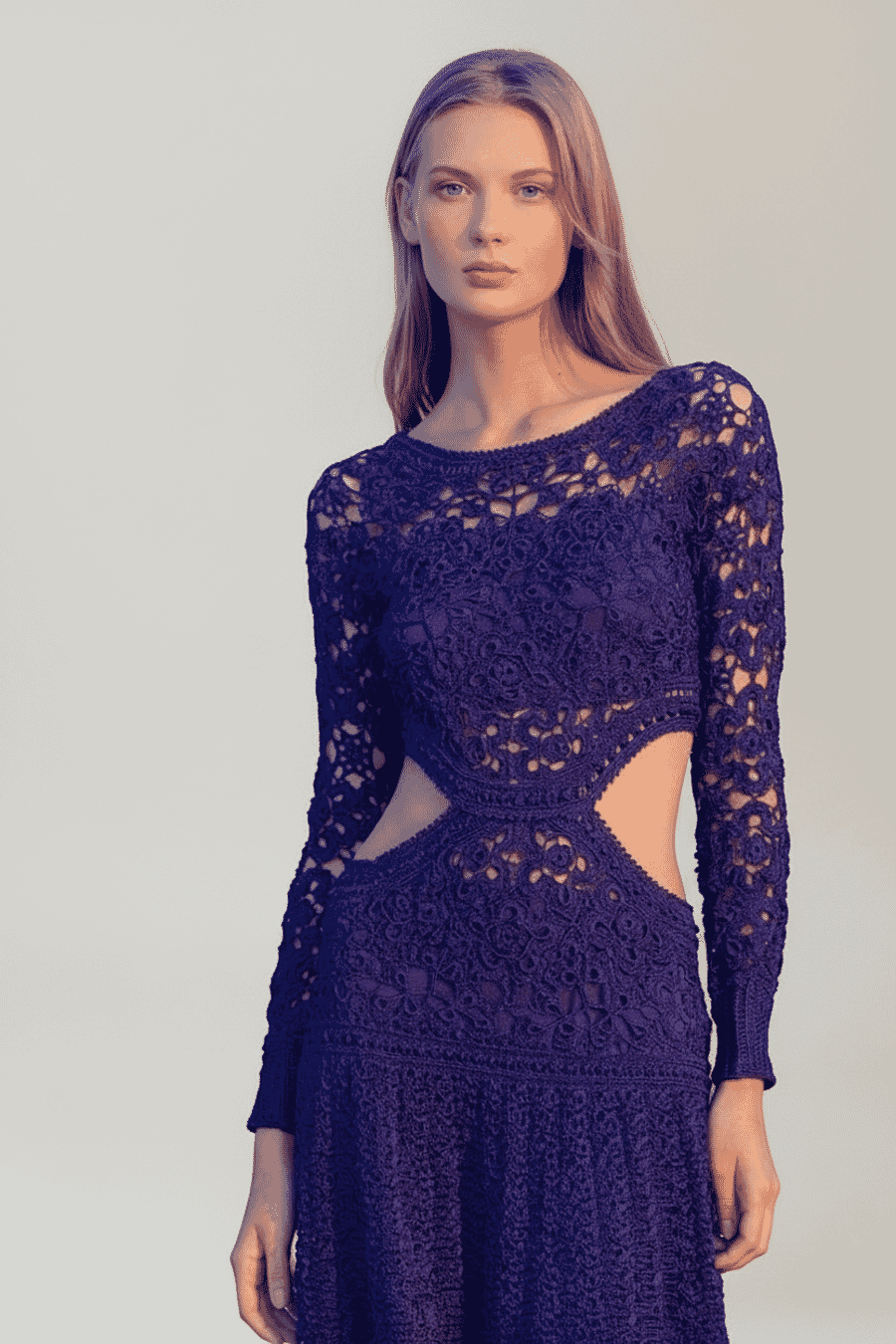
The crochet lace texture and cutout details are handled impressively well. Studio lighting is clean and even – exactly what you’d expect from a professional e-commerce shoot. The model’s pose and expression look natural, not uncanny.
Test 3: Green Dress – “Kendall” in Bedroom, Seated
Source: Same green dress, but this time on a different model in a completely different setting.
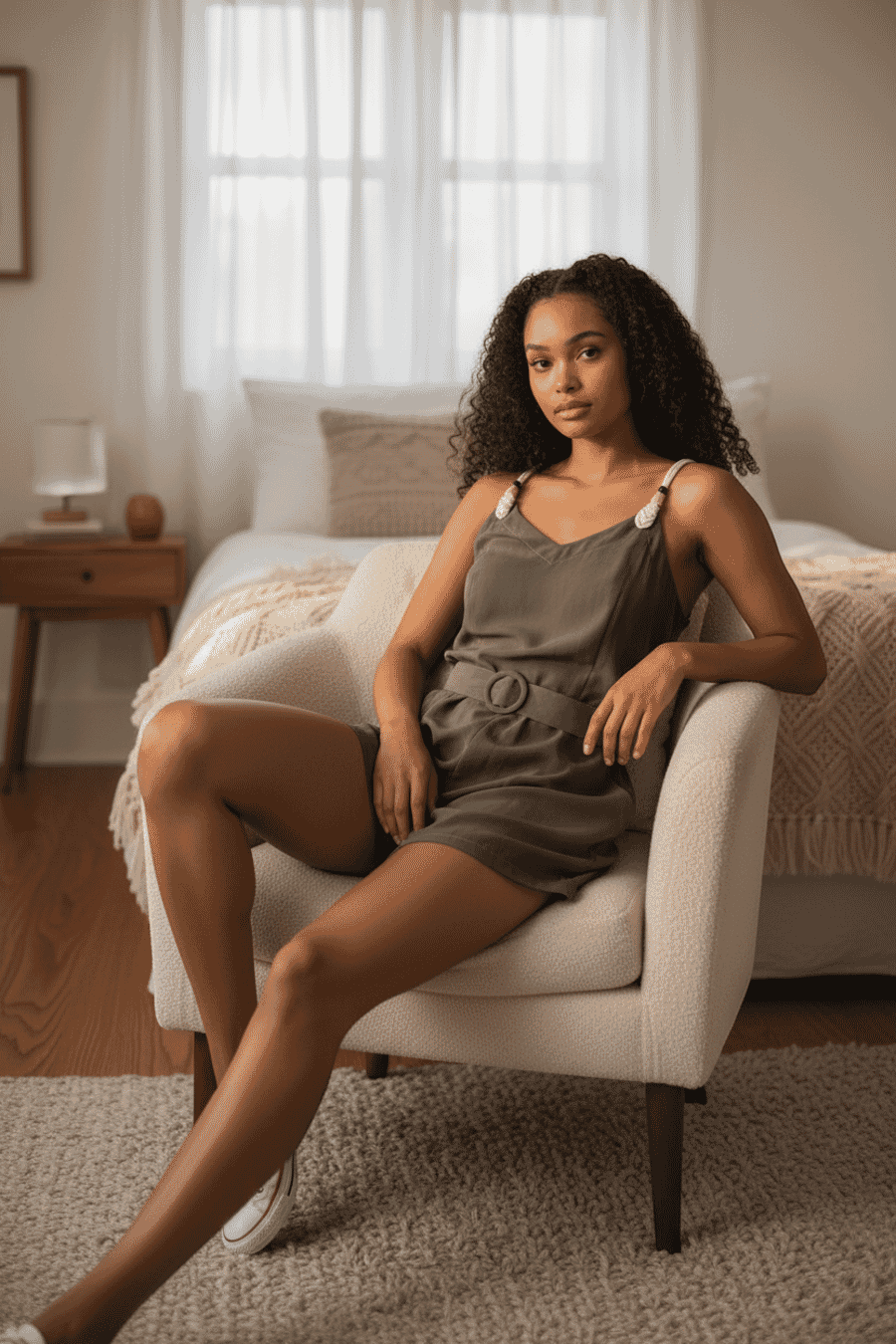
This test shows the versatility of the system. Same garment, different model, different scene, different pose – and it all looks cohesive. The seated pose is handled naturally, and the bedroom setting adds a lifestyle feel that’s popular in fashion e-commerce right now.
All 16 Virtual Model Presets
We tested every available model preset using the same source image — a green sleeveless dress on a hanger. Each model is shown in a different scene and pose to demonstrate the range of options available through the API.
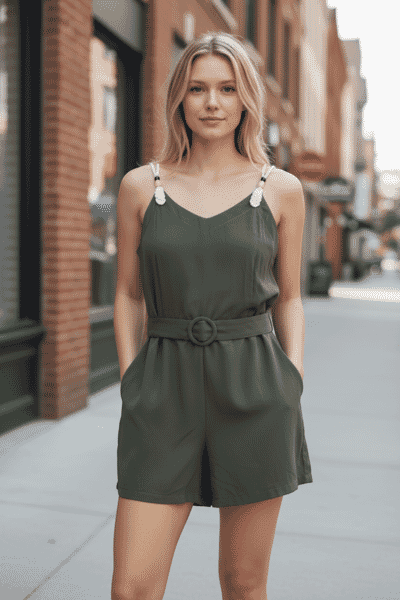 Avery
Averystreet · standing
 Sam
Samstudio · standing
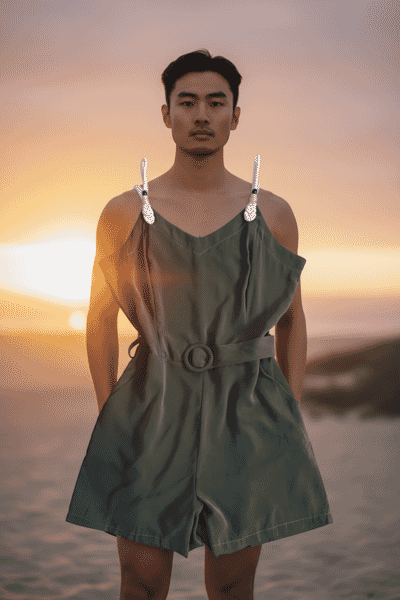 Taylor
sunset · standing
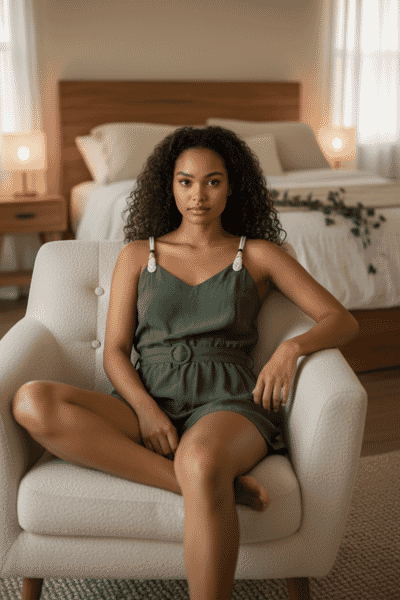 Kendall
bedroom · seated
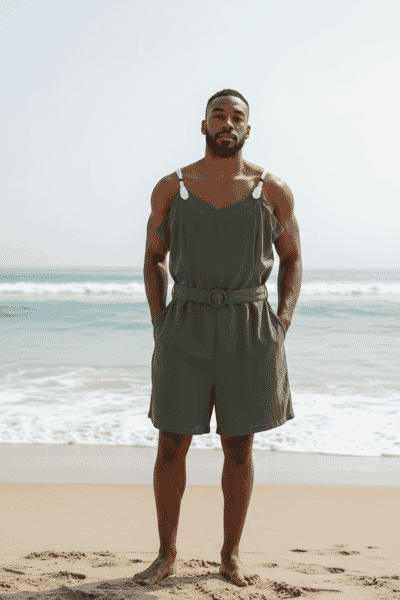 Jordan
beach · standing
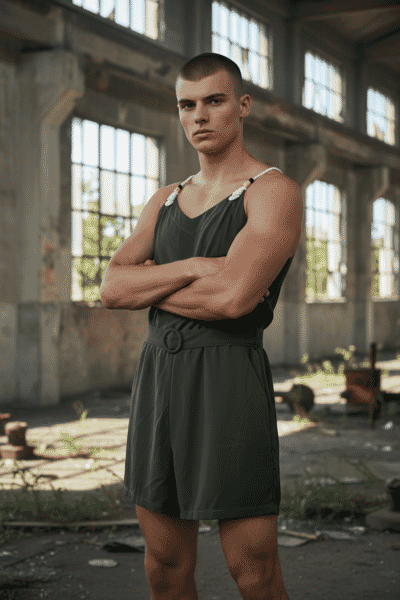 Casey
Caseyfactory · crossed arms
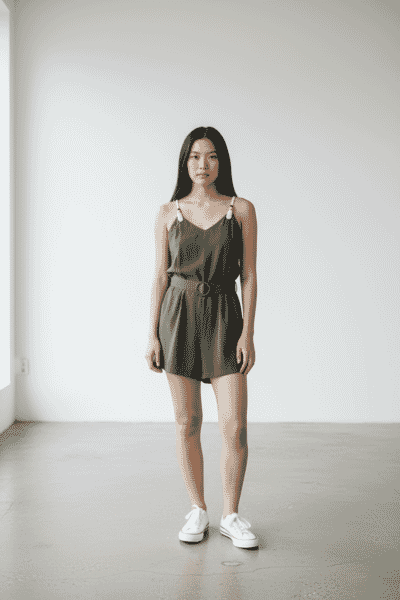 Maya
Mayaconcrete studio · standing
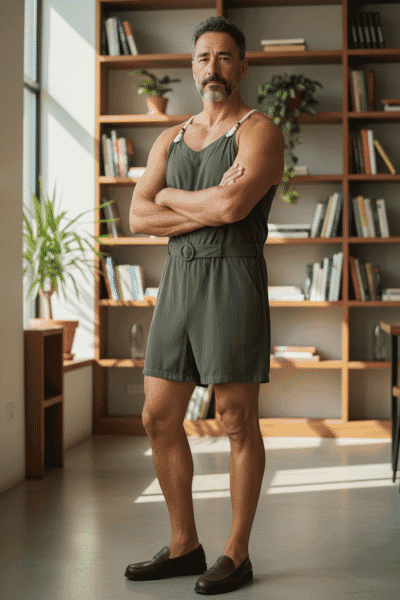 Reece
Reecelibrary · crossed arms
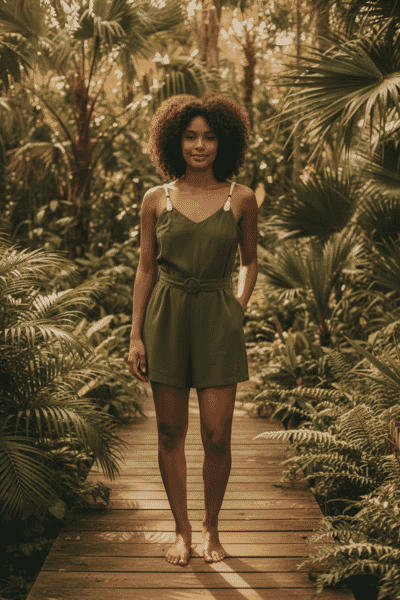 Lena
Lenatropical · standing
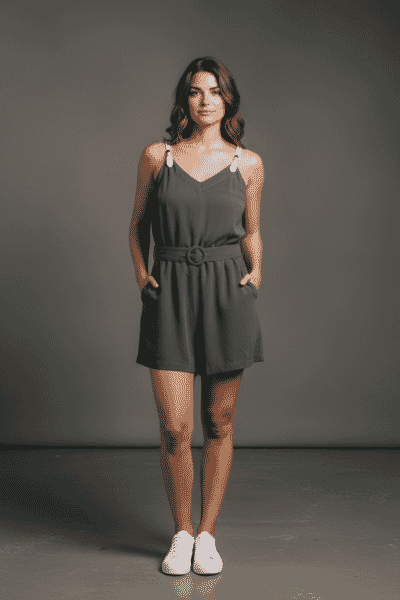 Julia
Juliacolored studio · standing
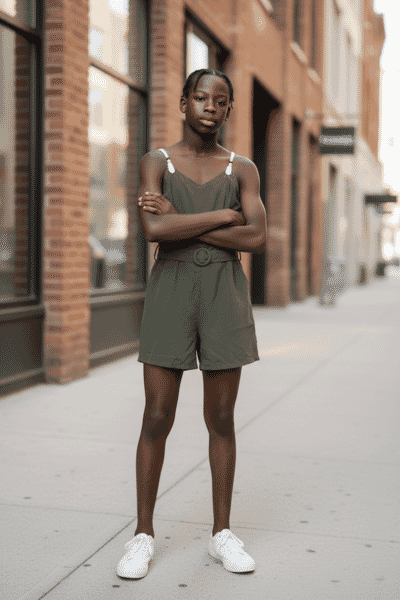 Jackson
street · crossed arms
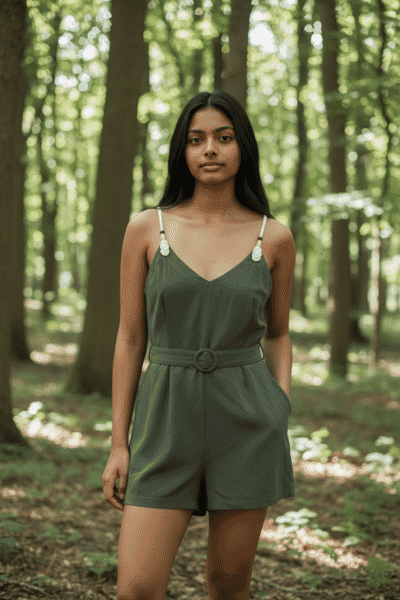 Sophia
forest · standing
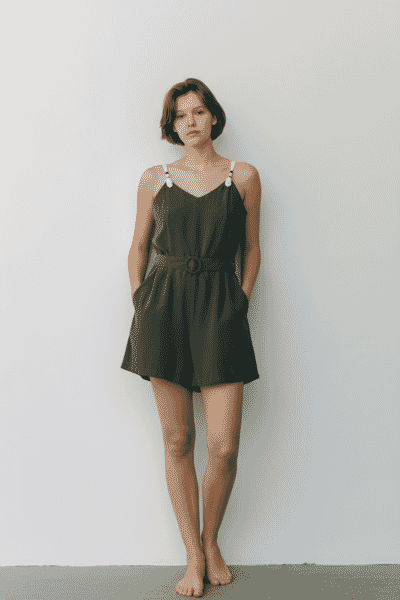 Emma
Emmastudio · standing
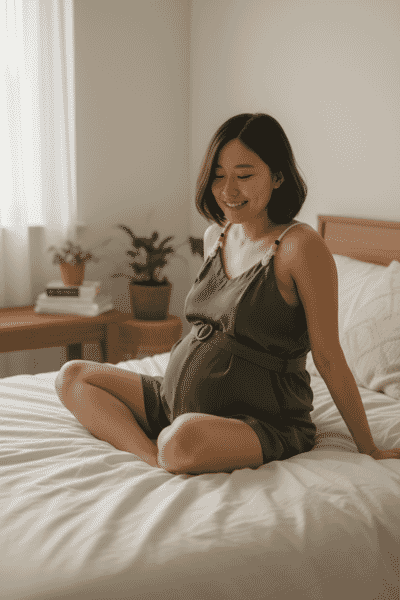 Ava
Avabedroom · seated
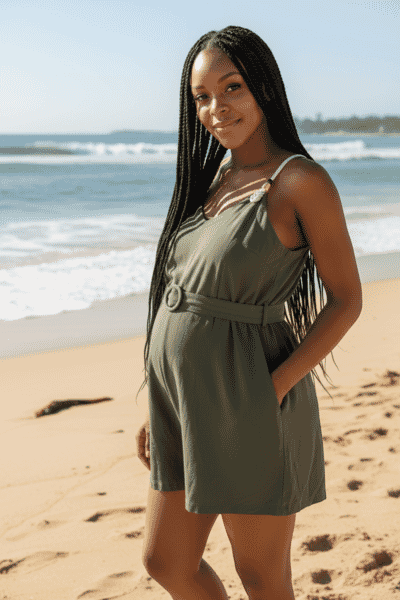 Zoe
Zoebeach · standing
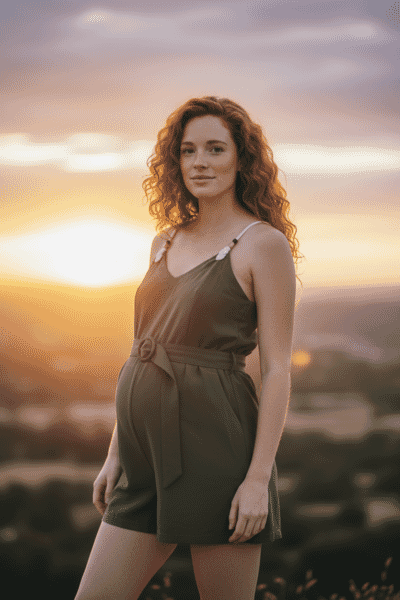 Fiona
Fionasunset · standing
What This Means for Product Photographers
Let’s be direct about the implications. A tool like this fundamentally changes the economics of fashion product photography.
The traditional workflow for an e-commerce fashion shoot involves hiring models, booking a studio or scouting locations, employing a photographer, handling wardrobe and styling, and then post-processing. For a small clothing brand shooting 50 SKUs, that’s easily a $5,000-$15,000 investment per season.
The API workflow: photograph each item flat or on a hanger (something anyone with a smartphone can do), send it through the API, and receive photoshoot-quality images. The cost drops to the API fee per image.
For e-commerce sellers and small fashion brands, this is transformative. Shopify sellers, Etsy vendors, and independent designers can now produce catalog-quality model shots without the overhead. They can test different scenes and models for A/B testing product pages – something that was previously cost-prohibitive.
For professional product photographers, the picture is more nuanced. The bread-and-butter work of basic e-commerce model shots faces real disruption. But higher-end fashion photography – editorial spreads, brand campaigns, creative direction – requires a human eye and artistic vision that AI can’t replicate yet. The photographers who thrive will be those who move up the value chain, offering creative direction and art direction that goes beyond “put this dress on a model in a studio.”
The API angle is particularly significant. This isn’t just a consumer app feature – it’s infrastructure. Developers can integrate virtual model generation directly into their e-commerce platforms, inventory management systems, or content pipelines. Upload a product photo to your warehouse system, and listing-ready model shots generate automatically.
Current Limitations
The technology isn’t perfect. Based on our testing:
- Hands remain an AI weak point. Close inspection reveals minor artifacts in finger rendering – a well-known challenge for generative AI.
- Complex garments may struggle. The tests worked well with dresses, but heavily layered outfits, intricate patterns, or accessories could present challenges.
- It’s designed for clothing only. Photoroom explicitly states the feature is meant for clothing items – don’t expect it to work for bags, shoes, or jewelry.
- 12 pre-set models may feel limiting for brands that want a highly specific look, though the custom model upload feature addresses this.
Frequently Asked Questions
How much does the Photoroom Virtual Model API cost?
The Virtual Model feature is part of Photoroom’s Image Editing API Plus plan. Pricing is based on API credits per image processed. Check Photoroom’s pricing page for current rates.
Can I use my own model’s face instead of the pre-sets?
Yes. The API supports custom models – you can upload a reference face image, and the system will generate a model with that likeness. This is useful for brands wanting a consistent “face” across their catalog.
Does the API work with any type of clothing photo?
The feature is designed for clothing items specifically. Flat lays and hanger shots work best. It’s not intended for accessories, shoes, bags, or non-clothing products.
What resolution are the output images?
In our testing, output images were 832×1248 pixels – sufficient for most e-commerce platforms and product listings. The quality is comparable to professional studio photography at web resolution.
Sources and references:
Featured image: Composite of test images created by PhotoWorkout using the Photoroom Virtual Model API. Source clothing photos from Unsplash.


Get the Weekly Photography News Digest
Join photographers who get our top stories delivered every Monday morning. No spam, unsubscribe anytime.
