

- Topaz Video adds Gaia 2 for animation upscaling, plus two Pro-only Starlight models that boost speed up to 5x.
- Astra’s Starlight 2.5 turns AI-generated video into realistic 4K – reducing that plastic look that plagues GenAI content.
- Topaz Photo’s True Detection model auto-identifies false resolution images and corrects them before upscaling.
- Try Topaz Labs – all updates are available now for existing subscribers.
Topaz Labs has rolled out a significant batch of new AI models across its three core products – Topaz Video, Topaz Photo, and Astra. The update brings five new models total, covering everything from animation upscaling to a breakthrough in making AI-generated video look genuinely real.
Here’s what’s new and who each model is built for.
Topaz Video: Three New Models
Topaz Video gets the biggest haul with three new models – one for all users and two exclusive to Pro subscribers.
Gaia 2: 2x Upscaling for Animation Workflows
Gaia 2 is designed specifically for animation, stop motion, and motion graphics workflows. It delivers clean 2x upscaling while preserving the stylistic qualities that make animated content look intentional rather than processed.
This matters because traditional upscaling models trained on live-action footage tend to smooth out the texture and frame-by-frame character of animation. Gaia 2 is tuned to maintain those qualities. Available to all Topaz Video users – no Pro subscription required.


Starlight Fast 2 Local: Up to 5x Faster (Pro Only)
Starlight Fast 2 Local is a speed-focused upscaling model that runs locally on your hardware. Topaz claims it delivers up to 5x faster processing compared to previous Starlight models, with notable improvements in face detail preservation and motion stability.
The “Local” designation means all processing happens on your machine – no cloud rendering required. This is ideal for editors working with sensitive footage or those who prefer not to upload content to external servers. Pro subscription required.
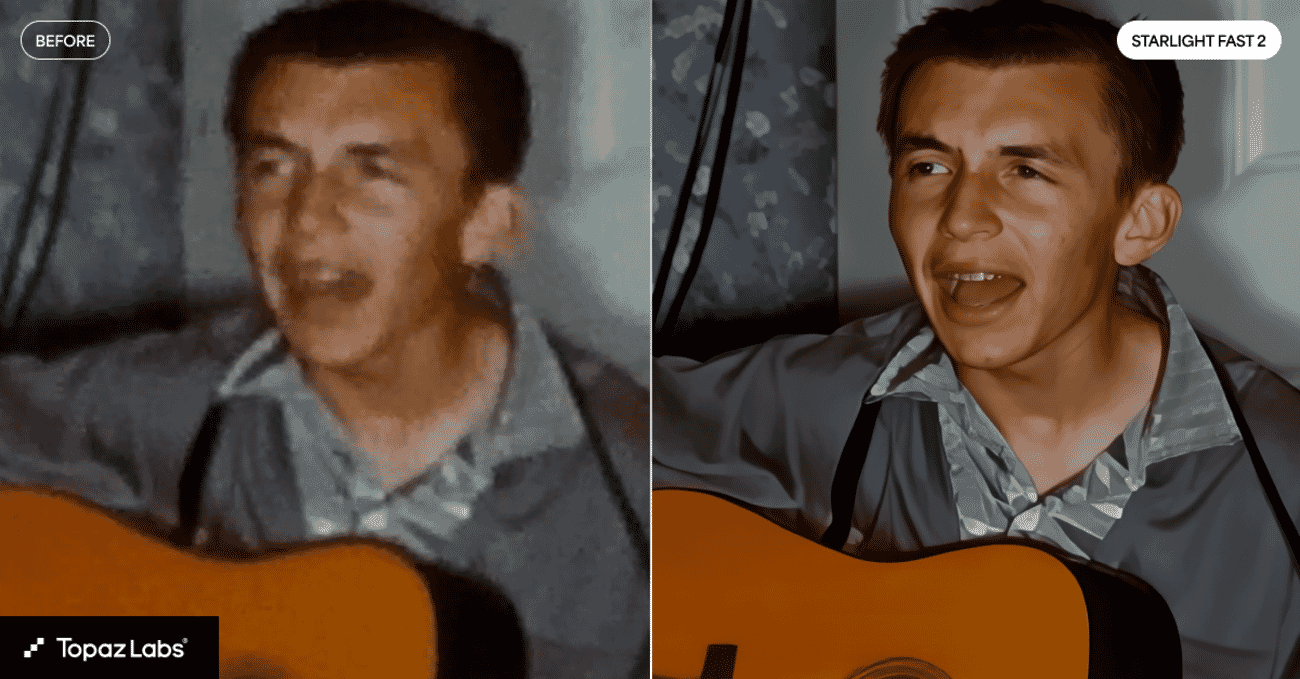
Starlight HQ Local: Quality-Speed Balance (Pro Only)
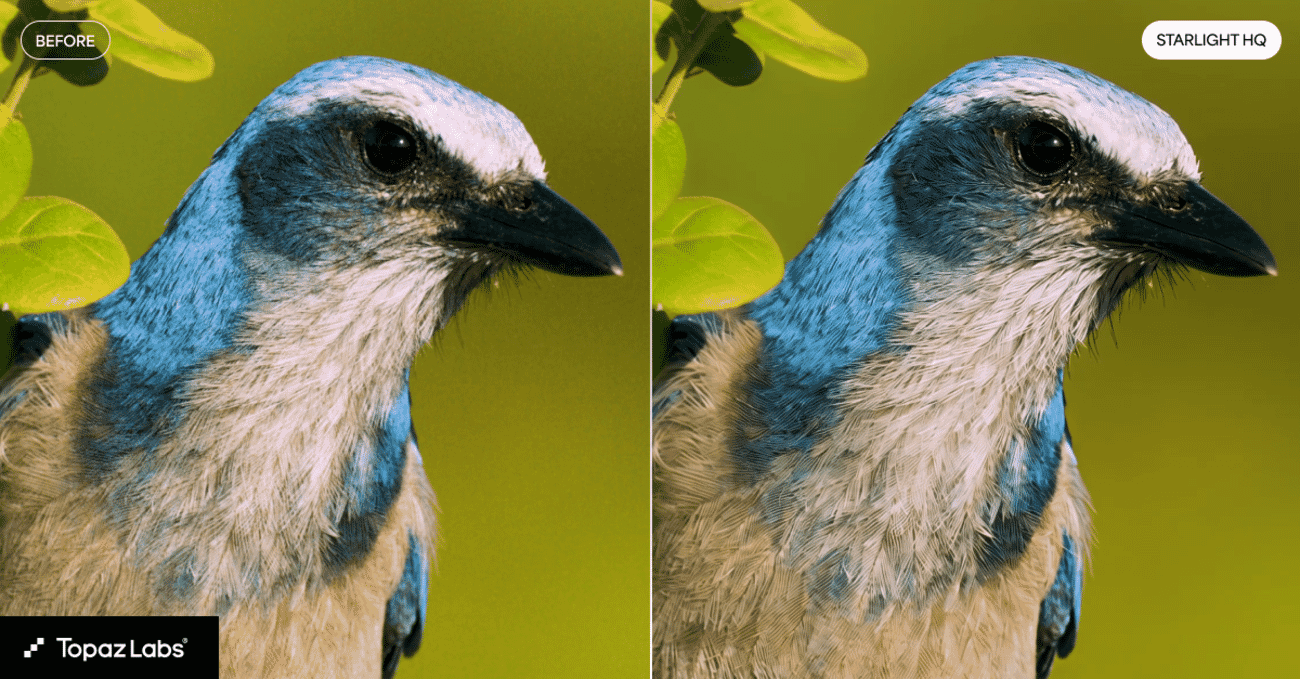
Starlight HQ Local sits between the Fast and highest-quality tiers. It targets mid-to-high quality video upscaling with a good balance of detail, sharpness, and processing time.
For editors who need better output than the Fast model but can’t afford the rendering time of the top-tier quality models, Starlight HQ is the sweet spot. Also runs locally and requires a Pro subscription.
Astra: Starlight 2.5 Makes AI Video Look Real
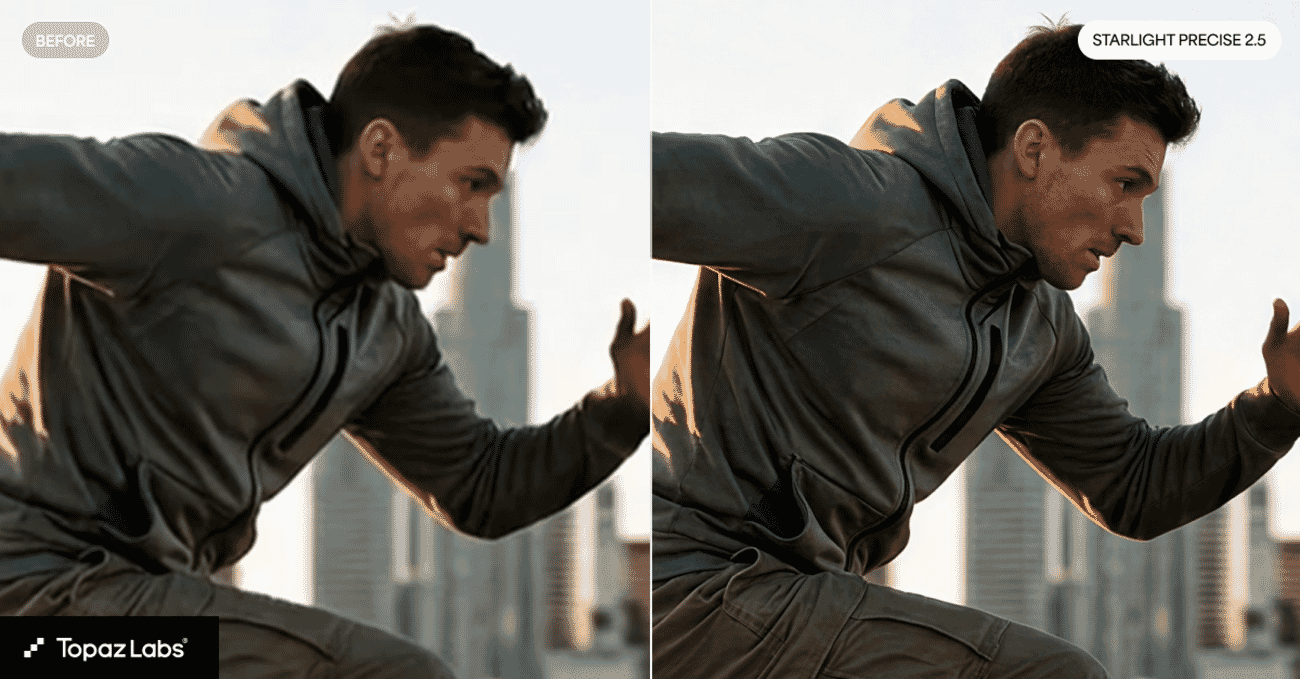
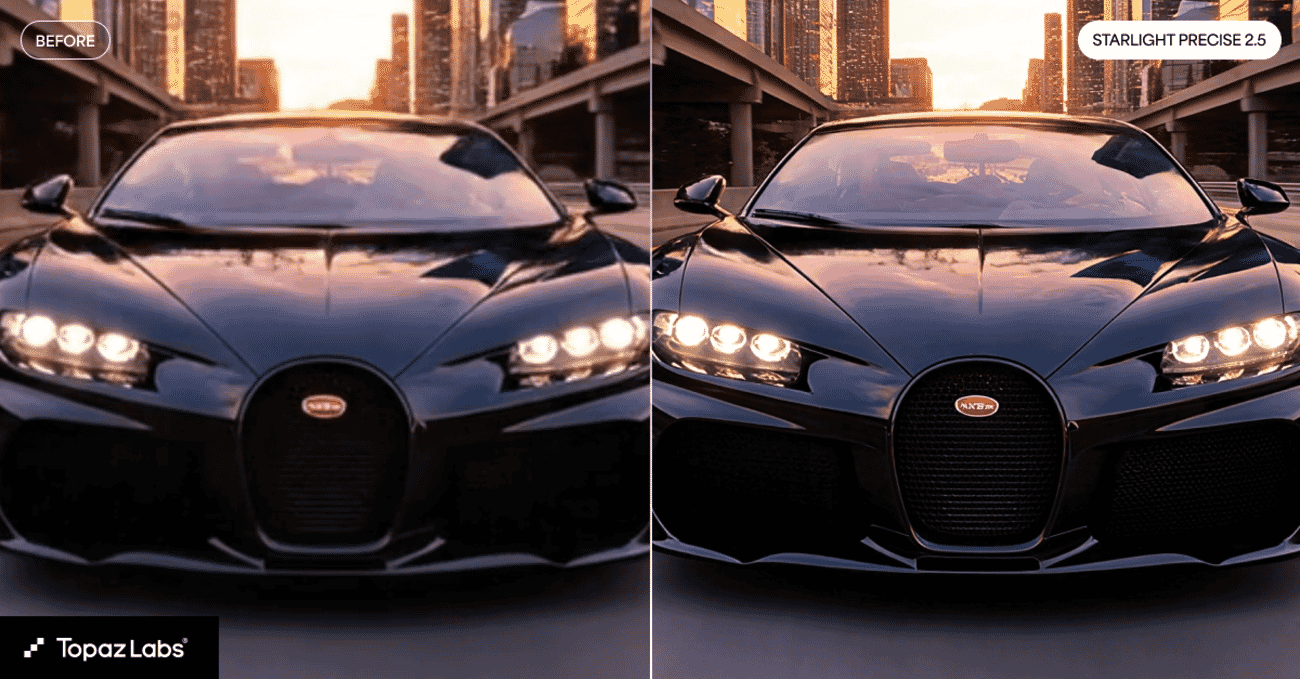
This is arguably the most interesting model in the update. Starlight 2.5 (SLP-2.5) in Astra is built to solve a specific problem: AI-generated video looks fake.
If you’ve worked with AI video generators like Runway, Kling, or Sora, you know the look – slightly plastic skin, unnatural motion, an uncanny-valley quality that screams “AI made this.” Starlight 2.5 is designed to take that output and enhance it to realistic 4K, specifically targeting and reducing those artificial artifacts.
Beyond GenAI content, the model also performs well on face-heavy shots and archival footage from the 2000s onward. If you’re restoring older digital video or working with early HD content, SLP-2.5 could be a game-changer.


Topaz Photo: True Detection Model
Topaz Photo adds the True Detection model, which solves a problem most users don’t even realize they have: false resolution.
False resolution occurs when an image appears to be high-resolution based on its pixel dimensions, but the actual detail doesn’t match. This can happen when images have been previously upscaled by inferior algorithms, over-sharpened, or exported at higher dimensions than the source supported. When you try to upscale these images again, the results are poor because the model is working with misleading input data.
True Detection automatically identifies these false resolution images and applies corrections before the upscaling process begins. It’s essentially a pre-processing intelligence layer that ensures the upscaling model gets clean, honest input to work with.
Currently available on the desktop version only.
All New Models at a Glance
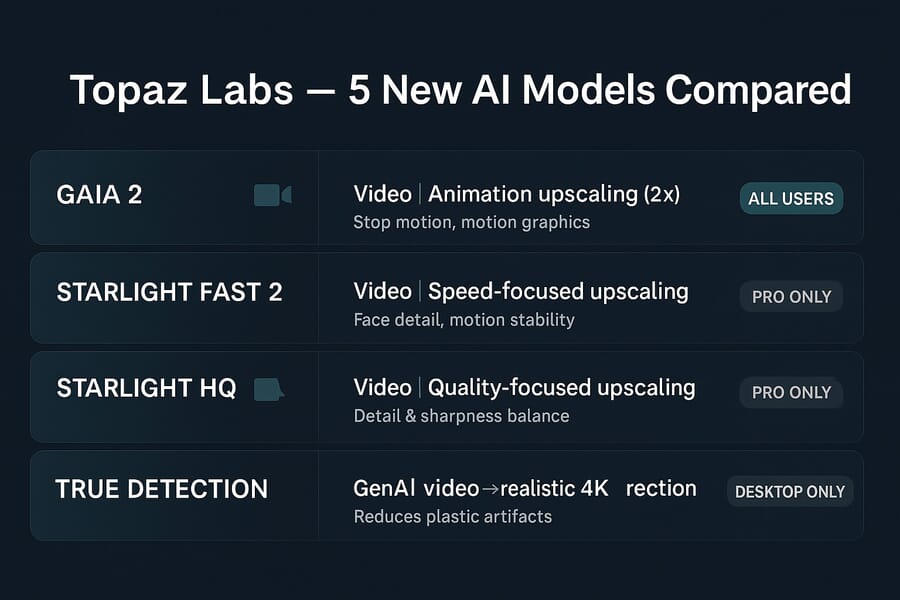
| Model | Product | What It Does | Availability |
|---|---|---|---|
| Gaia 2 | Topaz Video | 2x upscaling for animation, stop motion, motion graphics | All users |
| Starlight Fast 2 Local | Topaz Video | Up to 5x faster video upscaling, improved faces + stability | Pro only |
| Starlight HQ Local | Topaz Video | Mid-to-high quality upscaling, detail/sharpness balance | Pro only |
| Starlight 2.5 (SLP-2.5) | Astra | GenAI video to realistic 4K, reduces plastic artifacts | Astra users |
| True Detection | Topaz Photo | Auto-identifies false resolution, corrects before upscaling | Desktop only |
Who Benefits Most From This Update
Animation and motion graphics creators get a dedicated upscaling model for the first time with Gaia 2. No more forcing live-action models onto stylized content.
AI video creators working with tools like Runway or similar AI video generators should pay close attention to Starlight 2.5. The ability to strip out that AI “plastic look” and push output to genuine 4K quality could significantly raise the production value of AI-generated content.
Video editors handling large volumes will appreciate the 5x speed improvement in Starlight Fast 2 Local. When you’re processing hours of footage, speed gains compound dramatically.
Photographers working with mixed-source images – especially those sourcing from stock libraries or client uploads where the true resolution is unknown – get a safety net with True Detection.
Pricing and Availability
All five models are available now through their respective Topaz products. Gaia 2 is included for all Topaz Video users, while Starlight Fast 2 Local and Starlight HQ Local require a Pro subscription.
Starlight 2.5 is available to Astra users, and True Detection comes to Topaz Photo desktop automatically. Existing subscribers get access to the new models through their regular updates – no additional purchase required.
If you’re evaluating Topaz for the first time, the company offers annual subscriptions with a free trial period. Check current pricing on the Topaz Labs website.
Frequently Asked Questions
Do I need a Pro subscription for all the new models?
No. Gaia 2 is available to all Topaz Video users and True Detection is included in Topaz Photo desktop. Only Starlight Fast 2 Local and Starlight HQ Local require a Pro subscription.
Can Starlight 2.5 fix AI-generated video from any tool?
Starlight 2.5 is designed to work with AI-generated video regardless of the source tool. Whether you’re using Runway, Kling, Sora, or other generators, the model targets the common artifacts (plastic skin, unnatural motion) that AI video tools tend to produce.
What does “false resolution” mean in Topaz Photo?
False resolution is when an image has high pixel dimensions but the actual detail doesn’t match – typically because it was previously upscaled by a lesser algorithm or over-sharpened. True Detection identifies these images and corrects them before upscaling to get better final results.
Do the Starlight Local models require an internet connection?
No. The “Local” designation means all processing happens on your machine. You’ll need an internet connection for the initial download of the models, but after that, processing is entirely offline.
Sources and further reading:
Featured image: AI-generated illustration. This article contains affiliate links. If you purchase through our links, we may earn a commission at no extra cost to you.


Get the Weekly Photography News Digest
Join photographers who get our top stories delivered every Monday morning. No spam, unsubscribe anytime.
