


- Google launched Nano Banana 2 (Gemini 3.1 Flash Image) on February 26, 2026 — combining Pro-level image quality with Flash speed.
- The new model is 40-50% faster and 50% cheaper than Nano Banana Pro, at roughly 0.07 USD per generated image.
- Key upgrades include better subject consistency, improved text rendering, expanded aspect ratios, and configurable thinking levels.
- Our side-by-side tests show NB2 produces dramatically more realistic photography-style images with richer textures and natural imperfections.
Google DeepMind just launched Nano Banana 2, the latest evolution of its viral AI image generation model. Officially known as Gemini 3.1 Flash Image in the API, this new model promises to combine the advanced intelligence of Nano Banana Pro with the lightning-fast speed of Gemini Flash — and at half the price.
For photographers exploring AI-powered photo editing with Gemini, this is a significant upgrade. The original Nano Banana became a viral sensation in August 2025, and Nano Banana Pro followed in November with studio-quality creative control. Now NB2 aims to make those Pro capabilities accessible to everyone.
What’s New in Nano Banana 2
Nano Banana 2 isn’t just a speed bump — it introduces several meaningful capabilities that matter for photographers and content creators.
Subject Consistency Across Workflows
One of the biggest frustrations with AI image generation has been maintaining character consistency across multiple images. NB2 can now maintain the resemblance of up to five characters and the fidelity of up to 14 objects in a single workflow. This means you can storyboard a photo series or create consistent visual narratives without your subjects morphing between frames.
Improved Text Rendering and Localization
Text in AI-generated images has historically been a weak point — gibberish letters, misspelled words, inconsistent fonts. Nano Banana 2 delivers a notable upgrade here, with more reliable text rendering for marketing mockups, greeting cards, and infographics. It also supports in-image localization, letting you generate or translate text across multiple languages directly within the image.
That said, our testing showed text rendering still isn’t perfect — complex multi-label images can still produce duplicated or misplaced text. It’s better, but not solved.
Expanded Aspect Ratios and Resolutions
NB2 now supports native aspect ratios from ultrawide 8:1 to ultra-tall 1:8, alongside all standard ratios (16:9, 3:2, 4:3, 1:1, and their inverses). A new 512px resolution tier joins the existing 1K, 2K, and 4K options, giving you a quick-iteration mode for rapid prototyping before committing to high-resolution final renders.
Configurable Thinking Levels
A particularly interesting addition is configurable thinking levels. You can now set the model to “Minimal” (default, fastest) or “High/Dynamic” mode, where it reasons through complex prompts before rendering. For simple generations, minimal is fine. For complex, multi-element compositions, the high thinking mode can significantly improve prompt adherence and output quality.
Speed and Pricing: The Real Story
The numbers tell a compelling story:
- Speed: 40-50% faster than Nano Banana Pro across all generation types
- Price: Roughly 0.07 USD per image vs 0.13 USD for Pro — a 50% cost reduction
- Text tokens: 75% cheaper input processing
- Quality: Google claims “Pro-level visual intelligence” at Flash speed
For anyone building workflows that generate images at scale — whether for AI photo editing or content creation — these cost and speed improvements add up fast.
Side-by-Side Tests: NB2 vs Nano Banana Pro
We ran the exact same prompts through both Nano Banana Pro (gemini-3-pro-image-preview) and Nano Banana 2 (gemini-3.1-flash-image-preview) across four categories that matter most for photography content: realistic photography, infographic design, before/after edits, and product image enhancement.
Test 1: Photorealistic Photography
Prompt: A photographer crouching on wet cobblestones in a narrow European alley at golden hour, shooting with a mirrorless camera. Warm light, slight lens flare, shot on Fujifilm X-T5 with 23mm f/1.4.
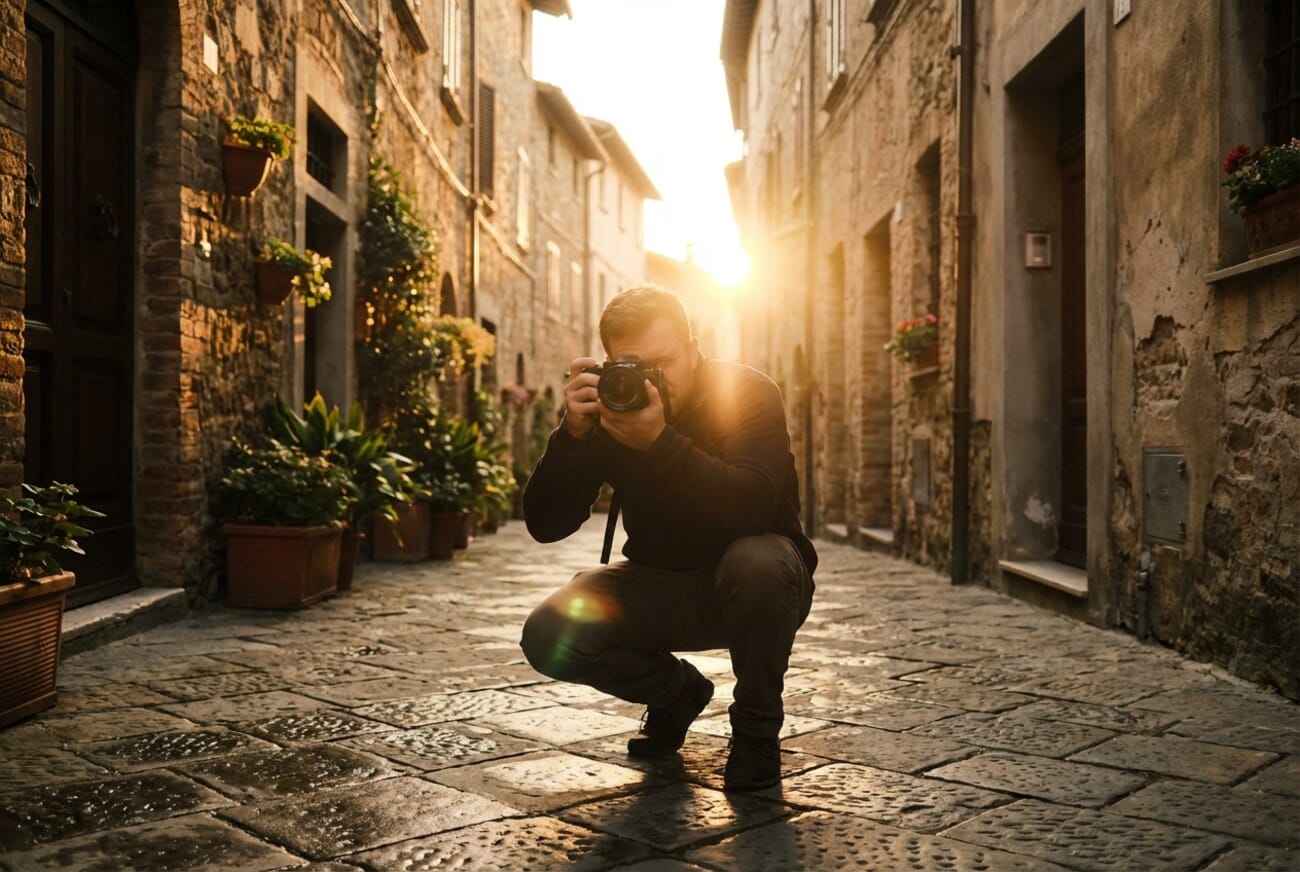
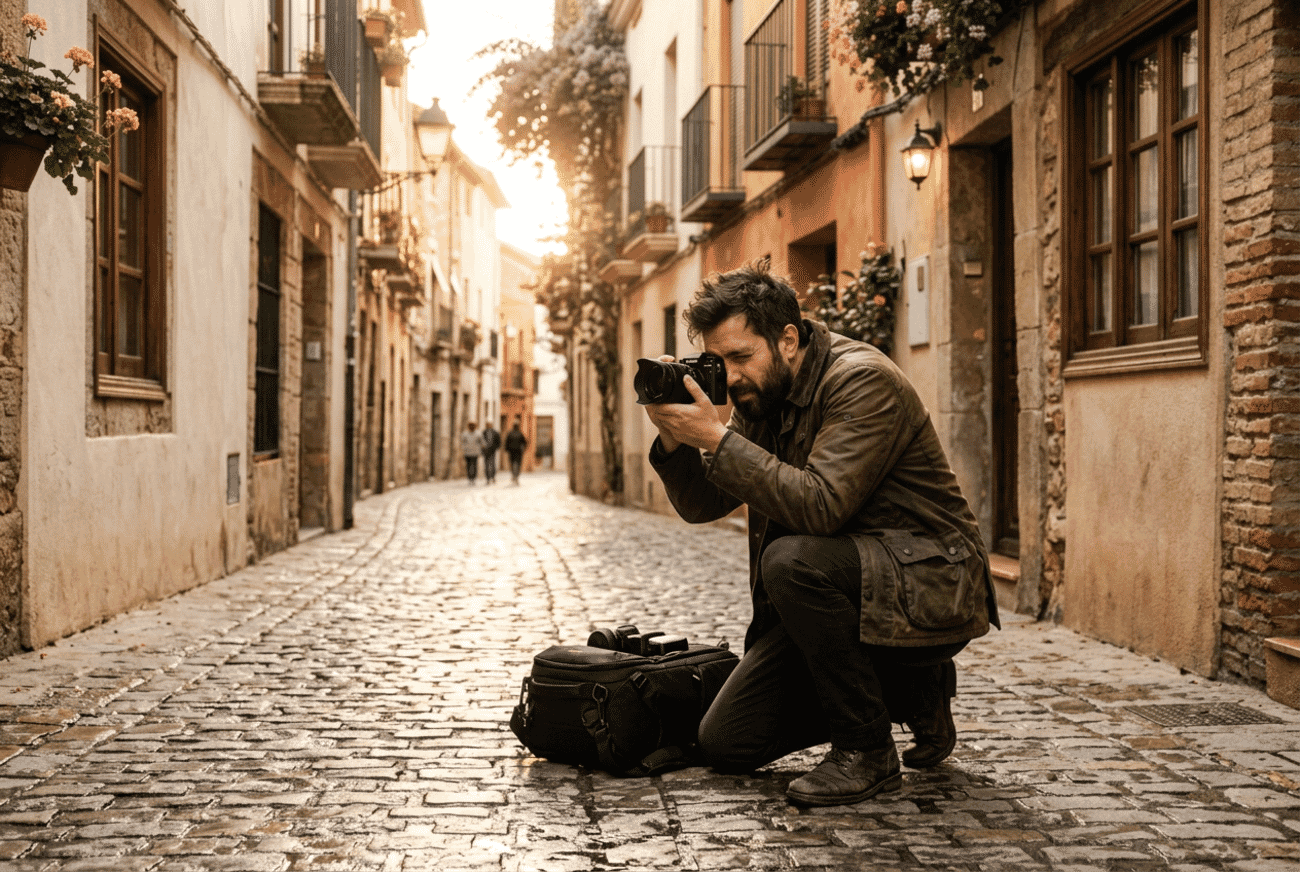
Result: This is where NB2 really shines. The Pro image looks cinematic but overly stylized — like a stock photo that’s too perfect. The NB2 image feels genuinely candid. The cobblestones have individually distinct textures, the photographer’s jacket shows real fabric weave, and there’s a camera bag on the ground — the kind of incidental detail that makes an image feel lived-in rather than generated.
The lighting is also more sophisticated in NB2. Instead of a dramatic central starburst, you get softer, angled golden-hour light that wraps naturally around the buildings with a convincing warm-to-cool gradient. NB2 wins decisively here.
Test 2: Educational Infographic
Prompt: An Exposure Triangle infographic with mascot character, showing Aperture, Shutter Speed, and ISO with icons, clean professional design, vertical 3:4.
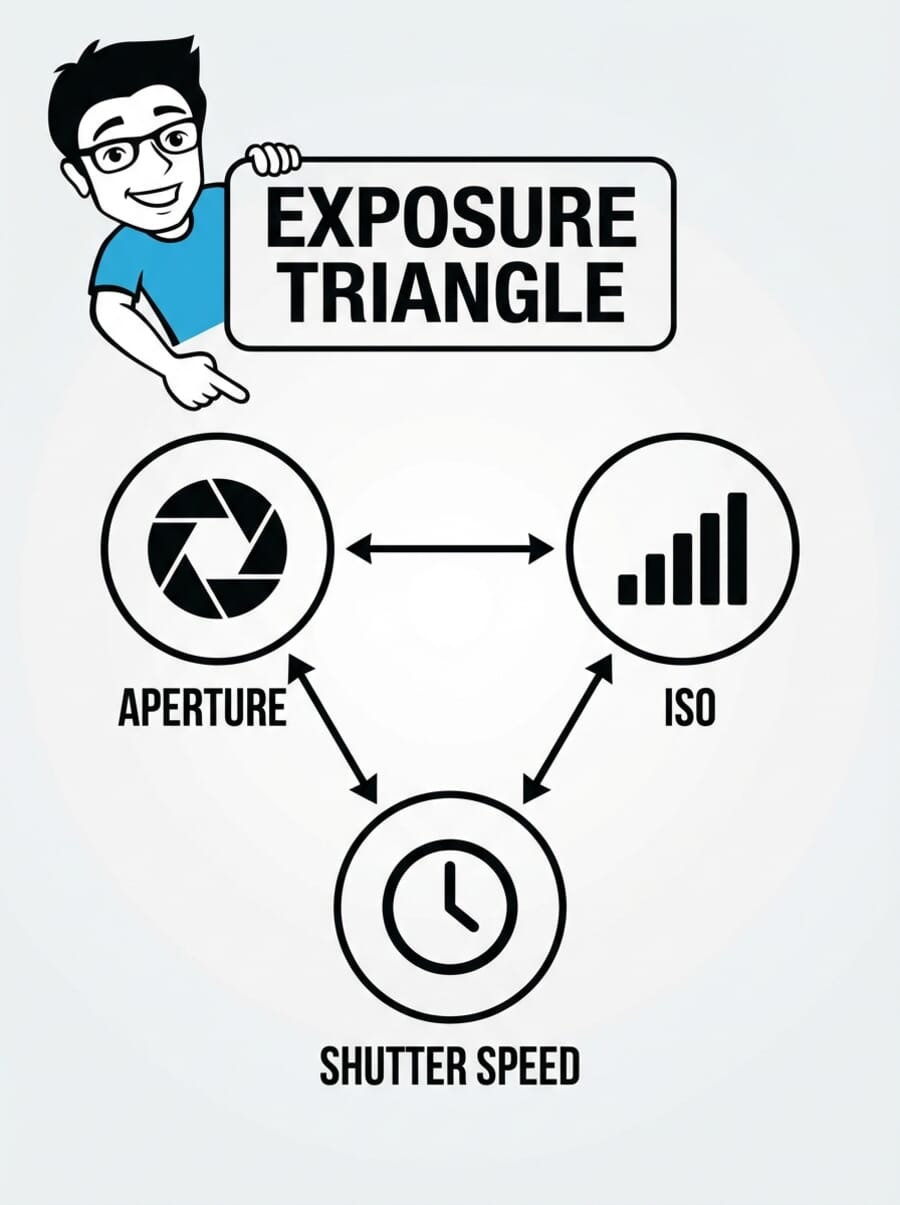
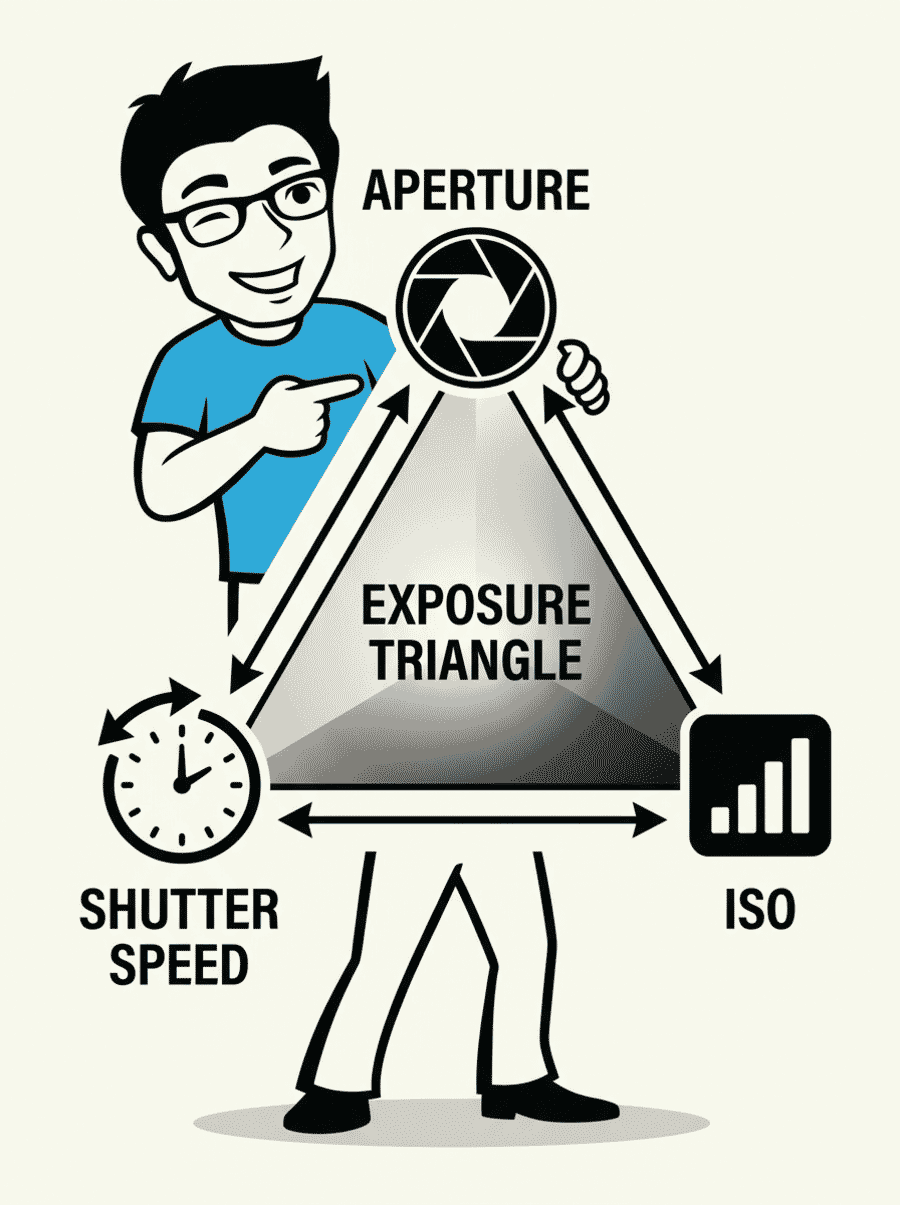
Result: NB2 edges ahead here. While Pro produces a cleaner traditional layout, its mascot rendering has noticeable issues — the legs don’t align properly with the upper body, creating an uncanny look. NB2 takes a more dynamic approach with the mascot actively interacting with the triangle, and the full-body rendering is more coherent. Both have zero spelling errors. NB2 wins on overall visual quality and mascot integration.
Test 3: Before/After Photo Editing Comparison
Prompt: A dramatic before/after comparison of a mountain landscape — dull and underexposed on the left, vibrant and enhanced on the right, with BEFORE/AFTER labels.
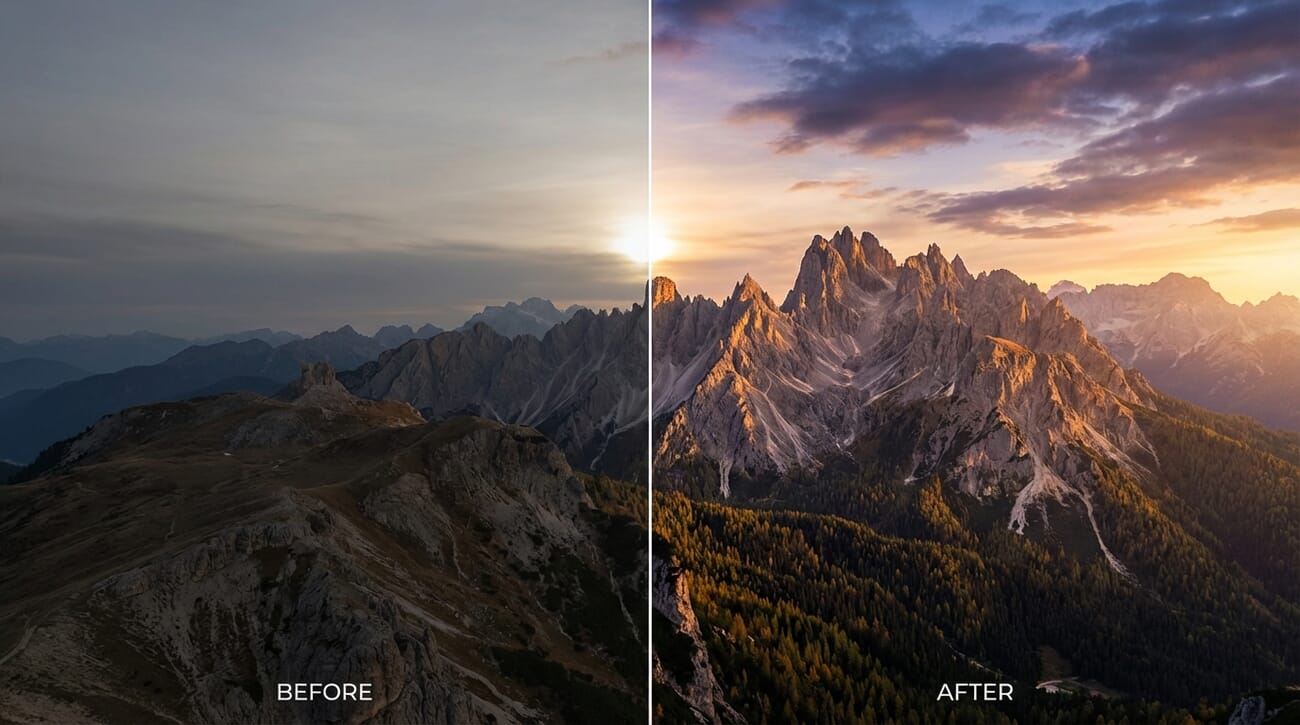
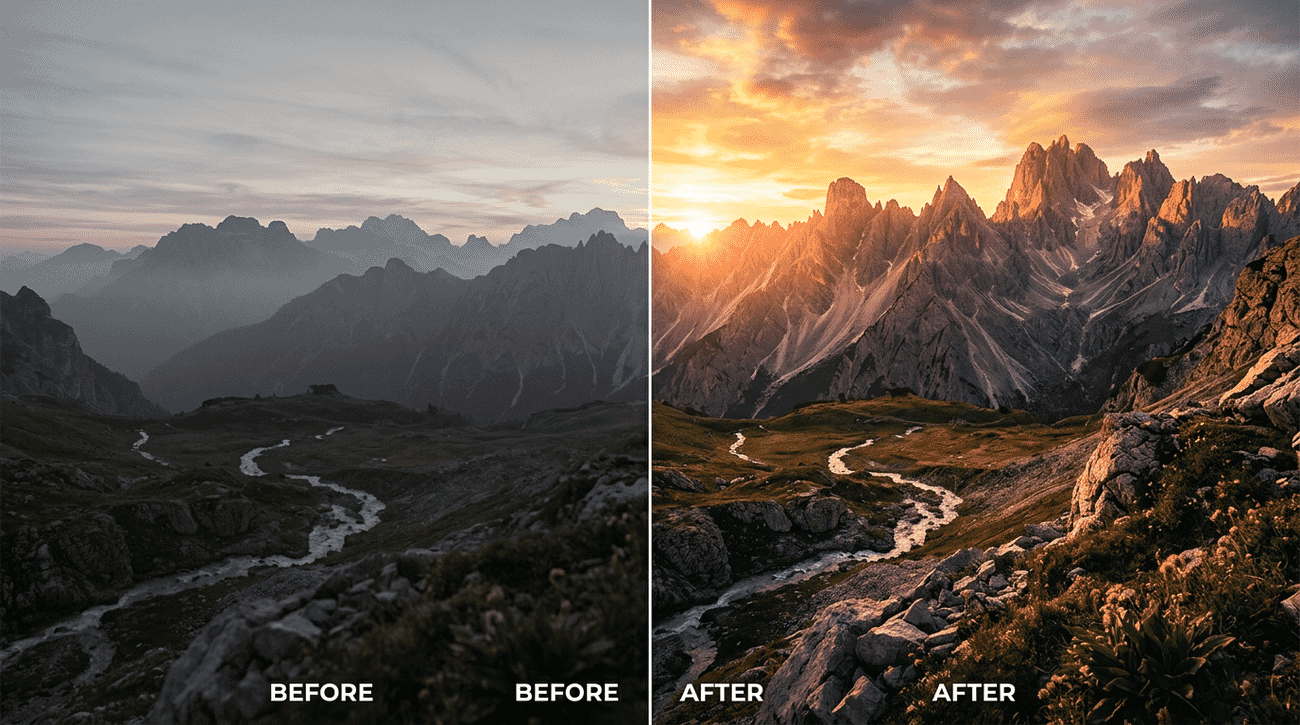
Result: Pro wins here. Both produce convincing mountain landscapes, but NB2 duplicated the BEFORE/AFTER labels (four labels instead of two). Pro’s output is publish-ready with no cleanup needed. NB2 does have better compositional storytelling — a river threading through both halves creates visual continuity — but the text error is a dealbreaker for professional use. Pro takes this round.
Test 4: Product Image Enhancement (Unsplash Source Edit)
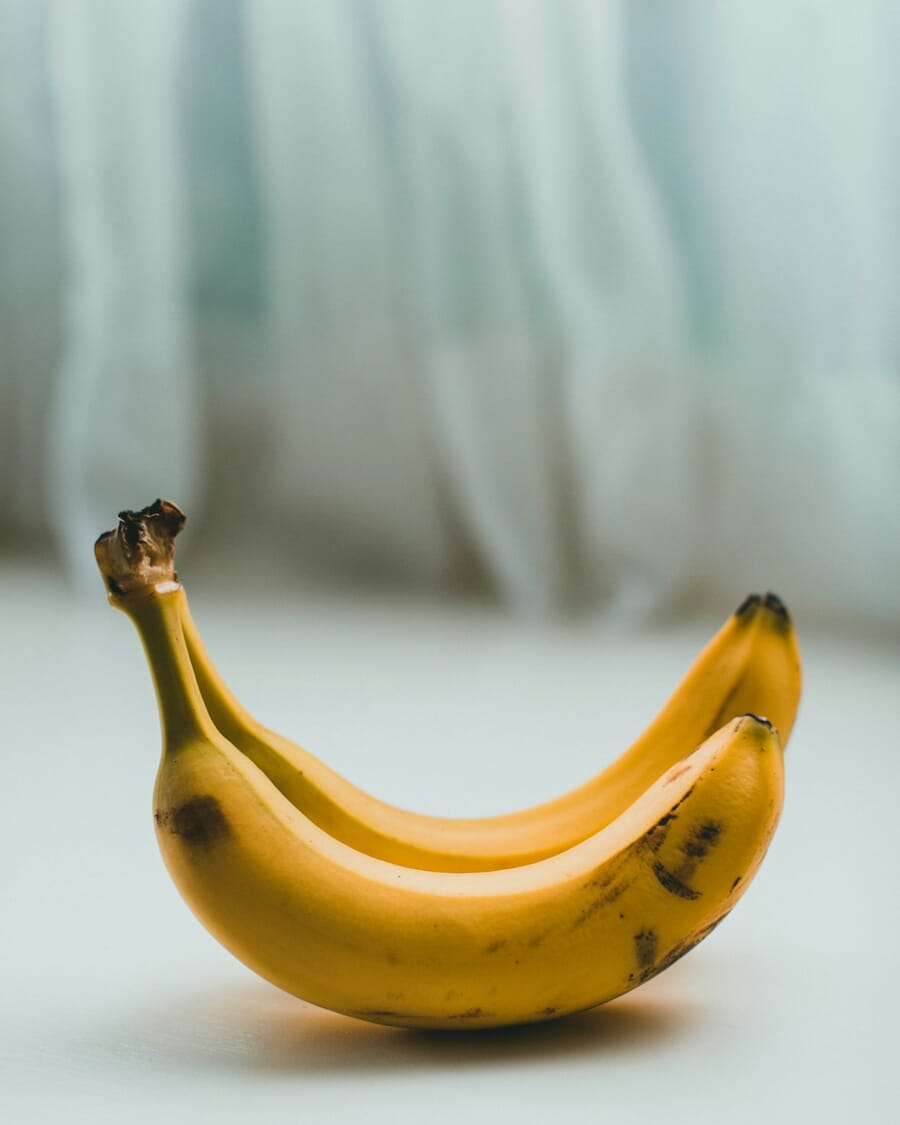
Prompt: We grabbed a real photo from Unsplash — two bananas on a draped blue-gray textile — and asked both models to transform it into a professional e-commerce product shot: pure white background, centered with 20% padding on a 1:1 canvas, subtle drop shadow, and strictly preserved product proportions.
This is a practical test that mimics a real workflow: you have a decent product photo with a messy background and need a clean, marketplace-ready version without reshooting.
Source photo — notice the blue-gray textile folds, soft shadows, and natural banana imperfections (spots, broken stem):
And here’s what each model produced:
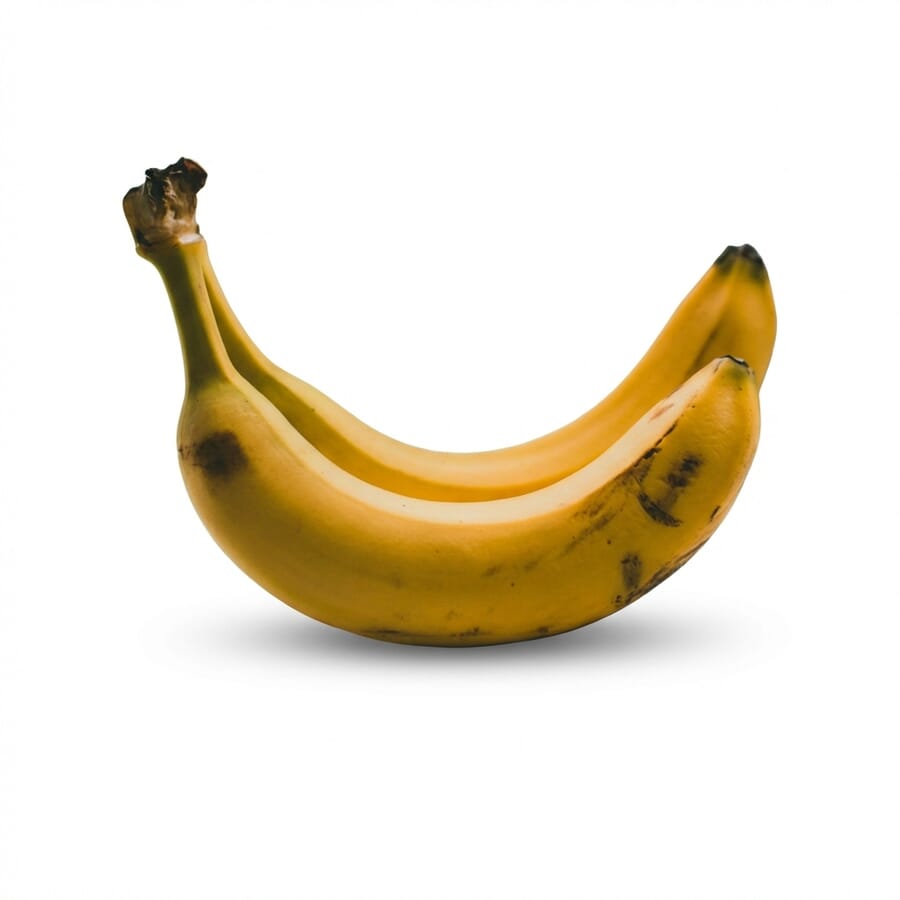
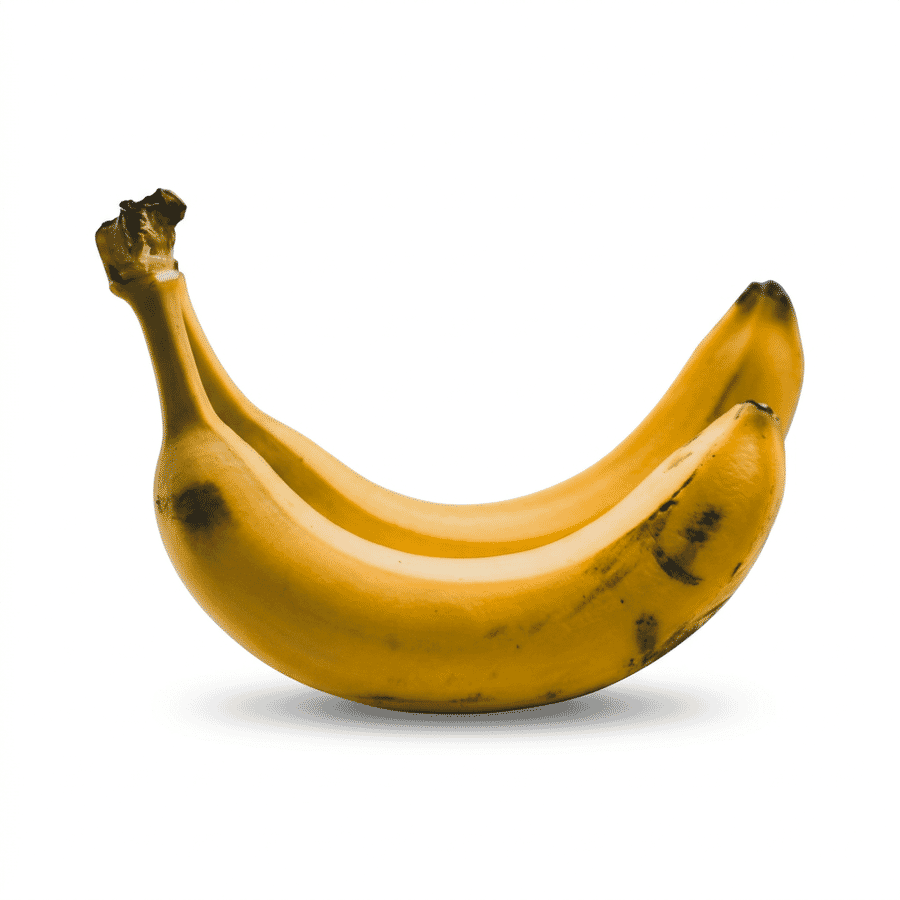
Result: Both models nailed the background removal — zero trace of the blue-gray textile. But the quality differences are clear. Pro slightly over-saturated the yellows and smoothed the peel texture, giving the bananas a faintly “beautified” look. Its drop shadow is also a bit heavy-handed.
NB2 stayed truer to the source across the board: more accurate color temperature, better-preserved peel ridges and brown spots, and a softer, more professional drop shadow. The stem detail and green-to-yellow gradient are noticeably more faithful to the original. NB2 wins this round — it’s the result you’d want for any e-commerce workflow where product accuracy matters.
Test Results Summary
Here’s how the two models stacked up across our four tests:
- Photorealistic images: NB2 wins — dramatically better textures, naturalism, and detail
- Infographics: NB2 wins — better mascot rendering and visual engagement; Pro has slightly cleaner text layout
- Text-heavy compositions: Pro wins — NB2 still has text duplication issues
- Product image enhancement: NB2 wins — better color accuracy, texture preservation, and more natural drop shadow
- Speed: NB2 wins every test — averaging 13.5 seconds vs Pro’s 23.4 seconds
- File size: NB2 outputs are roughly 2x larger at the same resolution, suggesting more baked-in detail
What This Means for Photographers
Nano Banana 2 is a genuine step forward for photographers who use AI tools in their workflow — whether for AI photo editing, creating educational content, generating mockups, or rapid visual prototyping.
The photorealism improvements are the headline for us. The model has clearly learned what makes a photograph look real — not just technically correct, but organically imperfect in the way real scenes are. Messy details, uneven textures, natural light behavior. This is the frontier of AI image generation.
For noise reduction and editing workflows, the faster generation speed means you can iterate on prompts more quickly. The 50% price cut makes it viable to generate multiple variations and pick the best one — a workflow that was cost-prohibitive with Pro pricing.
The subject consistency feature (up to 5 characters, 14 objects) opens up new possibilities for creating consistent visual series — think tutorial step-by-step guides where the same setup appears in every frame, or product comparison layouts with consistent styling.
Where to Try Nano Banana 2
Nano Banana 2 is available now across multiple Google products:
- Gemini app: Now the default model for Fast, Thinking, and Pro modes. Nano Banana Pro remains accessible via the regenerate menu for AI Pro/Ultra subscribers.
- Google AI Studio: Available for experimentation and building apps with the model ID
gemini-3.1-flash-image-preview. - Gemini API: Same model ID, same API structure as previous models — just swap the model name.
- Google Search: Powering AI Mode and Lens in 141 new countries with 8 additional languages.
- Flow: Available as the default image model at zero credits for all Flow users.
AI Image Provenance: SynthID and C2PA
Google continues advancing its approach to identifying AI-generated content. NB2 images carry both SynthID watermarks (Google’s invisible watermarking technology) and C2PA Content Credentials — the emerging industry standard for content provenance.
Since its November launch, SynthID verification in the Gemini app has been used over 20 million times across various languages. Google plans to bring C2PA verification directly into the Gemini app as well, making it easier for anyone to check whether an image was AI-generated.
For photographers concerned about AI-generated content being passed off as real photography, this is a positive development — though it remains to be seen how effective these watermarks are against determined bad actors.
The Bottom Line
Nano Banana 2 delivers on its promise of Pro-quality results at Flash speed. For photography-style image generation, it’s a clear upgrade. For infographics, NB2 also edges ahead with better character rendering and visual engagement, though Pro retains a slight advantage in text layout precision.
The combination of better photorealism + faster speed + lower cost makes this an easy recommendation for most photographers exploring AI image generation. If text accuracy is critical to your workflow, consider keeping Nano Banana Pro available as a fallback.
Either way, the pace of improvement is striking. What was cutting-edge six months ago (Nano Banana Pro) is now the baseline. If you haven’t experimented with AI image generation in a while, Nano Banana 2 is a good reason to revisit it.
Is Nano Banana 2 better than Nano Banana Pro?
For most use cases, yes. Nano Banana 2 produces more photorealistic images with better textures and natural detail, generates them 40-50% faster, and costs 50% less. The main exception is text-heavy content where Pro still has slightly more reliable text rendering.
How much does Nano Banana 2 cost to use?
Nano Banana 2 costs approximately 0.07 USD per generated image through the Gemini API, compared to 0.13 USD for Nano Banana Pro. Text input tokens cost 0.50 USD per million tokens, which is negligible for typical prompts.
What is the API model name for Nano Banana 2?
The model ID is gemini-3.1-flash-image-preview. It uses the same API endpoint and request structure as previous Gemini image models — you only need to change the model name in your API calls.
Can Nano Banana 2 generate 4K images?
Yes. NB2 supports resolutions from 512px up to 4K, with native aspect ratios including standard (16:9, 3:2, 4:3, 1:1) and ultra-wide formats (8:1, 4:1) and their vertical equivalents.
Does Nano Banana 2 watermark generated images?
Yes. All Nano Banana 2 images carry both SynthID invisible watermarks and C2PA Content Credentials, allowing verification that the image was AI-generated.
Featured image: AI-generated illustration created with Nano Banana 2 (Gemini 3.1 Flash Image).
Sources and references: