


- OpenAI launched ChatGPT Images 2.0 on April 21, 2026, with a new ‘thinking’ step that reasons before drawing — API model
gpt-image-2, priced at $0.211/image at 1024×1024. - In hands-on testing, gpt-image-2 widens OpenAI’s structural lead — editorial layouts, magazine covers, and technical infographics are near-perfect where Gemini still stumbles on geometry.
- Gemini Nano Banana 2 still wins photo editing — it preserves resolution (1500+ px wide vs OpenAI’s 1024 cap), holds subject detail better, and runs 5-10× faster.
- Speed trade-off is real: gpt-image-2 runs 97-149 seconds per image with thinking mode on; Gemini returns in 11-24 seconds. OpenAI’s reasoning step is not free.
- Will it replace Photoshop? No — but it replaces the quick jobs most creators used Photoshop for (background swaps, style transfers, adding objects) and it reshapes publishing/design workflow around prompt-first briefs.
On April 21, 2026, OpenAI introduced ChatGPT Images 2.0 — a new image-generation model that, for the first time, uses a reasoning step before it starts drawing. Sam Altman called it “like going from GPT-3 to GPT-5 all at once.” Bold words for an image model.
The pitch: cleaner text, tighter layouts, 2K-resolution output, aspect ratios from 3:1 ultra-wide to 1:3 ultra-tall, and the ability to generate up to 8 consistent images in one prompt when thinking mode is on. API pricing runs $30 per million output tokens — roughly $0.211 per high-quality 1024×1024 image, about 60% more expensive than the prior gpt-image-1.5 model. The API name is gpt-image-2.
The obvious question: does it beat the current benchmark — Google’s Gemini 3 Flash Image (internally nicknamed “Nano Banana 2”), which has held the quality crown in the image-gen world for most of 2026? We ran them side-by-side.
How We Tested
Six identical tasks on both models — gpt-image-2 (OpenAI, hands-on API access verified April 22, 2026) and gemini-3.1-flash-image-preview (Google) — using four real source photos curated via SampleShots:
- Background swap — replace an outdoor portrait’s background with a clean white studio backdrop
- Style transfer — turn a minimalist architectural shot into a hand-drawn pencil sketch
- Object addition — add a chocolate croissant to a cafe coffee shot, matching light and depth of field
- Artistic transform — convert a vintage Rolleiflex product shot into a watercolor painting
- Generate: magazine cover — editorial text-rendering test with a specific title, tagline, and issue line
- Generate: infographic — the exposure triangle with labelled icons and values (composition test)
Every output in this post is a real, unretouched API response. The OpenAI calls used quality=high, size=1024×1024 for edits and 1024×1536 / 1536×1024 for the generation tasks. Gemini used its default preview-image mode. Nothing was cherry-picked — each pair is the first response the API returned.
Test 1: Background Swap (Portrait)
The classic Photoshop job: strip a subject from a busy outdoor scene and drop them onto clean studio white. Both models were given the same prompt: “Replace the background behind the subject with a clean white studio seamless backdrop. Keep the subject, clothing, pose, and lighting exactly as they are.”
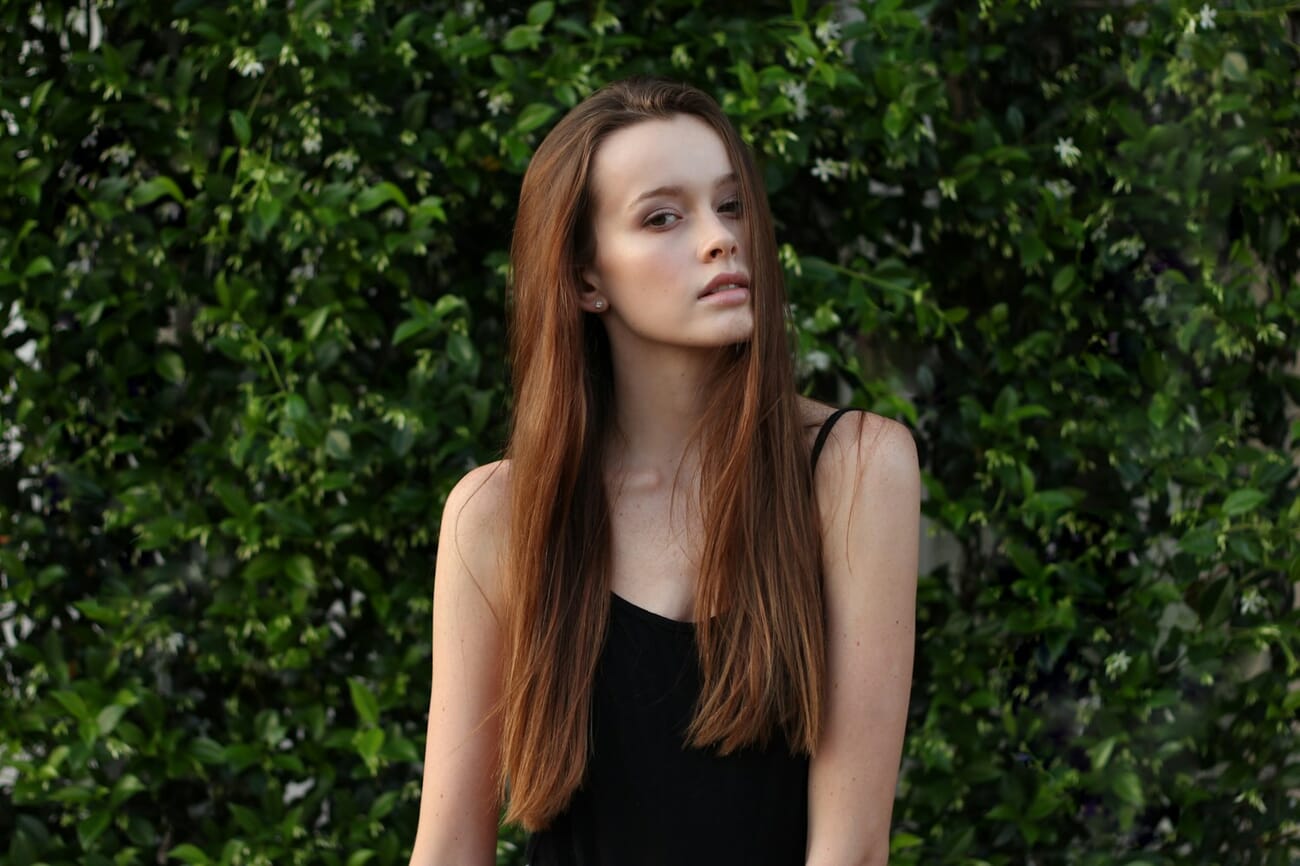
The results
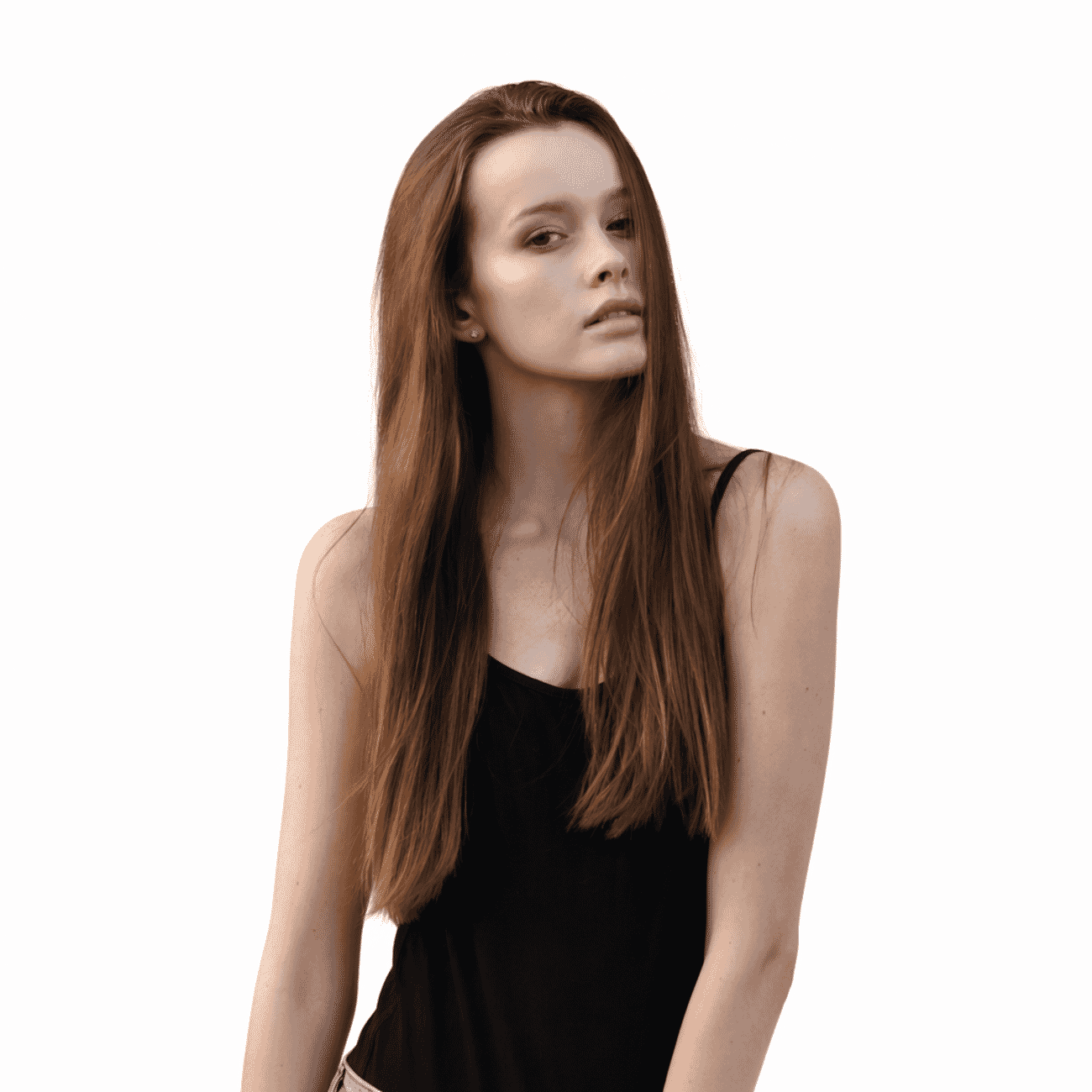
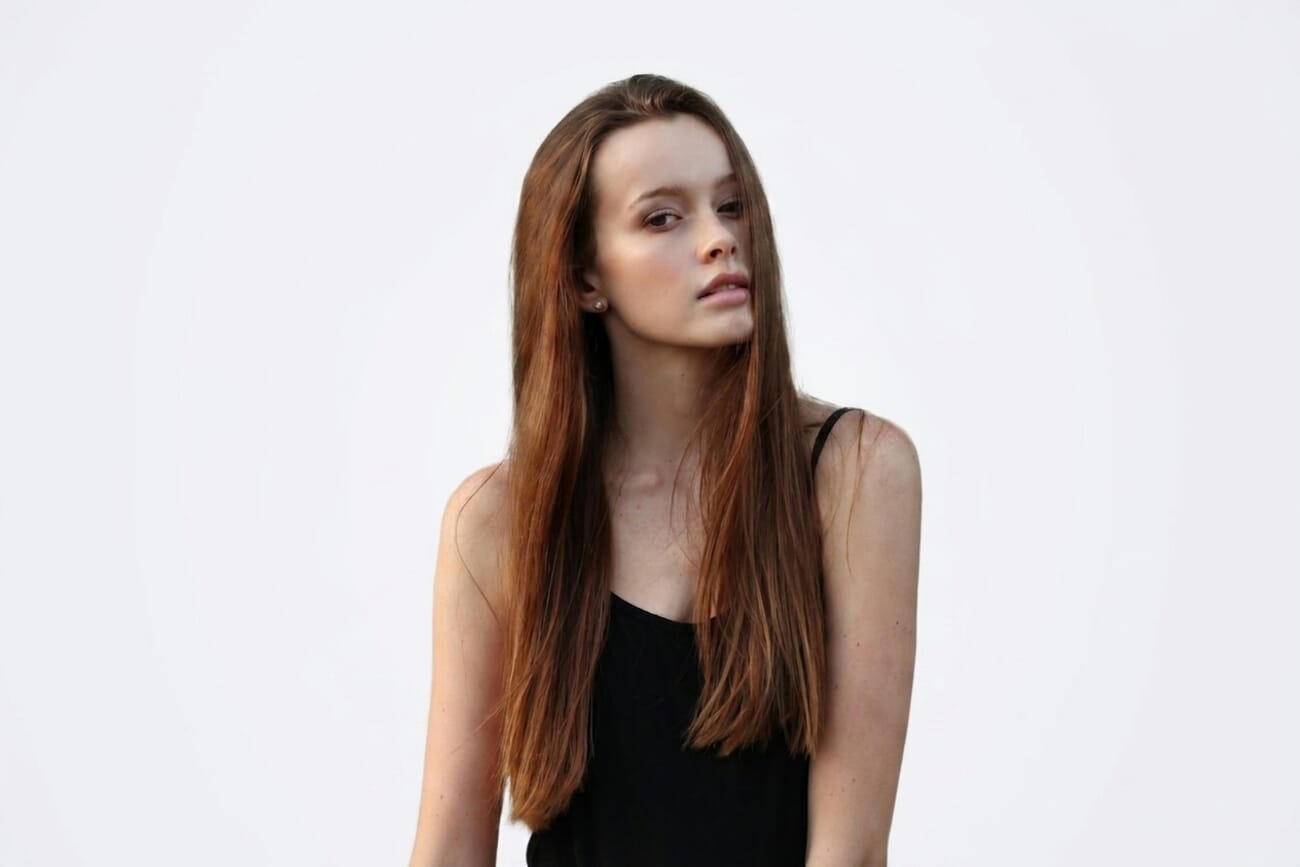
Gemini wins on resolution, OpenAI wins on latency trade-off value. Both stripped the background cleanly, but Gemini returned a file 3× the size of OpenAI’s 1024 px output. For production work where the edit feeds into a larger layout or print, the resolution gap still matters. Gpt-image-2’s result is a clear step up from gpt-image-1.5’s thumbnail-sized output — but the 1024 px cap remains a real limit, and the 130-second render time is a production planning consideration.
Test 2: Style Transfer (Pencil Sketch)
Can the model convert a photograph into a convincing hand-drawn style while keeping the subject recognizable? Same prompt for both: “Transform this photograph into a fine-pencil sketch, black and white, hand-drawn editorial illustration style with visible pencil strokes.”
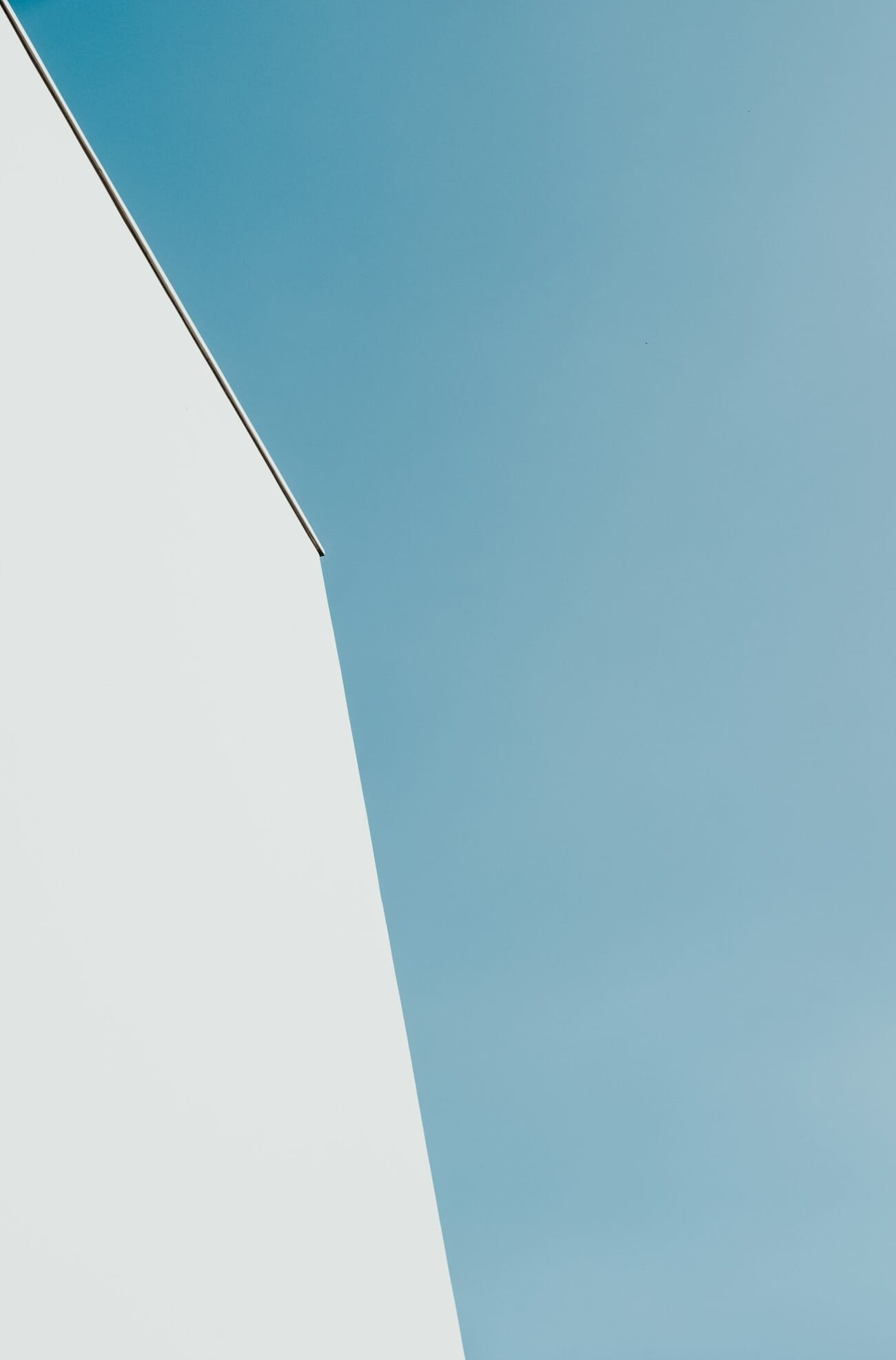
The results
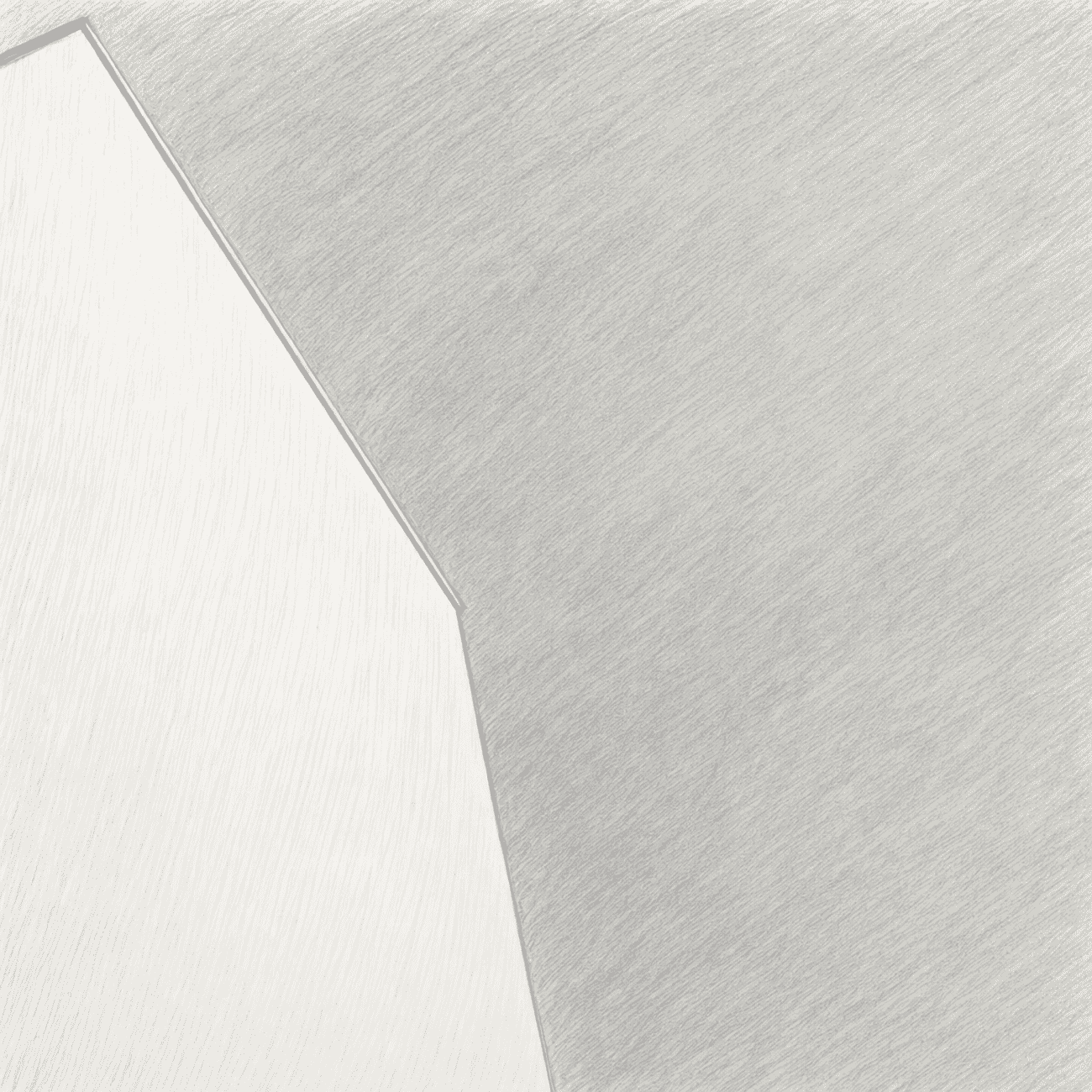
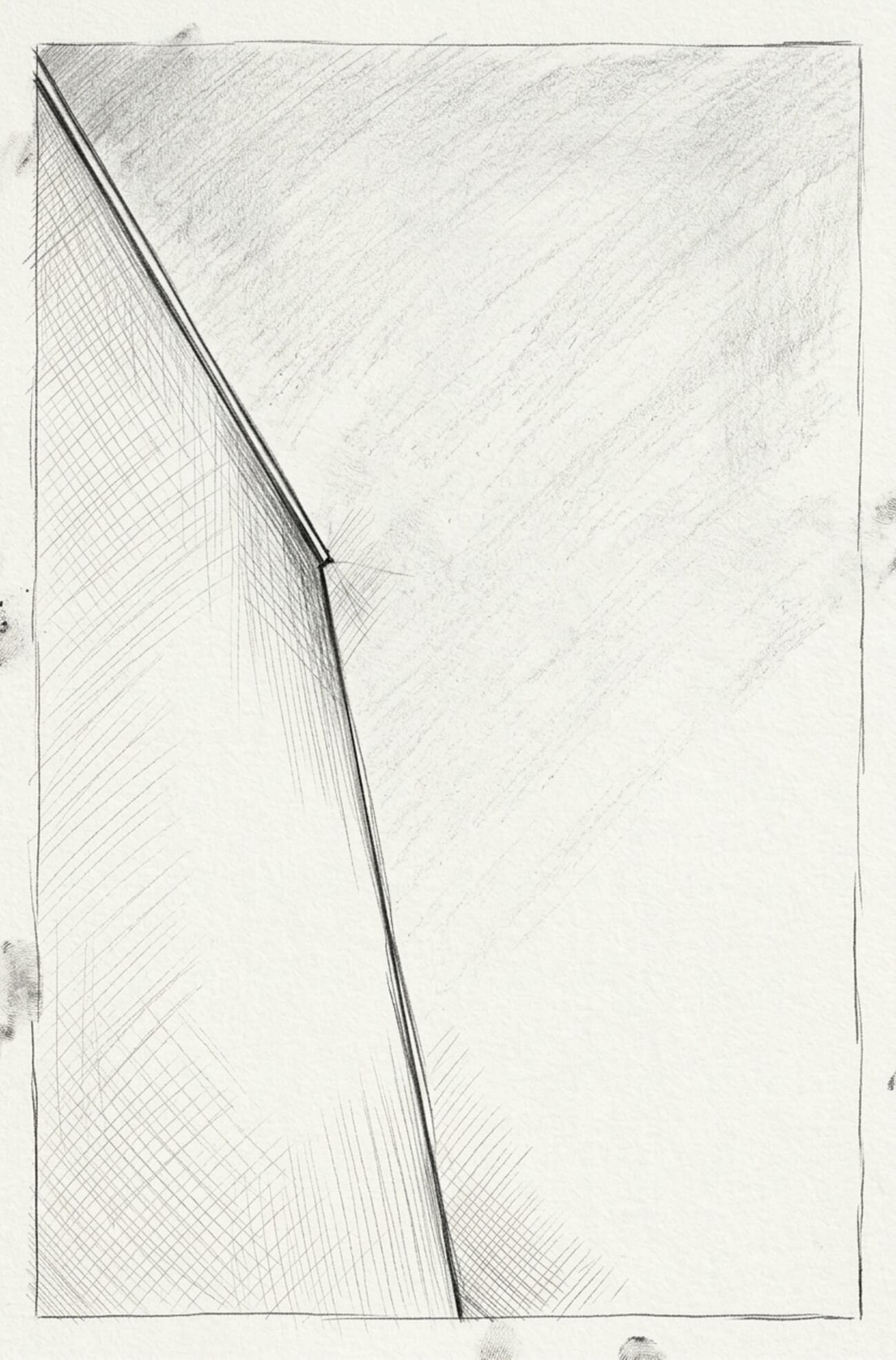
Gemini wins decisively. This is the test where gpt-image-2’s reasoning step actively hurts — the model appears to have ‘thought’ itself away from the source image, producing an abstract composition that discarded the architecture entirely. Gemini delivered a genuinely printable illustration with hatching detail and clean edges. Style transfer on real photographs is clearly still Gemini territory.
Test 3: Object Addition (Croissant)
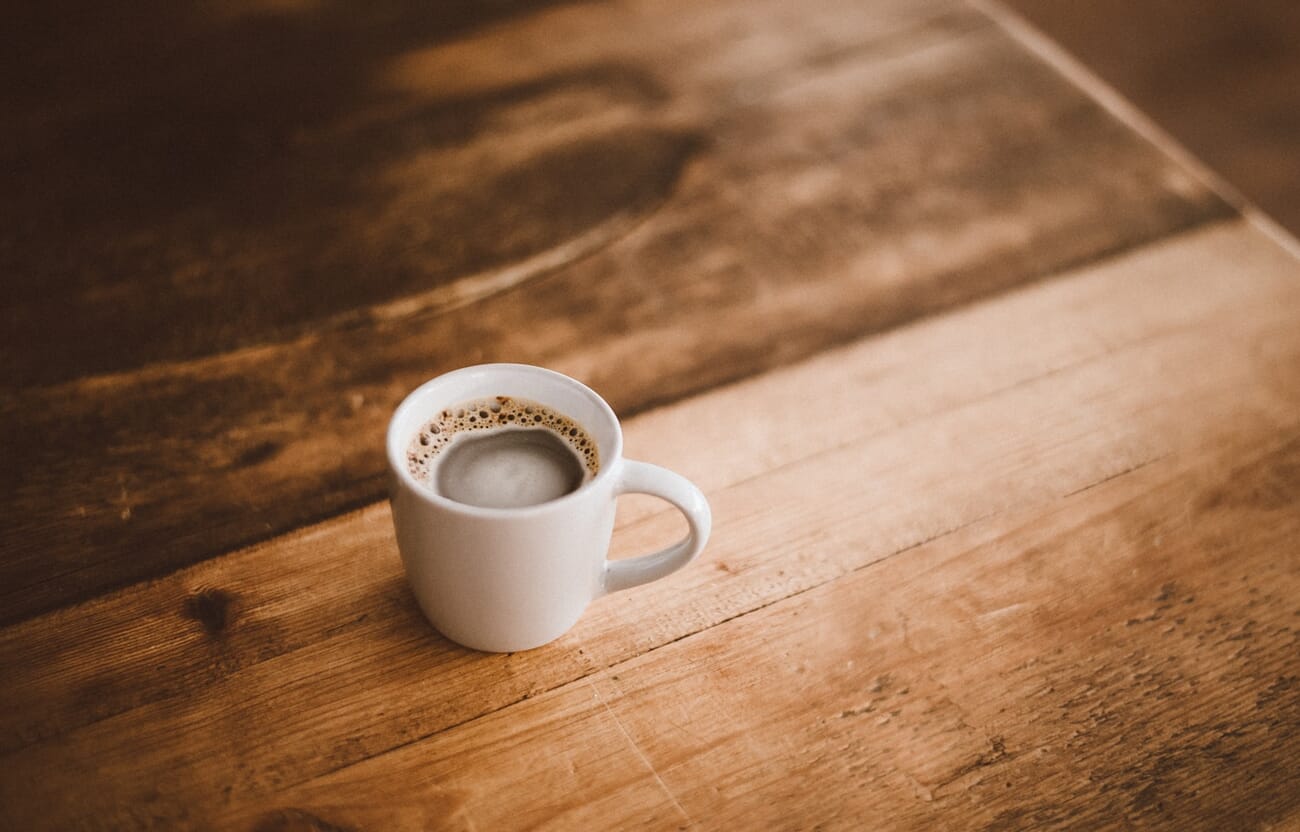
Adding realistic objects into an existing scene is one of the hardest tests — the new element has to match lighting, shadow, and depth of field. Prompt for both: “Add a single chocolate croissant on a small white plate placed next to the coffee cup. Match the existing warm morning light and depth of field. Subtle, photorealistic.”
The results
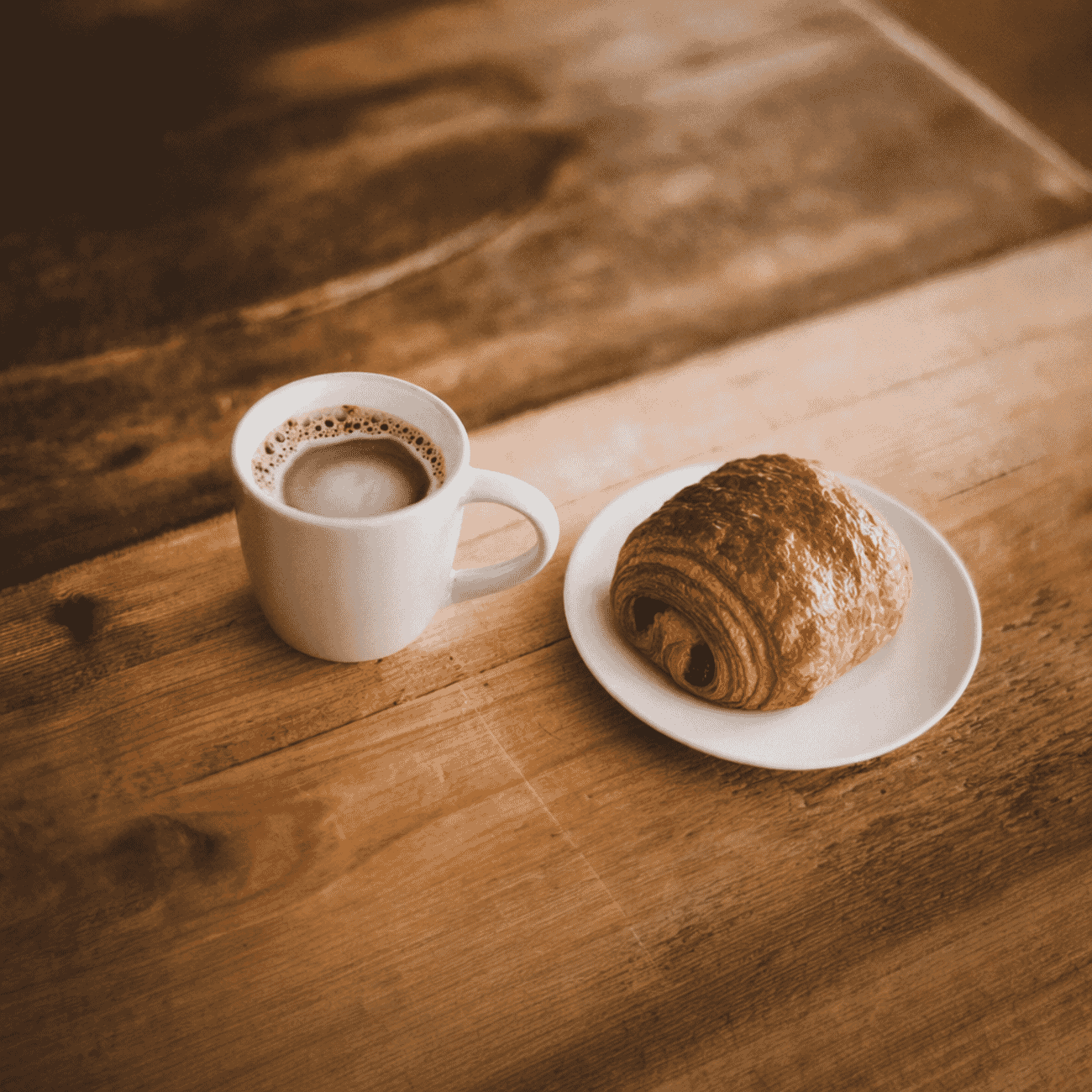
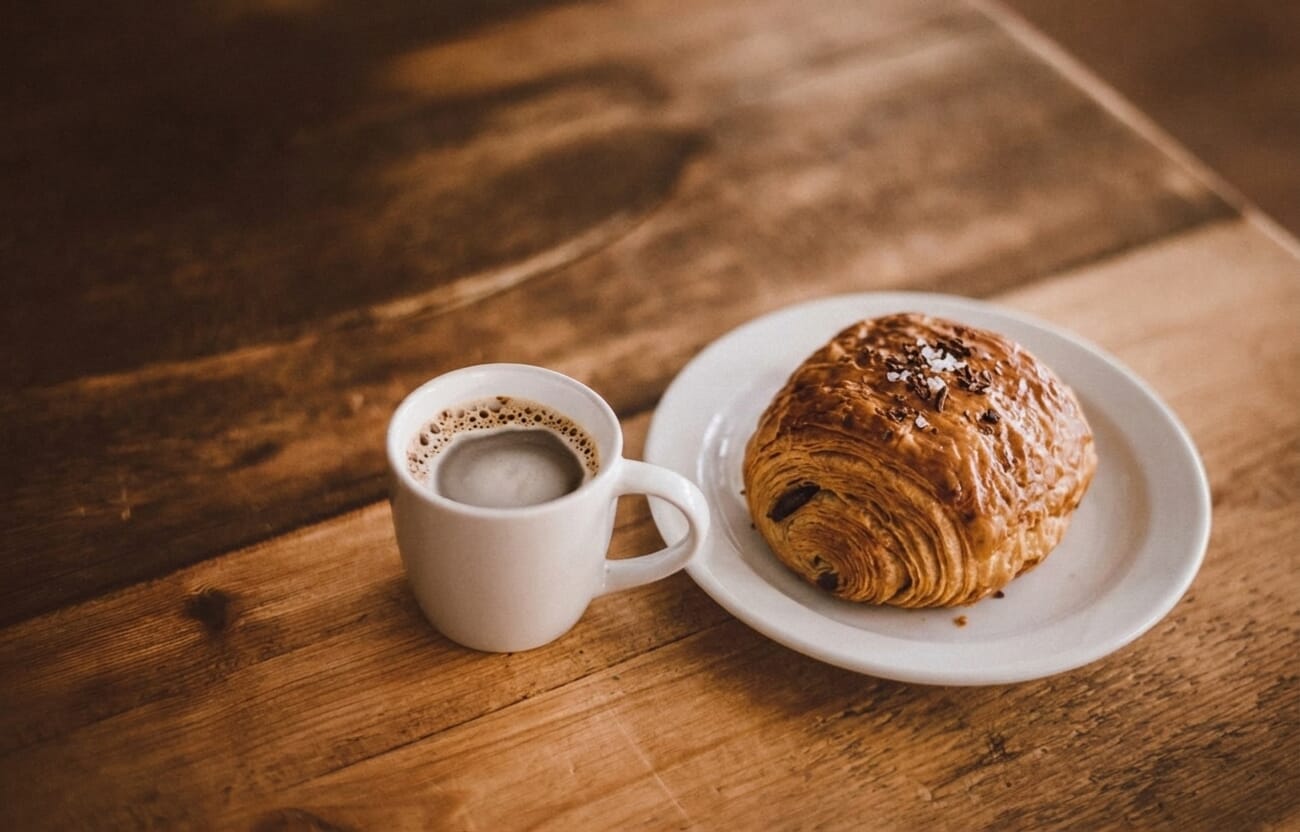
Tighter race — effectively a tie. Gpt-image-2 has clearly closed the gap here: the croissant is photorealistic, the plate matches the table tone, and the lighting integrates naturally. Gemini still has the edge on pastry detail (you can count flakes) and retained the original deeper bokeh on the cup. For everyday social-content editing, either is production-ready. This is the kind of edit that would have taken a Photoshop user 15 minutes of masking and compositing; both models nailed it in under three minutes.
Test 4: Artistic Transform (Watercolor)
Watercolor is the hardest of the painterly styles — it lives or dies on pigment bleed, paper texture, and knowing what to leave white. Prompt: “Transform this photograph into a traditional watercolor painting with soft color washes and visible paper texture.”
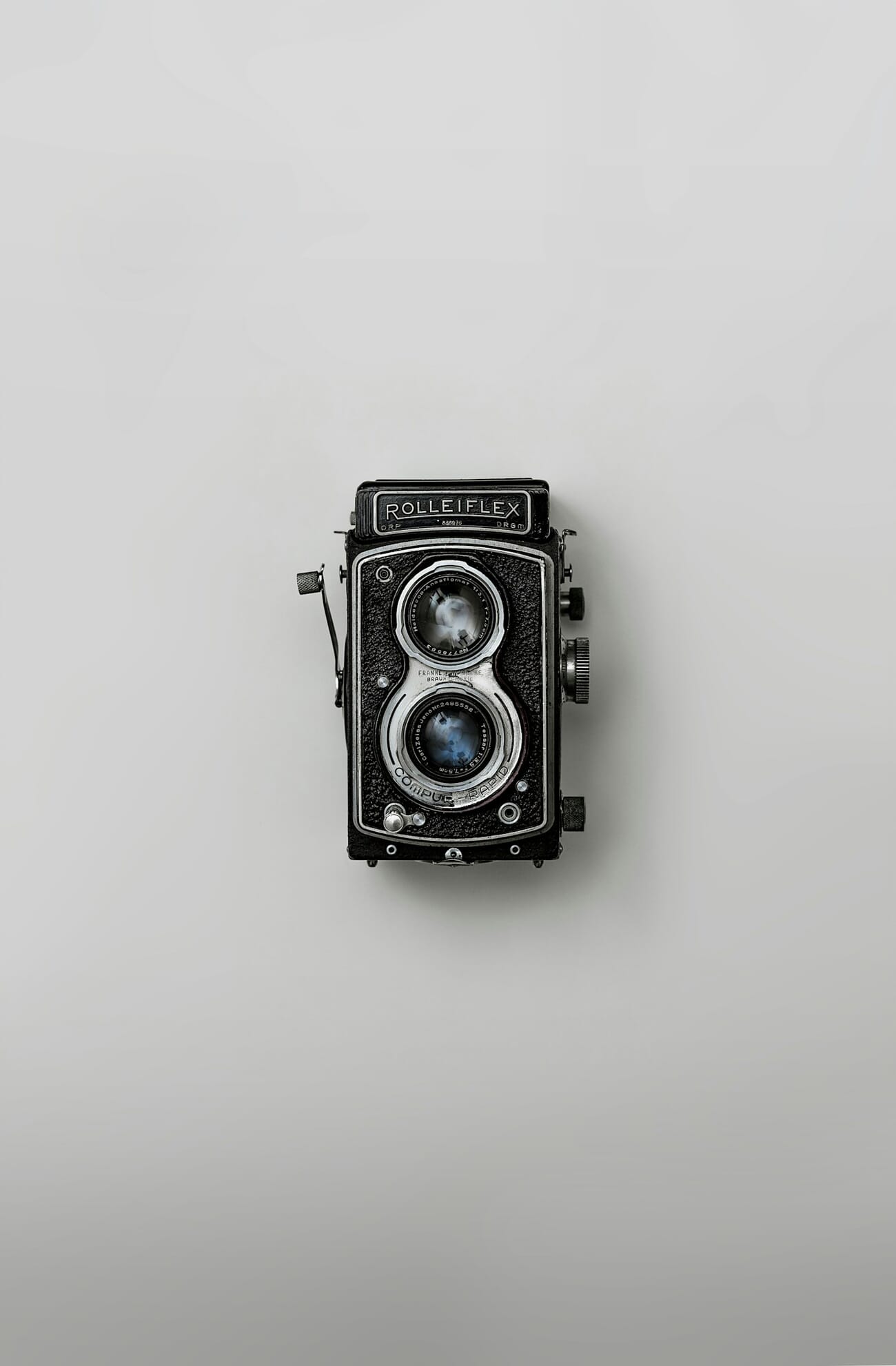
The results
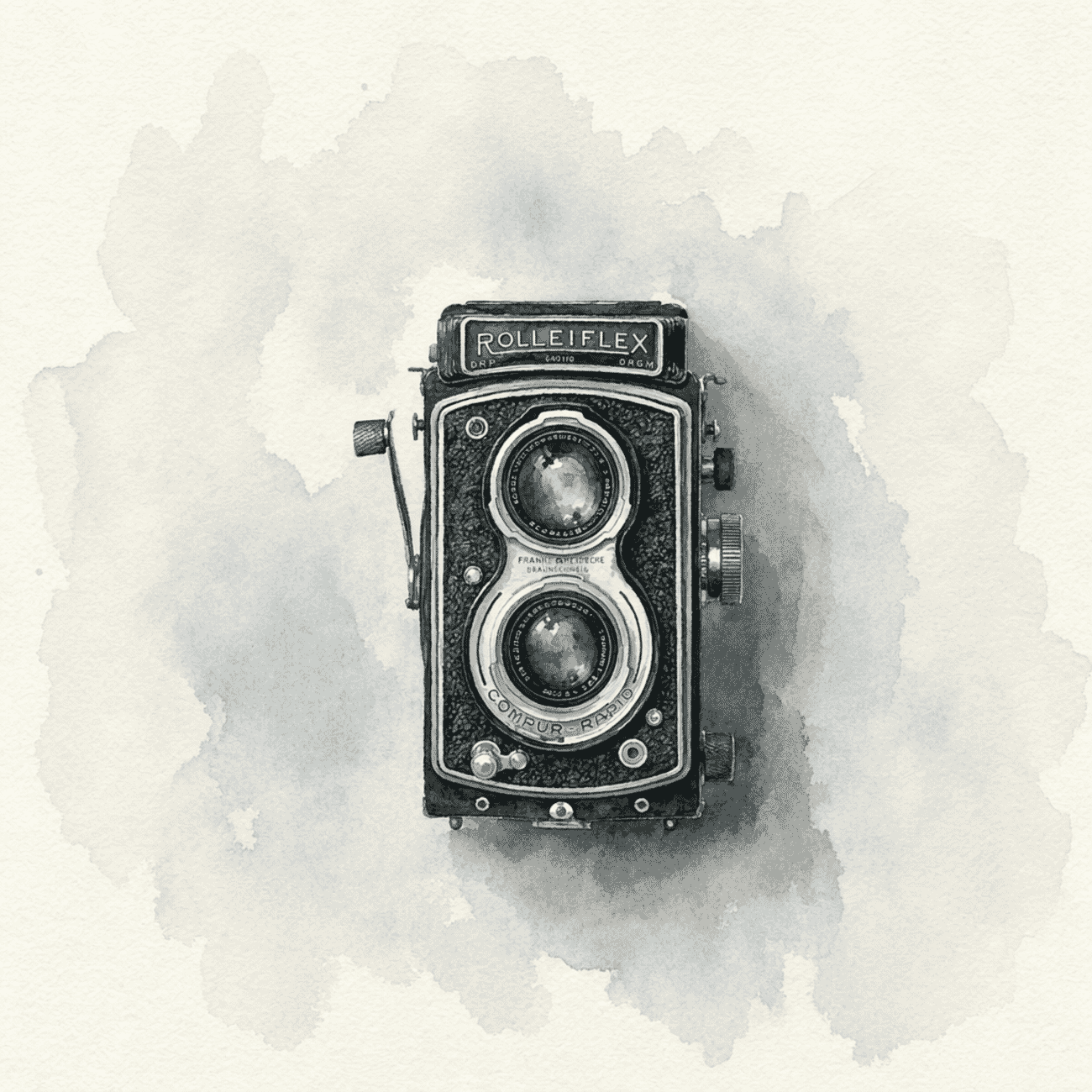
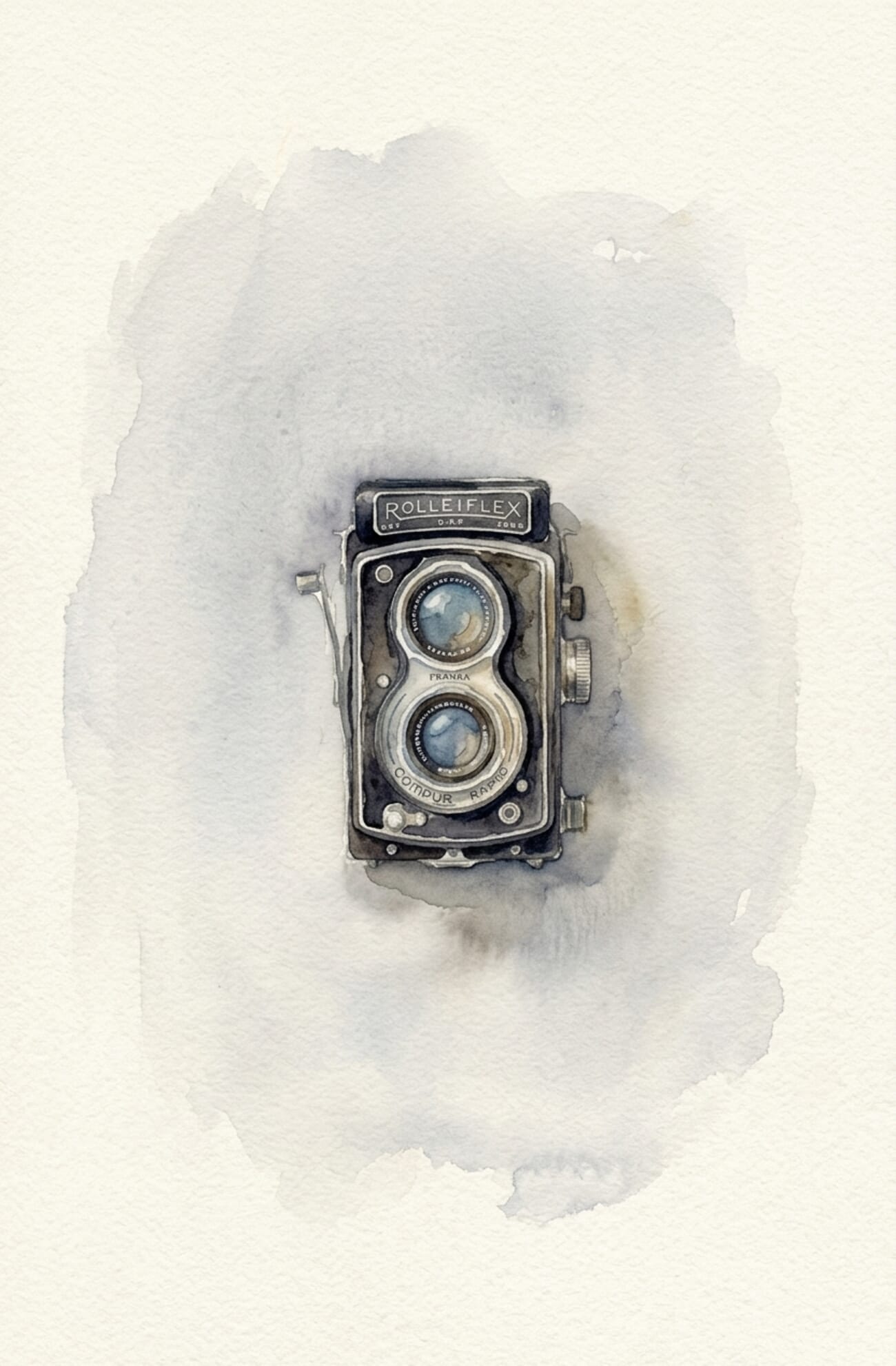
Gpt-image-2 closes a gap that was wide with gpt-image-1.5. Both kept the engraved nameplate text legible — something 1.5 couldn’t do. Gemini’s version has warmer, more varied pigment; gpt-image-2’s is cooler and more restrained. Aesthetic preference will split the room. For editorial use where predictability matters, OpenAI’s tighter interpretation is arguably more useful.
Test 5: Magazine Cover (Text Rendering)
This is where OpenAI’s launch claims get tested. Both models had to generate a magazine cover titled PHOTOWORKOUT with the tagline The AI Photography Revolution, a subline April 2026 · Issue 47, and a vintage 35mm camera image — all text spelled correctly, typeset cleanly.
The results
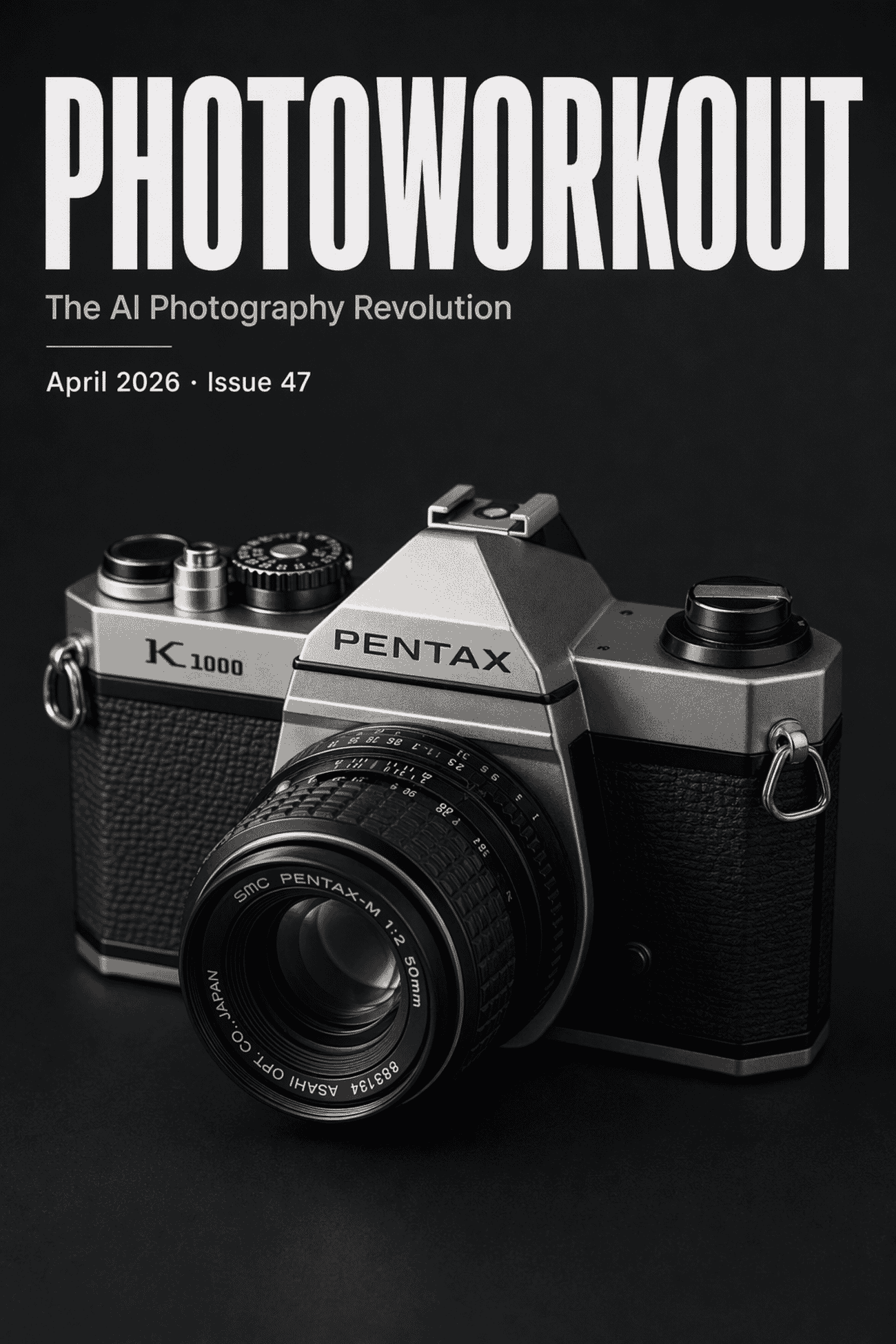
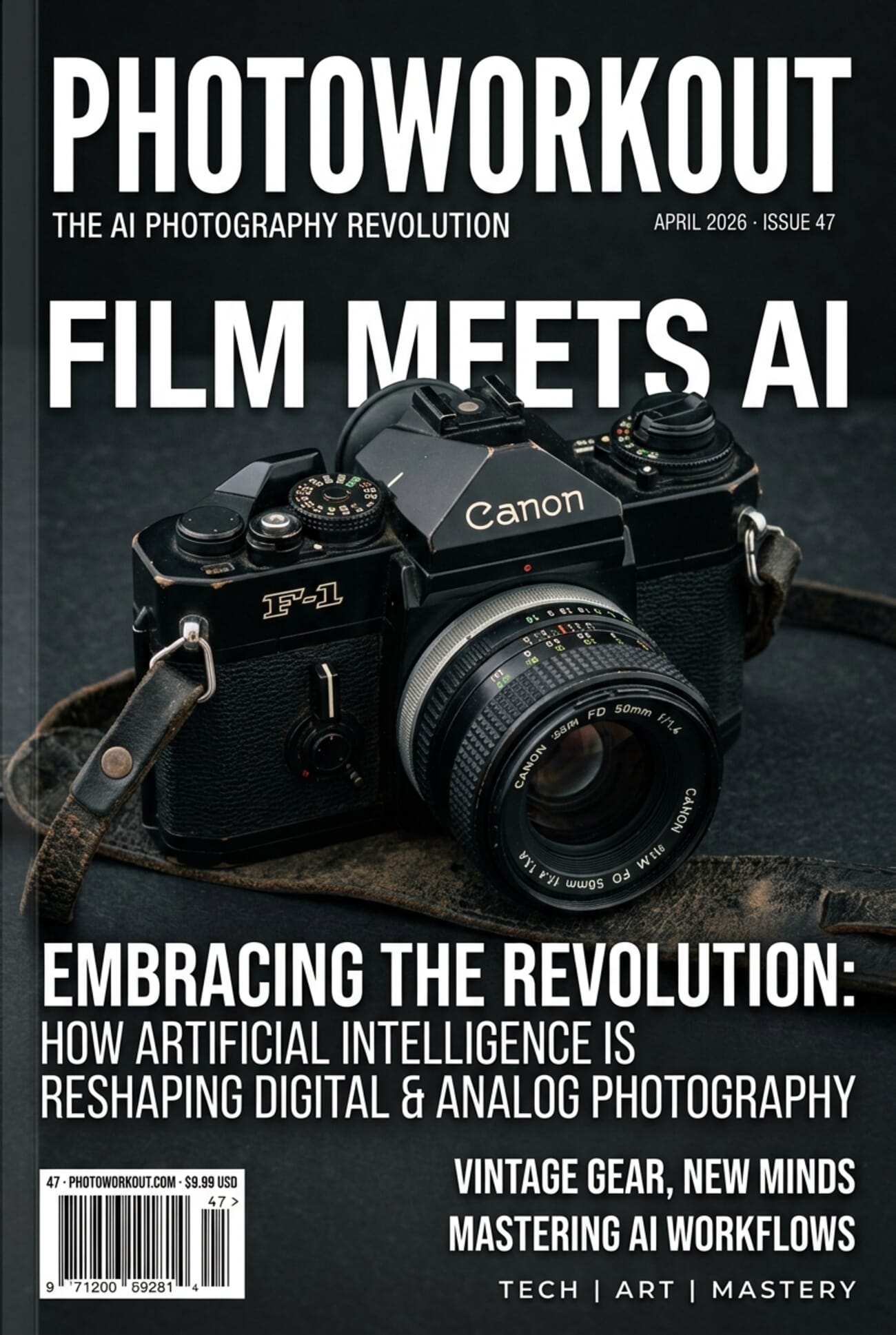
OpenAI wins on prompt fidelity. Gpt-image-2 nailed exactly what was asked — the three text blocks requested, nothing added, nothing omitted. Gemini rendered beautifully but over-delivered with four invented coverlines (“AI & THE FUTURE OF FILM”, “ESSENTIAL TECHNIQUES”, etc.) that weren’t briefed. For client work where spec adherence matters, OpenAI’s stricter interpretation is the right behavior. One caveat: gpt-image-2 chose to render a specific Pentax K1000 — a real product — where Gemini generalized to a Leica silhouette. Neither is a problem in practice but it’s worth noting that Images 2.0 will produce recognizable branded products when it feels confident it can.
Test 6: Technical Infographic (Layout Fidelity)
Our hardest prompt: a labelled exposure-triangle infographic with three icons arranged in a triangle and one example value under each icon. This tests whether the model understands both the subject matter AND the spatial layout instruction.
The results
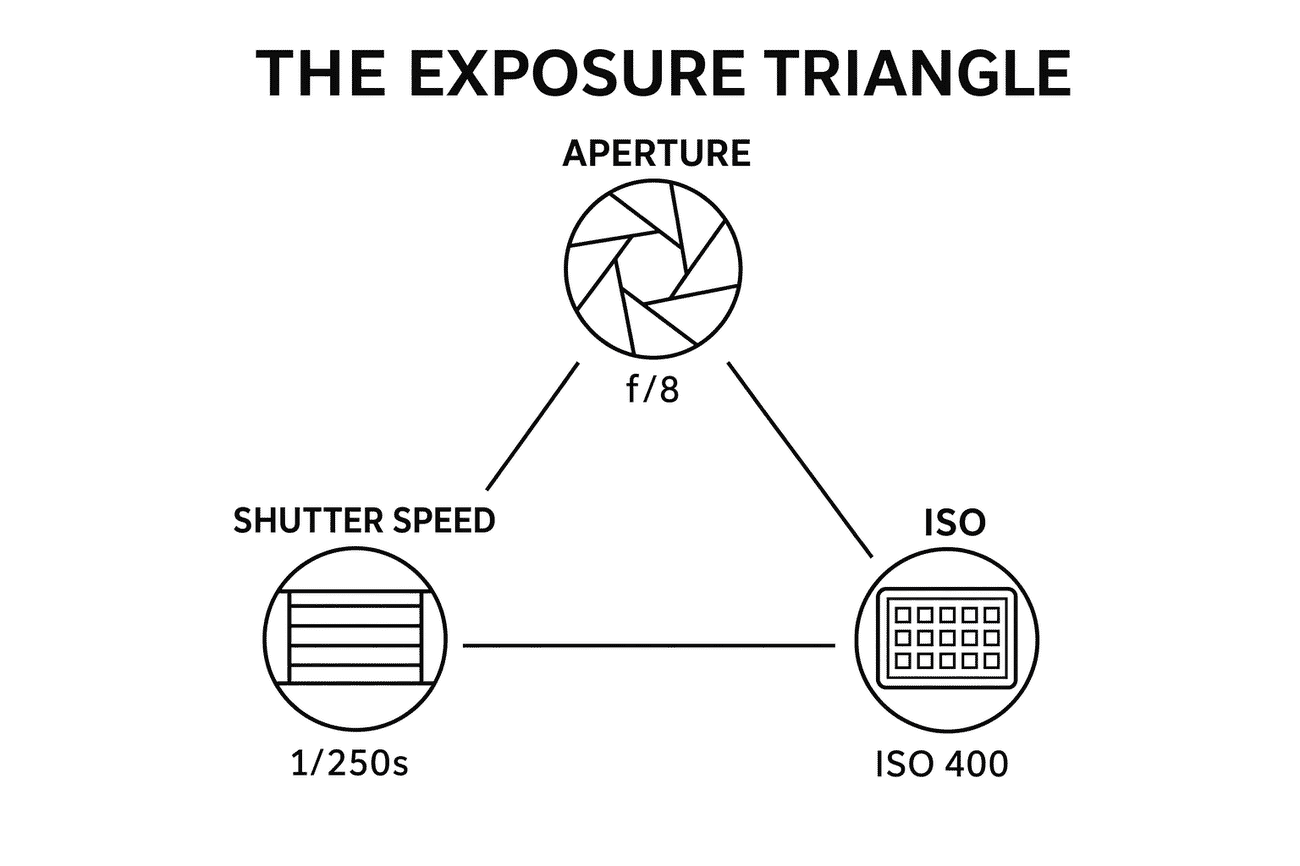
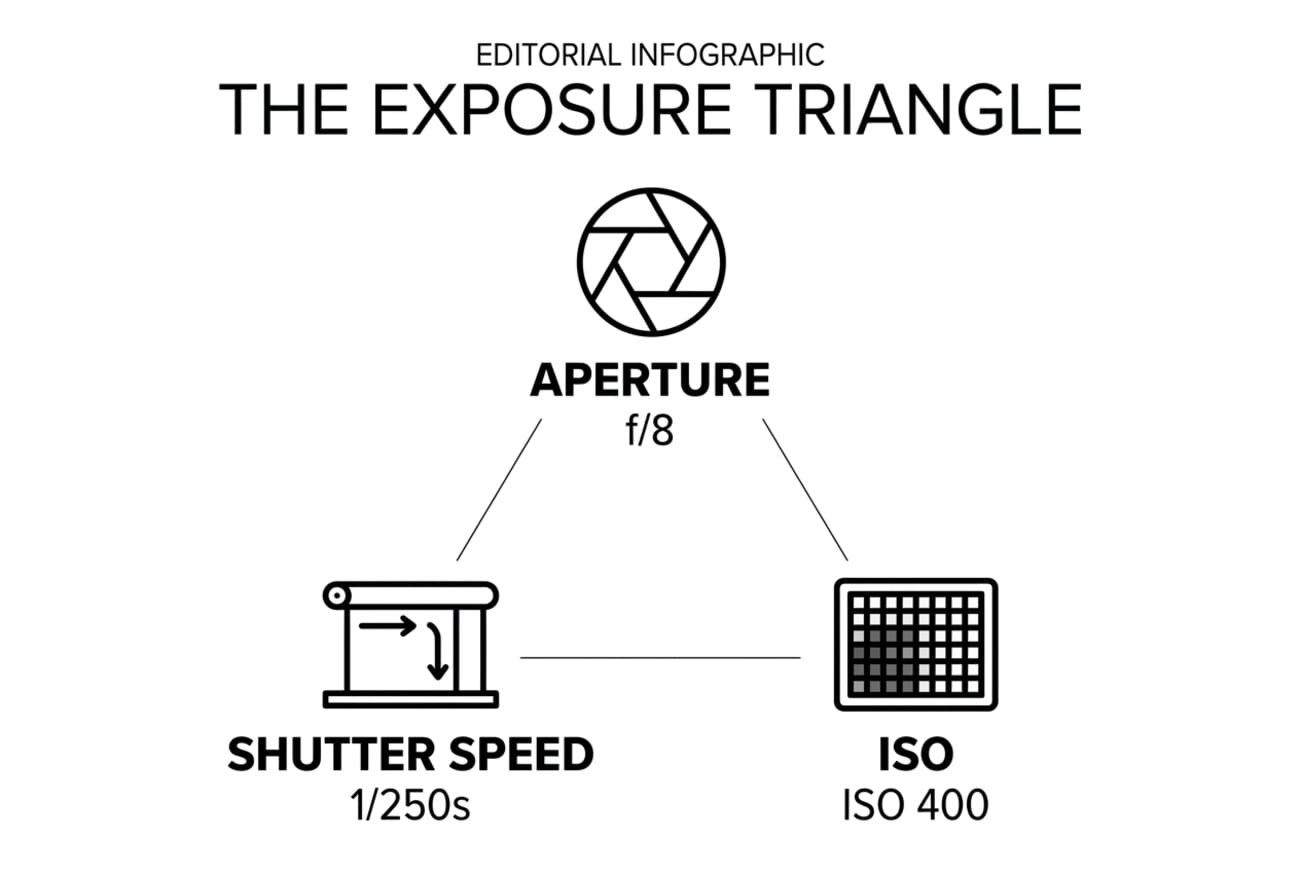
OpenAI wins cleanly — this is the test where gpt-image-2 earns its price. Gemini rendered the content correctly (aperture, shutter, ISO icons with correct values) but ignored the triangular layout instruction and stacked them vertically. Gpt-image-2 nailed the geometry — icons in a triangle, connecting lines drawn between them, labels in the correct positions. This is the single clearest signal that Images 2.0’s reasoning step delivers on structural composition where Gemini still falls back to generic layouts.
Additional Capabilities: OpenAI’s Own Samples
OpenAI’s launch samples showcase capabilities beyond what our six tests exercised. A few highlights, sourced directly from the announcement:
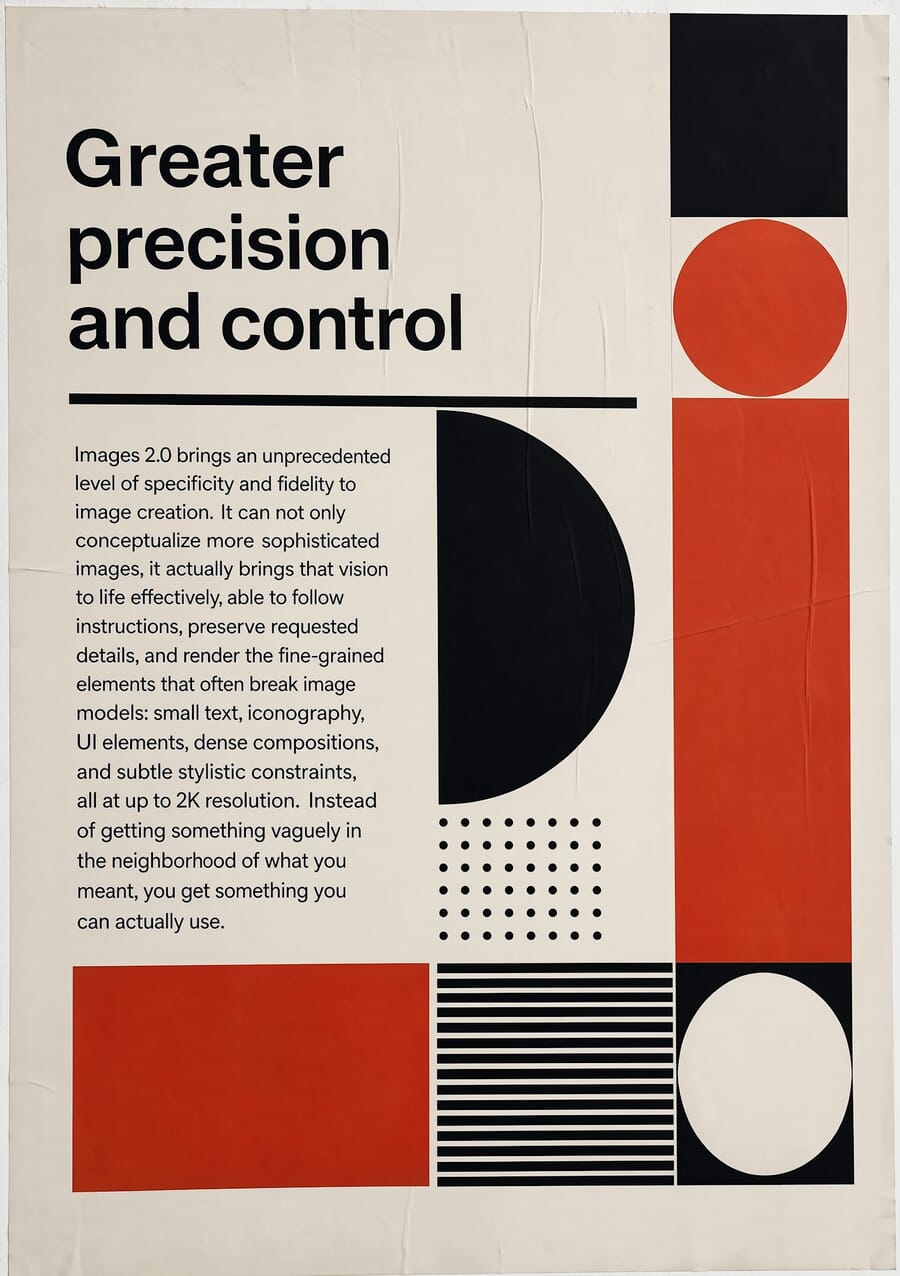
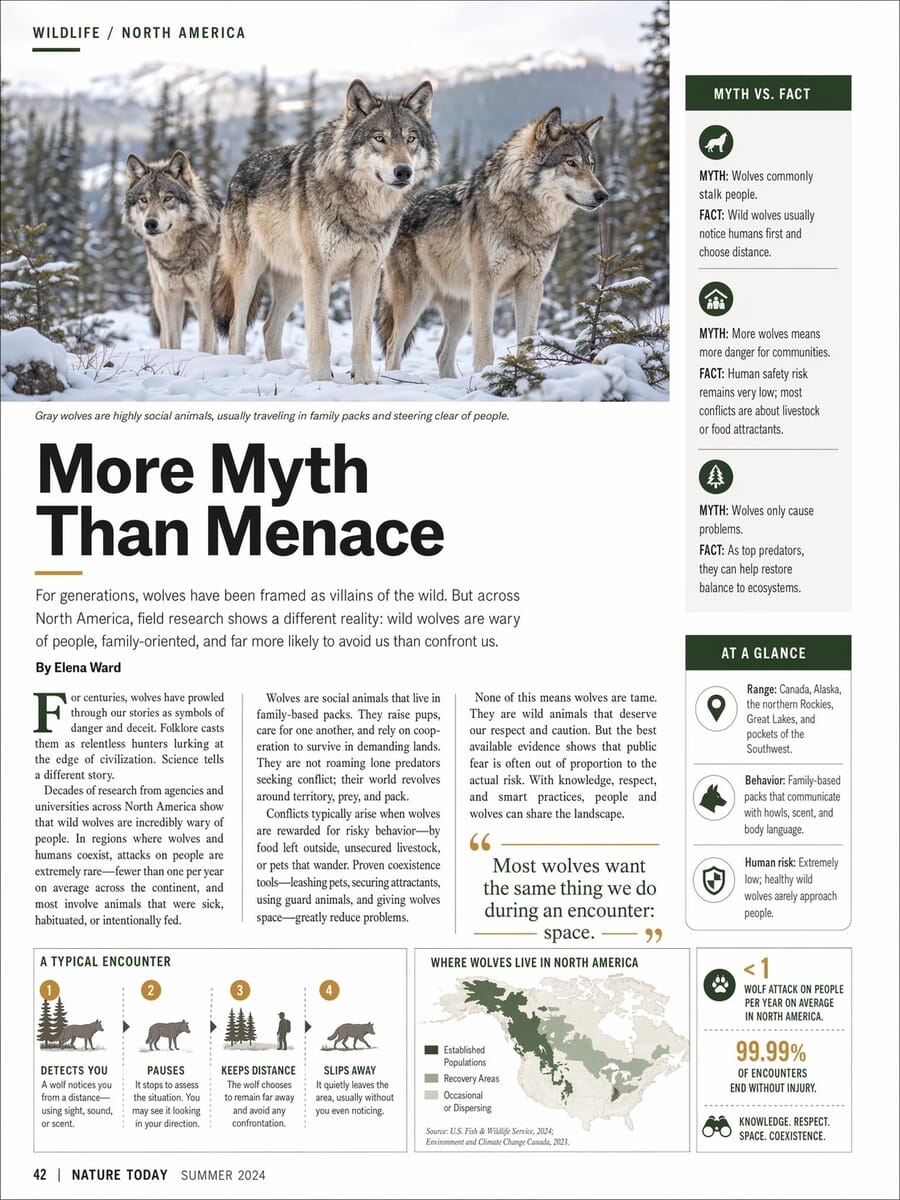
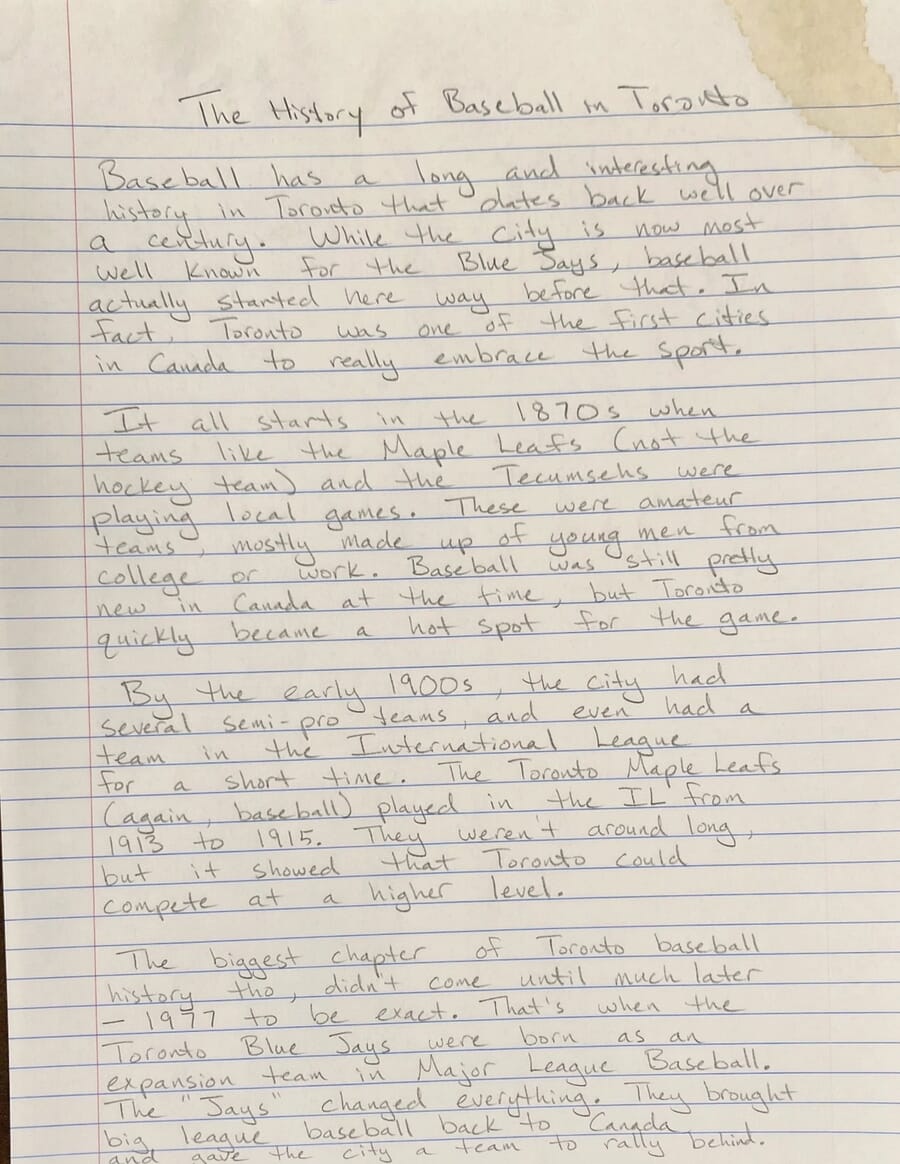
Three capabilities from OpenAI’s announcement that our tests didn’t cover:
- Multi-image consistency: up to 8 images from a single prompt, with characters, objects, and styles staying coherent across frames (useful for storyboards, product-shot sets, social carousels)
- Text rendering at scale: the wolf-magazine sample below packs 15+ distinct text blocks on one spread, all readable
- Non-Latin scripts: Japanese, Korean, Chinese, Hindi and Bengali typography are all markedly better (the feature TechRadar and Engadget called out most)
Scoreboard: What Each Model Is Actually Good At
| Task | Gemini Nano Banana 2 | OpenAI gpt-image-2 | Winner |
|---|---|---|---|
| Background swap | Full-res, detail preserved | Clean swap, 1024 cap | Gemini (resolution) |
| Pencil sketch style | Editorial-grade | Failed — abstract shape | Gemini |
| Add object (croissant) | Richer pastry detail | Clean integration | Tie |
| Watercolor transform | Warm pigment, text kept | Cooler tones, text kept | Tie |
| Magazine cover (text) | Polished, over-delivered | Perfect prompt adherence | OpenAI |
| Exposure triangle layout | Ignored geometry | Perfect triangle layout | OpenAI |
| Speed (avg edit) | 16s | 139s | Gemini (8.7×) |
| Output resolution cap | ~1500 px side | 1024 px (API standard) | Gemini |
| Cost per 1024×1024 high-quality | ~$0.04 | $0.211 | Gemini (5×) |
The picture is now clear: Gemini for editing photos, OpenAI for generating layouts. Images 2.0 widened the structural-layout lead meaningfully — the exposure-triangle test is the starkest example — while Gemini held onto photo-editing fidelity and speed. Neither is strictly better; the right choice depends on which bottleneck you’re trying to solve.
Will It Replace Photoshop?
No. But it replaces most of what people used Photoshop for.
Photoshop has always been two products shipped together: a pixel-precise retouching tool for professionals (frequency separation, precise dodge/burn, print-grade color management, masking a single strand of hair), and a general-purpose image manipulator for everyone else. ChatGPT Images 2.0 and Gemini Nano Banana 2 have definitively taken over that second product. The tasks in our tests — background swap, add object, style transfer, recompose — used to require 15-30 minutes of manual work. They now take 15-150 seconds and a one-sentence prompt.
What these models cannot replace, yet:
- Pixel-perfect retouch — high-end beauty, product, and commercial retouching where every pore, stitch, or reflection matters
- Print-grade color management — ICC profiles, soft-proofing, CMYK separations for magazines and packaging
- Non-destructive layered workflows — adjustment layers, smart objects, masks that another designer can open and modify
- Real-time precision — brush strokes, spot healing, clone stamping a specific 50-pixel region without affecting the rest
- RAW processing — still Lightroom/Capture One territory, with AI denoising layered in
The broader truth: Adobe isn’t sitting still. Photoshop’s own Generative Fill and Generative Expand features already use Firefly behind the scenes, and the company’s pitch is increasingly “AI-first inside a layered editor,” not “no AI.” The real shift isn’t Photoshop dying; it’s Photoshop becoming the last-mile tool after an AI model has done the bulk of the work.
Impact on Photography, Publishing, and Design Workflow
For photographers
The bread-and-butter post-production edits — background cleanup, small-object removal, adding sky, swapping weather — now take seconds to minutes. That’s not a threat to the craft; it’s a return to the actual craft. Photographers who built their brand on Photoshop-heavy manipulation will need to shift. Photographers whose value is being on location at the right moment with the right eye have more time to spend on that, and less on masking.
The trickier question is stock photography. AI generation is already reshaping what editorial and marketing teams buy — something we covered in detail earlier this month.
For publishing and editorial teams
The magazine-cover test above is not a party trick — it’s a real change in how a news desk operates. A story about the Z6 III price drop used to need a stock photo license plus 30 minutes of layout work to produce a hero image. Now a news-desk editor can prompt a publishable hero in under two minutes. Time-to-publish goes down. Volume goes up. The quality bar on editorial graphics rises correspondingly — because the floor also rises.
The latency is the interesting new constraint. Gpt-image-2 at 100+ seconds per image is a production-planning consideration: it’s not a tool for interactive “let me try 20 variants” workflow. It’s a tool where you brief it once, think for two minutes, and come back to a near-final asset. Gemini Nano Banana 2’s 15-second turnaround enables the iterative workflow that Figma-style designers favor.
For designers
Two shifts to watch: the brief-to-draft cycle collapses, and the discarded-concepts pile explodes. You used to fight for three concept directions in a pitch deck. Now you can generate thirty in a couple of hours. The designer’s value moves from craft-execution to concept curation, prompt engineering, and knowing which of 30 directions actually solves the client’s problem.
The losers are mid-tier production shops whose value proposition was “we can execute faster than an in-house team.” The winners are solo designers with strong taste, and agencies that lean into the concept-volume advantage. Images 2.0’s structural-layout strength specifically benefits designers who need magazine spreads, infographics, and text-heavy compositions.
One More Example: How Small Text Rendering Has Changed
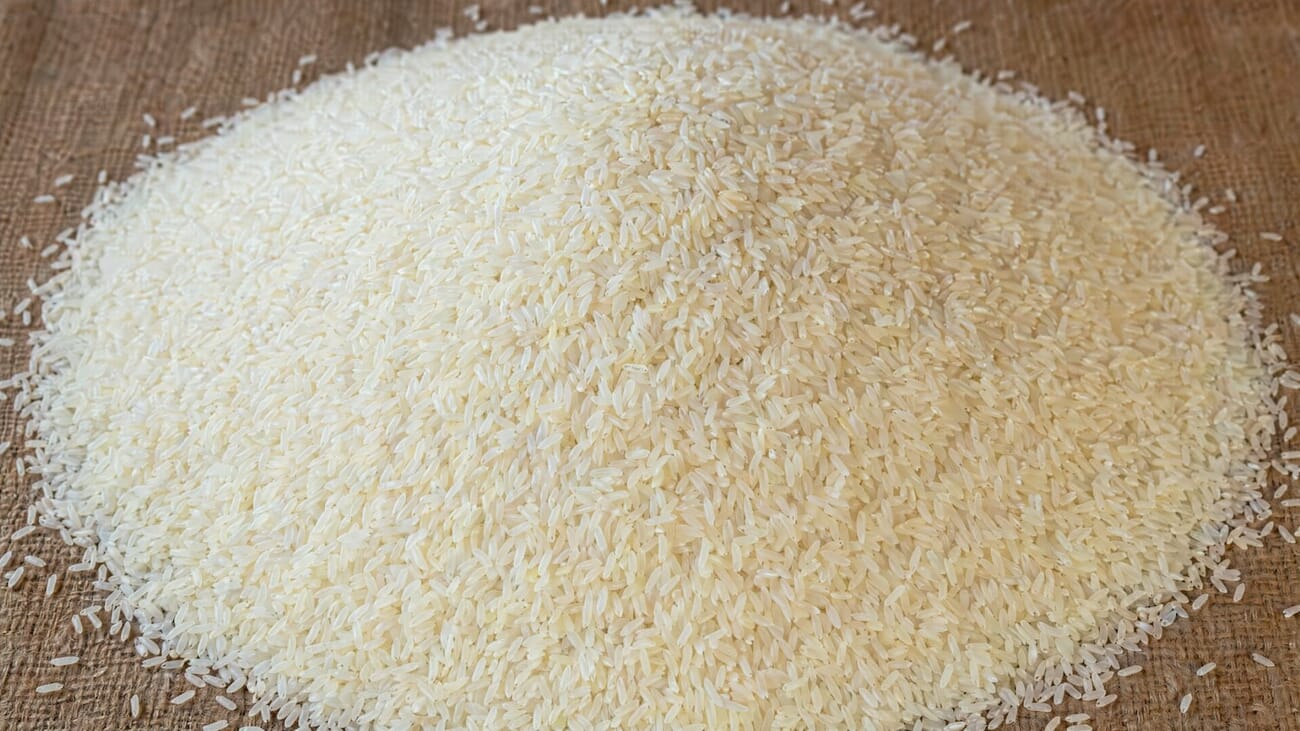
Text rendering was the single biggest complaint about AI image models in 2024 and 2025 — letters would warp, spacing would drift, and whole words would dissolve into gibberish mid-sentence. OpenAI’s “rice mound” sample shows where the bar is now: recognizable, photorealistic, with clean texture detail that would have taken a studio photographer a controlled light setup.
Frequently Asked Questions
What is ChatGPT Images 2.0?
OpenAI’s latest image-generation model, launched April 21, 2026. It introduces a ‘thinking’ step that reasons through a prompt before producing an image, aimed at better layout fidelity, text rendering, and multi-image consistency. The API model name is gpt-image-2.
How much does ChatGPT Images 2.0 cost?
On the API, pricing is $8 per million input image tokens and $30 per million output tokens. That works out to roughly $0.211 per high-quality 1024×1024 image — about 60% more expensive than the prior gpt-image-1.5 model at $0.133. In the ChatGPT app, it’s included in Plus, Pro, and Business tiers; Free and Go users get the new model with some limitations on thinking-mode outputs.
How long does gpt-image-2 take per image?
In our testing on April 22, 2026, gpt-image-2 ran between 97 and 149 seconds per image at quality=high, 1024×1024. By comparison, Gemini 3.1 Flash Image returned in 11-24 seconds. The thinking step is where the latency comes from — and it’s worth it for structural tasks where quality matters more than speed.
What is Gemini Nano Banana 2?
‘Nano Banana 2’ is the unofficial nickname for Google’s gemini-3-flash-image (and gemini-3.1-flash-image-preview) — Google’s current image-generation model within the Gemini 3 family. It’s been the quality leader in AI image generation for most of 2026, which is the benchmark OpenAI is explicitly targeting with Images 2.0.
Is Images 2.0 better than Gemini Nano Banana 2?
Based on our six-test hands-on comparison: Gemini wins for editing existing photographs (resolution preserved, 5-10× faster, better detail fidelity). OpenAI wins for structured generation (magazine layouts, infographics, text-heavy graphics, tight prompt adherence). The split is cleaner than it was between gpt-image-1.5 and Gemini — Images 2.0 narrowed the photo-editing gap meaningfully, while widening the structural-layout lead.
Will ChatGPT Images 2.0 replace Photoshop?
No — but it replaces most of what non-professional users did in Photoshop. For pixel-perfect retouching, print-grade color management, and non-destructive layered workflows, Photoshop (increasingly with its own AI features) remains the tool. For quick edits, stylistic transforms, and one-off graphics, AI image models have already taken over.
Can I use ChatGPT Images 2.0 for commercial work?
Yes. OpenAI grants commercial usage rights to images generated by users with paid tiers. Double-check attribution requirements if you’re publishing. Be aware that outputs may occasionally reflect copyrighted style or branded products — in our magazine-cover test, gpt-image-2 spontaneously rendered a recognizable Pentax K1000 body even though the prompt asked only for ‘a vintage 35mm camera.’ Treat outputs like a stock image source: confirm the content before publishing.
What about Adobe Firefly and Generative Fill?
Adobe’s Firefly runs Generative Fill and Generative Expand inside Photoshop. The pitch is ‘AI inside a layered editor’ rather than ‘AI instead of an editor.’ For photographers already in the Creative Cloud ecosystem, Firefly offers tighter integration with selections, masks, and layers — trading raw model quality for workflow continuity.
Why does my gpt-image-2 API call return 403?
As of the April 21, 2026 launch, OpenAI gates gpt-image-2 and chatgpt-image-latest behind organization verification. Go to platform.openai.com → Settings → Organization → Verify. Propagation takes up to 15 minutes. The older gpt-image-1.5 and gpt-image-1 remain available without verification.
Source photographs curated via SampleShots and Unsplash: Christopher Campbell, Bernard Hermant, Annie Spratt, and Markus Spiske. OpenAI sample images sourced directly from the ChatGPT Images 2.0 launch post. Hands-on test outputs generated by OpenAI gpt-image-2 and Google gemini-3.1-flash-image-preview by PhotoWorkout on April 22, 2026.
All sources verified on April 22, 2026. Hands-on test results generated by PhotoWorkout.
OpenAI launch + documentation
- Introducing ChatGPT Images 2.0 – OpenAI's official launch post, April 21, 2026.
Industry coverage
- TechRadar — Images 2.0 is thinking before it draws – Deep analysis of the reasoning-before-drawing approach and its implications.
- The Decoder — GPT Image 2 adds reasoning and web search – Technical specs, pricing breakdown, comparison with Google's Nano Banana Pro.
- Engadget — Better non-Latin text rendering – Focus on typography improvements in Japanese, Korean, Chinese, Hindi, and Bengali.
- SiliconANGLE — Images 2.0 launch and developer angle – Enterprise and developer-API perspective, including Codex Labs tie-in.
- 9to5Mac — Magazine-design capability highlights – Live-demo coverage with editorial-design use cases.



