


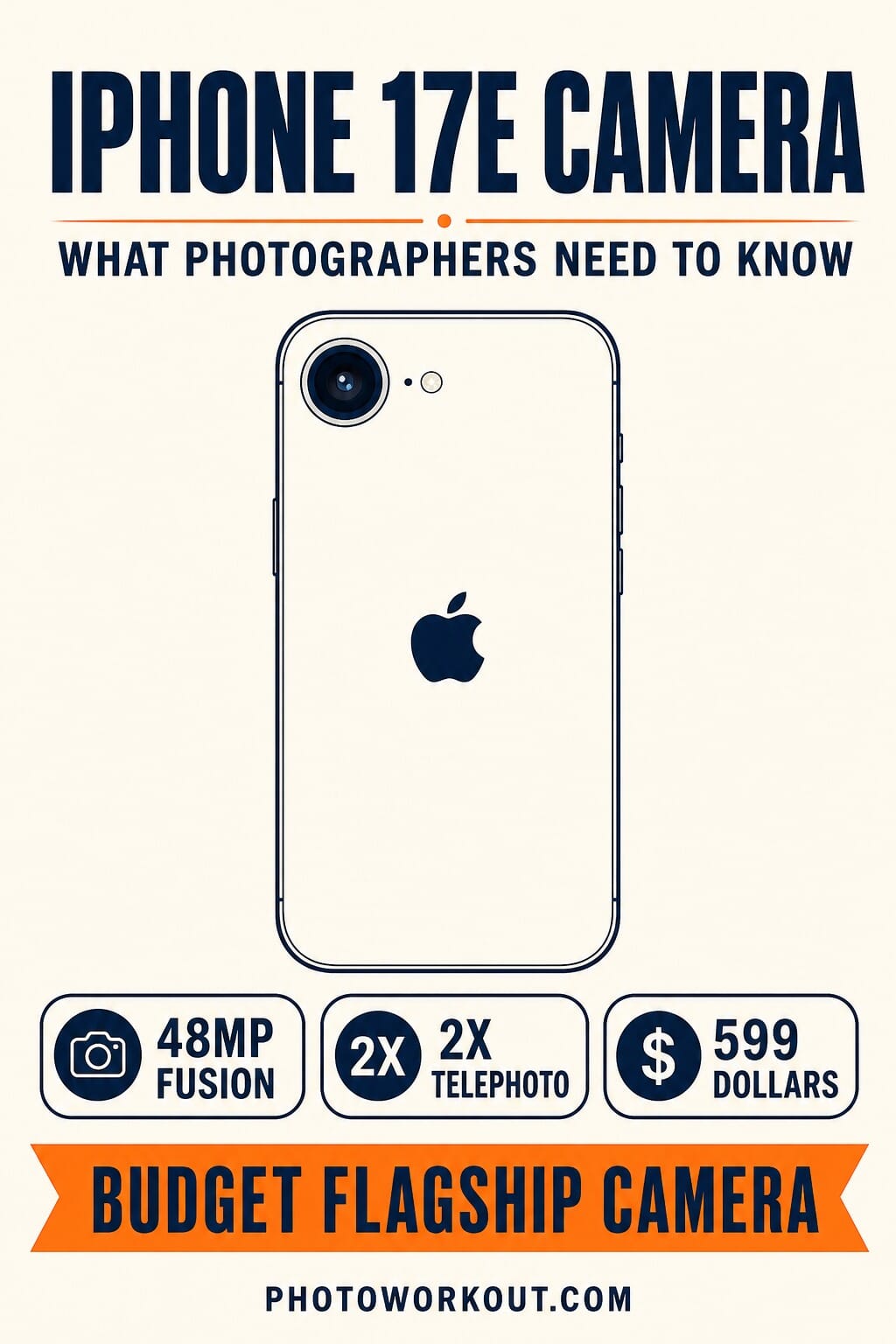
- The iPhone 17e packs a 48MP Fusion camera with optical-quality 2x telephoto: the same sensor found in the iPhone 17, at $200 less ($599 vs $799).
- Portrait mode gets a major upgrade with automatic depth capture for people, dogs, and cats, plus the ability to adjust focus after the shot.
- The single biggest tradeoff: no Ultra Wide lens, so no sweeping landscapes or wide group shots. Also no Camera Control button and a 12MP front camera (vs 18MP on the 17).
- Real-world sample photos from Apple’s own launch imagery show the 17e is genuinely competitive with the iPhone 17 for photographers who shoot mostly with the main lens.
- Best for budget-conscious shooters who use the main camera 90 percent of the time, upgraders from iPhone 14 or older, and anyone who wants Apple Intelligence at the cheapest price.
Apple’s iPhone 17e replaced the iPhone 16e as the entry point to the current iPhone lineup, and for photographers the question is unusually clean: is a $599 iPhone with the flagship 48MP Fusion sensor but only one rear lens actually enough? After four months on the market, the answer has held up better than the launch reviews suggested.
The 17e shares the same 48MP main sensor as the standard iPhone 17 ($799) and inherits Apple’s current computational photography stack: HDR processing, the Photonic Engine, Deep Fusion, Hybrid Focus Pixels, and next-generation Portrait mode. What it drops is the Ultra Wide lens, the Camera Control button, latest-gen Photographic Styles, Dual Capture, and about a third of the front-camera resolution. Whether those cuts hurt depends entirely on what you shoot. This guide walks through the spec sheet, the real sample photos, the honest tradeoffs, and who the 17e is (and is not) for.
Camera Specs: What the iPhone 17e Offers
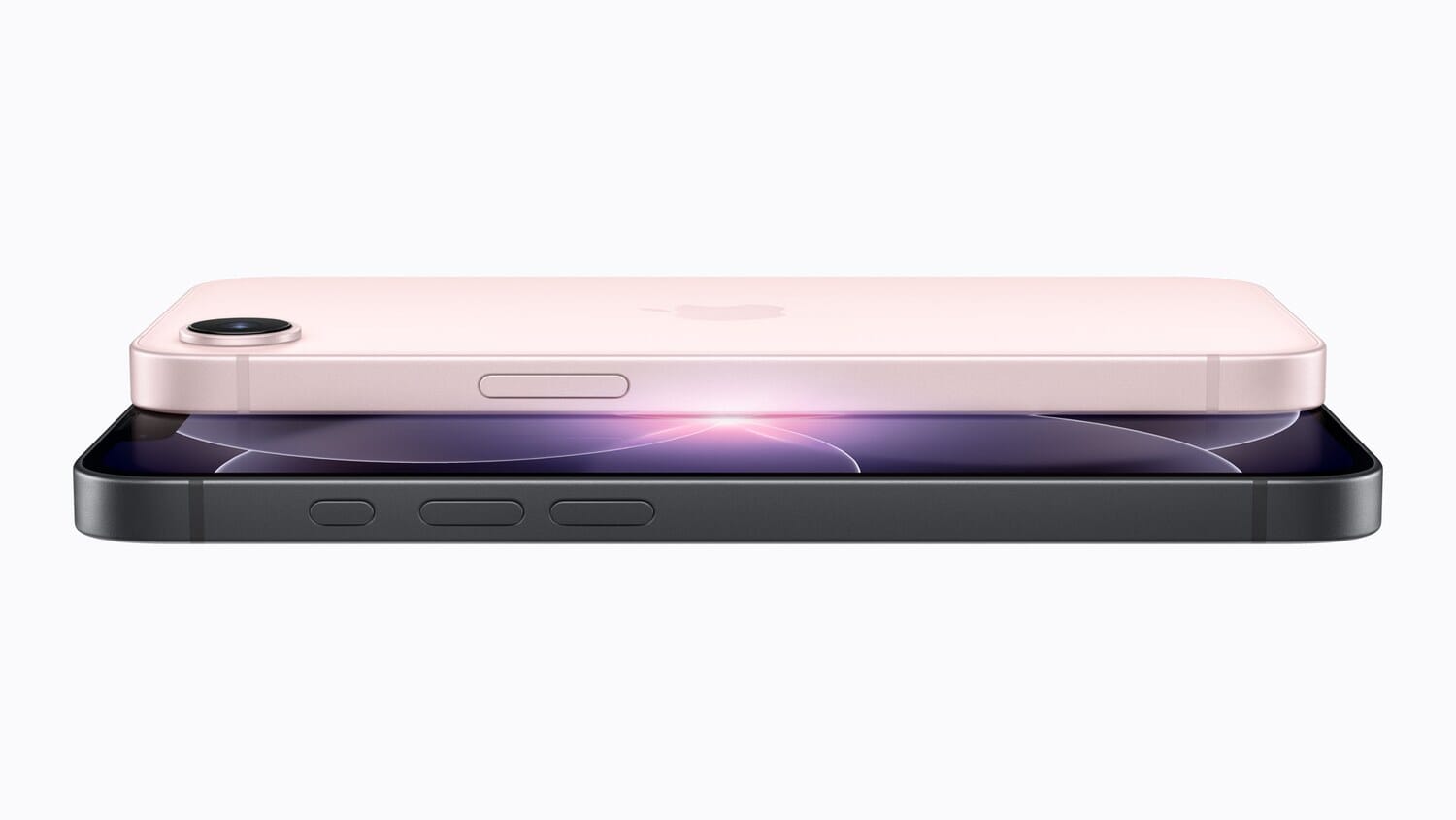
The headline feature is the 48MP Fusion camera, effectively two cameras in one lens. It captures at 48MP full resolution or, by default, at 24MP for cleaner-looking output. It also delivers an optical-quality 2x telephoto crop, which lets you get meaningfully closer to a subject without visible degradation.
For portrait photographers, the 17e brings the current-generation Portrait system across from the iPhone 17. The camera automatically captures depth data whenever it detects a person, dog, or cat in the frame, without needing to switch modes first. You can then adjust the focus point after the shot in the Photos app, which is genuinely useful for candid moments you did not plan for.
Apple’s latest HDR processing promises true-to-life skin tones, bright highlights, rich midtones, and deep shadows. Combined with the Photonic Engine, Deep Fusion, and Hybrid Focus Pixels, the computational photography pipeline is essentially the same one powering the standard iPhone 17.
Other camera highlights include:
- Night mode for low-light shooting
- 4K Dolby Vision video recording
- 10x digital zoom (not optical, so keep expectations realistic)
- Natural bokeh with smooth depth-of-field transitions in portraits
The A19 chip running the show has one fewer GPU core than the iPhone 17’s version, but Apple says camera processing capabilities remain comparable. For most photography workflows, including exposure adjustments and on-device post-processing, you should not notice a difference in day-to-day use.
What iPhone 17e Sample Photos Actually Look Like
Apple published a set of official sample images shot on the 17e alongside the announcement. They are marketing images, so treat them as best-case (well-lit subjects, deliberate composition), but they give a real look at what the sensor and pipeline produce end-to-end.

The default 24MP output above is what most 17e users will see most of the time. The sensor combines pixel information from the full 48MP array to produce a cleaner 24MP file, which strikes a good balance between file size, detail, and low-light noise handling. Fabric texture, hair, and small typography all resolve well; noise is only visible in the darkest shadows of the awning.

Full 48MP mode (which you have to enable manually in Settings > Camera) is where the sensor really shows. On the Hawaii ridge above, mountain texture and cloud detail hold beyond what a small phone sensor is expected to deliver. The tradeoff is file size (~15-25MB per photo) and slower shot-to-shot times, so keep it for scenes where the detail actually matters.
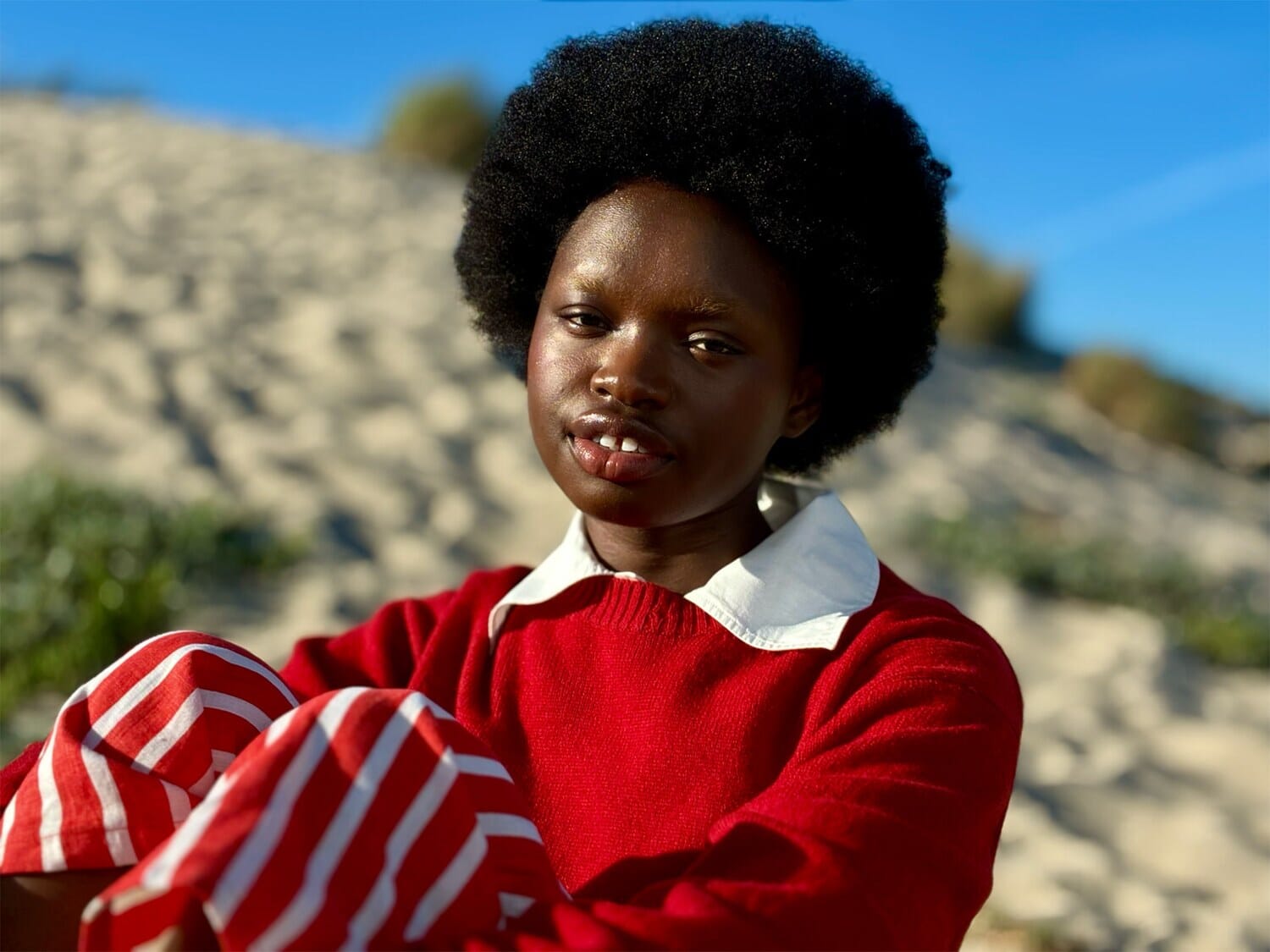
The 2x telephoto is not a separate optical lens; it is a high-quality digital crop from the center of the 48MP sensor, which is why Apple markets it as “optical-quality.” The result is a tighter frame with no visible resolution loss, at the cost of one stop of light (the effective aperture goes from f/1.6 to about f/2.2 at the crop). For anything head-and-shoulders and closer, it feels like a real second lens.

Portrait mode used to be a distinct mode you switched to. On the 17e it is passive: the camera captures depth whenever it detects a face (human or pet), and the Photos app later shows a focus slider that lets you move the focal plane between subjects. For candid moments, that means you can shoot first and choose the plane later. It is one of the genuine quality-of-life wins over any pre-2024 iPhone.
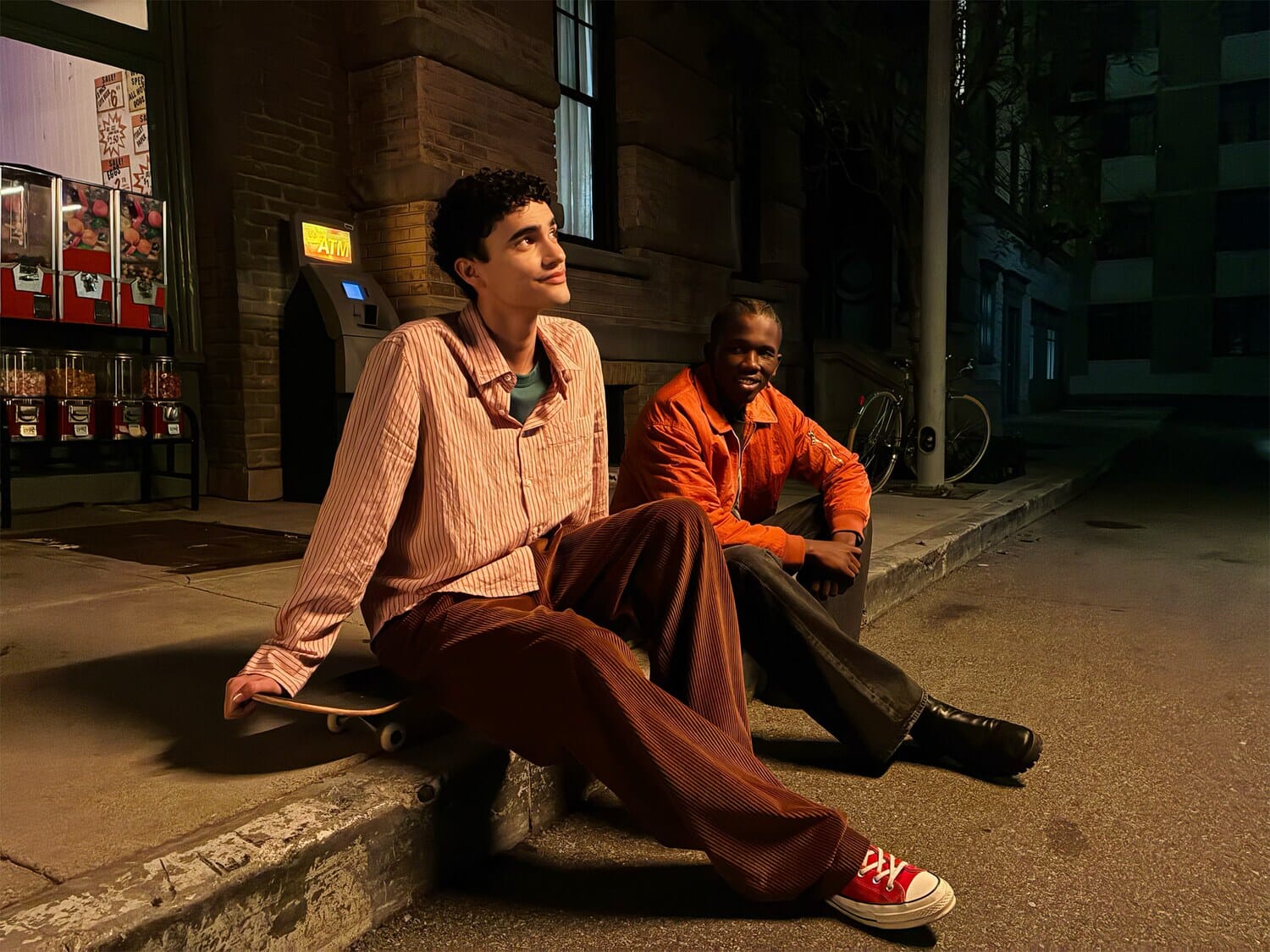
Low light is where budget phones typically fall apart. The 17e’s Night mode uses the same Photonic Engine as the iPhone 17 and produces the kind of file that would have been a flagship result two generations ago. The neon in the sample above holds its color, faces stay natural, and shadow detail is legible without looking painted-in. What you will notice next to a Pro-tier iPhone is slightly softer edges in the darkest corners; what you will not notice is a night-and-day gap.
iPhone 17e Photo Quality: The Honest Assessment
Stripping away the spec-sheet marketing: the 17e produces photos that are visually indistinguishable from the iPhone 17 in the situations both cameras share. That is not a controversial claim, because the rear main sensor and the computational pipeline are the same silicon. What separates the two is what happens OUTSIDE that shared sensor: the Ultra Wide, the front camera, the Camera Control button, and Photographic Styles.
In practical terms, that means: if 90% of your photos are shot with the main wide lens (portraits, dinner, kids, walks, most travel), the 17e and the 17 will look identical. The 24MP default files are clean and honest; the 48MP mode holds up under crop or print; low light is genuinely usable; skin tones default to Apple’s warmer, softer tuning; and the 2x telephoto is quietly the most useful thing in the camera.
Where the 17e visibly falls behind is the roughly 10% of shots that need an Ultra Wide (landscapes with foreground, tight-space groups, indoor architecture, food overhead) or that lean on the front camera (vlog-style content, video calls in low light, Center Stage tracking). The gap on those is real and it is the reason to consider the iPhone 17 or the Pixel 10 instead. For a head-to-head, the iPhone 17e vs Pixel 10 comparison covers where Google’s 1x-plus-ultrawide setup actually beats Apple’s single lens.
One quiet detail worth naming: the iPhone 17e’s default color science shifts warmer and slightly less saturated than the Pixel 10 or Samsung’s Galaxy flagships. That is a taste call rather than a quality call; some photographers prefer Apple’s rendering because it needs less correction, others find it too muted. In our own smartphone exposure workflows, a mild vibrance nudge in the Photos app closes the gap.
What’s Missing Compared to iPhone 17
Here is where the $200 savings start to show. The iPhone 17e makes real compromises that matter to photographers, and it is worth being honest about them.
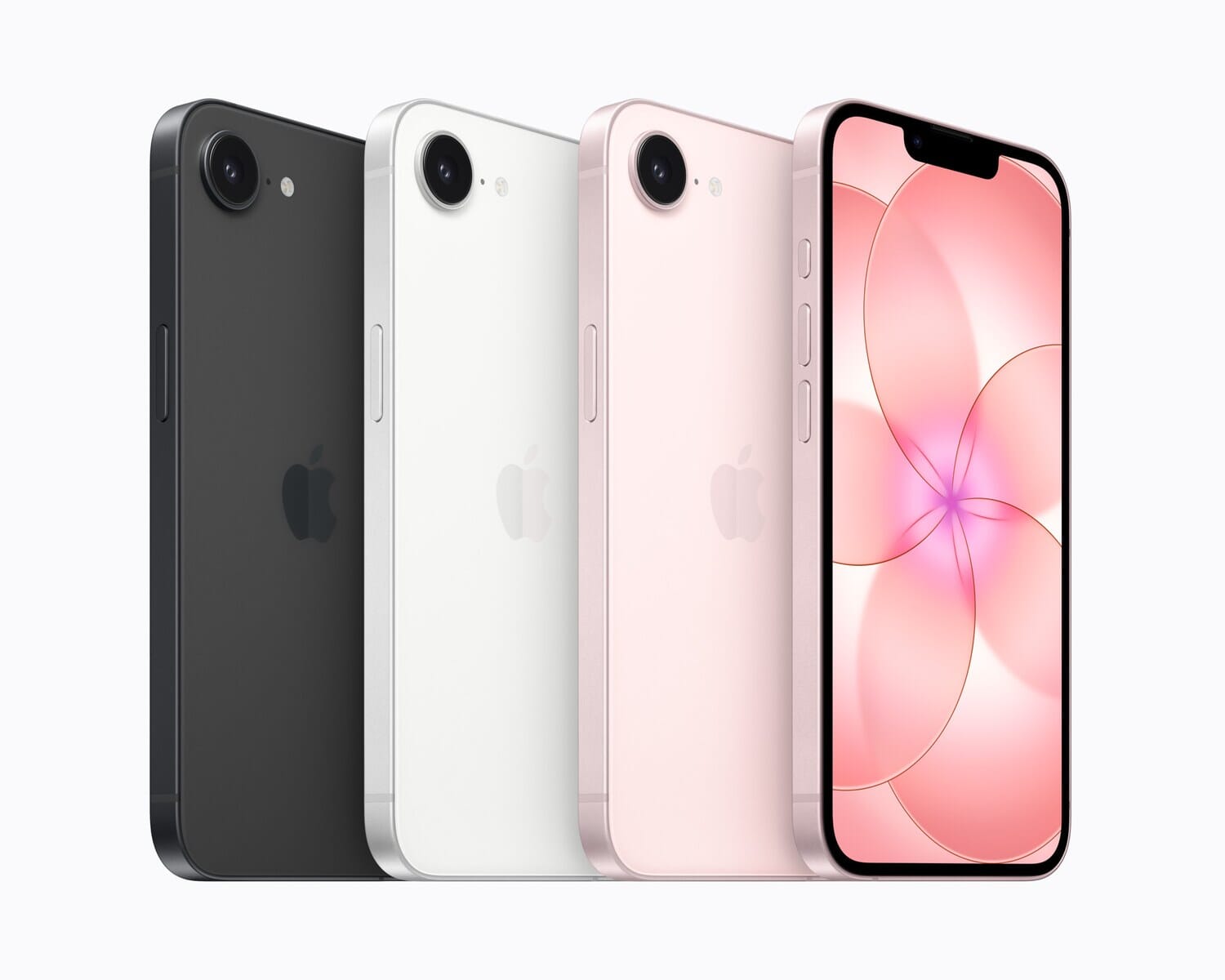
No Ultra Wide lens. This is the single biggest limitation for photographers. The iPhone 17e has one rear camera, period. No sweeping landscapes, no dramatic architectural perspectives, no fitting large groups into tight spaces. If you regularly shoot wide, this is a dealbreaker. Landscape and real estate photographers will feel this loss most acutely.
No Camera Control button. The iPhone 17 introduced a dedicated hardware button for quick camera access and settings adjustment. The 17e skips it entirely, so you are stuck with the lock-screen shortcut or the app icon.
12MP front camera vs 18MP. The iPhone 17 gets a sharper selfie camera with Center Stage, which keeps you in frame during video calls. The 17e’s 12MP TrueDepth camera is still fine for selfies and video calls, but content creators who rely on the front camera will notice the difference.
No latest-gen Photographic Styles. The iPhone 17 lets you customize the look of your photos with updated Photographic Styles. The 17e does not get this feature, so you will need to rely on post-processing apps or manual camera apps for creative control over color and tone.
No Dual Capture. The iPhone 17’s ability to shoot with the front and rear cameras simultaneously does not make it to the 17e.
Other differences that affect the shooting experience:
- No 120Hz ProMotion display, so the viewfinder and image review will not feel as smooth
- About 25 percent less display brightness, harder to compose shots in bright sunlight
- Smaller 6.1-inch screen vs 6.3 inches, slightly less real estate for framing and editing
- Less advanced optical image stabilization, which can matter for handheld video and low-light
- Notch instead of Dynamic Island, purely cosmetic, but the Island shows live activities
Who Should Consider the iPhone 17e?
The iPhone 17e makes the most sense for three groups of photographers:
Budget-conscious shooters who prioritize the main camera. If 90 percent of your iPhone photos come from the standard wide lens, you are getting the same 48MP sensor and computational photography stack as the iPhone 17, at $599 instead of $799. That $200 gap could go toward external lenses or photography courses.
Upgraders from iPhone 14 or older. If you are jumping from an iPhone 14, 13, or older, the camera leap is massive. The 48MP sensor, improved HDR, better night mode, and next-gen portraits represent a generational improvement. The missing Ultra Wide will not feel like a downgrade if your current phone’s Ultra Wide was mediocre anyway.
Casual photographers who want Apple Intelligence. The 17e runs iOS 26 with full Apple Intelligence features, including advanced computational bokeh and on-device photo editing powered by AI. If you want a capable camera phone that also handles the latest AI features, this is the most affordable way in.
Who should NOT buy the iPhone 17e: Landscape photographers, architecture shooters, anyone who relies on ultra-wide framing, serious mobile videographers who need the Camera Control button, and content creators who use the front camera professionally. For those use cases, the standard iPhone 17 or iPhone 17 Pro is worth the extra investment.
Other Specs Worth Noting
A few non-camera specs that photographers will appreciate:
- 256GB base storage, double the previous generation. Room for thousands of 48MP photos and hours of 4K video before you need to offload.
- MagSafe support, new for the e-line (the iPhone 16e did not have it). Compatibility with MagSafe mounts, grips, and tripod accessories.
- IP68 water resistance, 6 meters for 30 minutes. Useful for rain photography or shooting near water.
- USB-C fast charging, 50 percent in roughly 30 minutes with a 20W adapter. Handy for charging between long shooting sessions.
- Ceramic Shield 2, 3x better scratch resistance for the display you will be composing on.
Frequently Asked Questions
Is the iPhone 17e camera the same as the iPhone 17?
The rear main sensor is the same: both use a 48MP Fusion camera with optical-quality 2x telephoto. What the iPhone 17e is missing is the Ultra Wide lens, Camera Control button, latest-gen Photographic Styles, and Dual Capture. The front camera is also downgraded from 18MP to 12MP. On the main lens, in daylight, the two produce nearly identical results.
How is the iPhone 17e camera quality in low-light conditions?
Genuinely good. Apple’s Night mode uses the same Photonic Engine as the iPhone 17, and the 48MP main sensor gathers enough light that skin tones, neon, and shadow detail all hold up in mixed-light street scenes. Where a Pro-tier iPhone still wins is in the corners of the very darkest scenes, but for typical restaurant, street, and evening walk shooting, the 17e’s low-light output is a genuine flagship-class result.
Can the iPhone 17e shoot professional-quality photos?
The 17e can produce excellent photos with its 48MP sensor, advanced HDR, and computational photography features, but “professional quality” is context-dependent. For social media, web use, editorial illustration, and prints up to about 16×20 inches, results are outstanding. For commercial work requiring the widest possible versatility (ultra-wide framing, precise on-body camera control, dual-camera capture), the iPhone 17 or 17 Pro is a better choice.
How does the iPhone 17e camera compare to the Samsung Galaxy S26 Ultra?
Different animals. Samsung’s current flagship, the Galaxy S26 Ultra, has four rear cameras including a 200MP main, a 3x telephoto, and a 5x periscope telephoto, so it wins for reach and for anyone who wants more focal-length variety. The iPhone 17e leads on video (Dolby Vision 4K at $599 is unusual), on portrait post-processing (focus-after-the-shot), and on the tight iOS-plus-Apple-Intelligence integration. Choose the S26 Ultra for versatility and reach; choose the 17e for main-camera consistency, video, and price.
Does the iPhone 17e have Night mode?
Yes. Night mode is on the 48MP Fusion main camera and uses the same Photonic Engine found in the iPhone 17. Longer exposures produce brighter, more detailed nighttime shots without the plasticky over-processing common to budget phones.
Is the iPhone 17e worth upgrading to from the iPhone 16e?
For photography specifically, the 17e over the 16e brings a significantly faster A19 chip (which helps in-app processing), the C1X modem, MagSafe support (missing on the 16e), and Ceramic Shield 2. The camera sensor is the same 48MP Fusion system, so the photo quality improvement is primarily in processing speed and computational features rather than the hardware itself. If your 16e still meets your needs, there is no urgent reason to upgrade.
What’s the biggest camera limitation of the iPhone 17e?
The absence of an Ultra Wide lens. With only one rear camera, you cannot capture wide-angle shots for landscapes, architecture, or group photos in tight spaces. This is the single biggest tradeoff versus the standard iPhone 17 and the main reason photographers might want to spend the extra $200.
The Bottom Line
Four months into its life on the market, the iPhone 17e has earned a specific spot in Apple’s lineup: it is the iPhone for the buyer who wants the current flagship sensor and computational pipeline at the cheapest possible price, and who genuinely does not need the Ultra Wide. That is a real user, and for them the 17e is one of the best values in Apple’s entire smartphone history.
For everyone else, the honest recommendation still holds: spend the extra $200 for the standard iPhone 17, or step up to the Pro tier if wide-angle, front-camera quality, or Camera Control matter to how you shoot. The 17e does not hide its cuts. It just does the shared 90 percent of shooting as well as any current iPhone.
Primary Coverage
- Apple Newsroom: Apple introduces iPhone 17e – Official announcement, specs, pricing, and press images
- 9to5Mac: iPhone 17e vs iPhone 17 — What's actually different – Detailed spec-by-spec comparison at launch
- Amateur Photographer: iPhone 17e arrives with same cameras but A19 processing – Photographer-focused analysis of the sensor and processing
- AppleInsider: iPhone 17e vs iPhone 16e — Apple's low-end compared – Generational comparison and upgrade recommendations
Image Sources
- Apple newsroom press images (side profile, color lineup, and 5 official sample photos): courtesy Apple – Official Apple Newsroom press-kit imagery from the March 2, 2026 launch
- Vertical pin graphic: PhotoWorkout illustration – Editorial graphic created by PhotoWorkout