


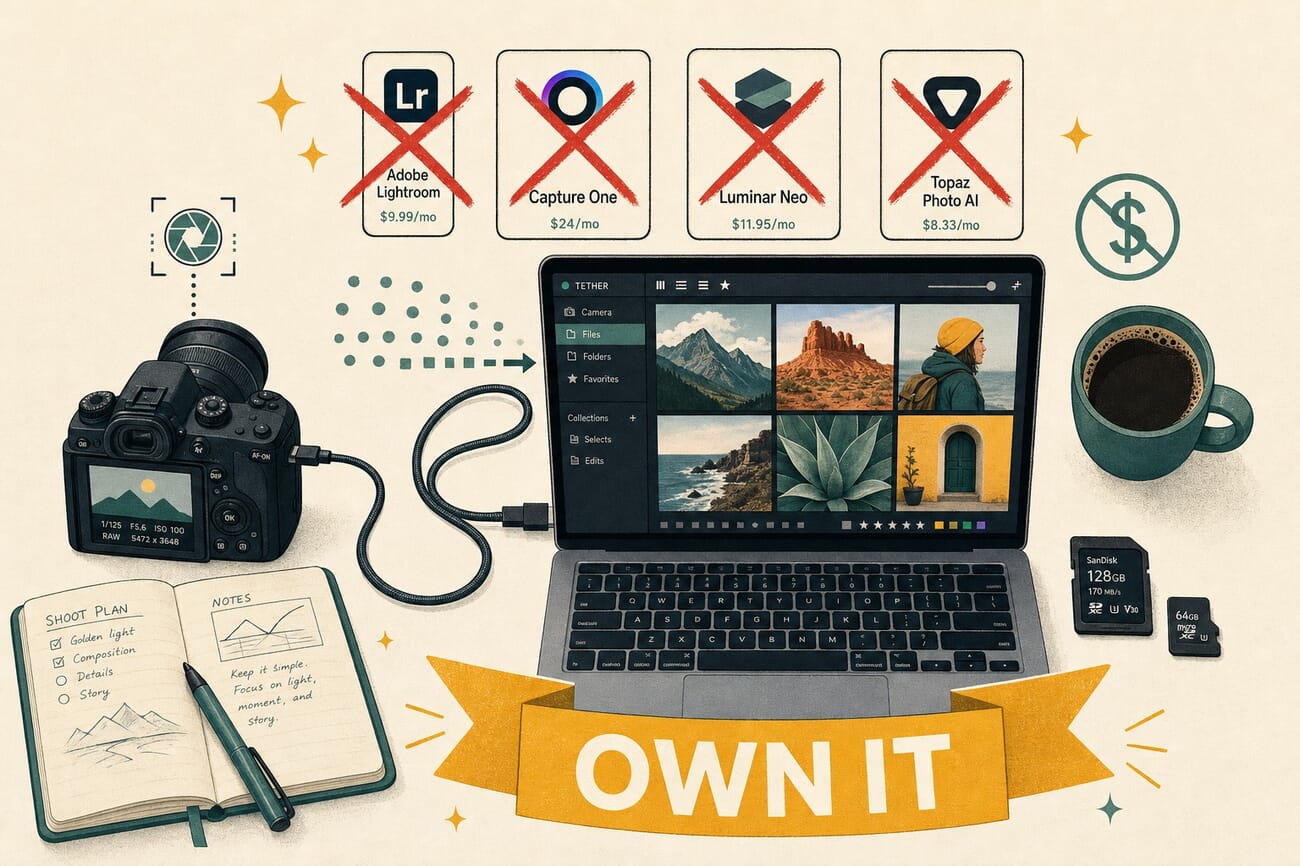
- Capture One moved to subscription-only after its private-equity acquisition; commercial photographer John Barnard built Tether Studio ($99 one-time, macOS) in response and shipped it on May 1.
- If you shoot Canon, Nikon, or Sony and want $0/month tethering, the manufacturer apps still work — Canon EOS Utility, Nikon NX Tether — and they’re free.
- darktable (Win/Mac/Linux) and gPhoto2 (CLI) are the genuine open-source options. Beautiful for hobbyists; finicky for production.
- For a one-time purchase that’s actually production-ready, the picks are Tether Studio ($99, Mac), Smart Shooter 4 ($99, cross-platform), and ControlMyNikon ($40, Windows).
- If you absolutely need Capture One’s catalog/RAW pipeline integrated with tethering, the subscription is still the right call — but it’s now $24/month with no perpetual upgrade path.
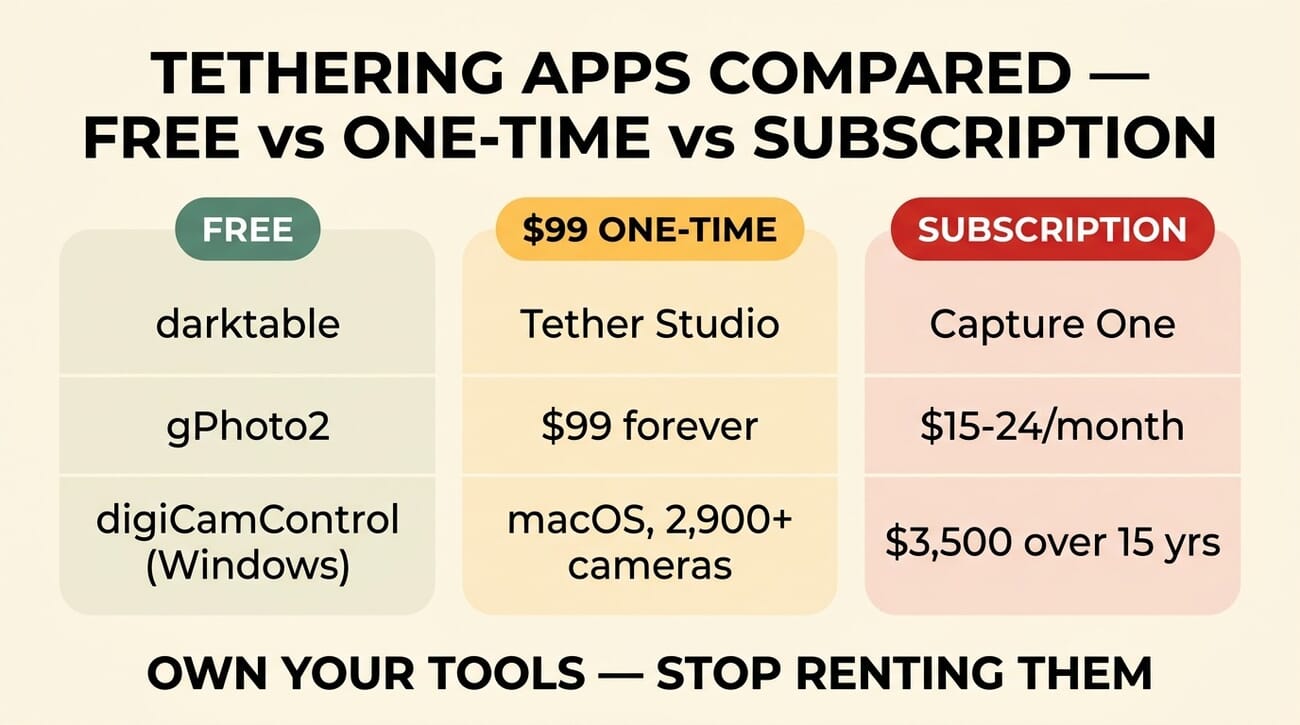
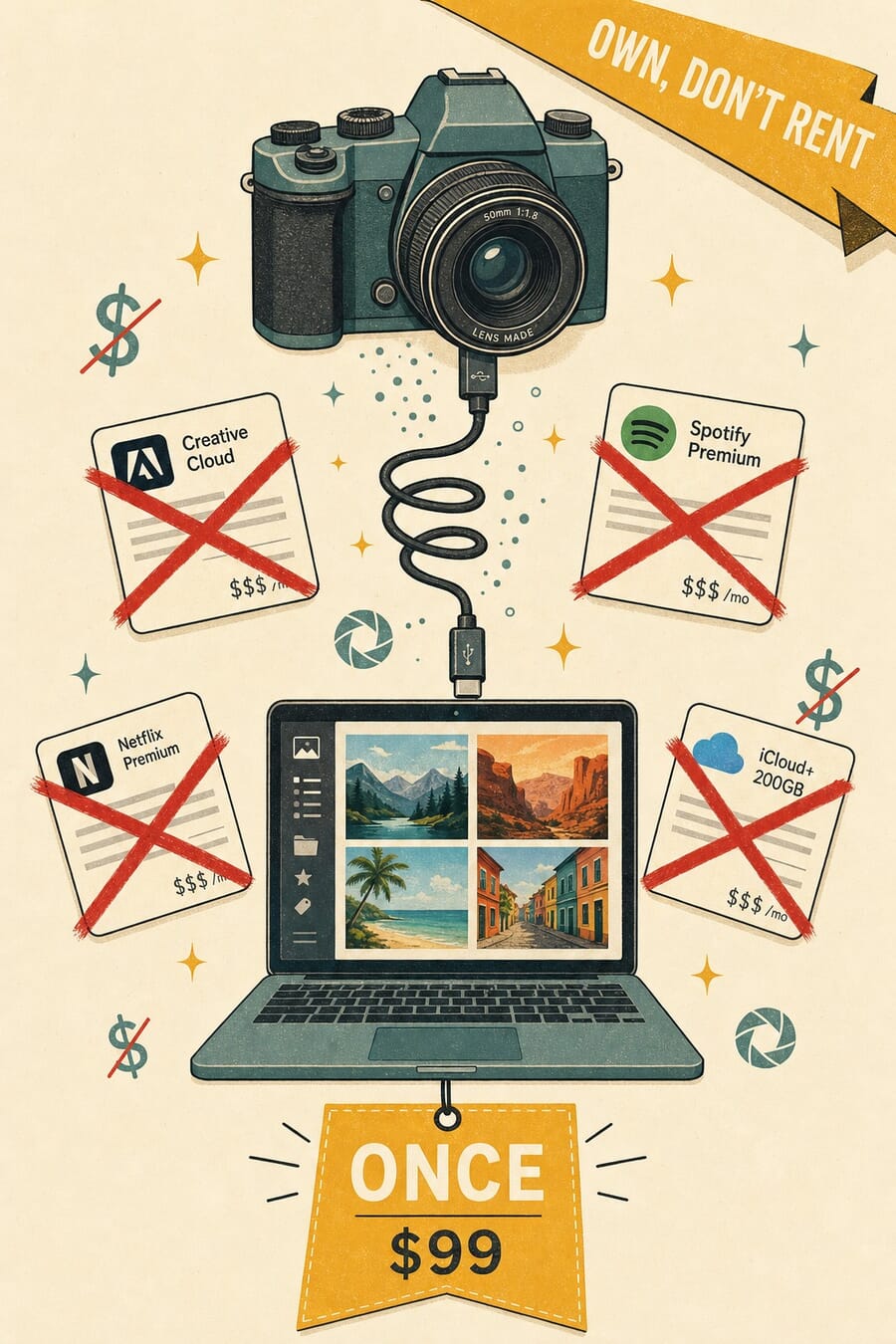
On May 1, commercial photographer John Barnard launched Tether Studio after fifteen years of paying for tools he never owned. His tally, in his own words: “$3,500 rented, $0 owned.” The new macOS app supports 2,900+ cameras across Canon, Sony, Nikon, Fujifilm, Panasonic, Leica, Hasselblad, and Phase One — for $99 once, no subscription, no account, no cloud dependency. PetaPixel covered the launch; the bigger story is what it says about where the market is heading.
Tethering — the workflow where a camera streams photos directly to a computer during a shoot — used to be a $300 perpetual-license affair. Capture One was the gold standard, Lightroom was the cheaper backup, and a half-dozen freeware apps filled in the edges. Then the industry consolidated. Capture One got bought, went subscription-only at $24/month, and locked perpetual upgrades. Adobe has been subscription-only since 2013. The free options are still free, but they’ve also stayed rough — Sofortbild for Mac is on permanent beta status, run by one developer; Linux options work but only if you tolerate command-line tooling.
For photographers who tether more than once a quarter, the question now is sharper: pay $200-300/year in subscription costs, or find a one-time-purchase or free workflow that does what you need. Here’s the current map.
When you buy through links on our site, we may earn a commission at no cost to you. We evaluate products independently. Commissions do not affect our evaluations.
Why Tethering Apps Mostly Went Subscription
Three things happened between 2017 and 2026. Adobe pulled Lightroom Classic into Creative Cloud and stopped selling perpetual licenses. Phase One sold Capture One to a Swedish private-equity firm in 2023; the subscription mandate followed within 18 months. And the ecosystem of small paid apps — Lemkesoft’s Sofortbild, the original Helicon Remote, ControlMyNikon — either went dormant or stayed niche. The remaining commercial vacuum is what John Barnard noticed.
The subscription model isn’t inherently bad — it funds active development, faster bug fixes, and continuous OS-compatibility updates. The trouble is the math at scale. A working photographer who tethers for client shoots typically uses three or four professional apps (Capture One or Lightroom + Photoshop + a backup tool + a culling app). At $20-30 each per month, the annual bill lands at $1,000-1,500 just for tools — recurring forever, with no equity. That’s the gap a one-time $99 purchase fills, and Tether Studio’s shipping is a signal that other developers will try the same model.
The Free Tethering Options That Actually Work
Canon EOS Utility — free with every Canon body
Canon ships EOS Utility free with all Canon DSLRs and mirrorless bodies. It does live tethering with full remote shutter, live view, exposure controls, and direct-to-folder transfer. The UI is dated and the Mac version has lagged on Apple Silicon updates, but for Canon-only studios this is genuinely the path with the lowest friction. Works with everything from the EOS R8 up through the R5 II.
Nikon NX Tether — free for Nikon mirrorless
Nikon’s NX Tether is the equivalent for Nikon Z-mount cameras (Z6 III, Z7 II, Z8, Z9, Zf, etc.). Tethered live view, remote shutter release, and parameter sync — same feature parity as EOS Utility, similar UI. Doesn’t cover the legacy Nikon DSLR line; for those, you’re looking at digiCamControl or the older Camera Control Pro 2 (still $179 from Nikon, not worth it).
The strongest free open-source option. Started as a Lightroom alternative for Linux; now runs on every desktop OS with built-in tethering via gPhoto2. RAW pipeline is genuinely competitive for colour-critical work; UI rewards photographers who already know what they want.

gPhoto2 — the CLI that powers most of the others
gPhoto2 is a command-line tool that talks to most cameras over USB. It’s the underlying engine for darktable’s tethering, for Entangle on Linux, and for several DIY tethering scripts. Pure CLI; only worth it if you’re building a custom pipeline (e.g. for time-lapse rigs, automated focus stacking, or shop floors that need to integrate camera capture into a broader workflow). For a typical tethered portrait or product shoot, use a GUI built on top of it.
Community-maintained MPL-licensed Windows tethering app with surprisingly deep features — focus stacking, bracketing, time-lapse, multi-camera triggering. 12+ years of active development; the strongest free option for Windows users.
Best One-Time-Purchase Tethering Apps
Built by 15-year commercial photographer John Barnard to escape Capture One’s subscription. Native Apple Silicon, 7-day trial, no account required, fully offline. The new editor’s pick for Mac studios.
Launched May 1, 2026 — the news hook for this roundup.
The quiet workhorse for studios shooting product 360s, photogrammetry rigs, and 4+ camera arrays. Cross-platform, $99 perpetual licence. Less polished UI than Tether Studio but unmatched for multi-camera capture pipelines.

The most affordable proven option for Nikon shooters on Windows. $40 buys focus stacking, bracketing, time-lapse, barcode-driven product capture, and live histogram analysis. Best price-to-feature ratio anywhere on this list.
When Subscription Tethering Is Still the Right Call
Still the benchmark for tethered fashion, beauty, and high-end commercial work. Colour science, live composition tools, and tethered-session catalog management remain unmatched. Worth it if you tether 3+ days/week; harder to justify after the subscription mandate.
Subscription-only since the 2024 PE acquisition. Perpetual licence at $399 still available in some markets but with no major-version upgrade path.

Tethered capture for Canon and Nikon (and limited Sony) bundled with the Photography Plan most working photographers already pay for. Clunky as a pure tethering tool — but free if you’re already on the plan.
Tethering Hardware: What You Actually Need
No tethering app works without good cables. The two product families worth the money:
- Tether Tools TetherPro USB-C cables (15 ft right-angle USB-C 3.0) — orange/high-vis colour, kink-resistant, gold-plated connectors. The studio-standard cable; 15 ft is the right length for most setups (long enough to walk around, short enough to avoid signal-loss issues).
- JerkStopper cable lock (Tether Tools JerkStopper) — clamps the cable to your tripod or grip arm so a tug at the laptop end doesn’t rip the USB port out of your camera. $20 of insurance against a $200 USB port replacement.
- CamRanger 2 (CamRanger 2 Wi-Fi tether) — wireless tethering hardware ($349) for shooting environments where a cable isn’t practical. The proprietary Wi-Fi network is rock-solid; pairs with iOS/Android tablets too. Works with most Canon and Nikon bodies; Sony support is limited.
Quick Decision Matrix — Which Should You Pick?
- Hobbyist or occasional tether → Free manufacturer app (Canon EOS Utility, Nikon NX Tether) or darktable.
- Studio shooting Mac, want to leave subscriptions behind → Tether Studio ($99). The cleanest 2026 answer.
- Multi-camera array, photogrammetry, automated capture → Smart Shooter 4 ($99). Nothing else in this price range handles 4+ cameras.
- Nikon studio on Windows → ControlMyNikon ($40). Best price-to-feature ratio anywhere on this list.
- High-end commercial, fashion, beauty work where colour science matters → Capture One subscription. The math still works at three+ shoot days per week.
- Already paying for Adobe Photography Plan → Lightroom Classic. Don’t pay for a second tethering app if your existing subscription covers it.
Frequently Asked Questions
Is Tether Studio open-source?
No. It’s closed-source commercial software, but with no subscription, no account requirement, and no cloud dependency. The genuine open-source tethering options remain darktable and gPhoto2.
Will Tether Studio come to Windows?
Barnard has not announced a Windows version. Tether Studio is currently macOS-only at launch. For Windows-based studios, the closest equivalent is Smart Shooter 4 ($99) or ControlMyNikon ($40 if you shoot Nikon).
Why did Capture One switch to subscription?
The change followed Phase One’s 2023 sale of Capture One to Axcel Future Capital, a Swedish private-equity firm. Subscription pricing is standard for SaaS-aligned PE returns. Perpetual licenses are still technically available in some markets at $399, but with no upgrade path between major versions.
Can I run Tether Studio on Apple Silicon?
Yes. Tether Studio is a native Apple Silicon app and runs on M1/M2/M3/M4 Macs, plus older Intel Macs. The 7-day free trial works on any supported machine to confirm before buying.
Do free tethering apps support all the same cameras?
Mostly, but with caveats. The manufacturer apps (EOS Utility, NX Tether) only support their own brand. darktable and gPhoto2 cover most Canon, Nikon, Sony, Olympus/OM System, Panasonic, and many older Fujifilm bodies — but newer cameras can take 6-12 months to land in the support list. Tether Studio’s 2,900+ list is broader than any free option.
What if my tether keeps dropping mid-session?
Cable quality is usually the cause, not the software. Replace generic USB-C cables with Tether Tools or similar studio-grade cables, and add a JerkStopper at the camera end. The second-most-common cause is USB power management — disable USB selective suspend on Windows or any “low power” USB option in macOS Energy Saver. If both are addressed and drops continue, switch to wireless via CamRanger 2 to remove the cable as a variable.
Image credits: PhotoWorkout editorial illustrations.
Primary Coverage
- PetaPixel — Photographer Builds His Own Tethering App to Solve Subscription Fatigue – Original PetaPixel scoop on John Barnard's Tether Studio launch, with the $3,500-rented-vs-$0-owned quote.
- Tether Studio — Official site – Camera support list, pricing, and 7-day free-trial download for the launch product.
Tools Cited
- darktable — Open-source RAW + tethering – Cross-platform open-source workflow with built-in tethering via gPhoto2.
- gPhoto2 — Camera-control CLI – The command-line tool that powers most open-source tethering options.
- digiCamControl — Free Windows tethering – Community-maintained MPL-licensed Windows tethering app for Canon/Nikon/Sony.
- Smart Shooter 4 — Multi-camera tethering – Cross-platform $99 perpetual license, supports 4+ camera arrays.
- Capture One — Subscription pricing page – Confirms the $24/month subscription default + perpetual licensing limitations.
Some links above are affiliate links: PhotoWorkout earns a commission if you purchase through them at no extra cost to you. The recommendations are independent and the same regardless of the link.



