

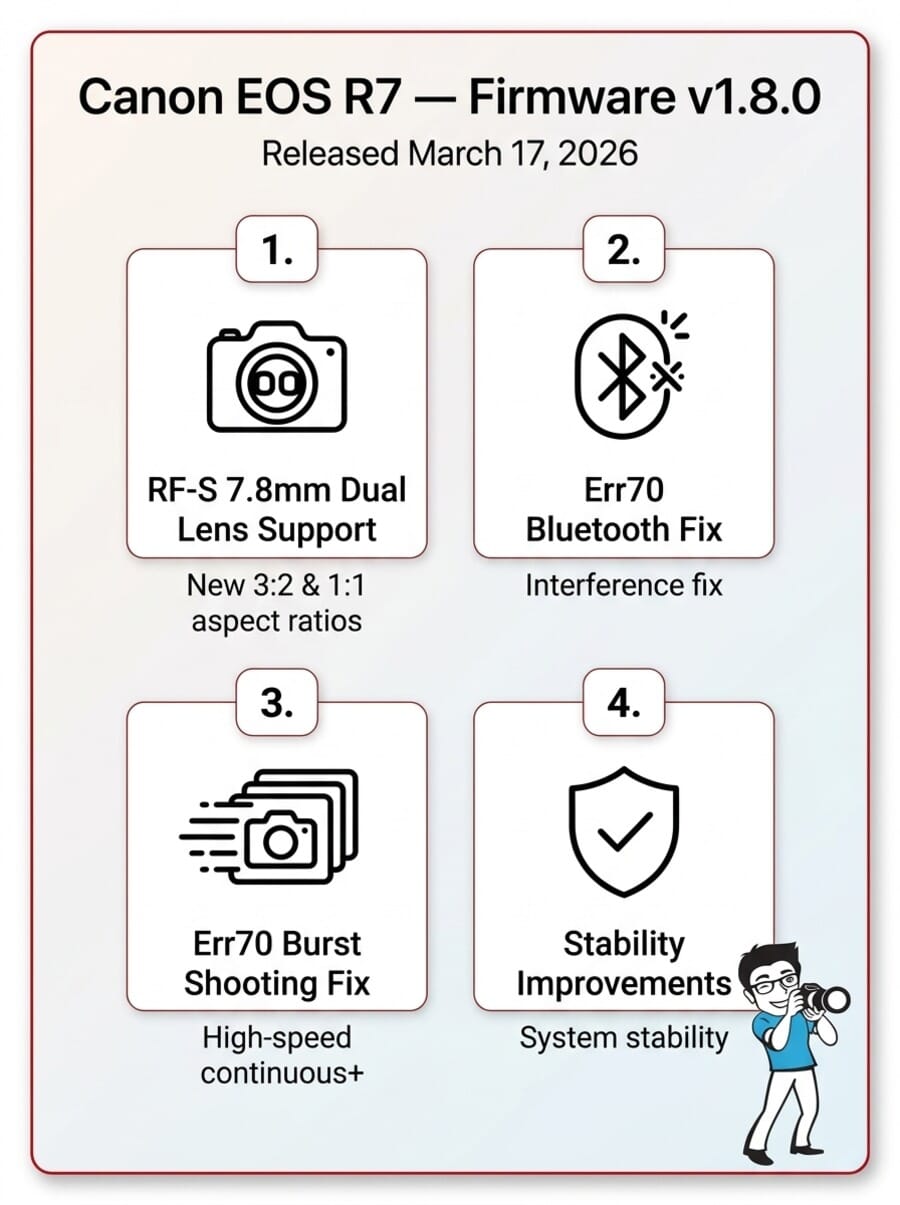
- Canon released firmware v1.8.0 for the EOS R7 on March 17, 2026 — a stability-focused update with meaningful bug fixes.
- Two Err70 bugs fixed: one triggered by Bluetooth interference, another by rapid burst shooting in High-Speed Continuous+.
- New 3:2 and 1:1 aspect ratios added when shooting with the RF-S7.8mm F4 STM DUAL lens.
- General stability improvements round out the update — recommended for all R7 owners.
Canon has rolled out firmware version 1.8.0 for the EOS R7, its popular APS-C mirrorless camera. Released on March 17, 2026, the update targets a handful of specific bugs — most notably the dreaded Err70 — while adding new aspect ratio options for the RF-S7.8mm F4 STM DUAL lens.
If you’ve been hit by random Err70 errors during burst shooting or while using Bluetooth, this one’s for you. Here’s the full changelog and what each fix actually means for your shooting experience.
Full Changelog: What’s New in v1.8.0
Canon’s official changelog lists four changes. Let’s break each one down.
1. RF-S7.8mm F4 STM DUAL Lens — Display & Aspect Ratio Improvements
What Canon says: “Improves display settings when using the RF-S7.8mm F4 STM Dual lens and adds [3:2] and [1:1] as new selectable options for [Still img. aspect ratio].”
What it means: Canon’s quirky stereoscopic/VR dual fisheye lens previously locked you into limited aspect ratio options on the R7. This update adds 3:2 (the classic photography standard) and 1:1 (square — great for social media and creative compositions) to the list of available aspect ratios when the dual lens is attached.
If you own the RF-S7.8mm DUAL, this is a nice quality-of-life addition. If you don’t — and most R7 owners don’t — this change won’t affect your workflow. The display improvements also suggest Canon refined the EVF/LCD rendering when the dual lens is mounted.
2. Err70 Bluetooth Fix
What Canon says: “Fixes an issue in which Err70 may occur during Bluetooth communication due to interference from other Bluetooth devices.”
What it means: Err70 is one of Canon’s most frustrating error codes — a generic “malfunction detected” message that typically forces a restart. Some R7 users reported getting hit by Err70 seemingly at random, especially in environments with lots of wireless devices (events, stadiums, busy streets).
The culprit: Bluetooth interference from nearby devices was confusing the R7’s wireless communication stack and triggering the error. Canon has patched the Bluetooth handling to be more resilient. If you shoot events or street photography in wireless-heavy environments, this fix alone makes the update worth installing.
3. Err70 High-Speed Continuous Shooting+ Fix
What Canon says: “Fixes an issue in which Err70 may occur when repeatedly shooting in the ‘High-speed continuous shooting +’ mode.”
What it means: This is the big one for wildlife and sports shooters. The R7’s 30fps electronic shutter burst mode (High-Speed Continuous+) is one of its headline features — and for some users, it was occasionally throwing Err70 errors during extended burst sequences.
Nothing kills a great action sequence like a camera error mid-burst. Canon has addressed whatever timing or buffer-related issue was causing the crash. Sports and action photographers who rely on the R7’s 30fps mode should update immediately.
4. General Stability Improvements
What Canon says: “Improves other system stability.”
What it means: The classic catch-all. Canon doesn’t specify exactly what’s under the hood here, but “system stability” updates typically address minor edge-case crashes, memory management tweaks, and overall responsiveness improvements. These cumulative fixes add up over time.
Does It Address Known R7 Complaints?
The R7 community has been vocal about a few persistent issues. Here’s how v1.8.0 stacks up:
- Err70 errors — ✅ Yes, directly addressed. Both the Bluetooth and burst shooting triggers have been fixed. This was the #1 reported reliability issue.
- Autofocus complaints — ❌ No AF-specific changes listed. Users hoping for subject detection improvements or eye AF refinements will need to wait for a future update.
- Overheating during 4K60 recording — ❌ No thermal management changes mentioned. The R7’s heat limits during extended 4K video remain as-is.
- Rolling shutter in electronic shutter mode — ❌ This is a hardware limitation of the sensor — no firmware fix possible.
In short: if Err70 was your pain point, this update delivers. If you were hoping for AF or video improvements, you’ll likely need to wait for the rumored R7 Mark II or a future firmware revision.
How to Install Firmware v1.8.0
The update process takes about 5 minutes:
- Download the firmware file (EOSR7180.FIR, ~69MB) from Canon’s support page for your region.
- Charge your battery fully — or use an AC adapter. A dead battery mid-update can brick your camera.
- Format an SD card in-camera, then copy the .FIR file to the card’s root directory.
- Insert the card and navigate to Setup Menu → Firmware Version → Update.
- Follow the on-screen prompts — don’t turn off the camera until it restarts on its own.
Pro tip: Back up your custom settings (C1/C2/C3 modes, AF configurations) before updating. While firmware updates rarely reset these, it’s good practice — especially if you’ve spent hours dialing in your AF settings.
You can also update wirelessly via the Canon Camera Connect app once the update propagates to Canon’s servers for your region.
Should You Update?
Yes. There’s no reason to skip this one. Even if you haven’t personally encountered Err70, the fix eliminates a potential reliability issue that could strike at the worst moment. The stability improvements are a bonus.
The only users who might want to wait are those running beta third-party accessories that interact with the R7 via Bluetooth — in rare cases, firmware updates can temporarily break compatibility until accessory makers update their own firmware. But for the vast majority of R7 shooters, update now.
R7 Firmware History at a Glance
The EOS R7 launched in June 2022 on firmware v1.0.0. Canon has been steadily refining it:
| Version | Highlights |
|---|---|
| v1.8.0 (Mar 2026) | Err70 fixes (Bluetooth + burst), RF-S7.8mm DUAL aspect ratios, stability |
| v1.4.1 (Nov 2023) | Canon Log 3 added, eye AF improvements, USB streaming |
| v1.3.1 (Jun 2023) | Improved AF tracking, pre-continuous AF enhancements |
| v1.2.0 (Feb 2023) | Focus bracketing, vehicle subject detection |
| v1.1.1 (Nov 2022) | Minor fixes, initial stability patches |
Each update has added meaningful capabilities. The R7 you buy today is significantly more capable than the one that launched in 2022 — and v1.8.0 continues that trend.
Frequently Asked Questions
Will this firmware update fix autofocus issues on the EOS R7?
No. Firmware v1.8.0 doesn’t include any autofocus-specific changes. It focuses on Err70 bug fixes, RF-S7.8mm DUAL lens support, and general stability. AF improvements were last added in v1.4.1 (November 2023).
What is Err70 on Canon cameras?
Err70 is a generic error code meaning “a malfunction with the images, accessories, or firmware has been detected.” It typically forces a camera restart. On the R7, it was being triggered by Bluetooth interference and rapid burst shooting — both of which are fixed in v1.8.0.
Can I update the Canon EOS R7 firmware wirelessly?
Yes. Once Canon propagates the update to your region’s servers, the Canon Camera Connect app will notify you. You can also update manually via SD card for faster installation.
Will the firmware update reset my camera settings?
Generally no — custom shooting modes, AF configurations, and menu preferences are preserved. However, it’s always smart to back up your settings before any firmware update, just in case.
Sources used for this article:
Featured image: Photo by dlxmedia.hu on Unsplash.


Get the Weekly Photography News Digest
Join photographers who get our top stories delivered every Monday morning. No spam, unsubscribe anytime.
