

Craving gallery-grade black-and-white prints without the guesswork? Color casts, muddy shadows, and unpredictable inks can derail your monochrome vision fast. This guide is for photographers who live for tonal nuance and fine art detail, and want consistent, neutral output at home.
This guide analyzes, ranks, and compares 6 printers specifically for black-and-white photo work. Top performers like the Canon imagePROGRAF PRO-1100 (85/100) and the Epson SureColor P700 (82/100) stood out for deep blacks, smooth tonal gradation, and archival pigment output. Specialized picks include the Canon PRO-310 for 13-inch pigment printing and the Epson EcoTank ET-8550 for budget wide-format work.
Expect clear notes on neutral gray balance, dMax, shadow detail, metamerism, bronzing, gray inks, ICC profiles, soft proofing, paper handling, matte vs glossy, roll support, maintenance costs, nozzle reliability, and calibration so your prints look intentional, repeatable, and ready for the wall.
When you buy through links on our site, we may earn a commission at no cost to you. We evaluate products independently. Commissions do not affect our evaluations. As an Amazon Associate, we earn from qualifying purchases.
Top Picks





Black-and-White Photo Printer Showdown: 6 Monochrome Standouts Compared
| Specifications | ||||||
|---|---|---|---|---|---|---|
| Rating | 85/100 | 82/100 | 80/100 | 76/100 | 72/100 | 70/100 |
| Release year | 2024 | 2020 | 2025 | 2025 | 2020 | 2020 |
| Max print width | 17-inch | 13-inch | 13-inch | 13-inch | 13 inches | 8.5 inches |
| Ink type | Pigment (LUCIA PRO II) | Pigment (UltraChrome PRO10) | Pigment (LUCIA PRO II) | Dye-based | Dye (Claria ET) | Dye (Claria ET) |
| Number of ink colors | 12 | 10 | 9 | 8 | 6 | 6 |
| Dedicated grays | 4 (PBK, MBK, GY, PGY) | 3 (PBK, MBK, GY, LGY) | 3 (PBK, MBK, GY) | 0 | 1 (Gray) | 1 (Gray) |
| B&W permanence | 100+ years | Up to 400 years | 100+ years | ~30 years | ~30 years | ~30 years |
| Roll support | No | Yes (optional) | No | No | No | No |
| Display | 3-inch | 4.3-inch touch | 3.0-inch | 3.0-inch | 4.3-inch touch | 4.3-inch touch |
| Max resolution | 2400 x 1200 dpi | 5760 x 1440 dpi | 4800 x 2400 dpi | 4800 x 2400 dpi | 5760 x 1440 dpi | 5760 x 1440 dpi |
Canon imagePROGRAF PRO-1100: 17-inch Professional Wireless Inkjet Photo Printer
Serious photographers and fine art printmakers who want exhibition-quality, archival black & white prints up to 17 x 22 inches and are willing to invest in a premium printer with professional workflow tools.
- Excellent monochrome capability: four dedicated black/gray inks (PBK, MBK, GY, PGY) for superior tonal gradation and neutral grayscale
- Pigment-based LUCIA PRO II inks and Chroma Optimizer deliver archival prints with reduced bronzing and improved gloss uniformity
- Supports true fine-art sizes up to 17 x 22 inches with professional color-management and calibration tools
- Air Feeding System keeps heavy fine art papers perfectly aligned for consistent output
- High upfront cost (around $1,349 as of March 2026) and ongoing ink expense
- Physically large and potentially overkill for casual hobbyists or those with limited workspace
- No roll support, limiting panoramic print options
Want gallery-ready black & white prints up to 17 x 22 inches? The PRO-1100 delivers archival, neutral-grayscale prints with deep blacks and smooth tonal transitions thanks to four dedicated black/gray inks and Chroma Optimizer. The tradeoff is a high upfront price and large footprint.
The Canon imagePROGRAF PRO-1100 earns the #1 spot with 85/100 thanks to superb monochrome tonality, archival pigment output, and true 17-inch fine-art capability. If the goal is exhibition pieces, it delivers deep blacks and smooth gradations that make black-and-white images feel three-dimensional.

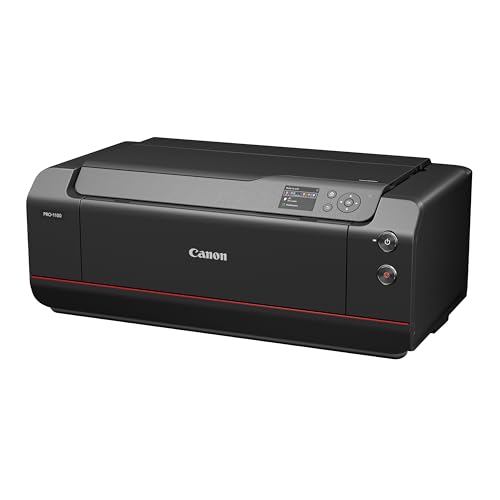
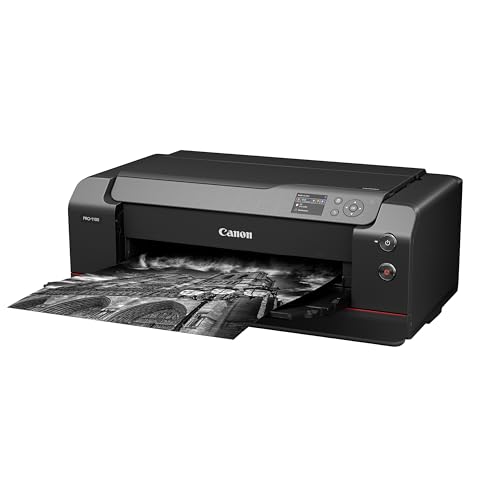
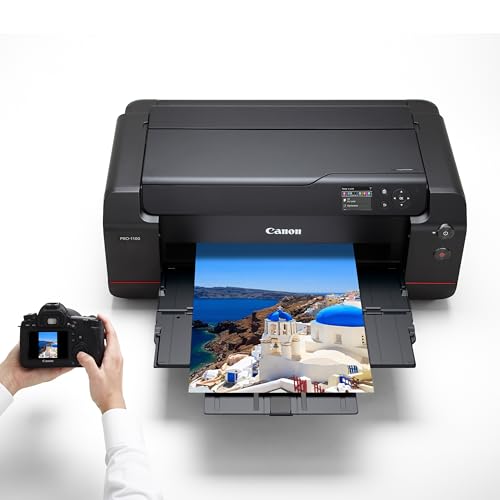
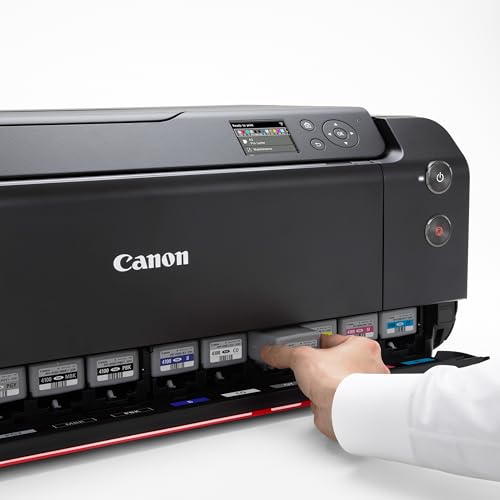
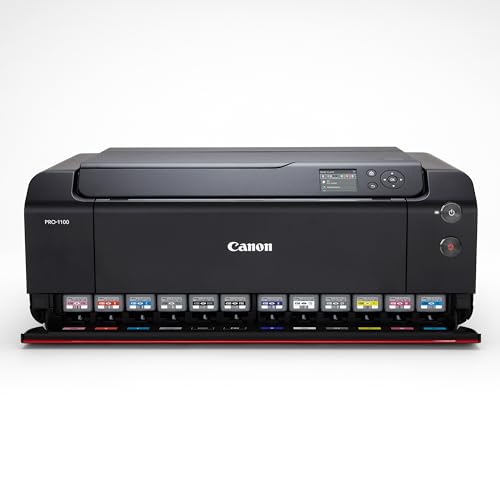
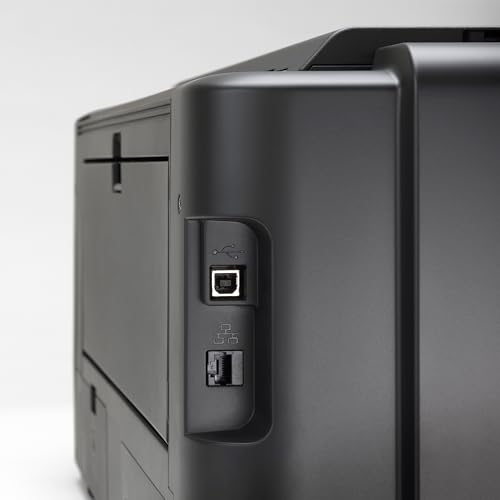
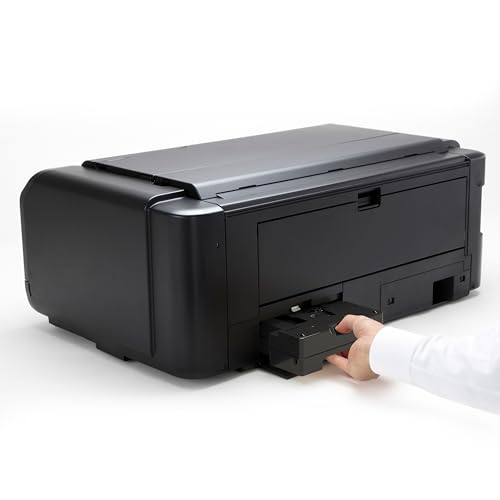
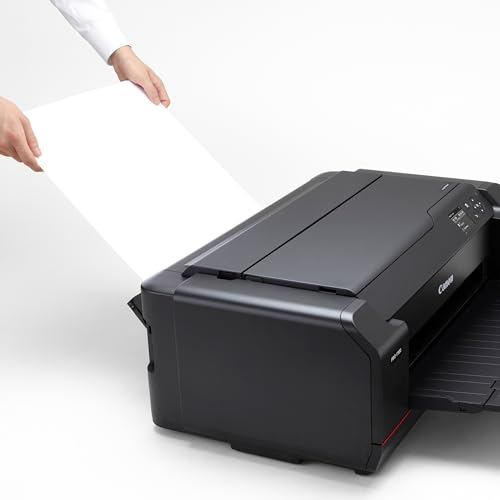
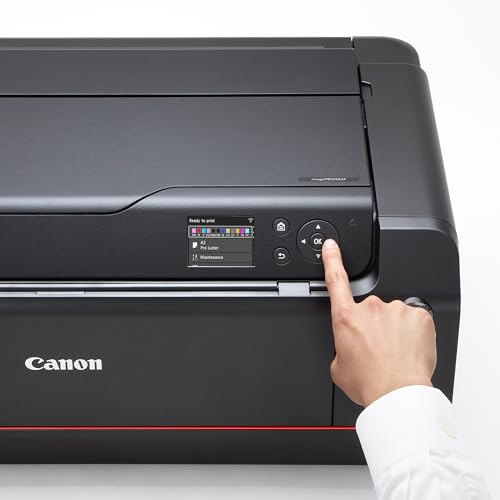
Print Quality: The 11-ink LUCIA PRO II system plus Chroma Optimizer at 2400 x 1200 dpi delivers crisp detail and uniform gloss, so matte landscapes and glossy portraits carry rich texture and clean, deep blacks. Tonal Range: Four dedicated blacks and grays (Photo Black, Matte Black, Gray, Photo Gray) produce smooth gradations and truly neutral grayscale without color casts.
Paper Handling: Print up to 17 x 22 inches on matte cotton, baryta, and luster with the Air Feeding System keeping sheets perfectly aligned. The straight-through rear feed path handles thick fine art papers (up to 0.8 mm) without curling or scuffing, which is critical for archival rag stocks like Hahnemuhle Photo Rag or Canson Infinity.
Workflow Tools: Canon’s Professional Print & Layout software integrates smoothly with Adobe apps for soft-proofing, while Media Configuration and Color Calibration keep results predictable across sessions. The FINE print head’s anti-clogging design and fast L-COA PRO processor add reliability for serious printmakers producing consistent editions.
Verdict: A premium 17-inch photo printer that earns the top spot for outstanding B&W fidelity, fine-art media support, and robust workflow control. Best for photographers who want archival, neutral black-and-white up to 17 x 22 inches and are ready to invest in calibrating for repeatable, gallery-ready results.
Pricing & Where to Buy
The Canon imagePROGRAF PRO-1100 is priced at $1,349 (as of March 2026). It ships with a full set of 11 LUCIA PRO II ink cartridges and the FINE print head pre-installed.
- Buy on Amazon — Prime shipping available
- Check price at B&H Photo
- Check price at Adorama
- Canon official store — sometimes offers bundled paper deals
Epson SureColor P700 13-Inch Printer with UltraChrome PRO10 Ink
Dedicated monochrome photographers who want the deepest blacks and longest-lasting B&W prints at 13 inches, with professional-grade Carbon Black Driver technology and roll support for panoramas.
- Carbon Black Driver technology dramatically increases dMax for best-in-class black density on glossy and baryta papers
- 10-color UltraChrome PRO10 pigment ink with Gray and Light Gray channels for exceptional monochrome tonal gradation
- Industry-leading B&W print permanence: up to 400 years on archival paper
- Roll support (optional) and 1.5mm media thickness for heavy fine art stocks and panoramas
- Mixed Amazon reviews (3.7/5) due to paper feed issues with very thick fine art media
- Slower output speed (about 1 ppm) compared to dye-based printers
Want the absolute deepest blacks and longest print permanence on a desktop printer? The P700’s Carbon Black Driver mode dramatically increases dMax on glossy papers, and UltraChrome PRO10 pigments with Light Gray and Gray channels deliver silky-smooth monochrome gradations. B&W permanence is rated at up to 400 years. The tradeoff: occasional paper feed quirks with very thick fine art stock, and it runs slower than dye-based competitors.
The Epson SureColor P700 earns #2 with 82/100 by delivering the deepest blacks and longest-lasting monochrome prints available in a 13-inch desktop printer. Its Carbon Black Driver technology is a game-changer for photographers who obsess over dMax and tonal depth on glossy and baryta papers.
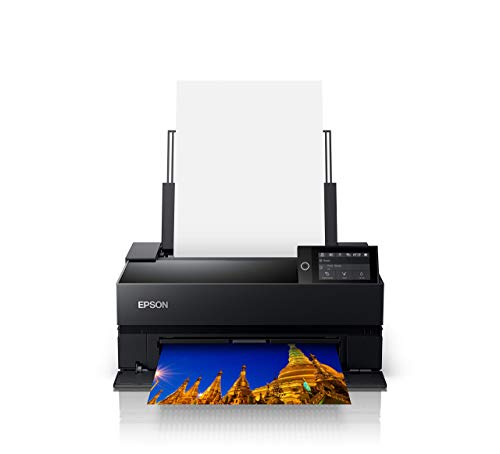
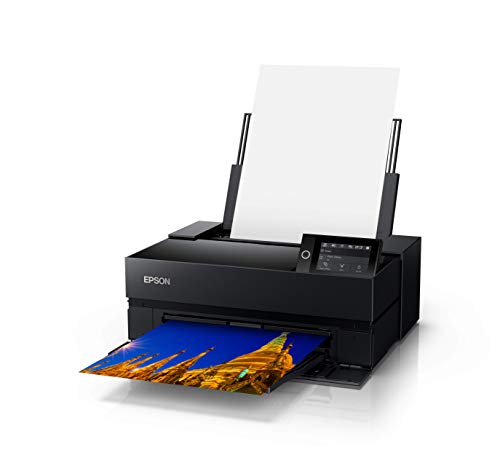
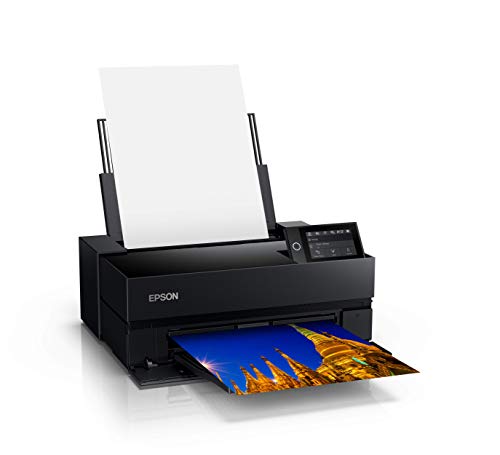
Print Quality: The 10-color UltraChrome PRO10 pigment inkset with Violet expands the color gamut beyond what most competitors achieve, while Gray and Light Gray channels produce silky monochrome gradations without visible stepping. The Carbon Black Driver mode dramatically boosts dMax on glossy papers, delivering the richest, deepest blacks available in this class of printer.
Archival Permanence: Epson rates B&W prints at up to 400 years on archival paper, far exceeding any competitor in this roundup. For photographers creating limited-edition fine art prints or gallery pieces that need to last generations, this permanence rating is significant. Media Handling: The P700 accepts sheets up to 1.5 mm thick and supports optional roll media for panoramas and long prints, a feature the Canon alternatives lack.
Advanced B&W Photo Mode: Epson’s dedicated B&W driver provides fine control over toning (neutral, warm, cool, sepia) with minimal metamerism. Dedicated Photo Black and Matte Black nozzles eliminate ink switching, which saves time and ink during mixed-media print sessions. The 4.3-inch touchscreen and wireless connectivity streamline daily operation.
Verdict: The gold standard for 13-inch monochrome printing. The P700’s combination of Carbon Black Driver, UltraChrome PRO10 pigments, and 400-year B&W permanence makes it the top choice for photographers who prioritize deep blacks, archival durability, and tonal perfection. The 3.7 Amazon rating reflects occasional paper feed friction with very thick stock, not print quality concerns.
Pricing & Where to Buy
The Epson SureColor P700 is priced at $699 (as of March 2026), including a starter set of 10 UltraChrome PRO10 ink cartridges. The optional roll media adapter is sold separately.
- Buy on Amazon — Prime shipping available
- Check price at B&H Photo
- Check price at Adorama
- Epson official store
Canon imagePROGRAF Professional 13-inch PRO-310 Wireless Inkjet Photo Printer
Amateur and semi-pro monochrome photographers who want gallery-quality 13-inch pigment prints with deep blacks, excellent tonal transitions, and Canon’s refined workflow tools.
- 9-color LUCIA PRO II pigment ink set with Chroma Optimizer and dedicated Matte Black for rich tonal range and neutral grays
- A3+ (up to 13 x 19 inches) desktop prints with gallery-quality output suitable for exhibitions and portfolios
- Canon’s Professional Print & Layout software integrates well with Adobe Lightroom and Photoshop
- Strong 2025 release with updated anti-clogging system and skew correction for reliable paper feeding
- Running costs (pigment inks and fine art paper) are high for frequent large prints
- Print speed is slow for B&W (about 2 ppm), so workflow favors quality over throughput
- No roll support for panoramic prints, unlike the Epson P700
Want gallery-quality black-and-white prints at home with Canon’s ecosystem? The PRO-310 delivers deep, stable blacks, subtle midtone transitions, and archival pigment prints up to 13 x 19 inches. The tradeoff: slower output and higher ink costs than dye-based alternatives, plus no roll support.
The Canon imagePROGRAF PRO-310 earns #3 at 80/100 for its exquisite tonal control, archival pigment output, and reliable Canon workflow. For photographers invested in Canon’s ecosystem who want 13-inch pigment prints without stepping up to 17-inch, the PRO-310 consistently delivers wall-worthy monochrome.

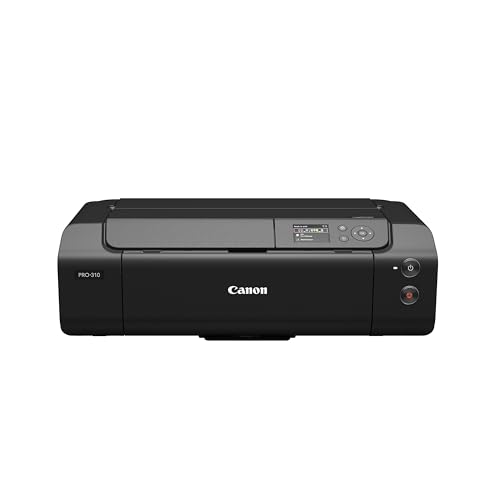
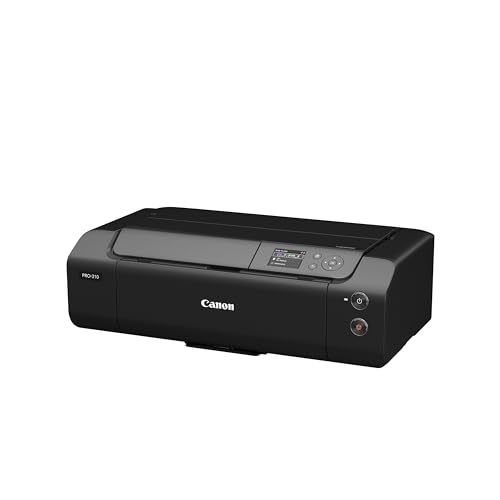
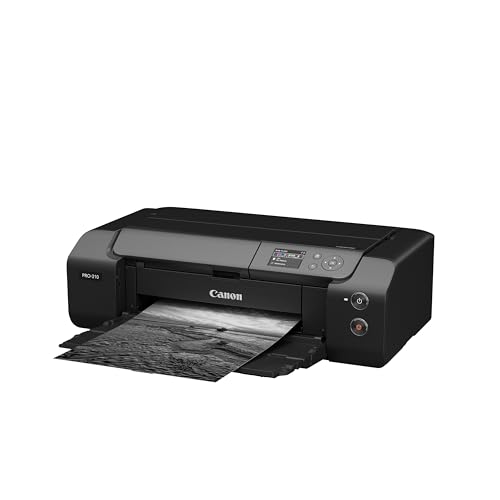

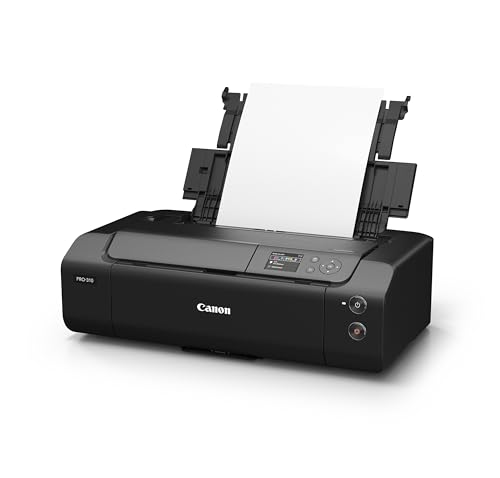
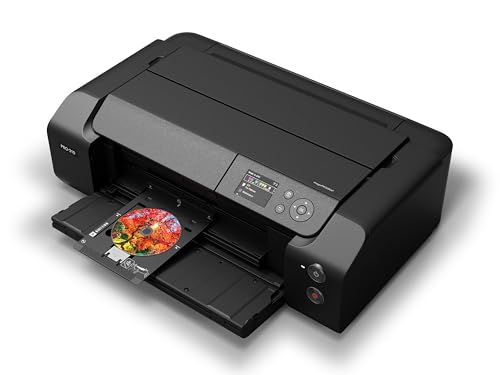
Print Quality: The 9-color LUCIA PRO II pigment system with Chroma Optimizer and a dedicated Matte Black produces deep dMax, neutral grayscale, and silky midtone transitions. On baryta and matte cotton papers, monochrome images show excellent shadow separation with zero color casts. Paper Handling: Create borderless pieces up to 13 x 19 inches (A3+) or panoramas to 13 x 129 inches for dramatic landscape series.
The 2025 update brings an improved Anti-Clogging System and Skew Correction for dependable feeding on heavy fine art papers. The 3.0-inch color LCD and Wi-Fi/Ethernet connectivity make daily operation straightforward. Canon’s Professional Print & Layout software provides direct integration with Adobe Lightroom and Photoshop for soft-proofing and layout.
Verdict: Choose the PRO-310 if you want consistent, gallery-ready monochrome with Canon’s refined workflow at 13 inches. It sits between the P700 and PRO-200S as the Canon pigment option for photographers who prioritize neutral tones, archival stability, and a polished software experience over the P700’s deeper blacks.
Pricing & Where to Buy
The Canon imagePROGRAF PRO-310 is priced at approximately $884 (as of March 2026), including a starter set of 9 LUCIA PRO II ink cartridges and the print head.
- Buy on Amazon — Prime shipping available
- Check price at B&H Photo
- Check price at Adorama
- Canon official store
Canon PIXMA PRO-200S Professional 13-inch Wireless Inkjet Photo Printer
Photographers who want fast, vivid 13-inch prints for portfolios, client proofs, and exhibition test prints, and who value speed and smooth tonality over maximum archival permanence.
- Fast A3+ (13 x 19 inches) borderless printing with high 4800 x 2400 dpi resolution
- 8-color dye-based system delivers very smooth tonal gradation and vibrant midtones for B&W conversions
- Compact, affordable, and user-friendly with wireless connectivity and 3.0-inch LCD
- Dye-based inks reduce archival permanence compared with pigment printers (roughly 30 years vs 100-400 years)
- No dedicated pigment gray inks or true monochrome mode, limiting ultimate neutrality for critical B&W work
Want quick, gallery-sized prints with smooth grayscale and vibrant tonal transitions? The PRO-200S delivers fast A3+ output with excellent dye-ink tonality at a lower price point than pigment models. The tradeoff: dye inks limit archival permanence on fine art matte papers, and blacks are not as deep as pigment alternatives.
The Canon PIXMA PRO-200S earns #4 at 76/100 for its blend of speed, smooth tonality, and easy at-home fine art production. For photographers who need quick portfolio prints and client proofs without the higher cost of pigment models, this dye-based option delivers impressive B&W results.

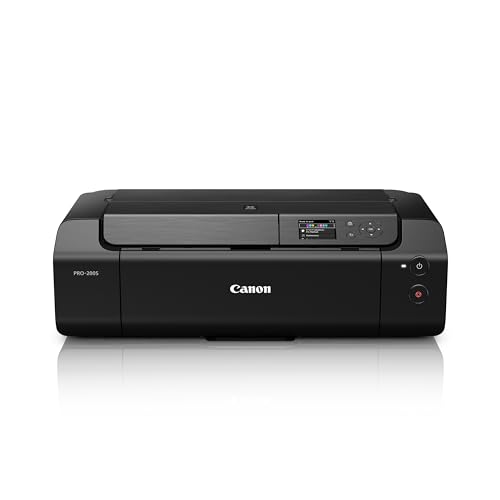
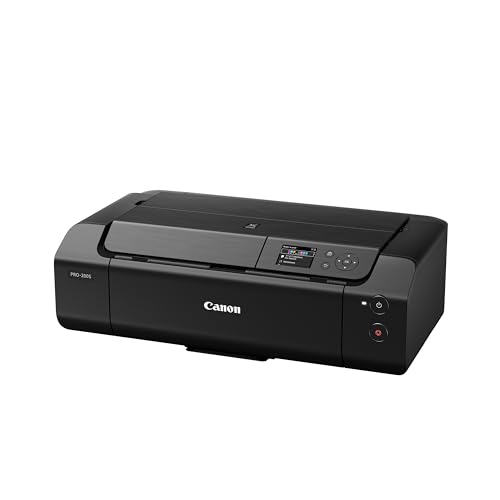
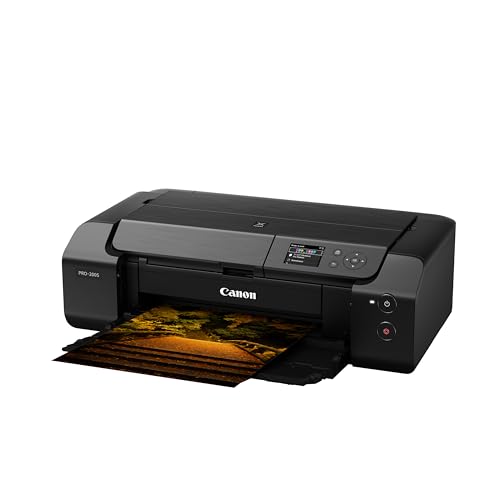
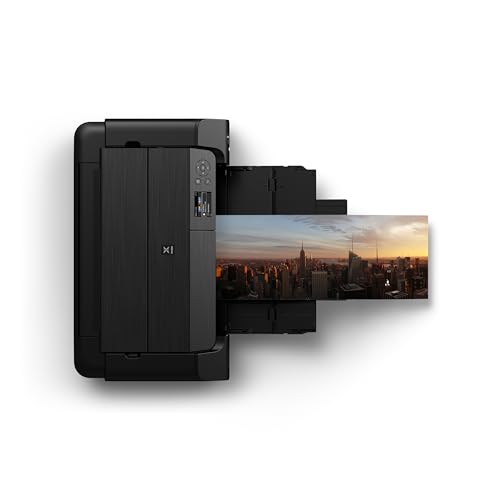
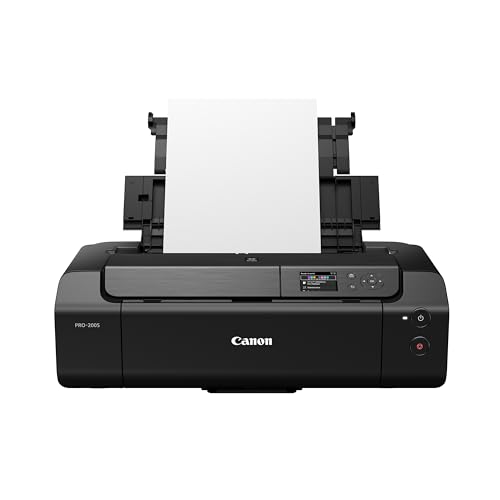
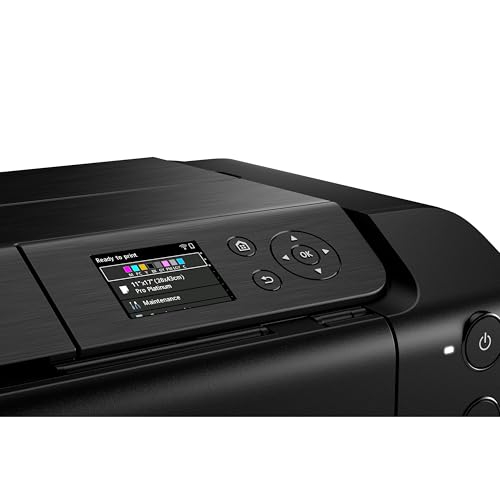
Print Quality: At 4800 x 2400 dpi, details look crisp and textures hold up beautifully in monochrome. The 8-color dye-based system delivers smooth gradations and rich midtones for elegant B&W conversions, especially on glossy and luster papers where dye inks show their strength. Speed: A bordered A3+ print completes in about 90 seconds, making it the fastest printer in this roundup for large output.
Paper Handling: Go borderless up to 13 x 19 inches plus panoramas for gallery-ready pieces. The 3.0-inch color LCD and wireless printing streamline operation. While the PRO-200S lacks pigment inks, its dye-ink tonality on glossy and semi-glossy papers is remarkably smooth, making it a strong choice for luster-finish portfolio work and exhibition test prints.
Verdict: Choose the PRO-200S if speed, smooth tonal transitions, and lower upfront cost matter more than maximum archival permanence. It shines for portfolio builds, client proofs, and exhibition previews on glossy and luster papers. For long-term fine art pieces on matte cotton, a pigment model like the PRO-310 or P700 is the better investment.
Pricing & Where to Buy
The Canon PIXMA PRO-200S is priced at $599.99 (as of March 2026), including a starter set of 8 dye-based ink cartridges.
- Buy on Amazon — Prime shipping available
- Check price at B&H Photo
- Check price at Adorama
- Canon official store
Epson EcoTank Photo ET-8550 Wireless Wide-format Color All-in-One Supertank Printer
Budget-conscious photographers who want wide-format 13 x 19 inch prints with low running costs, and who prioritize ink savings and versatility over museum-grade pigment permanence.
- Wide-format borderless printing up to 13 x 19 inches for portfolio and exhibition prints
- Very low running costs with EcoTank refillable bottles, ideal for high-volume printing and test prints
- Dedicated Gray ink plus Photo Black for smoother tonal transitions in monochrome prints
- Dye-based Claria ET inks limit archival permanence and deep matte blacks compared with pigment printers
- Not a dedicated monochrome printer: lacks the advanced B&W modes and pigment ink sets of pro-level alternatives
Want large, gallery-style black-and-white prints without paying lab prices or spending a fortune on ink? The ET-8550 delivers borderless 13 x 19 inch output with a gray ink for smoother tones, while EcoTank refills keep per-print costs dramatically lower than cartridge-based printers. The tradeoff: dye-based inks limit archival permanence and deep matte blacks compared with pigment models.
The Epson EcoTank Photo ET-8550 earns #5 at 72/100 for its combination of wide-format capability, smooth grayscale control, and exceptionally low running costs. For photographers who print frequently and want to keep ink expenses minimal while still producing solid 13 x 19 inch monochrome pieces, the ET-8550 hits a strong price-to-performance sweet spot.

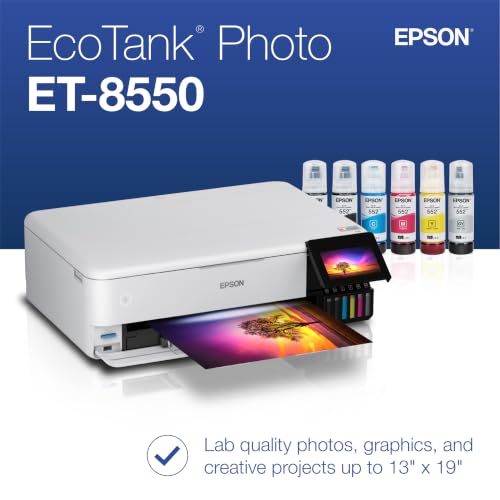
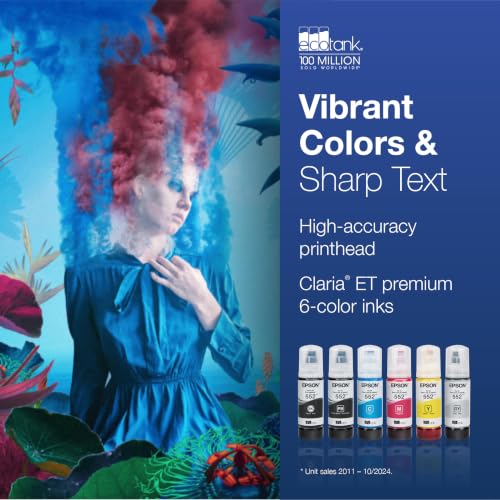

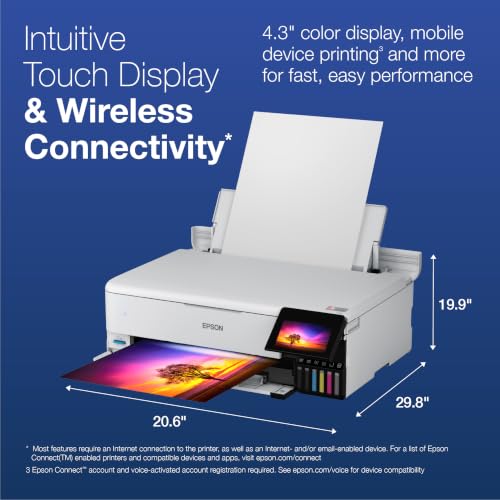
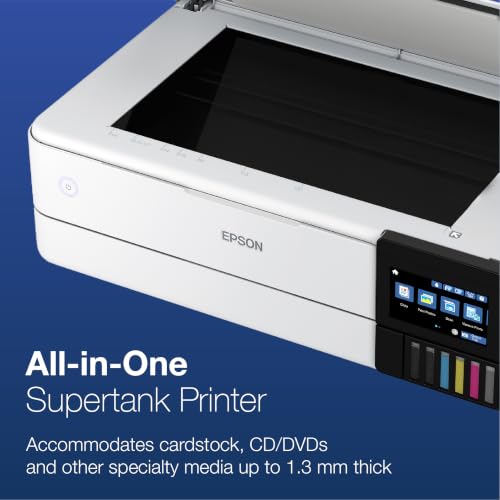
Print Quality: The 6-color EcoTank set with Gray, Photo Black, and Black delivers smooth gradations and natural tonality at 5760 x 1440 dpi. While it cannot match the deep dMax of pigment printers, the dedicated Gray ink channel produces noticeably better monochrome than 4-color consumer printers. Paper Handling: Go borderless up to 13 x 19 inches, load specialty media up to 1.3 mm thick, and control everything via the 4.3-inch touchscreen.
Running Costs: This is where the ET-8550 excels. EcoTank refillable bottles slash per-print costs to a fraction of cartridge-based printers, making it practical to run test prints, proof sequences, and small editions without worrying about ink bills. The built-in scanner/copier adds everyday utility for a home studio setup.
Verdict: Choose the ET-8550 if you want affordable, frequent 13 x 19 inch prints with good monochrome tonality and the lowest ongoing costs in this roundup. It is the best budget wide-format option for photographers who print often and need an all-in-one device.
Pricing & Where to Buy
The Epson EcoTank ET-8550 is priced at $595 (as of March 2026), including a full set of EcoTank ink bottles that can print thousands of pages before needing refills.
- Buy on Amazon — Prime shipping available
- Check price at B&H Photo
- Check price at Adorama
- Epson official store
Epson EcoTank Photo ET-8500 Wireless Color All-in-One Supertank Printer
Photographers looking for the most affordable entry into monochrome photo printing with ultra-low running costs, accepting letter/A4 max print size.
- Dedicated Gray plus Photo Black inks improve grayscale tonal transitions and midtone nuance for B&W prints
- EcoTank refillable system delivers very low running costs for frequent proofing and test printing
- 4.3-inch touchscreen, Wi-Fi/Ethernet, SD/USB slots, and built-in scanner/copier for an all-in-one home studio
- Max print size is letter/A4 only: cannot produce 13 x 19 inch or larger portfolio/exhibition prints
- Dye-based inks limit archival permanence and deep blacks compared with pigment-based printers
Want affordable black-and-white proofs and portfolio prints without spending hundreds on ink? The ET-8500 delivers decent grayscale quality with a dedicated Gray ink and EcoTank savings. The tradeoff: max print size is letter/A4, so it cannot produce the larger portfolio prints that the ET-8550 and pigment models handle.
The Epson EcoTank Photo ET-8500 rounds out the list at #6 with 70/100 as the most affordable entry point for decent black-and-white photo printing. Its EcoTank system keeps ink costs extremely low, and the dedicated Gray ink produces noticeably better monochrome than standard 4-color printers.

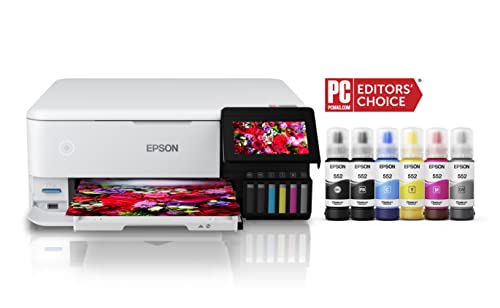
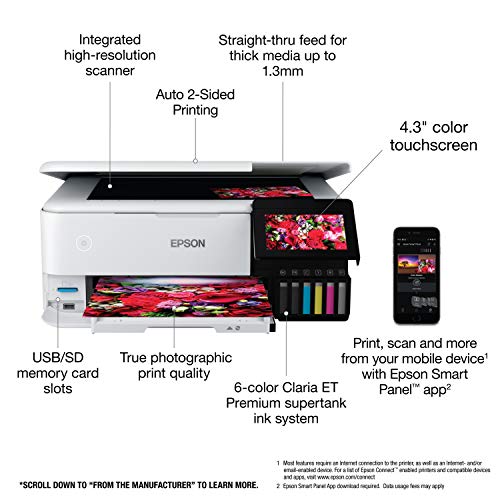
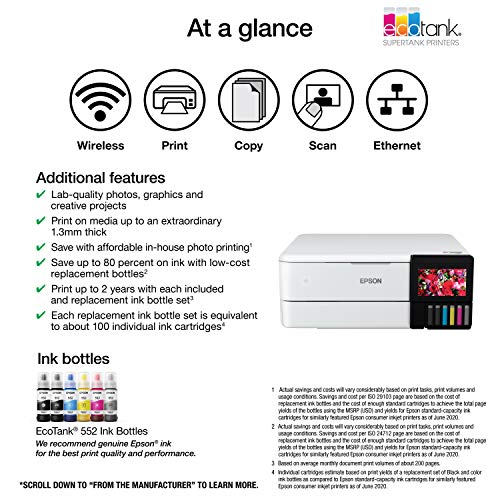
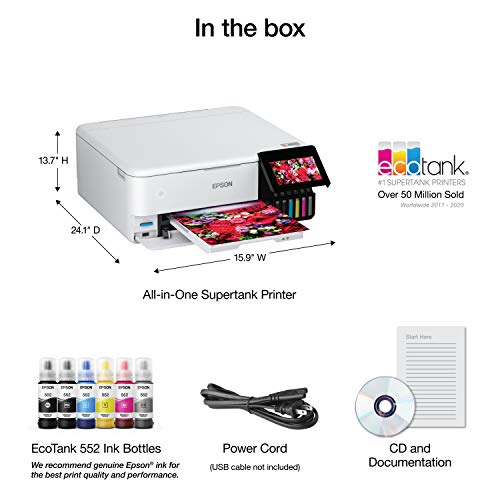
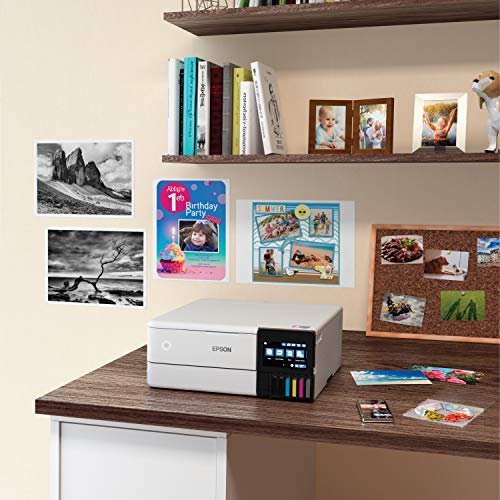
Print Quality: The 6-color EcoTank set with Gray and Photo Black delivers neutral grayscale, smooth gradations, and crisp detail up to 5760 x 1440 dpi. Key Limitation: Max print size is letter/A4 only. For photographers who primarily need smaller proofs, contact sheets, and 8 x 10 inch fine art prints, this works well. For anything larger, step up to the ET-8550.
The 4.3-inch touchscreen, Wi-Fi/Ethernet, SD/USB slots, and built-in scanner/copier make it a genuine all-in-one for a home photo studio. Walk-up prints are simple, and the EcoTank bottles provide enough ink for thousands of prints before needing refills, which makes it ideal for iterative proofing workflows.
Verdict: Choose the ET-8500 if your prints stay at letter/A4 size and you want the lowest possible running costs for frequent proofing and test prints. It is the cheapest path to decent monochrome quality, but photographers who need 13-inch or larger output should look at the ET-8550 or the pigment models above.
Pricing & Where to Buy
The Epson EcoTank ET-8500 is priced at $549.99 (as of March 2026), including a full set of EcoTank ink bottles.
- Buy on Amazon — Prime shipping available
- Check price at B&H Photo
- Check price at Adorama
- Epson official store
Choose the Best Black & White Photo Printer
The right B&W photo printer depends on print size, archival needs, and budget. For maximum tonal fidelity at 17 inches, the Canon imagePROGRAF PRO-1100 is the clear top pick with its four-ink grayscale system and exhibition-ready output. For the deepest blacks and longest permanence at 13 inches, the Epson SureColor P700 with Carbon Black Driver technology is the gold standard.
Photographers who prefer Canon’s workflow and software ecosystem should consider the Canon imagePROGRAF PRO-310 as an excellent 13-inch pigment alternative. For fast portfolio prints and client proofs where speed matters more than archival permanence, the Canon PIXMA PRO-200S delivers impressive dye-ink tonality at a lower price point.
Budget-conscious photographers who print frequently will save significantly with the Epson EcoTank ET-8550 (wide-format) or Epson EcoTank ET-8500 (letter/A4), both of which keep running costs extremely low with refillable ink tanks. Whichever model you choose, invest in quality fine art paper and proper color management to get the most out of your prints.
Related Articles
Final Picks by Use Case
Canon imagePROGRAF PRO-1100
Epson SureColor P700
Canon imagePROGRAF PRO-310
Canon PIXMA PRO-200S
Epson EcoTank ET-8550
Epson EcoTank ET-8500
Disclosure/Disclaimer: As an Amazon Associate, we earn from qualifying purchases. Certain content was provided "as is" from Amazon and is subject to change or removal at any time. Product prices and availability: Amazon prices are updated daily or are accurate as of the date/time indicated and are subject to change. Any price and availability information displayed on Amazon.com at the time of purchase will apply to the purchase of this product.

