

- Sony released free firmware v6.00 for the FX6 on March 18, 2026, the biggest update since launch.
- BIG6 cinema interface from the Venice 2 and BURANO now comes to the $7K FX6 body.
- Blackmagic RAW via HDMI enables BRAW capture to compatible Blackmagic Video Assist recorders.
- Autofocus improvements at 24/25/29.97 fps, HLG Mild HDR preset, and expanded Monitor & Control app features round out the update.
Sony has released firmware version 6.00 for the FX6 cinema camera — and this isn’t a minor bug-fix. It’s a sweeping, free update that brings flagship CineAlta features down to a camera body that costs a fraction of the Venice 2’s price tag.
The headliners: the BIG6 home screen interface inherited from Sony’s top-tier cinema cameras, and Blackmagic RAW output via HDMI for external recording to compatible Blackmagic Design recorders. For indie filmmakers and video professionals who’ve been shooting on the FX6 since its 2020 launch, this update is a genuine game-changer.
When you buy through links on our site, we may earn a commission at no cost to you. We evaluate products independently. Commissions do not affect our evaluations. As an Amazon Associate, we earn from qualifying purchases.
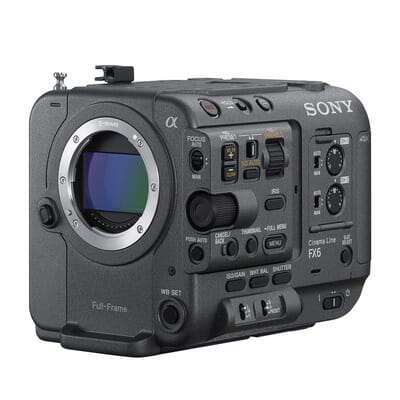
10.2MP full-frame Exmor R CMOS, 4K 120p, 15+ stops dynamic range, S-Cinetone, electronic variable ND filter, Fast Hybrid AF with 627 points.
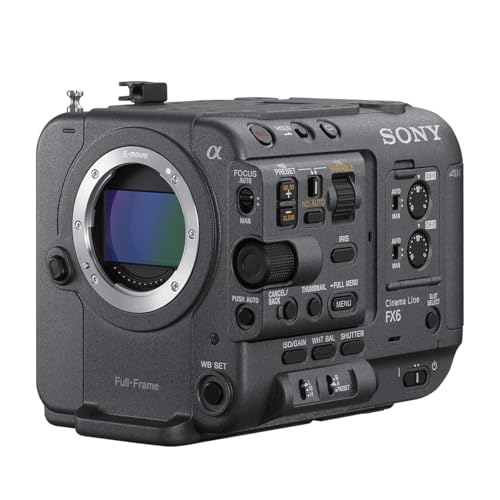
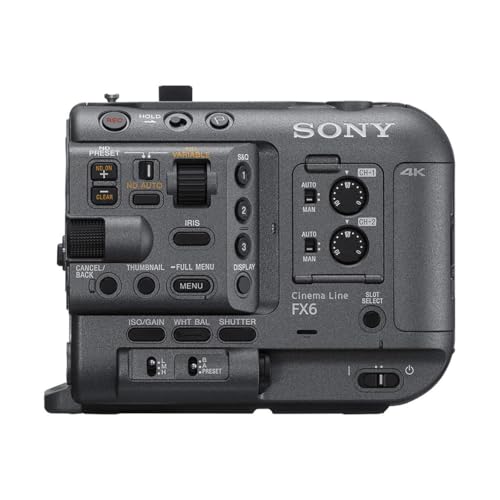
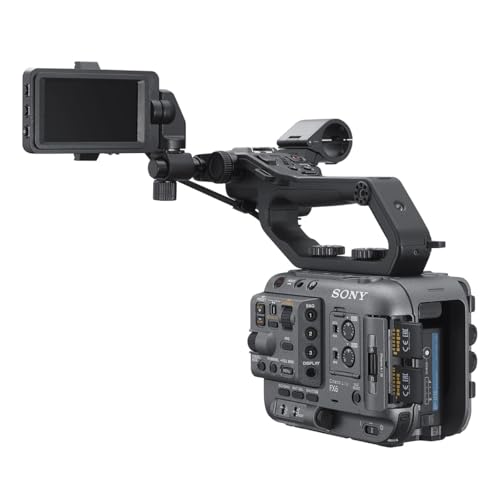
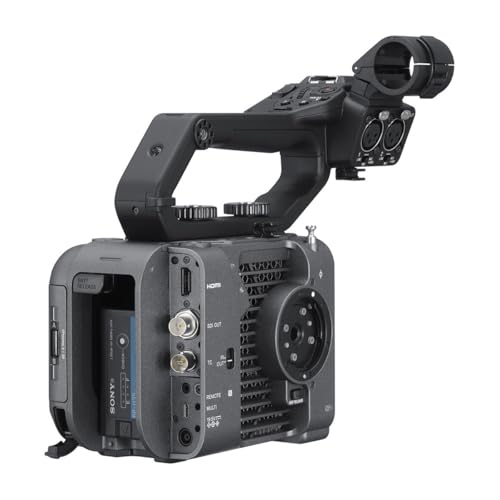
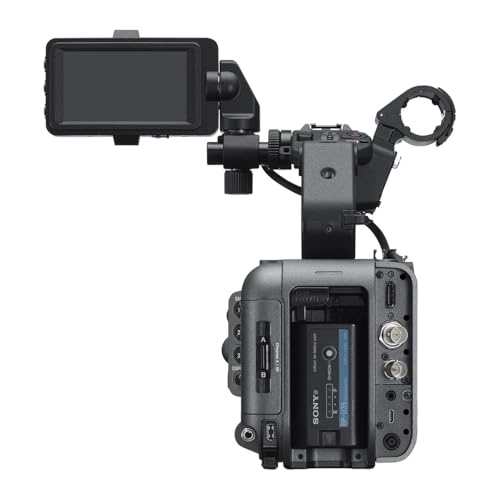
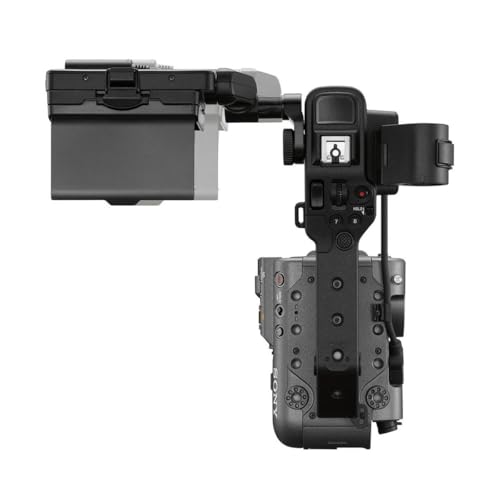
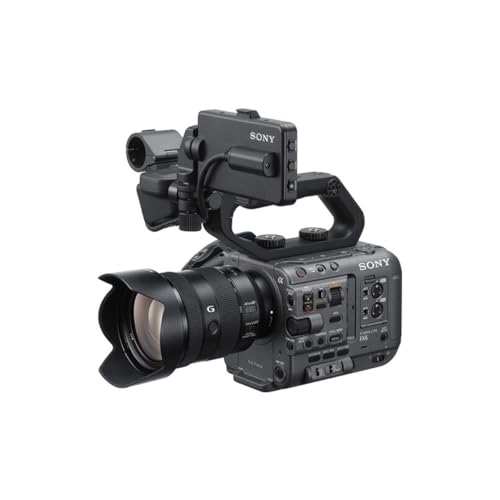
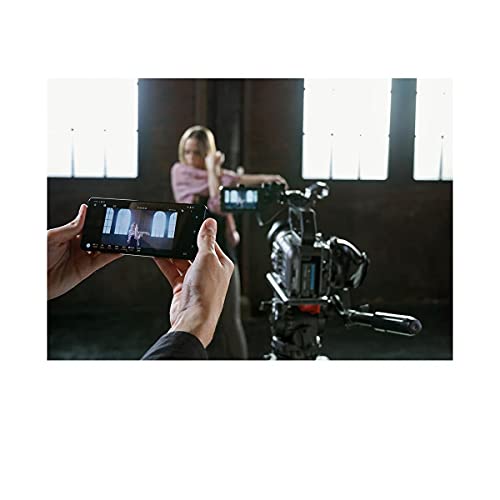
BIG6 Cinema Interface: Venice 2 Ergonomics on a $7K Body
The most visible change in v6.00 is the BIG6 home screen — a unified display that consolidates six essential shooting parameters into a single view: frame rate, ISO, shutter, iris/ND filter, Look, and white balance.
This interface has been standard on Sony’s CineAlta cameras like the Venice 2 and BURANO, and its arrival on the FX6 is a meaningful ergonomic upgrade. If you operate across multiple Sony Cinema Line bodies on the same production, you’ll now get a consistent experience without re-learning the UI.
Sony has also overhauled the shooting screen layout. Camera status data no longer overlays directly on the image in the viewfinder. Instead, black borders frame the image area and carry the status information — keeping the full frame visible during monitoring and playback.
Additional BIG6-related improvements include:
- Three new assignable functions for the Assignable Buttons tab: Crop Select, LUT On/Off, and AE Level/Mode
- Shutter notation change: 1/50 shutter speed now displays as 1.2F (1/50) at 59.94P, matching Sony’s broader conventions
- Camera ID and Reel Number settings added to the status screen
- Index screen added to the status screen
Blackmagic RAW Output via HDMI
The second headline feature is external Blackmagic RAW (BRAW) recording via HDMI. This enables BRAW capture to a compatible Blackmagic Design Video Assist recorder directly from the FX6 — no hardware modification required.
For colorists and editors already working in BRAW pipelines in DaVinci Resolve, this is a genuinely useful addition. The flexibility of BRAW metadata — adjustable ISO, white balance, and color space in post without quality loss — makes it a preferred format for many indie productions.
Sony recommends verifying recorder compatibility with Blackmagic Design before relying on BRAW output in production. This collaboration between Sony and Blackmagic Design was first announced at IBC 2024, with FX6 support included from the start.
Image Quality and HDR Improvements
V6.00 brings several under-the-hood image quality improvements:
- HLG Mild Base Look preset — a new, softer HDR starting point when the target display is set to HDR (HLG), offering a less aggressive grade than the standard HLG preset
- Improved User 3D LUT image quality — better rendering when shooting with custom LUT files
- ND filter optical density display — now supports logarithmic notation, a preference among operators used to traditional optical ND values
- Scene file import/export from external media — Paint and Look settings can now be combined in a single scene file for easier sharing between cameras
Autofocus and Monitoring Upgrades
Autofocus performance has been improved for productions running at 29.97, 25, 24, and 23.98 fps — the most common frame rates for documentary and narrative work where the FX6 is most at home. Sony hasn’t specified which AF algorithms or subject types benefit most, but any incremental improvement in tracking reliability at these rates is welcome for run-and-gun shooters.
The update also adds HDMI Focus Magnifier support, extending a function that was previously unavailable over HDMI output. This is a practical addition for operators using external monitors.
Expanded Monitor & Control App Features
For those using Sony’s Monitor & Control app, v6.00 unlocks three new remote control capabilities:
- Frame rate settings for S&Q Motion
- 3D LUT file management — including setting attributes and deletion
- Low-resolution mode for network monitoring
These features require updating the Monitor & Control app to version 2.5.0 or later. Note that the app may not be available in all countries or regions.
Network and Connectivity Changes
Sony has reorganized the network menu and added the ability to change network settings directly from the status screen. Network connection speed is now visible on the shooting screen — useful for productions relying on live streaming or remote monitoring.
Two notable connectivity changes:
- WPA and WEP support dropped entirely — only WPA2 or WPA3 connections going forward (a sensible security move)
- Simultaneous internet access via Wi-Fi Direct — smartphones connected to the FX6 can now access the internet at the same time, removing a previous limitation
Why This Matters for Indie Filmmakers
The FX6 launched in late 2020 at around $5,998 (currently ~$6,998) and has been a workhorse for documentary and narrative productions ever since. What makes v6.00 significant isn’t just the feature list — it’s the strategy behind it.
Sony has consistently trickled down features from its $40K+ Venice 2 to more accessible Cinema Line bodies through firmware. The BIG6 interface is the latest example. Getting a unified cinema workflow across a Venice 2 A-camera and FX6 B-cameras — all running the same interface — is exactly the kind of ecosystem play that makes productions more efficient.
The Blackmagic RAW addition is equally strategic. BRAW has become a de facto standard for indie productions working in DaVinci Resolve, and this update removes a barrier that previously pushed some shooters toward competing cameras. Combined with the FX6’s existing strengths — 15+ stops of dynamic range, built-in variable ND, S-Cinetone, and 4K 120p — it solidifies the FX6’s position as one of the most capable sub-$10K cinema cameras available.
If you’re comparing cinema cameras in this price range, the Nikon ZR Cinema Camera with RED color science launched recently at $2,199 — offering a compelling alternative at a lower price point, though with a different feature set and ecosystem.
How to Download and Install
Firmware v6.00 is available as a free download from Sony’s support page. The update is installed via SD card or CFexpress Type A card inserted into Slot B.
Before updating:
- Connect the supplied AC adaptor (battery alone is not sufficient)
- Remove all connected devices (USB, SDI/HDMI cables, microphones, shoe mount accessories)
- Eject any media cards not needed for the update
Important note: If upgrading from version 5.02 or earlier, your previous settings will not carry over — the camera resets to defaults. Save your settings in an All File before upgrading, then reload after the update is complete. The update process takes approximately 8 minutes.
Frequently Asked Questions
Is the Sony FX6 firmware v6.00 update free?
Yes, firmware v6.00 is a completely free update available from Sony’s support website. There is no paid upgrade or license required for any of the new features, including BIG6 and Blackmagic RAW output.
What external recorders support Blackmagic RAW from the FX6?
Sony recommends checking directly with Blackmagic Design for compatible recorder models. The Blackmagic Video Assist line is the expected choice, but specific model compatibility should be verified before production use.
Will I lose my camera settings when updating to v6.00?
If you’re upgrading from version 5.02 or earlier, yes — the camera resets to factory defaults. Save your settings in an All File before updating, then reload them afterward. Upgrades from 5.03 or later should preserve settings.
What is the BIG6 interface?
BIG6 is a home screen display that shows six essential shooting parameters at a glance: frame rate, ISO, shutter speed, iris/ND filter, Look, and white balance. It originated on Sony’s CineAlta cameras (Venice 2, BURANO) and is now available on the FX6 with this update.
Sources used for this article:
Featured image: Photo by Gabriel Weyand on Unsplash.


Disclosure/Disclaimer: As an Amazon Associate, we earn from qualifying purchases. Certain content was provided "as is" from Amazon and is subject to change or removal at any time. Product prices and availability: Amazon prices are updated daily or are accurate as of the date/time indicated and are subject to change. Any price and availability information displayed on Amazon.com at the time of purchase will apply to the purchase of this product.
Get the Weekly Photography News Digest
Join photographers who get our top stories delivered every Monday morning. No spam, unsubscribe anytime.
