

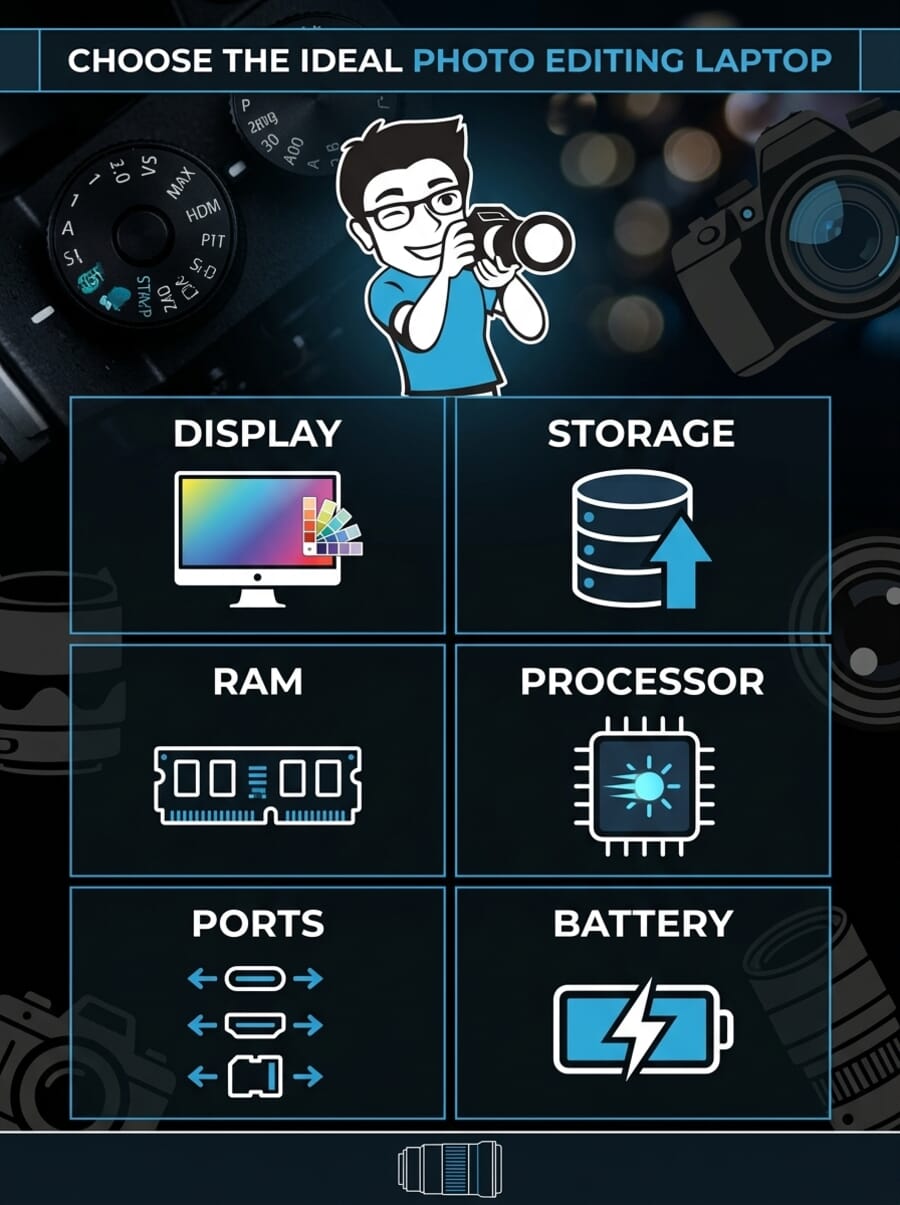
Importing a 128 GB card after a full-day shoot should take minutes, not the better part of an hour. Yet the wrong laptop turns every Lightroom import into a waiting game — the SSD fills up, previews crawl, and culling grinds to a halt. A laptop built for photographers solves the bottleneck with a fast 1 TB (or larger) SSD, enough RAM to keep Lightroom and Photoshop running side by side, and a color-accurate display that shows files the way they actually look in print.
This guide compares 8 laptops for photo editing and storage, ranked by the specs that matter most to photographers: SSD speed and capacity, display color accuracy (P3 and sRGB coverage), RAM, port selection for card readers and external drives, and real-world performance in Adobe Lightroom Classic and Photoshop. The top pick, the Apple MacBook Pro 14-inch (M5), delivers workstation-class editing speed with all-day battery life. Budget-conscious shooters will find strong options starting under $1,000, while professionals handling massive catalogs can scale to 16-inch workstations with 24 GB of unified memory.
Every pick covers a specific use case — from ultra-portable travel editing to high-volume studio work — with honest pros, cons, and current pricing across multiple retailers.
When you buy through links on our site, we may earn a commission at no cost to you. We evaluate products independently. Commissions do not affect our evaluations. As an Amazon Associate, we earn from qualifying purchases.
Top Picks


Laptop Comparison
| Specifications | ||||||||
|---|---|---|---|---|---|---|---|---|
| Display | 14.2" XDR, P3 | 16.2" XDR, P3 | 15.3" Retina, P3 | 16" 3K OLED, P3 | 14" 2.8K OLED, P3 | 16" 3K OLED | 13.6" Retina, P3 | 13.4" FHD+ |
| Processor | Apple M5 10-core | Apple M4 Pro 14-core | Apple M4 10-core | AMD Ryzen AI 9 365 | Intel Core Ultra 7 258V | AMD Ryzen AI 7 350 | Apple M4 10-core | Snapdragon X Plus |
| RAM | 16 GB | 24 GB | 16 GB | 24 GB | 32 GB | 16 GB | 16 GB | 16 GB |
| Storage | 1 TB SSD | 512 GB SSD | 512 GB SSD | 1 TB SSD | 1 TB SSD | 1 TB SSD | 256 GB SSD | 1 TB SSD |
| Weight | 3.4 lbs | 4.7 lbs | 3.3 lbs | 3.3 lbs | 2.9 lbs | 3.5 lbs | 2.7 lbs | 2.6 lbs |
| SD Card Slot | No | SDXC (UHS-II) | No | No | No | No | No | No |
| Battery | ~17 hrs | ~22 hrs | ~18 hrs | ~14 hrs | ~14 hrs | ~14 hrs | ~18 hrs | ~27 hrs |


Apple 2025 MacBook Pro 14-inch (M5)
Photographers who need fast, reliable Lightroom and Photoshop performance with a color-accurate display in a portable package
- 10-core M5 CPU handles exports and AI edits with ease
- Liquid Retina XDR display covers full P3 gamut
- 1 TB fast NVMe SSD standard
- Thunderbolt 4 for 40 Gbps external drive backup
- All-day battery life (~17 hours)
- No built-in SD card slot (dongle required)
- 16 GB RAM is not upgradeable
- Higher price than Air models for similar portability
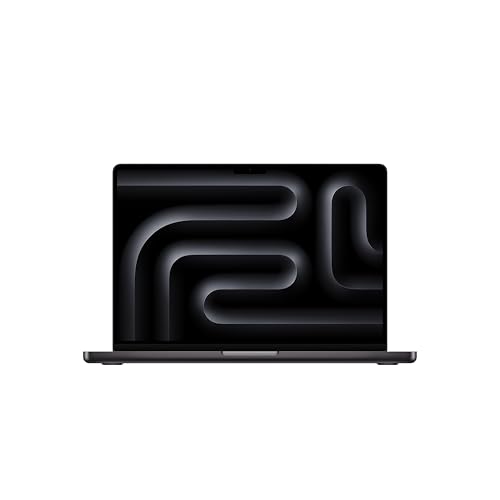
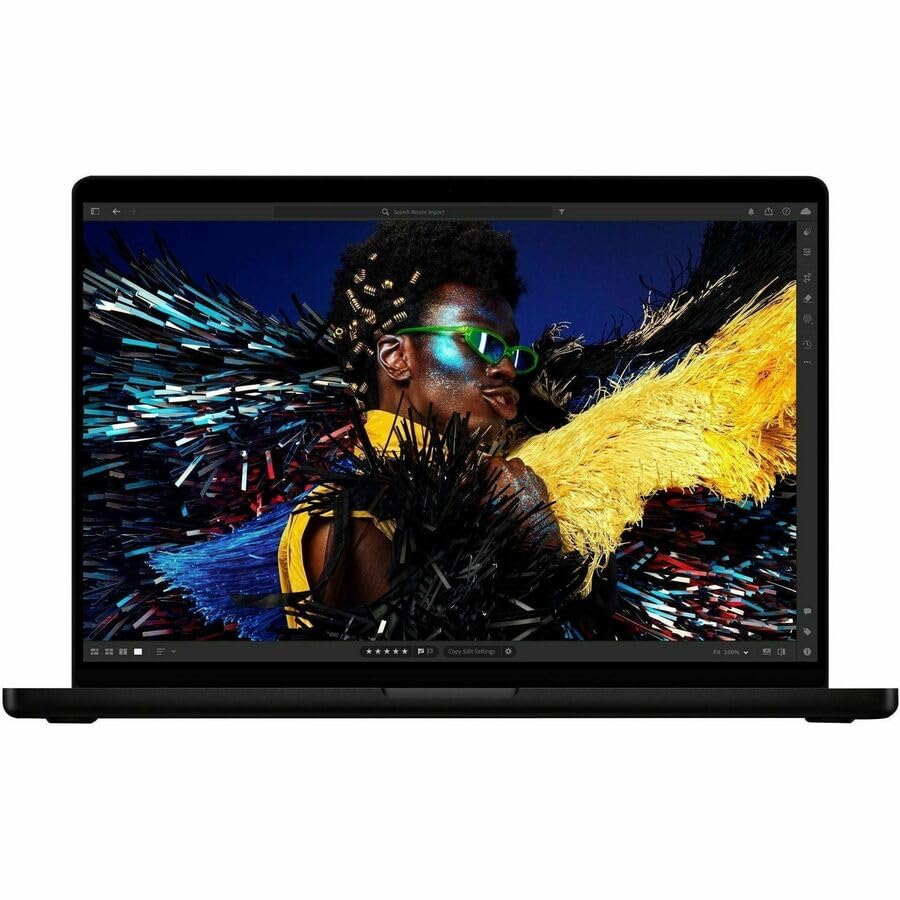
The MacBook Pro 14-inch M5 is the best all-around laptop for photographers. It delivers desktop-class Lightroom Classic performance — generating 1:1 previews, running AI Denoise, and exporting large batches — without the fan noise or thermal throttling. The XDR display is factory-calibrated for P3, making it accurate enough for soft proofing without an external monitor.
The MacBook Pro 14-inch (M5) represents the sweet spot for most photographers. The M5 chip’s 10-core CPU tears through Lightroom’s preview generation and batch exports, while the GPU acceleration makes Photoshop operations like Content-Aware Fill and neural filters noticeably snappier than the M4 generation. For a typical wedding photographer processing 2,000-3,000 RAW files, this translates to finishing a full cull and export session in roughly half the time of a comparable Intel laptop.
The 14.2-inch Liquid Retina XDR display is the real standout for photo work. It covers the full P3 color gamut and reaches 1,600 nits peak brightness in HDR, meaning colors and tonal detail are visible even in bright ambient light. The display is factory-calibrated, which is a meaningful advantage over Windows laptops that often need a hardware calibrator out of the box to achieve similar accuracy.
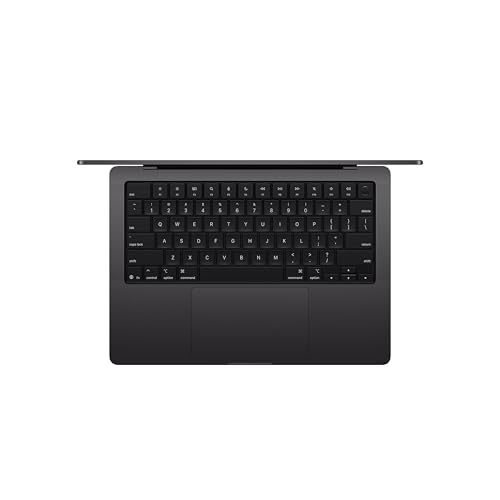


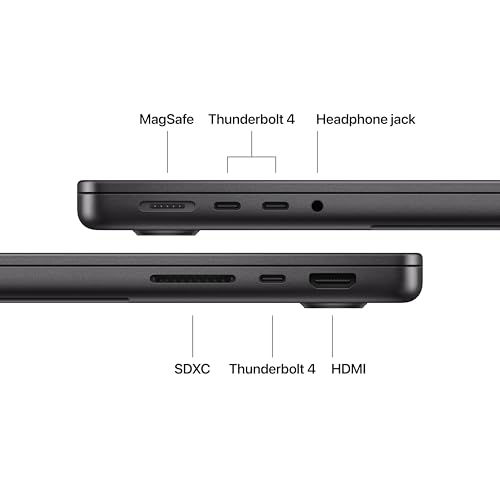
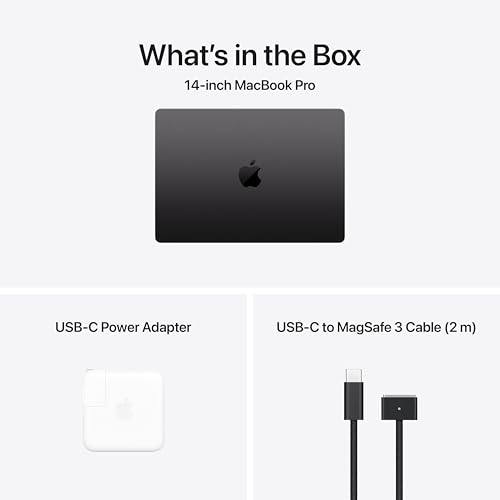
Storage starts at 1 TB of fast NVMe SSD, which comfortably holds a working Lightroom catalog of 50,000-80,000 images with room for the operating system, applications, and scratch space. Two Thunderbolt 4 ports deliver 40 Gbps throughput for backing up to external SSDs or connecting a RAID enclosure. The main trade-off is the lack of a built-in SD card slot — a USB-C to SD reader (around $15-25) is needed for direct card imports.
With 16 GB of unified memory, the M5 handles standard Lightroom and Photoshop workflows without issue. The unified memory architecture means the GPU shares the same pool, so real-world performance is closer to 24 GB on a traditional PC. Battery life sits around 17 hours for general use, easily lasting a full day of on-location editing.
Pricing & Where to Buy
The MacBook Pro 14-inch M5 (1 TB, 16 GB) is priced at approximately $1,425 (as of March 2026). Apple offers build-to-order configurations with up to 2 TB SSD and 32 GB unified memory for heavier workloads.
- Buy on Amazon — Prime shipping available
- Check price at B&H Photo
- Check price at Adorama
- Apple Store — custom configurations available
Apple 2024 MacBook Pro 16-inch (M4 Pro)
Professional photographers with large catalogs (100,000+ images) who need maximum screen real estate and an SD card slot
- 16.2-inch XDR display — the largest in the lineup
- 24 GB unified memory handles massive files
- Built-in SDXC (UHS-II) card slot — no dongle needed
- 14-core CPU for heavy multi-tasking and batch processing
- Up to 22 hours battery life
- 4.7 lbs — heavier than most competitors
- Base config is only 512 GB SSD (1 TB upgrade recommended)
- Premium price point above $2,200
The 16-inch MacBook Pro is the laptop to get when screen size and raw power are non-negotiable. The built-in SD card slot is a genuine workflow advantage — import cards directly without adapters. The 24 GB unified memory means Photoshop layers, Lightroom previews, and a browser with references can all run simultaneously without slowdowns.
The MacBook Pro 16-inch (M4 Pro) is the workhorse pick for photographers running large-scale operations. The M4 Pro’s 14-core CPU (10 performance + 4 efficiency cores) and 20-core GPU chew through batch exports, panorama stitching, and AI-based edits that would bottleneck lesser machines. This is the laptop that makes processing a 500-image event feel routine rather than painful.
The 16.2-inch Liquid Retina XDR display is the biggest reason to choose this over the 14-inch model. More screen area means less scrolling in the Lightroom filmstrip, more visible detail when pixel-peeping at 100%, and a more comfortable editing experience during long sessions. Like the 14-inch Pro, it covers the full P3 gamut with 1,600 nits peak HDR brightness and comes factory-calibrated.


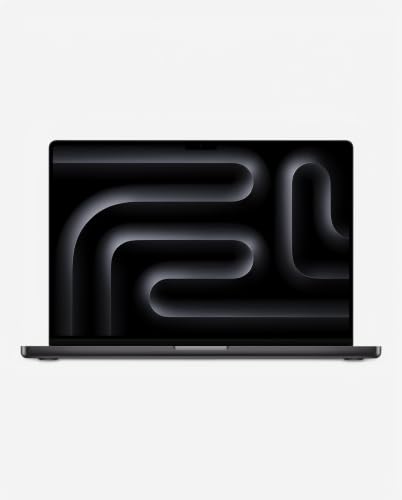
The built-in SDXC (UHS-II) card slot is a genuine differentiator. While every other laptop in this roundup requires a dongle or adapter for SD card imports, the 16-inch Pro accepts full-size SD cards directly. For photographers who import cards multiple times per week, this small convenience adds up significantly. Three Thunderbolt 4 ports, HDMI 2.1, and MagSafe charging round out the port selection.
With 24 GB of unified memory, this model handles scenarios that push 16 GB machines to their limits: stitching 20-frame panoramas in Photoshop, running Lightroom and Photoshop simultaneously with large documents, or editing 50+ megapixel files from cameras like the Canon R5 or Sony A7R V. The base configuration ships with 512 GB SSD, so upgrading to 1 TB or 2 TB at purchase is strongly recommended for photographers with large catalogs.
Pricing & Where to Buy
The MacBook Pro 16-inch M4 Pro (512 GB, 24 GB) is priced at approximately $2,255 (as of March 2026). Apple offers upgrades to 48 GB memory and 4 TB SSD through the Apple Store for maximum configurability.
- Buy on Amazon — Prime shipping available
- Check price at B&H Photo
- Check price at Adorama
- Apple Store — custom configurations and financing available
Apple 2025 MacBook Air 15-inch (M4)
Travel and event photographers who want a large, accurate display without MacBook Pro weight or price
- 15.3-inch Liquid Retina display with P3 wide color
- Fanless, completely silent operation
- Up to 18 hours battery life — best-in-class
- M4 chip delivers strong Lightroom performance
- 3.3 lbs — lighter than most 15-inch laptops
- No SD card slot or HDMI port
- Base 256 GB SSD too small for photo work (512 GB+ recommended)
- Only two Thunderbolt/USB4 ports
The MacBook Air 15-inch offers roughly 90% of the MacBook Pro 14-inch experience at a lower price, with a larger screen. The M4 chip handles Lightroom Classic catalogs of 50,000+ images without hesitation. The only real sacrifices are the lack of an SD slot and a slightly dimmer (non-XDR) display — trade-offs most hobbyist and semi-pro photographers will happily accept.
The MacBook Air 15-inch (M4) is the value champion for photographers who want Apple’s ecosystem without the Pro price tag. The M4 chip handles Lightroom and Photoshop smoothly — generating Smart Previews, applying develop presets across batches, and running AI Denoise on individual images all perform well. The only scenario where it falls noticeably behind the Pro models is sustained export of hundreds of high-resolution files, where the fanless design means the chip eventually throttles slightly.
The 15.3-inch Liquid Retina display supports P3 wide color and 500 nits brightness. While it lacks the Pro’s XDR HDR capabilities and ProMotion variable refresh rate, it delivers accurate colors for culling and basic soft proofing. The extra 1.1 inches of screen compared to the 13-inch Air makes a real difference when reviewing photos — more filmstrip thumbnails visible, more detail in the loupe view, and a more comfortable editing posture.



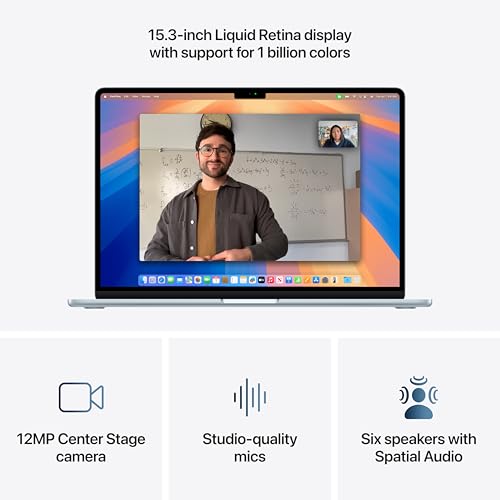

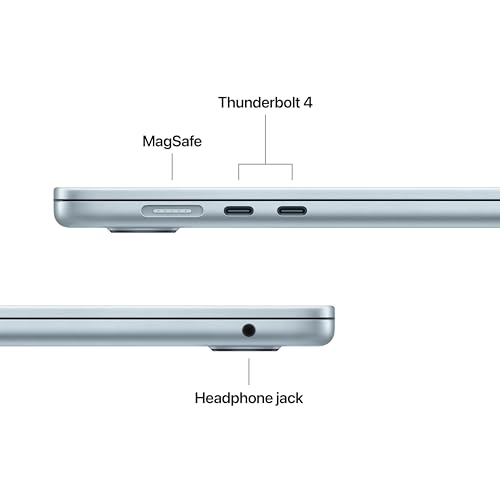
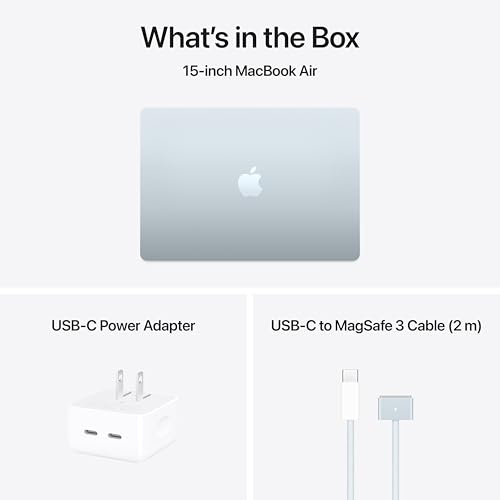
At 3.3 pounds, the 15-inch Air is actually lighter than many 14-inch Windows laptops. The fanless design means zero noise during editing sessions — a genuine comfort factor when working late at night or in quiet environments. Battery life reaches up to 18 hours, easily covering a full day of on-location editing with overhead to spare.
The 512 GB SSD configuration (linked above) is the minimum recommended for photo work. Photographers with larger catalogs should consider the 1 TB configuration or plan to keep the active catalog on the internal drive while archiving older projects to an external SSD. Two Thunderbolt/USB4 ports handle external drive connections and display output, but a hub is needed for simultaneous charging and peripherals.
Pricing & Where to Buy
The MacBook Air 15-inch M4 starts at $949 for the 256 GB model and $1,099 for the 512 GB configuration (as of March 2026). The 512 GB or 1 TB model is recommended for photographers.
- Buy on Amazon (512 GB) — Prime shipping available
- Check price at B&H Photo
- Check price at Adorama
- Apple Store — 24 GB and 1 TB configurations available
ASUS Zenbook S 16 (2025)
Windows-preferring photographers who want the best possible display for color-critical work
- 16-inch 3K OLED display with 100% DCI-P3 coverage
- 24 GB DDR5 RAM — more than most competitors at this price
- Ultra-thin 0.43-inch chassis at 3.3 lbs
- AMD Ryzen AI 9 365 — strong multi-threaded performance
- Wi-Fi 7 and USB-C 4 (USB4) connectivity
- No SD card slot
- OLED may have burn-in risk with static UI elements
- Integrated Radeon 880M graphics (no discrete GPU)
The Zenbook S 16 has the best display of any Windows laptop in this roundup. The 3K OLED panel produces deeper blacks, wider color gamut, and more accurate out-of-box calibration than any IPS alternative. For photographers who want to stay on Windows but refuse to compromise on display quality, this is the clear pick.
The ASUS Zenbook S 16 brings the best display technology available on Windows to the photo editing table. The 16-inch 3K (2880×1800) OLED panel covers 100% of the DCI-P3 color space with deep, true blacks that IPS panels simply cannot match. For photographers who evaluate shadow detail, skin tone accuracy, or print color matching, the difference is immediately visible.
The AMD Ryzen AI 9 365 processor provides strong multi-threaded performance for Lightroom exports and Photoshop filters, with 10 cores and 20 threads running at up to 5.0 GHz. Paired with 24 GB of DDR5 RAM, the Zenbook S 16 handles simultaneous Lightroom and Photoshop sessions without the memory pressure that 16 GB machines sometimes exhibit with large files open.

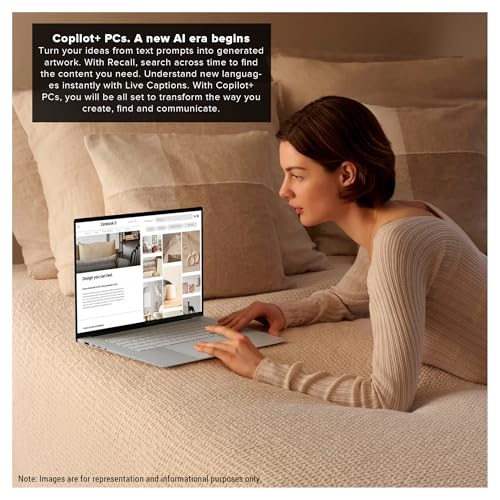
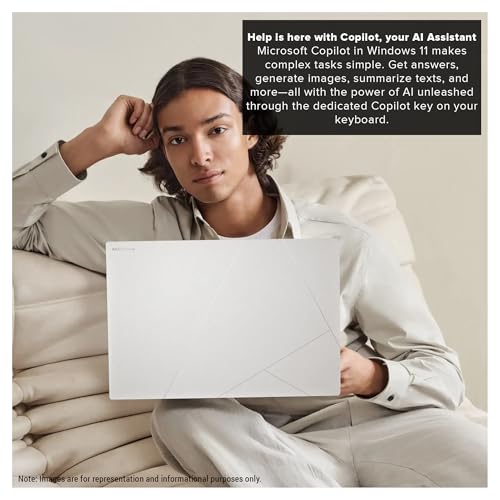
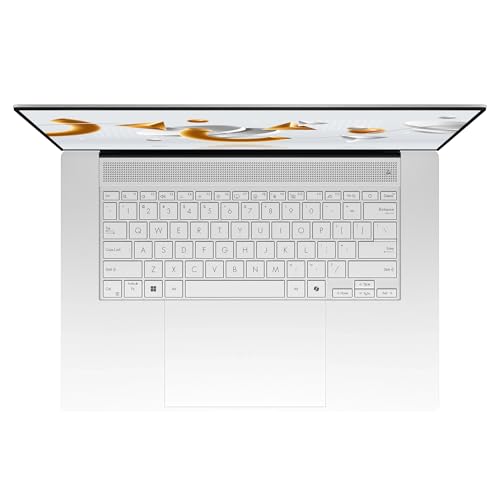
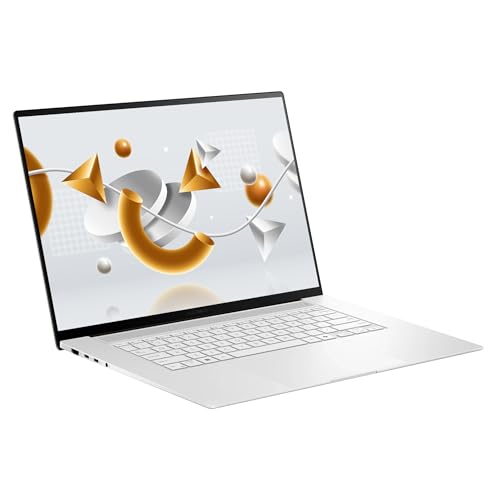
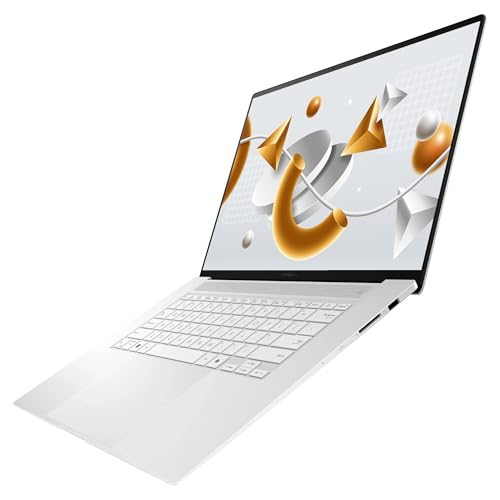
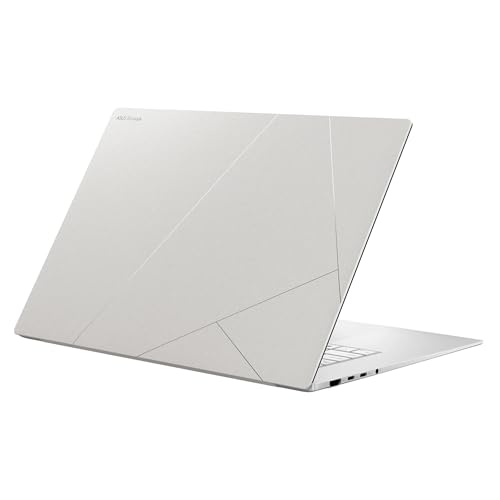
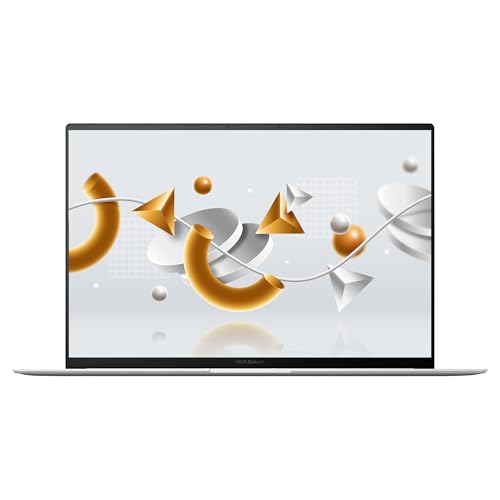
Build quality stands out: the chassis is crafted from a ceramic-like material (ASUS calls it “Ceraluminum”) that resists fingerprints and feels premium in hand. At 0.43 inches thin and 3.3 pounds, it matches the MacBook Air 15-inch for portability while offering a slightly larger display. The 1 TB PCIe SSD provides adequate storage for active projects, though the storage is not user-upgradeable.
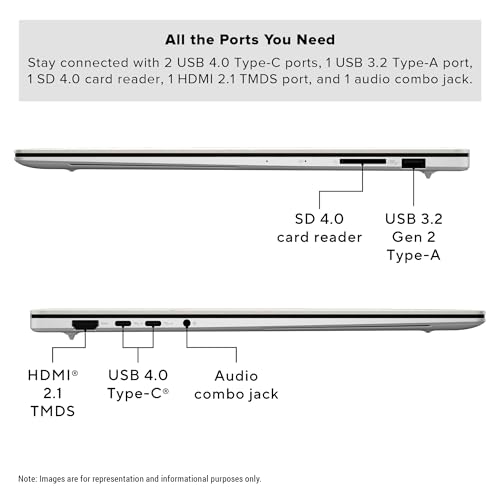
Connectivity includes two USB-C 4 ports (supporting USB4 with 40 Gbps), one USB-A 3.2, and HDMI 2.1 for an external monitor. The absence of an SD card slot is a drawback shared with most thin-and-light laptops in this class. Wi-Fi 7 support future-proofs the wireless connection for photographers who transfer files over the network.
Pricing & Where to Buy
The ASUS Zenbook S 16 (24 GB RAM, 1 TB SSD) is priced at approximately $1,230 (as of March 2026). This configuration includes Windows 11 Pro.
- Buy on Amazon — Prime shipping available
- Check price at B&H Photo
- Check price at Adorama
- ASUS Store
Lenovo Yoga 9i 2-in-1 Aura Edition (2025)
Photographers who want touch-based editing, pen support, and a convertible design for client presentations
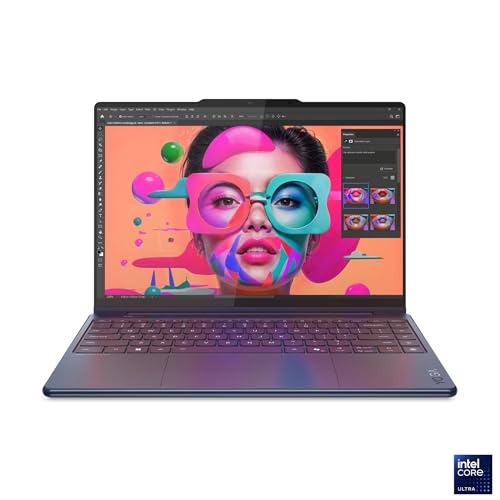
- 14-inch 2.8K OLED touchscreen with 100% P3 coverage
- 32 GB LPDDR5X RAM — most in its class
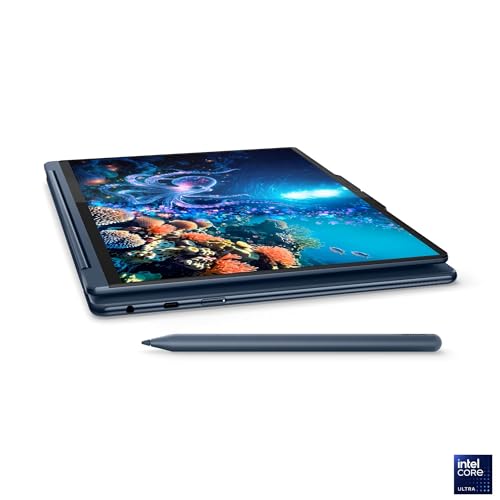
- Included Yoga Pen for touch retouching and annotations
- Intel Core Ultra 7 258V with strong single-thread speed
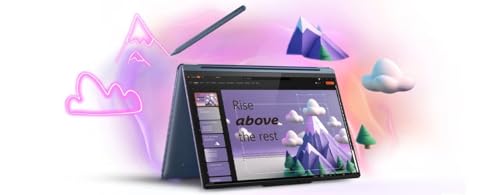
- 2-in-1 design folds flat for client portfolio review
- 14-inch screen smaller than 16-inch competitors
- No SD card slot or HDMI port
- $1,650 price is premium for a 14-inch convertible
The Yoga 9i is the only laptop in this roundup that converts to tablet mode, making it uniquely suited for showing portfolios to clients, touch-based spot healing in Lightroom, and pen-based masking in Photoshop. The 32 GB RAM is the highest in this lineup, providing headroom for very large files.
The Lenovo Yoga 9i brings a different approach to photo editing: the 360-degree hinge lets the screen fold completely flat or into tent mode, turning it into a tablet for client reviews or a touch-editing surface for Lightroom’s spot removal and masking tools. The included Yoga Pen adds pressure-sensitive input for precise Photoshop brush work.
The 14-inch 2.8K (2880×1800) OLED display hits 1,100 nits peak brightness in HDR and covers 100% of the P3 gamut. Colors are vivid and accurate, and the touchscreen adds genuine utility in photo editing — pinch-to-zoom, tap-to-select, and swipe-to-scroll all work naturally in Lightroom. The adaptive refresh rate (30-120 Hz) keeps scrolling smooth without draining battery unnecessarily.
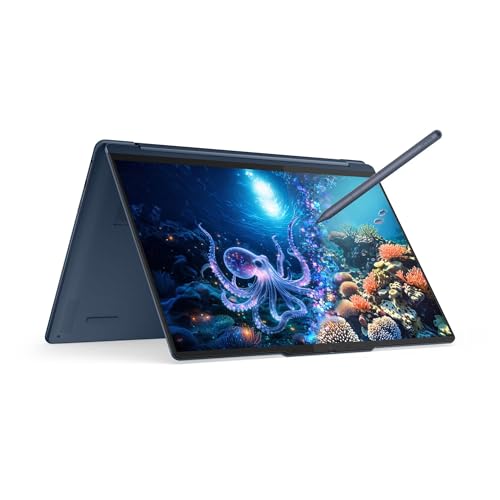
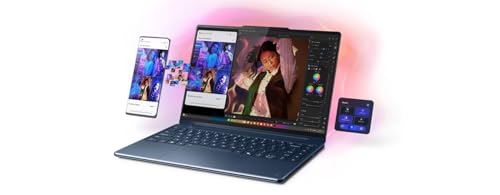
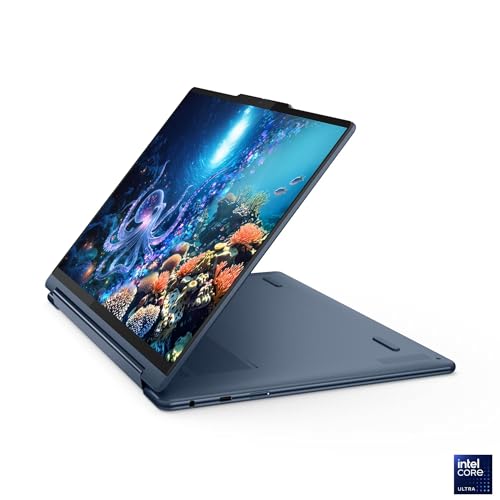
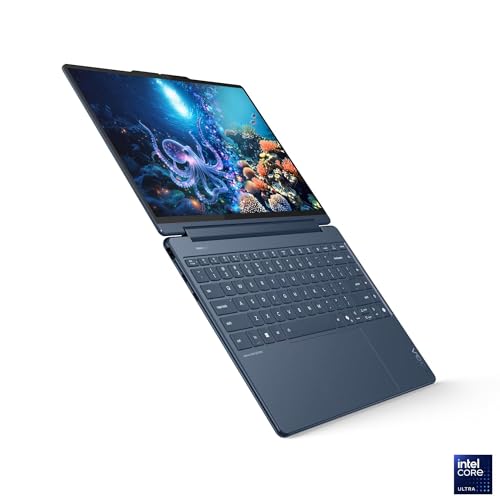
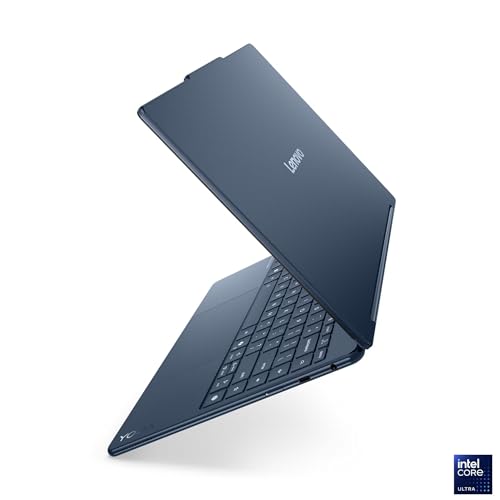
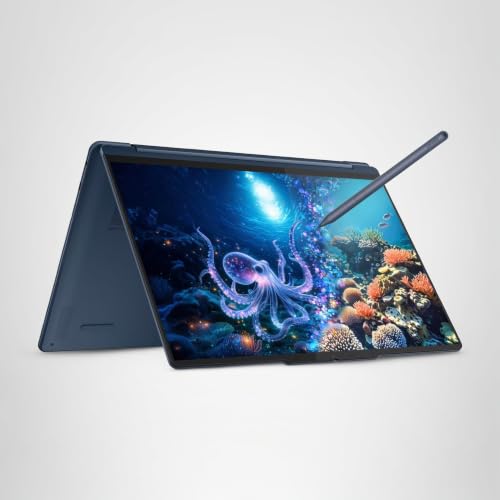
With 32 GB of LPDDR5X RAM, the Yoga 9i is the best-equipped laptop in this roundup for memory-intensive tasks: stitching large panoramas, working with layered PSD files exceeding 1 GB, or running Lightroom, Photoshop, and a browser simultaneously. The Intel Core Ultra 7 258V processor handles AI-accelerated edits well, with a dedicated NPU for on-device AI tasks.
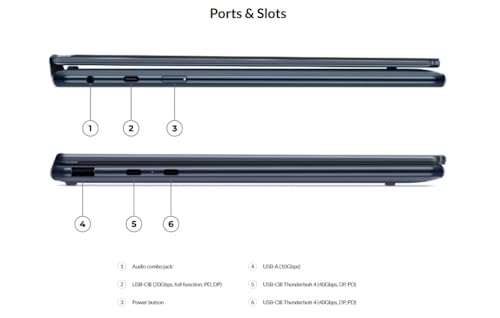
Port selection includes two Thunderbolt 4 USB-C ports, one USB-C (USB4), and one USB-A. Like most thin convertibles, there is no SD card slot or HDMI port — a USB-C hub covers both needs. The 1 TB SSD provides solid storage for active projects, and battery life extends to approximately 14 hours for standard use.
Pricing & Where to Buy
The Lenovo Yoga 9i 2-in-1 Aura Edition (32 GB RAM, 1 TB SSD) is priced at $1,650 (as of March 2026). The package includes the Yoga Pen.
- Buy on Amazon — Prime shipping available
- Check price at B&H Photo
- Check price at Adorama
- Lenovo Store — student and military discounts often available
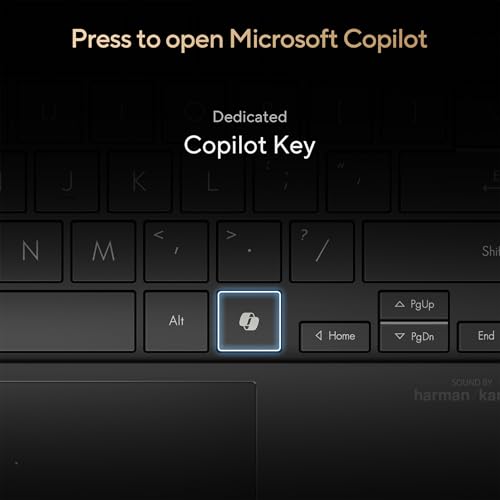
ASUS Vivobook S16 (2025)
Budget-conscious photographers who want a large OLED display and solid performance without overspending
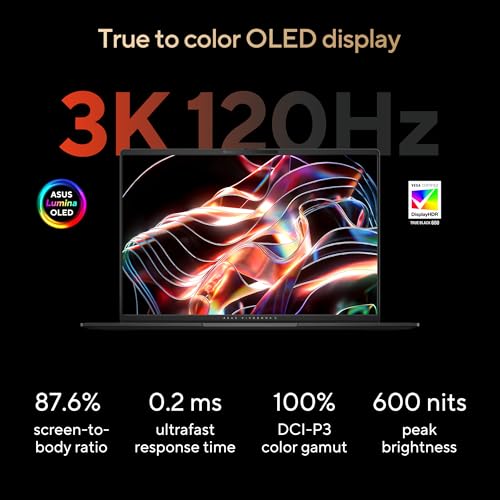
- 16-inch 3K OLED display at a mid-range price
- 1 TB SSD standard — good storage out of the box
- AMD Ryzen AI 7 350 with dedicated NPU
- Up to 14 hours battery life
- Full-size keyboard with numpad
- 16 GB RAM is the ceiling (not upgradeable)
- No SD card slot
- Integrated Radeon 860M GPU — limited for video work
The Vivobook S16 delivers roughly 85% of the Zenbook S 16 experience at a lower price. The same 3K OLED panel technology provides excellent color accuracy for photo work, and the 1 TB SSD leaves room for a healthy Lightroom catalog. The 16 GB RAM is adequate for standard photo editing but will feel tight if running multiple large applications simultaneously.
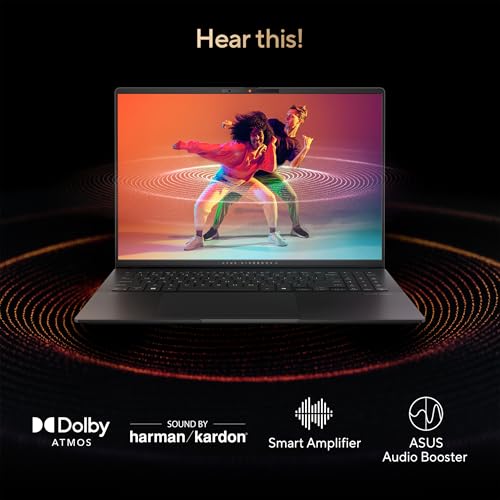
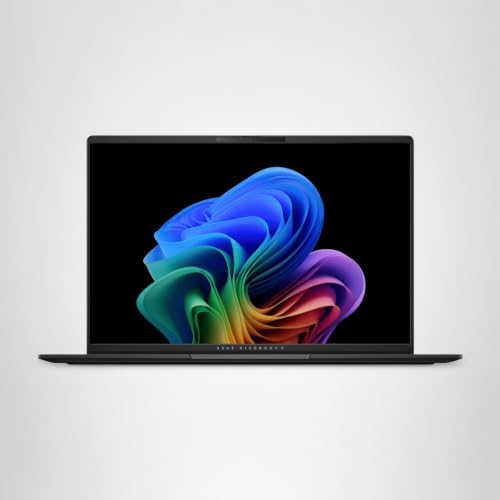
The ASUS Vivobook S16 punches above its price class with a 16-inch 3K OLED display that rivals panels found on laptops costing $500 more. The 2880×1800 resolution provides sharp detail at 100% zoom in Lightroom, and the OLED technology delivers the deep blacks and wide gamut (100% DCI-P3) that photographers need for accurate color evaluation.
The AMD Ryzen AI 7 350 processor handles standard Lightroom and Photoshop workflows competently. It is not as fast as the Ryzen AI 9 in the Zenbook S 16 or the Apple M4/M5 chips in batch export tests, but for everyday editing — develop adjustments, cropping, spot removal, and exporting batches of 50-100 images — the difference is marginal. The dedicated NPU (Neural Processing Unit) accelerates AI-based features in newer versions of Lightroom and Photoshop.
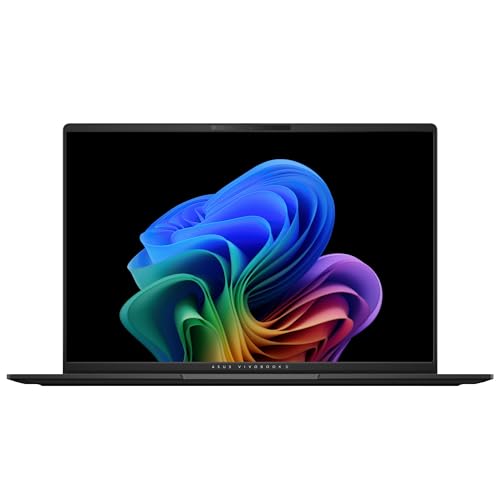
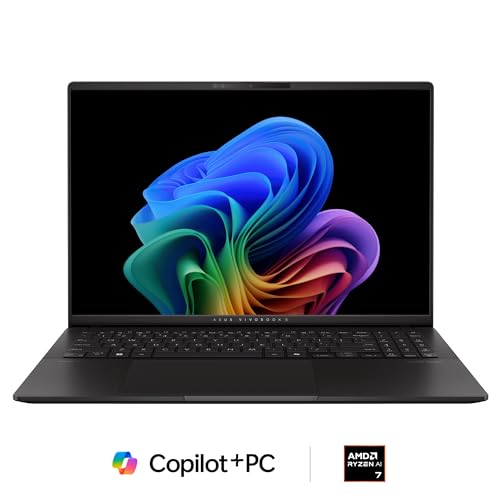
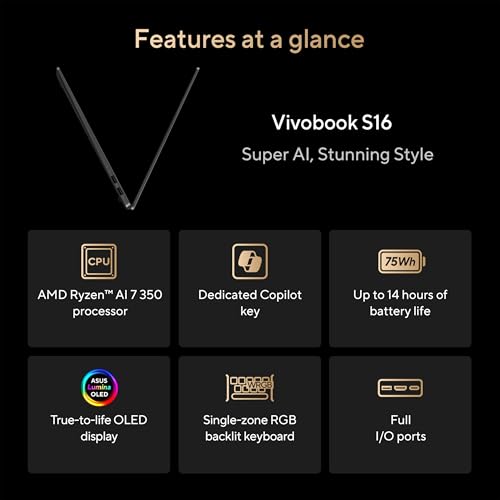
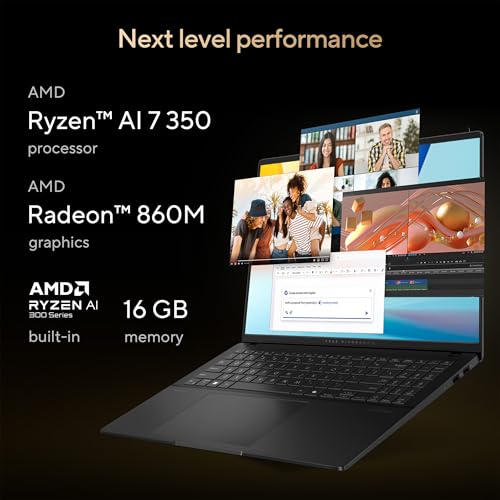

The 1 TB SSD provides practical storage for active projects. With 16 GB of RAM, the Vivobook handles typical photo editing well but may show strain when stitching large panoramas or working with heavily layered Photoshop files above 500 MB. Photographers who frequently push RAM limits should consider the Zenbook S 16 with its 24 GB instead.
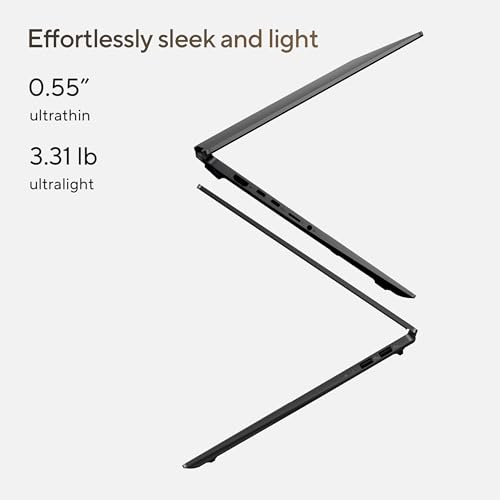
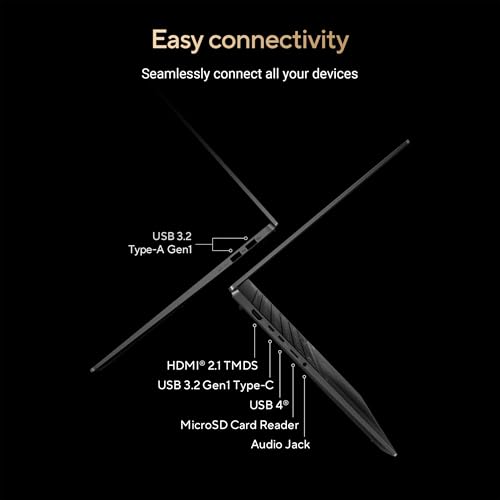
Build quality is solid for the price: the full-size keyboard includes a numpad, and the chassis weighs 3.5 pounds. Battery life reaches up to 14 hours, making it viable for a full day of editing away from an outlet. Port selection includes one USB-A 3.2, two USB-C (one with display output), and HDMI 2.1. An SD card slot is absent — consistent with the thin-and-light trend across all picks in this guide.
Pricing & Where to Buy
The ASUS Vivobook S16 (16 GB RAM, 1 TB SSD) is priced at approximately $1,209 (as of March 2026).
- Buy on Amazon — Prime shipping available
- Check price at B&H Photo
- Check price at Adorama
- ASUS Store
Apple 2025 MacBook Air 13-inch (M4)
Photographers on a tighter budget who want reliable Apple Silicon performance in the lightest possible package
- Lightest laptop in this roundup at 2.7 lbs
- M4 chip delivers the same CPU as the Air 15
- 13.6-inch P3 Liquid Retina display
- 18-hour battery life
- Most affordable new MacBook available
- 13.6-inch screen feels small for extended editing
- Base 256 GB SSD needs immediate upgrade for photo work
- Only two USB-C ports, no SD or HDMI
The MacBook Air 13-inch is the entry point into Apple’s ecosystem for photographers. It runs the same M4 chip as the 15-inch Air, so Lightroom and Photoshop performance is identical. The smaller screen is the primary trade-off — fine for culling and quick edits, but prolonged editing sessions benefit from pairing it with an external monitor.
The MacBook Air 13-inch (M4) packs the same M4 chip as its 15-inch sibling into the lightest laptop in this roundup. At 2.7 pounds and 0.44 inches thin, it disappears into a camera bag — a meaningful advantage for travel photographers who already carry 10-15 pounds of gear. Performance for Lightroom and Photoshop is identical to the Air 15: the same 10-core CPU, the same GPU, the same memory bandwidth.
The 13.6-inch Liquid Retina display covers the P3 color gamut and delivers the same color accuracy as the larger Air. The smaller size means less screen real estate for the Lightroom interface — the filmstrip shows fewer thumbnails, and the develop module panels take up a larger proportion of the view. For photographers who do most of their heavy editing at a desk with an external display, this is a non-issue. For those editing primarily on the laptop screen, the 15-inch model is worth the $100 difference.


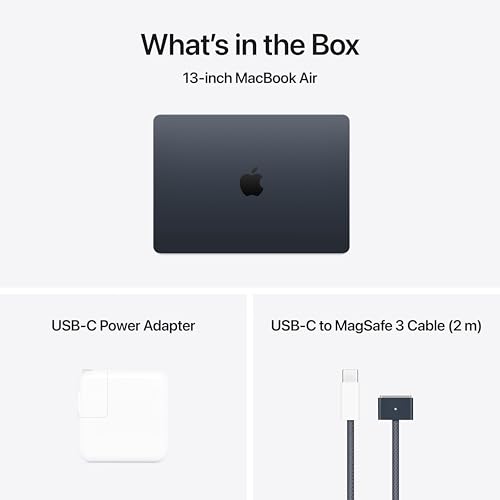
The base configuration at $999 includes only 256 GB of SSD storage, which is too small for serious photo work after accounting for the operating system and applications. Upgrading to 512 GB ($1,199) or 1 TB ($1,399) at purchase is strongly recommended — Apple’s SSDs are soldered and cannot be upgraded later. The 16 GB unified memory is adequate for standard editing workflows.
Like all current MacBook Air models, the 13-inch version includes two Thunderbolt/USB4 ports and a MagSafe charging port. No SD card slot, no HDMI, no USB-A. A small USB-C hub solves most connectivity needs. The fanless design keeps operation completely silent, and the 18-hour battery life means charging is rarely a concern during a working day.
Pricing & Where to Buy
The MacBook Air 13-inch M4 starts at $999 for 256 GB. The 512 GB model runs $1,199 and the 1 TB model $1,399 (as of March 2026). The 512 GB model is the minimum recommended for photographers.
- Buy on Amazon — Prime shipping available
- Check price at B&H Photo
- Check price at Adorama
- Apple Store — education pricing available
Dell XPS 13 9345 (2024)
Windows users who prioritize extreme portability and all-day battery life for light photo editing on the go
- 27-hour battery life — longest in this roundup by far
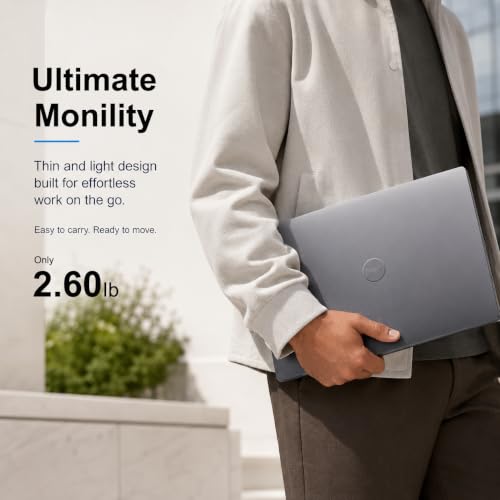
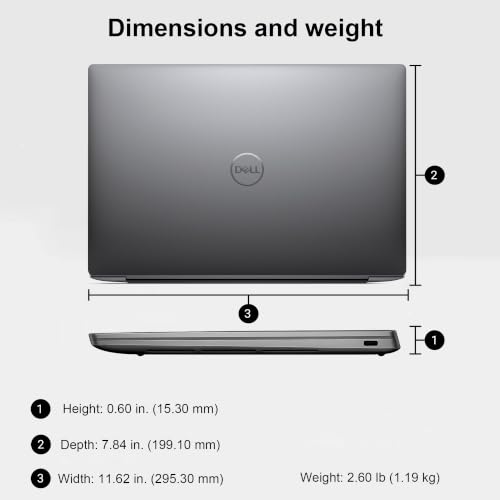
- 2.6 lbs — lightest Windows option
- 1 TB SSD standard
- Snapdragon X Plus runs cool and quiet
- 13.4-inch FHD+ 120Hz display with 500 nits brightness
- ARM processor: some plugins may not be fully compatible
- FHD+ resolution lower than competitors’ 3K OLED panels
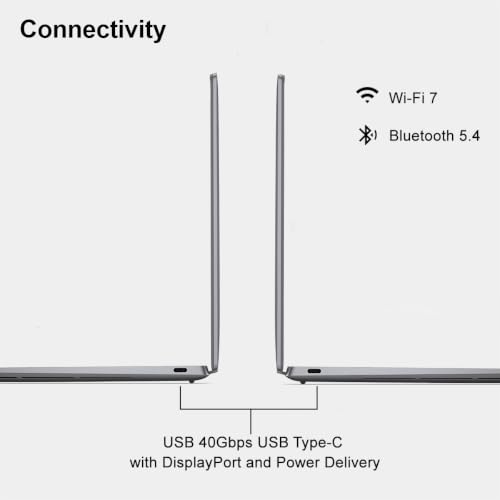
- Only two USB-C ports, no other port types
The Dell XPS 13 is the endurance champion. With 27 hours of claimed battery life, it can last through a multi-day trip without a charger for light editing tasks. The Snapdragon X Plus handles Lightroom and Photoshop via emulation with acceptable performance for standard editing, though ARM compatibility should be verified with any specialty plugins.
The Dell XPS 13 9345 earns its spot for a specific reason: battery life. At 27 hours claimed endurance, it outlasts every other laptop here by a wide margin. For photographers who edit during long flights, multi-day trips, or outdoor sessions far from outlets, this kind of staying power is a genuine workflow advantage rather than a spec-sheet curiosity.
The laptop runs on the Snapdragon X Plus processor, an ARM-based chip. Adobe Lightroom Classic and Photoshop both run on Windows ARM, though some operations may be slightly slower than on native x86 chips due to emulation overhead. For standard culling, develop adjustments, and exports, performance is smooth. Where it may lag is in very heavy batch operations or third-party plugins that have not been optimized for ARM. Photographers who rely on specialized Lightroom or Photoshop plugins should verify compatibility before committing.


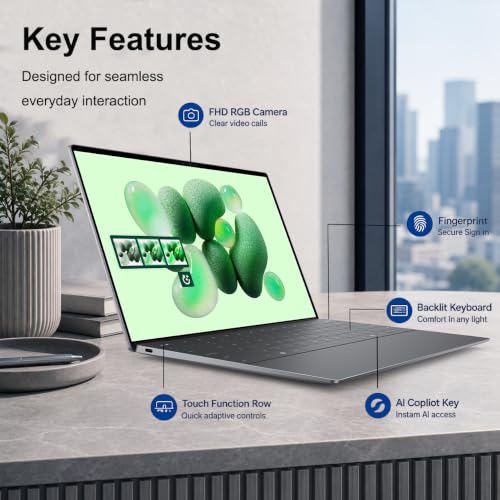


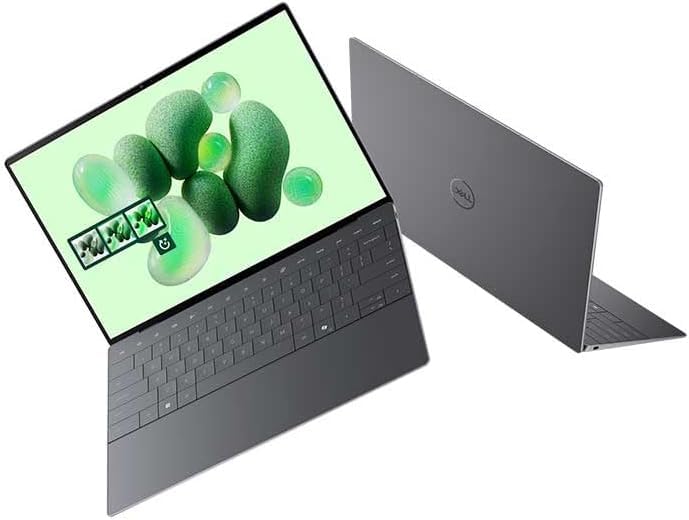
The 13.4-inch FHD+ (1920×1200) display is the lowest resolution in this roundup, which is the main compromise. It reaches 500 nits and covers the sRGB gamut well, but it lacks the P3 wide color coverage and the pixel density of the OLED panels on the ASUS models or the Retina displays on the MacBooks. For basic culling and editing it works fine, but for color-critical proofing, pairing it with a calibrated external monitor is recommended.
At 2.6 pounds, the XPS 13 is the lightest Windows laptop in this roundup. The 1 TB SSD provides solid storage, and two USB-C ports (USB4 with Thunderbolt 3 compatibility) handle data transfer and display output. Build quality is excellent, with a clean, minimal design and a good keyboard. The Wi-Fi 7 card ensures fast wireless transfers.
Pricing & Where to Buy
The Dell XPS 13 9345 (16 GB RAM, 1 TB SSD, Snapdragon X Plus) is priced at approximately $1,300 (as of March 2026). Dell also offers Intel-based XPS 13 configurations for those who prefer x86 compatibility.
- Buy on Amazon — Prime shipping available
- Check price at B&H Photo
- Check price at Adorama
- Dell Store — student discounts and financing available
Choose the Best Laptop for Photo Editing
The right laptop depends on how and where the editing happens. For most photographers, the MacBook Pro 14-inch (M5) offers the best balance of speed, display accuracy, and portability. It handles everything from quick culls on location to heavy Photoshop composites at a desk, and the XDR display is accurate enough to replace an external monitor for most work.
Professionals running catalogs above 100,000 images or routinely processing 50+ megapixel files should step up to the MacBook Pro 16-inch (M4 Pro) for its larger screen, 24 GB RAM, and built-in SD card slot. The price premium is justified when time saved per session adds up across a busy shooting schedule.
For Windows photographers, the ASUS Zenbook S 16 delivers the best display quality with its 3K OLED panel, while the ASUS Vivobook S16 offers similar OLED technology at a lower price. Budget-conscious Mac users will find the MacBook Air 15-inch (M4) delivers outstanding value — nearly matching the Pro’s editing performance at a significantly lower price, with a larger screen to boot.
Regardless of which model fits the budget, prioritize a minimum 1 TB SSD for photo storage, and plan a backup strategy using Thunderbolt-connected external drives. A hardware monitor calibrator rounds out the setup by ensuring colors match between the laptop screen and final prints.
Related Articles
Final Recommendations by Category
MacBook Pro 14-inch (M5)
MacBook Pro 16-inch (M4 Pro)
MacBook Air 15-inch (M4)
ASUS Zenbook S 16
Lenovo Yoga 9i
Dell XPS 13 9345
Disclosure/Disclaimer: As an Amazon Associate, we earn from qualifying purchases. Certain content was provided "as is" from Amazon and is subject to change or removal at any time. Product prices and availability: Amazon prices are updated daily or are accurate as of the date/time indicated and are subject to change. Any price and availability information displayed on Amazon.com at the time of purchase will apply to the purchase of this product.

