

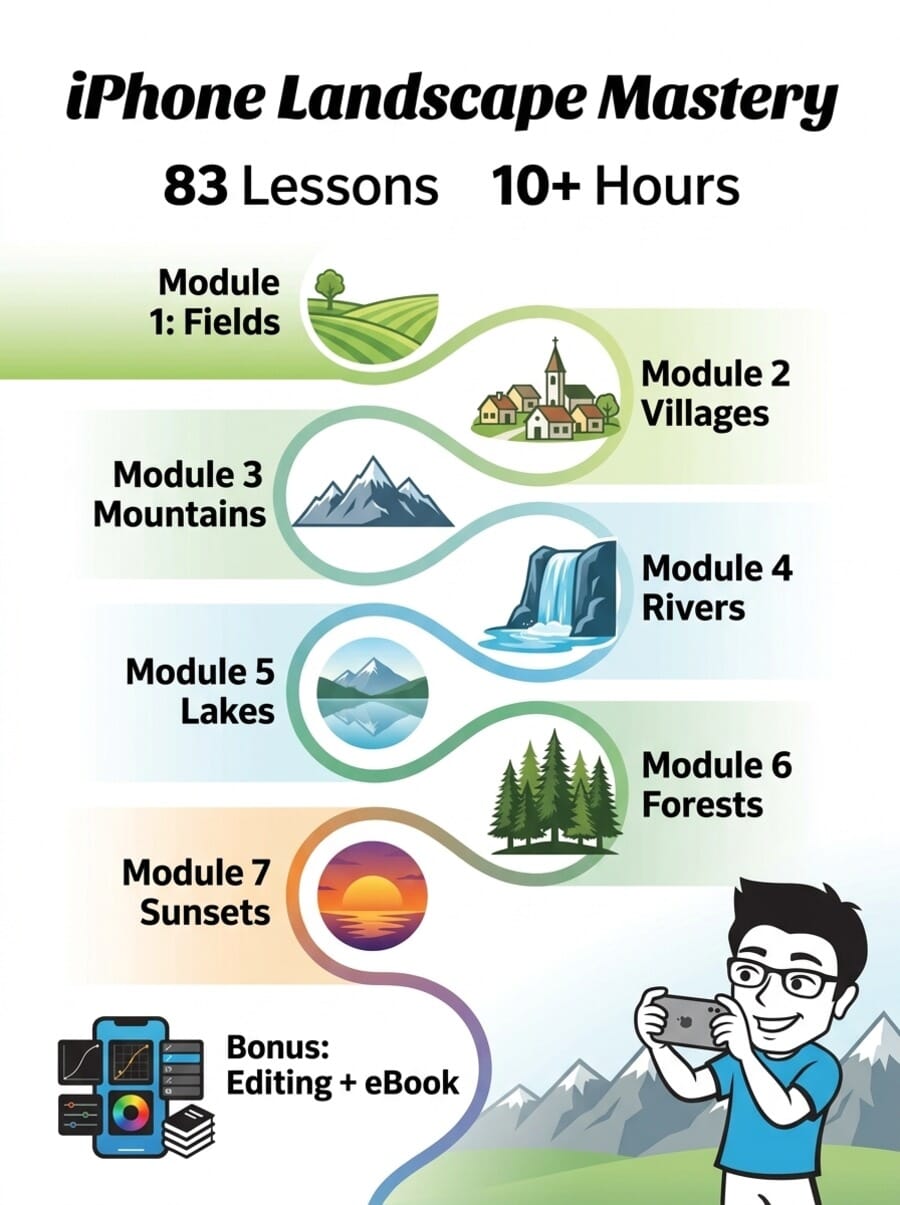
- iPhone Landscape Mastery is a dedicated landscape photography course from iPhone Photography School — 83 video lessons across 7 modules plus 4 bonus sections.
- Taught by Clifford Pickett, a professional photographer who has worked with Apple, Google, and National Geographic, filmed entirely on location in the Italian Dolomites.
- Covers composition and lighting techniques across 7 landscape types: fields, villages, mountains, rivers, lakes, forests, and sunsets.
- At ~$99 (discounted from ~$495), it includes lifetime access, bonus editing lessons, a landscape photography eBook, AI photo feedback, and a 30-day money-back guarantee.
- Best suited for iPhone owners who love the outdoors and want to dramatically improve their landscape photos through practical, in-the-field techniques.
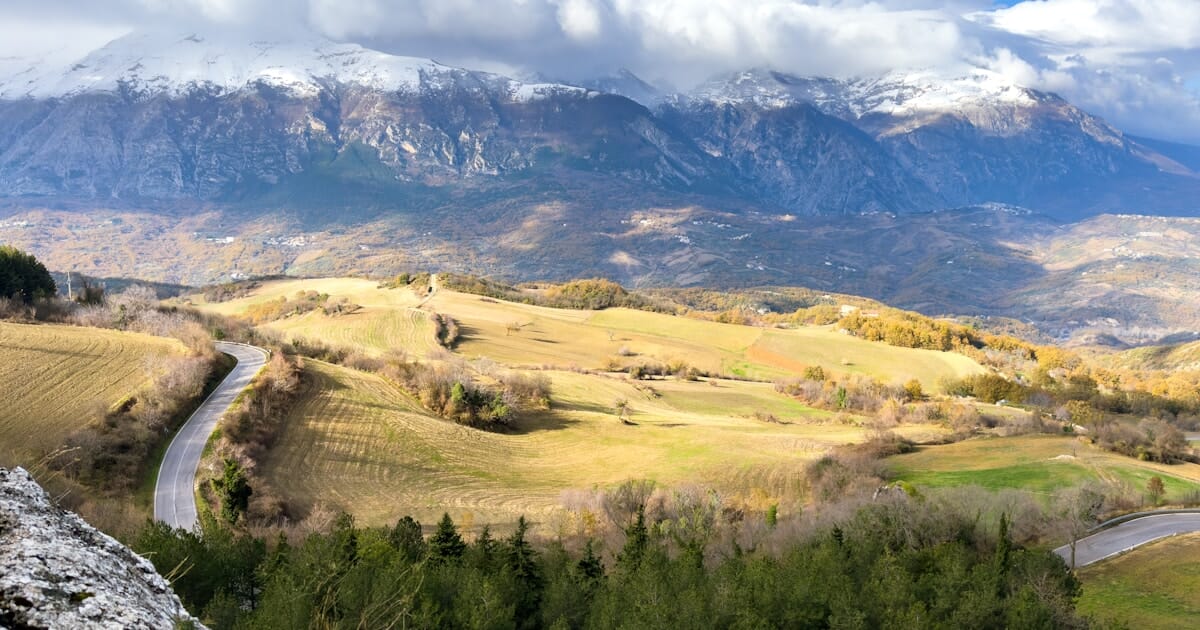
iPhone Landscape Mastery is the dedicated landscape photography course from iPhone Photography School. Unlike the platform’s more general courses, this one focuses entirely on one thing: helping you take stunning landscape photos with your iPhone.
Filmed over three weeks during fall foliage in Italy’s Dolomite mountains, it follows professional photographer Clifford Pickett as he shoots real locations in real time. You watch over his shoulder as he scouts compositions, waits for the right light, and captures images that genuinely look like they came from a DSLR.
We got full access to the course platform to write this review. Here is a detailed look at every module, what the teaching is actually like, and whether it is worth the investment.

A landscape-focused iPhone photography course by Clifford Pickett covering composition, lighting, and editing techniques across 7 landscape types (fields, villages, mountains, rivers, lakes, forests, sunsets). Includes 83 video lessons (10+ hours), bonus editing section with Lightroom tutorials, a landscape photography eBook, AI photo feedback tool, and lifetime access with updates.
Normal Price: ~$495 Discounted: ~$99 USD- Exceptional production quality — over-the-shoulder filming in stunning locations makes every lesson engaging.
- Deep focus on composition and light rather than button-pressing — teaches principles that transfer to any camera.
- 7 distinct landscape modules cover nearly every outdoor scenario you will encounter.
- Comprehensive editing bonus section (7 lessons, 1.5+ hours) included free, covering Lightroom Mobile and Photos app.
- Heavily focused on composition and light — limited coverage of iPhone-specific camera settings and technical features.
- The Dolomites setting, while stunning, may feel disconnected if you primarily shoot in flat or urban environments.
- Some editing lessons reference older app interfaces (pre-iOS 18 Lightroom and Photos app updates).
Course Overview: What’s Inside
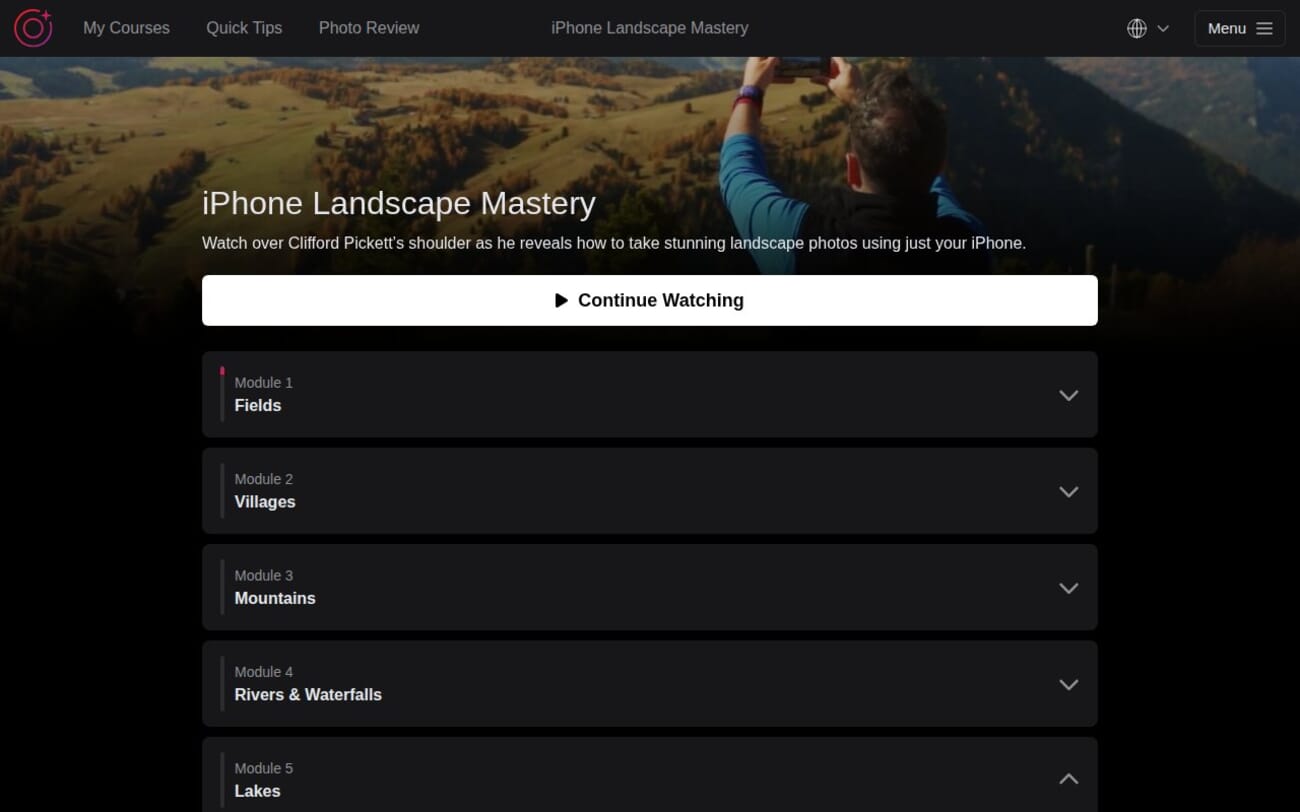
iPhone Landscape Mastery is structured around 7 core modules, each dedicated to a specific landscape type. On top of that, you get 4 bonus sections covering additional locations, photo editing, and a downloadable eBook. In total, that is 83 video lessons spanning 10 hours and 34 minutes of content.
The course follows a natural progression through the Italian Dolomites:
- Module 1: Fields – 7 lessons covering meadow photography, composition layers, and leading lines (52 minutes)
- Module 2: Villages – 9 lessons on shooting small towns, working with changing light, and night mode (79 minutes)
- Module 3: Mountains – 12 lessons covering peaks, panoramas, framing, and the PhotoPills app (79 minutes)
- Module 4: Rivers and Waterfalls – 7 lessons focused on long exposure and creative motion techniques (60 minutes)
- Module 5: Lakes – 10 lessons on reflections, removing distracting people, and still water photography (67 minutes)
- Module 6: Forests – 6 lessons covering woodland compositions, light rays, and macro photography (46 minutes)
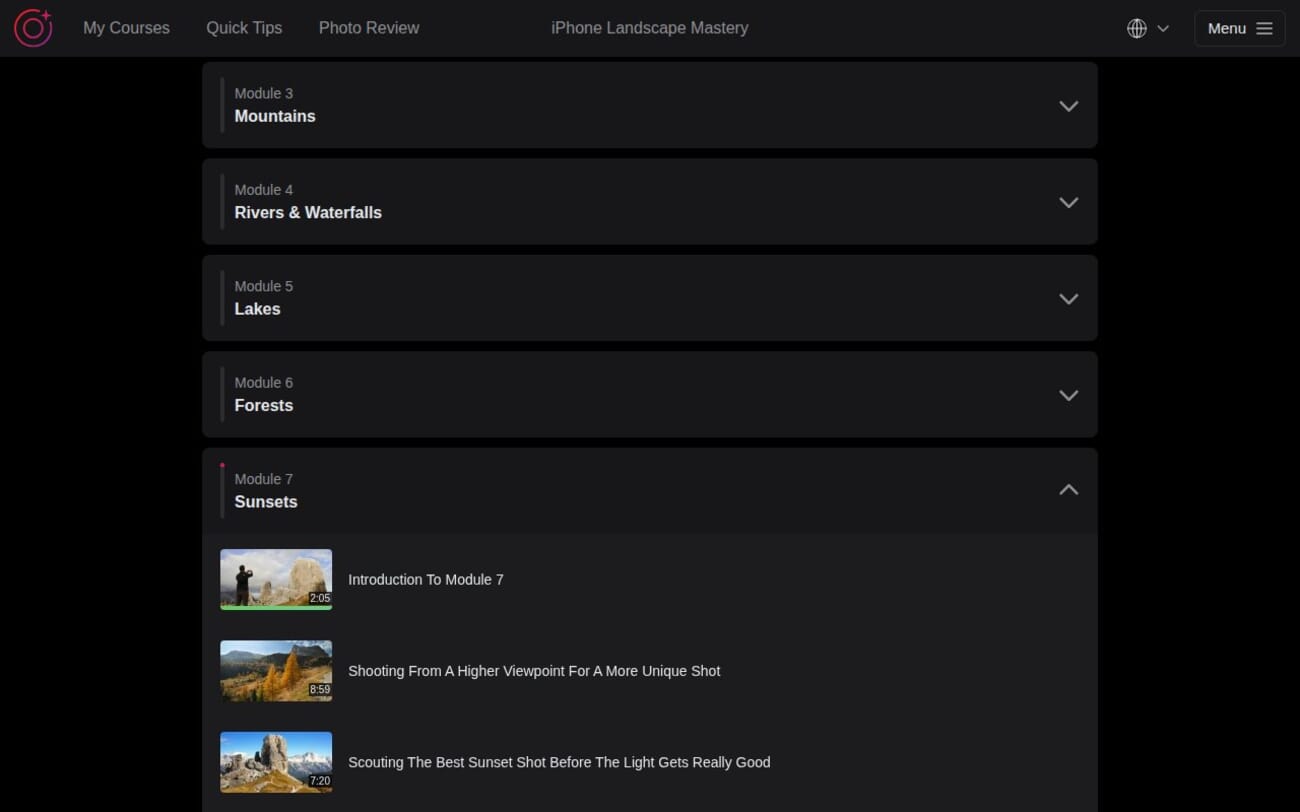
- Module 7: Sunsets – 12 lessons on golden hour scouting, panoramas, and aspect ratio choices (57 minutes)
- Bonus Sections: Rocky Beach (26 min), Waterfall (56 min), Photo Editing (112 min), plus an eBook
Each lesson runs between 3 and 15 minutes, making them easy to watch during a lunch break or before heading out to shoot. The editing bonus section is the longest, with lessons that run up to 27 minutes as Cliff walks through complete edits from start to finish.
Module 1: Fields — Composition Fundamentals
The course opens in Alpe di Siusi, a sprawling highland meadow in South Tyrol. This is not the most dramatic setting in the Dolomites, and that is exactly the point. Cliff uses these gentle, rolling fields to establish the two pillars he returns to throughout the entire course: light and composition.
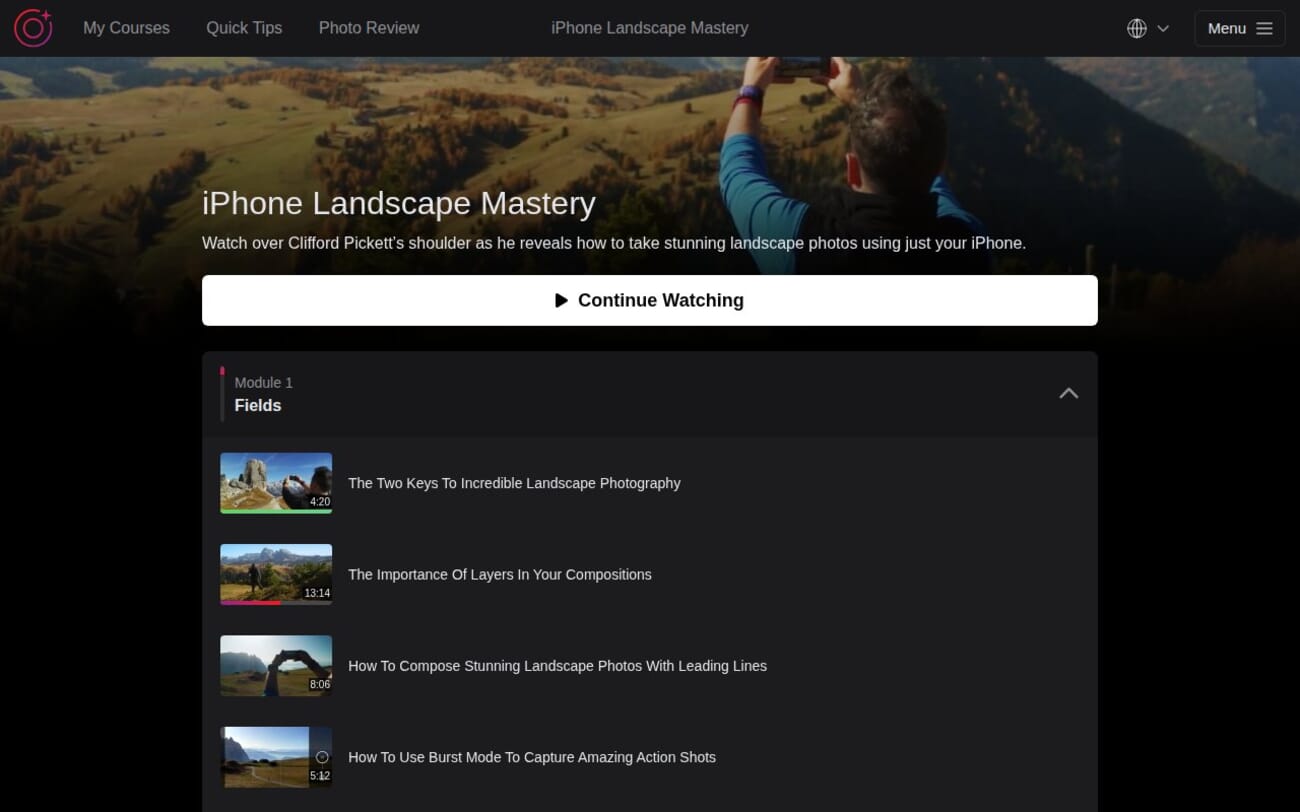
The first lesson, “The Two Keys To Incredible Landscape Photography” (4:20), sets the tone immediately. Cliff makes a compelling case that gear does not matter nearly as much as understanding when and where to shoot. He then moves into practical techniques:
- The Importance of Layers in Your Compositions (13:14) — the longest lesson in the module, and arguably the most valuable for beginners. Cliff breaks down how to create depth by stacking foreground, middle ground, and background elements.
- Composing with Leading Lines (8:06) — how paths, fences, and natural lines guide the viewer’s eye through your image.
- Burst Mode for Action Shots (5:12) — capturing movement in meadow grasses and wildflowers.
- Cliff Goes Wild in Magical Sunset Light (9:41) — the highlight of the module. You watch Cliff react in real time to rapidly changing golden hour light, making split-second composition decisions that demonstrate everything taught earlier.
Student feedback on this module is consistently positive. One comment that stands out: “I totally agree that photography is about light and composition. Composition is about how you perceive the environment.” The lessons succeed at reframing how beginners think about taking photos.
Module 2: Villages — Working With Changing Light
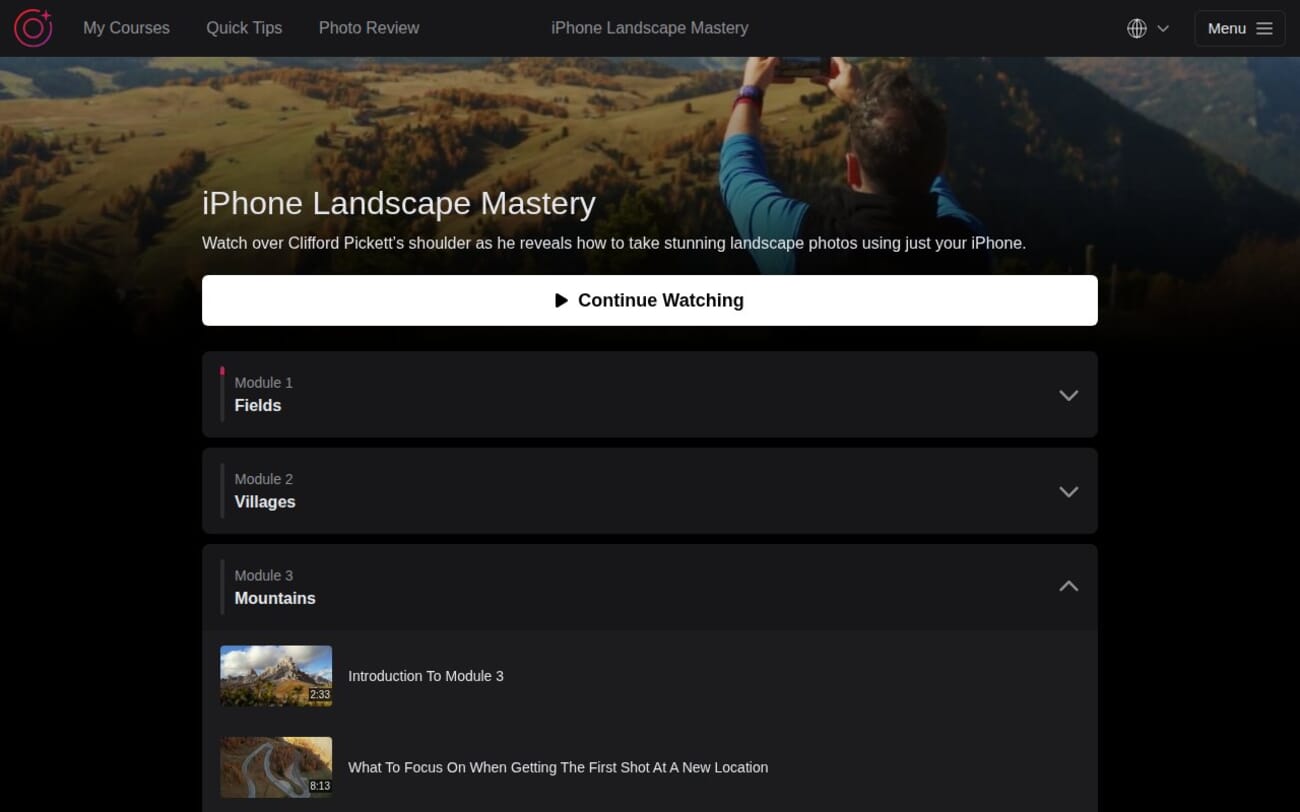
Module 2 shifts to the charming villages scattered across the Dolomites. While it teaches village photography specifically, the real value is in the light-focused lessons.
The standout lesson is “How The Light Can Make Or Break Your Photos” (12:21), where Cliff photographs the same scene at different times of day to demonstrate how dramatically light quality affects the final image. A student comment captures the impact well: “I had never considered light in that way — thank you for such a great demonstration!”
Other highlights include:
- iPhone Night Mode for Blue Hour (10:46) — one of the few iPhone-specific technical lessons, showing how to capture the 20-30 minute window after sunset when the sky turns deep blue.
- Recognizing Unexpected Photo Opportunities (12:20) — Cliff spots a composition others would walk past, turning it into a striking image.
- Photographer’s Mindset for Turning Setbacks Into Great Experiences (3:40) — a short but memorable lesson about what happens when weather or conditions do not cooperate.
This module runs 9 lessons over 79 minutes and includes the course’s first lesson on revisiting locations — a concept Cliff returns to multiple times. One student raised a valid point in the comments: “It would be nice to see what you can do in dull, grey light because you may be on a trip and you have to work with the light as you find it.” It is a fair criticism — the course heavily favors golden hour and dramatic conditions.
Module 3: Mountains — The Technical Core
Module 3 is the longest in the course with 12 lessons and arguably the most technically dense. Filmed high in the Dolomite peaks (including the famous Passo di Giau), Cliff covers everything from basic exposure control to using the PhotoPills app for pre-planning shoots.
Key lessons:
- Transforming Landscapes by Adding a Human Element (8:19) — one of the most practical lessons in the entire course. Cliff shows how placing a person in a vast landscape immediately creates scale, story, and a focal point.
- How to Use the PhotoPills App (11:45) — a deep dive into planning sunrise/sunset positions, golden hour timing, and composition pre-visualization.
- Overriding Auto-Exposure (5:24) — critical for mountain photography where bright skies trick the iPhone’s metering.
- Framing for Depth and Drama (9:53) — using natural frames (tree branches, rock arches, doorways) to add layers to mountain shots.
- iPhone Night Mode for Low Light (6:13) — mountain photography often means early mornings and late evenings.
The PhotoPills lesson received particular praise in student comments. One wrote: “I have used an alternative app, The Photographers’ Ephemeris, for years. PhotoPills is much easier to use.” Another shared: “Thank you for such a beautiful lesson taking me back to the most memorable day of my week in northern Italy when we visited Tre Cime!”
Module 4: Rivers and Waterfalls — Long Exposure Mastery
This is the module where the iPhone’s limitations become its most interesting creative tool. Cliff teaches three different methods for capturing long exposure water shots, progressing from simple to advanced:
- Live Photos to Long Exposure (9:19) — the easiest method, using the built-in iOS feature to convert Live Photos into silky water shots. No extra apps needed.
- Slow Shutter Cam App (9:33) — more creative control over exposure time and motion blur.
- Average Camera App (covered in the Waterfall bonus) — the most advanced option for photographers who want DSLR-level control.
Beyond the technical, Cliff’s lesson on “Breaking Two of His Own Rules to Get a Stunning Image” (5:13) is a refreshing reminder that photography rules are guidelines, not laws. He also demonstrates the power of adding a human element to waterfall shots (9:06) — a technique that transforms a generic waterfall photo into a compelling story.
A staff comment on the Live Photos lesson notes an important update: “In iOS 15, the Live Photo Effects menu has moved. When viewing a Live photo, you will see a Live icon on the top left corner, tap it to switch between effects.” The IPS team stays active in keeping these notes current.
Module 5: Lakes — Patience and Reflections
Module 5 takes you to some of the most iconic locations in the Dolomites, including Lake Braies (Pragser Wildsee). The 10 lessons focus on the unique challenges and opportunities of still water photography.
The signature lesson is “Taking The Signature Lake Braies Shot At Sunrise” (12:04), where Cliff arrives before dawn and works through the changing pre-sunrise light. You watch him make real-time decisions about where to stand, how to compose the iconic boat house shot, and how the light transforms minute by minute.
Other valuable lessons include:
- Capturing a Tranquil Photo in a Crowded Location (5:18) — practical advice for popular tourist spots.
- Removing People from Your Photos (7:44) — an easy technique using burst mode and editing to clean up busy scenes.
- Framing a Mountain Reflection Photo (7:27) — the reflection techniques alone make this module valuable for lake photographers.
- How The iPhone Helps You Appreciate The Beauty Around You (11:20) — Cliff’s longest philosophical lesson, mixing photography tips with mindfulness about being present in nature.
Module 6: Forests — Close-Up and Macro
The forest module is the shortest at 6 lessons (46 minutes), but it introduces a completely different scale of landscape photography. While earlier modules focus on grand vistas, this one teaches you to find beauty in intimate forest scenes.
“How To Take Stunning Forest Photos With Beautiful Rays Of Light” (8:46) is the highlight — Cliff shows how to position yourself to capture sun rays filtering through the canopy, a technique that turns an ordinary forest into something magical.
The module also includes an introduction to macro photography (9:07), showing how your iPhone can capture detailed close-ups of leaves, bark, mushrooms, and insects. One student asked: “Is it better to use the digital zoom beyond x2 or use x2 and crop later?” — a practical question that Cliff addresses in the lesson.
A particularly relatable lesson is “Taking Close-Up Photos On A Day When Most Photographers Would Stay In” (7:31), which covers shooting in overcast or rainy conditions — exactly the kind of practical, real-world advice the main modules could use more of.
Module 7: Sunsets — The Grand Finale
The final core module is all about golden hour and sunset photography, with 12 lessons spanning 57 minutes. This is where all the composition, lighting, and technical skills from earlier modules come together.
Cliff emphasizes scouting repeatedly — arriving early, finding your position, and being ready before the best light arrives. The lesson on “Why Patience Is The Key To Capturing A Stunning Sunset Photo” (4:52) perfectly demonstrates this: the most incredible colors often appear after most people have already left.
The panorama lessons are a particular strength. Three separate lessons cover how to shoot panoramas (5:28), choosing the right lens for them (4:46), and capturing mountain range panoramas (3:30). A student comment asks: “Why do my panos always have that curve in them? Is it the hips?” — a common beginner question that Cliff addresses through technique.
The module wraps up with “Choosing The Best Aspect Ratio” (3:56), which teaches when to use standard, 16:9, square, or custom crops for maximum impact — a small detail that makes a surprisingly big difference in landscape photography.
Bonus Content: Editing, eBook, and Extra Locations
The bonus sections add significant value. The Photo Editing bonus alone contains 7 lessons totaling nearly 2 hours of editing instruction, covering:
- Complete landscape editing workflows in Lightroom Mobile (26:32 and 18:10)
- Removing distractions and unwanted objects (7:28)
- Sunset-specific editing tricks including split toning/color grading (14:39)
- Advanced selective adjustments for professional-level results (13:32)
- Adding drama through contrast and tone curves (22:56)
Two additional location bonuses cover a Rocky Beach (6 lessons, 26 minutes) with Rory Tucker as guest instructor, and a Waterfall section (6 lessons, 56 minutes) that goes deeper into long exposure techniques. Rory brings a different perspective and shooting style, which adds variety.
The free iPhone Landscape Photography eBook by Andrew Hector serves as a portable reference you can keep on your phone while shooting — handy when you want to revisit a technique without watching a full video.
Worth noting: the IPS team added AI-powered photo feedback as a bonus across all courses. You can submit your landscape photos and get instant, personalized feedback on composition, lighting, and suggested improvements.
The Learning Platform
iPhone Landscape Mastery is hosted on the same course platform as all iPhone Photography School courses. The interface is clean and well-organized:
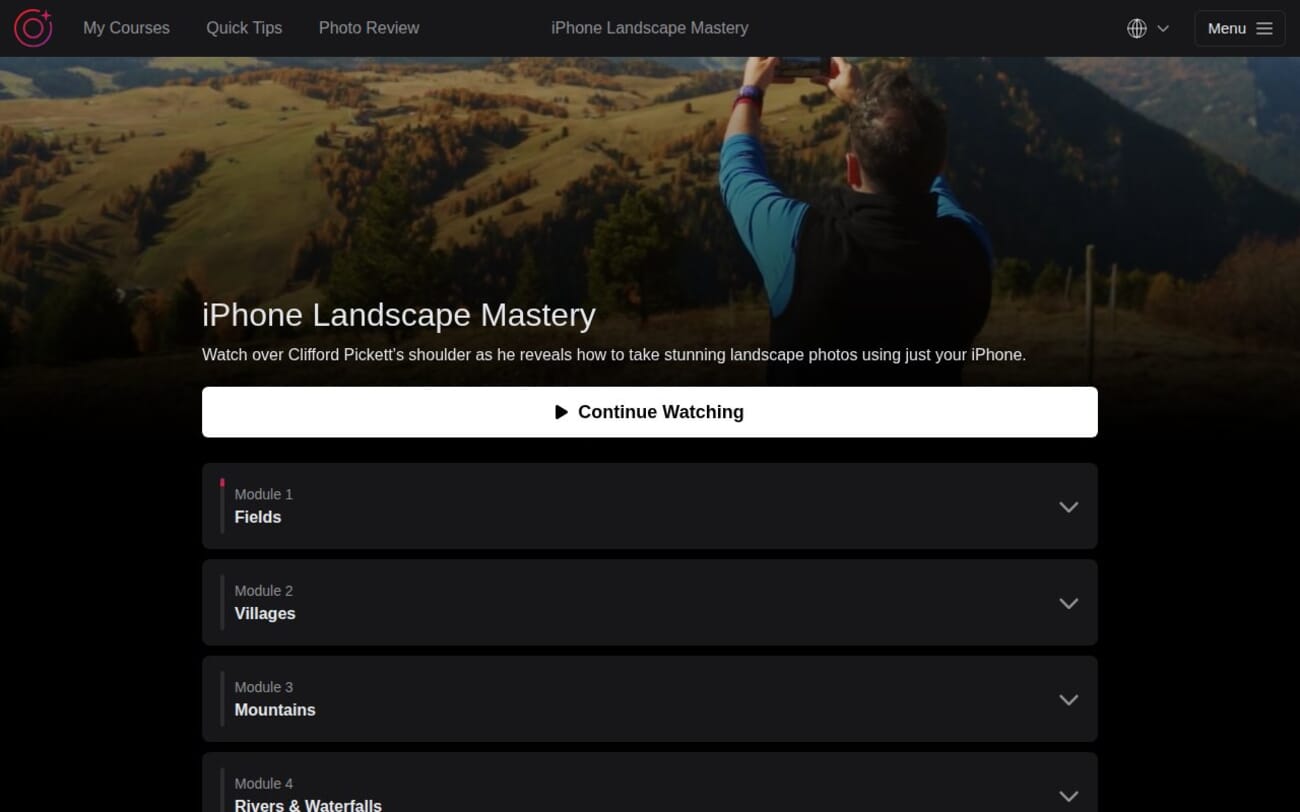
- Progress tracking with a visual progress bar for each module
- Continue Watching button that picks up exactly where you left off
- Comments section under every lesson with active staff responses
- Multiple language support — captions available in 8 languages (Arabic, English, Portuguese, Polish, French, German, Italian, Spanish)
- CamGuru app for watching on iPhone or iPad
- Notes feature for bookmarking key moments in lessons
Video quality is excellent — the Dolomites footage is shot in high resolution with drone aerials, and the over-the-shoulder iPhone screen recordings are clear enough to see exactly which buttons Cliff taps. The production value is genuinely a step above most online photography courses.
Community and Support
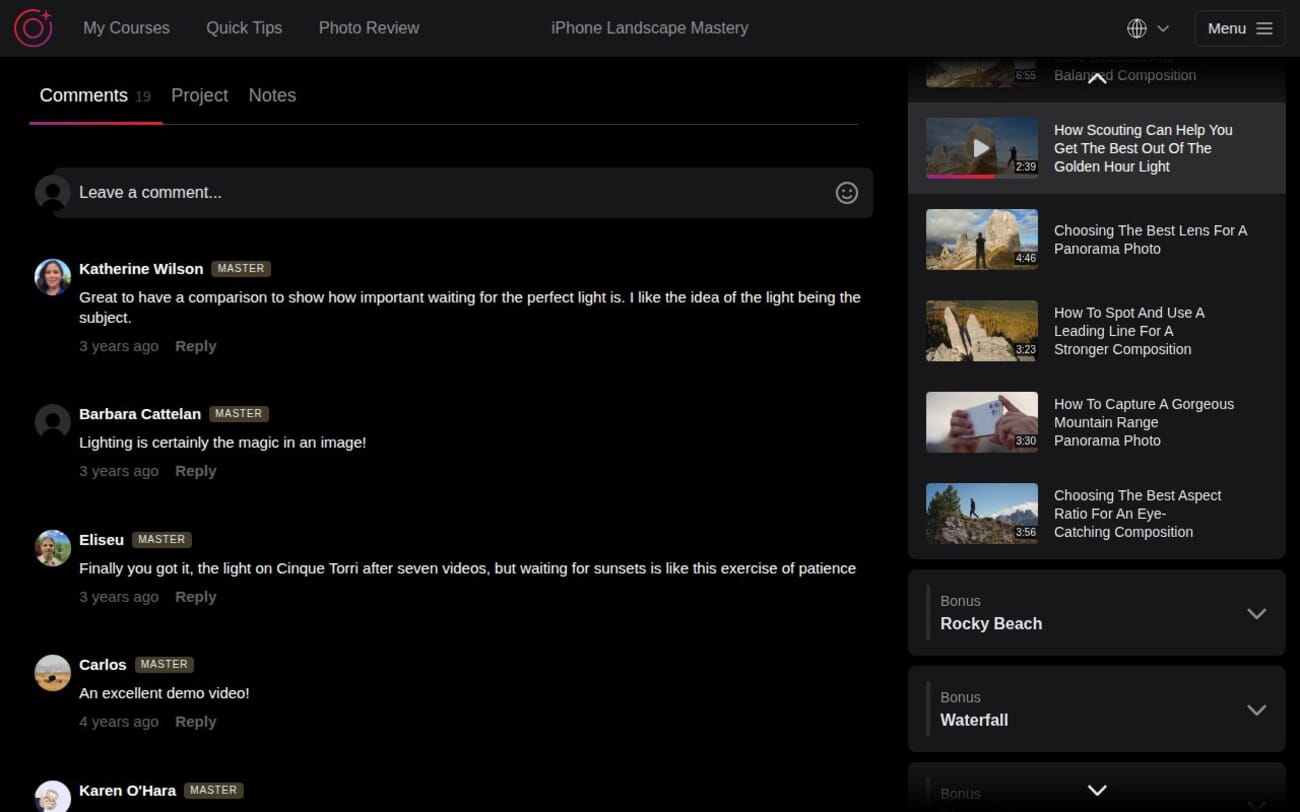
Every lesson has a comments section where students share their work, ask questions, and get feedback. The engagement level is solid — most lessons have active discussions with responses from IPS staff members.
Staff responses are timely and helpful. When iOS updates change where features are located (a common issue with iPhone photography courses), the team adds pinned comments with updated instructions. For example, after iOS 15 moved the Live Photo effects menu, a staff member quickly posted the new location.
Students earn badges (Beginner, Intermediate, Advanced, Master) based on their activity level, which adds a gentle gamification element. The “Master” badge appears frequently in comments, suggesting many students stick with the platform long-term.
There is also a private Facebook group for IPS students, though the in-course comments tend to be more focused on specific lesson content.
About the Instructor: Clifford Pickett
Clifford Pickett is a professional photographer and educator who has worked with Apple, Google, NYU, Clinique, British Airways, and National Geographic. Despite his expertise with DSLRs and drones, Cliff is primarily an iPhone photographer — he believes the constraints of mobile photography force you to focus on what truly matters: light and composition.
His teaching style is relaxed, enthusiastic, and practical. Unlike instructors who lecture from a studio, Cliff teaches entirely in the field. You are literally watching him react to changing light, scout compositions, and make creative decisions in real time. When he gets excited about a shot, it is genuine — and that energy is infectious.
Cliff also teaches several other courses on the IPS platform:
- Capture It All — a broader iPhone photography course covering multiple genres
- Drone Mastery — aerial photography and videography
- Urban iPhone Photography — street and city photography techniques
Student comments consistently praise his teaching: “He’s such a great teacher,” “I love his style of delivery,” and “He is a good teacher, I like how he speaks! Quiet and understandable.” His calm, encouraging approach works particularly well for beginners who might feel intimidated by photography.
Who Is This Course For?
iPhone Landscape Mastery works best for three specific groups:
Nature lovers who photograph with their iPhone: If you regularly find yourself at scenic viewpoints, hiking trails, or on road trips, and your photos never quite capture what your eyes see, this course addresses that exact frustration. One student wrote: “So excited! Going to Colorado next week and hope to practice what I learn in this course.”
Beginner photographers ready for the next step: If you have already taken the iPhone Photo Academy or a similar introductory course, iPhone Landscape Mastery is a natural progression. It assumes no technical knowledge but goes deeper into composition and creative decision-making.
Experienced photographers transitioning to iPhone: The course focuses on principles (light, composition, storytelling) more than iPhone-specific techniques. If you know photography but are new to mobile shooting, Cliff’s approach will feel familiar — and the iPhone-specific tips (long exposure, burst mode, Night Mode) fill in the gaps.
Who might not benefit: Advanced iPhone photographers who already understand composition, leading lines, and golden hour shooting will find much of this course covers territory they already know. As one student honestly commented: “Could you be more concise? It is hard to find hours and hours of time to watch these, so I want the meat, not just hours of entertainment.”
Pricing and Value
The listed retail price for iPhone Landscape Mastery is $495, but the course is essentially always on sale. The current discounted price is approximately $99 one-time, with a 3-payment option of $39/month available.
For that price, you get:
- 83 video lessons (10+ hours of content)
- Lifetime access with free updates
- Photo editing bonus section (nearly 2 hours)
- Guest instructor bonus lessons
- Landscape photography eBook
- AI photo feedback tool
- 8-language caption support
- 30-day money-back guarantee
Compared to a private photography workshop with Cliff (which costs thousands plus travel), $99 for the same teaching on location in the Dolomites is genuinely good value. It also compares favorably to Skillshare or Udemy landscape courses, which typically have lower production value and less depth.
If you are considering multiple IPS courses, the All-Access Pass gives you lifetime access to all 13+ courses for one price — worth considering if landscape is not your only interest.
Get iPhone Landscape Mastery (Discounted)
What Could Be Better
No course is perfect, and iPhone Landscape Mastery has a few areas that could improve:
Limited iPhone-specific technical content: For a course with “iPhone” in the title, there is surprisingly little coverage of iPhone-specific features beyond Night Mode, Live Photos, and burst mode. Topics like ProRAW/ProRes, Photographic Styles, Action Mode, and advanced Camera app settings are not covered. The course teaches photography principles that apply to any camera — which is a strength for learning, but means you may need the iPhone Photo Academy for the technical iPhone deep dive.
Weather and season bias: The Dolomites during fall foliage is stunningly beautiful, but it means nearly every lesson features dramatic autumn colors and clear skies. Students who shoot in flat terrain, overcast weather, or winter conditions will need to extrapolate the techniques. The forest module partially addresses this with a lesson on shooting in bad weather, but more coverage would help.
Some editing lessons are dated: The Photo Editing bonus section references Lightroom Mobile interfaces and Apple Photos features that have been updated in iOS 17-18. The IPS team adds pinned comments noting changes, but the video content itself has not been re-recorded.
Pacing could be tighter: At 10+ hours, some lessons include extended introductions or repeated concepts from earlier modules. A 7-8 hour version covering the same content would feel more focused.
Final Verdict
iPhone Landscape Mastery is a genuinely impressive landscape photography course that transcends its “iPhone” branding. What Cliff teaches — how to see light, compose images with intention, and find beauty in unexpected places — applies to any camera. The iPhone just happens to be the tool he uses.
The production quality is outstanding. Watching Cliff work through the Italian Dolomites feels more like a beautifully shot documentary than an online course. The 7-module structure covering distinct landscape types (fields, villages, mountains, rivers, lakes, forests, sunsets) ensures you learn techniques applicable to whatever outdoor environment you encounter.
At $99 with lifetime access, it offers excellent value for beginner to intermediate photographers. The included editing bonus section, eBook, and AI photo feedback add meaningful extras. The 30-day money-back guarantee makes it a risk-free investment.
If you regularly photograph landscapes and want to understand why some photos feel powerful while others fall flat, this course delivers that understanding in the most engaging way we have seen.
Rating: 4.5/5 — Exceptional teaching and production quality with genuinely transferable landscape photography skills. Minor deductions for limited iPhone-specific technical content and some dated editing references.
Try iPhone Landscape Mastery Risk-Free
Do I need the latest iPhone to take this course?
No. While Cliff shoots on a newer iPhone, the vast majority of the course focuses on composition and lighting techniques that work with any iPhone model. The few technical features covered (Night Mode, Live Photos, burst mode) are available on iPhone 8 and later.
Is iPhone Landscape Mastery worth it if I have already taken iPhone Photo Academy?
Yes. iPhone Photo Academy covers general iPhone photography fundamentals, while Landscape Mastery goes much deeper into landscape-specific techniques like long exposure, panoramas, golden hour planning with PhotoPills, and shooting in 7 distinct environment types. There is minimal content overlap.
Can I use these techniques with an Android phone or DSLR?
Absolutely. Cliff mentions throughout the course that the principles of light and composition apply to any camera. Only a handful of lessons are iPhone-specific (Live Photos long exposure, Night Mode). The composition, lighting, and creative techniques transfer directly to any device.
How long does it take to complete the course?
The total video runtime is 10 hours and 34 minutes across 83 lessons. Most students work through it over 2-4 weeks, watching a few lessons at a time and practicing between sessions. With lifetime access, there is no deadline to finish.
Does the course include photo editing lessons?
Yes. The bonus Photo Editing section includes 7 lessons (nearly 2 hours) covering complete editing workflows in Lightroom Mobile and the iPhone Photos app. Cliff walks through full edits from start to finish, including removing distractions, enhancing colors, and adding drama to sunset photos.
What is the refund policy?
iPhone Photography School offers a 30-day money-back guarantee. If you are not satisfied, you can email their support team for a full refund with no questions asked.
Related Reading
More iPhone Photography School Reviews
