


- iPhone Editing Academy is iPhone Photography School’s mobile-editing course taught by Clifford Pickett — 80 videos, ~15 hours of instruction, four core modules plus four bonuses.
- The progression is the strongest part of the course: native Photos app first, then Lightroom Mobile, then local adjustments and masks, then complete real-world workflows. Beginners can follow along step by step without skipping ahead.
- Files, downloadable practice photos, multilingual assignment PDFs, full transcripts, and 515+ comments per lesson make this one of the more support-heavy mobile editing courses available.
- The main caveat: most of the course depends on Lightroom Mobile, and some premium features kick in from Module 3. A few bonuses (Photo Art compositing) are niche compared to the core curriculum.
- Verdict: 4.5/5. Best fit for iPhone photographers who want a guided, practical mobile editing path from basic fixes to polished Lightroom workflows.
The iPhone Editing Academy is iPhone Photography School’s flagship mobile-editing course. Taught by Clifford Pickett, it covers everything from the iPhone’s native Photos app to advanced Lightroom Mobile workflows across 80 videos and roughly 15 hours of instruction. This review breaks down what’s actually inside, who the course is for, and whether the price tag holds up against alternatives in 2026.

Course Overview: What’s Inside
The course is split into four core modules followed by four bonus sections. The core modules cover roughly six hours of structured learning; the bonuses add another nine hours of optional material — landscape editing, creative photo art, video editing, and a signature preset collection.
| Section | Videos | Runtime | Focus |
|---|---|---|---|
| Module 1: Editing in the Native Photos App | 11 | 1h 20m | Auto edits, color, detail, perspective, Portrait mode, Live Photos, video, TouchRetouch |
| Module 2: Lightroom Editing Essentials | 10 | 1h 25m | Import, histograms, white balance, color grading, B&W, effects, geometry |
| Module 3: Local Adjustments in Lightroom | 10 | 1h 39m | Vignettes, masks, sky selection, gradients, brushes, color targeting, portraits |
| Module 4: Advanced Lightroom Workflows | 9 | 1h 41m | Landscapes, portraits with Lensa, architecture, sunsets, noir, film looks, presets |
| Bonus: Signature Preset Collection | 1 | 5m | Installation guide for desktop and mobile preset packs |
| Bonus: Make Your Landscape Photos Look Magical | 7 | 1h 51m | Auto edits, distraction removal, sunsets, drama, selective work |
| Bonus: Create Breathtaking Photo Art | 27 | 6h 13m | Layers, masking, blend modes, surreal montages, sky replacement, sci-fi effects |
| Bonus: Video Editing Made Easy | 5 | 51m | Photos app video, CapCut basics, music, advanced edits |
That’s a substantial library for a single mobile-editing course. The 27-video Photo Art bonus alone is roughly the size of a typical standalone course on the same platform.
Module 1: Editing in the Native Photos App
The first module is the only part of the course that requires no third-party apps or subscriptions. It teaches what the iPhone’s built-in Photos app can do — and it’s more than most beginners realize. Auto edits, granular color and detail controls, cropping with perspective correction, Portrait mode adjustments, Live Photos, and basic video editing all get their own lessons.
The standout lesson here is object removal with TouchRetouch — the one inexpensive third-party app the course recommends in this module, and a tool most beginners haven’t tried. Spending eighty minutes on the native app before moving to Lightroom is a smart pedagogical choice: students who only want free editing get a complete first module before deciding whether to keep going.
Module 2: Lightroom Editing Essentials
This is where the course leaves the native iPhone tools behind. Module 2 walks through Lightroom Mobile’s core panel: import and export, the histogram, white balance, color and color grading controls, black and white conversion, effects, and geometry. Each lesson is short and focused, and Pickett demonstrates on real photos rather than abstract sliders.
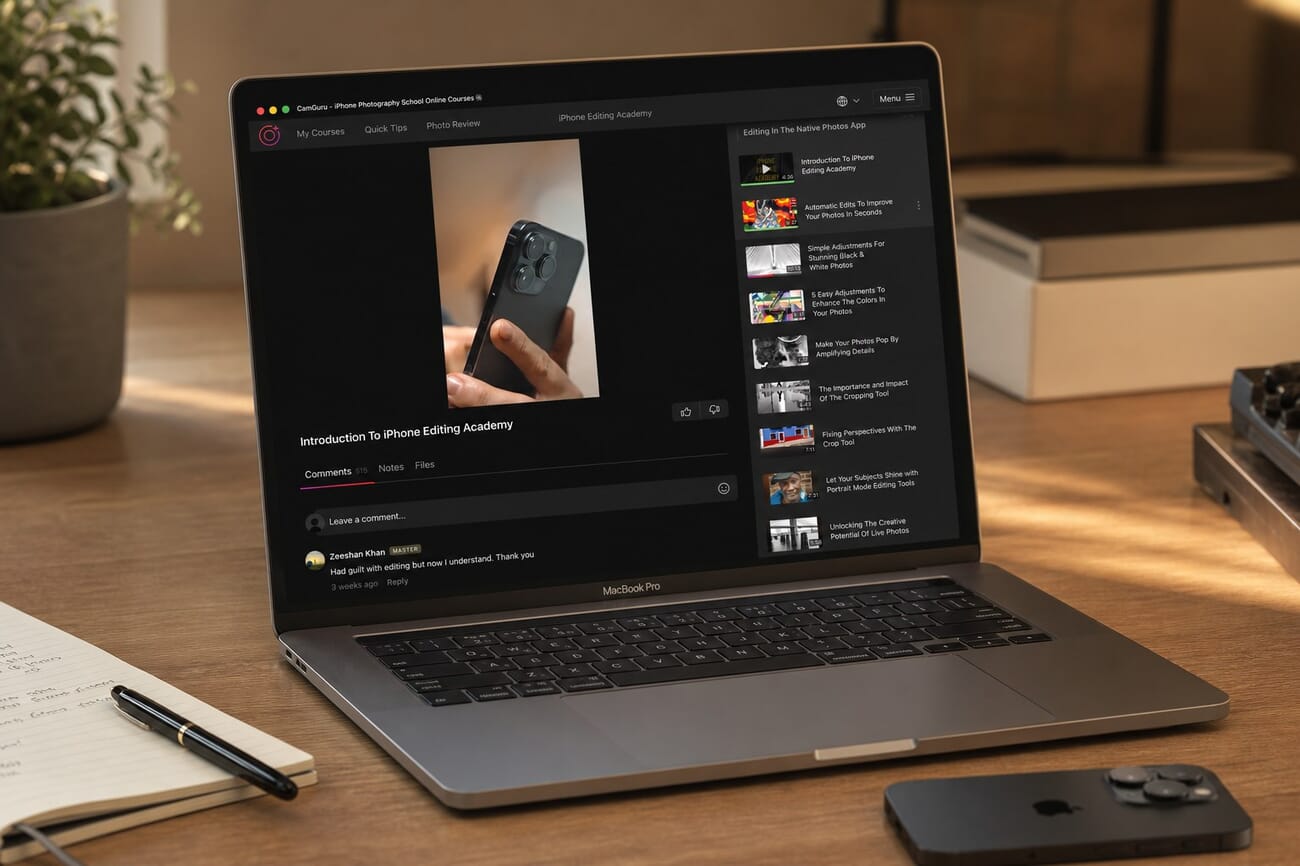
If you have never opened Lightroom Mobile before, this module gets you to a working knowledge in roughly 90 minutes. If you have used it casually, the lessons on color grading and geometry alone are worth the time — both are commonly skipped slider sets that change a photo more than most beginners expect. The companion white balance guide on PhotoWorkout pairs well with this module.
Module 3: Local Adjustments in Lightroom
Module 3 is where Lightroom Mobile starts to feel powerful. Pickett works through the masking system in detail: vignettes, sky selection, linear and radial gradients, brush-based local lighting, color targeting, and luminance range selections. The portrait-focused local edits at the end show how to brighten eyes, soften skin selectively, and shape facial light without obvious post-processing artifacts.
The course is honest about what requires premium Lightroom features versus what works on the free tier. From this module forward, some lessons rely on premium-only tools — the equivalent of about $9.99/month on Adobe’s Photography Plan, or Adobe’s Lightroom-only mobile subscription. Worth knowing before signing up.
Module 4: Advanced Lightroom Workflows
The final core module is the one beginners often expect courses to start with: complete edits on real photos. Pickett walks through landscape edits, portrait workflows (with a Lensa-style cleanup pass), architecture, sunrise and sunset shots, noir conversions, film looks, and a section on installing and using presets.
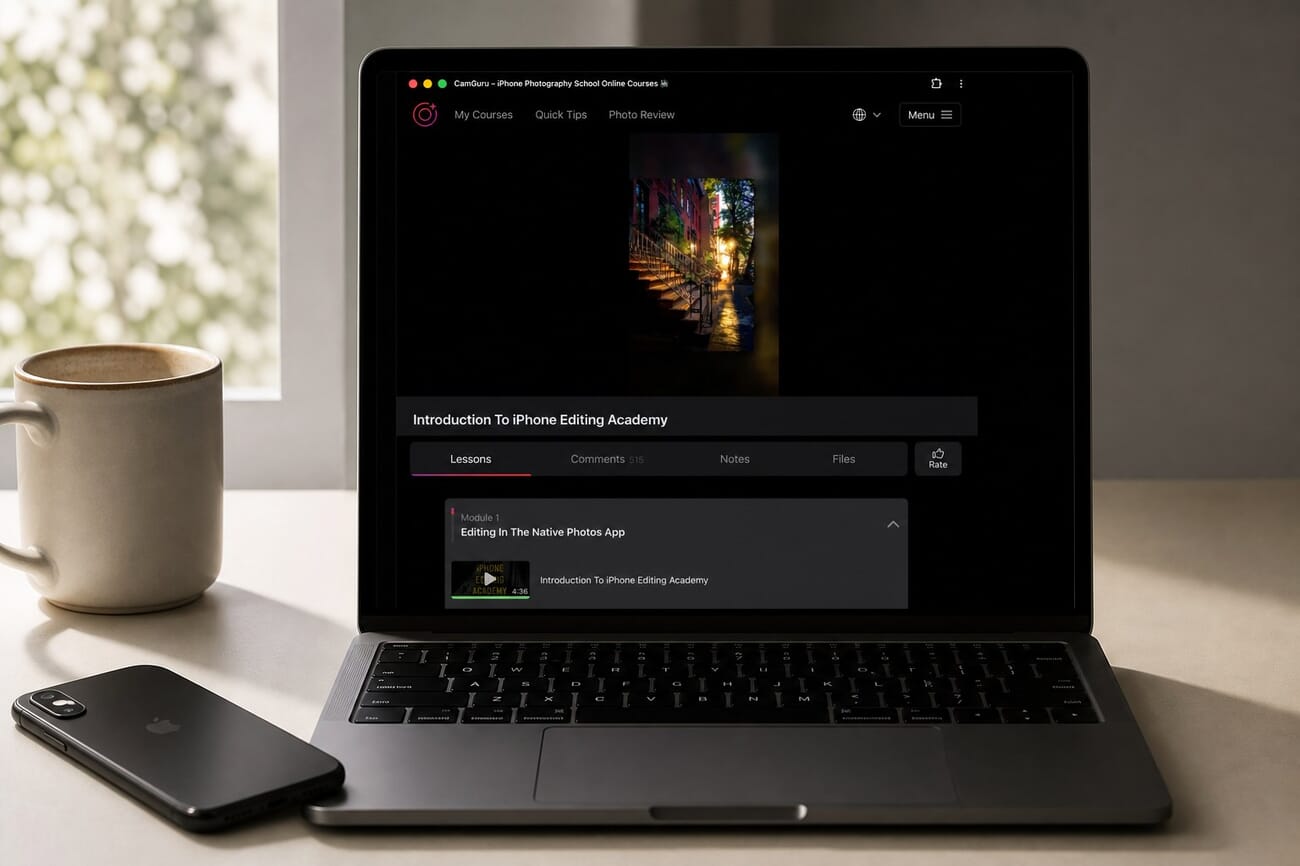
This module ties together the slider work from Module 2 and the masking work from Module 3 into actual editing decisions. The pacing is faster than the earlier modules — each lesson assumes you can already do the basic moves — which makes the 1h 41m runtime feel substantial rather than padded.
The Bonus Sections: 40 Extra Videos
The bonuses split into two camps: directly useful and creatively niche. The Signature Preset Collection (1 video plus the actual preset files for Lightroom Mobile, Lightroom Desktop, and Photoshop) is a small but practical add-on. The Landscape mini-course (7 videos, 1h 51m) is a focused practical bonus that doubles as a teaser for IPS’s full iPhone photography courses course.
The Photo Art bonus is the headline-grabber: 27 videos and 6h 13m on layers, blend modes, surreal compositing, sky replacement, fake lighting, sci-fi effects, and fine-art composites. It’s its own course in scope. Most beginners will not finish it, and that’s fine — it’s there for students who want to push beyond polished edits into the creative-illustration territory. The Video Editing Made Easy bonus is shorter (5 videos, 51 minutes) and covers CapCut basics for those who want to extend the course into video work.
Files, Notes, and Q&A: How the Course Supports You
Mobile-editing courses live or die on whether students can actually edit alongside the lessons. iPhone Editing Academy gives every lesson a Files tab with downloadable practice photos and a multilingual Assignments PDF (English, Spanish, Portuguese, German, French) — useful both for non-native English speakers and for offline reference.
Each lesson also has a Notes tab with summary notes and a full transcript, plus picture-in-picture guidance for watching while editing on the iPhone itself. The introduction lesson alone has 515+ comments — most are positive, but staff actively answers practical questions about subscription requirements, fullscreen controls, and where to find supplementary materials. It’s a lightweight forum rather than a deep workshop, but it does cover navigation and app-cost questions reliably.
About the Instructor: Clifford Pickett
Clifford Pickett is an iPhone photography educator and one of iPhone Photography School’s longest-running instructors. His teaching style on iPhone Editing Academy is calm and demonstration-heavy: most lessons run between three and ten minutes, and he edits on screen while explaining decisions rather than narrating slider settings in the abstract.
The framing he opens the course with — that editing is part of the photographic process, not a dishonest alteration — is unusually well-handled for a beginner-focused course. It directly addresses the hesitation many new editors bring with them, and several student comments single out that intro as the moment they stopped feeling guilty about editing.
Who Is This Course For?
iPhone Editing Academy is the right purchase if you fit one of these descriptions:
- iPhone photographer who wants a guided path from native Photos app to advanced Lightroom Mobile
- Beginner who has tried casual editing and now wants to understand what each slider actually does
- Intermediate editor who has not yet learned masking, gradients, or local adjustments in Lightroom Mobile
- Editor who wants printable assignments and a course that can be followed in a non-English language
It is less likely to be worth it for:
- Photographers who only edit on desktop and have no interest in mobile workflows
- Beginners looking for a quick cheat sheet of “best settings” rather than a 15-hour course
- Editors unwilling to install or subscribe to Lightroom Mobile (Module 1 is the only fully native part)
Pricing and Value
Individual IPS courses typically run $49–$99, with sale pricing common around major holidays. iPhone Editing Academy sits at the higher end of that range given its 15-hour runtime and bonus sections — comparable in price to a single month of one-on-one editing tutoring.
For students who plan to take more than one IPS course, the All-Access Pass usually pays for itself after three or four individual purchases. It’s worth checking the current price on both the standalone and the bundle before committing — IPS runs sale pricing on the bundle frequently. Always check the current price on the iPhone Editing Academy course page.
What Could Be Better
Three things would push this course from very good to excellent.
The premium Lightroom dependency is not flagged early enough. Module 3 has lessons that depend on premium Lightroom features, but the course doesn’t surface that requirement up front. Beginners who buy expecting a fully native or free workflow may feel surprised. A clearer “what you’ll need” page in the introduction would solve this.
The Photo Art bonus is enormous and inconsistently labeled. Six hours of compositing material rolled into a single course can feel overwhelming, especially because the techniques there are creatively distinct from the core editing curriculum. Splitting it into a separate bonus mini-course (or making completion clearly optional) would help students prioritize.
Some 2026-relevant AI tools are absent. Lightroom Mobile now includes Generative Remove and stronger AI masking on supported devices. Those features aren’t covered in the current curriculum, which is otherwise comprehensive. An updated module reflecting Lightroom 2026 AI features would close the gap.
Final Verdict: 4.5 / 5
iPhone Editing Academy is one of the most complete mobile-editing courses available in 2026 and easily the strongest option for iPhone photographers who want a structured, follow-along editing path. The progression from native Photos to Lightroom Mobile to local masks to complete workflows is paced well, the supporting materials are unusually thorough for a mobile course, and Clifford Pickett’s teaching style is calm and demonstration-driven.
The reasons it loses half a star are addressable: a clearer warning about premium Lightroom dependencies, better separation of the Photo Art bonus, and an update covering 2026’s AI editing tools. None of those are dealbreakers for the core audience.
If iPhone editing is something you want to take seriously, this is the course to buy. See current pricing on the iPhone Editing Academy course page.
Frequently Asked Questions
Do I need a Lightroom subscription to take iPhone Editing Academy?
You can complete Module 1 (1h 20m, 11 videos) without any third-party apps. Modules 2–4 use Lightroom Mobile, and from Module 3 onward some lessons require Lightroom premium features (about $9.99/month on Adobe’s Photography Plan). The course is honest about which tools require a subscription, but worth knowing before purchase.
Is iPhone Editing Academy beginner-friendly?
Yes. The progression starts with the native iPhone Photos app and moves up gradually. Pickett demonstrates every technique on real photos and supplies practice files, transcripts, and assignment PDFs. Beginners who follow the modules in order should be comfortable doing serious local edits in Lightroom Mobile by the end of Module 3.
How long does it take to finish the course?
The four core modules add up to about 6 hours of video, plus practice time. Most students finish the core course in 2–4 weeks at one short module per evening. The bonuses add another 9 hours; finishing everything is closer to a 6–8 week commitment. Lifetime access means there’s no rush.
Should I buy iPhone Editing Academy or the All-Access Pass?
If you only want a single course on mobile editing, the standalone Editing Academy is the right pick. If you want to explore three or more IPS courses (photography, editing, video, food, landscape, social), the All-Access Pass is the better value and frequently goes on sale.
Are the bonus sections worth taking?
The Signature Presets and Landscape mini-course are directly useful for most students. The Photo Art compositing bonus (27 videos, 6h 13m) is excellent but creatively niche — it’s a separate skill set from straight photo editing. The Video Editing bonus is a useful starter for CapCut. None of the bonuses are required to get value from the core course.
Course curriculum, lesson runtimes, and student-comment counts verified directly inside the iPhone Photography School member dashboard in May 2026.
Course Materials
- iPhone Editing Academy course page – Public course landing page with curriculum overview
- Lesson 1090: Introduction To iPhone Editing Academy – Member-only intro lesson; verified curriculum, files, and Q&A volume
Image Sources
- Editorial mockups by PhotoWorkout – Original gpt-image-2-rendered laptop mockups using actual CamGuru screenshots as reference
This review contains affiliate links. PhotoWorkout earns a commission if you buy through these links — at no additional cost to you. The review reflects our honest assessment of the course.



