


- Best Overall: TourBox Elite Plus – 3 tactile dials, Bluetooth, iPad/Mac/Windows support, deep preset library ($297).
- Best for Adobe Users: Logitech MX Creative Console – 9 LCD keys with visual feedback, native Adobe integration, includes 3-month Creative Cloud ($200).
- Best Customizable: Elgato Stream Deck MK.2 – 15 LCD keys, 4.8-star rating with 11,880+ reviews, massive plugin ecosystem ($120).
- Best Value: Xencelabs Quick Keys – 40 OLED-labeled shortcuts in a compact remote for $80.
- Best Budget: Huion Keydial Mini – Bluetooth keypad with dial for just $40.
- Controllers range from $40 to $297. Dial-based controllers excel at slider adjustments; LCD-key controllers are better for triggering shortcuts and macros.
Editing photos with a mouse and keyboard shortcuts is slow, imprecise, and hard on the wrists. A dedicated photo editing controller – whether it is a console with dials, a programmable keypad, or a shortcut keyboard – gives tactile, one-handed control over sliders, brush adjustments, timeline scrubbing, and layer switching. The result: faster retouching, more precise color grading, and less repetitive strain.
This guide compares 10 of the best photo editing keyboards and consoles available right now, covering everything from premium multi-dial controllers to budget-friendly Bluetooth keypads. Each product has been evaluated on build quality, software compatibility, customization options, and real-world editing ergonomics. Whether you spend your days in Lightroom, Photoshop, Capture One, or DaVinci Resolve, there is a controller here that fits your workflow and budget.
When you buy through links on our site, we may earn a commission at no cost to you. We evaluate products independently. Commissions do not affect our evaluations. As an Amazon Associate, we earn from qualifying purchases.
Top Picks


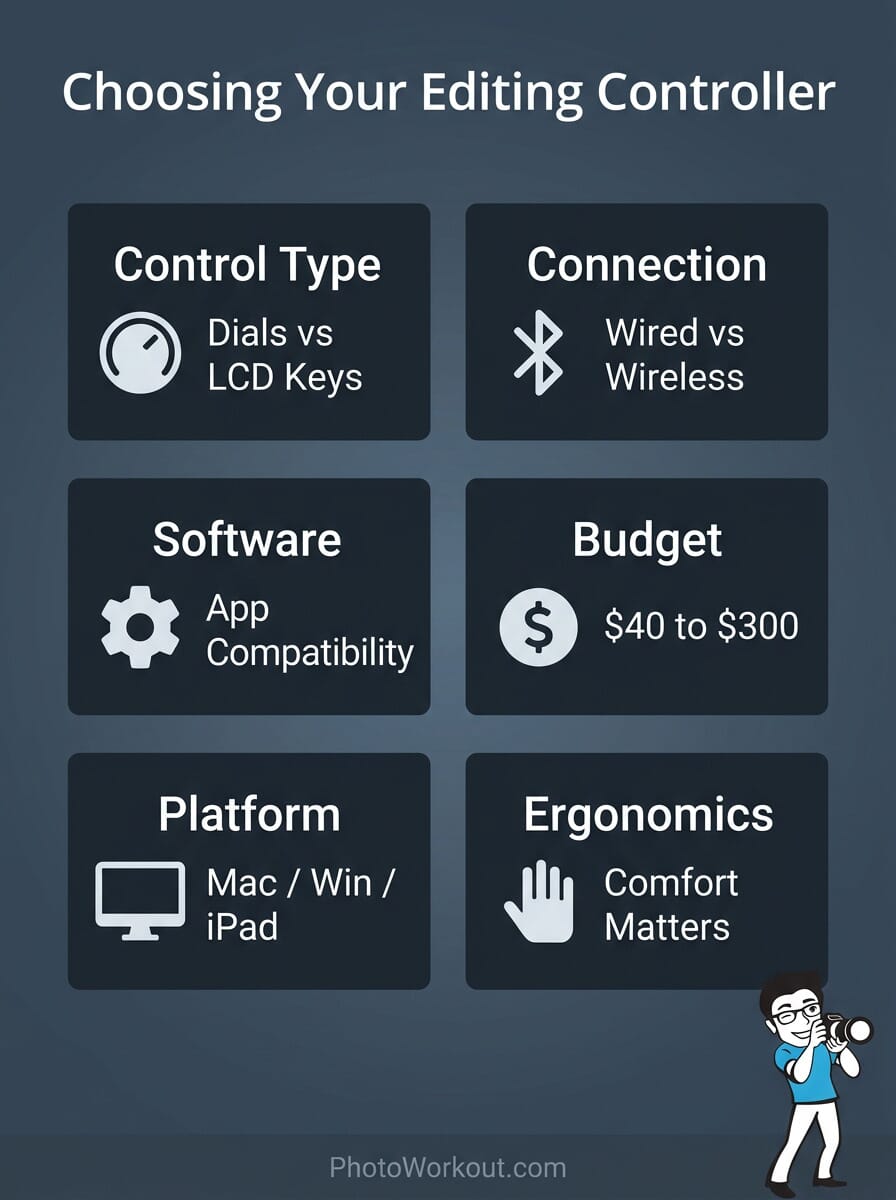
Photo Editing Controllers Compared
| Specifications | ||||||||||
|---|---|---|---|---|---|---|---|---|---|---|
| Type | Console | Console | Keypad | Console | Console | Remote | Console | Keypad | Keypad | Keyboard |
| Connection | Bluetooth | USB-C | USB | USB | USB | Bluetooth/USB | Bluetooth | USB | Bluetooth | BT/2.4G/USB |
| Dials/Knobs | 3 (knob, scroll, dial) | 1 dial + roller | None | 4 dials + touch strip | 3 (knob, scroll, dial) | 1 rotary dial | 1 knob | None | 1 dial | None |
| LCD/OLED Display | No | Yes (9 LCD keys) | Yes (15 LCD keys) | Yes (8 LCD keys) | No | Yes (OLED) | No | No (LED backlight) | No | No |
| Mac/Win/iPad | Yes/Yes/Yes | Yes/Yes/No | Yes/Yes/No | Yes/Yes/No | Yes/Yes/No | Yes/Yes/No | Yes/Yes/No | No/Yes/No | Yes/Yes/No | Yes/Yes/Yes |
| Best For | All-around editing | Adobe workflows | Custom shortcuts | Dial-based editing | Mid-range editing | Tablet users | Budget/portable | Power users | Budget keypad | Photoshop shortcuts |


TourBox Elite Plus
Photographers who edit across iPad, Mac, and Windows and want tactile dial control
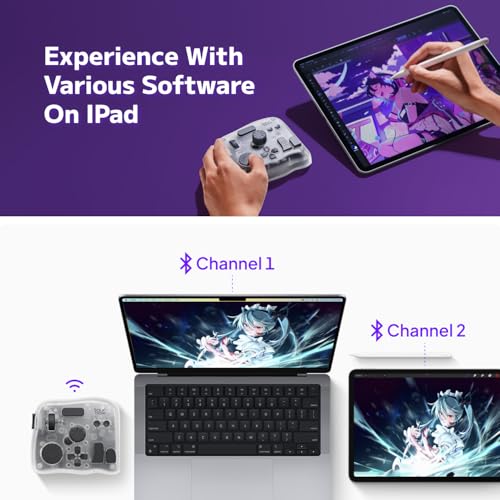
- Works with iPad, Mac, and Windows – the only controller here with iPadOS support
- 3 tactile dials (knob, scroll wheel, dial) for precise slider adjustments
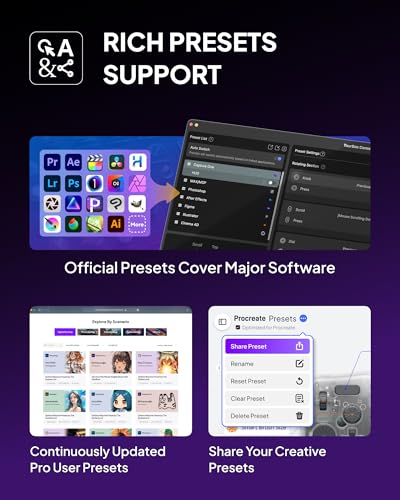
- Deep preset library for Lightroom, Photoshop, Capture One, Procreate, DaVinci Resolve
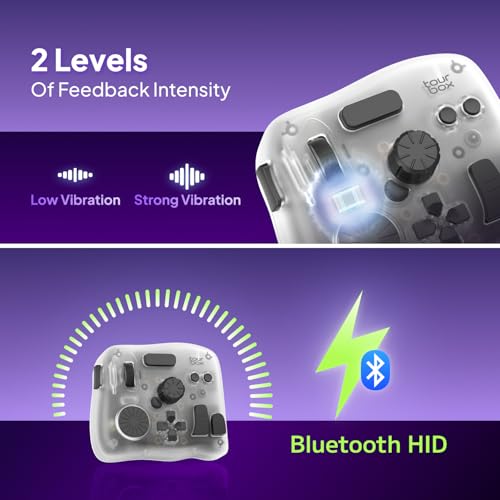
- Bluetooth connectivity with reliable connection and long battery life
- Ergonomic layout designed from 100,000+ hand scans
- Premium price at $297 (as of March 2026)
- iPad functionality is more limited than desktop
- Learning curve for memorizing button assignments without visual labels
The TourBox Elite Plus is the most versatile editing controller available, covering more platforms and software than any competitor. The three-dial layout becomes intuitive within a week of use, and the automatic preset switching between apps eliminates manual profile changes. If you edit on iPad as well as desktop, this is the only serious option.
Ranked #1 with a score of 85/100, the TourBox Elite Plus is the most complete photo editing controller on the market. It connects to iPad, Mac, and Windows via Bluetooth – making it the only controller in this roundup with iPadOS support.
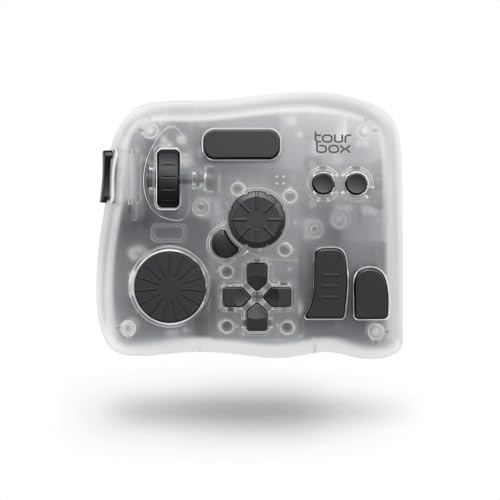




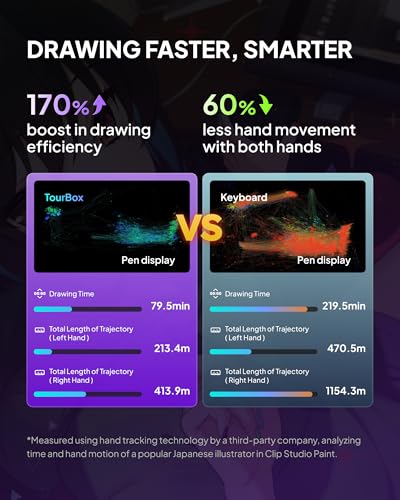

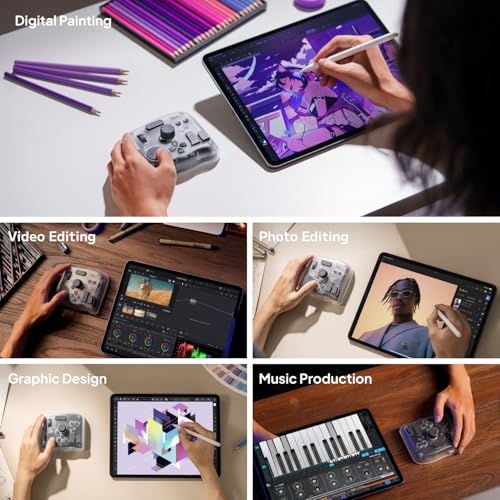
The hardware centers on three tactile controls: a precision knob, a scroll wheel, and a flat dial. Combined with 14+ programmable buttons and combination shortcuts, it delivers one-handed control over virtually any editing parameter. In Lightroom, the knob handles exposure while the scroll wheel adjusts white balance – and these mappings switch automatically when you move to Photoshop or Capture One.
TourBox ships with ready-made profiles for Adobe Photoshop, Lightroom, Premiere Pro, Procreate, LumaFusion, Final Cut Pro, and DaVinci Resolve. The software also supports user-created macros for complex multi-step operations. Over 300,000 users have adopted TourBox controllers, and the company claims 98% build muscle memory within 7 days.
The Elite Plus is also available in a Classic Black variant and as the All-in-Creative bundle that includes a carry case and additional accessories. For users who prefer a wired connection or do not need iPad support, the TourBox Elite (available in black and white) offers similar dial controls at a slightly lower price with Bluetooth but no iPad support.
Pricing & Where to Buy
The TourBox Elite Plus is priced at $297 as of March 2026. The All-in-Creative bundle runs $337. TourBox software is free and receives frequent updates. No subscription is required.
- Buy on Amazon — Prime shipping available
- Check price at B&H Photo
- TourBox official store — sometimes runs bundle deals
Logitech MX Creative Console
Adobe-centric photographers and designers who want visual, LCD-key shortcuts with dial control
- 9 customizable LCD keys show icons for assigned shortcuts – no memorization needed
- Precision dial and roller for smooth adjustments in Lightroom and Premiere Pro
- Native integration with Photoshop, Lightroom, Premiere Pro, Illustrator, Figma, and more
- Includes 3-month Adobe Creative Cloud membership (worth $179)
- Up to 15 keypad pages per profile for deep customization
- USB-C only – no Bluetooth or wireless option
- 4.0-star average suggests mixed reliability experiences
- Dial and keypad are separate units taking up more desk space
The Logitech MX Creative Console is the easiest controller to learn because every key shows exactly what it does. The included Adobe Creative Cloud membership partially offsets the purchase price. Best suited for photographers who primarily work within the Adobe ecosystem and value visual feedback over tactile dial count.
Ranked #2 with a score of 82/100, the Logitech MX Creative Console takes a different approach from TourBox by combining LCD display keys with a separate dial unit. The 9 customizable LCD keys show the icon for each assigned function, so there is no guessing what each button does.


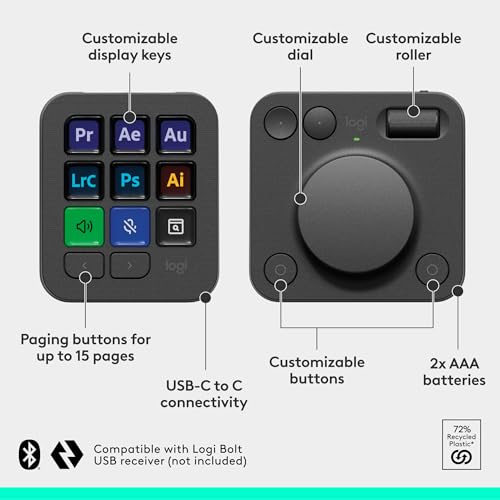

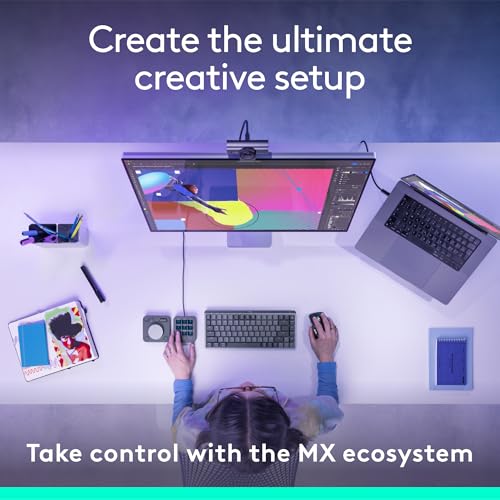
Logitech built native integration for Adobe Photoshop, Lightroom, Premiere Pro, Illustrator, Final Cut Pro, DaVinci Resolve, Figma, Spotify, and Zoom. The control dial offers precise analog adjustments – useful for exposure sliders, brush sizing, and timeline scrubbing. A separate roller adds a second axis of control.
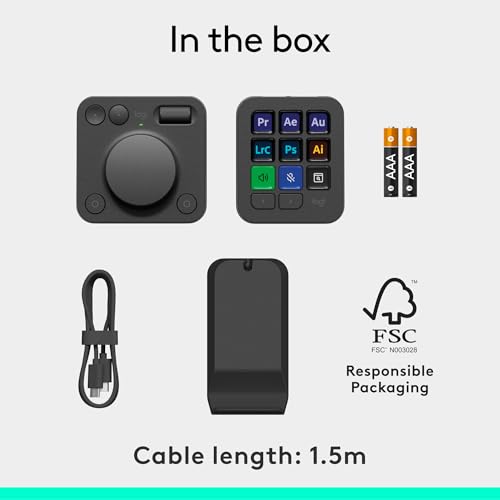
Up to 15 keypad pages per application profile give access to hundreds of shortcuts from a single device. Custom icons can be uploaded to personalize the LCD display. The included stand keeps the keypad at a comfortable viewing angle.
The bundled 3-month Adobe Creative Cloud membership (valued at $179 for new subscribers) makes the effective cost significantly lower for photographers who do not yet have an Adobe subscription.
Pricing & Where to Buy
The Logitech MX Creative Console is priced at $200 as of March 2026. The Logi Options+ software is free. The 3-month Adobe Creative Cloud offer has separate terms and conditions.
- Buy on Amazon — Prime shipping available
- Check price at B&H Photo
- Logitech official store — check for education discounts
Elgato Stream Deck MK.2
Photographers and creators who want maximum shortcut customization with visual LCD feedback
- 15 fully customizable LCD keys with visual icon feedback
- Massive plugin ecosystem – OBS, Twitch, Adobe, Spotify, Philips Hue, and hundreds more
- 4.8-star rating with 11,880+ reviews – the highest-rated device in this roundup
- Drag-and-drop profile setup with multi-action sequences
- Swappable faceplates for personalization
- No dials or knobs – purely button-based control
- USB only – no wireless option
- Originally designed for streaming, so photo editing requires custom setup
The Elgato Stream Deck MK.2 is not specifically a photo editing tool, but its 15 LCD keys and enormous plugin library make it highly adaptable. Photographers who rely on keyboard shortcuts more than dial adjustments will find it faster to set up and more visually intuitive than blind-button controllers.
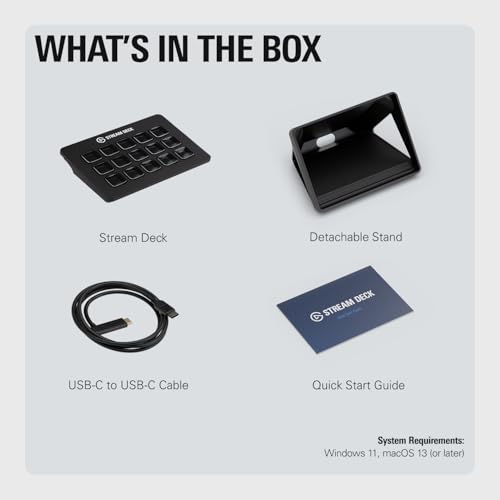
Ranked #3 with a score of 80/100, the Elgato Stream Deck MK.2 is the most popular device in this roundup by a wide margin, with over 11,880 reviews and a 4.8-star average on Amazon. While it was originally designed for streamers, its 15 customizable LCD keys make it a powerful shortcut controller for photo editing workflows.




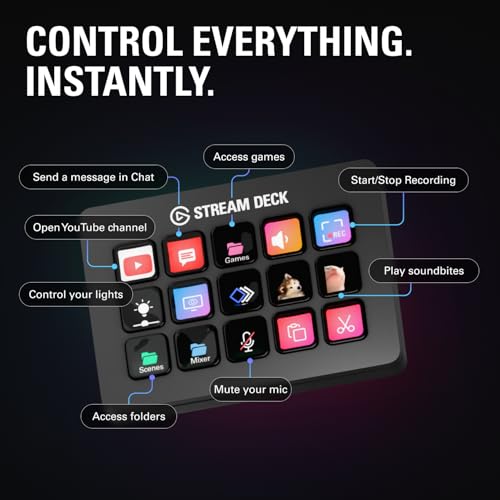
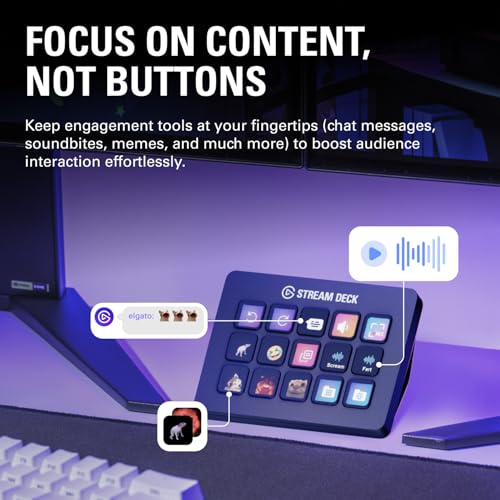
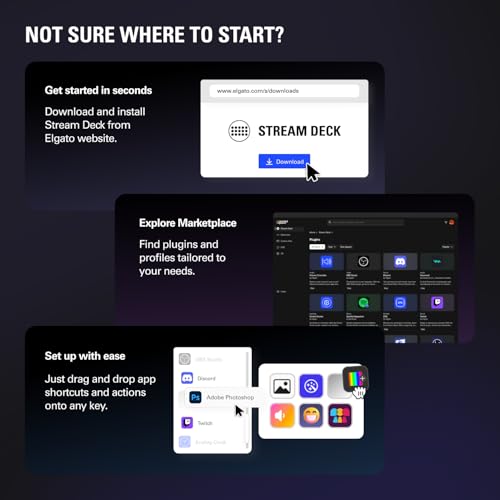

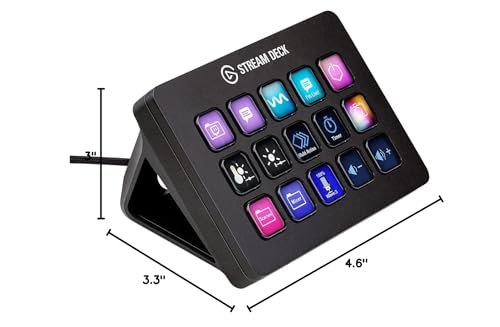
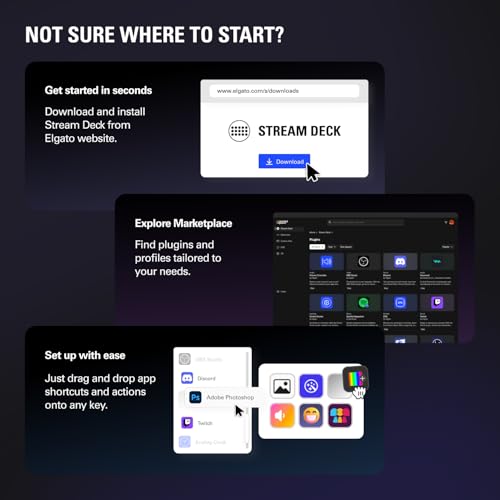
Each key displays a custom icon showing its assigned function – one tap launches Photoshop actions, applies Lightroom presets, toggles layers, or triggers multi-step macros. The drag-and-drop software makes setup straightforward, and profiles can be set to switch automatically based on the active application.
The real strength of the Stream Deck ecosystem is its plugin library. Hundreds of community-built integrations cover everything from Adobe apps to home automation. For photographers who also stream their editing process, manage social media, or control studio lighting, one device handles it all.
The main limitation for photo editing is the absence of any dials or knobs. All control is button-based, which means slider adjustments (exposure, contrast, white balance) still require mouse interaction. For dial-based editing, consider the Elgato Stream Deck+ instead.
Pricing & Where to Buy
The Elgato Stream Deck MK.2 is priced at $120 as of March 2026. The Stream Deck software is free with no subscription required.
- Buy on Amazon — Prime shipping available
- Check price at B&H Photo
- Check price at Adorama
- Elgato official store
Elgato Stream Deck+
Photo and video editors who want both LCD shortcut keys and analog dial controls in one device
- 8 LCD keys + 4 rotary dials + touch strip – the most controls in a single Elgato device
- Dials provide analog control for sliders, timelines, and brush parameters
- Built specifically for post-production in Adobe Premiere Pro, Photoshop, and DaVinci Resolve
- 4.6-star rating with 4,238 reviews
- Touch strip for smooth navigation across panels and workspace pages
- USB only – no wireless option
- Fewer LCD keys than the MK.2 (8 vs 15)
- Premium price for an Elgato device at $160
The Elgato Stream Deck+ is the best hybrid device here, combining the visual LCD keys of the MK.2 with 4 rotary dials and a touch strip for analog control. For photographers who want both shortcut buttons and smooth slider adjustments, this is a strong middle ground between the pure-button MK.2 and the pure-dial TourBox controllers.
Ranked #4 with a score of 79/100, the Elgato Stream Deck+ is the only device in this roundup that combines LCD shortcut keys with multiple rotary dials and a touch strip. It bridges the gap between button-only controllers like the MK.2 and dial-focused devices like the TourBox.

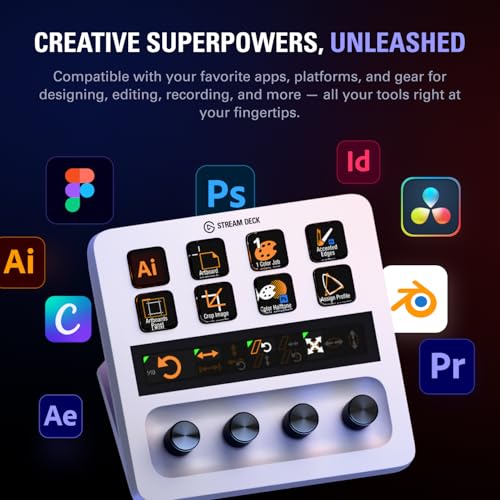
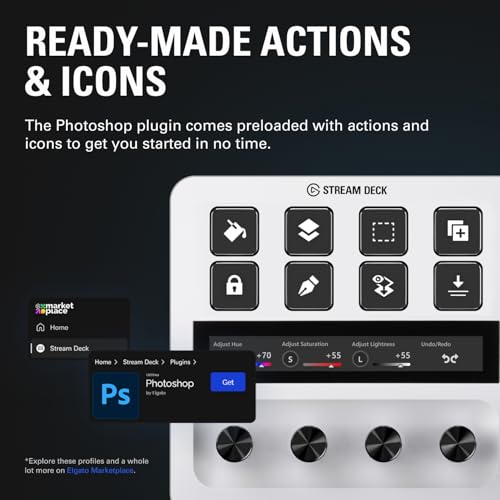
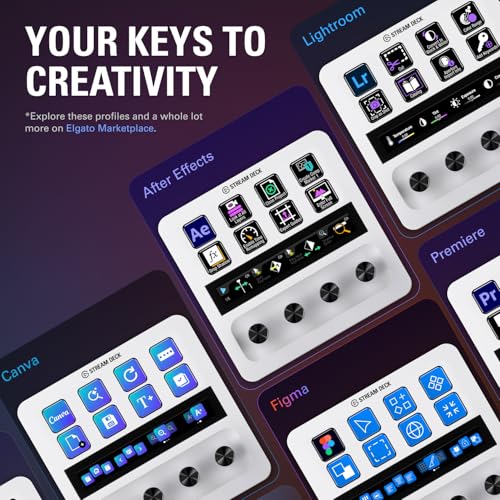
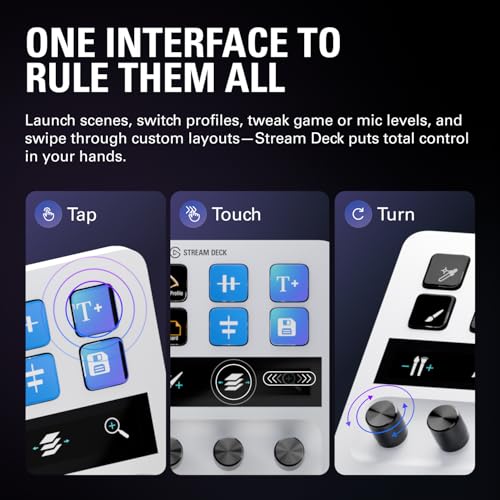
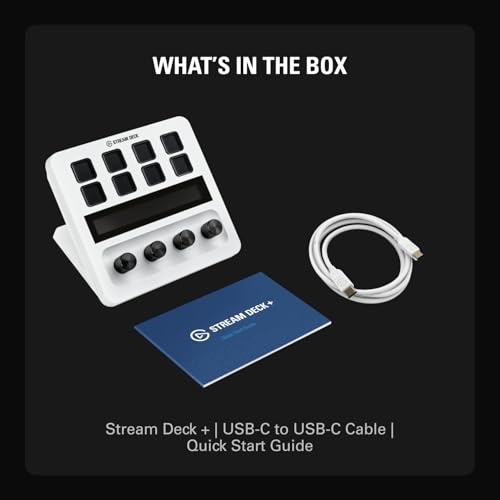

The 4 rotary dials map naturally to photo editing tasks: adjust exposure with one dial, tweak white balance with another, scrub through a video timeline, or control audio levels. Each dial has a built-in press function for quick toggles. The touch strip adds another input method for scrolling through panels or adjusting parameters with a swipe.
Elgato designed the Stream Deck+ with post-production workflows in mind, offering dedicated support for Adobe Premiere Pro, Photoshop, After Effects, Lightroom, and DaVinci Resolve. The 8 LCD keys display custom icons and support the same plugin ecosystem as the MK.2, so profiles and integrations carry across devices.
The trade-off is fewer LCD keys (8 vs 15 on the MK.2) and a higher price. For photographers who primarily need shortcut buttons, the Stream Deck MK.2 is a better value. For those who also want hands-on slider control, the Stream Deck+ justifies its premium.
Pricing & Where to Buy
The Elgato Stream Deck+ is priced at $160 as of March 2026. Available in black or white. No subscription or additional software purchase required.
- Buy on Amazon — Prime shipping available
- Check price at B&H Photo
- Check price at Adorama
- Elgato official store
TourBox NEO
Desktop-only photographers who want a reliable, wired dial controller at a mid-range price
- 4.6-star average with 1,170+ reviews – the most-reviewed TourBox model
- USB wired connection for zero-latency, no-battery operation
- Same 3-dial layout (knob, scroll, dial) as the Elite Plus
- Extensive preset library for Photoshop, Lightroom, Capture One, Premiere Pro, and more
- Lower price point than the Elite Plus while keeping core functionality
- USB only – no Bluetooth or wireless option
- No iPad support
- Older design compared to Elite Plus (no haptic feedback improvements)
The TourBox NEO is the safe choice for photographers on a desktop setup who want TourBox’s proven dial-based workflow without paying for Bluetooth or iPad features they may not need. The wired connection means no battery management and zero latency – a real advantage during intensive editing sessions.
Ranked #5 with a score of 78/100, the TourBox NEO is the most-reviewed TourBox controller with over 1,170 ratings and a strong 4.6-star average. It delivers the same 3-dial editing experience as the Elite Plus in a simpler, wired USB package.
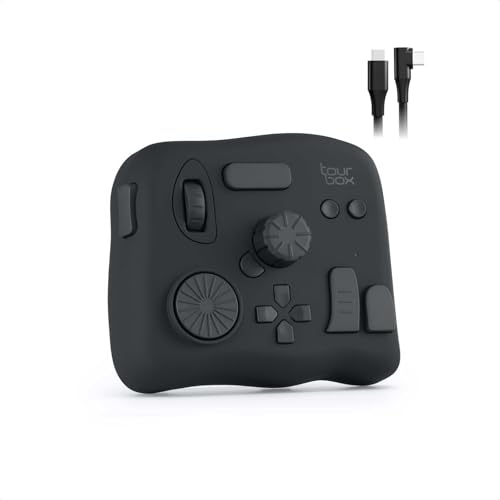
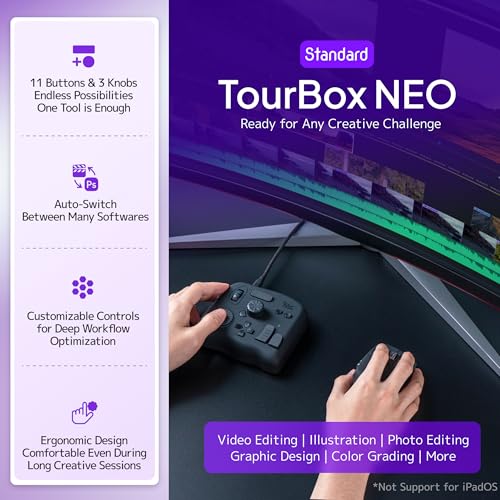
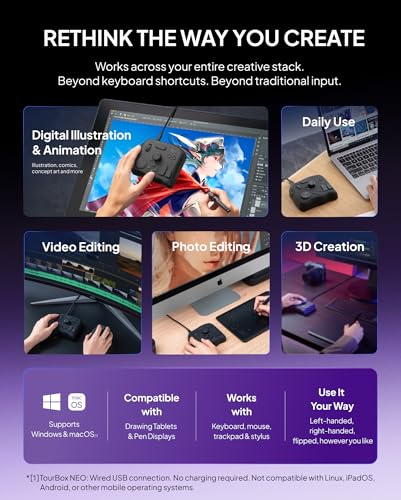
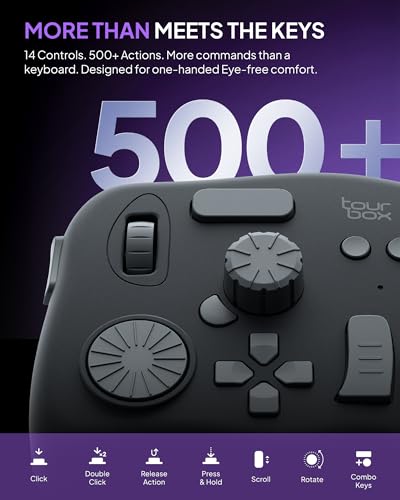
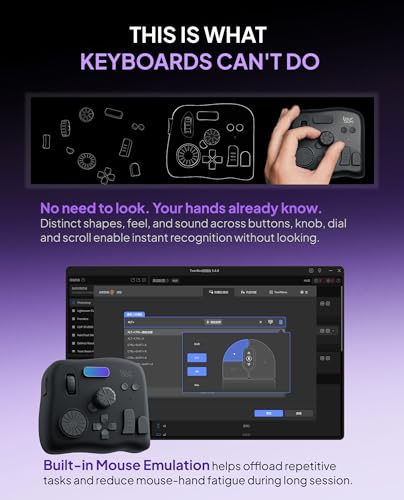
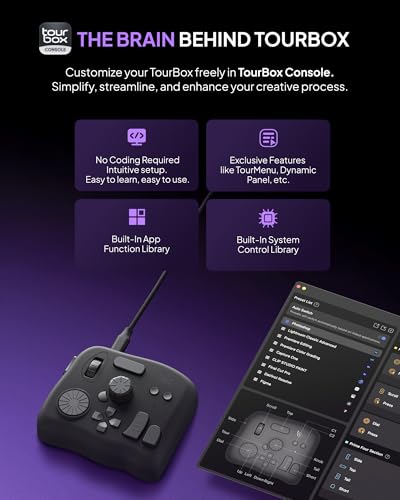
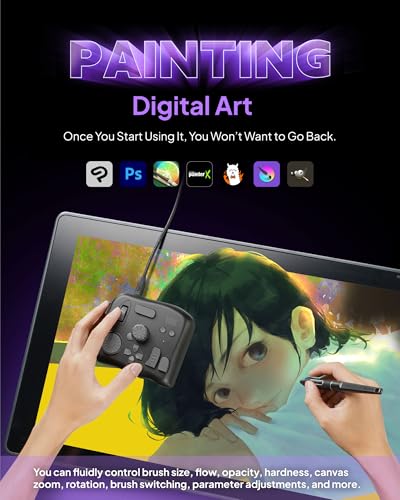
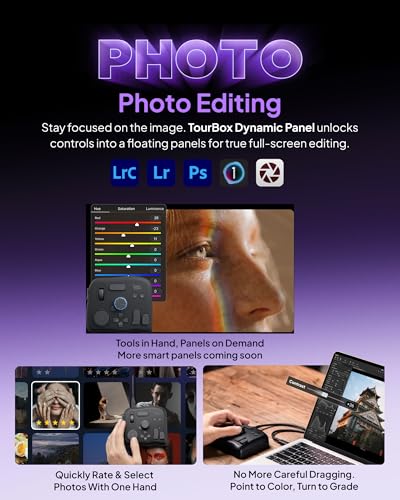
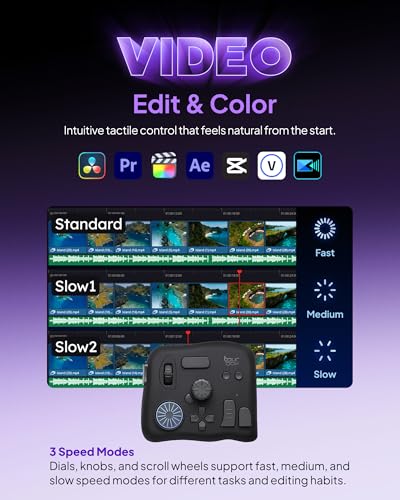
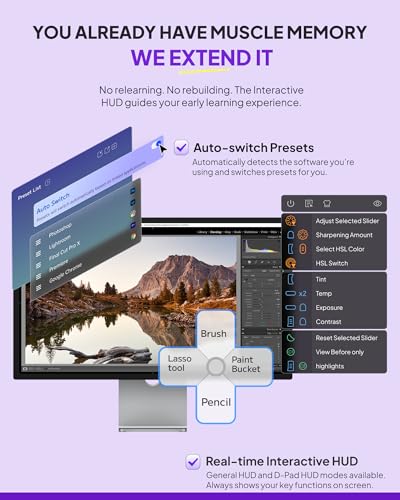
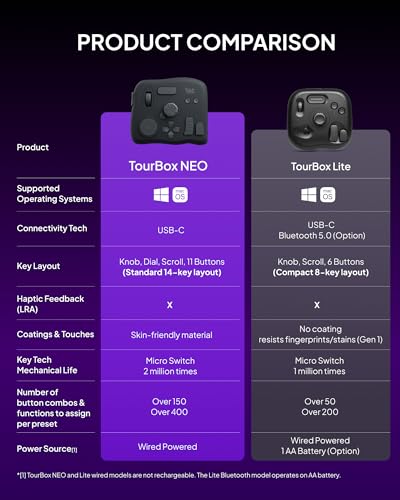
The NEO’s layout includes the same precision knob, scroll wheel, and flat dial that define the TourBox experience. It supports the full TourBox software suite with automatic profile switching, macro creation, and a screen-based HUD that shows current button assignments. The difference from the Elite Plus comes down to connectivity (USB only, no Bluetooth), platform support (no iPad), and some hardware refinements.
For desktop-only photographers, the wired connection is actually an advantage: no batteries to charge, no pairing issues, and guaranteed zero-latency response. The NEO handles everything from Lightroom culling and color grading to Photoshop retouching and Capture One tethered shooting workflows.
The NEO is also available in an Ivory White version for those who prefer a lighter aesthetic on their desk.
Pricing & Where to Buy
The TourBox NEO is priced at $169 as of March 2026. TourBox Console software is free with no subscription.
- Buy on Amazon — Prime shipping available
- Check price at B&H Photo
- TourBox official store — sometimes runs bundle deals
Xencelabs Quick Keys
Drawing tablet users and digital artists who want a compact shortcut remote with OLED feedback
- OLED display shows shortcut labels for each key set – no guessing what each button does
- 40 programmable shortcuts (8 keys x 5 sets) with automatic software switching
- 4.4-star rating with 1,219 reviews at an $80 price point
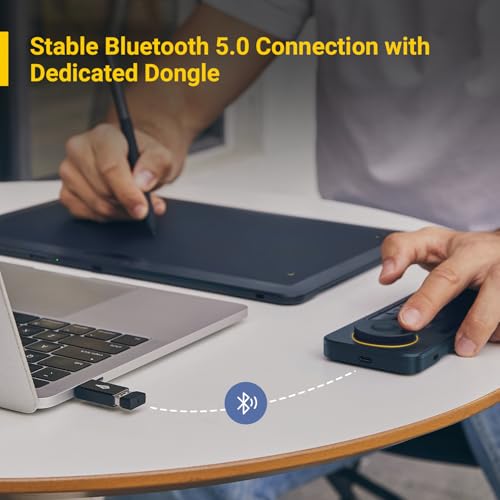
- Private Bluetooth 5.0 channel via dedicated dongle for reliable wireless connection
- Compact remote form factor works perfectly alongside drawing tablets
- No dial for smooth analog adjustments (single rotary dial is limited)
- No macro or script automation support
- Not compatible with iPad or Android devices
The Xencelabs Quick Keys is the best value in this roundup for anyone already using a drawing tablet. The OLED display eliminates the biggest pain point of compact remotes – remembering which key does what. At $80, it costs less than half of a TourBox Elite Plus while offering 40 customizable shortcuts.
Ranked #6 with a score of 77/100, the Xencelabs Quick Keys is a compact wireless shortcut remote built for creative professionals who work with drawing tablets. Its standout feature is the built-in OLED display that shows the label for each key, so you always know what each button does in the current application.

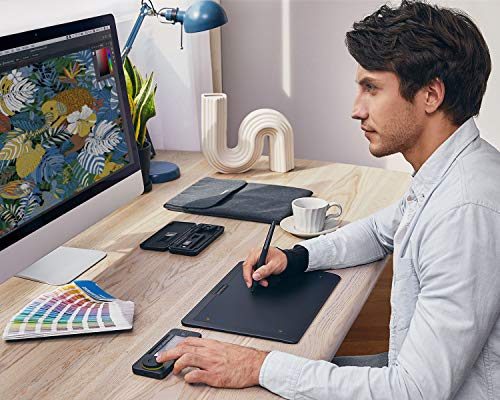
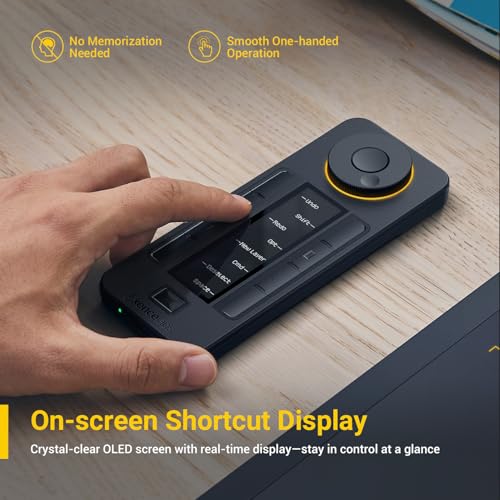
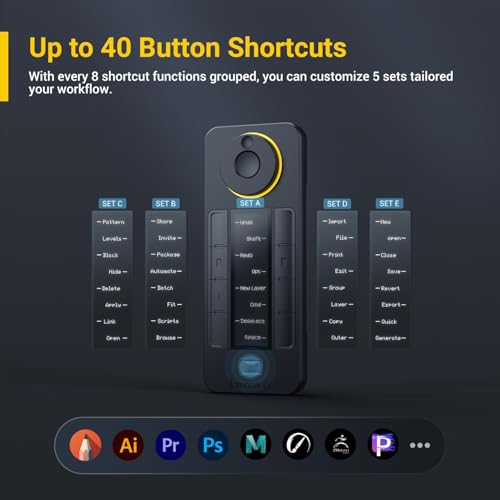
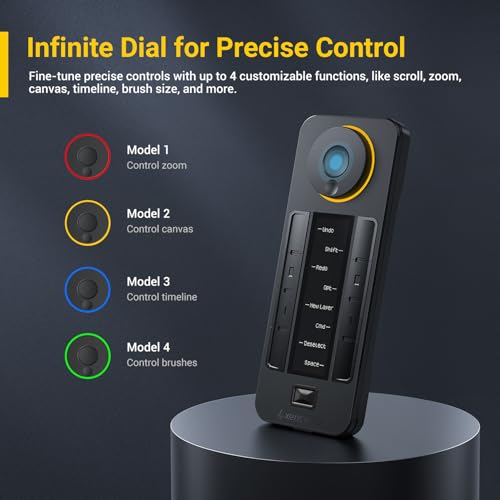
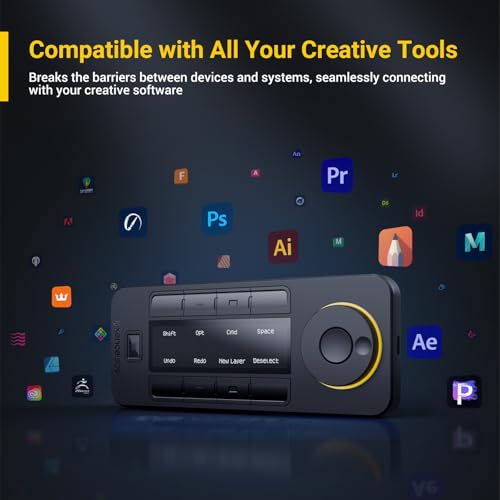


The 8 physical keys expand to 40 shortcuts through 5 programmable sets that switch with a single button press. The sets can be configured to auto-switch based on the active application, so moving from Photoshop to Lightroom to Clip Studio Paint loads the right shortcuts automatically. A small rotary dial handles zoom, canvas rotation, brush size, and timeline navigation.
Connectivity uses a private Bluetooth 5.0 channel via a dedicated USB dongle rather than standard Bluetooth pairing. Xencelabs claims this provides a more reliable connection with less interference than regular Bluetooth, especially in environments with many wireless devices. A USB wired mode is also available.
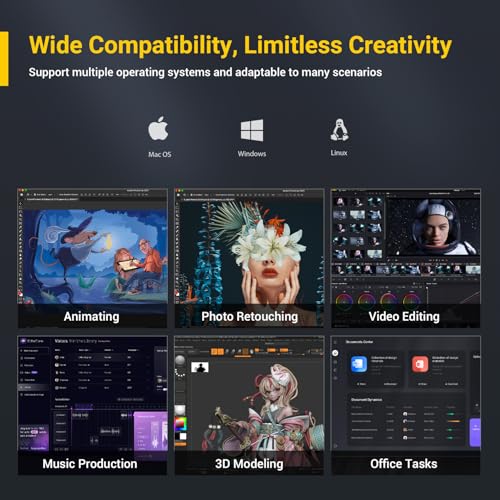
The Quick Keys works with Windows 7+, macOS 10.13+, and Linux systems. It integrates with Photoshop, Lightroom, Premiere Pro, DaVinci Resolve, Clip Studio Paint, and most other creative applications. Note that it does not support macro commands, script automation, or mobile devices.
Pricing & Where to Buy
The Xencelabs Quick Keys is priced at $80 as of March 2026. The second most affordable option in this roundup after the Huion Keydial Mini.
- Buy on Amazon — Prime shipping available
- Check price at B&H Photo
- Xencelabs official store
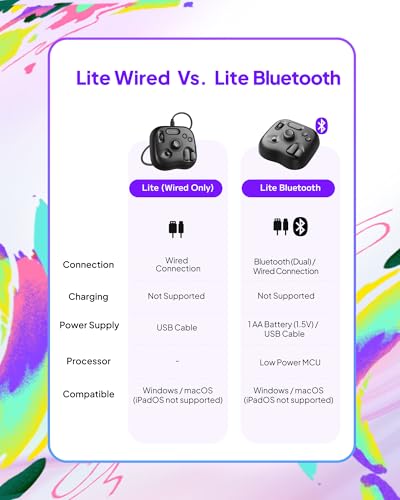
TourBox Lite Bluetooth
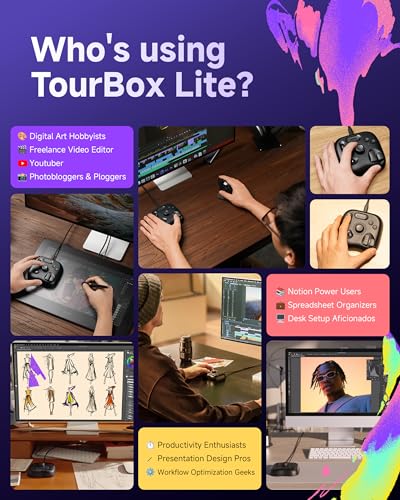
Budget-conscious photographers who want TourBox’s dial-based workflow with wireless portability
- Bluetooth wireless for cable-free editing across laptop, desktop, or Windows tablet
- Same TourBox software with automatic preset switching and HUD overlay
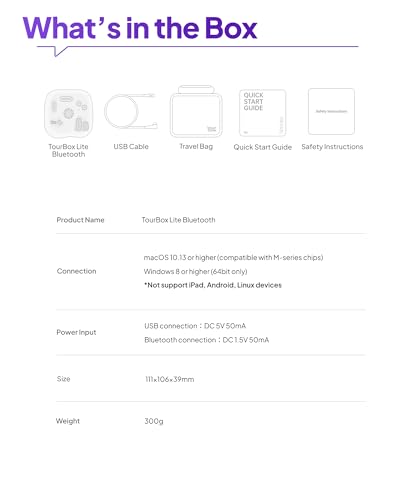
- Compact, portable design with included carry bag for travel
- 4.6-star rating with 175 reviews
- Ergonomic shape based on 100,000+ hand scans for reduced wrist strain
- Only 1 knob (vs 3 on Elite Plus and NEO) – less precise multi-parameter control
- No iPadOS or Android support
- Fewer hardware controls means more reliance on combo shortcuts
The TourBox Lite Bluetooth is the entry point to TourBox’s ecosystem. It uses the same software and presets as the Elite Plus and NEO, so you get automatic app switching and community-made profiles. The single knob is less capable than the 3-dial flagships, but combo shortcuts extend what you can do. Best for photographers who want to try dial-based editing without a $300 investment.
Ranked #7 with a score of 75/100, the TourBox Lite Bluetooth is TourBox’s most affordable wireless controller. It packs the same software ecosystem as the Elite Plus and NEO into a smaller, more portable package – complete with Bluetooth connectivity and an included carry bag.
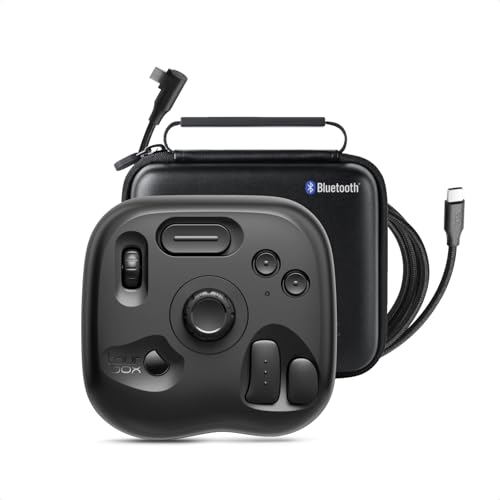
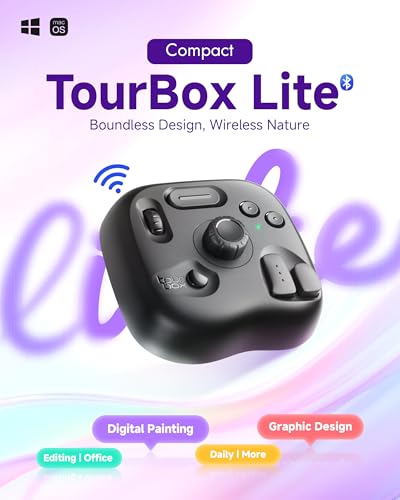
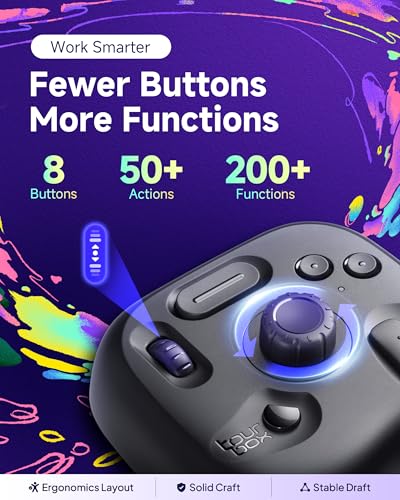
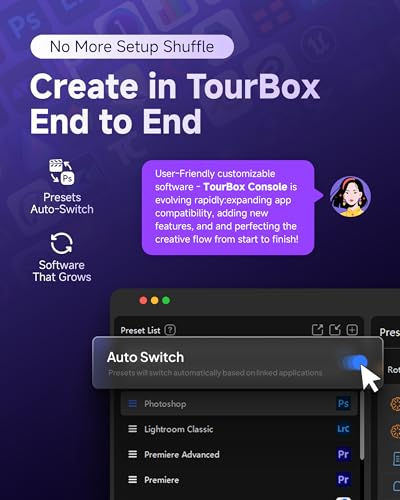
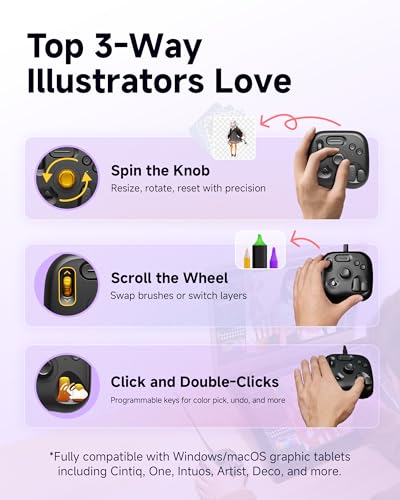
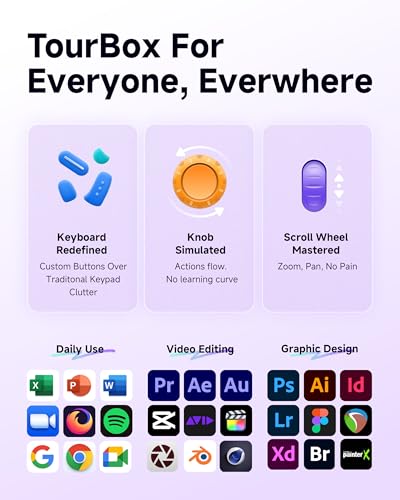
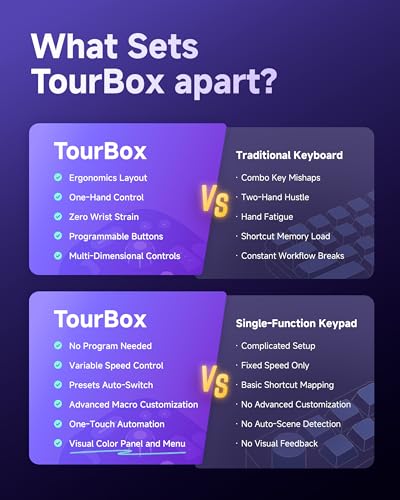

The hardware is simpler than the flagships: one knob, one wheel, and 8+ programmable buttons with combo shortcuts. TourBox’s software compensates by allowing complex key combinations that unlock advanced functions. The HUD overlay shows current assignments on screen in real time, which helps during the learning phase.
TourBox Lite supports Photoshop, Lightroom, After Effects, Illustrator, Final Cut Pro, Premiere Pro, Capture One, PowerDirector, Filmora, and many other creative applications. Presets auto-detect the active app and switch on the fly. For photographers who travel with a laptop and want a portable editing companion, the Bluetooth Lite kit with carry bag is hard to beat.
The wired-only TourBox Lite USB version is available at $115 for those who prefer a cable connection and lower price.
Pricing & Where to Buy
The TourBox Lite Bluetooth is priced at $140 as of March 2026. This is for the Bluetooth kit (device + cable + carry bag). The USB-only version is $115. TourBox software is free.
- Buy on Amazon — Prime shipping available
- TourBox official store — sometimes runs bundle deals
X-keys XK-60
Power users who need the maximum number of programmable keys for complex multi-application workflows
- 60 programmable keys – the highest key count of any device in this roundup
- Individual addressable LED backlighting under each key for visual feedback
- Industrial-grade build quality with grouped key layout for intuitive access
- Works with Photoshop, Lightroom, CAD, and virtually any keyboard-shortcut application
- 4.3-star average with 370 reviews over a long product life
- No dials, knobs, or analog controls – purely key-based
- Large footprint on the desk compared to compact controllers
- Setup software is functional but dated compared to newer competitors
The X-keys XK-60 is a workhorse for users who have dozens or hundreds of keyboard shortcuts memorized and want one-tap access to all of them. It will not replace dials for smooth slider adjustments, but for shortcut-heavy workflows in Photoshop, Lightroom, or CAD software, 60 dedicated keys eliminate the need to remember complex key combinations.
Ranked #8 with a score of 74/100, the X-keys XK-60 takes a maximalist approach to editing control. With 60 programmable keys and individual LED backlighting, it provides the most raw shortcut capacity of any device in this roundup.

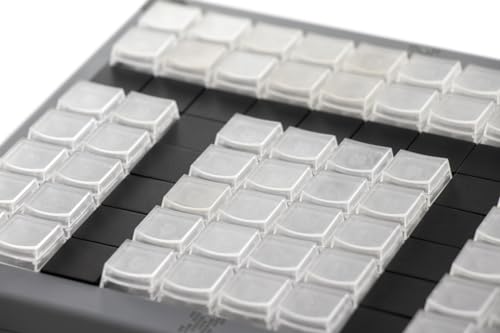

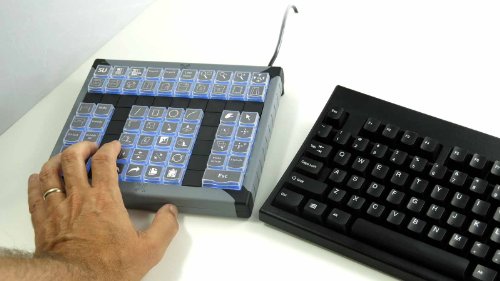
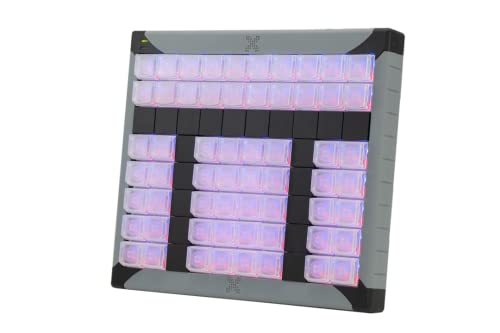
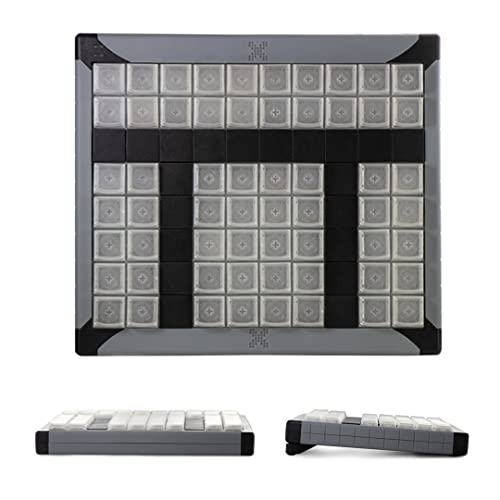
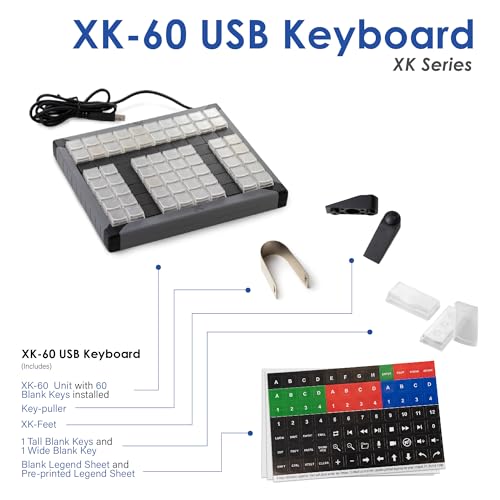
P.I. Engineering designed the XK-60 with grouped key sections for intuitive access – keys are arranged in clusters that can map to different function categories (selection tools, adjustment tools, export actions, etc.). The addressable LED backlighting lets you color-code key groups, providing visual guidance without LCD screens.
The XK-60 connects via USB and works with Windows XP through Windows 11 and macOS 10.14 through macOS 13. It is compatible with any software that uses keyboard shortcuts, including Photoshop, Lightroom, Capture One, Premiere Pro, DaVinci Resolve, and CAD applications. The programming software allows macros, multi-key combinations, and timed sequences.
This is a niche product for power users who need maximum key count. Note that stock has been limited – Amazon showed only 5 units remaining at the time of review. If the XK-60 is unavailable, P.I. Engineering offers other models in the X-keys lineup including 24-key and 128-key versions.
Pricing & Where to Buy
The X-keys XK-60 is priced at $230 as of March 2026. Programming software is included free.
- Buy on Amazon — Prime shipping available
- Check price at B&H Photo
- Check price at Adorama
- PI Engineering official store
Huion Keydial Mini
Budget-conscious creatives who want a wireless Bluetooth keypad with dial control for under $50
- Only $40 – the most affordable controller in this roundup by a wide margin
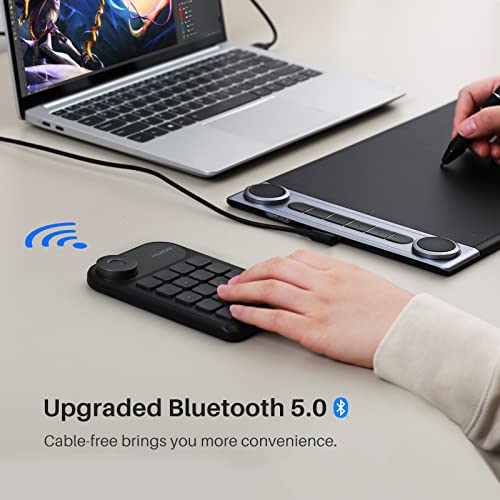
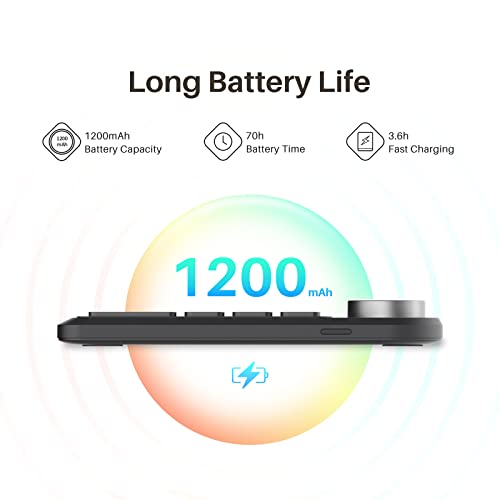
- Bluetooth 5.0 wireless with 70-hour battery life
- 18 programmable keys with anti-ghosting for up to 5 simultaneous presses
- Dial controller for brush size, timeline scrubbing, and zoom
- Thin, portable design that works for both left and right-handed users
- 4.2-star rating suggests some quality and connectivity concerns
- No OLED or LCD display – relies on memory or external references for key assignments
- Limited to Huion driver for customization (less intuitive than TourBox or Elgato software)
The Huion Keydial Mini is the entry-level choice for photographers who want to try a programmable keypad without spending much. At $40, it costs less than a nice dinner and delivers Bluetooth connectivity, a dial controller, and 18 programmable keys. The trade-off is a less polished software experience and no visual key labels.
Ranked #9 with a score of 72/100, the Huion Keydial Mini proves that a useful editing keypad does not have to cost hundreds of dollars. At $40 (as of March 2026), it is the most affordable controller in this roundup and still delivers Bluetooth 5.0 connectivity, a dial controller, and 18 programmable keys.

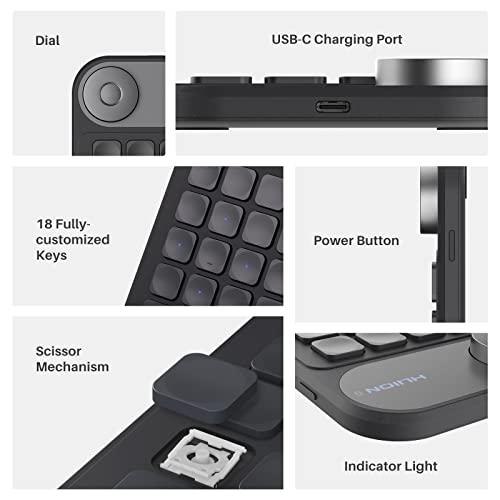
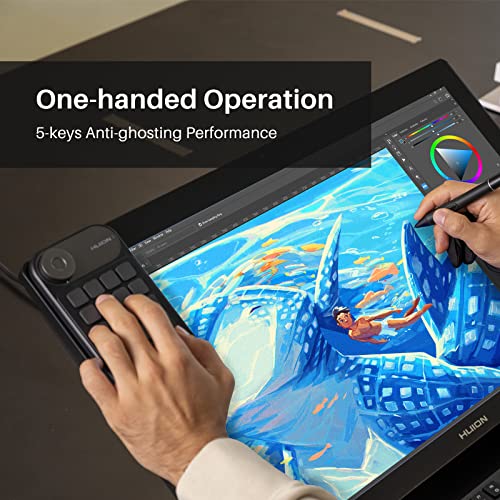
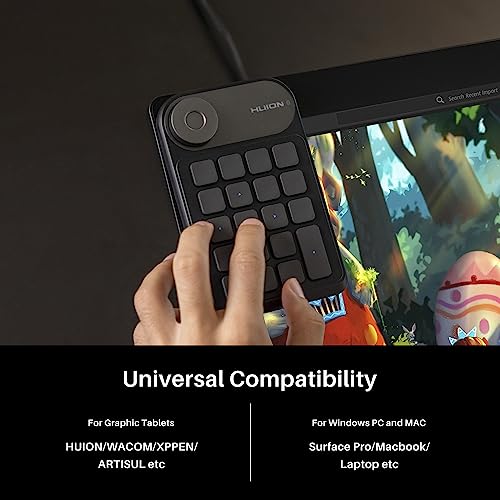

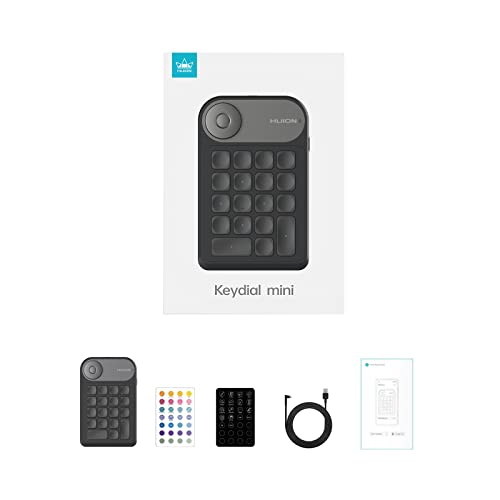
The dial serves triple duty: rotate it to change brush size in Photoshop, navigate timelines in Premiere Pro, or zoom in/out in Lightroom. It supports 3 switchable functions, toggled with a button press. The 18 keys can each be programmed through the Huion driver to trigger any keyboard shortcut, and the anti-ghosting technology handles up to 5 simultaneous key presses.
A standout feature is the Setting Preview function: press a designated button to pop up an on-screen overlay showing the current function of every key and the dial. This partially compensates for the lack of physical key labels. Battery life is rated at 70 hours, and the thin, symmetrical design works for both left and right-handed users.
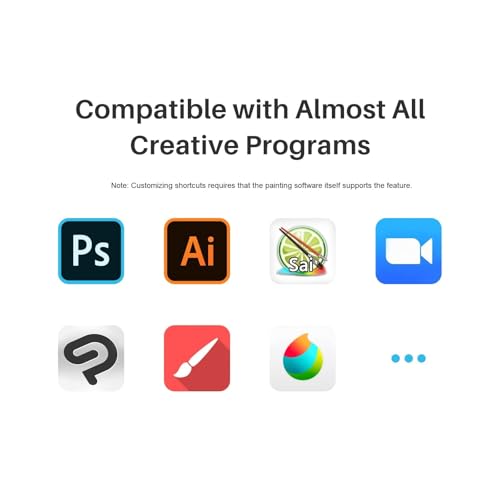
The Huion Keydial Mini works with Mac and Windows and is compatible with Photoshop, Lightroom, Illustrator, Final Cut Pro, Premiere Pro, DaVinci Resolve, Capture One, Clip Studio Paint, and more. For a similar budget option from another brand, the XPPen Mini Keydial ACK05 ($40, 4.3 stars, 529 reviews) is a comparable alternative with 10 keys, a dial, and triple connectivity (Bluetooth, dongle, USB).
Pricing & Where to Buy
The Huion Keydial Mini is priced at $40 as of March 2026. Huion driver software is free.
- Buy on Amazon — Prime shipping available
- Check price at B&H Photo
- Huion official store — check for student discounts
JCPAL Dash Photoshop Keyboard
Photoshop users who want a full dedicated keyboard with color-coded shortcut labels
- Pre-programmed Adobe Photoshop shortcuts with color-coded, large-label keys
- Full keyboard layout – replaces your regular keyboard rather than adding a second device
- Tri-mode connectivity: Bluetooth (3 devices), 2.4GHz wireless, and USB-C wired
- Fully customizable keys with 20 interchangeable shortcut keycaps
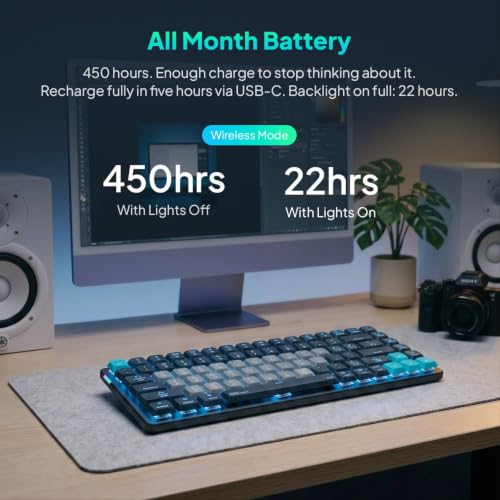
- 3,500mAh rechargeable battery for extended wireless sessions
- Only 3 reviews on Amazon as of March 2026 – very new product with limited real-world feedback
- No dials, knobs, or analog controls for slider adjustments
- Primarily designed for Photoshop – other software requires manual reprogramming
The JCPAL Dash is a keyboard replacement rather than a companion device. It is worth considering if you work primarily in Photoshop and want every shortcut visible on color-coded keys. However, with only 3 reviews at launch, long-term reliability and build quality remain unproven. Watch this one as more reviews come in.
Ranked #10 with a score of 70/100, the JCPAL Dash Photoshop Keyboard takes a fundamentally different approach from every other product in this roundup. Instead of adding a controller beside your existing keyboard, it replaces the keyboard entirely with one that has Photoshop shortcuts printed directly on color-coded keys.
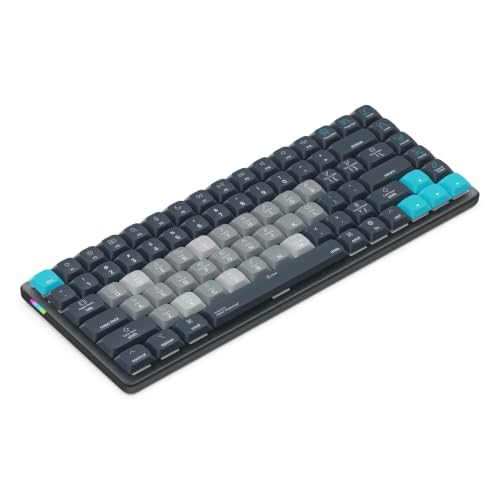
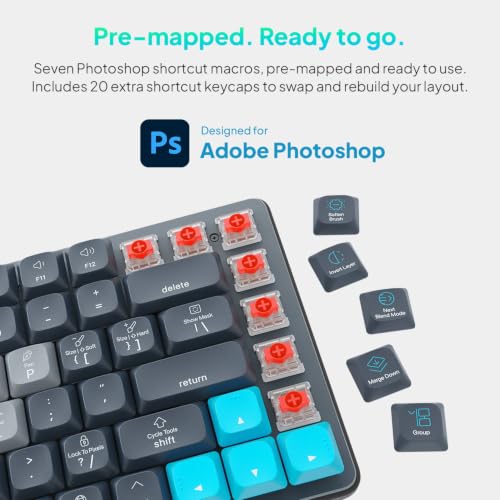
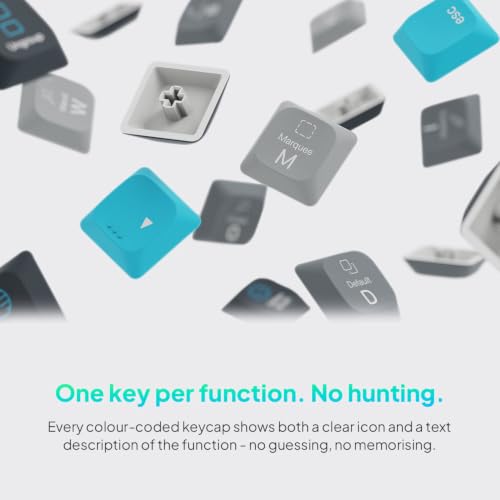
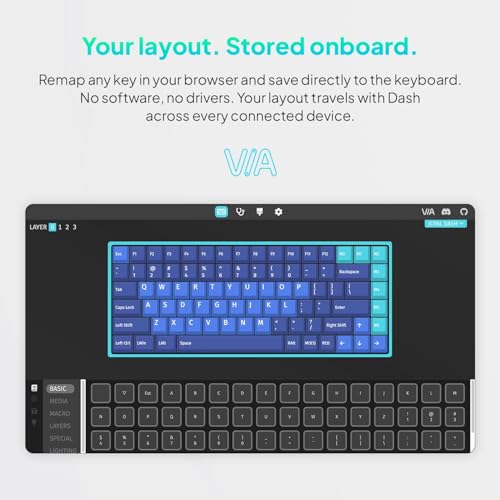
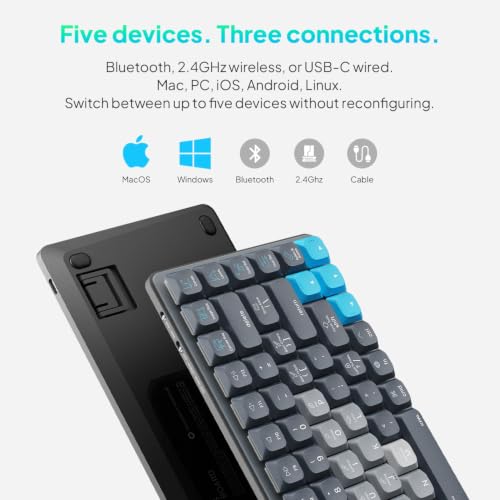

The large-label, color-coded key groups make Photoshop shortcuts immediately visible. Selection tools, layer controls, brush options, and filter commands each get their own color zone. JCPAL includes 20 interchangeable keycaps for your most-used commands, and any key can be reassigned to custom shortcuts – profiles save directly to the keyboard, requiring no special software.
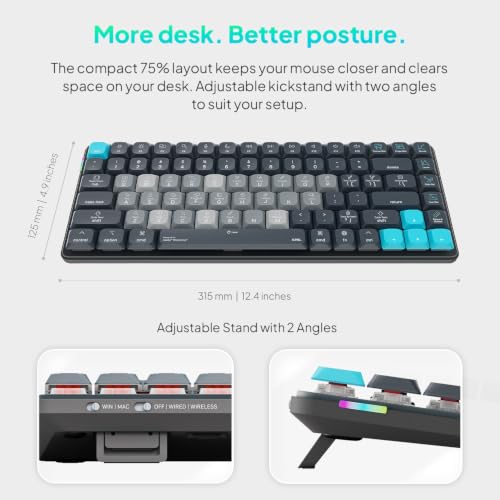
Connectivity is flexible: Bluetooth supports pairing to 3 devices simultaneously, a 2.4GHz dongle provides lag-free wireless, and USB-C wired mode ensures compatibility everywhere. The 3,500mAh battery handles extended wireless sessions. The compact, low-profile design keeps the mouse closer for better posture.
The caveat: this keyboard launched recently and has only 3 reviews on Amazon as of March 2026. Build quality, key feel, and long-term reliability are largely untested by the broader market. It also works with Mac, Windows, iOS, iPadOS, Android, and Linux, making it one of the most platform-flexible options here.
Pricing & Where to Buy
The JCPAL Dash Photoshop Keyboard is priced at $150 as of March 2026
- Buy on Amazon — Prime shipping available
- JCPAL official store
When you buy through links on our site, we may earn a commission at no cost to you. We evaluate products independently. Commissions do not affect our evaluations.
Choose the Best Photo Editing Controller
The right editing controller depends on how you work. Photographers who live in Lightroom and Photoshop and want tactile, dial-based control should start with the TourBox Elite Plus – especially if iPad editing is part of the workflow. For Adobe-centric users who prefer visual LCD feedback, the Logitech MX Creative Console offers the easiest learning curve and a bundled Adobe Creative Cloud subscription.
On a tighter budget, the Xencelabs Quick Keys ($80) delivers excellent value with 40 OLED-labeled shortcuts, while the Huion Keydial Mini ($40) is the cheapest way to add a wireless Bluetooth keypad with a dial to any editing setup. For the most customizable shortcut experience with LCD visual feedback, the Elgato Stream Deck MK.2 has the largest plugin ecosystem and highest user satisfaction of any device tested.
Final Recommendations
TourBox Elite Plus
Logitech MX Creative Console
Elgato Stream Deck MK.2
TourBox NEO
Xencelabs Quick Keys
Huion Keydial Mini
Related Articles
Disclosure/Disclaimer: As an Amazon Associate, we earn from qualifying purchases. Certain content was provided "as is" from Amazon and is subject to change or removal at any time. Product prices and availability: Amazon prices are updated daily or are accurate as of the date/time indicated and are subject to change. Any price and availability information displayed on Amazon.com at the time of purchase will apply to the purchase of this product.

