


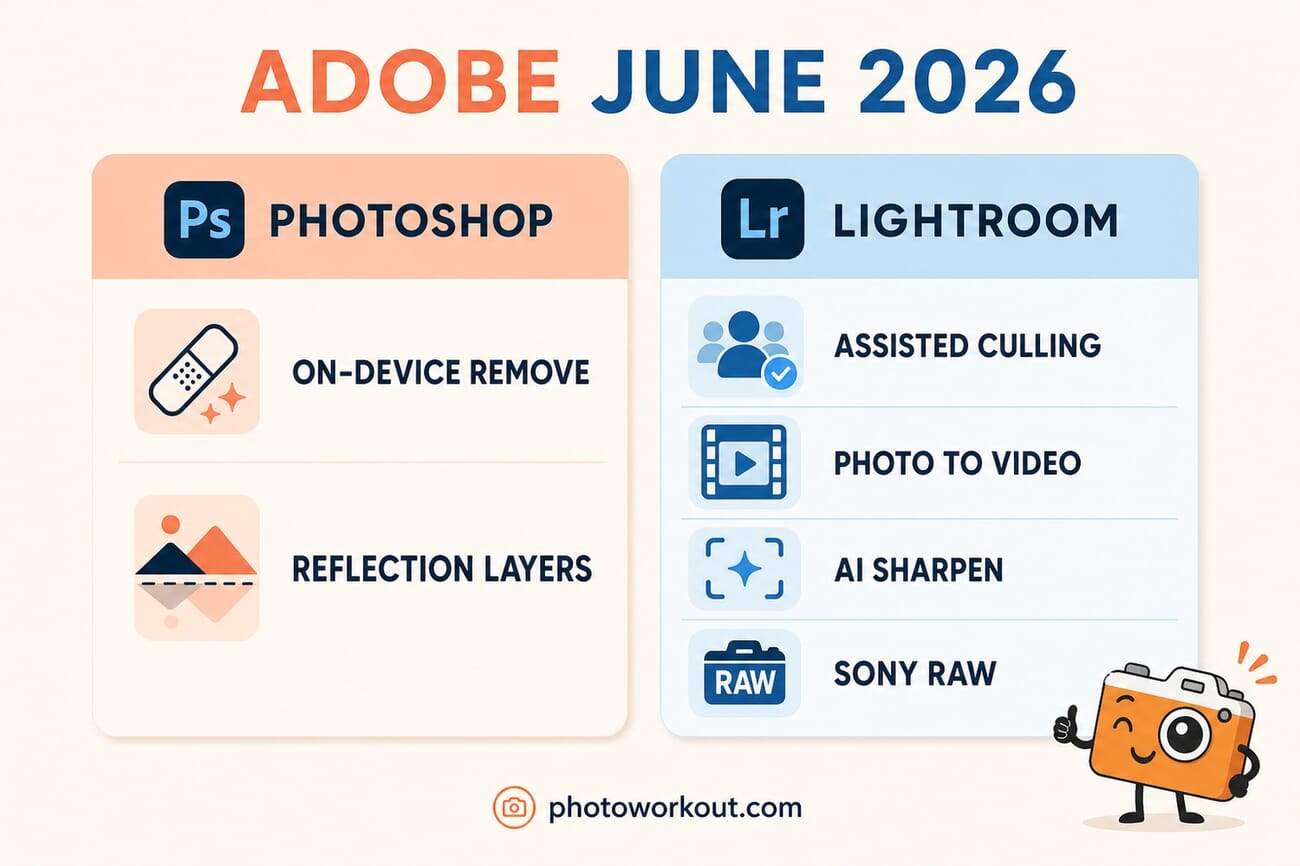
- Photoshop’s Remove Tool now runs on a local, on-device AI model — it works fully offline, with no cloud round-trip, which means faster results and photos that never leave your machine.
- Reflection Removal got smarter too: reflections now land on a separate layer with adjustable opacity instead of being deleted outright.
- Lightroom’s “small but useful” drop includes Assisted Culling going general-availability with a new Face View, Photo to Video, an AI Sharpen powered by Topaz’s Noise-Aware model, and Sony a7R VI RAW support.
- The move mirrors the broader 2026 industry shift to local AI — the same direction Apple took with its WWDC on-device photo tools.
- Everything rolled out the week of June 15, 2026 across the Creative Cloud Photography apps.
For years, Adobe’s smartest editing tricks came with an asterisk: they needed the cloud. Generative removals, AI fills and the rest fired a request off to Adobe’s servers, waited, and sent a result back. Adobe’s June 2026 Creative Cloud update quietly changes that for one of the most-used tools in Photoshop — and it’s a bigger deal than the modest release notes suggest.
The headline: Photoshop’s Remove Tool now runs on an on-device generative AI model, so it works with no internet connection at all. Paired with a batch of genuinely useful Lightroom upgrades, the update signals where photo editing is heading in 2026 — toward AI that runs locally, faster, and more privately.
PhotoWorkout is reader-supported. If you buy through links in this post we may earn a small commission at no extra cost to you.
On-device AI lands in Photoshop’s Remove Tool
The Remove Tool — the brush photographers use to paint out tourists, power lines, sensor dust and other distractions — previously required an active internet connection because the generative fill happened in the cloud. In the June update it can run on a local, on-device model instead. Three things change as a result, and all of them matter day to day.
Speed: there’s no upload-process-download cycle, so removals resolve faster, especially on weaker connections. Privacy: the image data stays on the machine rather than being sent to a server — a real consideration for photographers under NDA, shooting sensitive work, or simply uneasy about cloud processing. Offline editing: the tool now works on a plane, in the field, or anywhere without Wi-Fi, which is exactly where a laptop editing session often happens.
Photoshop’s reflection removal also improved in the same drop. Instead of simply erasing a reflection, it now isolates the reflection on its own layer with adjustable opacity — so a window or glass reflection can be dialed back to taste rather than removed wholesale, which is far more useful for real-world architectural and product work.
Lightroom’s “small but useful” upgrades
Lightroom’s side of the update is less flashy but arguably more practical for working photographers:
- Assisted Culling moves from early access to generally available. It now evaluates each face independently for open eyes and eye sharpness, auto-stacks similar frames and suggests the strongest shot, with a new Face View that surfaces every detected person so the photographer can verify the AI’s call rather than trust it blindly.
- Photo to Video turns a still into short, AI-generated motion — “polished b-roll or reels” — using Adobe Firefly and Google Veo, driven by a text prompt.
- AI Sharpen now integrates Topaz Labs’ Noise-Aware Sharpen model directly inside Lightroom, recovering fine detail more effectively than the previous sharpening.
- Sony a7R VI RAW support arrives, including the Compressed and Compressed HQ formats — important for anyone who just upgraded bodies.
Adobe framed the release simply: “Together these bring you more creative control with less friction.” The Assisted Culling and reflection-layer changes back that up — they hand the photographer the final say instead of making an irreversible AI decision. If you’re weighing whether to stay in the ecosystem, our breakdown of Lightroom versus the newer RAW editors is a useful companion.
How it fits the 2026 shift to local AI
Adobe isn’t moving in isolation. On-device AI was the throughline of this year’s announcements: Apple leaned hard into local processing with its WWDC 2026 on-device photo tools, and Google made it easy to run AI models locally on a Mac. The industry has collectively decided that the future of creative AI runs on your hardware, not just in someone’s data center.
For photographers, that convergence is good news on three fronts at once — speed, privacy and offline capability — and it reduces dependence on a subscription staying connected to function. It also raises the bar for what a capable editing laptop or desktop needs under the hood, since the AI now leans on local silicon. For anyone editing through Adobe, the Creative Cloud Photography plan (Photoshop + Lightroom, around $240/year on Amazon) remains the route to these features; if you care which AI tools will still be around in a year, our guide to picking AI tools that last is worth a read first.

Frequently Asked Questions
Does Photoshop’s Remove Tool really work offline now?
Yes. As of the June 2026 update, the Remove Tool can run on an on-device generative AI model, so it functions without an internet connection. Previously it required an active connection because the processing happened in the cloud.
What are the main new Lightroom features?
Assisted Culling is now generally available with a new Face View, Photo to Video generates AI motion from a still using Firefly and Google Veo, AI Sharpen integrates Topaz Labs’ Noise-Aware model, and Lightroom added Sony a7R VI RAW support.
Why does on-device AI matter for photographers?
Three reasons: it’s faster (no upload/download cycle), more private (images stay on your machine), and it works offline — useful for editing while traveling or shooting under confidentiality agreements.
When did the update roll out?
Adobe began rolling the updates out across the Creative Cloud Photography apps the week of June 15, 2026, alongside updates to Premiere, After Effects and Illustrator.
The bottom line
On paper this is a routine point release. In practice, moving even one flagship tool to on-device AI is a meaningful step — it makes Photoshop faster, more private and genuinely usable offline, while Lightroom’s culling, sharpening and Photo to Video additions chip away at real workflow friction. The cloud isn’t going anywhere, but in 2026 the most interesting AI is increasingly the kind that runs right on your own machine.
Reporting and reference for this story:
Image Sources
- Featured image, “Adobe June 2026” infographic + vertical pin — stylized PhotoWorkout illustrations – Created in-house (gpt-image-2)
This post contains affiliate links. If you buy through them, PhotoWorkout may earn a commission at no extra cost to you.



