


- At WWDC 2026, Apple announced three AI editing tools for the Photos app: Spatial Reframing, Extend, and a big upgrade to Cleanup — all part of Apple Intelligence in iOS 27, iPadOS 27 and macOS 27.
- Spatial Reframing is the headline: you can touch and drag to reposition the virtual camera angle after the shot, and Apple Intelligence generates new pixels only to fill the gaps the shift exposes.
- Crucially, the tools work on old photos and images from non-Apple cameras — so your imported DSLR and mirrorless files get the same treatment, not just new iPhone captures.
- All three edits run through Apple’s Private Cloud Compute, not on-device — cloud processing Apple says keeps your data protected.
- It’s catch-up to Google’s Magic Editor and Samsung’s Galaxy AI, but Apple’s privacy framing and “respect the original moment” positioning are the real differentiators. Expect a public beta around July and a full release in the fall.
Apple spent years letting Google and Samsung own generative photo editing. That ended Monday. At WWDC 2026, Apple announced that the Photos app is getting three AI editing tools built on Apple Intelligence — and one of them does something genuinely new for the iPhone: it lets you move the camera after the photo is already taken. TechCrunch and MacRumors both confirmed the trio, which lands in iOS 27, iPadOS 27 and macOS 27. Here’s what each tool does, the detail most coverage buried, and what it means if you actually care about your photos.
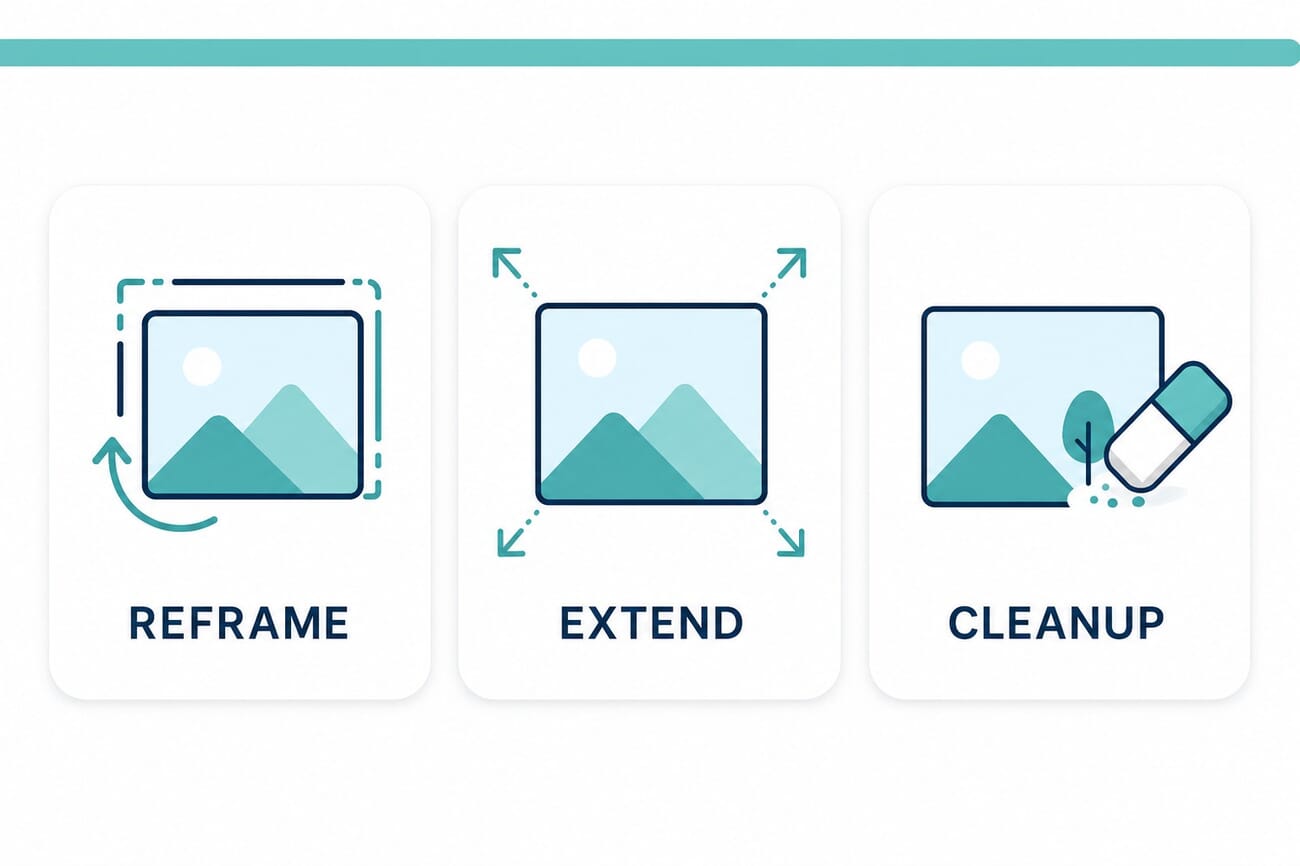
The Three New Tools
Apple framed these as tools that help photographers “enhance their images in ways that respect the original moment.” That phrasing matters — more on it below — but first, what each one actually does.
Spatial Reframing — move the camera after the fact
This is the marquee feature. Spatial Reframing lets you reposition the virtual camera angle of a photo you’ve already shot. Apple’s examples are the kind of near-misses every photographer knows: a sign poking out above someone’s head, a composition that would have been symmetrical if you’d stepped a foot to the right, eye contact missed by a fraction of a second. You touch and drag to adjust the perspective — as if you’d physically repositioned the camera in the original scene — and preview the effect in real time. As you push the angle, a blur appears around the edges of the original frame; Apple Intelligence then generates new content only to fill those newly exposed gaps, so the rest of the photo stays exactly as captured.
Extend — uncrop without losing anything
Extend is the inverse of a crop. It expands an image to add background space — giving a subject more breathing room, or straightening a crooked horizon without cropping out anything important. You pinch to zoom out or adjust the crop to add more to the scene, and generative fill paints in the new edges. If you’ve ever had to choose between a level horizon and keeping the whole subject in frame, this is the tool that ends that compromise.
Cleanup — a “big upgrade” to object removal
The existing Cleanup tool — tap, brush, or circle a distraction to erase it — is getting what Apple calls a “big upgrade,” with better quality and more realistic infill “even when the scene is complex.” That complex-scene caveat is the whole game with object removal; the old version fell apart against busy backgrounds and fine textures. If the new generative model holds up there, it finally competes with the dedicated AI removal tools people currently leave the Photos app to use.
The Detail Everyone Buried: It Works on Non-Apple Photos
Here’s the line that should make this interesting to serious photographers, and that most of the WWDC coverage skipped past: the new tools work on older photos and images taken with non-Apple cameras. That means the DSLR and mirrorless files you import — your Canon, Sony, Fujifilm and Nikon shots sitting in your library — get the same Reframe, Extend and Cleanup treatment as photos shot on an iPhone. For anyone who shoots with a real camera and uses Photos as a catch-all library, that turns a phone feature into a genuinely useful editing layer for an entire archive.
On-Device? No — This Runs in Apple’s Cloud
Apple has trained everyone to assume Apple Intelligence means “on-device,” so this is worth being clear about: all three features are processed using Apple’s Private Cloud Compute infrastructure. The heavy generative lifting happens in Apple’s cloud, not on your phone’s chip. Apple’s pitch is that Private Cloud Compute keeps your data protected — images are processed without being stored or made accessible, even to Apple. The practical trade-offs are the usual ones for cloud editing: you’ll need a connection, and there’s some round-trip latency versus an instant on-device edit. It’s the same architecture question we raised when cloud photo services added AI search — convenience and horsepower in exchange for sending your photo to a server.
Apple Is Late — So Why Does This Matter?
Let’s be honest about the competitive picture. Google’s Magic Editor has offered reframing, generative expand and mature object removal in Google Photos for years, and Samsung’s Galaxy AI does the same class of edits. Functionally, Apple is shipping features its rivals popularized. The difference is positioning. Apple is wrapping generative editing in its Private Cloud Compute privacy model and tight Photos integration, and it’s deliberately scoping the tools — Reframe only fills the gap the angle-shift creates rather than re-imagining the whole frame. After Google reshuffled its AI editing apps and pricing this year, “the generative editor that’s just built into the app you already use, processed privately” is a real pitch for the hundreds of millions of people who will never download a separate editor.
What It Means for Photographers
There’s an authenticity line here that’s worth naming. Reframe and Extend are generative — the new pixels they create were never in your scene. For casual snaps and family photos, that’s a gift: rescue a great moment from a bad crop and move on. But for documentary, journalism, contest or client work, “I moved the camera in software and the AI invented the rest” is a different proposition, and the same authorship questions that AI imagery keeps raising apply. Apple’s “respect the original moment” framing — only filling gaps, not fabricating the scene — reads as a deliberate attempt to stay on the editing side of that line rather than the generation side. Whether that holds depends entirely on how aggressively people push the sliders. Use it knowing what it is: a fast fix for the photo you almost got, not a record of the photo you actually took.
When Can You Use It?
The tools ship with Apple’s 2026 operating systems — iOS 27, iPadOS 27 and macOS 27. Developer betas began right after the keynote on June 8, a public beta is expected around July, and the general release should land in the fall, on Apple’s usual September-onward schedule. Apple hasn’t published the exact device and chip requirements for these specific tools yet; as Apple Intelligence features, expect them to require recent Apple-Intelligence-capable hardware rather than every device that can install iOS 27.

Frequently Asked Questions
What are the new Apple Photos AI editing features?
Three tools announced at WWDC 2026: Spatial Reframing (reposition the camera angle after the shot), Extend (expand or uncrop an image and adjust its aspect ratio), and an upgraded Cleanup tool for more realistic object removal. All are part of Apple Intelligence.
Are the edits done on-device or in the cloud?
In the cloud. All three features are processed through Apple’s Private Cloud Compute infrastructure, which Apple says keeps your data protected. They are not on-device edits.
Do the tools work on photos from other cameras?
Yes. Apple confirmed the tools work on older photos and on images taken with non-Apple cameras — so imported DSLR and mirrorless files get the same Reframe, Extend and Cleanup options as iPhone photos.
When will the features be available?
They ship with iOS 27, iPadOS 27 and macOS 27. Developer betas started June 8, 2026, with a public beta expected around July and the final release in the fall.
How is this different from Google or Samsung’s AI editing?
Functionally it’s similar to Google’s Magic Editor and Samsung’s Galaxy AI, which have offered reframing, expansion and object removal for years. Apple’s differentiators are Private Cloud Compute privacy, tight Photos integration, and a deliberately scoped Reframe that only fills the gaps created by the angle shift.
The Bottom Line
Apple didn’t reinvent generative photo editing — it caught up. But Spatial Reframing is a clever, well-scoped take on the idea, the tools reaching into your non-Apple camera files is a bigger deal than the keynote let on, and routing everything through Private Cloud Compute is the kind of privacy framing that will actually move people who’d never touch a third-party editor. Just keep the authenticity question in mind: these tools fix the photo you almost got, by inventing the parts you didn’t. For most photos, that’s exactly what you want. Know when it isn’t.
Primary Coverage
- TechCrunch — Apple’s Photos app is getting new AI editing features – Spatial Reframing, Extend and Cleanup, announced at WWDC 2026
- MacRumors — Apple to bring AI reframing and editing tools to Photos – Private Cloud Compute processing; works on non-Apple and older photos
Image Sources
- PhotoWorkout illustrations – The featured image, comparison infographic and pin are original PhotoWorkout illustrations (no Apple UI assets reused)


