

- Samsung T9 takes the top spot for speed-focused photographers with 2,000 MB/s transfers over USB 3.2 Gen 2×2.
- Samsung T7 Shield is the best rugged pick with genuine IP65 dust/water resistance and 3-meter drop protection.
- SanDisk Extreme PRO 2TB delivers pro-grade 2,000 MB/s speeds with IP65 protection in a forged aluminum chassis.
- Crucial X10 offers the best value at under $90 for a 2,100 MB/s IP65-rated portable SSD.
- WD Elements Desktop 8TB is the go-to for studio archives at just $26/TB.
- SSDs handle active editing and field offloads; HDDs remain the smart choice for long-term photo archives and backups.
Choosing the Right External Drive for Photography
External storage is one of the most important investments a photographer can make — especially now that Google Photos has ended its last unlimited storage option. With cloud-only backup getting pricier, choosing the right external drive matters more than ever. Between portable SSDs promising 2,000+ MB/s transfers, rugged drives rated for rain and drops, budget HDDs offering 8TB for under $200, and everything in between, it’s easy to overspend on features that don’t match your actual workflow.
This guide cuts through the noise. After researching dozens of drives, comparing real-world specs, analyzing thousands of user reviews, and evaluating pricing across retailers, these are the 10 external drives that genuinely make sense for photographers — from fast portable SSDs for on-location editing to high-capacity desktop HDDs for studio archives.
The key decision comes down to how you work: SSDs for speed and portability (editing RAW files on the go, fast card offloads), HDDs for raw capacity and long-term storage (client archives, backup rotations). Most photographers benefit from having both.
When you buy through links on our site, we may earn a commission at no cost to you. We evaluate products independently. Commissions do not affect our evaluations. As an Amazon Associate, we earn from qualifying purchases.
Top External Drives for Photographers






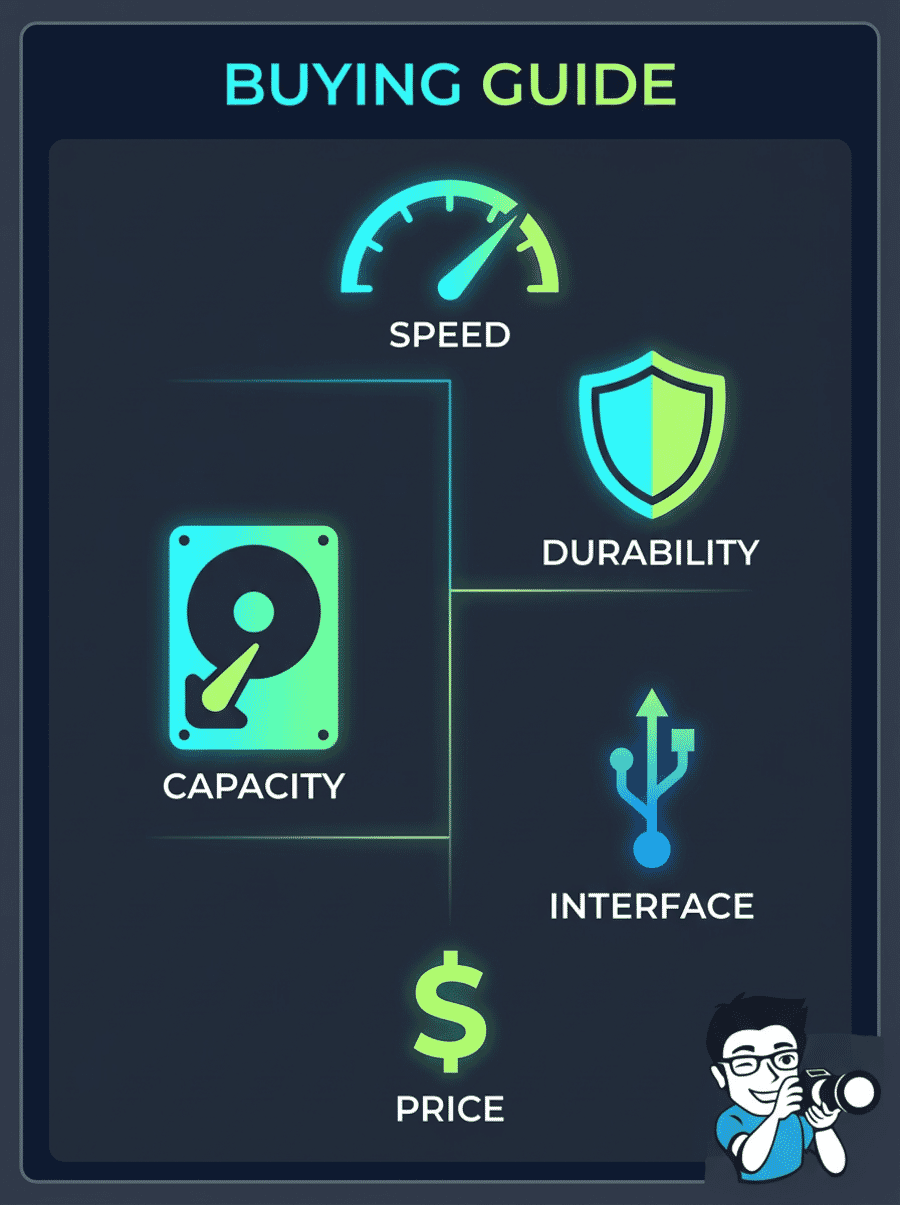
How to Choose an External Drive for Photography
Before diving into specific products, it helps to understand what actually matters when choosing external storage for a photography workflow. Not every photographer needs the fastest drive, and not every archive needs an SSD.
External Drives for Photographers Compared
| Specifications | ||||||||||
|---|---|---|---|---|---|---|---|---|---|---|
| Type | Portable SSD | Portable SSD | Portable SSD | Portable SSD | Portable SSD | Portable SSD | Portable HDD | Desktop HDD | Portable HDD | Portable HDD |
| Read Speed | 2,000 MB/s | 1,050 MB/s | 2,000 MB/s | 1,050 MB/s | 2,100 MB/s | 1,050 MB/s | ~130 MB/s | ~130 MB/s | ~130 MB/s | ~130 MB/s |
| Interface | USB 3.2 Gen 2×2 | USB 3.2 Gen 2 | USB 3.2 Gen 2×2 | USB 3.2 Gen 2 | USB 3.2 Gen 2 | USB 3.2 Gen 2 | USB 3.0 | USB 3.0 | USB 3.0 | USB 3.0 |
| Durability | Drop-resistant | IP65 + 3m drop | IP65 + 3m drop | IP65 + 3m drop | IP65 + 3m drop | IP55 + 2m drop | Drop/dust/rain | None | None | None |
| Encryption | AES 256-bit | AES 256-bit | AES 256-bit | AES 256-bit | No | No | Password | No | No | No |



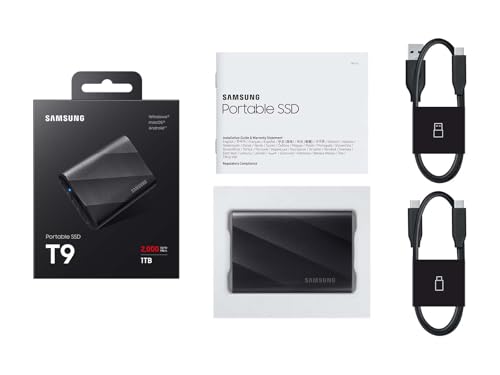
Samsung T9 Portable SSD 1TB
Photographers and videographers who need the fastest portable transfers for large RAW batches, 4K video offloads, and direct-from-drive editing.
- Fastest portable SSD in our lineup — up to 2,000/1,950 MB/s read/write over USB 3.2 Gen 2×2
- Rugged rubber-armored body with shock resistance, Dynamic Thermal Guard for sustained speed
- Excellent 4.7-star rating across 2,600+ reviews with strong real-world performance validation
- Requires USB 3.2 Gen 2×2 host port to reach full speed — older laptops will bottleneck at ~1,000 MB/s
- No official IP65 water/dust rating unlike the T7 Shield — less suitable for rain/sand exposure
The Samsung T9 is the drive to get when transfer speed is your top priority. With Gen 2×2 bandwidth, offloading a 64GB CFexpress card takes under 35 seconds versus over a minute on Gen 2 drives. The tradeoff: you need a compatible host port, and it lacks the T7 Shield’s IP65 weatherproofing. For studio-to-field workflows where speed matters more than weather resistance, it’s the clear winner.
The Samsung T9 1TB earns the top spot by delivering genuinely faster transfers than any other portable SSD in this roundup. While most competitors max out at 1,050 MB/s over USB 3.2 Gen 2, the T9 doubles that throughput with its Gen 2×2 interface — a meaningful difference when offloading large shoots or editing high-resolution files directly from the drive.



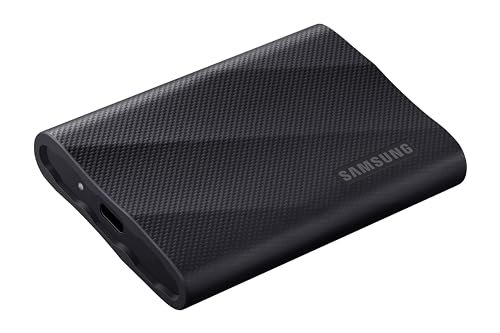
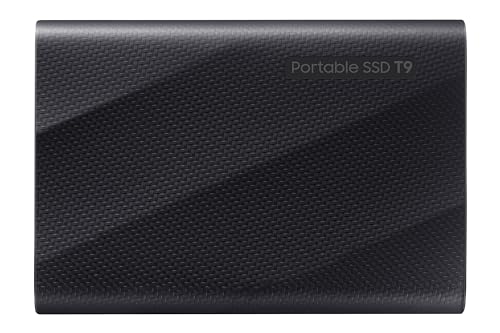
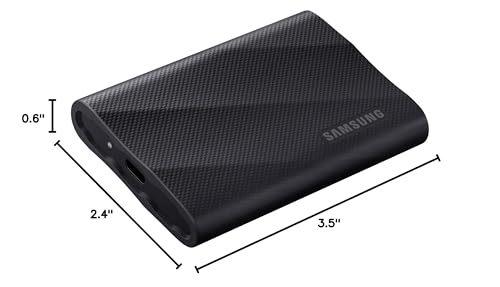
In practical terms, that speed advantage shows up when it matters most. Offloading a full 128GB card from a Canon R5 or Sony A7R V takes roughly half the time compared to Gen 2 drives. Editing 60MP RAW files in Lightroom or Capture One directly from the T9 feels responsive rather than sluggish. The Dynamic Thermal Guard system helps maintain those speeds during extended transfers, so a full 1TB copy session won’t throttle partway through.
The build quality is solid — a rubber-armored exterior absorbs impacts, and Samsung’s track record with the T-series inspires confidence. The T9 works seamlessly across Windows, Mac, Android, and even directly with some cameras for field recording. Samsung Magician software adds drive health monitoring and firmware updates. At 4.7 stars across 2,600+ reviews, reliability is well-documented.
The main caveat: the T9 only reaches full speed with a USB 3.2 Gen 2×2 port, which not every laptop has. On older machines with Gen 2 ports, it’ll still work but cap at ~1,050 MB/s — essentially the same speed as drives costing less. Check your laptop’s specs before buying specifically for the speed advantage.
Pricing & Where to Buy
The Samsung T9 1TB is priced at $225 (as of March 2026), with 2TB at $377 and 4TB at $709. All capacities include USB-C to C and USB-C to A cables.
- Buy on Amazon — Prime shipping available
- Check price at B&H Photo
- Check price at Adorama
- Samsung official store
Samsung T7 Shield 1TB Portable SSD
Outdoor, travel, and wedding photographers who need genuinely weatherproof portable storage that handles dust, rain, and drops without compromising speed.
- IP65 water and dust resistance with 3-meter drop protection — genuinely field-ready for any conditions
- NVMe-class speed (up to 1,050/1,000 MB/s read/write) for fast card offloads and direct RAW editing
- Massively proven reliability — 4.7 stars across 16,000+ reviews, one of the most trusted portable SSDs
- USB 3.2 Gen 2 maxes out at 1,050 MB/s — half the speed of Gen 2×2 drives like the Samsung T9
- At $225 for 1TB, the price-per-TB is higher than non-rugged alternatives like the Crucial X9
If you shoot outdoors regularly — landscapes, wildlife, weddings, travel — the T7 Shield is the portable SSD that matches your working conditions. IP65 means it handles rain, sand, and dust for real, not just in marketing copy. The 1,050 MB/s speed is fast enough for editing 45MP RAW files directly from the drive. The tradeoff: slower than Gen 2×2 drives and pricier per TB than budget SSDs, but the weatherproofing and reliability record make it the smart choice for field shooters.
The Samsung T7 Shield is the external SSD most photographers should default to when they shoot on location. Its IP65 rating means genuine protection against water jets and fine dust — the kind of conditions landscape, wildlife, and wedding photographers actually encounter. The 3-meter drop protection adds confidence when the drive bounces around inside a gear bag or slips off a table.

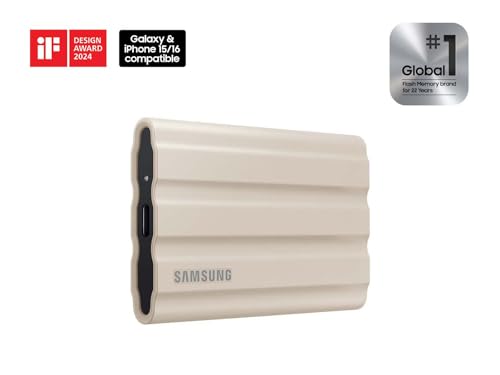



Transfer speeds reach up to 1,050 MB/s reads and 1,000 MB/s writes over USB 3.2 Gen 2 — fast enough to offload a full 64GB SD card in about a minute and edit high-resolution RAW files without noticeable lag. The rubberized exterior provides a solid grip, and Dynamic Thermal Guard keeps the drive from throttling during extended transfers, even in warm environments.
With 4.7 stars across more than 16,000 reviews, the T7 Shield has one of the strongest track records of any portable SSD on the market. Photographers consistently report reliable performance across years of use, which matters when your client files are on the line. The drive comes formatted in exFAT for cross-platform compatibility between Mac and Windows, with AES 256-bit hardware encryption available through Samsung Magician software.
Compared to the Samsung T9 above, the T7 Shield trades raw speed for weatherproofing. If you work mostly indoors or in controlled environments, the T9’s doubled bandwidth is more useful. If you regularly face rain, dust, or rough handling, the T7 Shield is the safer bet.
Pricing & Where to Buy
The Samsung T7 Shield 1TB is priced at $225 (as of March 2026). The 2TB version runs $400, and 4TB goes for around $450. All come with USB-C to C and USB-C to A cables.
- Buy on Amazon — Prime shipping available
- Check price at B&H Photo
- Check price at Adorama
- Samsung official store
SanDisk 2TB Extreme PRO Portable SSD
Professional photographers and videographers who need both top-tier speed and rugged protection for demanding workflows with large files.
- 2,000 MB/s read/write over USB 3.2 Gen 2×2 with forged aluminum heatsink for sustained performance
- IP65 water/dust resistance and 3-meter drop protection — pro-grade durability
- Huge review base (16,400+ reviews, 4.4 stars) with proven track record in professional workflows
- At $379 for 2TB, significantly more expensive than the SanDisk Extreme (non-PRO) at $299
- 4.4-star rating is slightly lower than Samsung competitors — some users report firmware-related issues
The Extreme PRO is SanDisk’s answer for professionals who need both Gen 2×2 speed and genuine field protection. The forged aluminum chassis doubles as a heatsink, maintaining sustained write performance during large transfers where plastic-bodied drives would throttle. The tradeoff: it costs $80 more than the non-PRO Extreme for the same capacity, and you need a Gen 2×2 port to see the speed benefit. Worth it for heavy 4K video work and large batch RAW processing.
The SanDisk Extreme PRO 2TB combines the speed of a Gen 2×2 drive with the durability that field work demands. Where the Samsung T9 delivers speed without an IP rating, and the T7 Shield offers IP65 at lower speeds, the Extreme PRO packs both into a forged aluminum chassis that acts as a built-in heatsink.
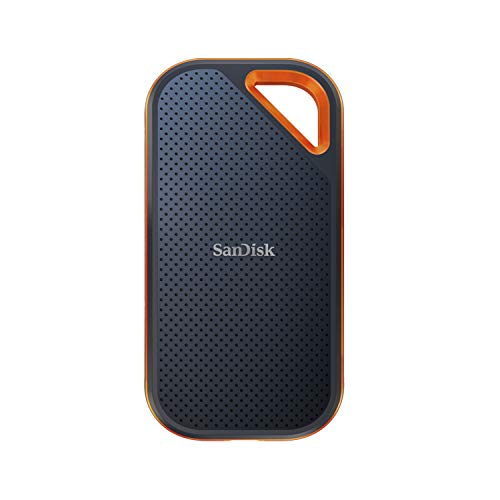


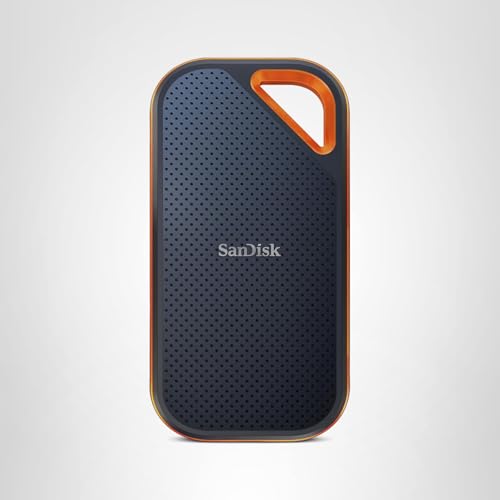
That aluminum body isn’t just for looks. During sustained transfers — copying 500GB of wedding footage, for example — plastic-bodied SSDs often throttle as heat builds up. The Extreme PRO’s metal chassis dissipates heat more effectively, keeping write speeds closer to the rated 2,000 MB/s for longer. IP65 water and dust resistance plus 3-meter drop protection mean it handles the same field conditions as the T7 Shield.
The 2TB capacity is the sweet spot for this drive. It holds roughly 25,000-40,000 RAW images from a 50MP camera or several hours of 4K video — enough for multi-day assignments without swapping drives. AES 256-bit hardware encryption protects client files, and both USB-C and USB-A cables are included for broad compatibility.
The Extreme PRO does cost notably more than its non-PRO sibling — $379 versus $299 for the same 2TB capacity. The premium buys doubled transfer speed (if your laptop supports Gen 2×2) and better thermal management. For photographers primarily working with stills rather than video, the regular Extreme at #4 may be the smarter buy.
Pricing & Where to Buy
The SanDisk Extreme PRO 2TB is priced at $379 (as of March 2026). The 1TB runs about $190, and the 4TB is around $491. Includes USB-C to C and USB-C to A cables with a carabiner loop.
- Buy on Amazon — Prime shipping available
- Check price at B&H Photo
- Check price at Adorama
- SanDisk/WD official store
SanDisk 2TB Extreme Portable SSD
Wedding, event, and travel photographers who need spacious, rugged SSD storage for multi-day shoots with proven long-term reliability.
- 2TB capacity in a rugged, IP65-rated portable form factor — handles multi-day shoots without drive swaps
- IP65 water/dust resistance, 3-meter drop protection, and AES-256 hardware encryption
- The most reviewed portable SSD on Amazon — 4.6 stars across 88,000+ reviews, massive reliability validation
- USB 3.2 Gen 2 caps speed at 1,050 MB/s — half the throughput of Gen 2×2 drives for demanding video workflows
- At $299 for 2TB, it’s pricier per TB than budget alternatives like the Crucial X9
The SanDisk Extreme is the portable SSD with the most real-world validation in photography. With 88,000+ reviews and a 4.6-star rating, its reliability isn’t speculation — it’s documented across years of use by working photographers. The 2TB capacity, IP65 protection, and AES encryption make it a complete package for multi-day assignments. The tradeoff: you’re limited to Gen 2 speeds, so heavy video editors may want the PRO version above.
No portable SSD has been more thoroughly battle-tested by photographers than the SanDisk Extreme 2TB. With over 88,000 reviews and a 4.6-star rating, it has the largest body of real-world feedback of any drive in this roundup. That kind of review volume reveals reliability patterns that smaller review counts simply can’t.



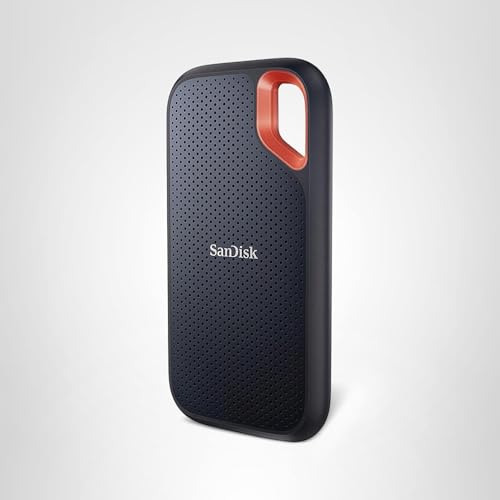
The 2TB capacity is genuinely useful for photographers who shoot multi-day events. A wedding photographer capturing 3,000-5,000 images per event in RAW can store several complete weddings on a single drive. IP65 protection handles the unpredictable conditions of event and location work — spilled drinks at receptions, dusty outdoor venues, unexpected rain during portrait sessions.
At 1,050 MB/s over USB 3.2 Gen 2, transfer speeds are solid for stills-focused workflows. Offloading a 64GB card takes about a minute, and editing RAW files directly from the drive in Lightroom or Capture One works without noticeable lag. AES 256-bit encryption adds client confidentiality protection, and the built-in carabiner loop clips to camera bags for easy access.
For photographers deciding between this and the PRO version, the math is simple: the Extreme saves $80 and delivers the same capacity, durability, and encryption. The PRO adds doubled speed for $80 more. If your work is primarily photos (not heavy video), save the money.
Pricing & Where to Buy
The SanDisk Extreme 2TB is priced at $299 (as of March 2026). The 1TB version runs $200, while 4TB goes for about $450. Includes USB-C to C and USB-C to A cables.
- Buy on Amazon — Prime shipping available
- Check price at B&H Photo
- Check price at Adorama
- SanDisk/WD official store
Crucial X10 1TB Portable SSD
Budget-conscious photographers who want top-tier portable SSD speed and rugged IP65 protection without paying Samsung or SanDisk premium pricing.
- Fastest rated read speed in the lineup at 2,100 MB/s — excellent for large RAW batch transfers
- IP65 water/dust resistance and 9.8-foot (3m) drop protection at a budget-friendly price point
- Outstanding value — under $90 for a 1TB IP65-rated SSD with NVMe-class speed
- Newer product with fewer reviews (1,700+) compared to established Samsung and SanDisk competitors
- Sustained write speeds and endurance (TBW) ratings not prominently disclosed — uncertain for heavy studio use
The Crucial X10 delivers the best combination of speed, protection, and price in this roundup. At under $90 for 1TB, it costs less than half the Samsung T7 Shield while offering faster read speeds and the same IP65 rating. The tradeoff: it’s a newer product without the massive review base of Samsung and SanDisk drives, so the long-term reliability story is still being written. For photographers who want performance and protection without the brand tax, it’s an excellent bet.
The Crucial X10 is the value play that disrupts the premium SSD market. Micron — the company behind Crucial — manufactures its own NAND flash, which lets it undercut Samsung and SanDisk while delivering comparable (or better) specs. The result is a 2,100 MB/s portable SSD with IP65 protection for under $90.
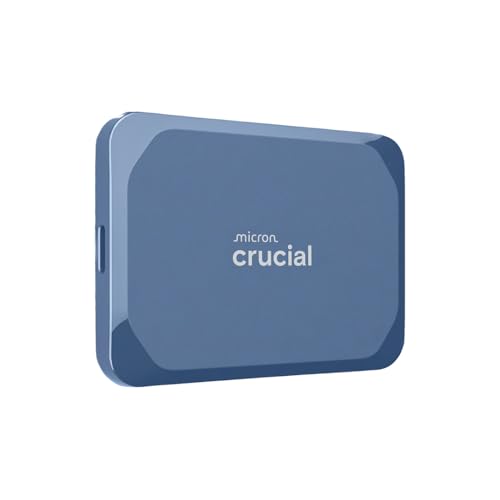


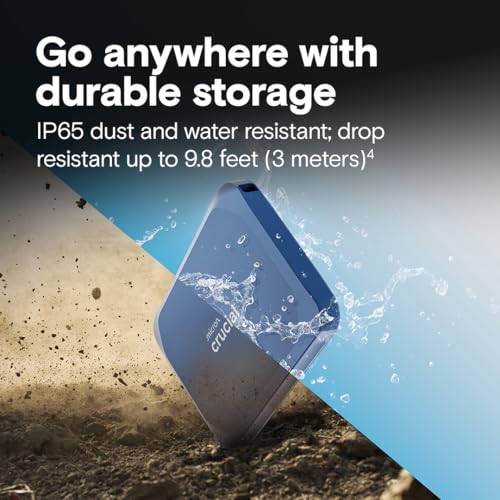

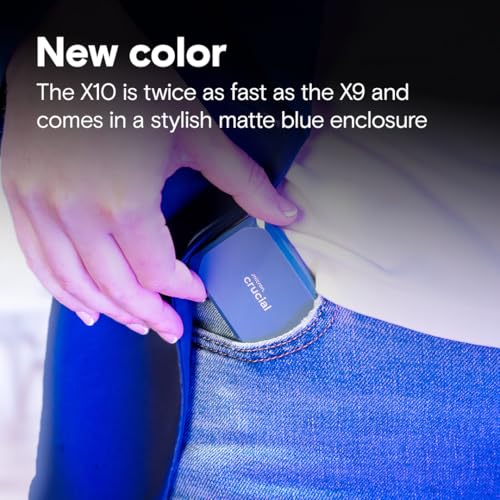

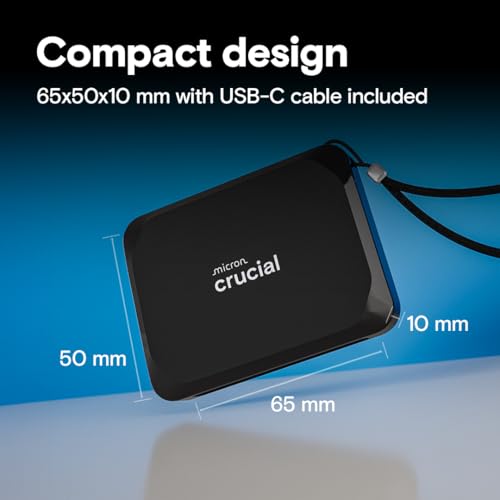
The rated 2,100 MB/s read speed is the highest in this roundup, though real-world performance depends on your host port. Over USB 3.2 Gen 2, you’ll see around 1,000 MB/s — still fast for RAW editing and card offloads. The IP65 dust and water resistance matched with 9.8-foot drop protection makes it genuinely field-ready, and the compact design slips easily into any camera bag.
Crucial’s product line extends up to 8TB for the X10, offering photographers a growth path without switching ecosystems. The drive works out of the box on Windows, Mac, and Android with no reformatting needed. The 4.6-star rating across 1,700+ reviews shows strong early adoption, though it hasn’t yet matched the years-long track record of Samsung and SanDisk drives.
The main consideration is maturity. The Crucial X10 hasn’t been on the market as long as the Samsung T7 Shield or SanDisk Extreme, so there’s less data on long-term reliability. For photographers who prioritize proven track records, that may push them toward Samsung or SanDisk. For those who prioritize value, the X10 is hard to beat.
Pricing & Where to Buy
The Crucial X10 1TB is priced around $85 (as of March 2026). Larger capacities scale up accordingly, with 2TB around $140 and 4TB around $250.
- Buy on Amazon — Prime shipping available
- Check price at B&H Photo
- Check price at Adorama
- Crucial official store
Crucial X9 2TB Portable SSD
Photographers looking for the best price-per-TB on a portable SSD with decent durability and NVMe-class speed for everyday editing and offloads.
- Excellent price-per-TB — 2TB for around $196, undercutting Samsung and SanDisk equivalents significantly
- IP55 dust/water resistance and 7.5-foot drop protection in a tiny, ultralight form factor
- Solid 4.5-star rating across 6,800+ reviews with strong sales momentum
- IP55 protection is a step below the IP65 rating on Samsung T7 Shield and SanDisk drives
- No hardware encryption or bundled data-recovery service
The Crucial X9 offers the lowest cost per TB of any portable SSD in this guide. At $196 for 2TB, it significantly undercuts both Samsung and SanDisk while delivering the same 1,050 MB/s speed class. The tradeoff: IP55 rather than IP65 protection (it handles splashes but not sustained water jets), and no hardware encryption. For photographers who want a spacious, fast working drive without overspending, and who keep their drives in reasonably controlled conditions, the X9 hits the sweet spot.
The Crucial X9 2TB makes a compelling case as the everyday workhorse SSD for photographers who don’t need maximum ruggedness. Micron’s manufacturing advantage shows up clearly in the pricing: 2TB for $196 is roughly $100 less than a comparable SanDisk Extreme or Samsung T7 Shield. The performance gap? Essentially zero for stills-focused workflows.


The X9 reads at up to 1,050 MB/s over USB 3.2 Gen 2 — the same speed class as the Samsung T7 Shield. It’s fast enough to edit RAW files directly from the drive and offload cards quickly between sessions. The IP55 rating provides protection against dust and water splashes, and 7.5-foot drop resistance handles everyday bumps. At just 36 grams, it’s one of the lightest drives in this category.
The included software bundles — Mylio Photos for organization and Acronis True Image for backups — add genuine value. Cross-platform exFAT formatting works out of the box on Windows, Mac, Android, and even iPad. The 4TB option extends the X9’s value proposition for photographers who want to keep their entire working library portable.
Where the X9 falls short of pricier competitors: IP55 versus IP65 means it’s less protected against sustained water exposure (fine for accidental splashes, risky in heavy rain), and there’s no hardware encryption for client file security. For studio photographers or those who primarily work in controlled environments, these tradeoffs won’t matter.
Pricing & Where to Buy
The Crucial X9 2TB is priced at $196 (as of March 2026). The 1TB runs about $100, and 4TB is around $280. Includes USB-C to C cable.
- Buy on Amazon — Prime shipping available
- Check price at B&H Photo
- Check price at Adorama
- Crucial official store
LaCie Rugged Mini 2TB External Hard Drive
Photographers who need an affordable, tough portable backup drive for field work — especially teams buying multiple drives for student or staff use.
- Iconic rugged design with drop, shock, dust, and rain resistance — proven across a decade of field use
- Strong price-per-TB for a rugged drive — 2TB at $100 is excellent for backup-oriented workflows
- 4.5 stars across 10,000+ reviews with massive real-world validation from creative professionals
- Mechanical HDD with USB 3.0 — too slow for direct editing of RAW files or 4K video (max ~130 MB/s)
- No formal IP rating — durability claims are general rather than independently certified
The LaCie Rugged Mini remains the go-to portable backup HDD for photographers who shoot on location. The iconic orange bumper has protected files through a decade of field abuse. The tradeoff: as a mechanical HDD, it’s strictly a backup and archive device, not a working drive. Use it to offload cards and create redundant copies while your SSD handles the editing. At $100 for 2TB, it’s cheap insurance.
The LaCie Rugged Mini is one of the most recognizable drives in photography for good reason. Its bright orange rubber bumper has been protecting files on location since 2014, and the design has endured because it works. Drop, shock, dust, and rain resistance are built into the DNA of this drive — it’s meant to ride in camera bags, survive shoots in the elements, and take the kind of daily abuse that would kill a standard portable HDD.
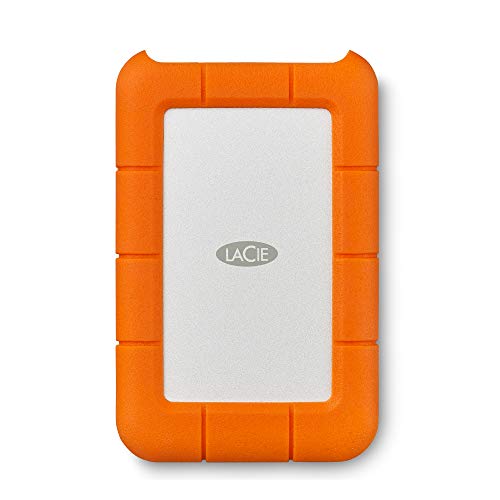
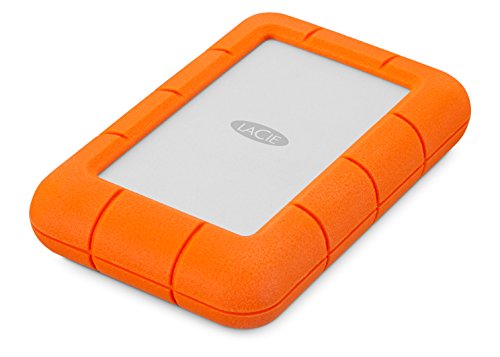


The key distinction: this is a backup drive, not an editing drive. As a mechanical HDD running over USB 3.0, real-world transfer speeds top out around 130 MB/s — fine for offloading cards and storing redundant copies, but too slow for editing RAW files or scrubbing video timelines. The workflow that makes sense: offload to your SSD for editing, then clone to the Rugged Mini as a safety copy before you leave the location.
At $100 for 2TB, the Rugged Mini is cost-effective enough to buy multiples for a 3-2-1 backup rotation. Schools, studios, and agencies often standardize on these for checkout pools because the rugged build handles careless handling, and the bus-powered USB connection keeps setup simple — one cable, no wall adapter. Password protection via LaCie Toolkit software provides basic file security.
Pricing & Where to Buy
The LaCie Rugged Mini 2TB is priced at $100 (as of March 2026). The 4TB runs around $140, and a faster SSD variant is available for higher-speed needs.
- Buy on Amazon — Prime shipping available
- Check price at B&H Photo
- Check price at Adorama
- LaCie official store
Western Digital 8TB Elements Desktop External Hard Drive
Photographers and studios who need affordable, high-capacity desktop storage for long-term archives, Lightroom catalogs, and 3-2-1 backup rotations.
- Exceptional price-per-TB — 8TB at $210 means just $26/TB for studio archive storage
- Reliable WD build quality — 4.5 stars across 27,000+ reviews, proven for long-term storage
- Plug-and-play USB 3.0 with Windows and Mac compatibility, simple setup for non-technical users
- Desktop form factor requires AC power — not portable, stays on your desk
- Mechanical HDD speed (~130 MB/s) is inadequate for direct editing of large files
When you need affordable bulk storage for your photo archive, the WD Elements Desktop 8TB delivers the best cost per terabyte in this guide. At $26/TB, it’s 4-8x cheaper than portable SSDs for the same capacity. The tradeoff: it’s a desk-bound drive that requires AC power, and it’s too slow for active editing. Use it as the anchor of a 3-2-1 backup system — your primary archive lives here, with copies on a second drive and a cloud backup.
Every photographer eventually needs a place to store their growing archive, and the WD Elements Desktop 8TB is the straightforward answer. At $210 for 8TB, it offers the lowest cost per terabyte in this roundup — roughly $26/TB compared to $85-225/TB for portable SSDs. For long-term storage of completed projects, client archives, and Lightroom catalog backups, that economics wins.
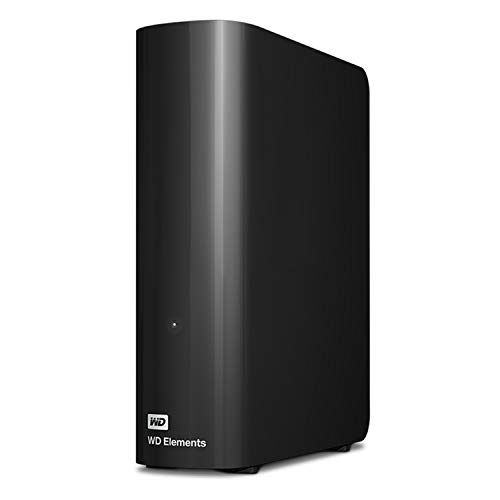


The setup is about as simple as external storage gets: plug in the included USB 3.0 cable and AC adapter, and the drive appears on your desktop. It comes formatted for Windows but reformats to HFS+ or APFS on Mac in minutes. No proprietary software required — just drag and drop. The vertical desktop design takes minimal desk space, and the quiet operation won’t disrupt a studio environment.
With 8TB of capacity, this drive stores roughly 100,000-160,000 RAW images from a 50MP camera, or years of completed work from most photographers. WD offers larger capacities up to 20TB for studios with bigger archives. The 4.5-star rating across 27,000+ reviews speaks to reliable long-term performance — important for a drive that holds years of irreplaceable work.
The recommended approach: use the WD Elements Desktop as the primary archive in a 3-2-1 backup strategy, with a second copy on another drive and a third in the cloud. At $210, buying two for redundancy is still cheaper than a single 2TB SSD.
Pricing & Where to Buy
The WD Elements Desktop 8TB is priced at $210 (as of March 2026). Larger capacities: 12TB at $250, 14TB at $330, 20TB at $430. Includes USB 3.0 cable and AC power adapter.
- Buy on Amazon — Prime shipping available
- Check price at B&H Photo
- Check price at Adorama
- WD official store
WD 5TB Elements Portable External Hard Drive
Photographers who need high-capacity portable backup storage for travel or studio offloads where speed is less important than raw capacity and price.
- 5TB of portable capacity at $150 — excellent price-per-TB at $30/TB for a bus-powered drive
- Massive install base with 4.6 stars across 312,000+ reviews — one of the most proven external drives ever made
- Bus-powered USB 3.0 — one cable, no power adapter needed for portable use
- Mechanical HDD limited to ~130 MB/s — not suitable for direct RAW editing or video scrubbing
- No rugged features — standard plastic enclosure with minimal drop protection
The WD Elements Portable 5TB solves a specific problem: you need a lot of portable storage capacity at a low price, and you don’t need it to be fast. At $30/TB, it’s the cheapest way to carry 5TB of backup capacity in your camera bag. The tradeoff: no ruggedness and slow HDD speeds. Best used as a portable archive companion to a faster SSD working drive.
Sometimes you just need capacity, and the WD Elements Portable 5TB delivers more of it per dollar than anything else you can carry. At $150 for 5TB, it stores roughly 60,000-100,000 RAW images from a 50MP camera — enough to archive an entire year of shooting for most photographers. Bus-powered operation means one USB cable handles both power and data, keeping your travel kit simple.
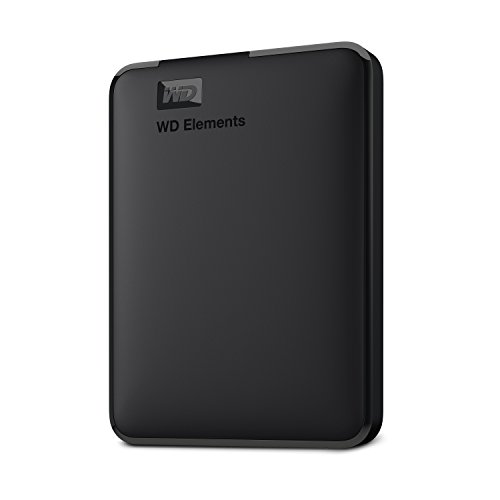

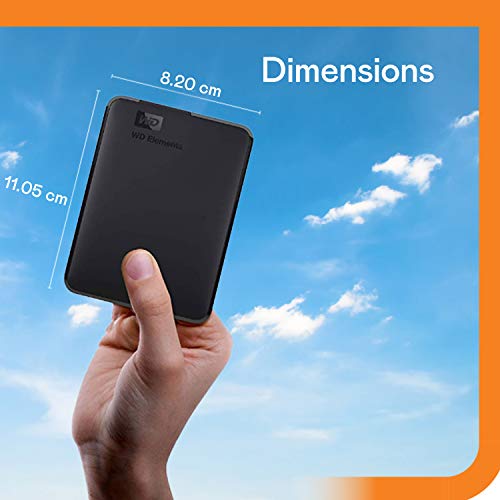

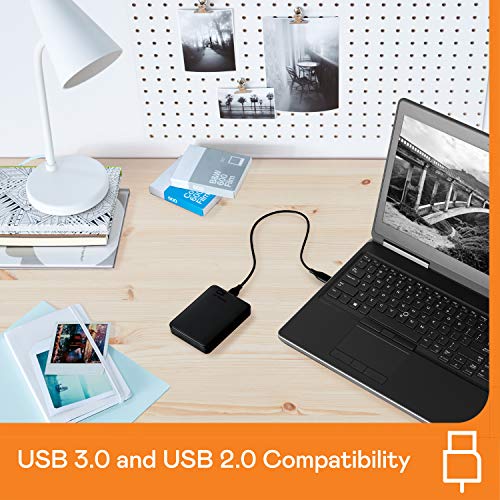
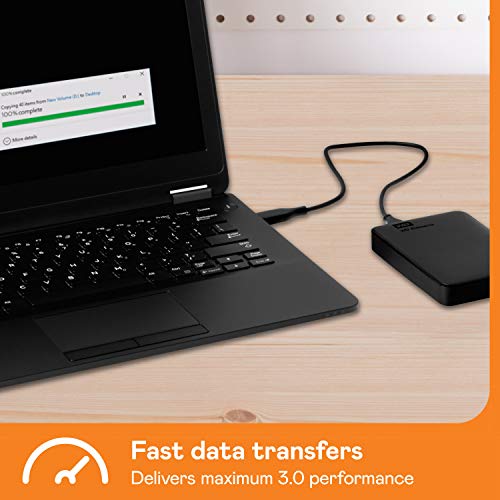
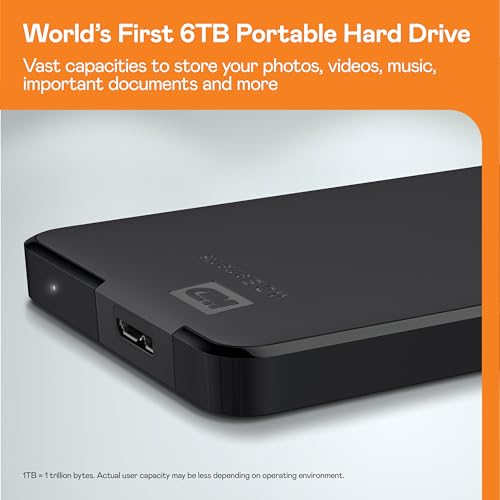
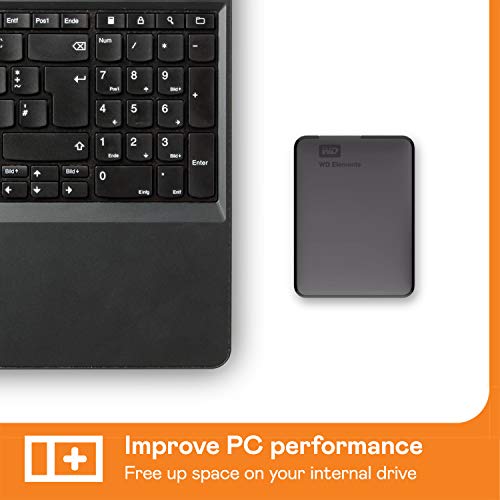
With 312,000+ reviews and a 4.6-star rating, the WD Elements Portable is one of the most sold and reviewed external drives in history. That kind of volume makes reliability trends visible — and the numbers are solid. Plug-and-play USB 3.0 works across Windows and Mac without drivers or software.
The practical workflow: use a portable SSD (like the Crucial X9) as your active editing drive, and the WD Elements 5TB as your portable archive and backup. When you finish a project, move the files from SSD to HDD for long-term storage. The SSD stays fast and available for new work, while the HDD holds your completed archive.
Pricing & Where to Buy
The WD Elements Portable 5TB is priced at $150 (as of March 2026). The 1TB starts at about $60, and the 2TB runs around $85.
- Buy on Amazon — Prime shipping available
- Check price at B&H Photo
- Check price at Adorama
- WD official store
Seagate Portable 2TB External Hard Drive
Photographers on a tight budget who need a simple, affordable backup drive for card offloads and file transfers — especially useful as a secondary copy or client delivery drive.
- Very affordable — 2TB for $100 with included 1-year Rescue Data Recovery Service
- The most reviewed external drive on Amazon — 4.6 stars across 209,000+ reviews
- Plug-and-play USB 3.0, bus-powered, works on Windows and Mac without software
- Standard plastic enclosure with no rugged features — not suitable for rough field use
- Mechanical HDD speed (~130 MB/s) is too slow for direct editing of high-res files
The Seagate Portable 2TB is the simplest, cheapest way to back up your photos. At $100 with a 1-year data recovery service included, it’s affordable enough to buy multiples for backup rotation. The tradeoff: no ruggedness and slow speeds, so keep it in a padded sleeve and use it strictly for backups and file transfers, not active editing.
The Seagate Portable 2TB rounds out this guide as the most affordable entry point. With over 209,000 reviews and a 4.6-star rating, it’s the most reviewed external drive on Amazon — a scale of real-world validation that no other drive in this roundup can match. At $100, it’s cheap enough to buy two and maintain proper backup redundancy.


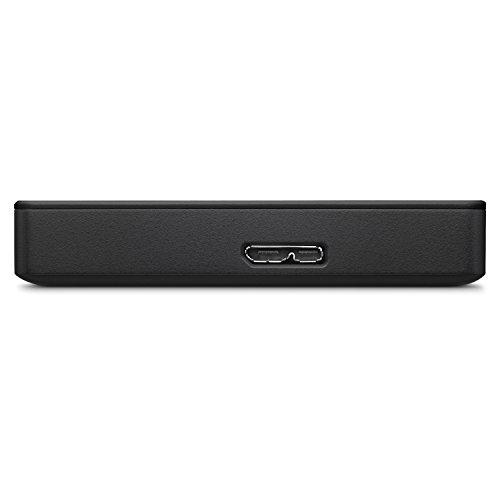




What sets the Seagate Portable apart from the similarly-priced WD Elements: the included 1-year Rescue Data Recovery Service. If the drive fails within the first year, Seagate’s recovery lab will attempt to retrieve your files at no additional cost. For a backup drive holding irreplaceable photos, that included safety net adds meaningful value that justifies choosing Seagate over WD at the same price point.
The drive is purely functional — slim black plastic enclosure, single USB 3.0 cable, bus-powered operation, drag-and-drop simplicity. No software required, no setup process, no learning curve. It works on Windows and Mac immediately. This makes it ideal for photographers who want a no-nonsense backup solution, or for studios and schools handing out drives to people who aren’t tech-savvy.
Use the Seagate Portable for what it does best: creating backup copies of completed projects, delivering files to clients, and building a rotating archive. Keep a faster SSD for the actual editing work, and let the Seagate handle the archiving.
Pricing & Where to Buy
The Seagate Portable 2TB is priced at $100 (as of March 2026) with 1-year Rescue Data Recovery Service included. The 4TB runs about $120, and 5TB goes for $154.
- Buy on Amazon — Prime shipping available
- Check price at B&H Photo
- Check price at Adorama
- Seagate official store
Choose the Best External Drive for Your Photography Workflow
The right external drive depends on how and where you work. For on-location shooting where speed matters, the Samsung T9 delivers the fastest transfers, while the Samsung T7 Shield adds IP65 weatherproofing for outdoor shooters. Professionals needing both speed and durability should consider the SanDisk Extreme PRO 2TB.
Budget-conscious photographers get excellent options from Crucial: the X10 undercuts premium SSDs while matching or exceeding their specs, and the X9 2TB offers the best price-per-TB in the SSD category. For long-term archives, the WD Elements Desktop 8TB provides the most storage per dollar at just $26/TB.
The smartest approach for most photographers: pair a portable SSD for active editing with a larger HDD for archiving. An SSD handles the speed-critical work — card offloads, RAW editing, 4K scrubbing — while the HDD stores completed projects at a fraction of the cost. This combination gives you both performance and capacity without overinvesting in either.
Frequently Asked Questions
Do photographers need an SSD or is an HDD enough?
It depends on the task. SSDs are essential for active editing work — browsing RAW files in Lightroom, scrubbing 4K timelines, running batch exports. An SSD with 1,000+ MB/s transfers makes these tasks responsive and fluid. HDDs, at roughly 130 MB/s, create noticeable lag during editing. However, HDDs remain the practical choice for long-term photo archives and backups where speed isn’t critical but capacity is. Most photographers benefit from using both: an SSD for current projects and an HDD for everything else.
What size external drive do photographers need?
A 50MP camera produces RAW files around 50-80MB each. One thousand images takes about 50-80GB. For portable SSD working drives, 1-2TB handles most photographers’ daily and weekly needs. For archives, 4-8TB covers most hobbyists, while high-volume professionals (wedding, commercial) may need 12TB+ in desktop drives. The key is separating active storage (smaller, faster SSD) from archive storage (larger, cheaper HDD).
Is IP65 water resistance actually necessary for photographers?
For studio-only photographers, no. For anyone who regularly shoots outdoors — landscapes, wildlife, weddings, travel, sports — IP65 protection is worth the premium. It means the drive can survive rain, sand, dust, and water splashes without data loss. Real-world scenarios where it matters: a drive in your bag during a rainy wedding, a sandy beach shoot, dusty outdoor locations, or simply the inevitable coffee spill. The cost difference between IP65 and non-rated drives is typically $20-50, which is cheap insurance for irreplaceable photos.
What is USB 3.2 Gen 2×2 and does it matter?
USB 3.2 Gen 2×2 doubles the bandwidth from 10 Gbps (Gen 2) to 20 Gbps, enabling drives like the Samsung T9 and SanDisk Extreme PRO to reach 2,000 MB/s. However, your computer needs a Gen 2×2 port to benefit — many laptops, especially pre-2023 models, only have Gen 2 ports. On a Gen 2 port, a Gen 2×2 drive will work but cap at ~1,050 MB/s, the same speed as cheaper drives. Check your laptop specs before paying extra for Gen 2×2 speed.
How should photographers back up their external drives?
Follow the 3-2-1 rule: three copies of your data, on two different types of media, with one copy offsite. A practical setup: edit on a portable SSD (copy 1), clone finished projects to a desktop HDD archive (copy 2), and maintain a cloud backup through a service like Backblaze or Amazon Photos (copy 3). This protects against drive failure, theft, and physical disasters. No single external drive, no matter how expensive, should be the only copy of your photos.
Related Articles
Best External Drive for Every Photography Need
Samsung T9 1TB
Samsung T7 Shield 1TB
SanDisk Extreme PRO 2TB
Crucial X10 1TB
WD Elements Desktop 8TB
Disclosure/Disclaimer: As an Amazon Associate, we earn from qualifying purchases. Certain content was provided "as is" from Amazon and is subject to change or removal at any time. Product prices and availability: Amazon prices are updated daily or are accurate as of the date/time indicated and are subject to change. Any price and availability information displayed on Amazon.com at the time of purchase will apply to the purchase of this product.
