

Still clicking through sliders with a sore wrist and a head full of shortcuts? If you’re a photographer, designer, or creator who lives in Lightroom, Photoshop, or Capture One, a dedicated photo editing keyboard or console can transform your workflow with tactile dials, knobs, and programmable buttons—so you edit faster, more precisely, and with far less strain.
We analyzed, compared, and ranked 15 photo editing keyboards and consoles—from TourBox Elite/NEO/Lite and Loupedeck CT/Live to Logitech’s MX Creative Console, X-keys, and dedicated Photoshop keyboards. Our top performers: the TOUR BOX TourBox Elite Plus (81/100) and the Loupedeck Creative Tool (78/100). In this guide, you’ll learn which deck best suits your software and style, how Bluetooth vs USB (and even iPad compatibility) impacts your setup, what to expect from prebuilt profiles and deep customization, and where each option shines for retouching, color grading, and batch editing. By the end, you’ll know exactly which control surface will speed you up—and which one is worth your desk space and budget.
When you buy through links on our site, we may earn a commission at no cost to you. We evaluate products independently. Commissions do not affect our evaluations. As an Amazon Associate, we earn from qualifying purchases.
Top Picks

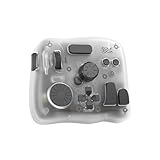
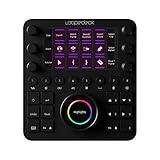


Photo Editing Keyboards & Consoles Showdown: Top 15 for Faster, More Precise Edits
| Specifications | |||||||||||||||
|---|---|---|---|---|---|---|---|---|---|---|---|---|---|---|---|
| Rating | 81/100 | 78/100 | 77/100 | 75/100 | 74/100 | 73/100 | 72/100 | 71/100 | 70/100 | 68/100 | 66/100 | 66/100 | 66/100 | 64/100 | 63/100 |
| Connectivity | Bluetooth | USB-C | Bluetooth | USB-C | Bluetooth | Bluetooth | USB-C | USB-C | Bluetooth | USB 2.0 | Bluetooth | USB | USB-C | Wired | Wireless |
| Device/OS Compatibility | iPad | USB-C connectivity; compatible with Windows 10 or later and macOS 10.15 or later | MacOS/Windows | Windows 10 or later, macOS 11 or later, USB-C connection required | Bluetooth and USB connectivity; compatible with Windows, macOS, and iPadOS | iPad | MacOS/Windows | USB-C, Windows 10/11, macOS 10.15 or later, iPadOS 14 or later | MacOS/Windows | Windows 10 or later, macOS High Sierra or later | Bluetooth connectivity; Compatible with Windows 10 or later, macOS 10.13 or later, iPadOS 13 or later | USB-A; Compatible with Windows, macOS, Linux | MacOS/Windows | Windows & macOS compatible (USB-C) | MacOS/Windows |
| Controls/Interface | Programmable creative console | Custom editing console | Programmable keyboard/controller | 9 LCD keys + control dial | Programmable keyboard bundle (translucent) | Programmable creative console set (cable + bag) | Custom controller (programmable keyboard) | Buttons + dials + LED touchscreen | Programmable keyboard (without cable) | Photo editing console + Lightroom keyboard | Compact editing keyboard (wireless kit) | 60-key USB programmable keypad | Custom controller bundle (NEO + storage bag) | Compact editing keyboard (wired kit) | Wireless shortcut keyboard (color-coded, low-profile) |
| Key App/Workflow Support | DaVinci Resolve, Procreate, Photoshop, Lightroom, Premiere, FCPX | Photo, video, music, design | Photoshop, Lightroom, Premiere, Final Cut Pro, DaVinci Resolve | Adobe, Zoom, Spotify | Photoshop, Lightroom, Premiere, FCPX, After Effects | DaVinci Resolve, Procreate, Photoshop, Lightroom, Premiere, FCPX | Photoshop, Lightroom, DaVinci Resolve, After Effects, Premiere, Final Cut Pro | Live streaming, photo and video editing | Lightroom, Photoshop, Premiere, Final Cut Pro, DaVinci Resolve | Adobe Lightroom 6, Lightroom CC | Clip Studio Paint and more | General-purpose programmable | Photoshop, Lightroom, DaVinci Resolve, After Effects, Premiere, FCPX | Clip Studio Paint and more | Adobe Photoshop |
| Release Year | 2025 | 2020 | 2022 | 2024 | 2022 | 2025 | 2020 | 2020 | 2022 | 2017 | 2025 | 2012 | 2020 | 2024 | 2025 |





TourBox Elite Plus – iPad Drawing Bluetooth Controller for Video Photo Editing, DaVinci…
Professional and serious-amateur photographers, retouchers, and creative professionals who want a compact, programmable controller to speed up Lightroom/Photoshop workflows, improve precision, and reduce mouse dependence — especially useful for mobile/iPad editing or those who prefer a small desktop footprint.
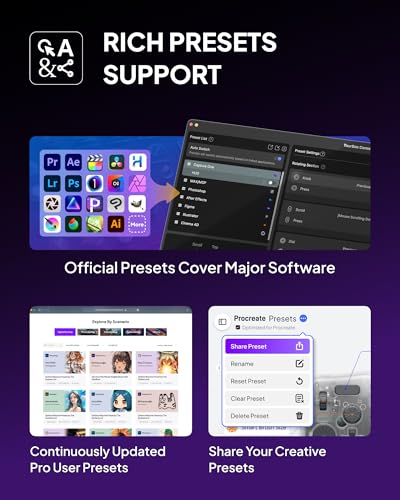
- Strong software integration — official presets and native plugins for Photoshop, Lightroom, Premiere, Procreate, DaVinci Resolve and other major apps
- Programmable, tactile controls (knobs, dials, buttons) that map to common photo-editing actions for faster, more precise workflows
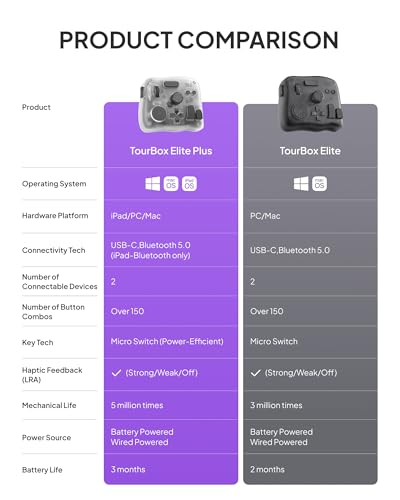
- Multi-platform: Bluetooth support for iPadOS plus macOS and Windows (good for mobile and desktop workflows)
- Smaller form factor than full console solutions (e.g., Loupedeck), so less surface area for dedicated knobs/sliders — may limit simultaneous controls for very high-volume studios
- Capture One support appears present but may be less deep than for Adobe apps — professionals who rely heavily on Capture One should verify plugin/shortcut coverage
The TourBox Elite Plus is highly suitable for professionals and serious hobbyists who want to reduce mouse use and speed repetitive tasks. It offers advanced software hooks, macros, screen-interaction plugins, and multi-OS Bluetooth connectivity, making it a professional-grade tool for most photo-editing workflows.
Struggling with endless shortcuts and hand strain? This compact TourBox Elite Plus turns your editing into quick, tactile moves you can feel. It lands at #1 with a solid 81/100 because it blends deep app integration with seamless iPad, Mac, and Windows workflows.
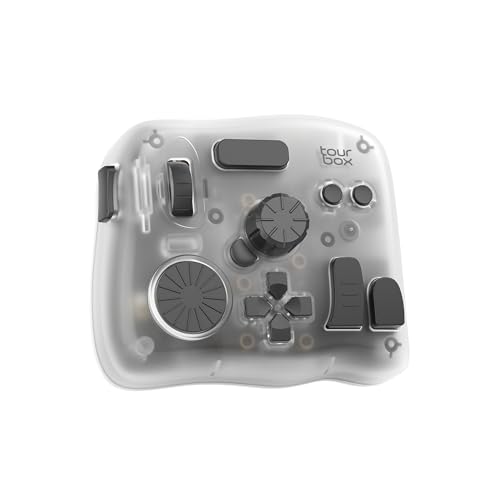


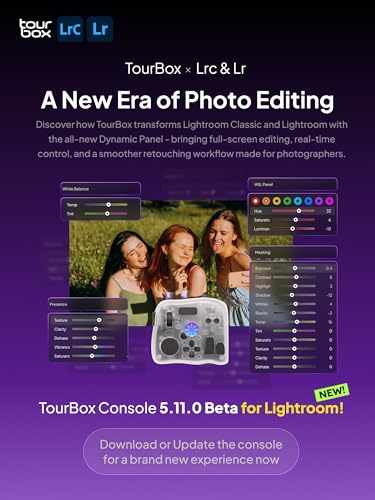


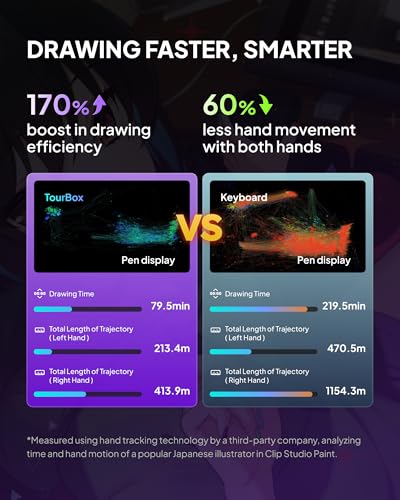

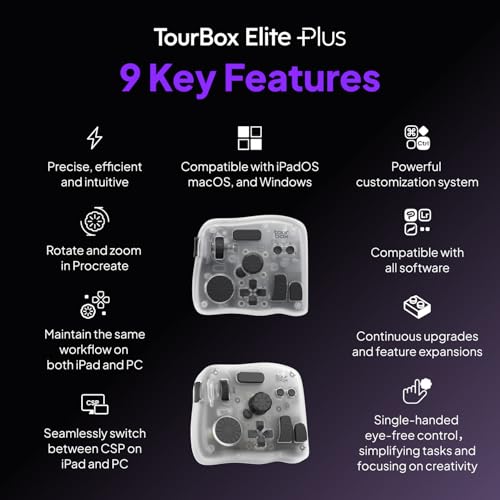
Twist to fine-tune exposure in Lightroom, nudge brush size in Photoshop, jog timelines in Premiere or DaVinci Resolve, and zoom or pan without breaking your flow. Bluetooth lets you grade travel footage on an iPad at a café, then finish a client gallery on your desktop back at the studio. The knobs and dials deliver precision you won’t get from a trackpad alone.
Perfect if you retouch portraits by the hundred, design in Procreate on the couch, or cut social clips between shoots. The ready-to-use presets get you moving fast, and you can build macros for repetitive tasks like culling, frequency separation, and color-grading passes. If you prefer a clean desk, the small footprint pairs neatly with a tablet or keyboard.
Standout perks include official plugins for leading apps and powerful screen-interaction tools, so you can tailor every control in minutes. The hardware feels solid and responsive, swappable AA power keeps you working without a cable, and Bluetooth frees a USB port for your card reader. The time you save on every project can quickly cover the cost.
If you want faster edits, less wrist fatigue, and a smoother creative rhythm across devices, this pick is a standout. It’s our #1 choice for photographers and content creators who want pro-level control without a bulky desk console. Add it to your setup and turn hours of clicking into minutes of confident, precise adjustments.
Loupedeck Creative Tool – Professional Custom Editing Console for Photo, Video, Music and…
Professional and serious-amateur photographers and retouchers who use Lightroom/Photoshop/Capture One and want to speed high-volume culling, batch edits and fine local adjustments with tactile, programmable controls and solid build quality.
- Direct, native integrations with Lightroom Classic, Photoshop and Capture One (macOS) — addresses core software needs of professional photo editors.
- High-quality, tactile controls (aluminum dials, touchscreens, programmable wheels/buttons) that speed tasks, reduce mouse reliance and improve precision.
- Powerful customization out of the box (profiles, macros, workspaces) so users can map real workflows immediately and scale to complex, repeatable tasks.
- Pricey at $539.99 — strong value for many pros but may be overkill for casual users or those on a tighter budget.
- Product launched in 2020 and some integrations (Capture One Pro noted as macOS) suggest platform/compatibility limits and potential lack of the newest firmware/features compared with newer competitors.
The Loupedeck CT is explicitly designed to integrate with major photo-editing apps and provides the programmable tactile controls, macros, and ergonomic improvements that pros and serious hobbyists prioritize.
Want to edit faster without sacrificing precision? Our #2 choice scores 78/100 for its deep app integrations and tactile, premium controls that turn repetitive slider moves into instinct. If you juggle photos, video, and design, the Loupedeck Creative Tool – Professional Custom Editing Console for Photo, Video, Music and Design keeps you in flow across all your creative tools.
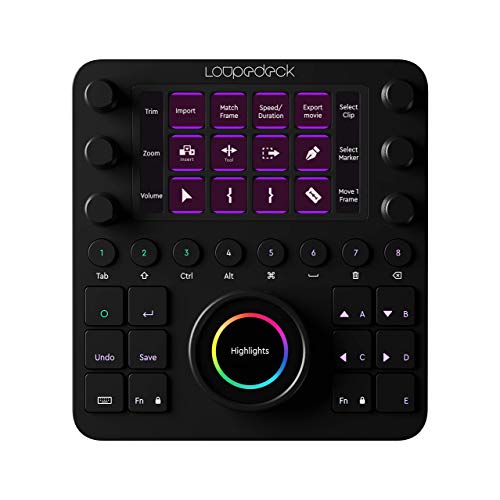


Spin aluminum dials to fine-tune exposure, color, and local adjustments in Lightroom and Photoshop, or jog timelines and trim clips in your editor with muscle memory. Prebuilt workspaces and a full-screen editing mode help you stay focused, while the touchscreen and programmable buttons put your most-used tools one press away.
Perfect if you handle high-volume culling, wedding galleries, real estate sets, or product batches where every second counts. Graphic designers can map layers, artboards, and typography commands, and content creators can trigger macros for scene switching, b-roll cuts, and audio tweaks during streaming or social videos.
Standout features include smooth, machine-quality dials, LED backlighting for dim studios, and powerful profiles and macros you can tailor to any app. It’s an investment, but shaving minutes from every shoot or project pays for itself quickly in faster delivery and less wrist strain.
If you want more speed and control from your edit station, this pick is a smart upgrade. Use it to turn your favorite software into a cohesive control surface so you spend more time making creative decisions and less time hunting menus. Strongly recommended for pros and serious amateurs ready to level up their workflow.
TourBox Elite, Bluetooth Controller for Video Photo Editing Color Grading, Davinci…
Professional and serious amateur photographers, retouchers and colorists who want to speed high-volume culling and detailed editing in Lightroom/Photoshop/Capture One and prefer a compact, one-handed tactile console to reduce mouse/keyboard reliance.
- Designed for photo/video workflows — one-handed tactile controls (dials, knobs, scroll) speed culling, grading and retouching
- Broad software compatibility documented (Lightroom, Photoshop, Capture One, DaVinci Resolve, Premiere, etc.)
- Bluetooth + wired support and strong customization via TourBox Console for programmable shortcuts and macros
- No iPadOS/Android support — excludes tablet-based editing workflows
- Uses AA batteries (no built-in rechargeable battery) — minor inconvenience for heavy mobile use
The TourBox Elite directly addresses primary needs — programmable shortcuts, tactile dials/knobs for precise adjustments, one-handed ergonomics, and explicit compatibility with Lightroom, Photoshop and Capture One.
Struggling to speed through culling, retouching, and color work? This compact editing controller, the TourBox Elite, puts your most-used adjustments under your fingertips so you can move faster with fewer keystrokes. It lands at our #3 pick with a solid 77/100 score because it delivers pro-level control in a small, desk-friendly form factor.

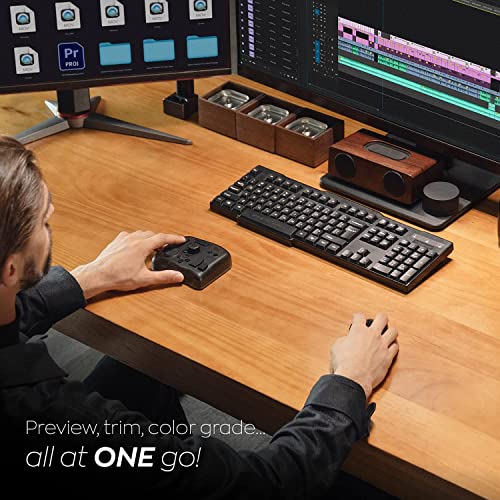
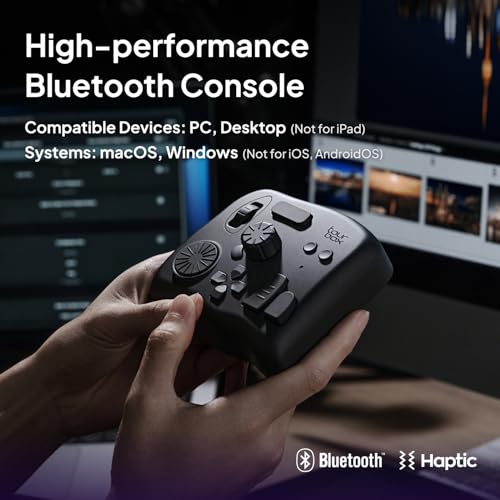
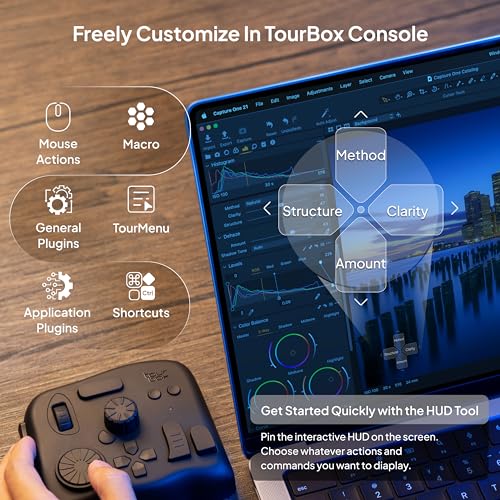
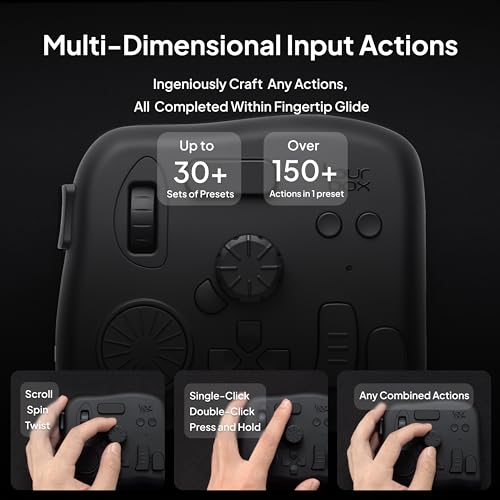
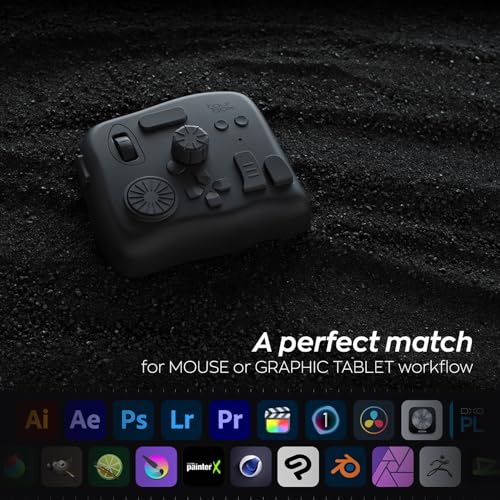
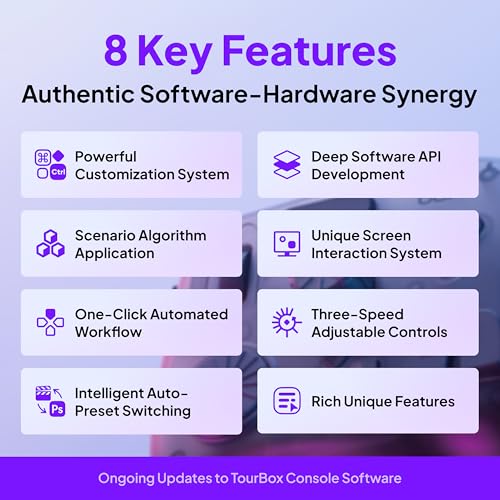
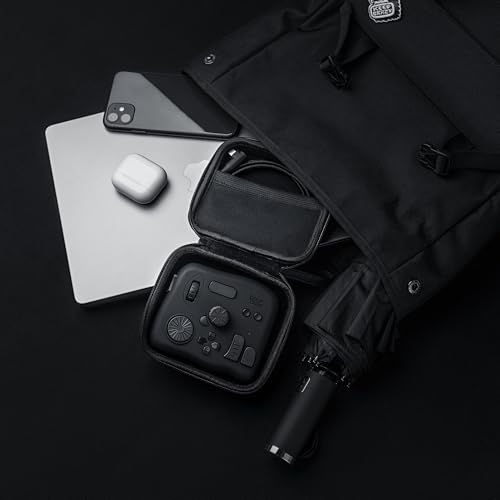
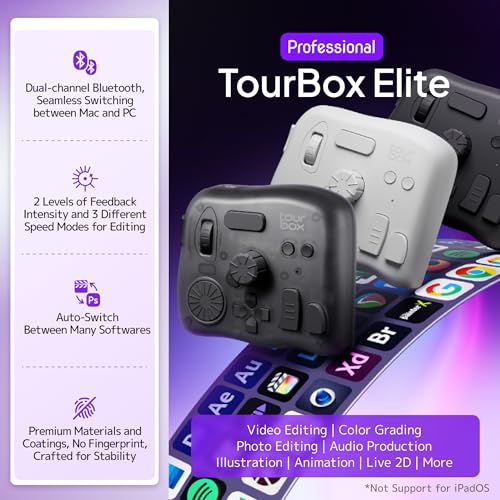
Turn dials to nudge exposure, ride the scroll for timeline scrubs, and tap buttons for instant tools—no more hunting for shortcuts. Haptic feedback and one-handed ergonomics let you edit by feel, so your other hand stays on the mouse or pen for fluid, two-handed efficiency. Bluetooth or USB gives you a clean wireless setup at your desk and a reliable wired option for long sessions.
Handle wedding culls, e-commerce batches, or portrait retouching faster with app-aware profiles that switch as you jump between Lightroom, Photoshop, Capture One, or video suites. If you color grade interviews, cut reels, or design with a pen display, the knobs make brush size, zoom, and canvas rotation feel second nature. It’s perfect if you want a compact console that fits beside your tablet and travels easily.
What stands out is the deep customization: map every dial and button, build macros, and tap into ready-made templates to get productive quickly. The sturdy, weighted build stays put, while AA power is handy when you want quick swaps on the road—plug in via USB when you prefer nonstop sessions. For the price, you get premium tactile control without jumping to larger, pricier surfaces.
If your goal is to cut edit time and reduce strain while keeping precision, this model is an easy upgrade. It pays for itself when you’re moving through hundreds of frames or grading multiple timelines each week. Confident recommendation for photographers, designers, and content creators who want speed and control without clutter.
Logitech MX Creative Console, 9 Customizable LCD Keys, Stream Deck Accessories, Control…
Photographers, retouchers, and designers who want a compact, well-integrated, programmable console to speed routine adjustments in Lightroom/Photoshop and reduce mouse reliance without investing in a larger pro control surface.
- Strong native integration with Adobe apps (Photoshop, Lightroom) — directly addresses key workflow needs for photographers and retouchers
- Tactile analog control (low-friction dial) plus programmable keys and roller provide faster, more precise adjustments and reduce mouse dependence
- Good value and market validation: competitive price ($161.50), #1 search position and very strong recent sales momentum (400+ in past month)
- Relatively small physical keyset (9 LCD keys) — relies on pages/profiles which can slow discoverability vs devices with more dedicated controls
- Battery-powered (2x AAA) rather than always-on wired USB-C may concern pros who want a permanent, low-latency desktop peripheral
The MX Creative Console maps directly to the target audience’s primary needs — programmable shortcuts, tactile dial/roller, and native Adobe integrations — making it a strong choice for professionals and serious amateurs.
Want to move through edits faster without learning a big control surface? This compact Logitech MX Creative Console blends tight Adobe integration, a tactile dial, and programmable keys to speed your day-to-day work. It’s a smart way to get hands-on control without overcrowding your desk.


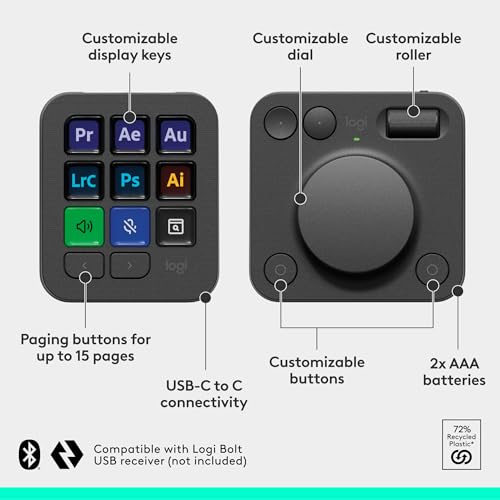

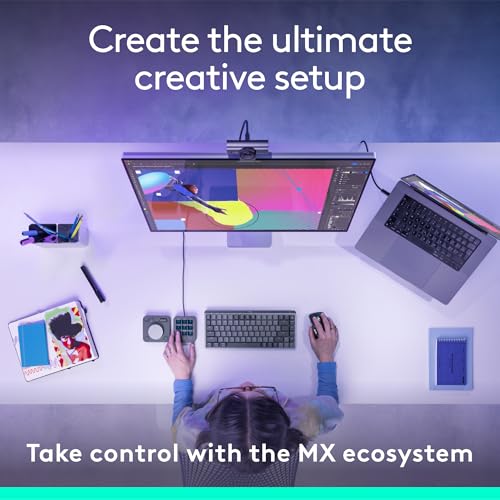
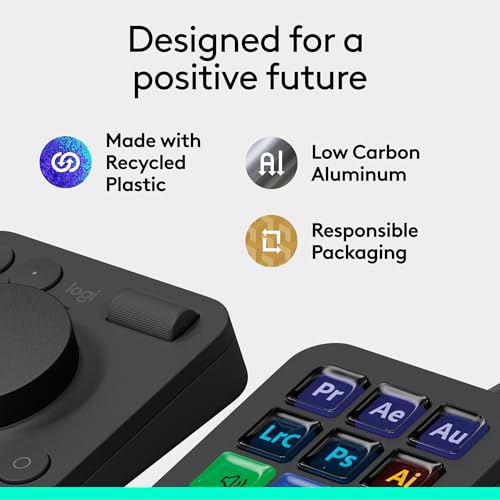
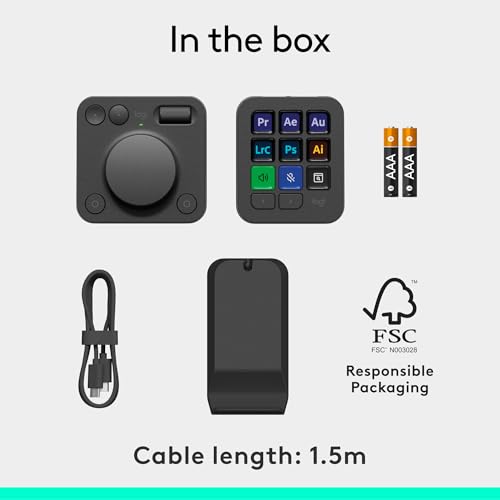
Turn the low-friction dial to nudge exposure, white balance, or brush size with pinpoint precision, then use the roller to zoom or scrub a timeline. The 9 LCD keys become one-touch buttons for culling, masks, healing, exports, or your favorite presets—so you stay focused on the image instead of menus. Built-in profiles for Photoshop, Lightroom, Premiere Pro, and more get you productive right away.
Perfect if you edit wedding galleries, retouch portraits, color grade social videos, or build design comps all in the same day. Up to 15 pages per app let you map huge functionality into a small footprint—ideal when you want speed without a bulky deck. The battery-powered design suits clean, flexible workspaces where you might move between a studio desk and a laptop station.
Priced around $161.50 and including 3 months of Adobe Creative Cloud (a $179 value), it delivers serious time savings for a reasonable price. Users consistently praise its reliability and ease of use.
If you want faster edits, fewer repetitive mouse moves, and more precise control, the MX Creative Console is an easy recommendation. It brings pro-level workflow speed to a compact package that fits any desk. Add it to your setup and start shaving minutes off every session.
TourBox Elite, Bluetooth Controller for Video Photo Editing Color Grading, Davinci…
Professional and serious amateur photographers, retouchers, and content creators who want to speed up culling and detailed adjustments in Lightroom/Photoshop/Capture One and prefer a compact, one-handed console to reduce mouse reliance.
- Designed for photo/video workflows — tactile dials, knobs, and scrolls map well to Lightroom/Photoshop/Capture One tasks
- Extensive compatibility with major creative apps (Lightroom, Photoshop, DaVinci Resolve, Capture One, Premiere, After Effects)
- Programmable one-handed control improves speed for culling, exposure/brush adjustments, and color grading
- Bluetooth + AA battery operation may concern pros who prefer wired/USB-C for zero-latency, always-on reliability
- Learning curve — programmable console requires time to set up and optimize for individual workflows
The TourBox Elite directly addresses the primary pain points—faster culling, precise parameter control, programmable shortcuts, and one-handed ergonomic operation—while supporting the main software used by professionals.
Want to edit faster without wrestling with menus? TourBox Elite is a compact, one‑handed controller that puts exposure, brush size, and timeline control under your fingertips. It lands at #5 in our picks with a 74/100 score for its strong time savings, broad app support, and desk-friendly design.
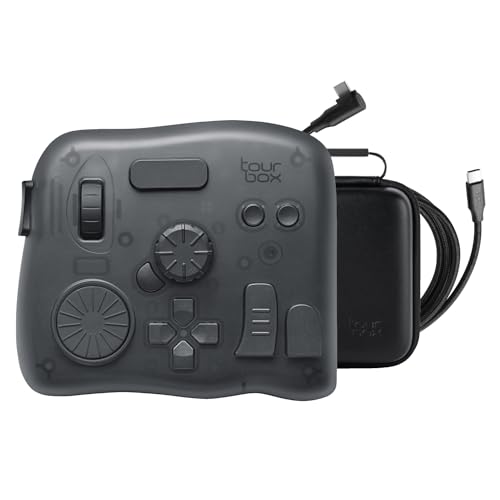
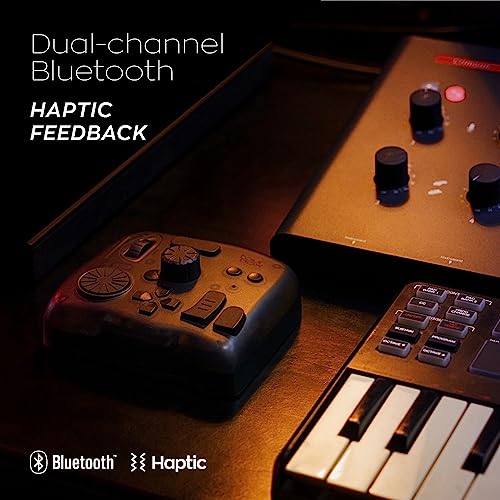
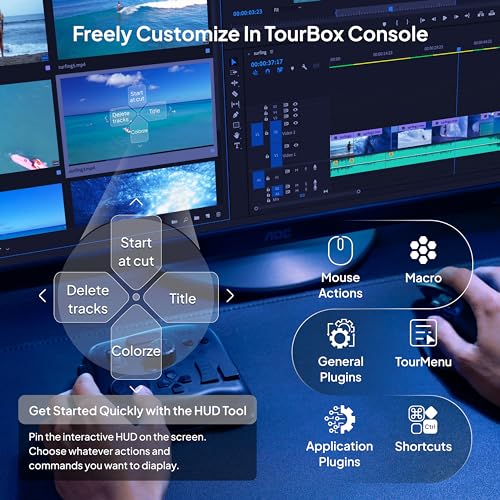
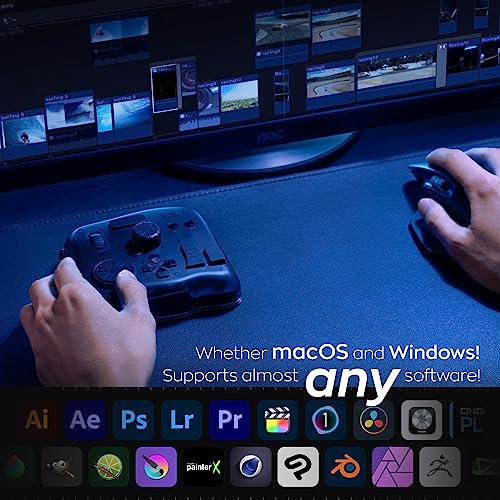
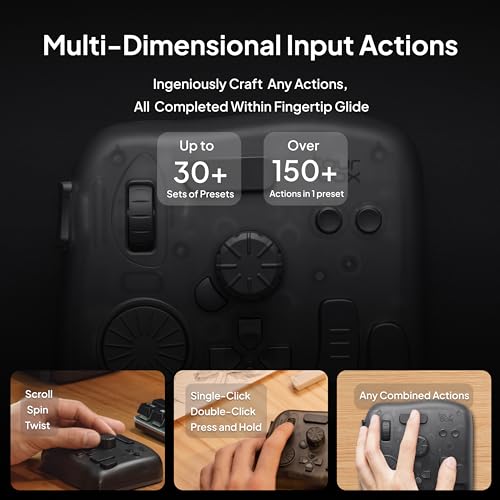
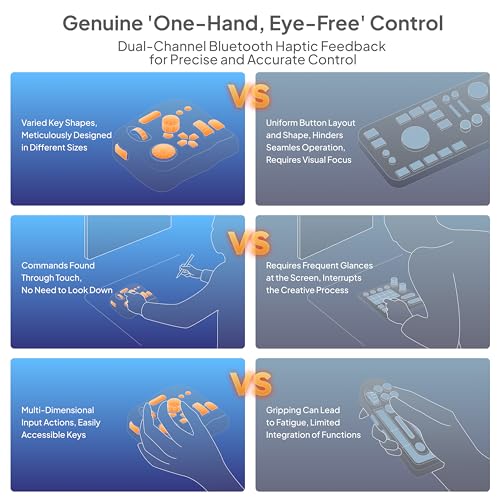
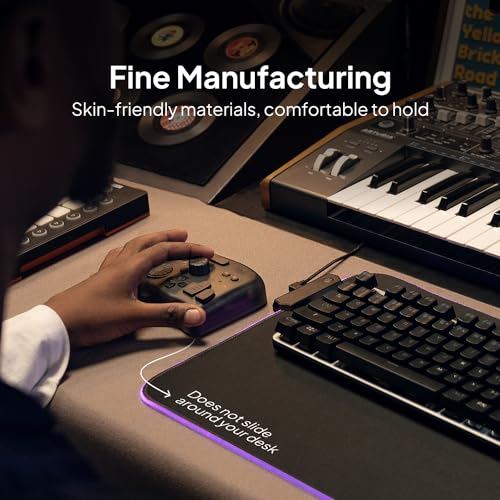
Picture this: you’re culling hundreds of images, spinning a dial to fly through selects, then nudging exposure and contrast with tactile precision—no hunting for sliders. Built‑in presets help you start fast, while Console 5 software adds an intuitive color panel for grading in Resolve, Premiere, or Final Cut.
Perfect if you manage large Lightroom catalogs, retouch portraits in Photoshop, or grade short-form content where speed matters. Keep one hand on your mouse or pen tablet and the other on the controller for ergonomic, two‑handed efficiency during long sessions. Dual‑channel Bluetooth and AA power deliver a clean, wire‑free setup at the desk or on the road.
You get deep compatibility across Adobe apps, Capture One, and more, plus auto‑switching presets so your controls adapt to each program. The solid weight, fingerprint‑resistant finish, and haptic feedback feel premium; at around $236, it can pay for itself quickly with faster turnarounds. Users back it up with strong ratings, praising customization and build quality.
If you want to accelerate culling, retouching, and grading while ditching keyboard contortions, this choice belongs on your desk. Pick it with confidence as our #5 pick for workflow acceleration, then tailor the buttons and macros to match how you work.
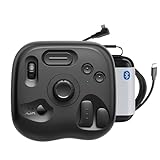
TourBox Elite Plus – iPad Drawing Bluetooth Controller for Video Photo Editing, DaVinci…
Professional and serious-amateur photographers and content creators who want a portable, programmable controller to speed Lightroom/Photoshop/Capture One workflows, reduce mouse use, and gain tactile control for culling, color adjustments, and batch edits — especially useful for on-location editing with iPad and mixed desktop/mobile workflows.
- Strong software integration — explicitly lists Photoshop, Lightroom, Capture One, and other major creative apps
- Portable, multi-platform design (Bluetooth iPad support plus macOS/Windows) suits desktop and on-location workflows
- Highly programmable (macros, knob controls, plugins) — reduces reliance on mouse/keyboard and speeds repetitive tasks
- Not purely photo-only — positioned as a multi-discipline controller (video, drawing, etc.), so some photographers may prefer a photo-first console (e.g., Loupedeck) for out-of-box presets
- Relatively modest review volume (90 ratings) and review recency couldn’t be parsed — introduces some uncertainty on current user momentum
TourBox Elite Plus directly targets creative workflows, offers native integration with Lightroom/Photoshop/Capture One, supports programmable macros and tactile controls, and adds iPad portability.
Want to edit faster without living on the keyboard? This TourBox Elite Plus gives you tactile knobs, dials, and buttons mapped to your most-used tools in Lightroom, Photoshop, and Capture One. It lands at #6 in our lineup with a 73/100 score for its deep app integration and go-anywhere Bluetooth design.
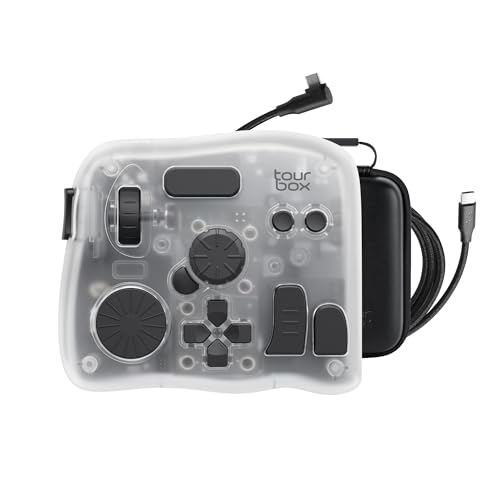

Picture this: you’re culling a wedding—spin the dial to race through frames, then nudge exposure, white balance, or brush size by feel while keeping your eyes on the image. On location, pair it with an iPad for quick selects; back at the desk, plug in via USB for responsive edits on macOS or Windows.
Perfect if you juggle photo retouching and occasional video work—jump from Lightroom to Resolve or Premiere without changing your muscle memory. High-volume shooters can map macros for dodge and burn, frequency separation, or batch actions, turning repetitive steps into one-touch moves.
Thoughtful ergonomics and an ambidextrous layout reduce mouse travel and wrist strain, and the included case makes it easy to drop into your gear bag. Hot-swap AA batteries keep you moving on long days, and the solid build feels pro next to your tablet or keyboard. Around the $300 mark, the time you save on each gallery or client project can pay for itself quickly.
If you want tactile control, cross-platform flexibility, and a small tool that speeds real work, this pick is easy to recommend. Choose it with confidence as our #6 choice when you value customization and speed across photo editing and digital content creation.
TourBox NEO – Custom Controller for Photo Video Editing, Color Grading, Illustration…
Professional and serious amateur photographers, retouchers and content creators who want a compact, programmable one-handed controller to speed culling, local adjustments and color grading in Lightroom/Photoshop/Capture One without investing in a larger console.
- Designed for photo/video/illustration workflows — direct compatibility with Lightroom, Photoshop, Capture One and other industry tools
- Compact, one-handed layout with dial, knobs and programmable buttons that speed common editing tasks (culling, exposure, brush params, color adjustments)
- Proven user sentiment and market traction — 4.5★ (866 reviews) and notable recent sales momentum indicating active adoption
- Wired-only and no iPad/Android support — limits flexibility for users who want a wireless or tablet-based setup
- Smaller control surface than full-featured consoles (e.g., Loupedeck CT) — fewer dedicated controls for very high-volume multi-tool workflows
The TourBox NEO addresses the primary needs of the target audience — faster, more precise control; programmable shortcuts; and explicit compatibility with major photo-editing apps.
Want to fly through edits without a bulky console? The TourBox NEO puts tactile dials, knobs, and buttons under one hand so you can adjust exposure, brush size, and color with your eyes on the image. It lands at #7 in our roundup with a 72/100 score for delivering real speed gains in a compact, affordable package.

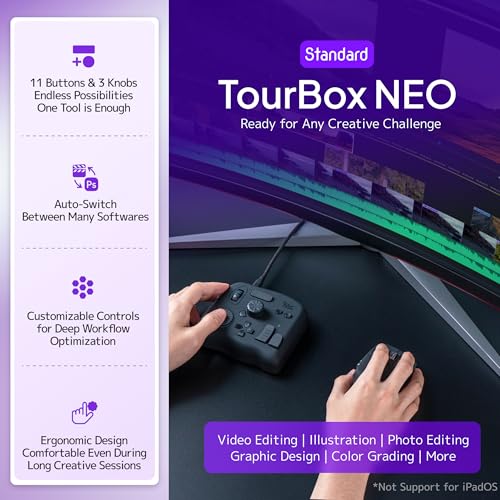
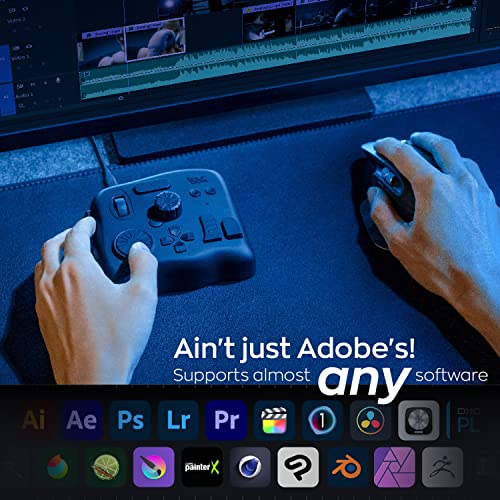
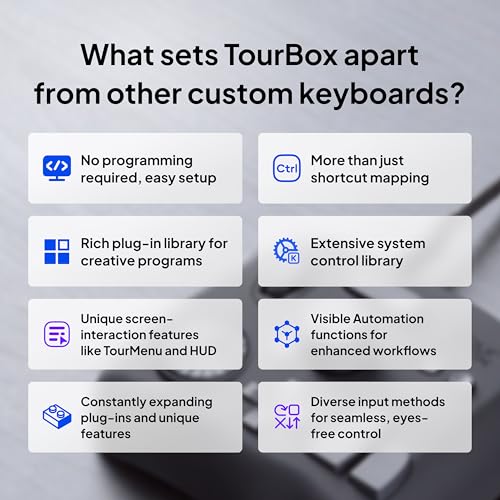
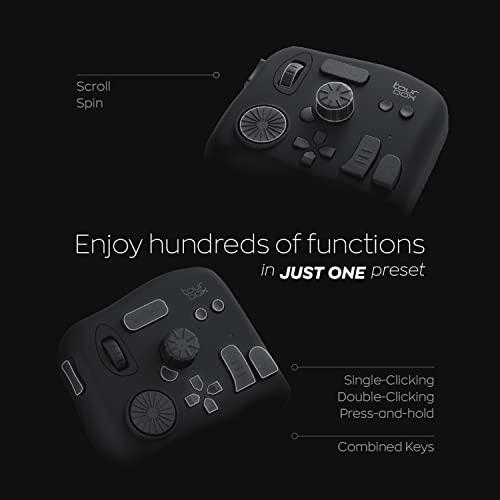

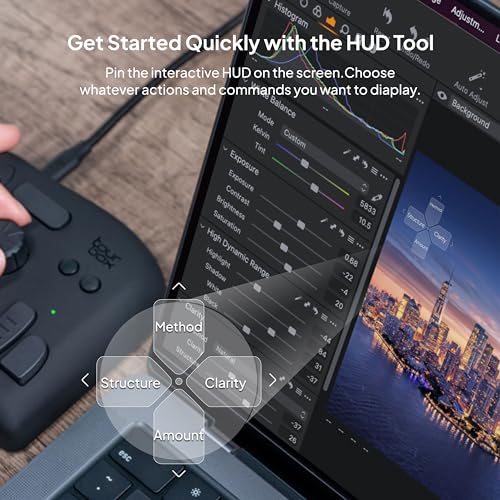
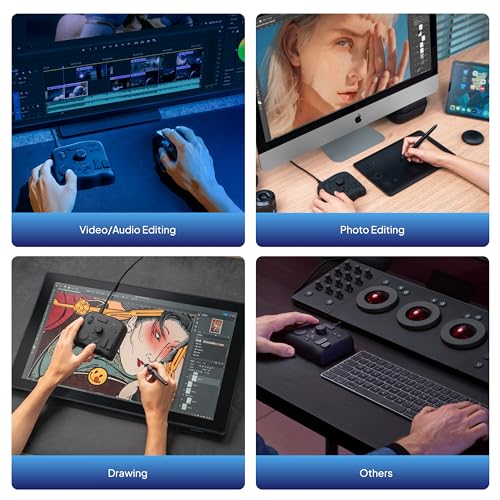
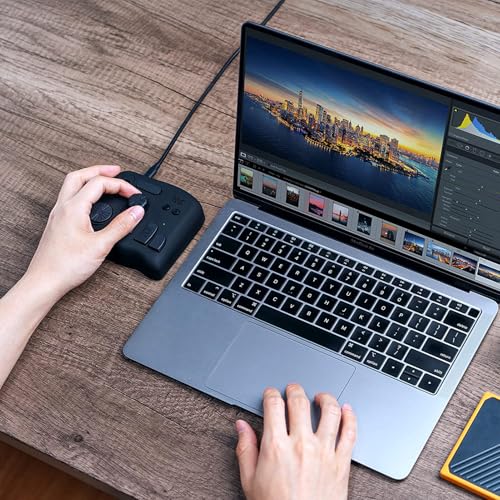
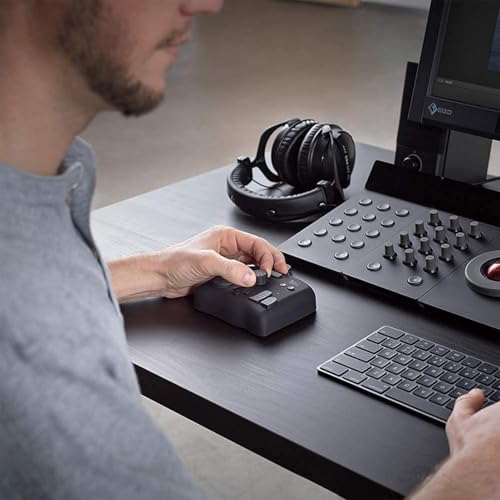
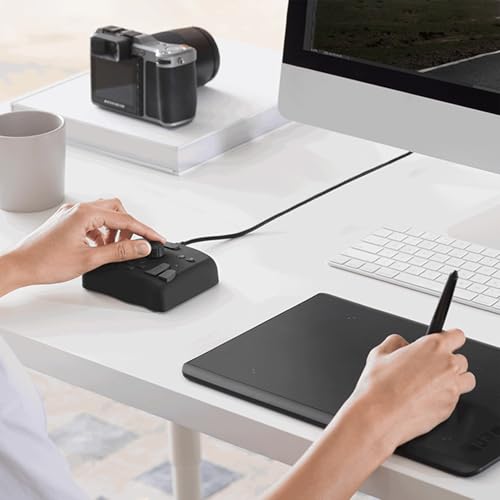
Picture this: you’re culling a wedding, brushing in skin work, or nudging HSL sliders in Lightroom and Photoshop—one twist, one press, done. The layout is designed for creative apps, so timeline scrubbing in video editors, color grading, and canvas zoom/rotate in illustration feel immediate and precise.
Perfect if you edit on a Mac or Windows workstation and want a reliable, always-connected tool beside your tablet or keyboard. The one-handed, sculpted controls are easy to learn by touch, letting you keep focus on your photos, graphics, or clips as you move from Capture One to DaVinci Resolve.
Standout touches include solid weight and non‑slip feet (it stays put), thoughtful presets, and an on‑screen guide you can hide once muscle memory kicks in. At around $135, it delivers pro-level control at a fraction of larger consoles, backed by strong user ratings and active adoption—great value that can pay for itself in time saved.
If you want faster, more fluid editing with minimal desk space, this pick is an easy win. Add it to your gear setup to streamline retouching, color work, and post-production for client galleries, social videos, or design projects with consistent, tactile control.
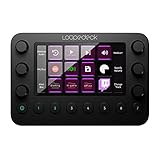
Loupedeck Live – The Custom Console for Live Streaming, Photo and Video Editing with…
Professional and serious amateur photographers, hybrid content creators and designers who want a compact, highly programmable control surface to speed up culling, color adjustments and common Photoshop/Lightroom tasks — especially those who also value streaming or OS/media controls.
- Strong software customization: unlimited pages, macros, custom actions and icons — excellent for mapping complex photo-editing workflows
- Native integrations with Lightroom Classic, Photoshop (Camera Raw), Capture One Pro 21 (Mac), and other Adobe apps — quick setup with ready-made profiles
- Premium build and tactile controls: aluminium chassis, haptic analog dials and backlit buttons for precise, repeatable adjustments
- Product is streamer-focused in marketing — workflow and control layout may feel less optimized for heavy, pro-level photo retouching vs photo-first consoles
- Capture One support limited to macOS (Capture One Pro 21 listed) which may disappoint Windows-based pro photographers
The Loupedeck Live supports major editing apps and offers deep customization and tactile dials that address key pain points (speed, precision, programmable shortcuts).
Want to fly through edits with fewer clicks? This Loupedeck Live compact editing console puts your most-used tools on tactile dials and backlit buttons, so you can grade, crop, and export without digging through menus. It comes in at #8 with a 71/100 score for delivering fast, customizable control at a fair price.
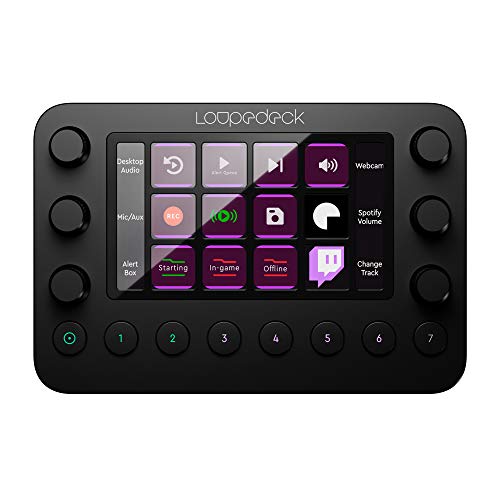
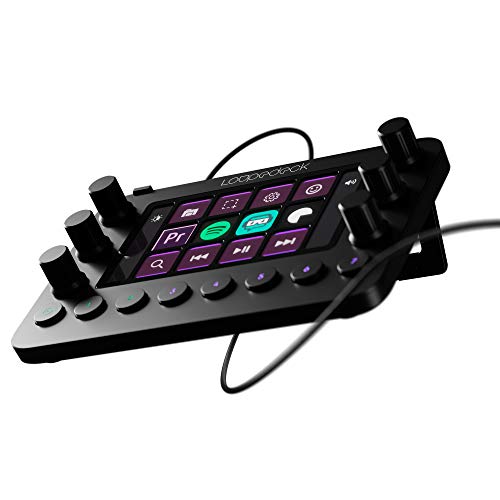
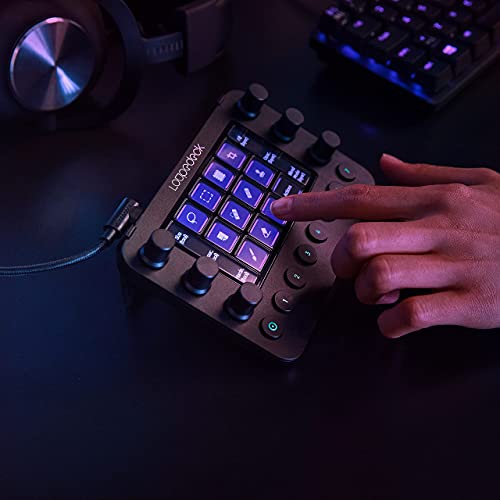
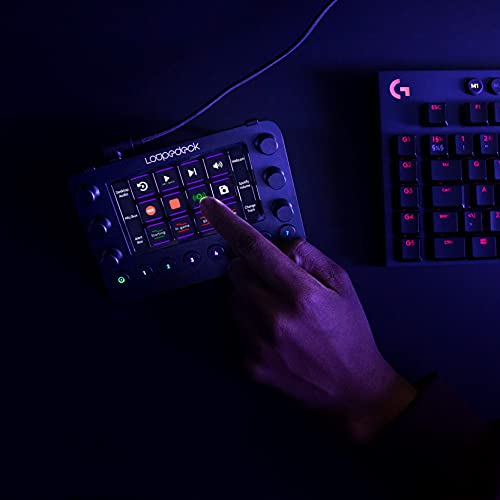
Spin the aluminum dials to nudge exposure, white balance, or brush size while your eyes stay on the image. Tap the LED buttons to flag, rate, or apply presets, then trigger complex sequences with a single macro—perfect for culling a wedding, batch exporting a client gallery, or speeding up product retouching. Ready-made profiles get you started quickly, and you can build unlimited pages as your needs grow.
If you bounce between editing and live tutorials, this option shines. Control media playback, adjust system volume, switch scenes, or launch apps while keeping your workflow flowing—ideal for social videos, webinars, and studio sessions. It’s also a smart pick if you work in Adobe apps or edit with Capture One on macOS.
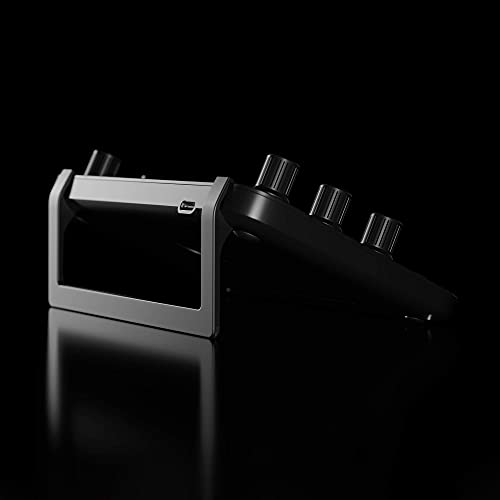
The build feels premium yet takes almost no desk space. Custom icons, app-specific workspaces, and support for virtually any software via shortcuts mean the layout truly becomes yours. At around $300, the time you save on every project can pay for itself in a few gigs.
Choose this pick if you want tangible speed, precise adjustments, and a deck that adapts to your style. As our #8 choice, it’s a reliable, flexible tool that elevates both photo and content workflows. Add it to your desk, and your edits will feel faster and more intentional from day one.
TourBox Elite – Bluetooth Controller for Video Photo Editing Color Grading, Davinci…
Professional and serious amateur photographers and retouchers who want a compact, programmable hardware controller to speed Lightroom/Photoshop workflows on macOS or Windows, and who prioritize one-handed tactile control over tablet compatibility or a fully wired solution.
- Purpose-built controls (dials, knobs, scrolls) and one-handed layout that speed up culling, adjustments and retouching
- Broad advertised compatibility with Lightroom, Photoshop, Capture One, DaVinci Resolve and other pro apps
- Reasonable pro-level price point ($199) with strong sales momentum and solid user ratings
- Not compatible with iPadOS/Android — excludes photographers who want mobile/tablet workflows
- Uses AA batteries and is sold ‘without cable’ — some pros prefer wired/rechargeable or lower-latency setups
TourBox Elite directly targets photographers and colorists with tactile controls, programmable shortcuts and explicit support for Lightroom, Photoshop and Capture One, matching core needs.
Want to edit faster without memorizing more shortcuts? TourBox Elite puts dials, knobs, and a scroll under one hand so you fly through culling, grading, and retouching on Mac or Windows. It lands at #9 in our lineup with a 70/100 score for strong speed gains, wide app support, and a fair $199 price.

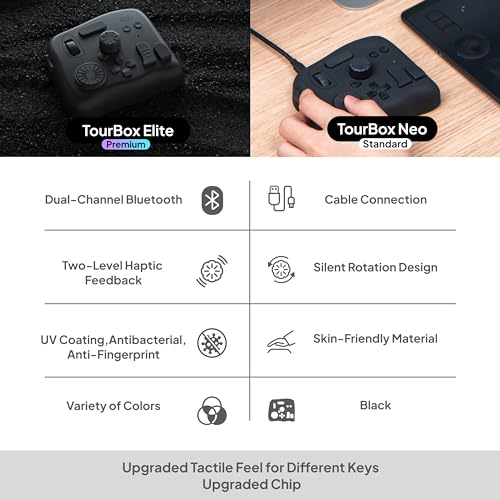
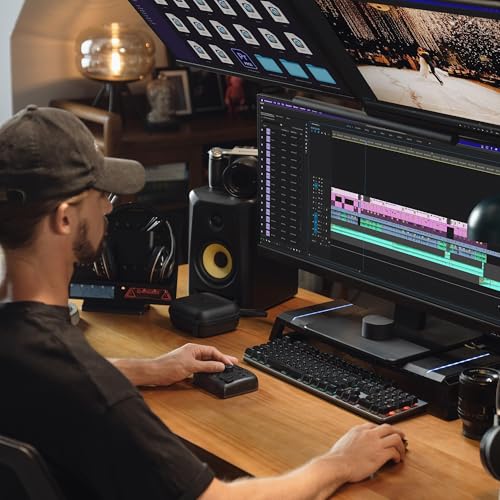
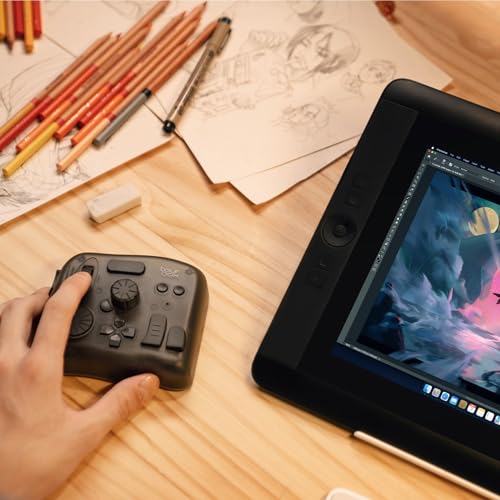
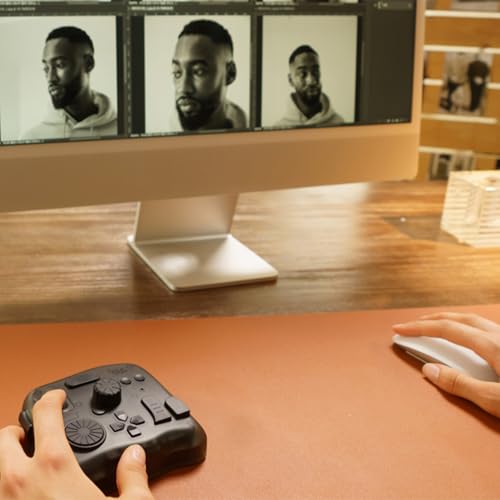
Picture this: you’re rating a wedding in Lightroom—spin the dial to move image by image, then nudge exposure and white balance with the knobs while your eyes stay on the photo. In Photoshop, map brush size, hardness, zoom, and rotation so your pen never leaves the canvas, with haptic feedback confirming every change. Profiles can switch as you jump into Premiere, Final Cut, or DaVinci, making timeline scrubbing and color work feel natural.
It’s perfect if you want a one-handed deck beside your keyboard or tablet to cut mouse travel and reduce strain. Ideal for photographers and designers who bounce between Lightroom, Capture One, and Photoshop, and for editors who need quick moves on the timeline. If your workflow lives on Mac or Windows and you like a clean, cable-free desk, this choice fits right in.
Standout perks include dual-channel Bluetooth for two machines on tap, AA power for quick swaps on set, and a compact body that travels easily. The macro system turns multi-step tasks—like frequency separation, batch exports, or preset stacks—into a single press. At $199, it delivers a premium feel and real time savings without paying for a larger console.
If you’re ready to speed up editing and build muscle memory that sticks, this model delivers. It ranks #9 because it balances performance, flexible mapping, and a polished post-production flow across top creative apps. For busy shooters and content creators, it’s a smart buy that pays for itself in faster turnarounds.
Loupedeck Photo Editing Console and Lightroom Keyboard for Adobe Lightroom 6 or Lightroom…
Photographers and serious amateurs who work primarily in Adobe Lightroom and want to speed up bulk culling and tonal/color adjustments — wedding, event, portrait, and content creators who prioritize precision dials and preset buttons to streamline Lightroom-centric workflows.
- Purpose-built Lightroom controls — physical dials, buttons and preset keys speed up common adjustments and full-screen editing.
- Highly customizable mappings and adjustable dial sensitivity for precise tonal, color, and exposure tweaks.
- Proven ergonomics and ease-of-use (quick learning curve) — users report faster workflows and reduced reliance on mouse/trackpad.
- Primarily built for Adobe Lightroom (Lightroom 6 / CC) — limited or no native integration with Photoshop and Capture One, which many pros use.
- Older model (first available 2017) — possible concerns about ongoing driver/software support and missing newer refinements found on current consoles.
The Loupedeck is directly aimed at editing speed, tactile control, and Lightroom integration — core needs of Lightroom-focused professional and serious amateur photographers.
Struggling to fly through edits in Adobe’s photo app? This Loupedeck Photo Editing Console and Lightroom Keyboard for Adobe Lightroom 6 or Lightroom CC gives you physical dials and buttons so you can adjust exposure, color, and tone without digging through menus. It lands at #10 in our lineup with a 68/100, thanks to solid speed gains for Lightroom‑centric workflows.

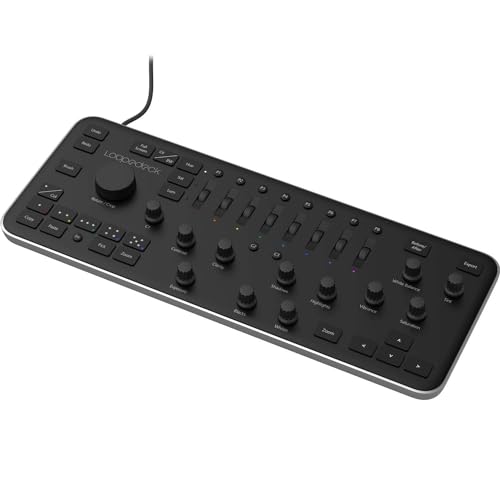
Picture this: you’re culling a wedding or an event set in fullscreen and rating images with quick star taps while fine‑tuning exposure with your fingertips. Dedicated HSL rollers make skin tones snap into place, and five preset keys apply your favorite looks instantly. Adjustable dial sensitivity helps you nail subtle changes with precision.
It’s perfect if most of your post-production happens in Lightroom and you process hundreds of RAW files at a time. Wedding shooters, portrait studios, and content creators will love the muscle-memory editing and reduced reliance on the mouse. You keep your eyes on the image—and your pace up.
Standout touches include deep customization, ergonomic layout, and a quick learning curve that feels natural after one session. It plugs in via USB and works on Windows or macOS, so setup is simple. The time you save on every batch can quickly pay for the console on client work.
If Lightroom is your home base, this pick is a smart accelerator for your desk. Our #10 choice balances speed, control, and simplicity—ideal when you want reliable, tactile editing without complexity. Add it to your gear setup to streamline post and hit deadlines faster.
TourBox Lite Bluetooth – Compact Editing Keyboard, Artists Drawing Tablet Keypad, Works…
Photographers and creators who want a portable, affordable way to speed Lightroom/Photoshop/Capture One workflows — especially travel shooters, hybrid studio/on-location editors, and serious hobbyists who want to reduce mouse reliance without investing in a larger console.
- Compact, wireless editing console that integrates with major apps (Photoshop, Lightroom, Capture One) — addresses core workflow needs
- Customizable presets + HUD that reduce shortcut memorization and speed up common edits
- Good price-to-value for serious hobbyists and many pros at $139.99 with strong user rating (4.8/5)
- Limited physical controls (compact Lite model — fewer dials/knobs than larger consoles), so less ideal for heavy-duty, high-volume retouching that benefits from more tactile controls
- Not compatible with iPadOS/Android; uses AA battery (not rechargeable battery pack) which may be a downside for some mobile workflows
The TourBox Lite directly addresses photographers’ and designers’ core needs — programmable controls, software presets, HUD feedback, and Bluetooth portability.
Want faster edits without a bulky desk console? TourBox Lite Bluetooth lands at #11 in our lineup with a 66/100 score because it nails the essentials—smooth app integration, tactile controls, and real value at $139.99.
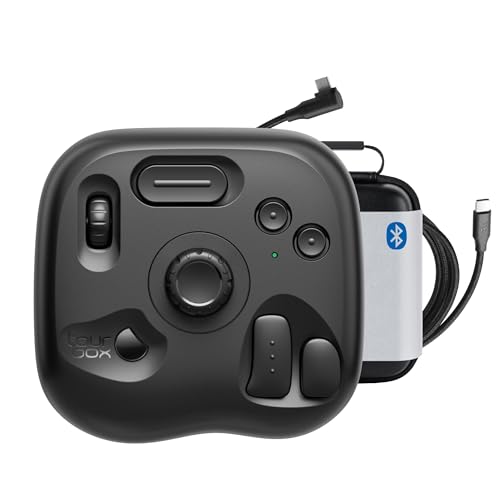
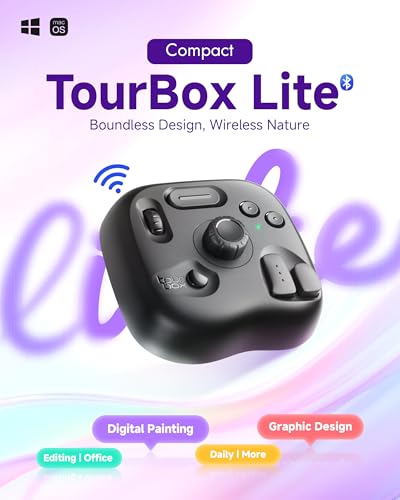
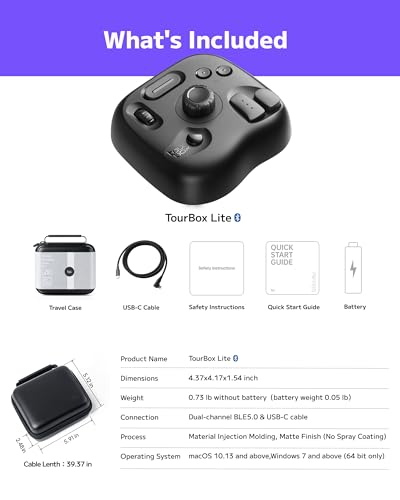
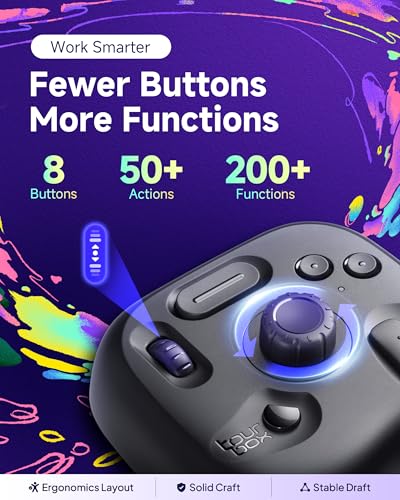
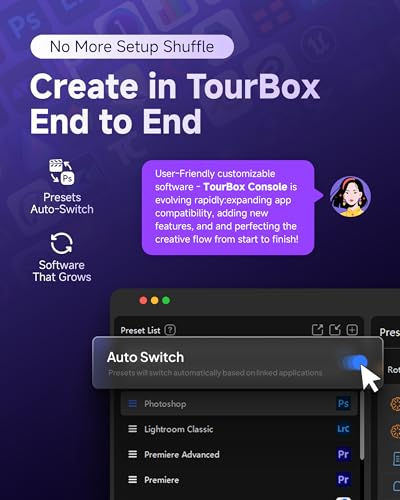
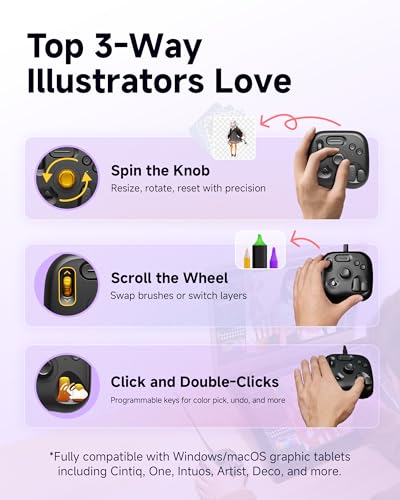
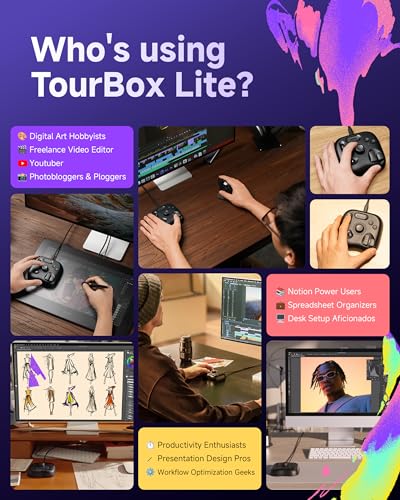
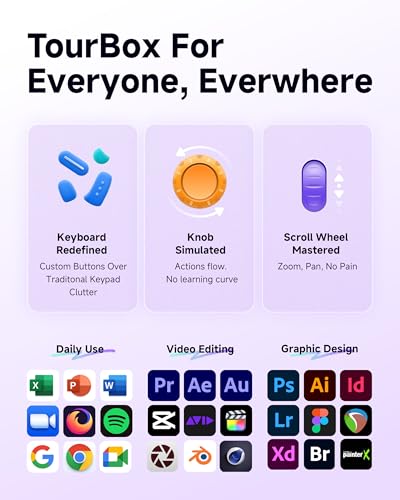
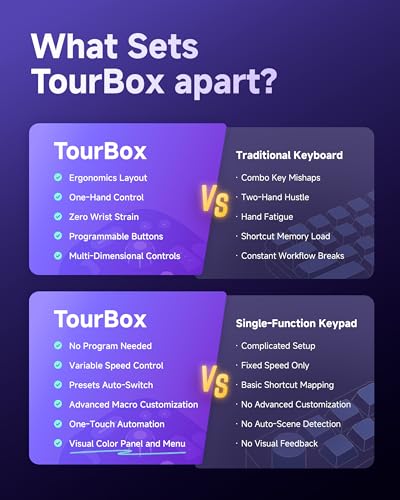

Picture this: culling a wedding in Lightroom on your laptop, flicking the wheel to rate, tapping a button to flag, and nudging the knob to fine-tune exposure—all without hunting for shortcuts. The preset library auto-detects your software and the on-screen HUD shows your mappings in real time, so you stay in the zone and get through sessions faster.
Perfect if you split time between studio and location, edit while traveling, or pair a pen display with tactile controls for retouching. If you mainly work on Mac or Windows and want a compact tool to reduce mouse strain while moving between Photoshop, Capture One, Illustrator, and Premiere Pro, this pick fits right in.
Ergonomic shaping and distinct buttons let you work by feel; the wheel and knob shine for brush size, zooming, and timeline scrubbing. Bluetooth freedom, a small footprint, and the included bag make it easy to pack, while swappable AA power keeps you rolling on long days without hunting for a charger.
At this price, the strong 4.8/5 user rating and customizable presets (with macros and quick switching) make it a smart upgrade that pays for itself in saved time. If you want a portable boost to your photo and video workflow, this choice is an easy yes.
X-keys USB Programmable Keypads and Keyboards (60 Key, XK-60)
Photographers, retouchers, and creators who want a reliable, highly programmable keypad to speed shortcut-driven workflows (culling, batch edits, layer and tool shortcuts) and prefer many discrete keys over a small set of tactile knobs/dials.
- Highly programmable — 60 individually addressable keys let you map lots of Lightroom/Photoshop shortcuts and macros
- Per-key backlighting and grouped layout improve discoverability in complex workflows
- Solid cross-platform compatibility (Windows XP–11, macOS 10.14–13) and proven build quality with many positive user notes
- No tactile analog controls (dials, jog wheel, or sliders) — less precise for brush size, exposure nudges, or fine grading compared with consoles like Loupedeck/TourBox
- Older model (first available 2012); limited visibility into recent sales and review recency
The XK-60 provides extensive programmable keys and backlighting that directly address needs to reduce reliance on mouse/keyboard shortcuts and speed repetitive editing tasks.
Want to fly through culling and edits without hunting for shortcuts? The X-keys XK-60 gives you 60 dedicated buttons you can tailor to Lightroom, Photoshop, and your favorite apps, so you move faster with fewer clicks. It lands at our #12 pick with a 66/100 score because it delivers real speed gains for editors who thrive on shortcut-driven workflows.

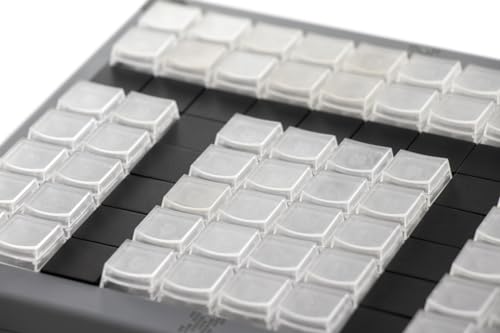

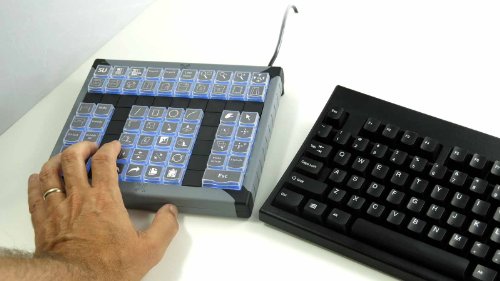
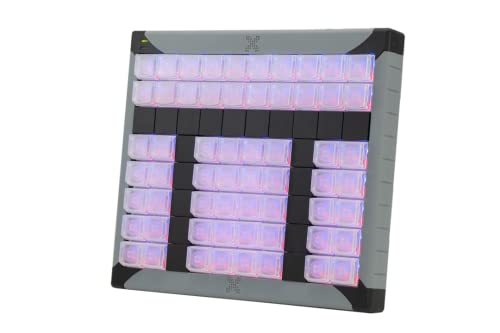
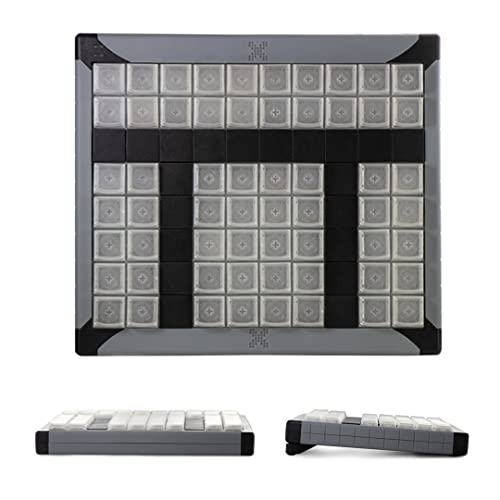
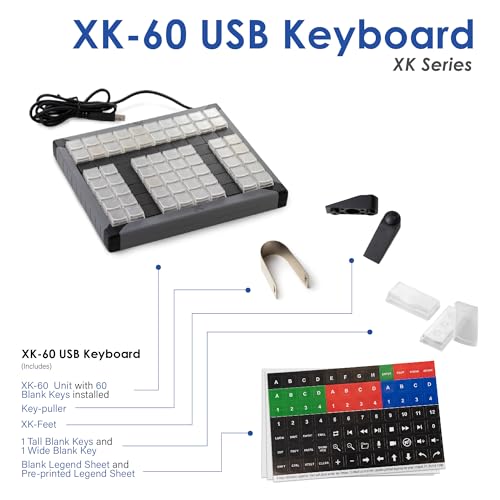
Assign flags, stars, color labels, masks, and export presets to discrete keys so culling and batch edits become muscle memory. Build macros for complex layer stacks or repetitive retouching and trigger them with one tap. Per-key lighting and grouped rows guide your fingers in dim studios and late-night sessions.
If you prefer lots of labeled keys over dials or wheels, this choice is a home run. It shines in high-volume tasks: wedding culls, e‑commerce batches, portrait retouching, tethered sessions, even timeline cuts and markers in editing apps for social videos. Keep your left hand on the pad and your right on the pen or mouse to stay in flow.
Cross‑platform support and onboard memory mean your layouts travel between Windows and macOS and work in hardware mode without extra software running. The sturdy build, swappable keycaps, and printable overlays make it easy to customize and spot the right command fast. By trimming seconds from every image, it can pay for itself quickly in saved time.
Choose this model if you want a dependable, highly configurable desk companion that turns your most-used commands into instant actions. For pros and serious creators, it’s a practical upgrade that reduces friction and boosts consistency across projects—one reason it sits at #12 in our lineup. If your editing is shortcut-heavy, you’ll feel the difference on day one.
TourBox NEO – Custom Controller for Photo Video Editing, Color Grading, Ilustration…
Serious hobbyists and many professional photographers/designers who want a compact, affordable, one-handed controller to speed culling, basic retouching and color adjustments in Lightroom/Photoshop without the cost or footprint of flagship consoles.
- Designed for photo/video editing: dedicated dials, knobs and buttons mapped for Lightroom/Photoshop workflows
- Compact, one-handed layout that speeds common tasks (brush size, exposure, color adjustments) — aligns with time-saving needs
- Strong user rating (4.6/5) and positive user feedback about ease-of-use and time savings
- Entry-level controller — lacks premium features (large touchscreen, larger control surface, advanced tactile modules) that some pros prefer
- Wired only and no iPad/Android support — limits flexibility for users on tablets or who want a wireless setup
The TourBox NEO directly addresses primary needs — programmable knobs/dials, one-handed control, and compatibility with major apps (Photoshop, Lightroom) — making it a solid productivity tool for photographers and content creators.
Want to cut your edit time without relearning your software? This compact, one‑handed controller, the TourBox NEO, puts tactile dials and buttons under your fingers for Lightroom, Photoshop, and timeline work. It lands at #13 on our list with a 66/100 score because it delivers real speed gains and a smooth workflow at a friendly price.

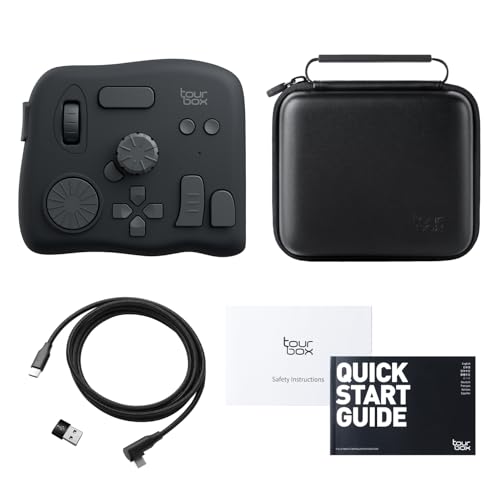
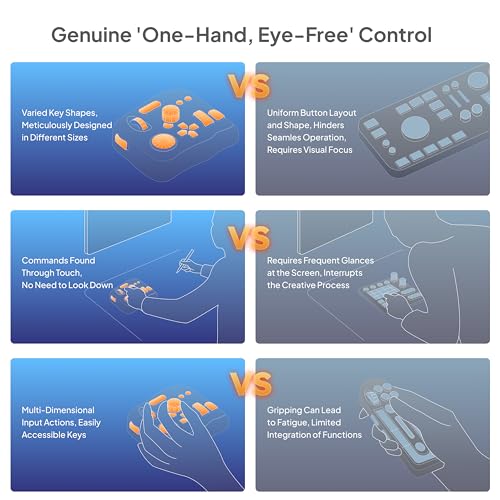
Picture this: you’re culling a wedding gallery and can fly through selects with a dial, then nudge exposure, contrast, and color with precise knobs without hunting for sliders. Brush size, zoom, and canvas rotation happen by feel, so your eyes stay on the image. The result is fewer clicks, less wrist strain, and more time to refine the final look.
It’s perfect if your workflow lives on macOS or Windows and you want a small control surface beside your keyboard or pen display. Keep one hand on your stylus while the other handles adjustments, scrubs timelines, and makes frame‑accurate trims. The wired connection gives instant, reliable response, and the quiet buttons are great for late‑night sessions.
Standout perks include customizable controls, smart presets for popular creative apps, and a sturdy, grippy build that stays put on the desk. The one‑hand layout makes common tasks feel natural within a day or two. At around this price, it delivers pro‑style control for a fraction of larger consoles and can pay for itself in time saved on client projects.
If you want tactile control and faster edits without a bulky setup, this pick is an easy recommendation. Add it to your desk to speed culling, retouching, and color so you can deliver more work, sooner.
TOUR BOX Lite – Editing Keyboard Compact, Artists Go-to Drawing Macro Keypad, Works with…
Photographers and content creators who want an affordable, portable macro keypad/console to speed up culling, basic adjustments, and shortcut-heavy workflows — especially those who prioritize a compact, tactile controller and are comfortable confirming software mappings themselves.
- Compact, portable design good for studio or travel setups
- Programmable controls and custom software can streamline repetitive editing tasks
- Strong user satisfaction (4.8/5 from 89 reviews) and attractive price point for the capabilities offered
- No explicit mention of Lightroom, Photoshop, or Capture One compatibility in the product details — important for photographers
- Wired only and limited to macOS/Windows (no iPad/Android support)
The TourBox Lite addresses the core audience need — programmable tactile controls to speed editing and reduce reliance on a mouse — and is well suited to photographers seeking portability and shortcut consolidation.
Want to slice time off your edits without crowding your desk? TOUR BOX Lite lands at #14 in our lineup with a 64/100 score because it delivers tactile speed at a friendly price, especially for streamlining culling and everyday adjustments. If you’re looking to work faster with fewer keyboard moves, this pick hits the essentials.
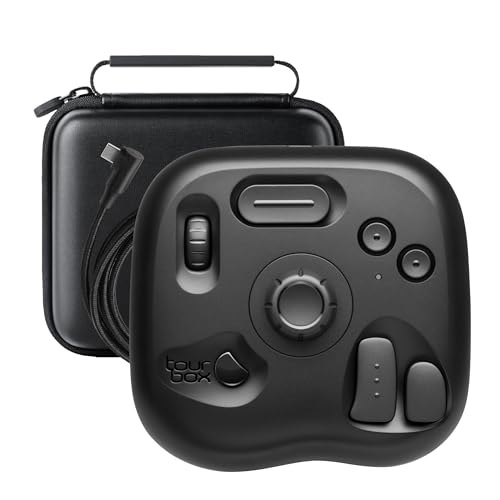
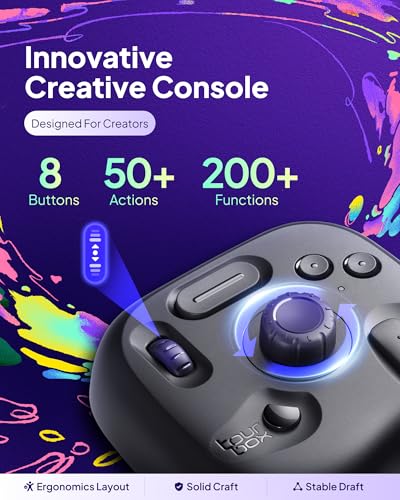
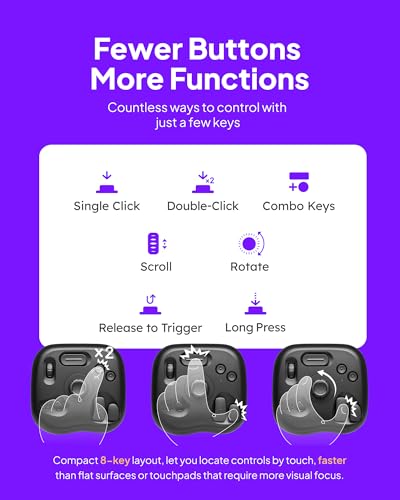
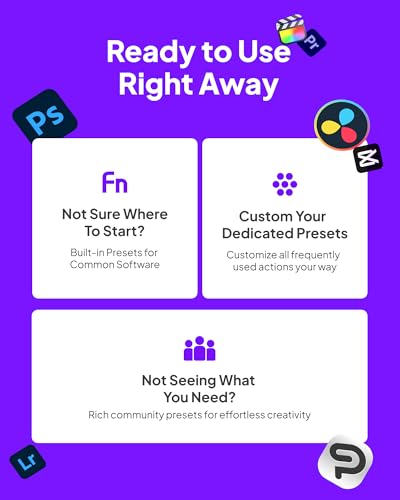
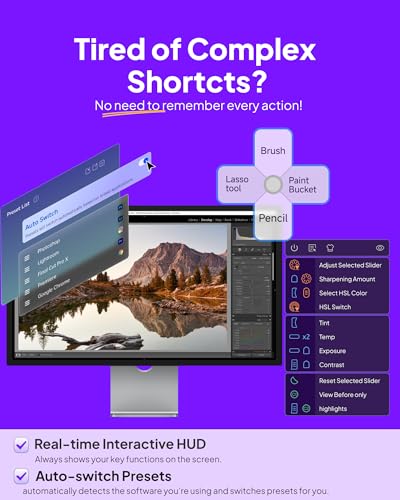
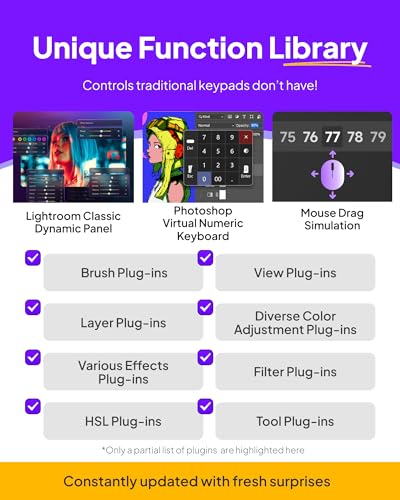

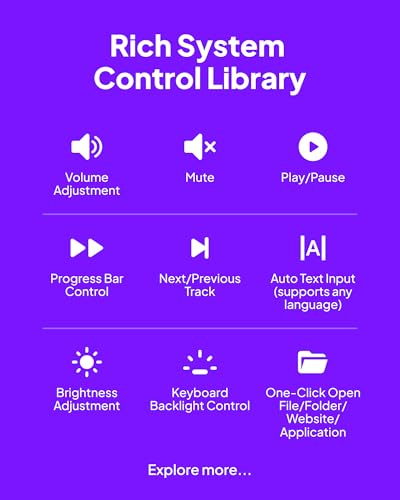
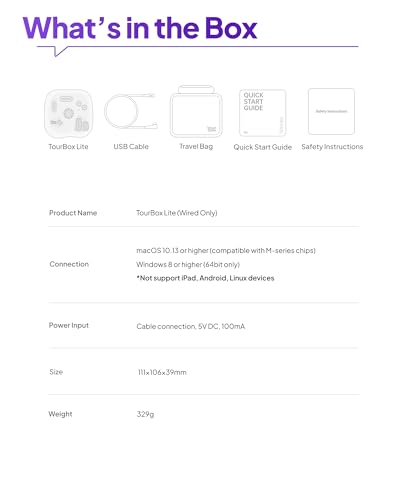
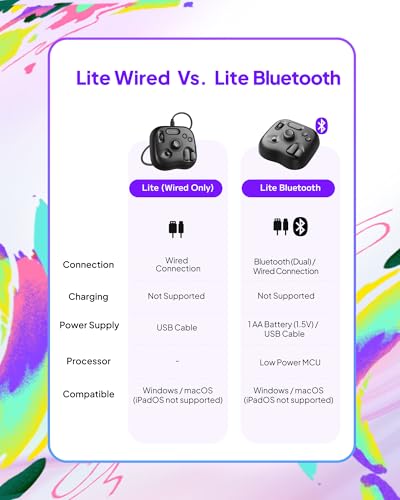
Map eight distinct buttons to 50+ actions and save up to 30 presets, so your go‑to commands are always under your left hand. Picture breezing through a portrait set: flag, rate, zoom, toggle before/after, and refine brushes without lifting your stylus or hunting for keys.
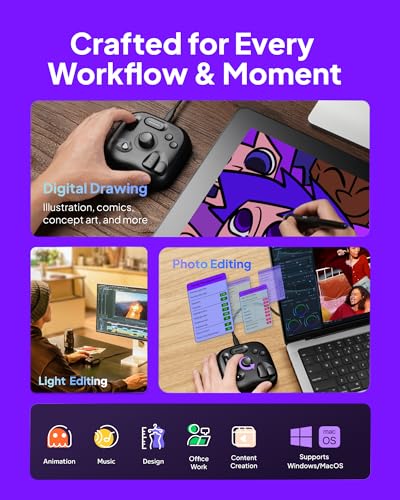
Perfect if you edit on a laptop or travel often—the lightweight body and included bag slip into any kit. It pairs nicely with a pen display or mouse, letting your right hand focus on precision while your left triggers tools in Lightroom, Photoshop, Capture One, Premiere, Resolve, and more.
The wired USB connection stays rock‑solid and never needs charging, ideal for long color grades or deadline sprints. Powerful macros and plug‑ins let you collapse multi‑step routines—like exporting, applying actions, or syncing settings—into a single press.
At around ninety dollars and backed by strong user ratings, this choice offers meaningful workflow gains for minimal spend. If you want an affordable, portable way to speed photo, video, and design work, you’ll get excellent value from this model.
JCPAL Adobe Photoshop Keyboard • Dash Wireless Shortcut Keyboard for Mac and PC •…
Photographers and content creators who want a compact, affordable Photoshop-focused shortcut keyboard to speed common tasks, reduce reliance on keyboard combos, and free desk space—especially useful for culling, batch edits, and faster general adjustments. Less ideal as a full replacement for tactile consoles or for workflows centered on Lightroom/Capture One.
- Purpose-built Photoshop shortcut keyboard with color-coded key guide — immediately usable for Photoshop workflows
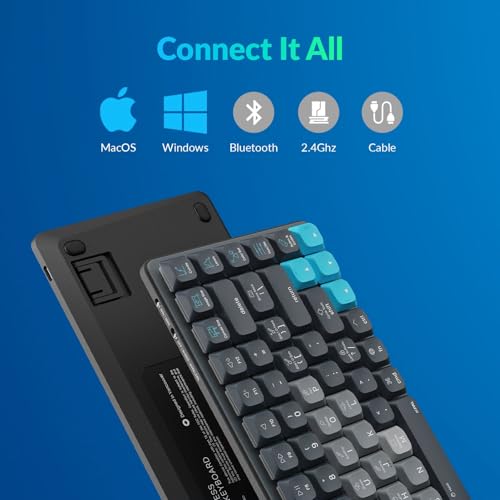
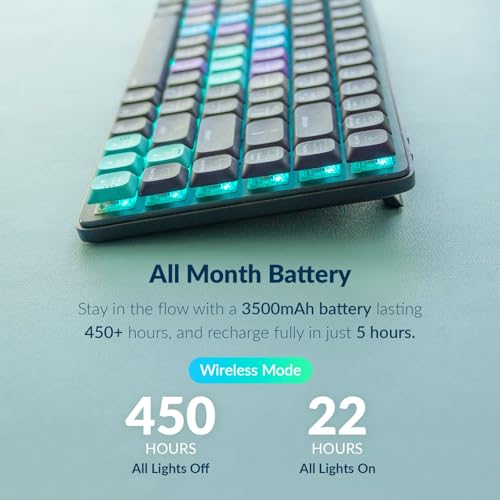
- Tri-mode connectivity (Bluetooth x3, 2.4GHz dongle, USB-C wired) and substantial 3500mAh battery for flexible use
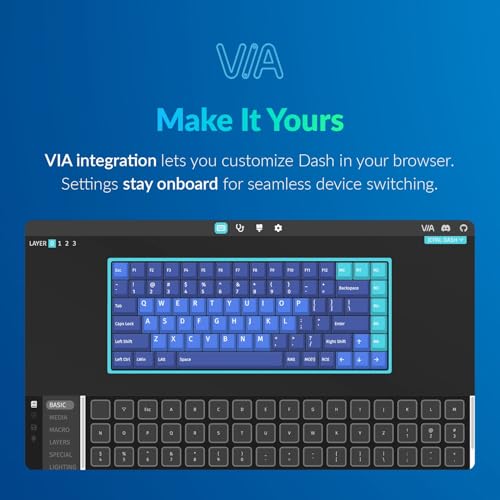
- Customizable keys (20 extra keycaps) editable in-browser and saved to the keyboard without extra software
- Limited dedicated controls — only seven preprogrammed hotkeys out of the box, so not a full console replacement
- Marketing and title focus on Photoshop only — no explicit support or presets mentioned for Lightroom or Capture One
The product directly addresses key needs — programmable shortcuts, compact ergonomics, and multi-mode connectivity — and is priced appropriately for serious amateurs and many professionals.
Want to trim minutes off every edit? JCPAL Adobe Photoshop Keyboard • Dash Wireless Shortcut Keyboard for Mac and PC • Shortcut Hotkeys lands at #15 in our lineup with a 63/100 score because it speeds up repetitive work, moves easily between setups, and keeps your desk clean.
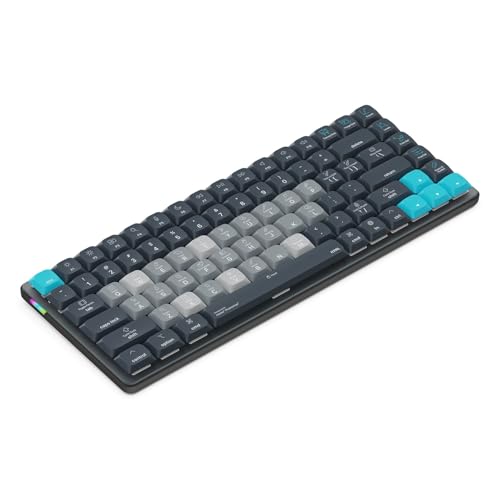
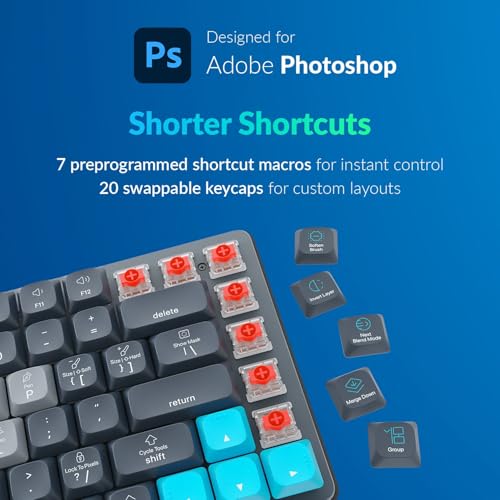
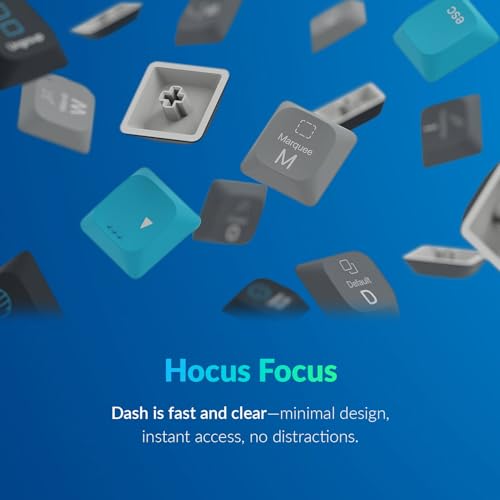
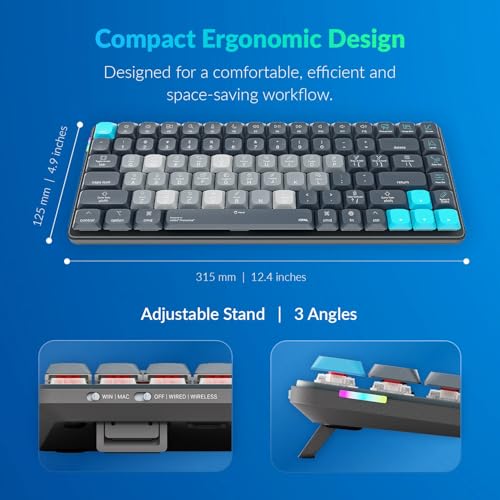

Color-coded labels and big function text help you learn shortcuts at a glance, so you can mask, clone, and zoom without digging through menus. Seven ready-to-go hotkeys get you rolling on day one, and you can map single-press actions like Select Subject, Content-Aware Fill, or Crop for faster culling and batch retouching.
Work the way you like: connect via Bluetooth (up to three devices), the 2.4 GHz dongle, or USB-C, then switch instantly between your desktop, laptop, and tablet. The 3500 mAh battery supports long sessions, and because mappings save to the board itself, your layout follows you without extra drivers. Configure it in your browser, then plug into any workstation and go.
The compact, low-profile shape frees space and keeps your mouse close, improving posture during marathon edits. Mechanical keys and durable PBT caps give crisp feedback, while 20 extra keycaps make it easy to build a layout for portraits, product work, or social content.
If you want a tidy, customizable shortcut deck that accelerates Photoshop without the bulk of a full control surface, this pick is a strong buy at $134.99. It’s a smart upgrade for photographers, designers, and creators who value speed, comfort, and a streamlined workspace.
When you buy through links on our site, we may earn a commission at no cost to you. We evaluate products independently. Commissions do not affect our evaluations.
Budget-Friendly Options & Final Picks
After analyzing and ranking 15 photo editing keyboards and consoles, our takeaway is clear: a well-designed console can meaningfully cut edit time, boost precision, and reduce mouse fatigue in Lightroom, Photoshop, and Capture One. For most professionals and serious creators, our top pick—the TOUR BOX TourBox Elite Plus (81/100)—offers the best mix of tactile control, deep customization, and cross-platform flexibility (including iPad via Bluetooth). If your workflow leans heavily on brush-based retouching, local adjustments, and color grading for portraits or products, the Elite Plus is the most refined, ergonomic choice.
If you’re a high-volume shooter working primarily in Lightroom Classic—think weddings, events, and content batches—the Loupedeck Creative Tool (78/100) is our best value. It excels at fast culling, global adjustments, and repeatable presets, with mature integrations that keep you in flow. On tighter budgets, you’ll still see real gains from our 70+ scorers, including the TourBox Elite (77/100), Logitech MX Creative Console (75/100), TourBox NEO (72/100), and Loupedeck Live (71/100). Prefer hotkeys over dials? The X-keys Programmable Keypad (66/100) or JCPAL Adobe Photoshop Keyboard (63/100) can streamline common shortcuts at the lowest cost. Choose the TourBox Elite Plus for precision retouching, the Loupedeck Creative Tool for Lightroom-driven speed, or one of the 70+ options for affordable efficiency—and edit with confidence knowing your workflow just got faster and more comfortable.
Disclosure/Disclaimer: As an Amazon Associate, we earn from qualifying purchases. Certain content was provided "as is" from Amazon and is subject to change or removal at any time. Product prices and availability: Amazon prices are updated daily or are accurate as of the date/time indicated and are subject to change. Any price and availability information displayed on Amazon.com at the time of purchase will apply to the purchase of this product.