


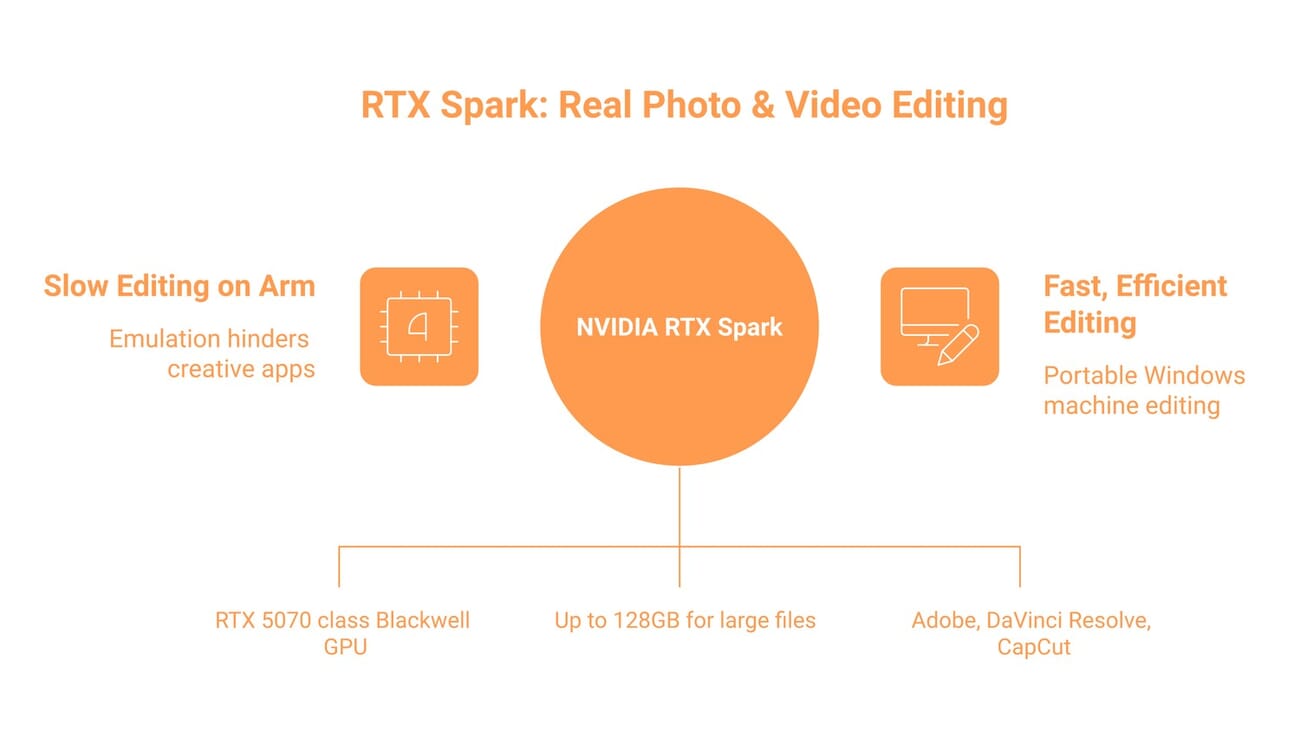
- NVIDIA unveiled the RTX Spark at Computex 2026 — a Windows-on-Arm superchip (built with MediaTek) pairing a 20-core Arm CPU with a Blackwell GPU (~RTX 5070 class, full CUDA stack) and up to 128GB unified memory.
- The big deal for creatives: Adobe is rebuilding Photoshop and Premiere Pro natively for it — Photoshop going 100% GPU-accelerated. That’s the exact thing Snapdragon X never secured, and what doomed earlier Arm PCs for editing.
- On paper it’s a strong editing machine: CUDA-accelerated video encode/AI/3D, and enough memory for 12K 4:2:2 footage and huge RAW projects. Devices ship from Dell, HP, Lenovo, Asus, MSI, and Microsoft in fall 2026.
- Native support is unusually broad for a launch: NVIDIA says 100+ apps are coming, including DaVinci Resolve, CapCut, Topaz, Blender and Affinity alongside Adobe. The real caveats are the apps NOT yet on that list (e.g. Capture One), niche plugins and peripheral drivers, and that it’s a first-gen platform not shipping until fall 2026. Verify your toolchain and wait for reviews.
NVIDIA just did something it hasn’t done in years: jumped into the PC market. At Computex 2026 it unveiled the RTX Spark, a Windows-on-Arm “superchip” that the Financial Times framed as a direct challenge to Apple and Intel. For most people that’s a chip-industry story. For photographers and video editors, it’s potentially something bigger — the first Windows-on-Arm machine that might actually be worth buying for creative work.
That’s a real shift, because Arm-based Windows PCs have been a graveyard for creative workflows. Here’s what the RTX Spark is, why it could change that, and the caveats to weigh before you get excited.
What the RTX Spark Actually Is
The RTX Spark is a system-on-chip NVIDIA built in partnership with MediaTek for Windows-on-Arm laptops and compact desktops. At its top configuration it pairs:
- A 20-core Arm CPU (10 high-performance Cortex-X925 cores up to 4.1GHz + 10 efficiency cores)
- A Blackwell GPU with 6,144 CUDA cores — roughly RTX 5070 class — running the full CUDA software stack natively
- Up to 128GB of unified LPDDR5X memory at ~300 GB/s, shared between CPU and GPU
- About 1 petaflop of AI compute
Devices are coming this fall 2026 from Dell, HP, Lenovo, Asus, MSI, and Microsoft Surface — more than 30 laptops and around 10 mini-desktops. Pricing hasn’t been announced; NVIDIA is positioning the platform against Apple’s M-series and Qualcomm’s Snapdragon X Copilot+ machines, promising long battery life and real GPU performance in one package.

Why This One Matters for Editors
The single most important detail isn’t a spec — it’s software. Adobe is rebuilding Photoshop and Premiere Pro natively for the RTX Spark architecture, with Photoshop becoming a 100% GPU-accelerated app and Premiere getting a core overhaul for faster AI editing, color, and effects. That is exactly the thing Qualcomm could never secure in two-plus years of Windows on Arm — and the lack of it is what made earlier Arm PCs frustrating for creative work, where apps either ran slowly under emulation or didn’t run at all.
Stack the hardware on top and the case gets stronger. An RTX 5070-class GPU with native CUDA means fast video encode and decode, GPU-accelerated effects, and quick AI tasks like denoise, masking, and upscaling — and CUDA matters because so many professional plugins and renderers are built on it. The 128GB unified memory pool, meanwhile, lets you work with massive 12K 4:2:2 video or huge layered RAW and 3D projects without running out of headroom. On paper, this is a serious editing machine, not a thin-and-light compromise. Pair it with a color-accurate monitor and it’s a complete editing station.
Video Editing: It’s Not Just Adobe
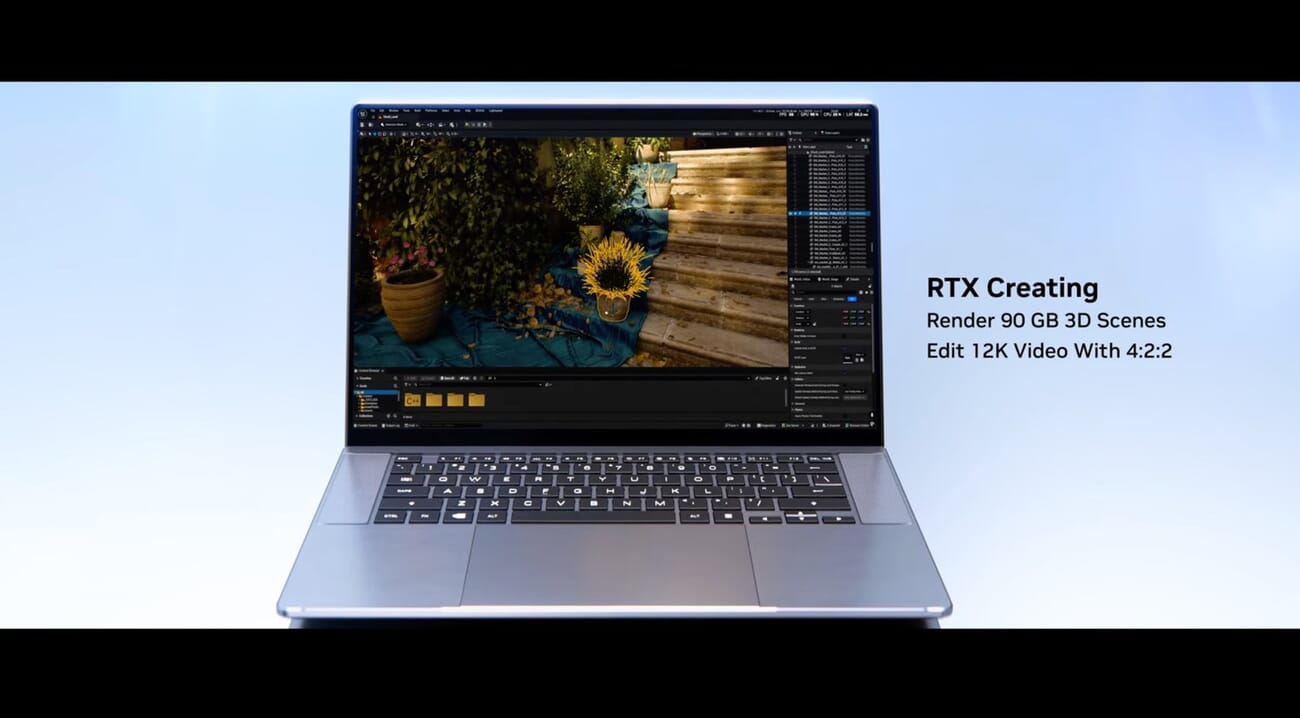
When NVIDIA demoed the platform’s creative chops, the pitch was pointed: a single laptop rendering 90GB 3D scenes and editing 12K video in 4:2:2 — the kind of load that usually demands a desktop tower. For video editors, that’s the headline use case.
Just as important, the native-app commitment goes well beyond Adobe. NVIDIA says more than 100 software companies are building for the platform, and the creative roster already names Blackmagic’s DaVinci Resolve, CapCut, Topaz Photo, Blender, Maxon’s Cinema 4D and Redshift, and Affinity by Canva. For video specifically that’s a clean sweep of the apps that matter: the two dominant pro NLEs on Windows — Premiere Pro and DaVinci Resolve — plus CapCut, the fastest-growing social-first editor. CapCut building natively, the same way Adobe is, is the tell that this isn’t an Adobe-only walled garden.
Straight from the source: Jensen Huang walks through the RTX Spark hardware and its creative-app partners — Adobe and others — at the NVIDIA GTC Taipei 2026 keynote (cued to the creative segment).
The hardware backs it up. NVIDIA’s CUDA video stack means hardware-accelerated encode and decode (NVENC/NVDEC), GPU-accelerated effects and color, and fast AI passes — denoise, upscaling, masking — that video work increasingly leans on. Add the 128GB unified memory pool and high-bitrate, high-resolution timelines stop being a stretch goal. With Resolve, Premiere and CapCut all in the native column, a video editor’s case for RTX Spark is arguably stronger than a stills photographer’s right now.
The Windows-on-Arm Catch
Here’s where to stay grounded. The RTX Spark is still a Windows-on-Arm platform, and a long partner list doesn’t mean everything is on it. Software that hasn’t been rebuilt for Arm runs through emulation (slower) or may not run at all. Before anyone treats this as a Mac replacement, the things to verify for your own workflow:
- Apps not yet named — the native roster is broad (Adobe, DaVinci Resolve, CapCut, Topaz, Affinity, Blender and more), but confirm your specific editor is on it. Capture One, for one, hasn’t been listed yet.
- Plugins and codecs — third-party LUTs, denoise/AI plugins, and certain camera codecs are the usual compatibility gaps.
- Peripherals — monitor calibrators, tethering tools, and capture hardware need Arm-compatible drivers.
Windows-on-Arm compatibility has improved a lot, and a CUDA-native NVIDIA platform will pull developers along faster than Qualcomm managed. But “improving” isn’t “universal,” and that gap is exactly where a creative workflow can break.
Should You Wait for It?
If you’re an Adobe-, Resolve-, or CapCut-centric Windows editor, the RTX Spark is the most exciting thing to happen to creative PCs in a while — and worth watching closely, since all three are already on the native-app list. If you depend on an app that hasn’t been named yet (Capture One, say) or a specific plugin/peripheral stack, hold off until those go native. And in all cases, remember this is a first-generation platform that isn’t shipping until fall 2026 with no pricing yet — real-world performance, thermals, and driver maturity won’t be clear until independent reviews land. The smart move now is to note your must-have apps, watch for native-Arm announcements, and revisit when machines and benchmarks are actually out.
FAQ
Is the RTX Spark out yet?
No. It was announced at Computex 2026; laptops and compact desktops from Dell, HP, Lenovo, Asus, MSI, and Microsoft are expected in fall 2026, with pricing not yet announced.
Will Photoshop and Premiere run natively on it?
Yes — Adobe is rebuilding both natively for RTX Spark, with Photoshop becoming fully GPU-accelerated and Premiere getting an AI/color/effects overhaul. That native support is the platform’s biggest advantage for creatives.
Does DaVinci Resolve or Capture One work on it?
DaVinci Resolve is on NVIDIA’s native-app list for the platform, alongside CapCut, Topaz, Blender and Affinity — so video editors are well covered. Capture One hasn’t been named yet, so verify it (or any niche app) before buying; anything not yet ported runs under emulation.
RTX Spark vs a MacBook Pro for editing?
Apple’s M-series is the mature, no-compatibility-worries option today. RTX Spark’s pitch is a desktop-class CUDA GPU plus 128GB unified memory in a Windows machine — potentially stronger for CUDA-dependent and AI-heavy workflows, once the software ecosystem catches up. Wait for shipping hardware and benchmarks to compare directly.
The Bottom Line
The RTX Spark is the first Windows-on-Arm platform that gives photo and video editors a real reason to pay attention — because for once the silicon (a CUDA-native, 128GB-memory GPU machine) and the software (a deep native-app roster led by Adobe, DaVinci Resolve and CapCut) are arriving together. It’s not a buy yet; it’s a watch. If you’re in the Adobe world and shopping for a powerful, efficient editing machine in late 2026, this could be the one to wait for — just confirm your full toolchain goes native before you switch.
Featured image: NVIDIA — Jensen Huang presents the MSI RTX Spark mini desktop at the GTC Taipei 2026 keynote.
Primary Coverage
- NVIDIA Newsroom — NVIDIA and Microsoft Reinvent Windows PCs (RTX Spark) – Official RTX Spark announcement and partner lineup.
- Tom's Hardware — NVIDIA unveils RTX Spark Superchip at Computex 2026 – Specs: 20-core Arm CPU, Blackwell GPU, 128GB unified memory.
- Financial Times — Nvidia unveils PC 'superchip' in challenge to Apple and Intel – Market framing of NVIDIA's PC entry.
- NVIDIA GeForce — NVIDIA at COMPUTEX 2026 (RTX Spark, app partners) – 100+ native Windows-on-Arm app partners, incl. DaVinci Resolve, CapCut, Topaz, Blender, Affinity.
Image Sources
- NVIDIA — RTX Spark promo (12K 4:2:2 / 3D render) + GTC Taipei 2026 keynote still (featured) – Manufacturer promotional image and keynote footage.
- Unsplash — Mark Cruz (editing workstation) – Illustrative editing photography.
Disclosure: This article contains affiliate links. When you purchase through these links, we may earn a commission at no additional cost to you. This helps support our research and allows us to continue providing free buying guides. All opinions and recommendations are based on our independent research and analysis.