


- BenQ SW272U takes the top spot with 99% AdobeRGB, 16-bit 3D LUT hardware calibration, and nano-matte panel for print-focused photographers.
- Apple Studio Display XDR debuts as the premium choice with mini-LED, 2,000 nits HDR, P3 + Adobe RGB, and 120Hz at $3,299.
- ASUS ProArt PA32UCDM brings professional-grade QD-OLED to photo editing with Delta E under 1 and hardware calibration.
- ASUS ProArt PA27JCV delivers 5K resolution (218 PPI) with 99% DCI-P3 at just $730, making it the value champion.
- Budget pick: ASUS ProArt PA329CRV offers 32-inch 4K with 98% DCI-P3 under $600.
- All 11 monitors tested in stock with multi-retailer pricing (Amazon, B&H, Adorama) as of March 2026.
A color shift you never noticed on screen turns into a rejected print or a client revision that should not have happened. For photographers who deliver to print, web galleries, and social media, the monitor is where every color decision is made or broken. The right panel locks in accurate hues, smooth gradients, and reliable proofing from the first export.
This guide compares 11 photo editing monitors across resolution, color gamut, calibration support, panel technology, and connectivity. The BenQ SW272U leads for color-critical print work with 99% AdobeRGB and true hardware calibration, while the ASUS ProArt PA27JCV delivers exceptional 5K detail at a fraction of the price. New additions include the just-announced Apple Studio Display XDR with mini-LED and 120Hz, and the ASUS ProArt PA32UCDM QD-OLED for photographers who also grade video.
Picks span budgets from under $600 to over $3,000, with clear recommendations by screen size, panel type, and workflow. Whether the goal is soft-proofing fine art prints or culling travel photos on a MacBook, the right monitor is here.
When you buy through links on our site, we may earn a commission at no cost to you. We evaluate products independently. Commissions do not affect our evaluations. As an Amazon Associate, we earn from qualifying purchases.
Top Picks


Photo Editing Monitors Compared
| Specifications | |||||||||||
|---|---|---|---|---|---|---|---|---|---|---|---|
| Score | 100/100 | 98/100 | 97/100 | 96/100 | 95/100 | 93/100 | 92/100 | 91/100 | 90/100 | 88/100 | 87/100 |
| Panel Size | 27" | 27" | 27" | 31.5" | 32" | 27" | 32" | 31.5" | 32" | 27" | 27" |
| Resolution | 4K (3840×2160) | 5K (5120×2880) | 5K (5120×2880) | 4K (3840×2160) | 4K (3840×2160) | 5K (5120×2880) | 4K (3840×2160) | 4K (3840×2160) | 4K (3840×2160) | 4K (3840×2160) | QHD (2560×1440) |
| Panel Type | IPS | IPS | Mini-LED | QD-OLED | IPS | IPS | IPS | IPS | QD-OLED | IPS Black | IPS |
| Adobe RGB | 99% | 95% | Yes (XDR) | N/A | 99% | N/A | N/A | 81% | N/A | 89% | 99% |
| DCI-P3 | 99% | 99% | P3 + Adobe RGB | 99% | 95% | P3 | P3 | 98% | 99% | 98% | 98% |
| Hardware Calibration | Yes (16-bit 3D LUT) | Calman Verified | No | Yes (ASUS ProArt) | Yes (16-bit 3D LUT) | No | No | Calman Verified | No | No | Yes (16-bit 3D LUT) |
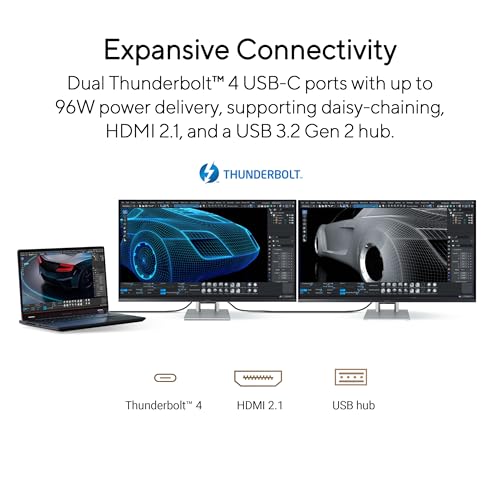
| USB-C Power | 90W | 96W | 140W (TB5) | 96W (TB4) | 60W | 96W (TB5) | 90W | 96W | 90W | Thunderbolt | 90W |
| Best For | Print photography | 5K retouching | Premium Mac HDR | Photo + video hybrid | 32" print proofing | Mac ecosystem | Budget Mac editing | Budget 32" editing | Hybrid photo/video | Thunderbolt hub | Budget photographer |


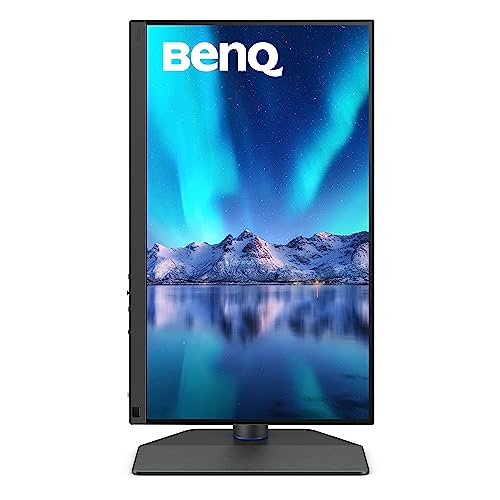
BenQ SW272U 27-Inch 4K Photographer Monitor
Print photographers, fine art retouchers, and anyone who needs reference-grade AdobeRGB accuracy with true hardware calibration
- 99% AdobeRGB and 99% DCI-P3 coverage for both print and screen work
- 16-bit 3D LUT with true hardware calibration via Palette Master Ultimate
- Uniformity Technology actively corrects brightness and color across the panel
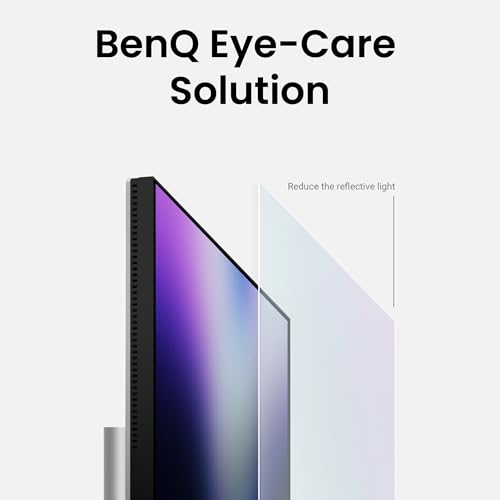
- Nano-matte anti-reflection panel preserves sharpness without glare
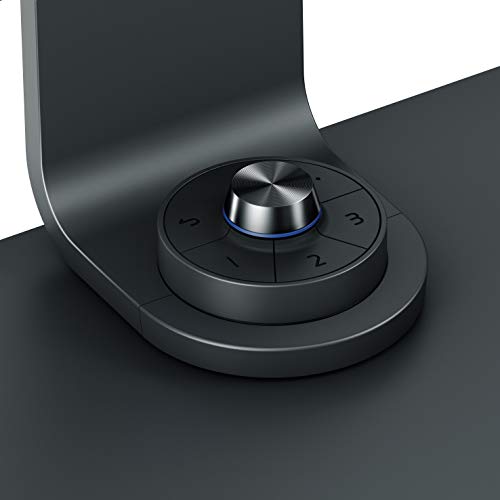
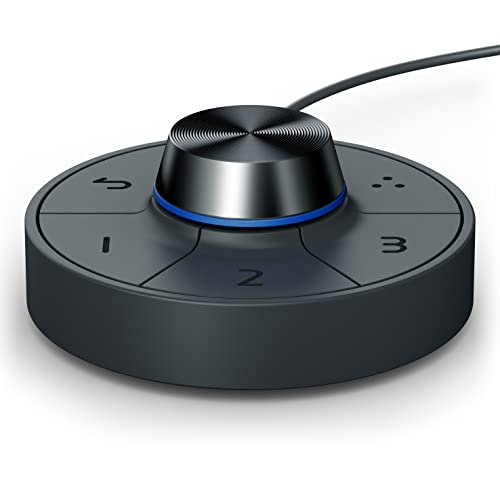
- Hotkey Puck G3 for instant switching between calibrated color modes
- $1,500 price puts it above casual or hobbyist budgets
- 27-inch 4K (163 PPI) is sharp but not as dense as 5K panels
- No built-in speakers or webcam
The BenQ SW272U is the benchmark for photographers who deliver to print. Its 16-bit 3D LUT stores calibration data directly in the monitor hardware, keeping colors accurate across every application without GPU-dependent profiles. The Uniformity Technology compensates for the brightness and color drift that plagues edges and corners on most IPS panels. Combined with the nano-matte coating that cuts reflections without the haze of traditional matte finishes, it is the most complete photographer monitor available.
The BenQ SW272U has earned its reputation as the go-to reference monitor for serious photographers. At 27 inches and 4K resolution, it delivers 163 PPI, which is sharp enough for detailed retouching while keeping UI elements comfortably sized without scaling adjustments on most operating systems.


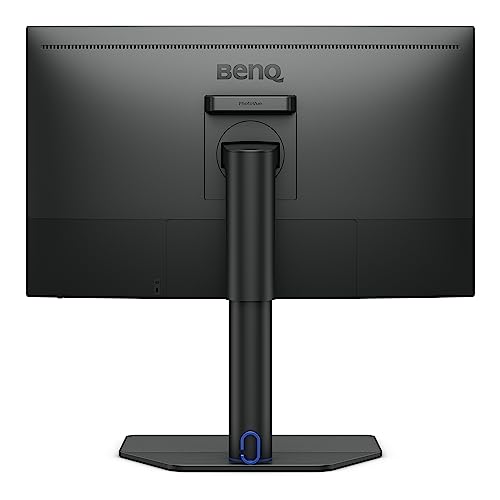
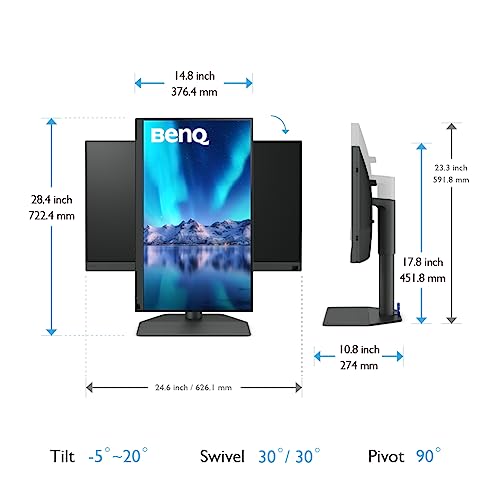

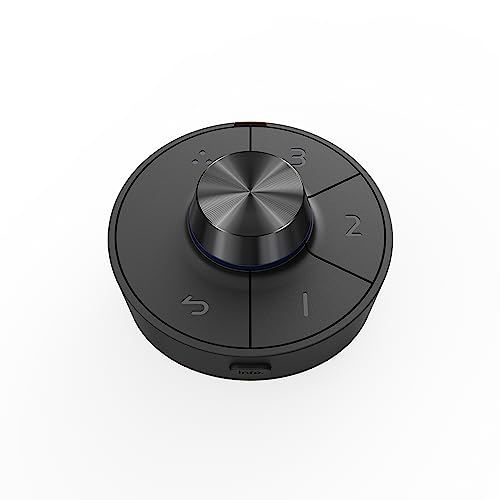
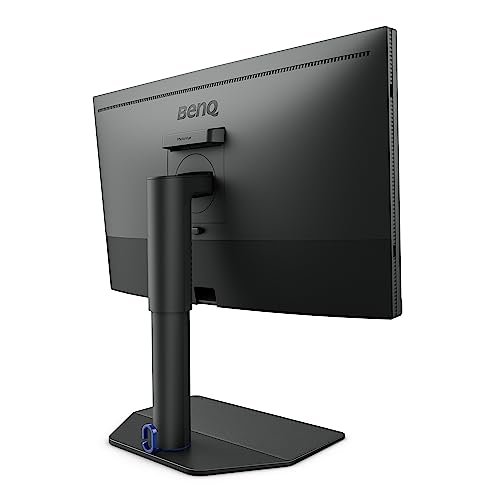
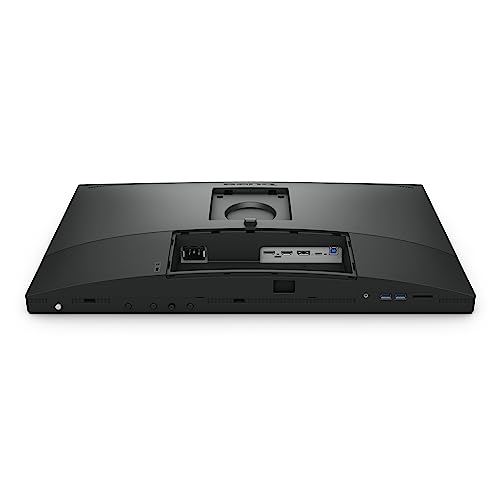
What sets the SW272U apart from competing monitors at this price point is the complete calibration ecosystem. The 16-bit 3D LUT accepts corrections from Palette Master Ultimate (BenQ’s calibration software) and stores them in hardware, which means every application on the system sees the corrected colors without relying on ICC profiles loaded by the GPU. This is critical for photographers who switch between Lightroom, Photoshop, and browser-based delivery platforms. The Hotkey Puck G3 sits on the desk and allows instant switching between AdobeRGB, sRGB, and custom calibration profiles with a physical dial, which is genuinely useful during client review sessions.
The nano-matte panel coating deserves specific mention. Traditional matte finishes scatter light but also slightly soften the image. BenQ’s nano-matte treatment reduces reflections to near-zero while preserving enough clarity that fine detail work feels crisp. For photographers working near windows or in mixed lighting, this is a real workflow advantage over glossy panels that require controlled lighting to be usable.
Connectivity includes 90W USB-C power delivery, HDMI 2.0, and DisplayPort 1.4. The USB-C port handles video, data, and laptop charging in a single cable, which cleans up desk setups considerably. The included shading hood blocks ambient light for critical color evaluation, and BenQ’s Paper Color Sync feature simulates print output on screen for soft-proofing before sending files to the printer.
Pricing & Where to Buy
The BenQ SW272U is priced at $1,499.99 (as of March 2026), which includes the monitor, shading hood, Hotkey Puck G3, and USB-C cable. BenQ backs it with a 3-year warranty covering panel defects.
- Buy on Amazon — Prime shipping available
- Check price at B&H Photo
- Check price at Adorama
- BenQ official store
ASUS ProArt PA27JCV 27-Inch 5K Professional Monitor
Detail-focused retouchers who want 5K pixel density with pro-grade color at a competitive price
- 5K resolution (5120×2880) at 218 PPI delivers exceptional detail for retouching
- 99% DCI-P3 and 100% sRGB with factory Delta E under 2
- LuxPixel anti-glare coating rivals Apple clarity without reflections
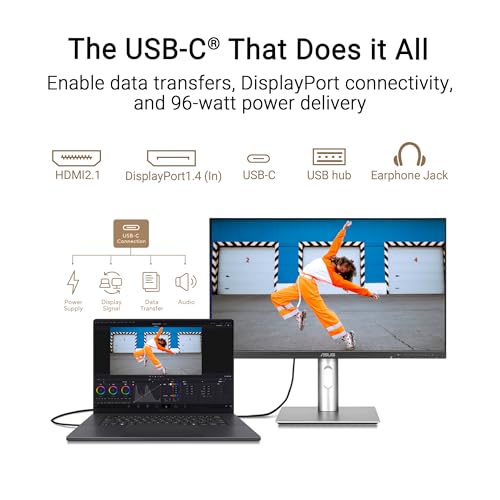
- 96W USB-C power delivery with Auto KVM switching
- Calman Verified for streamlined hardware calibration
- AdobeRGB coverage (about 95%) trails dedicated photographer monitors like the SW272U
- 5K resolution requires a capable GPU and may need display scaling tweaks on Windows
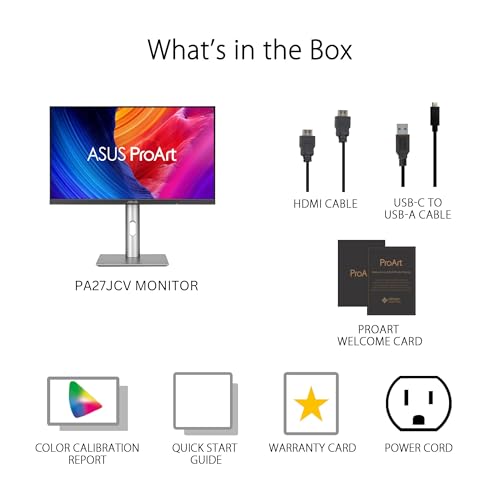
- No included shading hood
The ASUS ProArt PA27JCV puts Apple-level pixel density into a monitor that costs less than half the price of the new Studio Display XDR. The 5K resolution means every pore, hair, and texture detail is visible during retouching without zooming in. The LuxPixel coating achieves near-glossy clarity with anti-glare properties, and Calman verification ensures the factory calibration is trustworthy out of the box.
The ASUS ProArt PA27JCV is one of the few 5K monitors available outside the Apple ecosystem, and at $730 it undercuts every competitor at this resolution by a significant margin. The 218 PPI pixel density means text is razor-sharp and image detail is visible at 100% zoom without the pixelation that shows up on 27-inch 4K panels when inspecting fine textures.
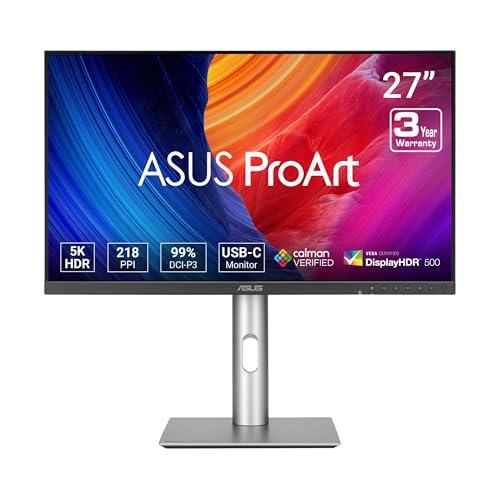




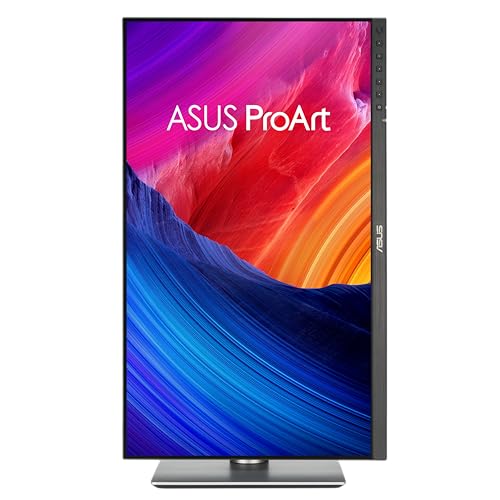
Color performance is strong for the price point. The PA27JCV covers 99% DCI-P3 and 100% sRGB with factory calibration verified by Calman to Delta E under 2. That said, AdobeRGB coverage sits around 95%, which means photographers who need absolute AdobeRGB precision for CMYK print workflows should look at the BenQ SW272U instead. For screen-first delivery, social media, and web galleries, the P3 coverage is more than sufficient.
The LuxPixel anti-glare coating is a standout feature. Unlike traditional matte panels that scatter light and slightly soften the image, LuxPixel achieves near-glossy optical clarity while still cutting reflections. Working near a window or under mixed lighting is practical without the glare issues that make glossy screens like the older Apple Studio Display frustrating in bright environments.
Connectivity includes USB-C with 96W power delivery, enough to charge a 16-inch MacBook Pro at full speed while driving the display. Auto KVM switching detects which computer is active and routes keyboard and mouse inputs automatically, a real convenience for photographers who switch between a desktop workstation and a laptop.
Pricing & Where to Buy
The ASUS ProArt PA27JCV is priced at $729.99 (as of March 2026). ASUS includes a 3-year warranty with zero bright-dot guarantee on ProArt models.
- Buy on Amazon — Prime shipping available
- Check price at B&H Photo
- Check price at Adorama
- ASUS official store
Apple Studio Display XDR 27-Inch 5K Mini-LED
Mac-based photographers who want premium HDR capability, P3 plus Adobe RGB gamuts, and seamless Apple ecosystem integration
- Mini-LED backlight with 2,304 dimming zones and 2,000 nits peak HDR brightness
- Covers both P3 and Adobe RGB color spaces for print and screen workflows
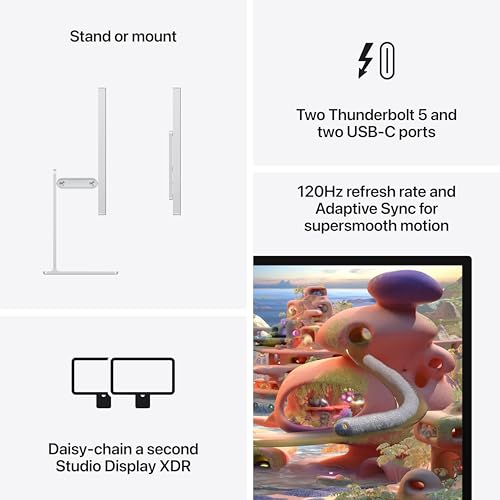
- 120Hz refresh rate with Adaptive Sync for smooth scrolling and video preview
- Thunderbolt 5 with 140W charging and display daisy-chaining
- 12MP Center Stage camera and six-speaker system with Spatial Audio
- $3,299 starting price is a significant investment
- Mac-only compatibility (requires macOS 26.3.1 or later)
- No hardware calibration LUT support for third-party profiling tools
- Brand new release (March 2026) with limited real-world reviews
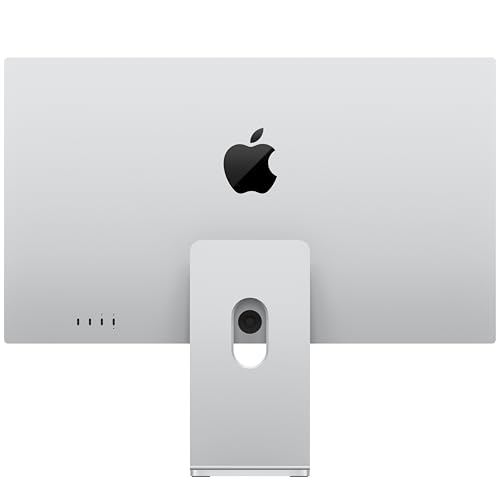
The Apple Studio Display XDR replaces the $4,999 Pro Display XDR at a substantially lower price while adding 120Hz and Thunderbolt 5. For Mac photographers who shoot and edit HDR content, the mini-LED backlight with over 2,300 dimming zones delivers the contrast and brightness needed to evaluate HDR images accurately. The combined P3 and Adobe RGB gamut support means both screen and print workflows are covered from a single display.
The Apple Studio Display XDR is Apple’s answer to photographers and video editors who needed Pro Display XDR performance without the $5,000 price tag. Announced on March 3, 2026, and shipping from March 11, this 27-inch 5K panel uses mini-LED backlighting with 2,304 local dimming zones to achieve 1,000 nits sustained SDR brightness and 2,000 nits peak HDR brightness.
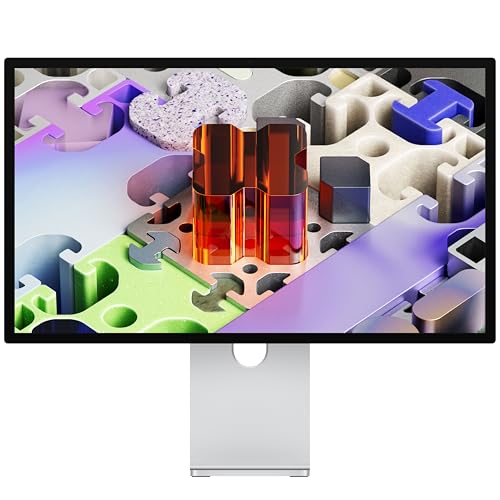
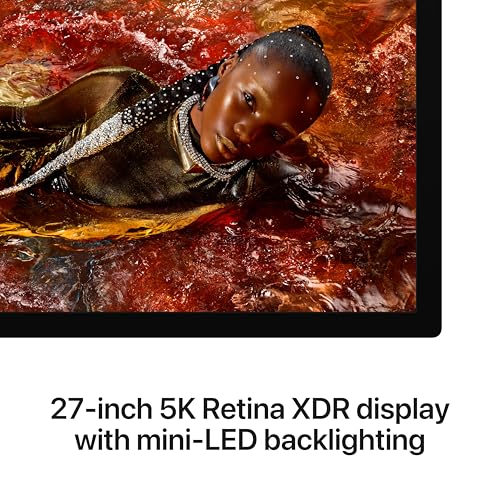
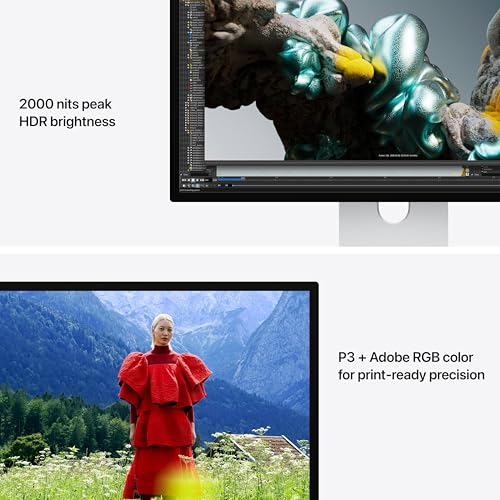
For photographers, the key specification is the combined P3 and Adobe RGB color gamut coverage. Apple has not published exact percentage figures at the time of writing, but the XDR designation and mini-LED architecture suggest coverage comparable to the Pro Display XDR, which measured at 99.7% P3 and excellent Adobe RGB coverage in independent testing. The 1,000,000:1 contrast ratio means shadow detail and highlight separation are dramatically better than any IPS panel in this roundup.
The 120Hz refresh rate with Adaptive Sync is a genuine quality-of-life improvement for photo editing. Scrolling through a Lightroom grid, panning across a high-resolution image in Photoshop, and scrubbing video timelines all feel noticeably smoother. It does not affect color accuracy, but it makes the editing experience more responsive and less fatiguing during long sessions.
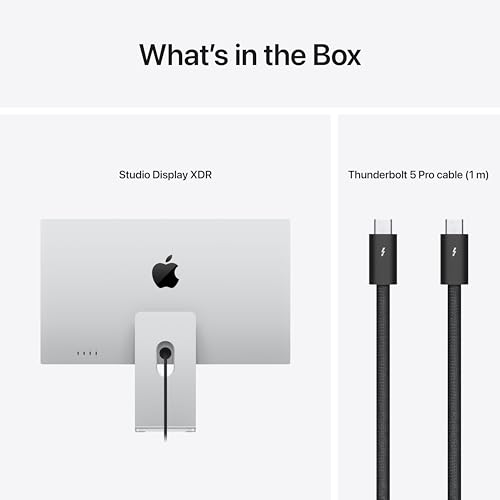
Thunderbolt 5 connectivity provides 140W power delivery, enough to charge even a 16-inch MacBook Pro at full speed. Two Thunderbolt 5 ports allow daisy-chaining a second display or connecting high-speed storage. The 12MP Center Stage camera and six-speaker system with Spatial Audio add videoconferencing capability without external peripherals. The significant caveat: there is no hardware calibration LUT, so color management relies on macOS ColorSync profiles rather than monitor-level corrections. For photographers who need absolute calibration control, the BenQ SW272U or SW321C remain stronger choices.
Pricing & Where to Buy
The Apple Studio Display XDR starts at $3,299 (as of March 2026) with a tilt- and height-adjustable stand and standard glass. Nano-texture glass adds $300. A VESA mount adapter configuration is also available at $3,299. Pre-orders opened March 4, with availability starting March 11.
- Buy on Amazon — Pre-order available
- Check price at B&H Photo
- Check price at Adorama
- Apple Store — available March 11
ASUS ProArt PA32UCDM 32-Inch 4K QD-OLED Professional Monitor
Photographers who also edit video and need true blacks, wide P3 gamut, and per-pixel contrast that IPS panels cannot match
- QD-OLED panel delivers true blacks with 1,500,000:1 contrast ratio
- 99% DCI-P3 with Delta E under 1 — industry-leading factory accuracy
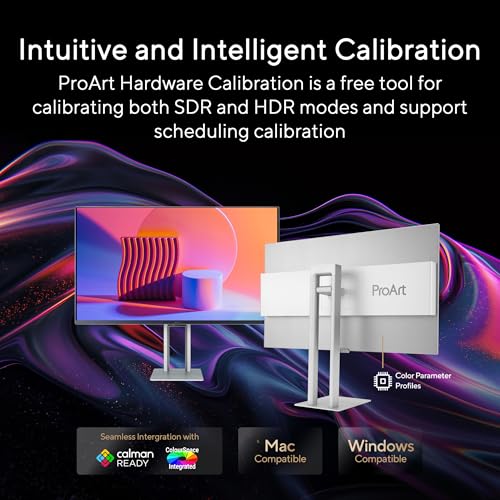
- ASUS ProArt Hardware Calibration for monitor-level color corrections
- 240Hz refresh rate and 0.1ms response for video timeline scrubbing
- Dolby Vision, HLG, and HDR10 support for HDR photo and video workflows
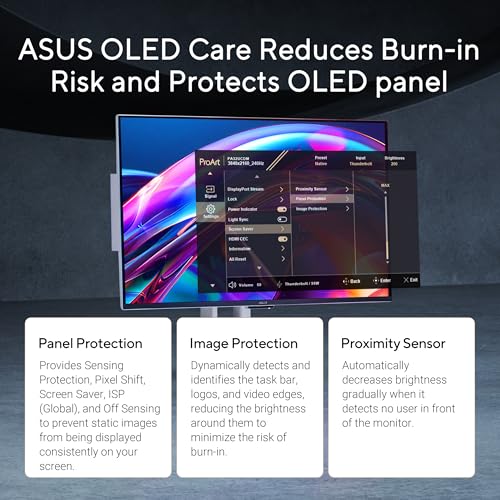
- OLED panels carry risk of burn-in with static UI elements over time
- AdobeRGB coverage is not specified — primarily optimized for P3 workflows
- ABL (automatic brightness limiting) reduces brightness on large bright areas
- $1,529 price is significantly above IPS alternatives with similar gamut coverage
The ASUS ProArt PA32UCDM is the first QD-OLED monitor built specifically for professional creative work. Unlike the ROG gaming OLEDs repurposed for editing, this model includes ASUS ProArt Hardware Calibration, factory Delta E under 1, and a color-accurate sRGB mode. The per-pixel light control means shadow gradients and highlight transitions look dramatically better than any IPS panel, which matters for photographers evaluating low-key portraits or dark product shots.
The ASUS ProArt PA32UCDM represents a significant step forward for OLED in professional photography workflows. Previous OLED monitors were gaming-first designs with color accuracy as an afterthought. The PA32UCDM is built from the ground up for color-critical work, with factory calibration to Delta E under 1 and ASUS ProArt Hardware Calibration support that writes corrections directly into the monitor.


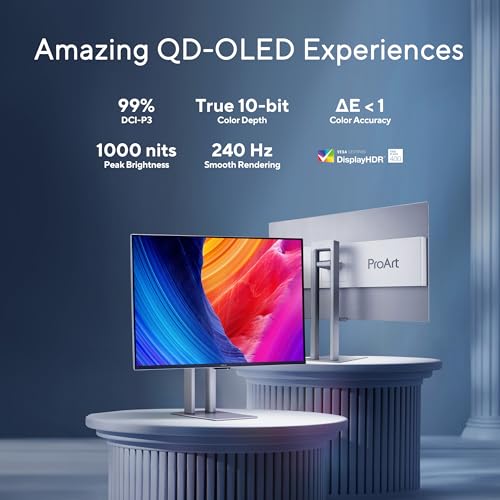
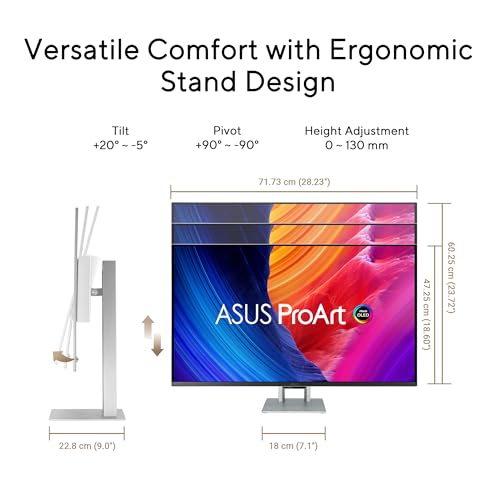
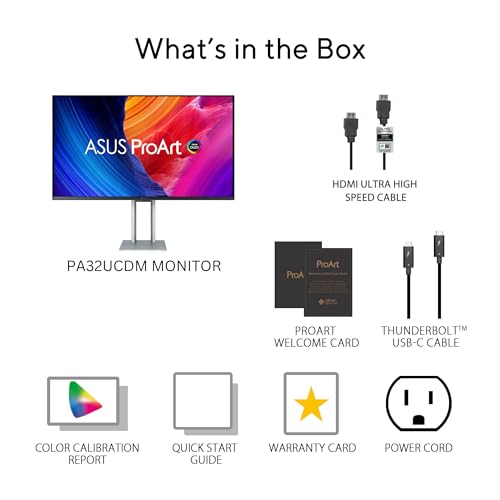

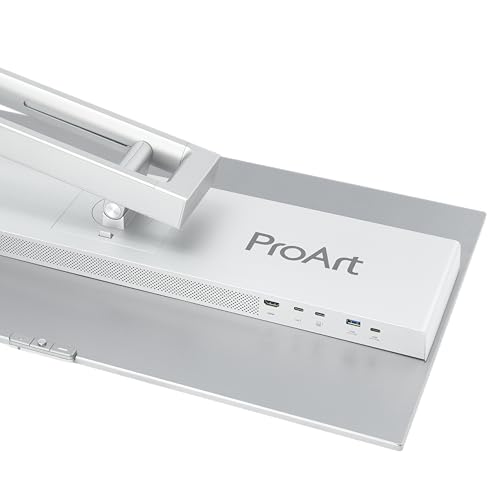
The QD-OLED panel technology produces genuine blacks with a 1,500,000:1 contrast ratio. For photographers, this means shadow transitions are smooth and accurate rather than crushed or muddy, which is a persistent issue on even the best IPS panels. Low-key portraits, dark product photography, and astrophotography images all benefit from the per-pixel contrast control. The 99% DCI-P3 coverage with Quantum Dot technology ensures vivid, accurate color across the wide gamut.
The 240Hz refresh rate sounds like a gaming specification, but it has practical value for video editors and photographers who review motion content. Timeline scrubbing, video playback, and even scrolling through high-resolution image grids feel fluid. The 0.1ms response time eliminates motion blur during panning and zooming operations.
The main concerns for photographers are OLED-specific. Automatic brightness limiting (ABL) will reduce peak brightness when displaying large bright areas, such as a white background or a high-key image at full screen. Static UI elements like Lightroom panels, Photoshop toolbars, and menu bars can contribute to image retention over time, though modern OLED panels include pixel-shift and refresh algorithms to mitigate this. ASUS includes a 3-year warranty with burn-in coverage, which provides some peace of mind.
Pricing & Where to Buy
The ASUS ProArt PA32UCDM is priced at $1,529 (as of March 2026). A variant with an included Calibrite calibrator (PA32UCDMR-K) is also available. ASUS provides a 3-year warranty with burn-in coverage on ProArt OLED models.
- Buy on Amazon — Prime shipping available
- Check price at B&H Photo
- Check price at Adorama
- ASUS official store
BenQ SW321C 32-Inch 4K Photo Editing Monitor
Fine art and commercial print photographers who need a large reference display with full AdobeRGB coverage, a shading hood, and paper simulation
- 99% AdobeRGB, 100% sRGB, and 95% P3 for comprehensive gamut coverage
- 16-bit 3D LUT with hardware calibration via Palette Master Ultimate
- Included shading hood blocks ambient light for critical color evaluation
- Paper Color Sync simulates print output on screen for accurate soft-proofing
- Uniformity Technology for consistent brightness and color across the 32-inch panel
- $2,000 price makes it the most expensive IPS panel in this roundup
- 60W USB-C power delivery is modest compared to 90W+ competitors
- No Thunderbolt support limits daisy-chaining and high-speed data transfer
The BenQ SW321C is the monitor for photographers who deliver large-format prints. The 32-inch 4K panel provides a spacious retouching canvas, and the 99% AdobeRGB coverage ensures CMYK-destined files are rendered accurately. The included shading hood and Paper Color Sync feature set it apart for soft-proofing workflows, letting photographers evaluate prints on screen before committing to paper.
The BenQ SW321C has been a staple in professional photography studios for years, and it continues to earn that position. At 32 inches with 4K resolution, the pixel density drops to about 137 PPI compared to 27-inch panels, but the trade-off is a significantly larger workspace. Side-by-side panels in Lightroom, full-screen retouching in Photoshop with palettes open, and multi-image comparisons all benefit from the extra screen real estate.
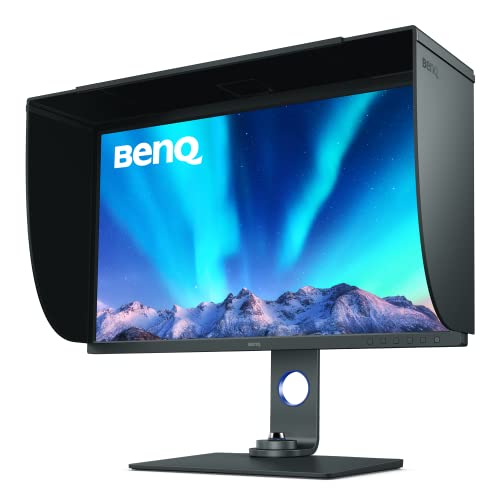

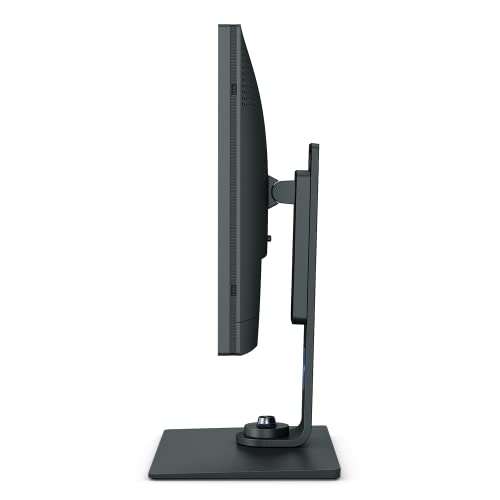
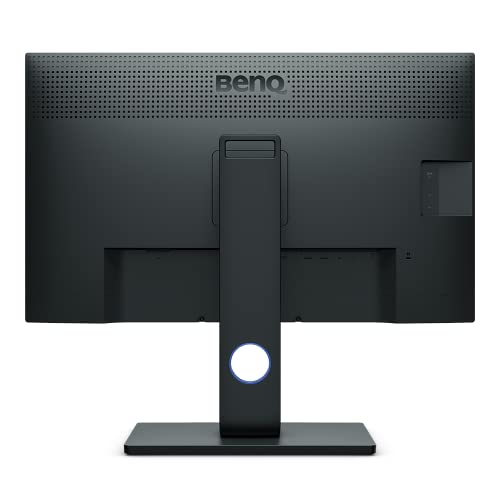
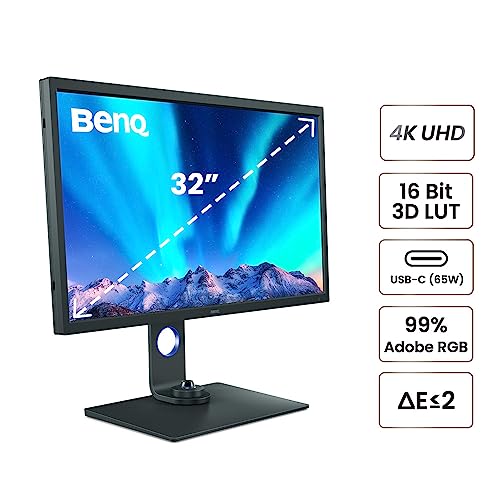


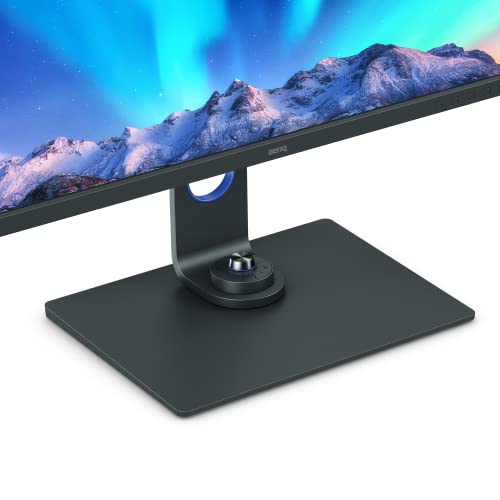
The 99% AdobeRGB coverage is critical for photographers who deliver to print. Combined with the 16-bit 3D LUT and Palette Master Ultimate calibration, the SW321C can be profiled to match specific print conditions with precision that cheaper monitors cannot achieve. The included shading hood physically blocks ambient light from reaching the panel, which is essential for accurate color evaluation in environments with overhead lighting or nearby windows.
Paper Color Sync is a BenQ-specific feature that simulates how an image will look when printed on specific paper types. It accounts for the differences between emissive screen light and reflective print media, including paper white point and ink gamut limitations. While it does not replace a physical proof, it reduces the number of test prints needed to achieve a final result, saving both time and materials for commercial and fine art print photographers.
The main limitation is the 60W USB-C power delivery, which is enough for a 14-inch laptop but may not fully charge larger models. Photographers using a 16-inch MacBook Pro will need a separate charger or adapter. There is also no Thunderbolt connectivity, so daisy-chaining displays requires a separate hub or docking station.
Pricing & Where to Buy
The BenQ SW321C is priced at $1,999.99 (as of March 2026), including the shading hood, Hotkey Puck, and calibration-ready software. Only 4 units remain in stock on Amazon at the time of publishing.
- Buy on Amazon — Only 4 left in stock
- Check price at B&H Photo
- Check price at Adorama
- BenQ official store
Apple Studio Display 27-Inch 5K (2026)
Mac photographers who prioritize seamless macOS integration, 5K pixel density, and a clean single-cable Thunderbolt 5 workflow
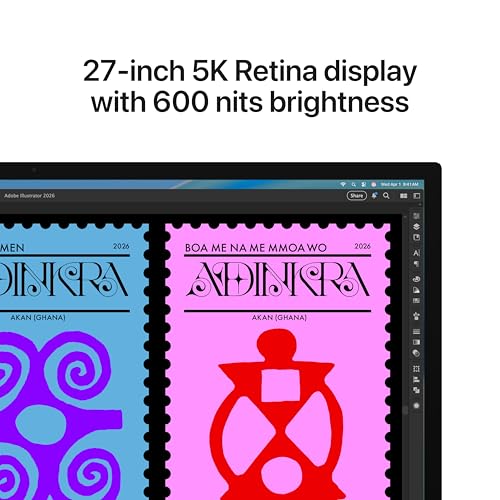
- 27-inch 5K Retina display (218 PPI) for sharp retouching and text rendering
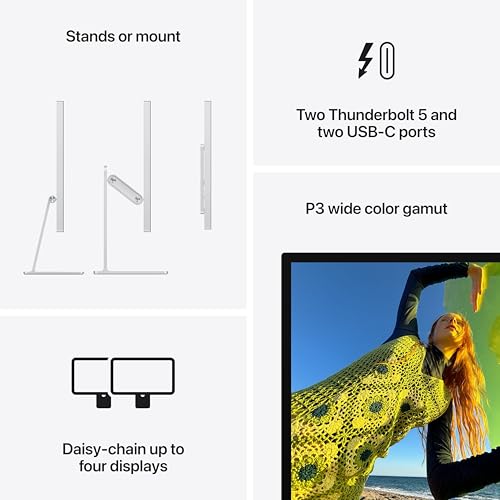
- P3 wide color gamut with 600 nits brightness and True Tone
- Thunderbolt 5 with 96W charging and daisy-chain support for up to 4 displays
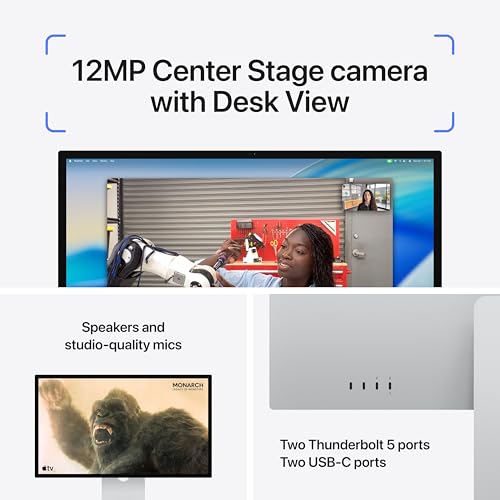
- 12MP Center Stage camera with Desk View for videoconferencing
- Six-speaker system with Spatial Audio — no external speakers needed
- $1,599 starting price for a 60Hz panel without HDR or mini-LED
- No hardware calibration support — relies on macOS ColorSync profiles
- No AdobeRGB mode — P3 gamut only, limiting for print-focused workflows
- Glossy-only standard glass option; nano-texture costs extra
The 2026 Apple Studio Display is a meaningful upgrade over the 2022 model, adding Thunderbolt 5, an improved camera, and better speakers. For photographers who live in the Apple ecosystem and primarily deliver to screen (web, social, client galleries), the P3 gamut and 5K resolution provide an excellent editing experience. The lack of AdobeRGB support and hardware calibration make it less suited for print-focused workflows.
The 2026 Apple Studio Display updates the four-year-old original with Thunderbolt 5, a new 12MP Center Stage camera with Desk View, and a deeper bass response from the redesigned speaker system. The core display panel remains a 27-inch 5K (5120×2880) IPS with P3 wide color, 600 nits brightness, and True Tone adaptive white balance.
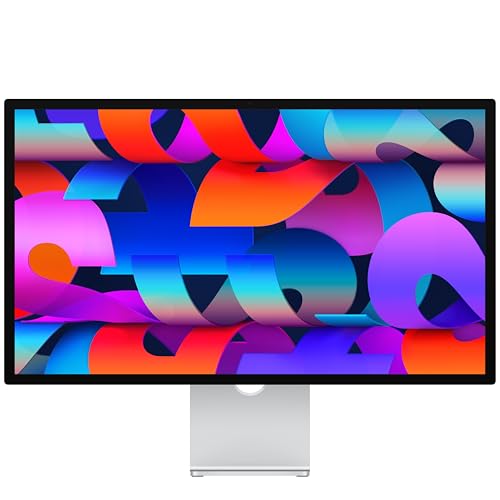
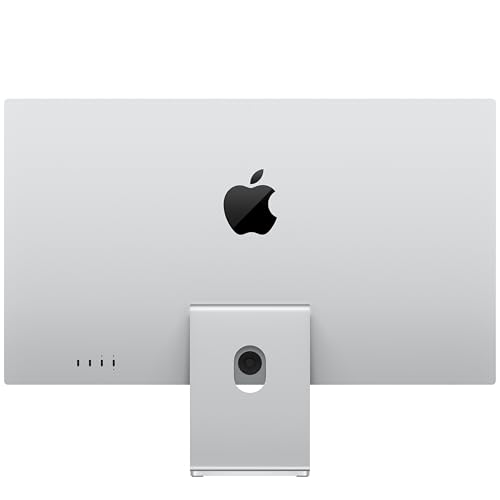
For photographers, the 5K resolution at 218 PPI delivers the same pixel density as a Retina MacBook Pro, which means images look consistently sharp between laptop and external display. macOS handles HiDPI scaling natively at this resolution, so UI elements are crisp and proportional without the scaling artifacts that sometimes appear on 4K panels at non-integer scale factors.
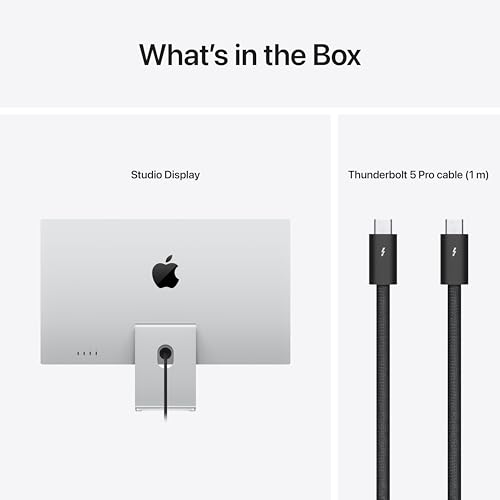
The Thunderbolt 5 upgrade is the most practical improvement. A single cable now carries 5K video, up to 96W of charging power, and data for downstream USB peripherals. Photographers can connect a card reader, external SSD, and calibration sensor through the display’s USB-C ports while keeping the desk setup to a single cable between laptop and monitor. Daisy-chaining support means up to four Studio Display units can be connected in series for massive multi-monitor setups.
The limitation for serious photography work is the same as the previous model: no hardware calibration LUT and no AdobeRGB mode. Color management relies entirely on macOS ColorSync, which works well for P3 and sRGB workflows but cannot match the calibration precision of monitors with dedicated 16-bit 3D LUTs. Photographers who print professionally should consider the BenQ SW272U or SW321C for that work and use the Studio Display for screen-first delivery.
Pricing & Where to Buy
The 2026 Apple Studio Display starts at $1,599 (as of March 2026) with a tilt-adjustable stand and standard glass. A tilt- and height-adjustable stand adds $350, and nano-texture glass adds $300 to any configuration. Pre-orders opened March 4, with availability starting March 11.
- Buy on Amazon — Pre-order available
- Check price at B&H Photo
- Check price at Adorama
- Apple Store — available March 11
BenQ MA320U 32-Inch 4K Mac Monitor
MacBook users who want a spacious 32-inch 4K display with Mac-matched colors and dual USB-C connectivity at a reasonable price
- Mac Color Match tuning aligns P3 tonality with MacBook screens for seamless switching
- 32-inch 4K panel provides spacious workspace for Lightroom and Photoshop
- Dual USB-C with 90W power delivery for single-cable docking
- macOS brightness and volume control integration via keyboard shortcuts
- Built-in USB hub and KVM switching for multi-computer setups
- No AdobeRGB mode — designed for P3/sRGB workflows only
- No hardware calibration LUT for third-party profiling
- 137 PPI at 32-inch 4K is less sharp than 27-inch alternatives
The BenQ MA320U fills a specific niche for MacBook photographers who want a large external display that matches their laptop screen colors. Mac Color Match ensures that images look consistent when dragging windows between the MacBook and the external panel, which eliminates the color shift that frustrates many photographers when switching between screens.
The BenQ MA320U is designed specifically for Mac users who want a larger screen without sacrificing the color consistency they are accustomed to on Apple hardware. The Mac Color Match feature calibrates the panel to replicate the P3 color rendering of MacBook Pro and MacBook Air displays, so there is no visible shift when moving windows between screens.


At 32 inches and 4K resolution, the MA320U offers a generous workspace for editing. Lightroom’s Library grid shows more thumbnails, and the Develop module can display a full image alongside panels without feeling cramped. The 137 PPI pixel density is lower than 27-inch 4K panels, but macOS handles scaling well at this combination, and most photographers report that the extra size more than compensates for the slight reduction in sharpness.
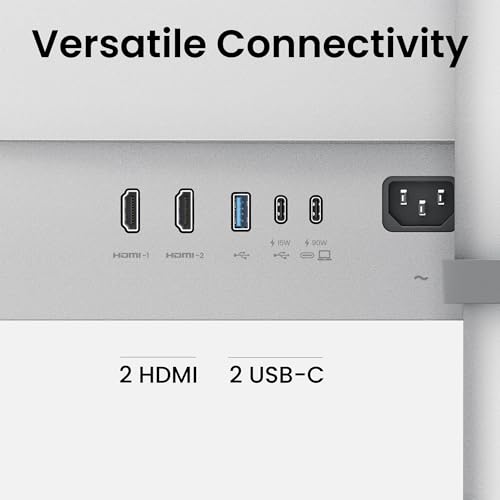
The dual USB-C connectivity with 90W power delivery allows a single-cable connection that charges a MacBook Pro while carrying video and data. The built-in USB hub routes peripherals through the monitor, keeping card readers and calibration sensors connected without a separate dock. KVM switching lets photographers share the display between a desktop workstation and a laptop, switching inputs and peripherals with a single button press.
The limitation is clear: this is not a reference-grade monitor. There is no AdobeRGB mode, no hardware calibration LUT, and the P3 coverage, while good, is not verified to the level of BenQ’s SW series. For photographers who need print-accurate AdobeRGB and profiling control, the SW272U or SW321C remain the correct choices. The MA320U is best for screen-first photographers who prioritize a smooth Mac experience over absolute calibration precision.
Pricing & Where to Buy
The BenQ MA320U is priced at $649.99 (as of March 2026). BenQ includes a 3-year warranty and the monitor ships with a USB-C cable.
- Buy on Amazon — Prime shipping available
- Check price at B&H Photo
- Check price at Adorama
- BenQ official store
ASUS ProArt PA329CRV 32-Inch 4K Professional Monitor
Budget-conscious photographers who want 32-inch 4K workspace with solid color accuracy and USB-C connectivity under $600
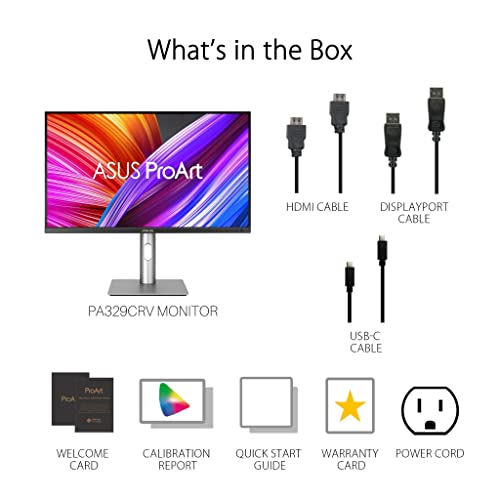
- 98% DCI-P3 and 100% sRGB coverage with Calman-verified Delta E under 2
- 32-inch 4K IPS panel for spacious editing workspace
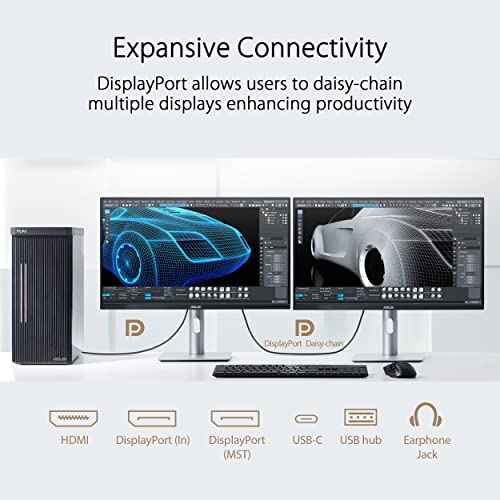
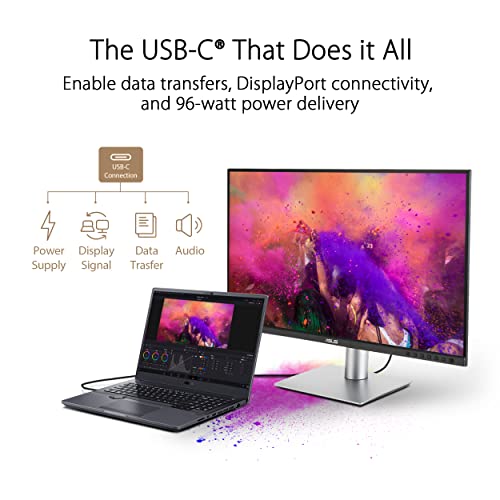
- 96W USB-C power delivery with daisy-chain support
- Factory calibrated and Calman Verified for out-of-box accuracy
- Under $600 — exceptional value for the screen size and color performance
- AdobeRGB coverage (about 81%) is insufficient for print-critical workflows
- No included shading hood
- HDR400 certification is minimal — not suitable for real HDR work
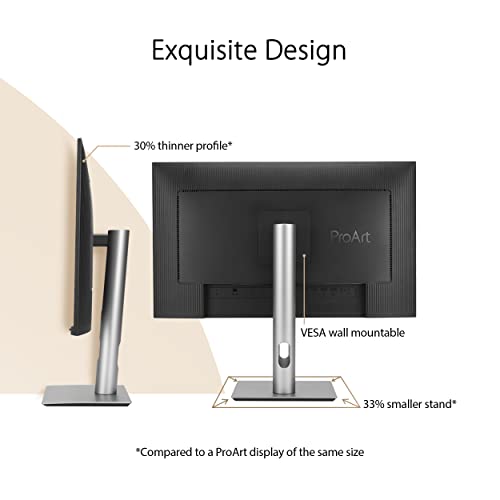
The ASUS ProArt PA329CRV is the best value 32-inch monitor for photographers on a budget. At under $600, it delivers factory-calibrated P3 coverage, a spacious 4K workspace, and USB-C with daisy-chaining and 96W power delivery. The trade-off is limited AdobeRGB coverage, which makes it better suited for screen-first workflows than professional print proofing.
The ASUS ProArt PA329CRV is the entry point for photographers who want a large, color-accurate display without crossing the $1,000 threshold. At $587 (as of March 2026), it delivers a 32-inch 4K IPS panel with 98% DCI-P3 coverage, factory calibration to Delta E under 2, and Calman verification that confirms the out-of-box accuracy.


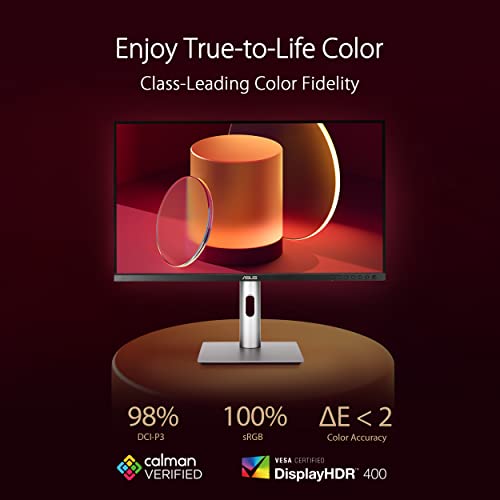
For photographers who primarily deliver to web, social media, and online galleries, the P3 gamut coverage is more than adequate. The colors that display on this monitor will closely match what viewers see on modern smartphones and laptops, which overwhelmingly use P3 displays. The sRGB mode is locked and accurate, which matters for web deliverables where oversaturated colors can cause issues.
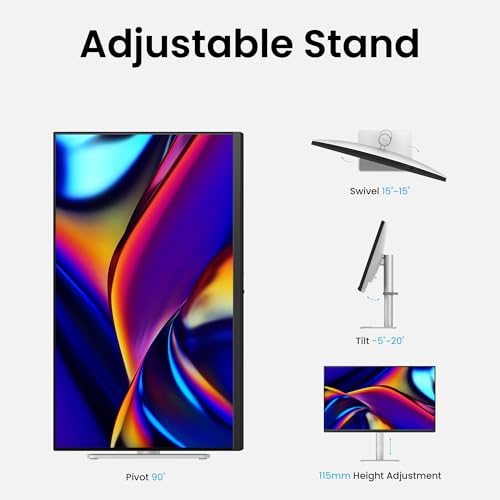
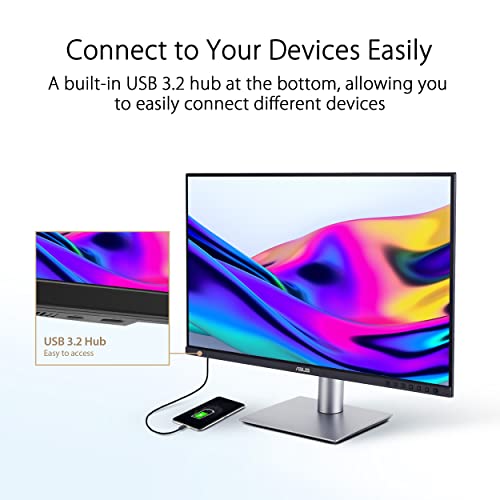
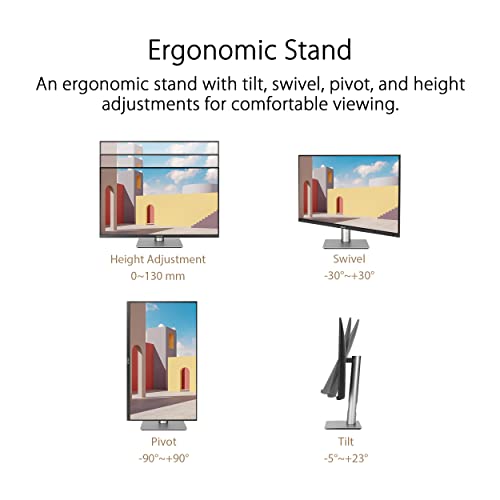
The 96W USB-C power delivery and daisy-chain support make this monitor surprisingly capable as a workstation hub. A single USB-C cable handles video, charging, and data, and a second display can be connected in series for a dual-monitor setup without additional cables from the laptop. The fully adjustable stand (tilt, swivel, pivot, height) accommodates different desk setups and working postures.
The clear limitation is AdobeRGB coverage at approximately 81%, which means print photographers working in CMYK-focused workflows will see inaccurate rendering of some colors outside the P3 gamut. For those workflows, stepping up to the BenQ SW272U or SW321C with 99% AdobeRGB coverage is necessary. But for the majority of photographers whose work lives on screens, the PA329CRV offers outstanding value.
Pricing & Where to Buy
The ASUS ProArt PA329CRV is priced at $586.95 (as of March 2026). ASUS includes a 3-year warranty with zero bright-dot guarantee.
- Buy on Amazon — Prime shipping available
- Check price at B&H Photo
- Check price at Adorama
- ASUS official store
ASUS ROG Swift PG32UCDM 32-Inch 4K QD-OLED Monitor
Photographers who also game or edit video and want OLED contrast at a lower price than the ProArt PA32UCDM
- QD-OLED panel with true blacks and per-pixel contrast for shadow detail
- 99% DCI-P3 and true 10-bit color depth
- 240Hz refresh rate for buttery smooth scrolling and video timeline work
- 90W USB-C connectivity for single-cable laptop workflows
- $999 — significantly cheaper than the ProArt PA32UCDM
- No hardware calibration — gaming-first design without ProArt calibration tools
- OLED burn-in risk from static photo editing UI elements
- ABL reduces brightness on large white/bright areas
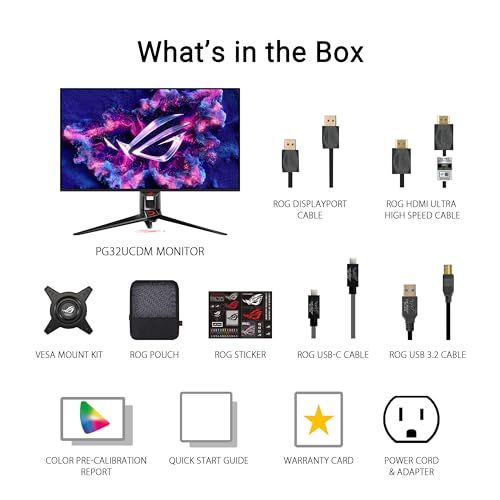
The ASUS ROG Swift PG32UCDM offers the same QD-OLED panel technology as the ProArt PA32UCDM at $530 less. The trade-off is the lack of ProArt Hardware Calibration and the gaming-oriented design. For photographers who prioritize contrast and shadow detail over absolute calibration precision, and who also use their monitor for video editing or gaming, it offers excellent value.
The ASUS ROG Swift PG32UCDM uses the same generation of QD-OLED panel technology found in the ProArt PA32UCDM but wraps it in a gaming-first design with ROG branding and a lower price. For photographers, the relevant specifications are identical: 32-inch 4K resolution, QD-OLED with per-pixel light control, 99% DCI-P3, and true 10-bit color depth.


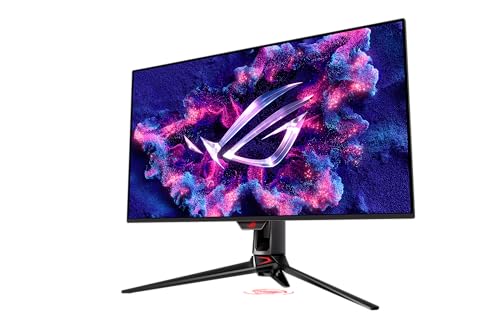
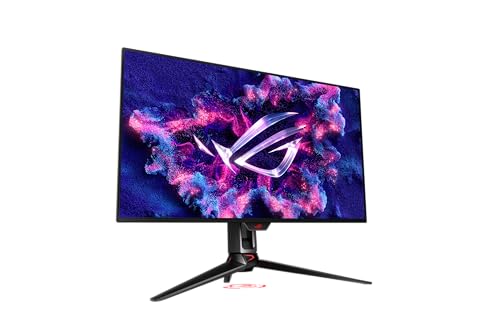
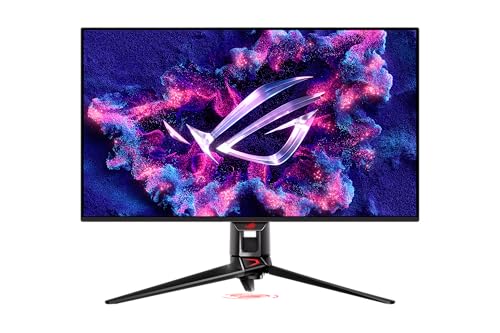
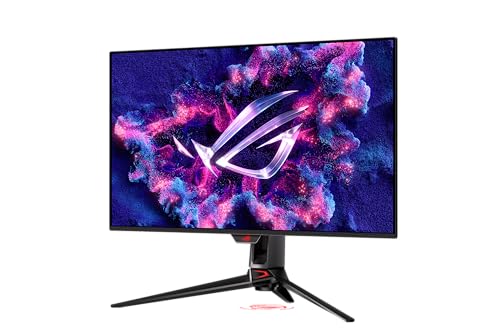
The OLED advantage for photography is most visible in images with deep shadows and high contrast. Portrait photographers working with dark backgrounds, product photographers shooting on black, and landscape photographers evaluating shadow detail in forest or cave images will see a meaningful improvement over IPS panels. The true blacks mean there is no grey haze in dark areas, and shadow transitions are rendered with full gradation rather than being crushed.
The critical difference from the ProArt PA32UCDM is calibration. The ROG Swift lacks ProArt Hardware Calibration, so color management relies on software-based ICC profiles rather than monitor-level LUT corrections. This means accuracy may drift slightly between applications and over time without re-profiling. For photographers who treat their monitor as a reference display, this is a real limitation. For those who primarily evaluate images visually and do not print to tight color specifications, the difference may not affect their workflow.
The 240Hz refresh rate and sub-millisecond response time make this an exceptional dual-purpose monitor. Photographers who also edit video, play games, or simply want the smoothest possible scrolling and panning experience will appreciate the fluidity. The 90W USB-C input provides single-cable convenience for laptop setups.
Pricing & Where to Buy
The ASUS ROG Swift PG32UCDM is priced at $999 (as of March 2026). ASUS provides a 3-year warranty.
- Buy on Amazon — Prime shipping available
- Check price at B&H Photo
- Check price at Adorama
- ASUS ROG official store
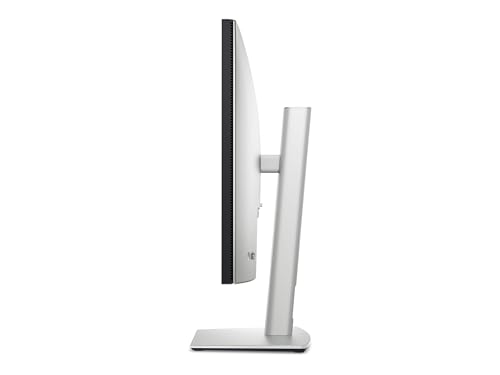
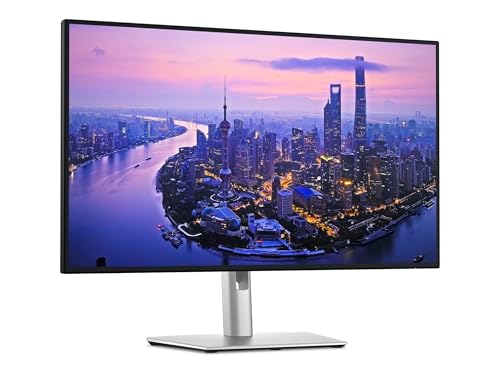
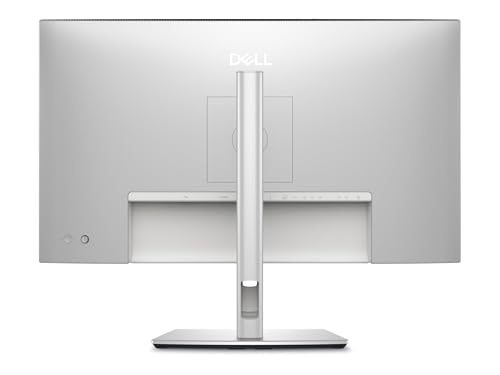
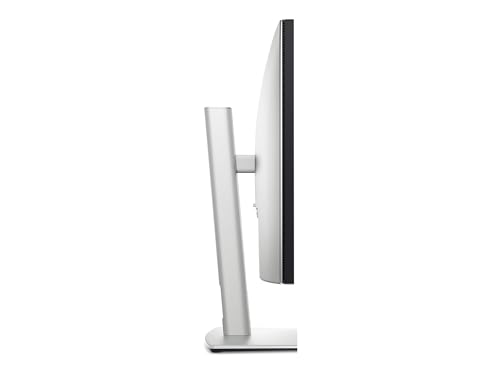
Dell UltraSharp U2725QE 27-Inch 4K Thunderbolt Hub Monitor
Photographers who need a reliable 4K editing display that doubles as a Thunderbolt docking station with excellent connectivity
- IPS Black panel with deeper blacks and higher contrast than standard IPS
- 98% DCI-P3 and 100% sRGB with factory calibration to Delta E under 2
- Thunderbolt 4 hub with daisy-chaining and 90W power delivery
- Built-in KVM switch and multiple downstream USB ports
- Dell’s ComfortView Plus reduces blue light without color distortion
- AdobeRGB coverage (approximately 89%) insufficient for demanding print work
- No included shading hood or dedicated photographer features
- Limited to 4 reviews on Amazon — relatively new model with less user feedback
The Dell UltraSharp U2725QE is the best choice for photographers who want a Thunderbolt hub built into their monitor. The IPS Black panel offers noticeably better contrast than standard IPS, which improves shadow rendering and black levels. The Thunderbolt connectivity replaces a separate dock for most setups, and Dell’s build quality and warranty support make it a low-risk choice for professional environments.
The Dell UltraSharp U2725QE replaces the popular U2723QE with Dell’s IPS Black panel technology, which achieves deeper blacks and a roughly 2,000:1 contrast ratio compared to the 1,000:1 typical of standard IPS. For photo editing, this means shadow areas render with more visible detail rather than washing out into the grey haze that cheaper IPS panels produce.
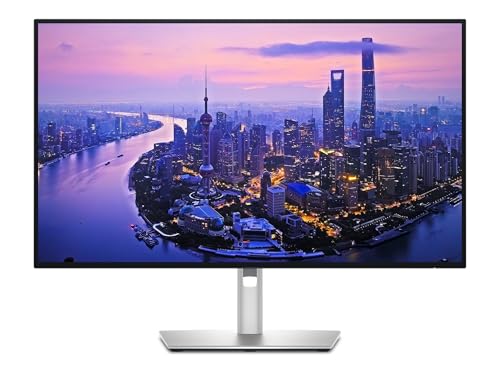
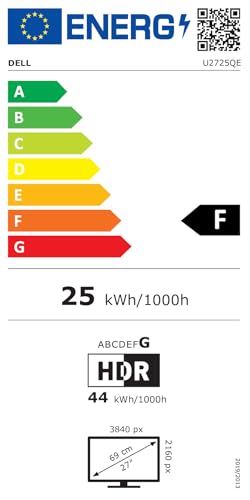
Color performance includes 98% DCI-P3 and 100% sRGB with factory calibration to Delta E under 2. The P3 coverage is competitive with monitors costing significantly more, and the sRGB mode is locked accurately, which is important for web deliverables where oversaturated colors cause consistency issues across viewer devices.
The Thunderbolt hub functionality is the strongest practical advantage. Thunderbolt 4 input with daisy-chaining means this monitor can replace a dedicated docking station. Photographers can connect a laptop via a single Thunderbolt cable, which carries video, 90W of charging power, and data to the monitor’s downstream USB-A and USB-C ports. A card reader, calibration sensor, external SSD, and other peripherals all route through the display. The built-in KVM switch allows sharing the monitor and all connected peripherals between two computers.
Dell’s ComfortView Plus technology reduces blue light at the panel level without applying a yellow tint or shifting colors, which is a meaningful feature for photographers who spend long hours editing. The 3-year Premium Panel Exchange warranty includes advanced replacement, so a defective panel is replaced before the user ships the original back.
Pricing & Where to Buy
The Dell UltraSharp U2725QE is priced at $609 (as of March 2026). Dell includes a 3-year Premium Panel Exchange warranty.
- Buy on Amazon — Only 19 left in stock
- Check price at B&H Photo
- Check price at Adorama
- Dell official store
BenQ SW272Q 27-Inch QHD Photographer Monitor
Budget-minded photographers who need true AdobeRGB coverage and hardware calibration without paying for 4K resolution
- 99% AdobeRGB and 98% DCI-P3 — same wide gamut as the SW272U at a lower price
- 16-bit 3D LUT with hardware calibration via Palette Master Ultimate
- Nano-matte anti-reflection panel for glare-free editing
- Hotkey Puck G3 for instant color mode switching
- 90W USB-C power delivery and included shading hood
- QHD (2560×1440) resolution — noticeably less sharp than 4K for detail retouching
- Only 3 left in stock on Amazon — may be transitioning out of production
- 109 PPI means visible pixel structure when zoomed in close during retouching
The BenQ SW272Q is the entry point to BenQ’s professional photographer monitor lineup. It shares the same 99% AdobeRGB gamut, 16-bit 3D LUT hardware calibration, nano-matte coating, and Hotkey Puck as the 4K SW272U, but at QHD resolution and $700 less. For photographers who prioritize color accuracy over pixel density, and who do not need 4K for their retouching work, it offers the same calibration ecosystem at a more accessible price.
The BenQ SW272Q proves that resolution is not the only factor that matters in a photography monitor. At QHD (2560×1440), it delivers 109 PPI on a 27-inch panel, which is adequate for most editing tasks but noticeably less sharp than 4K panels when evaluating fine textures like skin pores, fabric weave, or hair detail at 100% zoom.

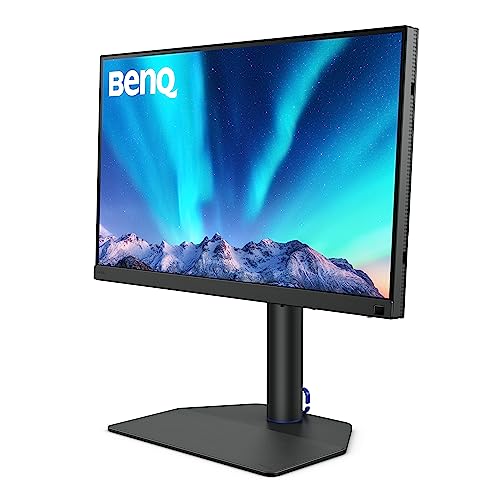
The color performance is where the SW272Q punches well above its price. The 99% AdobeRGB and 98% DCI-P3 coverage matches the SW272U exactly, meaning this monitor renders the full range of colors needed for both print and screen delivery. The 16-bit 3D LUT stores hardware calibration data in the monitor itself, providing the same application-independent accuracy as its 4K sibling. Palette Master Ultimate calibration software, the Hotkey Puck G3, and the nano-matte panel are all identical to the more expensive model.
The included shading hood blocks ambient light for critical color evaluation, and Paper Color Sync provides on-screen print simulation. These features are typically reserved for monitors in the $1,000+ range, making the SW272Q an unusually complete package for $800. The 90W USB-C power delivery handles laptop charging and video in a single cable.
Stock appears to be limited on Amazon, with only 3 units available at the time of publishing. This may indicate a product transition as BenQ updates its lineup. Photographers who want the QHD option should check availability across multiple retailers. For those who can stretch the budget, the 4K SW272U offers the same color ecosystem with significantly better resolution for a $700 premium.
Pricing & Where to Buy
The BenQ SW272Q is priced at $799.99 (as of March 2026). The package includes the shading hood, Hotkey Puck G3, and USB-C cable. Only 3 units remain in stock on Amazon.
- Buy on Amazon — Only 3 left in stock
- Check price at B&H Photo
- Check price at Adorama
- BenQ official store
Choosing the Best Photo Editing Monitor
The right monitor depends on what gets delivered and how. Print photographers who need reference-grade AdobeRGB accuracy should start with the BenQ SW272U at 27 inches or the BenQ SW321C for a larger workspace. Both offer 99% AdobeRGB, hardware calibration with 16-bit 3D LUTs, and the Palette Master ecosystem that makes profiling straightforward.
Photographers in the Apple ecosystem have two strong new options. The Apple Studio Display XDR is the premium choice with mini-LED HDR, P3 plus Adobe RGB gamuts, and 120Hz for the smoothest editing experience available. The Apple Studio Display offers the same 5K resolution and ecosystem integration at $1,700 less, though without HDR or Adobe RGB support.
For photographers who want OLED contrast for evaluating shadow detail and low-key images, the ASUS ProArt PA32UCDM brings professional calibration tools to a QD-OLED panel for the first time. Budget-minded photographers can get excellent results from the ASUS ProArt PA329CRV at under $600 for screen-first work, or the ASUS ProArt PA27JCV for 5K resolution at $730.
Whichever monitor gets chosen, pairing it with a quality monitor calibrator will maximize its potential. Even factory-calibrated panels drift over time, and regular profiling ensures the colors on screen stay true to the final output.
Related Articles
Disclosure/Disclaimer: As an Amazon Associate, we earn from qualifying purchases. Certain content was provided "as is" from Amazon and is subject to change or removal at any time. Product prices and availability: Amazon prices are updated daily or are accurate as of the date/time indicated and are subject to change. Any price and availability information displayed on Amazon.com at the time of purchase will apply to the purchase of this product.

