

Editor’s Key Takeaways: Best Panorama Stitching Software for Stunning Photos
Creating stunning panoramic photos requires the right software to seamlessly stitch your images together. With AI-powered tools now standard in most programs, the process has never been easier. Here are our top panorama stitching software picks for 2026:
- PTGui Pro – The industry standard for professionals. Offers unmatched control, HDR panoramas, and 360° VR output. One-time purchase of $195.
- Adobe Lightroom Classic/Photoshop – Excellent built-in Photomerge for photographers already in the Adobe ecosystem. $22.99/month for the Photography Plan.
- Luminar Neo – AI-driven stitching with a user-friendly interface. Great for beginners. One-time purchase from $65.
- Affinity Photo – Now completely FREE and includes panorama stitching. A serious Photoshop alternative.
- Hugin – Powerful open-source software. Free but has a steeper learning curve.
- PhotoStitcher – Simple, affordable one-click stitching for $29.99.
- Panoweaver 10 – Specialized 360° panorama software for virtual tours. $149.95–$399.95.
When you buy through links on our site, we may earn a commission at no cost to you. We evaluate products independently. Commissions do not affect our evaluations.
Introduction
Creating epic panoramic photos requires a range of skills and tools. You need to understand how to take the photos, of course – but you also need software that can process (i.e., stitch) these images for a seamless result.
In 2026, panorama stitching has been revolutionized by AI technology. Modern software can automatically detect control points, correct lens distortion, blend exposures, and even fill in missing areas – all with minimal user input. Whether you’re a professional creating 360° virtual tours or a hobbyist capturing landscape vistas, there’s a panorama stitching solution for you.
Below, we share the best panorama stitching software programs available in 2026, covering everything from professional-grade tools to free options for beginners.
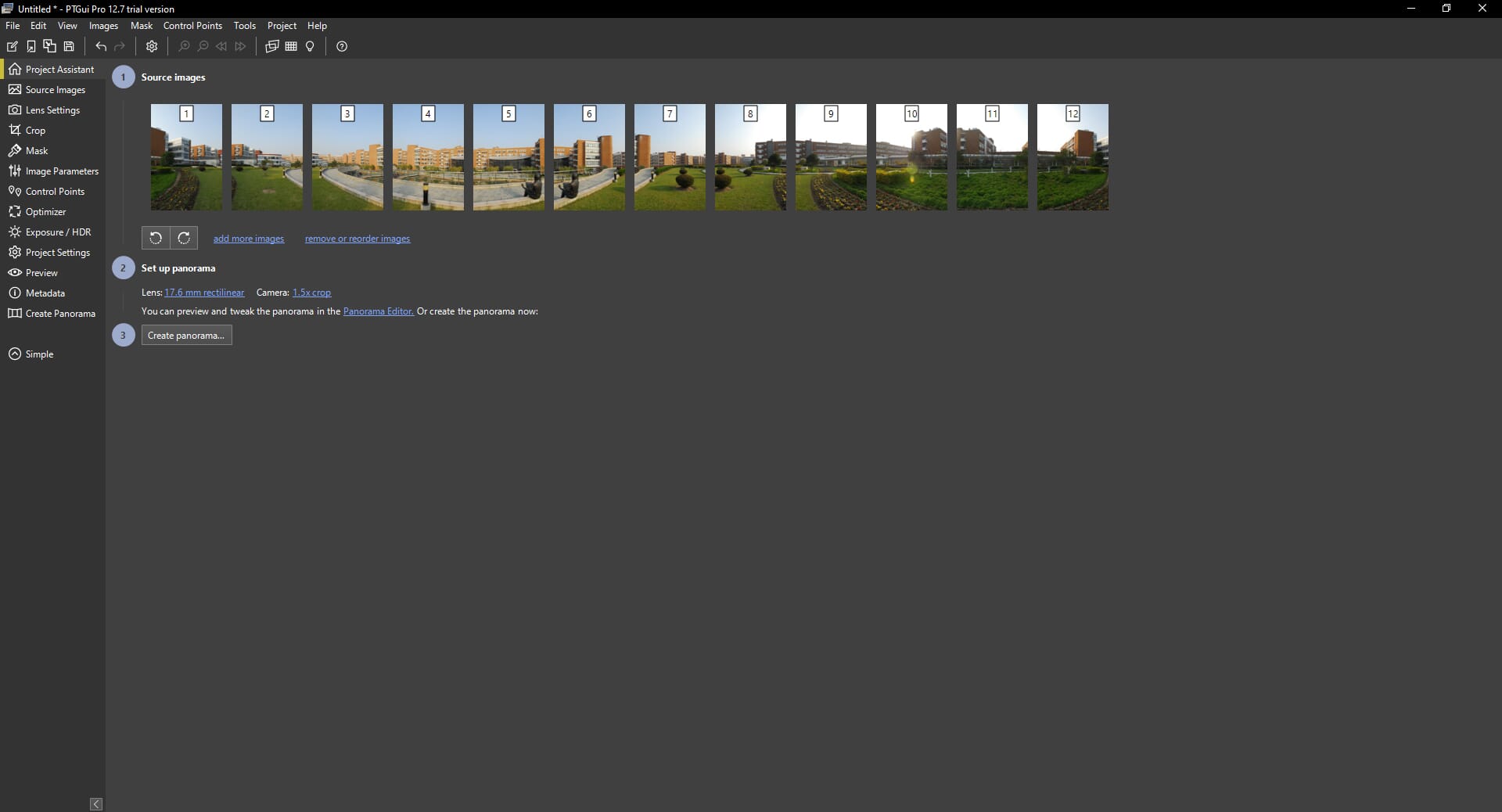
The industry standard for panorama professionals with advanced control points, HDR, and 360° output.

Professional photo editor with panorama stitching, now completely free after Canva acquisition.
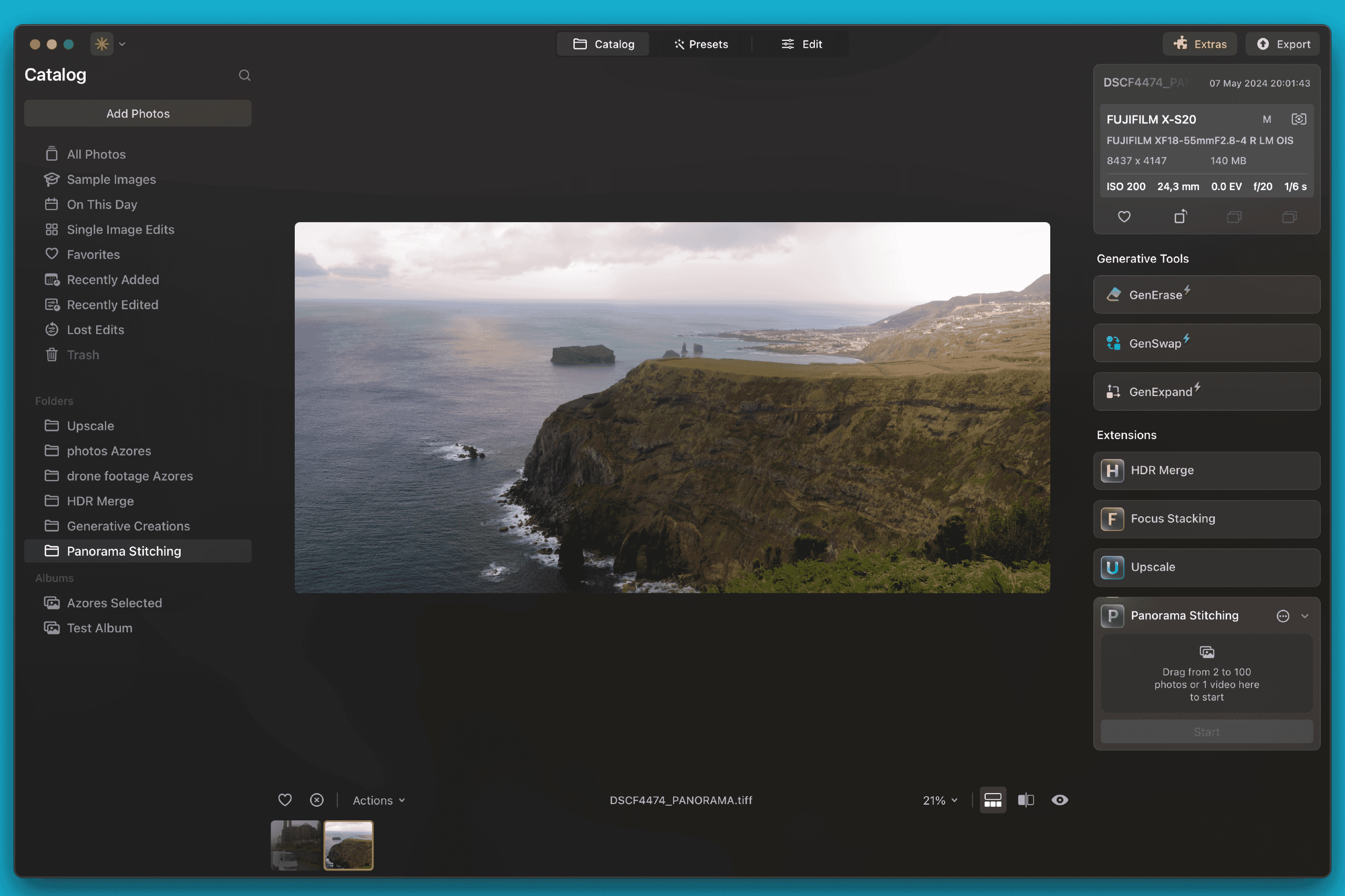
One-click AI stitching with automatic alignment and distortion correction for effortless panoramas.

Seamless panorama stitching within your existing RAW editing workflow.
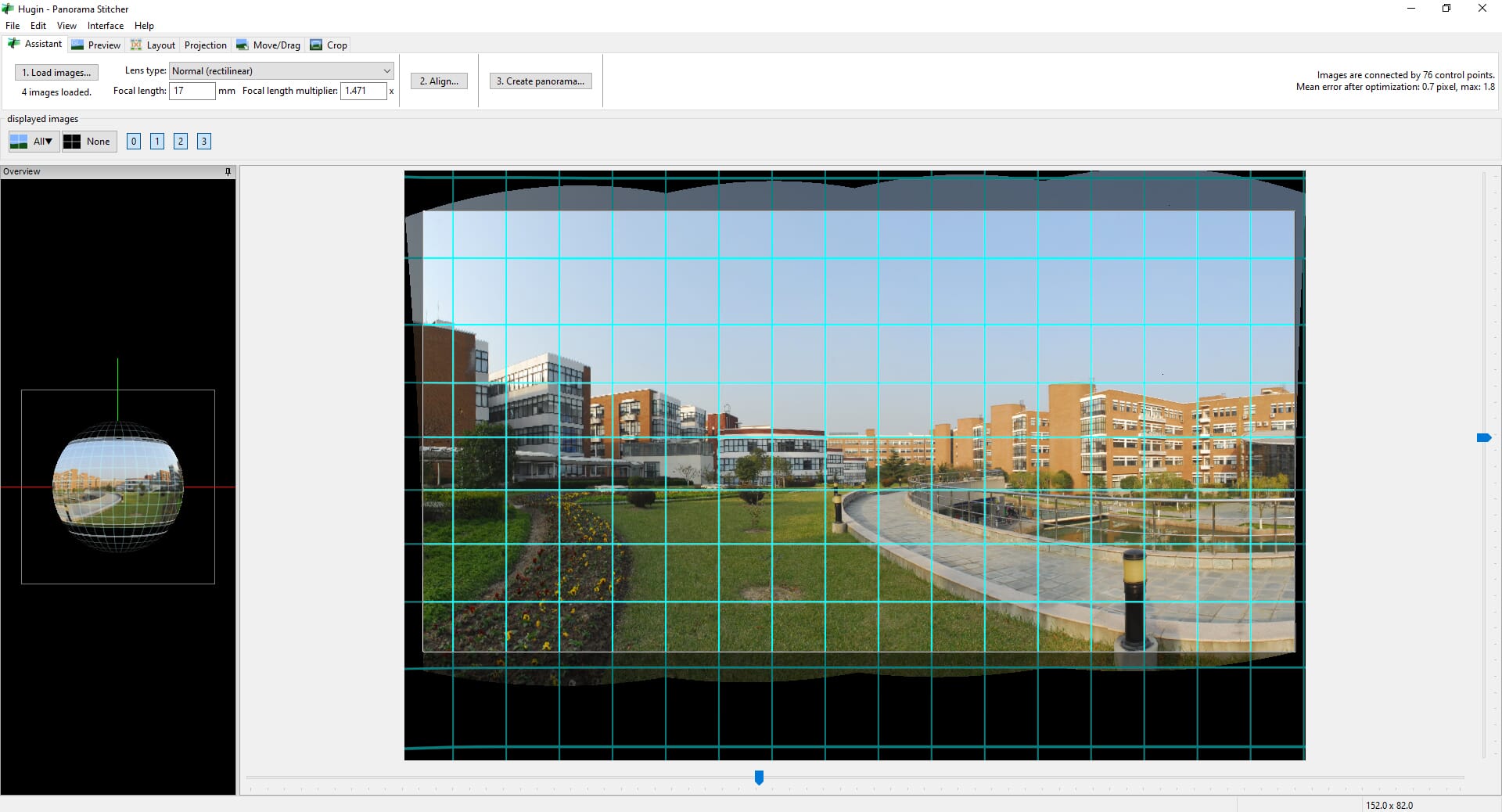
Advanced open-source stitching with professional-level control – completely free.
Best Panorama Stitching Software:
1. PTGui Pro
PTGui Pro is the industry-standard panorama stitching software used by professionals worldwide for everything from real estate virtual tours to gigapixel landscapes.
For professionals who demand the highest quality panoramas, PTGui Pro remains the gold standard in 2026. This powerful software offers unparalleled control over every aspect of the stitching process, making it ideal for virtual tour creators, real estate photographers, and landscape photography enthusiasts.
PTGui 13, the current version, features a completely redesigned interface with improved GPU acceleration, making it significantly faster than previous versions. The software excels at handling complex multi-row panoramas and can create both flat panoramas and fully immersive 360° spherical panoramas.
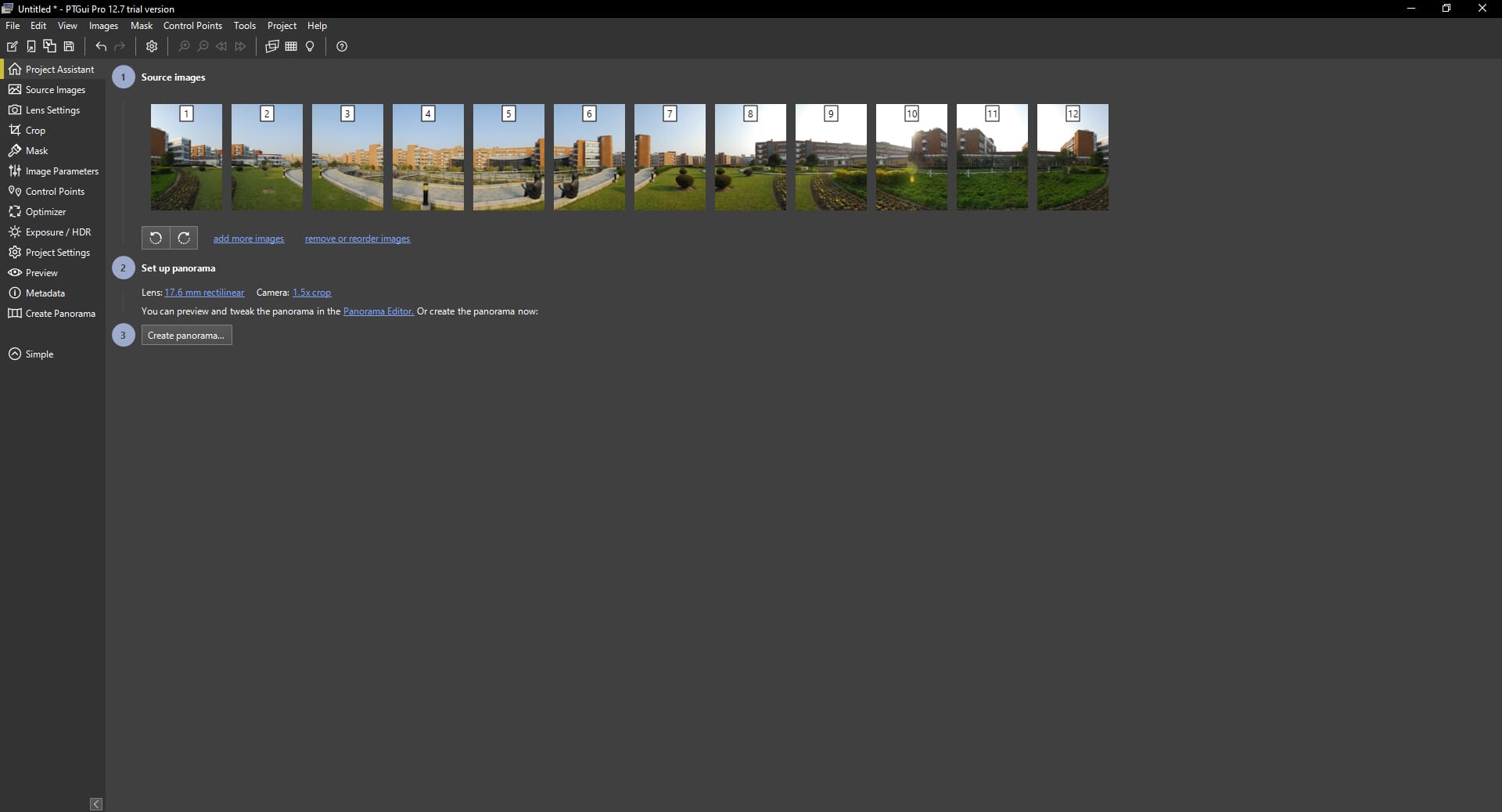
PTGui Key Features
What sets PTGui apart is its advanced control point system. While the software can automatically detect matching points between images, professionals appreciate the ability to manually add, edit, and fine-tune these points for pixel-perfect results.
The software also supports HDR panorama creation by merging bracketed exposures, viewpoint correction for removing parallax errors, and batch processing for creating multiple panoramas from similar source material.
At $195 for a perpetual license (with a free trial available), PTGui Pro is a worthwhile investment for anyone serious about panorama photography. A standard version without some advanced features is available for $111.
2. Adobe Photoshop & Lightroom Classic
For photographers already using Adobe’s ecosystem, Photomerge in Photoshop and Lightroom Classic offers convenient panorama stitching without additional software.
Photography Plan (20GB or 1TB)
If you’re already invested in Adobe’s Creative Cloud ecosystem, you have excellent panorama stitching tools at your disposal. Both Adobe Photoshop and Adobe Lightroom Classic feature “Photomerge” functionality that handles most panorama stitching needs.
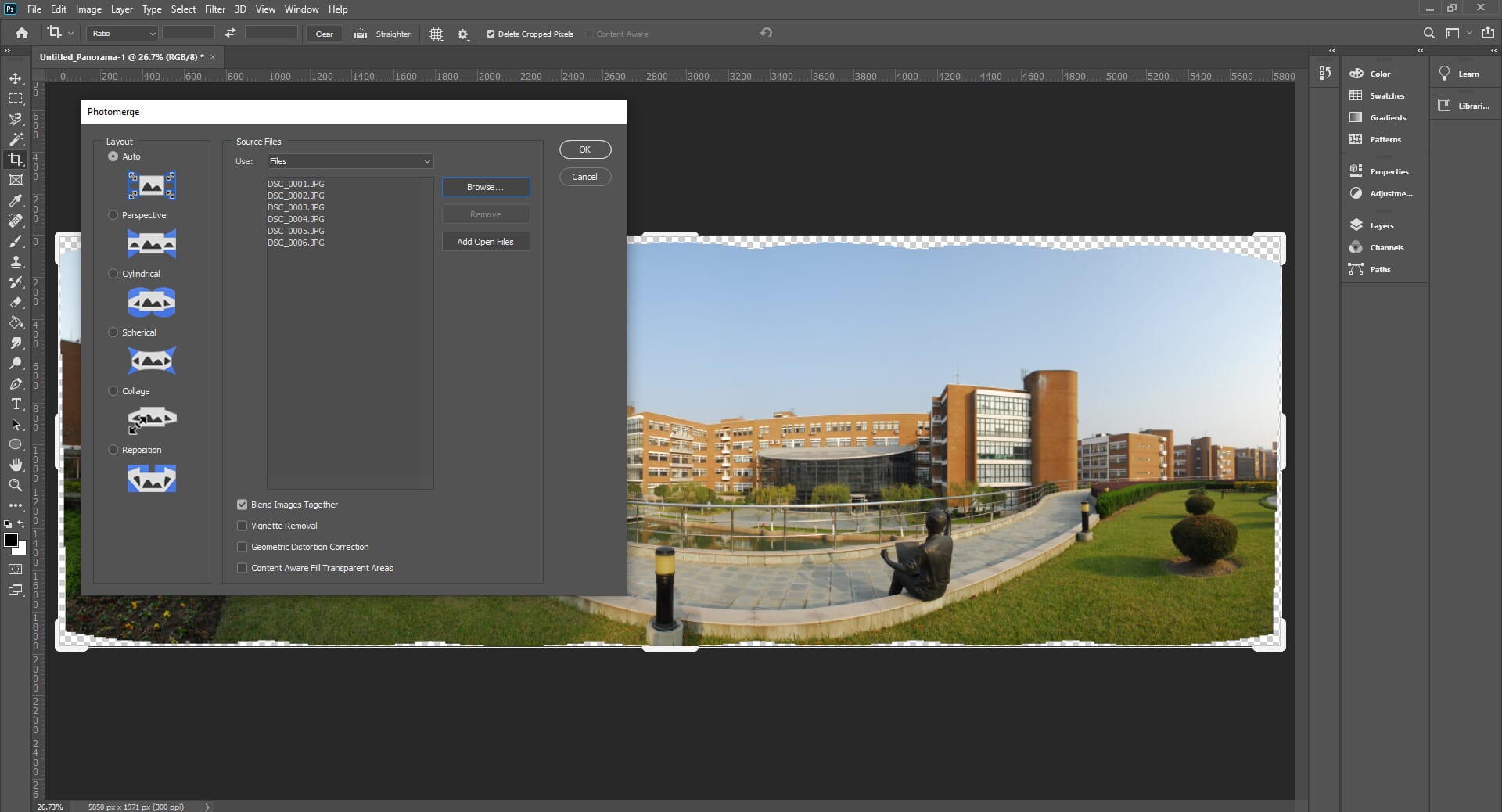
In Photoshop, navigate to File > Automate > Photomerge to access the stitching dialog. You can choose from several projection types (Auto, Perspective, Cylindrical, Spherical) and enable geometric distortion correction and vignette removal. The result opens as a multi-layer file, giving you full control over the final output.
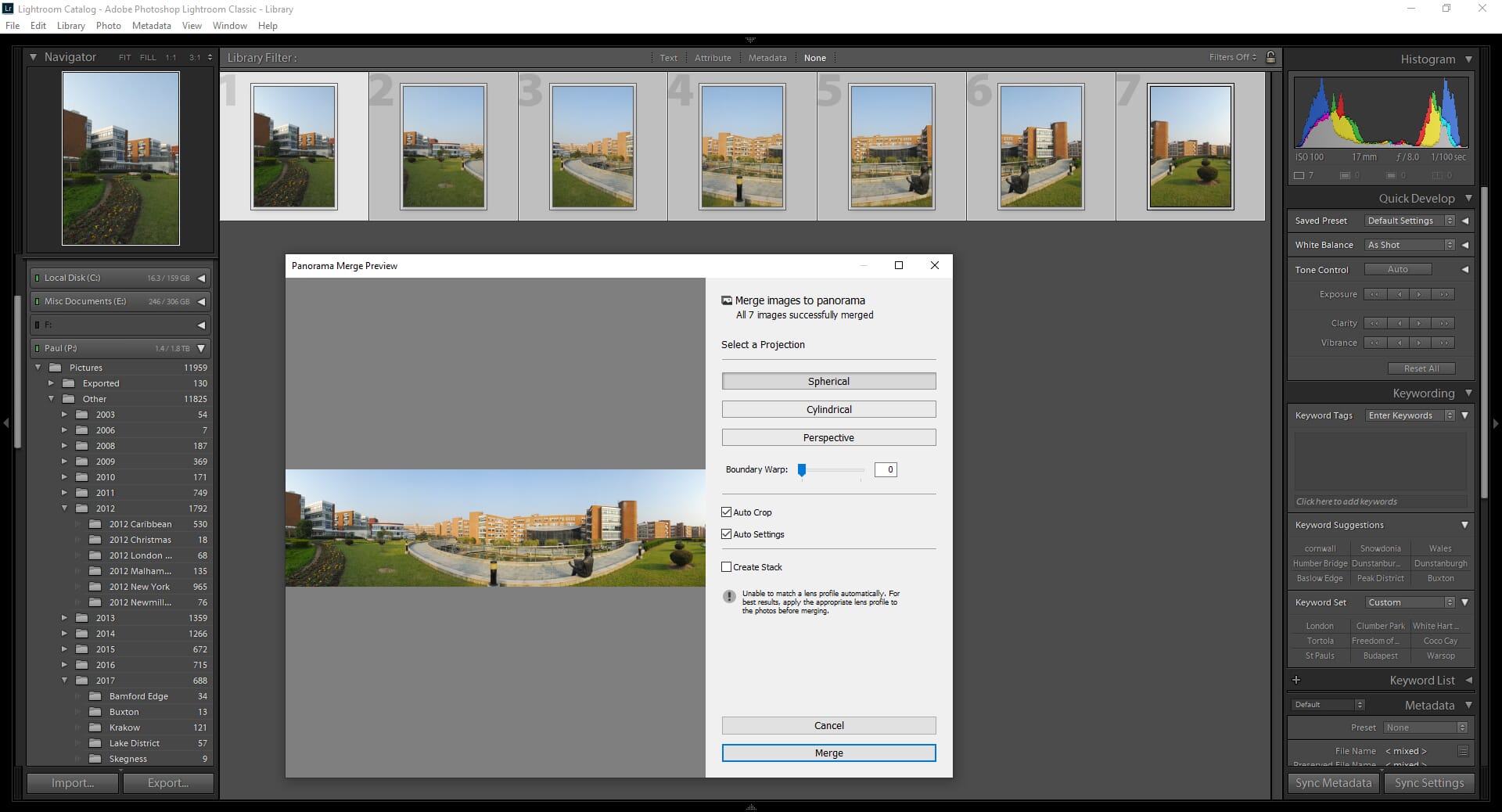
Lightroom Classic’s Photomerge is particularly useful for RAW workflows. Select your source images, right-click, and choose Photo Merge > Panorama. Lightroom shows a preview and offers boundary warp and auto-crop options. The best part? The stitched panorama remains a DNG file, so you can continue editing with full RAW flexibility.
The main limitation is that Adobe’s tools don’t offer the granular control of dedicated panorama software like PTGui. You can’t manually edit control points or handle complex multi-row stitching with the same precision. However, for most photographers, Adobe’s automated approach produces excellent results with minimal effort.
3. Luminar Neo
Luminar Neo’s Panorama Stitching extension uses AI to automatically align, blend, and correct your panoramic images with minimal user input.
One-time purchase, 10% off with coupon
Luminar Neo has evolved significantly since its launch, and its Panorama Stitching extension represents one of the most beginner-friendly options available in 2026. Skylum’s AI-first approach means you can create professional-looking panoramas with virtually no learning curve.
The process is remarkably simple: import your overlapping photos, select the Panorama Stitching option, and let the AI do its work. The software automatically detects and aligns images, corrects for lens distortion, and blends exposures seamlessly.
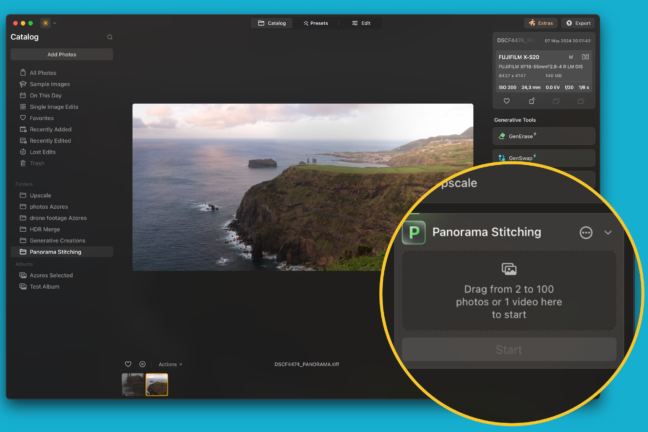
What makes Luminar Neo particularly appealing is its integrated workflow. Once your panorama is stitched, you have immediate access to Luminar’s full suite of AI-powered editing tools – Sky AI for sky replacement, Enhance AI for one-click improvements, and Structure AI for adding detail and clarity.
Luminar Neo is available as a one-time purchase starting at €65 (approximately $70 USD), with options for mobile syncing and creative asset libraries. Use coupon code PHOTOWORKOUT for 10% off.
4. Affinity Photo
Following Canva’s acquisition, Affinity Photo is now completely free – including its panorama stitching capabilities. This is a game-changer for budget-conscious photographers.
The biggest news in photo editing for 2026 is that Affinity Photo is now completely free. Following Canva’s acquisition of Serif, the company made the bold decision to offer this professional-grade photo editor at no cost – and that includes panorama stitching capabilities.
Affinity Photo’s panorama stitching works through its Photo Persona. Import your source images, use the stitching assistant, and the software will create a layered composite that you can fine-tune. While not as automated as Luminar Neo, it offers more control and is backed by a full professional editing suite.
The software includes HDR merge, focus stacking, and astrophotography stacking features – all free. It can also open Photoshop PSD files and works as both a standalone application and a plugin for other software.
For photographers on a budget who want professional results, Affinity Photo is now the obvious choice. The only catch is that some newer AI features (like Generative Fill) require a Canva premium subscription, but core panorama stitching is fully available in the free version.
5. Hugin
Hugin is a free, open-source panorama stitching tool that offers professional-level features for those willing to invest time in learning it.
Hugin remains the go-to choice for photographers who want professional-level control without paying a cent. This open-source panorama stitcher is available for Windows, macOS, and Linux, and offers features that rival commercial software.
The software offers both Simple and Advanced interfaces. The Simple mode streamlines the workflow for basic panoramas, while Advanced mode gives you full control over control points, lens calibration, exposure correction, and projection types.
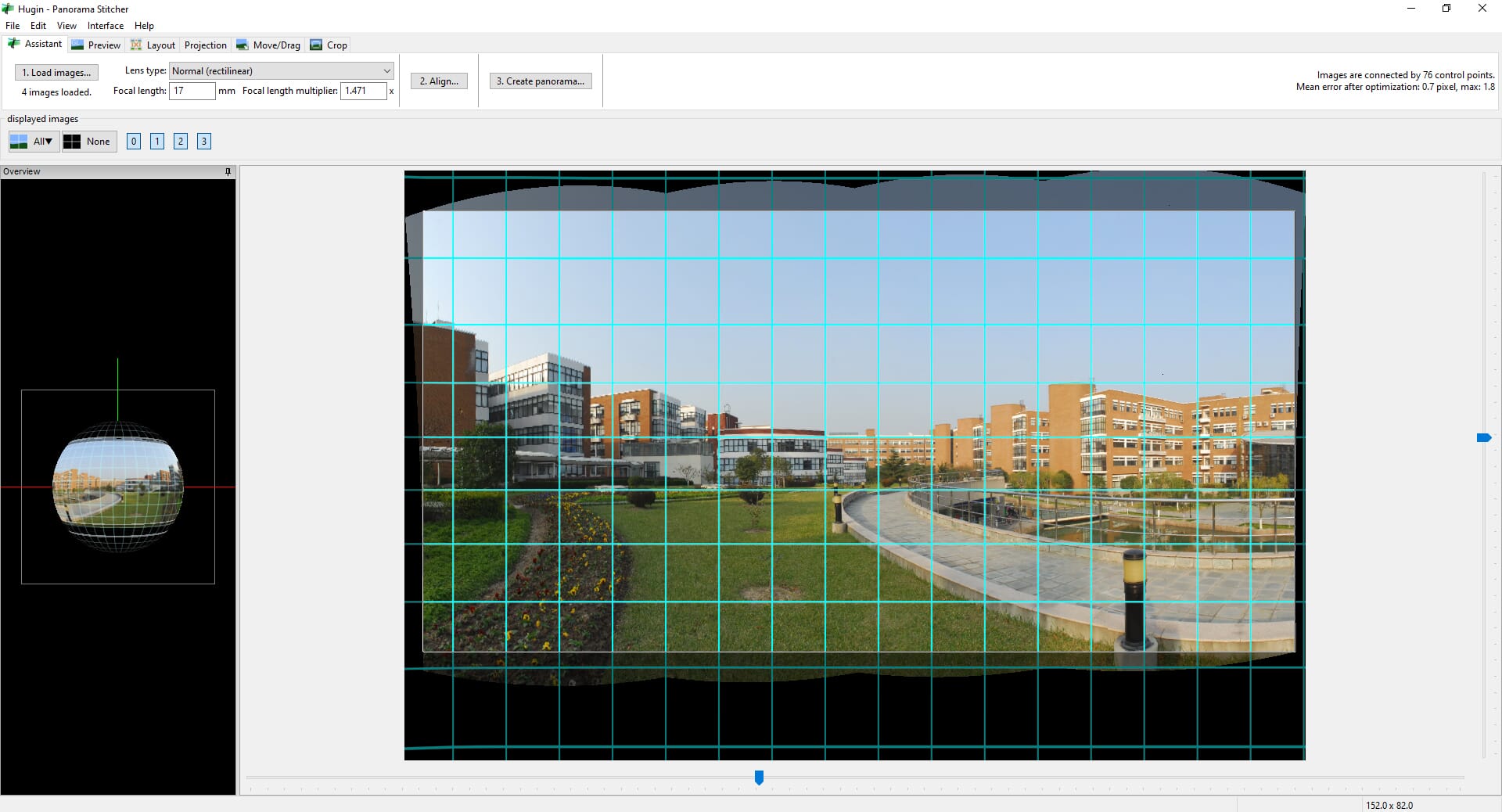
Hugin excels at handling challenging stitching scenarios that automated tools struggle with. You can manually add and adjust control points, set different exposure compensation for each image, and choose from numerous projection types for different panorama styles.
The main drawback is the learning curve. Unlike AI-powered tools that work with a single click, Hugin often requires understanding of panorama photography concepts to get the best results. However, for those willing to invest the time, it’s an incredibly capable tool – and completely free.
6. PhotoStitcher
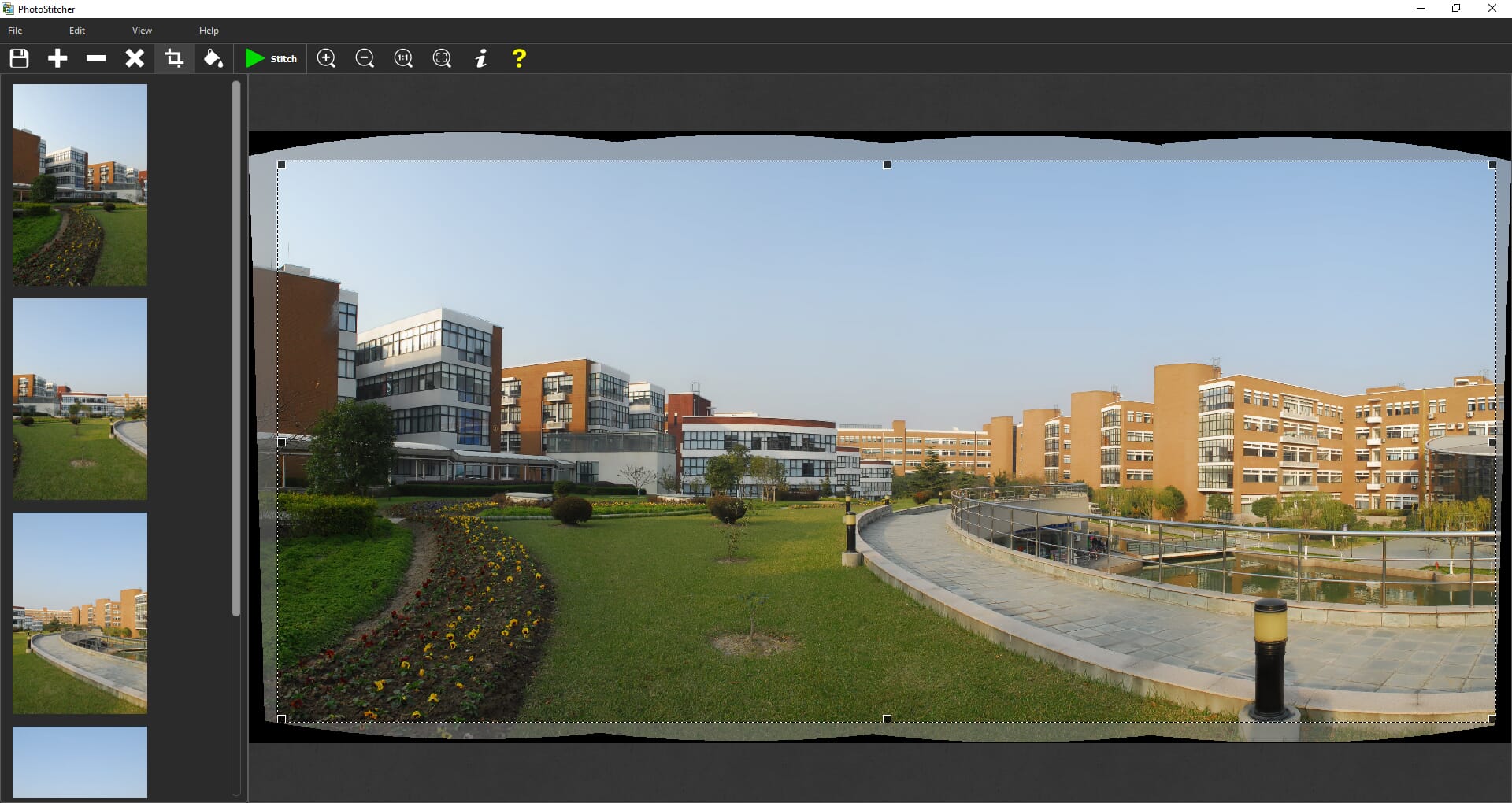
PhotoStitcher offers dead-simple panorama creation for users who want results without complexity.
PhotoStitcher is the definition of simplicity. If you want to stitch panoramas without learning curves, complex interfaces, or subscription fees, this $29.99 one-time purchase gets the job done.
The interface consists of two buttons: add your images and click Stitch. The software automatically handles alignment, blending, and cropping. You can choose from multiple projection types (planar, cylindrical, spherical, etc.) and adjust quality settings, but that’s about it for customization.
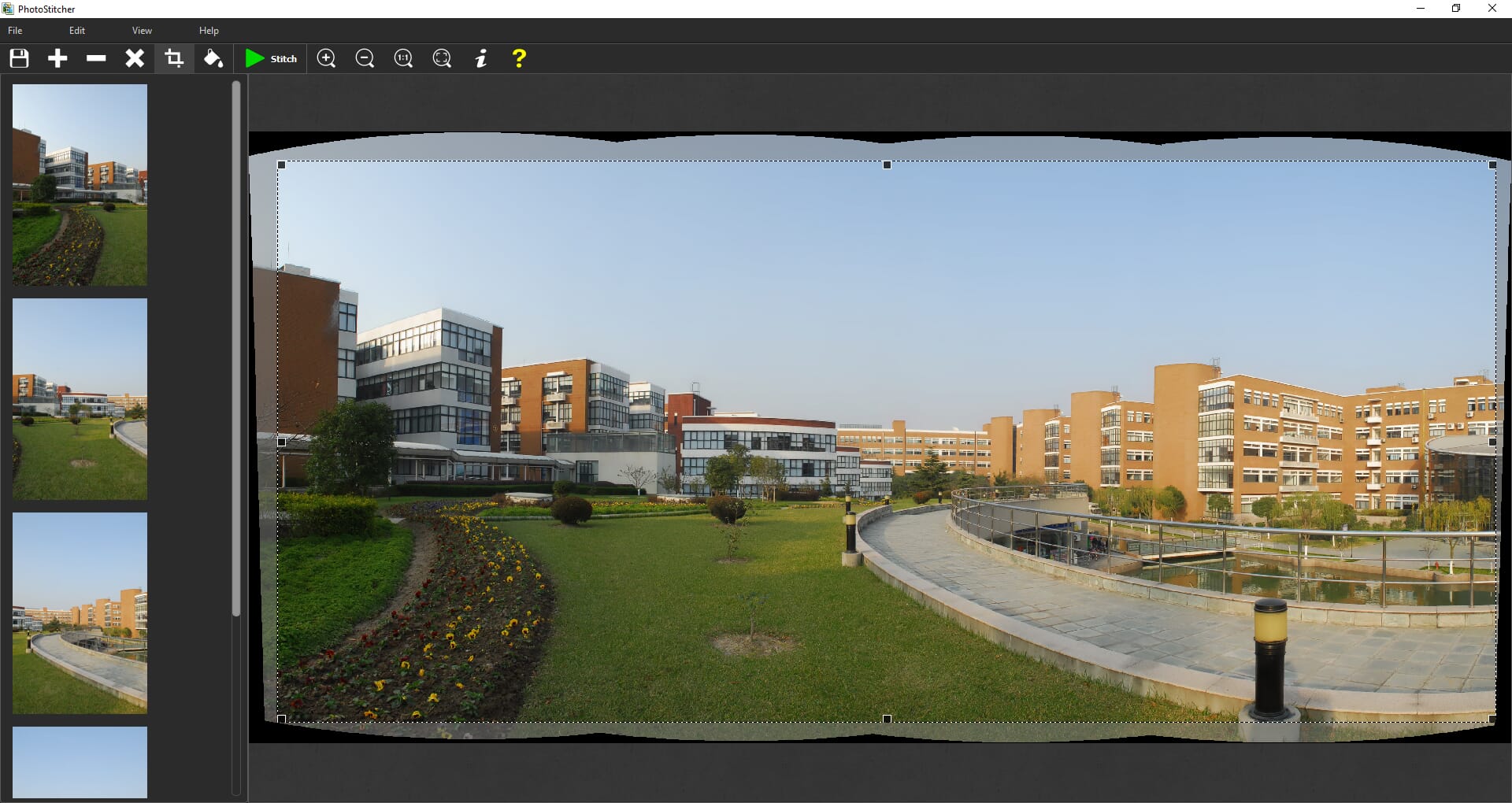
PhotoStitcher is available for both Windows and Mac. It’s particularly useful for stitching scanned documents, microscope images, or Google Earth satellite images – not just photographs. The automatic image completion feature can fill in missing areas at the edges of your panorama.
This is an ideal choice for casual users who occasionally need to stitch panoramas and don’t want to learn complex software or pay ongoing subscriptions.
7. Panoweaver 10
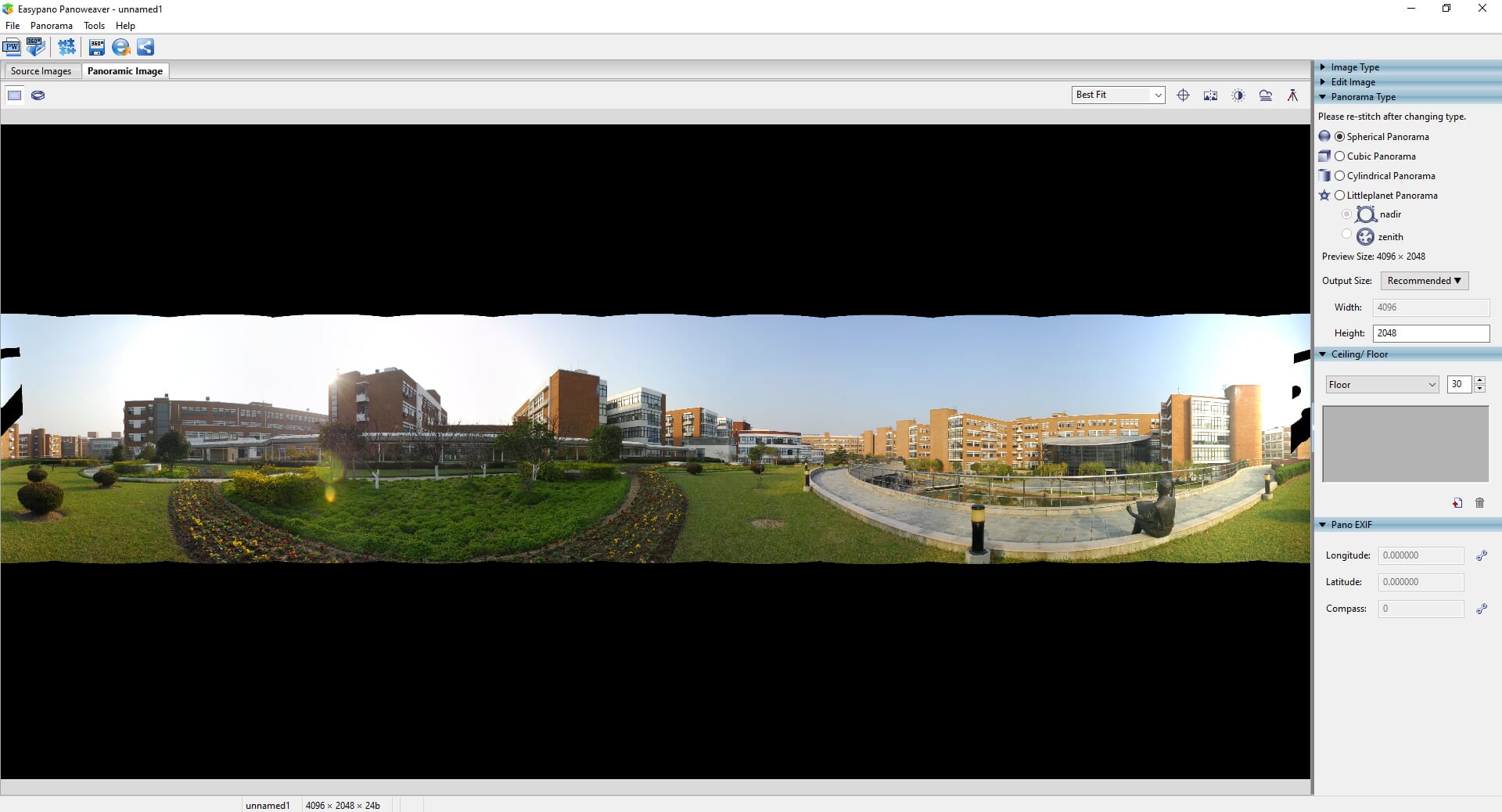
Panoweaver 10 is designed for creating 360° spherical panoramas and virtual tours, with direct publishing capabilities.
$399.95 for Pro Version
Panoweaver 10 is specialized software for creating 360° spherical panoramas and interactive virtual tours. If you’re shooting real estate tours, museum walkthroughs, or immersive VR content, this is worth considering.
The software supports a wide range of input types, including fisheye lenses (full circular, drum, and full frame), normal and wide-angle photos, and HDR bracketed images. It can create spherical, cylindrical, cubic, and “little planet” panorama styles.
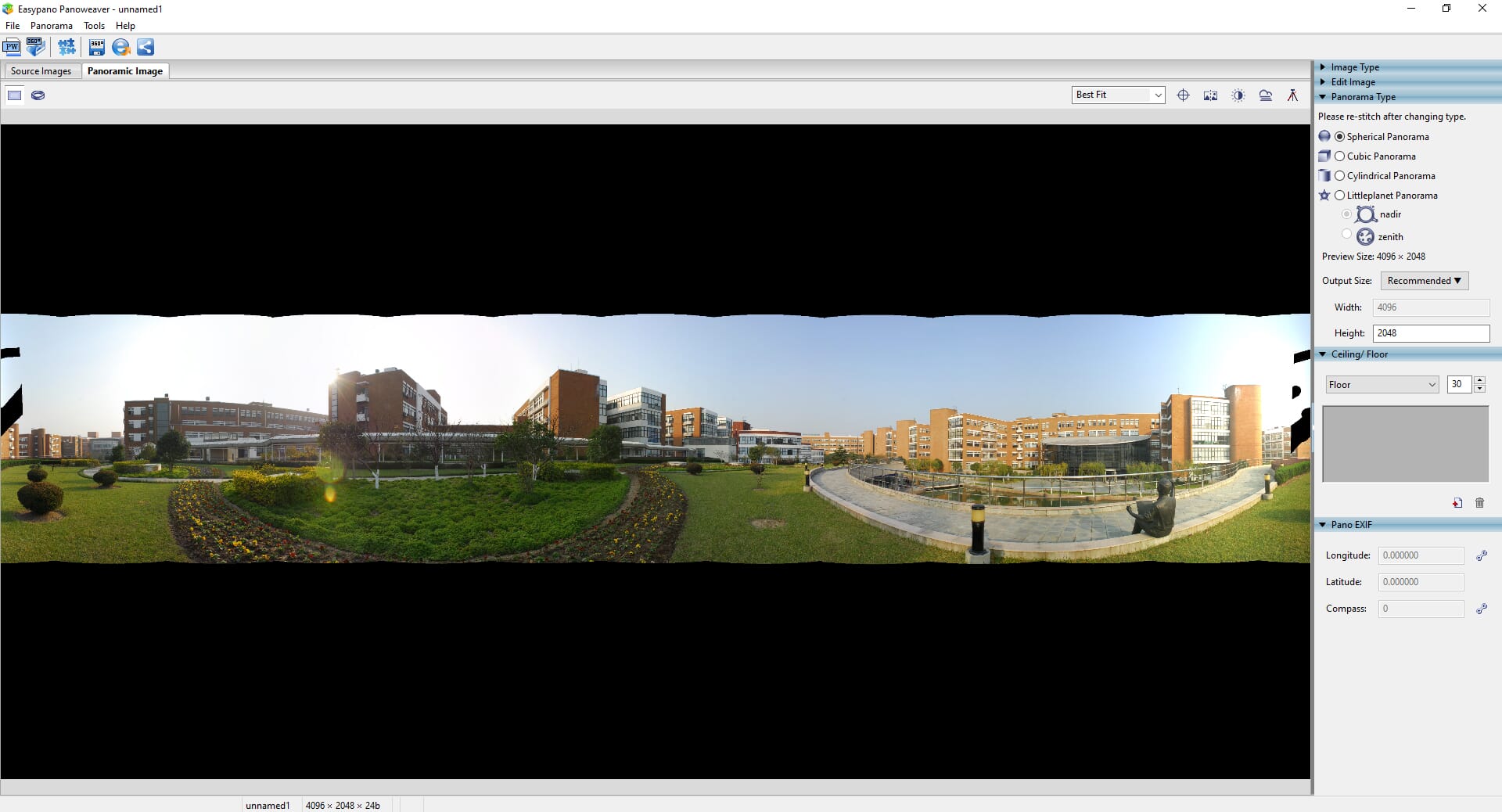
A standout feature is the built-in publishing capability. Once you’ve stitched your panorama, you can publish it as an interactive HTML5 tour viewable on any device – desktop, mobile, or VR headset. The Pro version adds batch processing, GPS tagging, and tripod removal features.
At $149.95 for the Standard edition or $399.95 for Pro, Panoweaver is priced for professionals who create virtual tours regularly. The interface could use modernization, but the underlying stitching technology is solid.
Which Panorama Stitching Software Is Right for You?
Choosing the best panorama stitching software depends on your needs, budget, and technical comfort level. Here’s a quick decision guide:
For professionals creating virtual tours or gigapixel images: PTGui Pro offers the most control and best results for complex projects. The $195 investment pays for itself quickly if panoramas are part of your business.
For photographers in the Adobe ecosystem: Adobe Photoshop or Lightroom Classic handle most stitching needs without requiring additional software. The integrated RAW workflow in Lightroom is particularly valuable.
For beginners who want simplicity: Luminar Neo makes panorama creation effortless with AI-powered automation. The one-time purchase and comprehensive editing tools make it excellent value.
For budget-conscious photographers: Affinity Photo is now completely free and offers professional-quality results. This is the obvious choice if you don’t want to spend anything.
For technical users who want free, powerful software: Hugin offers professional-level features with a steeper learning curve. It’s perfect for those who want maximum control without any cost.
For casual, occasional use: PhotoStitcher at $29.99 provides simple, reliable results without any complexity.
No matter which option you choose, today’s panorama stitching software makes it easier than ever to capture and create stunning wide-angle imagery. The biggest development in 2026 is the rise of AI-assisted tools and the availability of professional options at zero cost – there’s never been a better time to start creating panoramas.