


- Canva is the best all-around pick – design, edit, and order prints in one place, with a genuinely useful free tier and Canva Print home delivery.
- For photographers, Adobe Lightroom (from $9.99/mo) still has the best Print module: soft proofing and ICC color management for accurate home prints.
- Best free route: Google Photos (AI organizing + retail printing via CVS/Walgreens/Walmart) plus GIMP, which finally added non-destructive editing in its 2025 GIMP 3.0 release.
- For ordered products, Shutterfly leads on photo books and Snapfish on price. Every price and version below was re-verified for 2026.
When you buy through links on our site, we may earn a commission at no cost to you. We evaluate products independently. Commissions do not affect our evaluations.
Why You Need Good Photo Printing Software
Your photos deserve better than sitting forgotten on your phone. Whether you want to create a stunning photo book of your travels, print wall art for your home, or make personalized gifts for loved ones, the right software makes all the difference.
Photo printing software falls into three main categories:
- All-in-one platforms (like Canva) — Design, edit, and order prints in one place
- Photo editors with print features (like Lightroom, GIMP) — Professional editing tools with robust print modules
- Print service apps (like Shutterfly, Snapfish) — Focused on ordering prints, books, and photo products
- Printer-specific software (like HP Smart, Epson Print Layout) — Optimized for specific printer brands
In this guide, we review the 10 best photo printing software options for 2026, covering everything from free tools to professional solutions. Let’s find the perfect match for your needs.
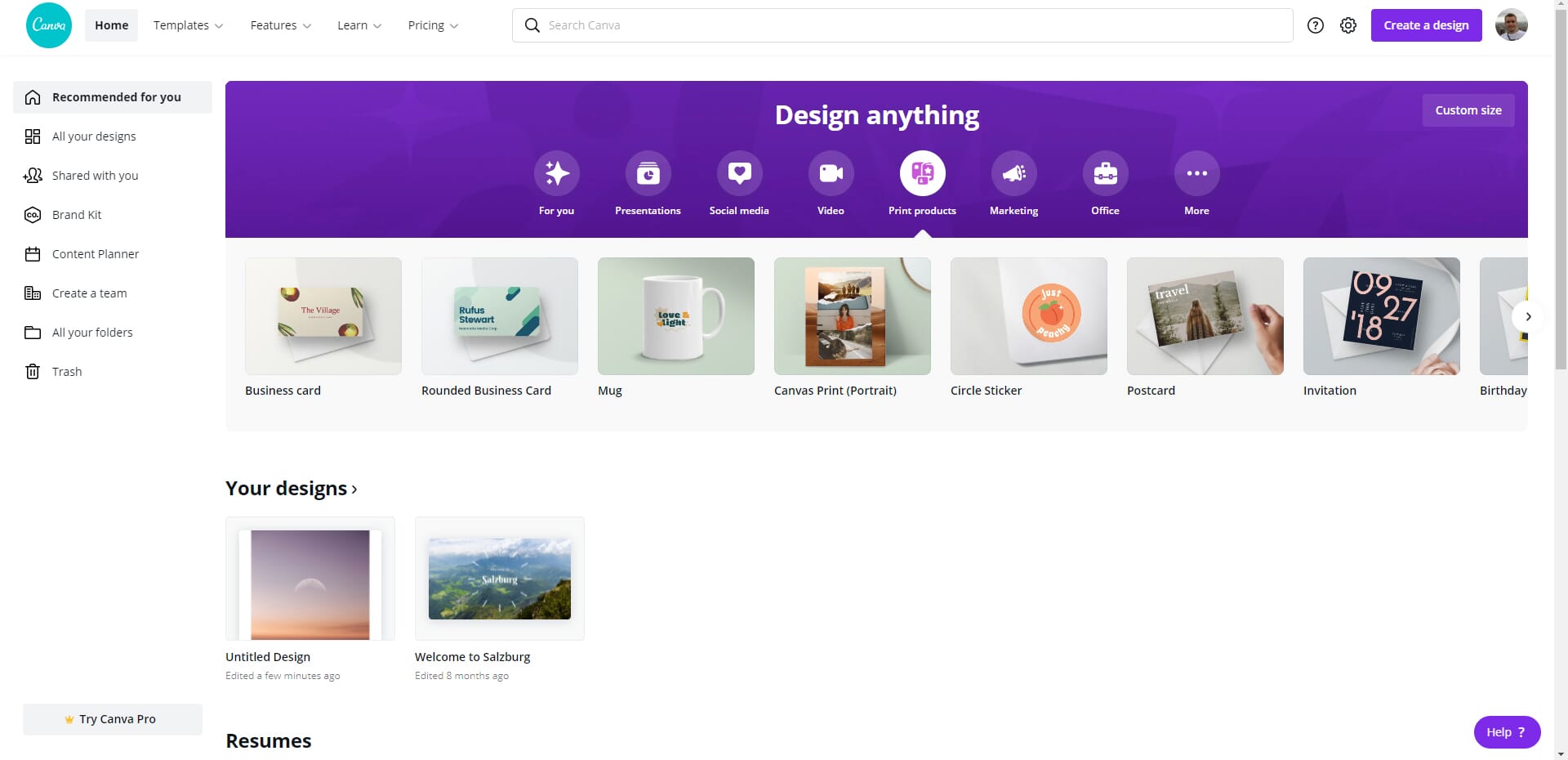
Design, edit, and print beautiful photo products with AI-powered tools.
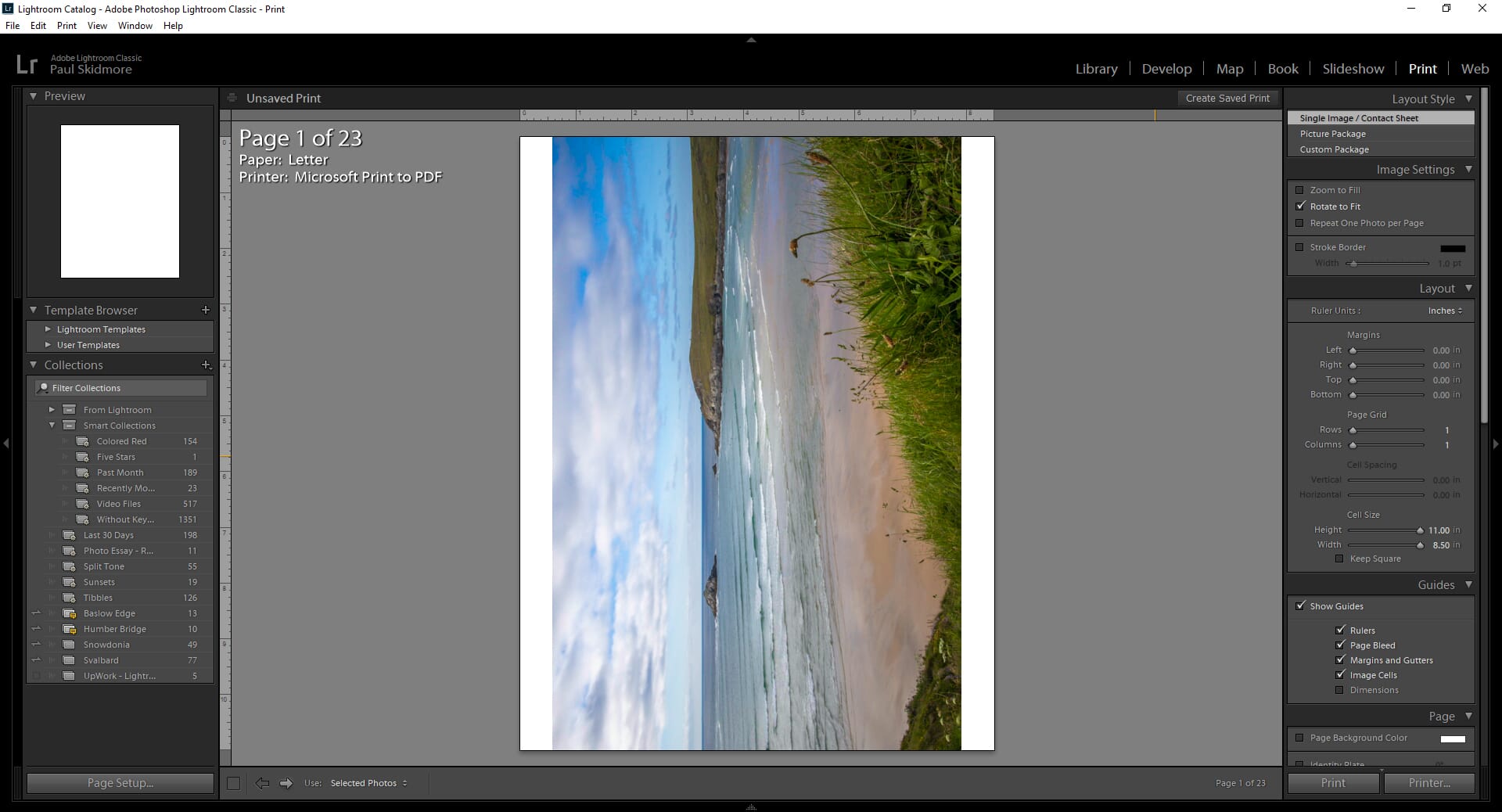
The industry standard for photo editing with powerful print features.
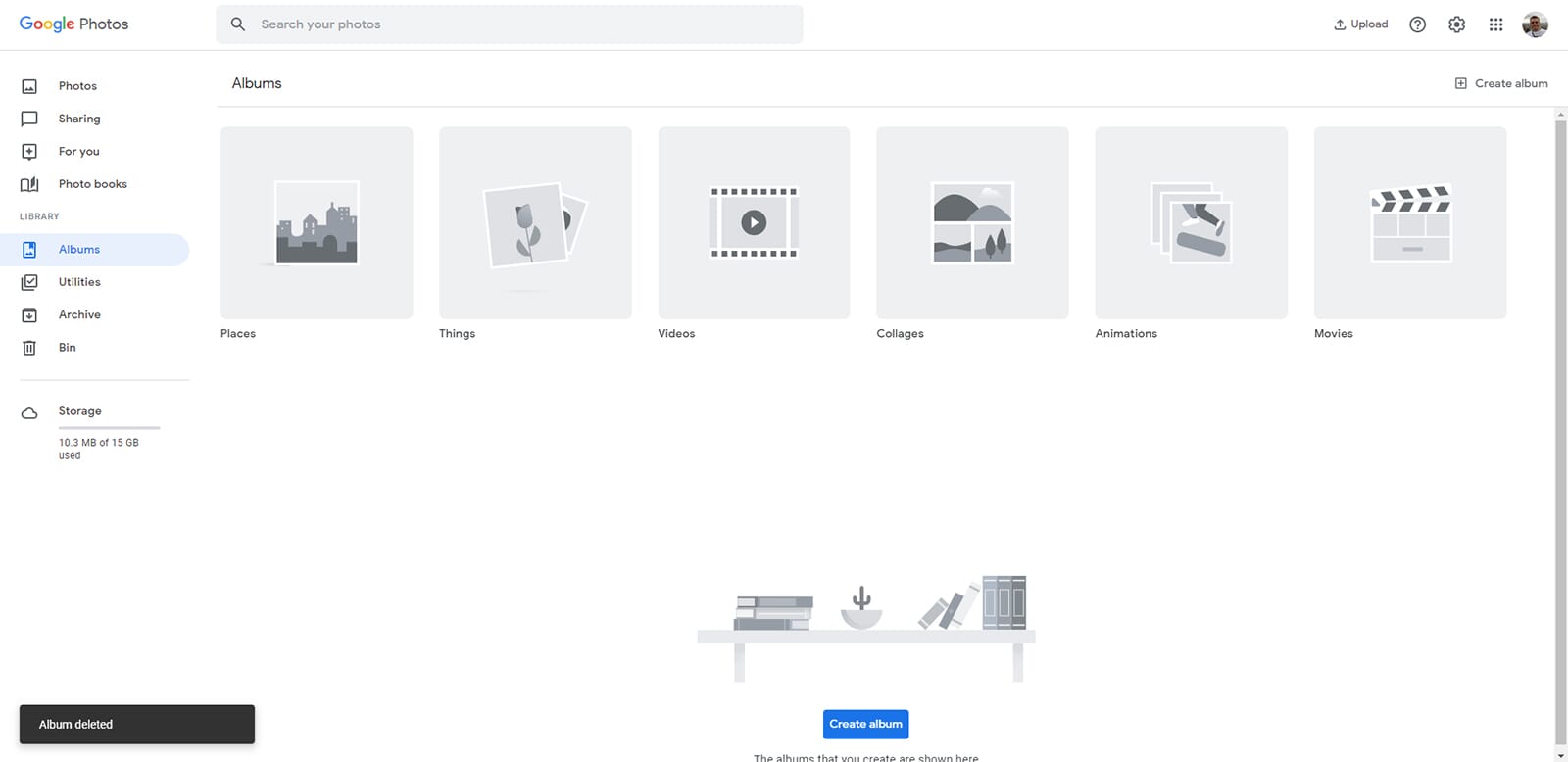
Free backup, smart organization, and convenient retail print ordering.
Photo Printing Software at a Glance
The quick comparison, then the full breakdown of each pick below. Prices and versions re-verified for 2026.
| Software | Type | Price | Direct print | Best for |
|---|---|---|---|---|
| Canva | All-in-one | Free / Pro ~$15/mo | Yes (Canva Print) | All-around |
| Adobe Lightroom | Editor + print module | From $9.99/mo | No (local printer) | Photographers |
| Google Photos | Organizer + retail print | Free (15GB) | Yes (CVS/Walgreens/Walmart) | Free backup + printing |
| Photoshop Express | Free editor | Free | No (local printer) | Quick edits |
| Shutterfly | Print service | Per product | Yes | Photo books & gifts |
| Snapfish | Print service | From $0.09/print | Yes | Budget prints |
| Fotor | AI editor | Free / Pro $8.99/mo | No (local printer) | AI editing |
| GIMP | Free pro editor | Free | No (local printer) | Free pro editing (now 3.0) |
| HP Smart | Printer app | Free | Yes (HP) | HP printer owners |
| Epson Print Layout | Printer app | Free | Yes (Epson) | Epson print control |
1. Canva
Canva has evolved from a simple design tool into the go-to platform for creating and printing photo products. Its AI-powered features make professional results accessible to everyone.
Platforms: Web, Windows, Mac, iOS, Android
Price: Free (Pro around $15/month)
Direct Printing: Yes (Canva Print)
Canva has become the Swiss Army knife of photo design and printing. What started as a simple graphic design tool now offers AI-powered editing, thousands of templates, and integrated print services—all wrapped in an interface so intuitive that anyone can use it.
The magic is in the templates. Whether you’re creating a photo book, wall calendar, greeting cards, or canvas prints, Canva offers professionally designed templates you can customize in minutes. The AI features are genuinely useful: Magic Resize adapts your designs to different formats, Background Remover works with one click, and Magic Write helps with text when you’re stuck.
Canva Print delivers directly to your door with quality that rivals dedicated print services. Pricing is competitive, and they frequently run promotions. The free tier is surprisingly generous—you can create and print without paying for Pro, though the subscription unlocks more templates, Brand Kit features, and advanced AI tools.
Best for: Anyone who wants an easy, all-in-one solution for designing and printing photo products. Especially great for cards, social media prints, and creative projects.
2. Adobe Lightroom
Lightroom remains the gold standard for photographers who want precise control over their edits and prints. The Print module offers features that serious photographers demand.
Platforms: Windows, Mac, iOS, Android
Price: $9.99/month (Photography Plan)
Direct Printing: No (print to local printer)
Adobe Lightroom is the photographer’s choice for a reason. Its non-destructive editing workflow, powerful organization tools, and professional Print module make it the complete package for anyone serious about photography.
The Print module is where Lightroom shines for our purposes. Soft proofing lets you preview exactly how your image will look when printed, accounting for your specific printer and paper combination. You can create custom print layouts, add identity plates and watermarks, and save print templates for consistent results.
Lightroom’s editing capabilities are top-tier. The AI-powered masking tools (introduced in recent updates) make complex selections easy, and the Enhance feature can upscale images with impressive quality. The mobile apps sync seamlessly, so you can start editing on your phone and finish on your desktop.
The main downside is the subscription model—you’ll need the Photography Plan at minimum. But for the combination of editing power and print control, it’s worth it for dedicated photographers.
Best for: Photographers who want professional-grade editing and precise control over their print output. Essential if you’re selling prints or need color accuracy.
3. Google Photos
Google Photos combines powerful AI organization with simple editing tools and partnerships with major retailers for easy print ordering.
Platforms: Web, iOS, Android
Price: Free (15GB storage)
Direct Printing: Yes (via CVS, Walgreens, Walmart)
Google Photos might be the most underrated photo printing solution. While it’s famous for backup and AI-powered search (try searching “beach sunset” or “dog”), the printing features are genuinely useful.
Google has partnered with major retailers including CVS, Walgreens, and Walmart for print ordering. You can order prints directly from the app for same-day pickup or home delivery. The integration is seamless—select photos, choose your sizes, and pick up your prints within hours.
The AI features are Google’s secret weapon. The search is uncanny—it recognizes faces, places, objects, and even text in images. The editing tools have improved significantly, with AI-powered suggestions, portrait lighting adjustments, and a Magic Eraser that removes unwanted objects.
The 15GB free storage is shared with Gmail and Drive, so heavy users might need Google One. But for casual photographers who want simple backup and easy printing, it’s hard to beat free.
Best for: Casual photographers who want effortless backup, powerful search, and convenient print ordering without any learning curve.
4. Adobe Photoshop Express
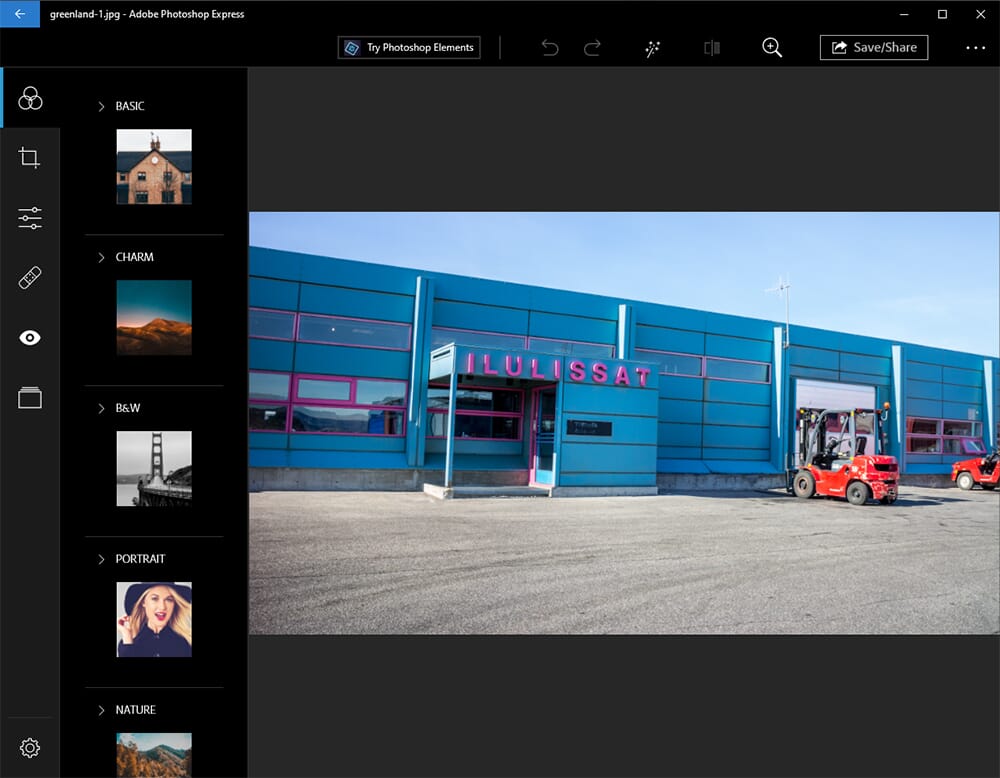
Photoshop Express brings Adobe’s editing expertise to a free, easy-to-use app with solid print capabilities.
Platforms: Windows, Mac, iOS, Android
Price: Free (Premium features optional)
Direct Printing: No (print to local printer)
Adobe Photoshop Express delivers surprisingly capable editing in a free package. It’s not full Photoshop, but for preparing photos for print, it has everything most people need.
The editing tools cover the essentials: crop, rotate, exposure, contrast, highlights, shadows, and color adjustments. The AI-powered features include one-tap enhancements, blemish removal, and red-eye correction. The filters and effects are tasteful rather than gimmicky.
For printing, Photoshop Express offers straightforward print dialog with options for paper size, quality, and color management. It’s not as sophisticated as Lightroom’s Print module, but it’s more than adequate for home printing.
The catch: you need an Adobe account (free), and some advanced features require the Premium subscription. But the free tier is generous enough for most print preparation needs.
Best for: Adobe users who want a free, lightweight option for quick edits before printing. Great stepping stone to Lightroom.
5. Shutterfly
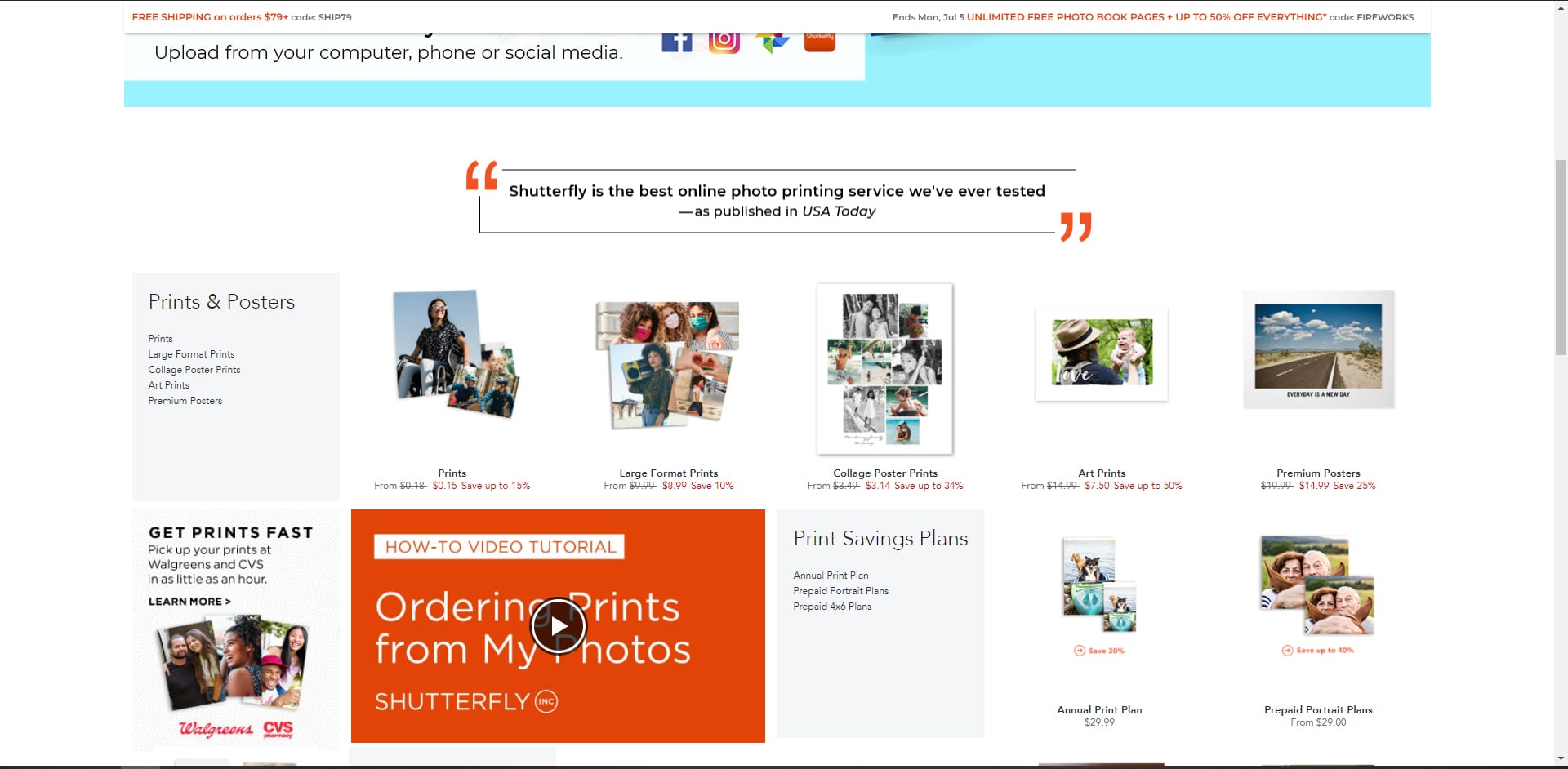
Shutterfly offers the widest selection of photo products with easy-to-use design tools and frequent promotions.
Platforms: Web, iOS, Android
Price: Varies by product
Direct Printing: Yes (Shutterfly fulfillment)
Shutterfly is the 800-pound gorilla of photo printing services. They offer everything: prints, photo books, cards, calendars, mugs, blankets, wall art, and dozens of other products. If you can put a photo on it, Shutterfly probably sells it.
The design tools are beginner-friendly with enough customization for creative users. Photo books are their specialty—the templates are polished, the paper quality is excellent, and the lay-flat binding options make for impressive results. Their cards and stationery are equally popular for holidays and special occasions.
Here’s the insider tip: never pay full price. Shutterfly runs constant promotions—40% off, free shipping, buy-one-get-one. Sign up for their emails (yes, they send a lot) and wait for a good deal. The full prices are steep, but the sale prices are competitive.
Print quality is consistently good. They use USA-based printing facilities and offer a 100% happiness guarantee.
Best for: Photo books, holiday cards, and photo gifts. The go-to choice for family photo projects.
6. Snapfish
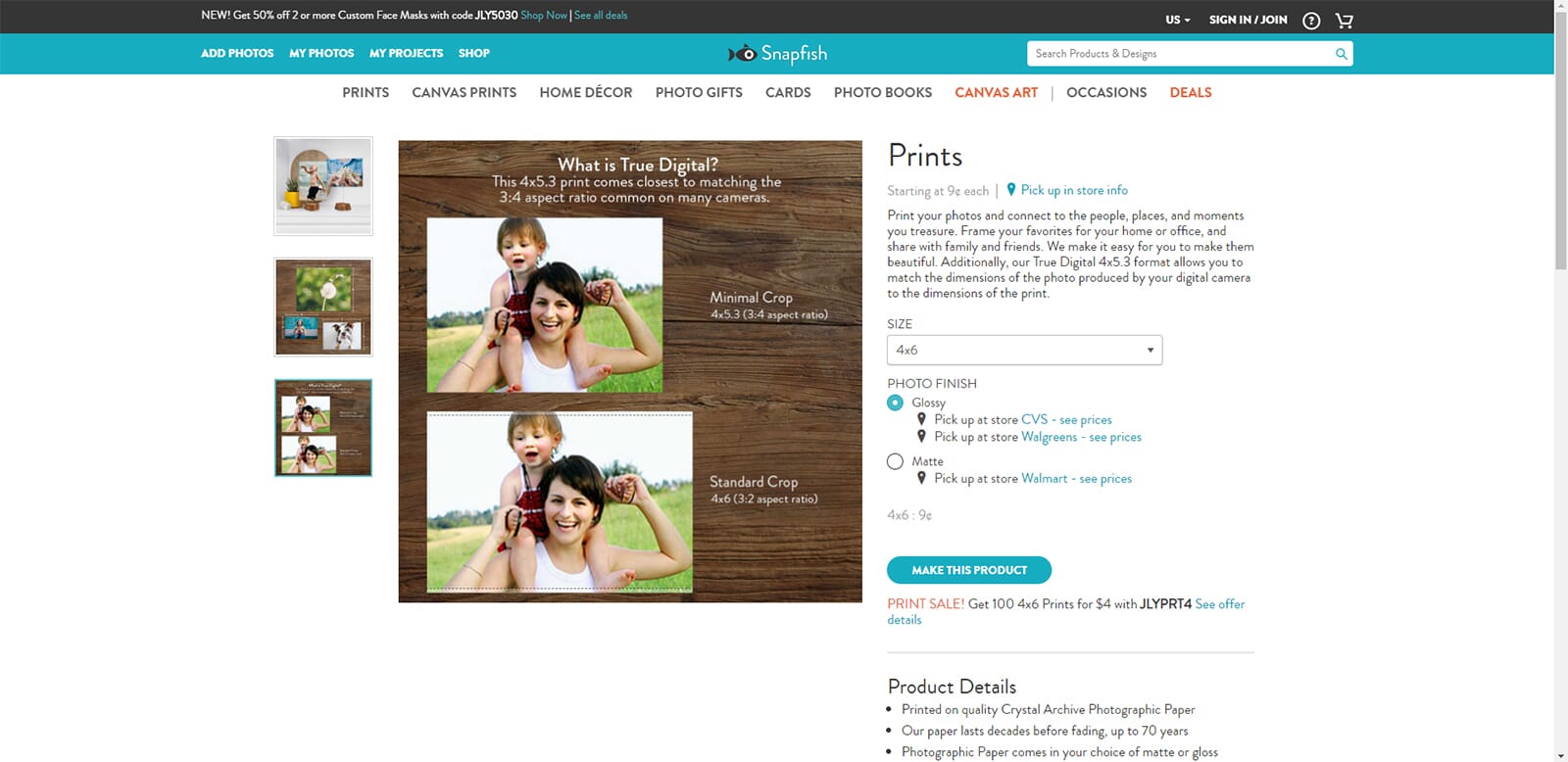
Snapfish offers competitive pricing on prints and photo products with a straightforward ordering experience.
Platforms: Web, iOS, Android
Price: From $0.09/print
Direct Printing: Yes (Snapfish fulfillment)
Snapfish competes directly with Shutterfly and often wins on price. Standard prints start at just $0.09 each, and their photo books and cards are regularly discounted.
The ordering experience is straightforward. Upload your photos, choose your products, customize with their templates, and checkout. The interface isn’t as polished as Shutterfly’s, but it gets the job done without unnecessary complexity.
Product selection covers the essentials: prints in various sizes, photo books, canvas prints, cards, calendars, and gifts. The quality is good—not quite premium, but absolutely acceptable for the price. For everyday prints and casual photo books, Snapfish delivers solid value.
Like all print services, watch for promotions. Snapfish frequently offers percentage discounts and free shipping deals that make their already-competitive prices even better.
Best for: Budget-conscious users who want good quality at the best price. Great for large print orders and everyday photo books.
7. Fotor Photo Editor
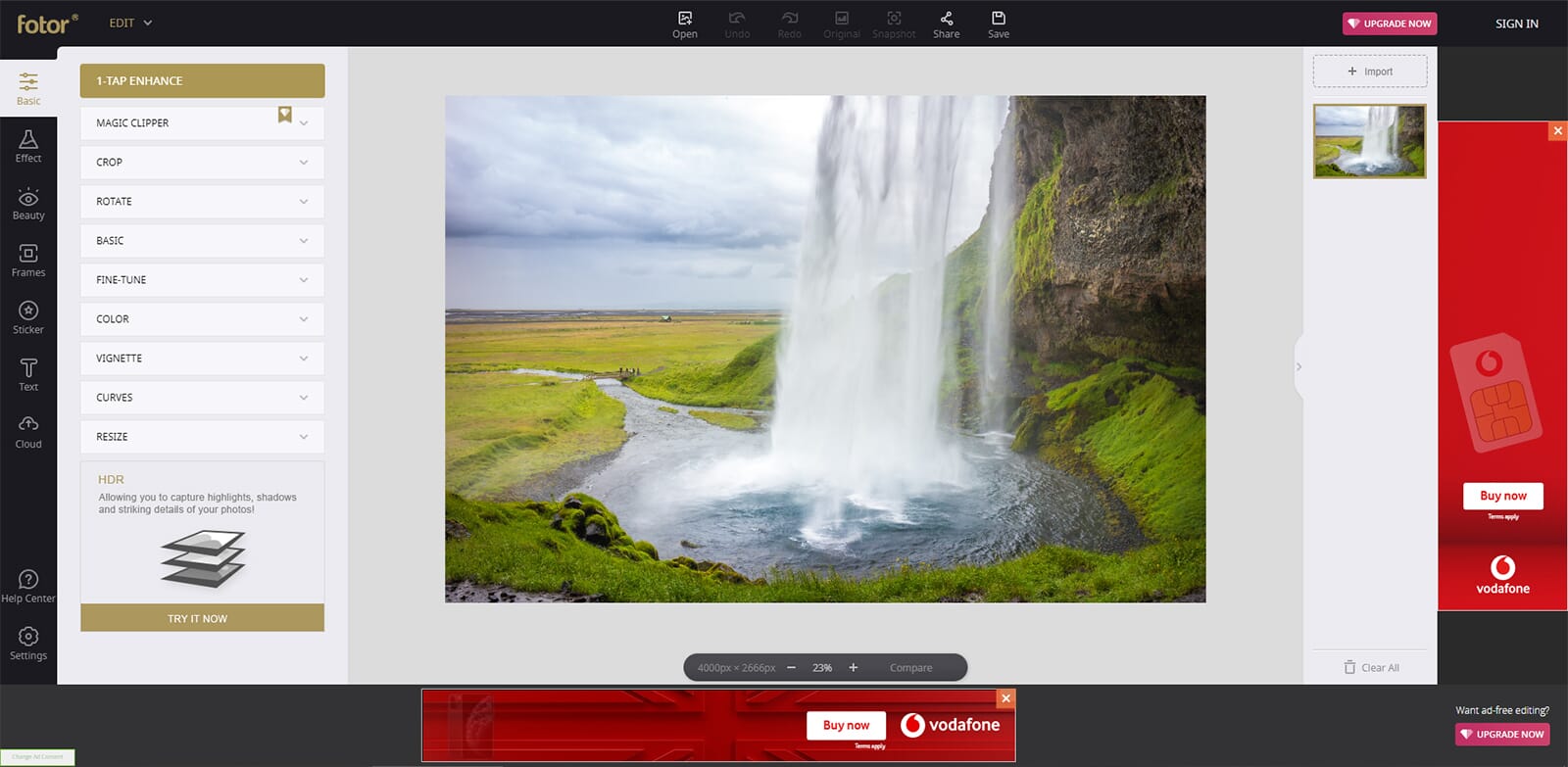
Fotor combines easy editing tools with AI features and basic print functionality.
Platforms: Web, Windows, Mac, iOS, Android
Price: Free (Pro from $8.99/month)
Direct Printing: No (print to local printer)
Fotor is a capable photo editor that’s embraced AI features enthusiastically. The result is a tool that makes professional-looking edits accessible to beginners while offering enough depth for experienced users.
The AI features are impressive: text-to-image generation, AI object replacement, background removal, and one-click enhancements. The traditional editing tools are solid too—layers, adjustments, filters, and retouching all work as expected. Batch editing is a standout feature for processing multiple photos quickly.
For printing, Fotor’s capabilities are more limited. You can adjust resolution and color settings before exporting, then print through your local printer. There’s no integrated print service or advanced print module, but for basic home printing, it’s adequate.
The free tier lets you try most features with some limitations (watermarks on certain AI outputs, resolution caps). The Pro subscription removes these restrictions and adds more AI credits.
Best for: Users who want AI-powered editing at a reasonable price. Good for preparing photos before using a separate print service.
8. GIMP
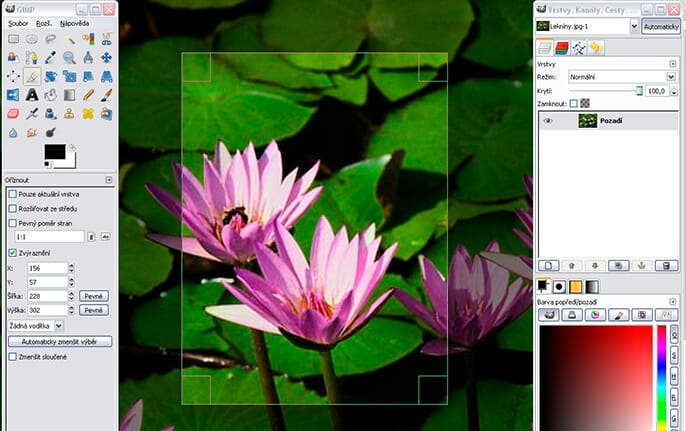
GIMP offers Photoshop-level features completely free, with solid print capabilities for those willing to learn.
Platforms: Windows, Mac, Linux
Price: Free
Direct Printing: No (print to local printer)
GIMP (GNU Image Manipulation Program) is the open-source answer to Photoshop. It’s completely free, genuinely powerful, and has been developed for over 25 years — and the long-awaited GIMP 3.0, released in 2025 after seven years of work, finally brought non-destructive editing, a modernized interface, and better color management, closing much of the gap with paid editors.
The feature set is impressive: layers, masks, paths, filters, color management, scripting, and extensibility through plugins. You can do serious photo editing in GIMP—retouching, compositing, color correction, and everything else you’d expect from professional software.
The print capabilities are solid. GIMP offers proper color management with ICC profile support, soft proofing, and detailed print settings. For photographers printing at home, it provides the control needed for accurate results.
The catch is the learning curve. GIMP’s interface is different from Adobe products, and it takes time to become proficient. But the investment pays off—you get professional capabilities without ongoing subscription costs.
Best for: Users who want professional-grade editing without paying for subscriptions. Ideal for Linux users and anyone who values open-source software.
9. HP Smart
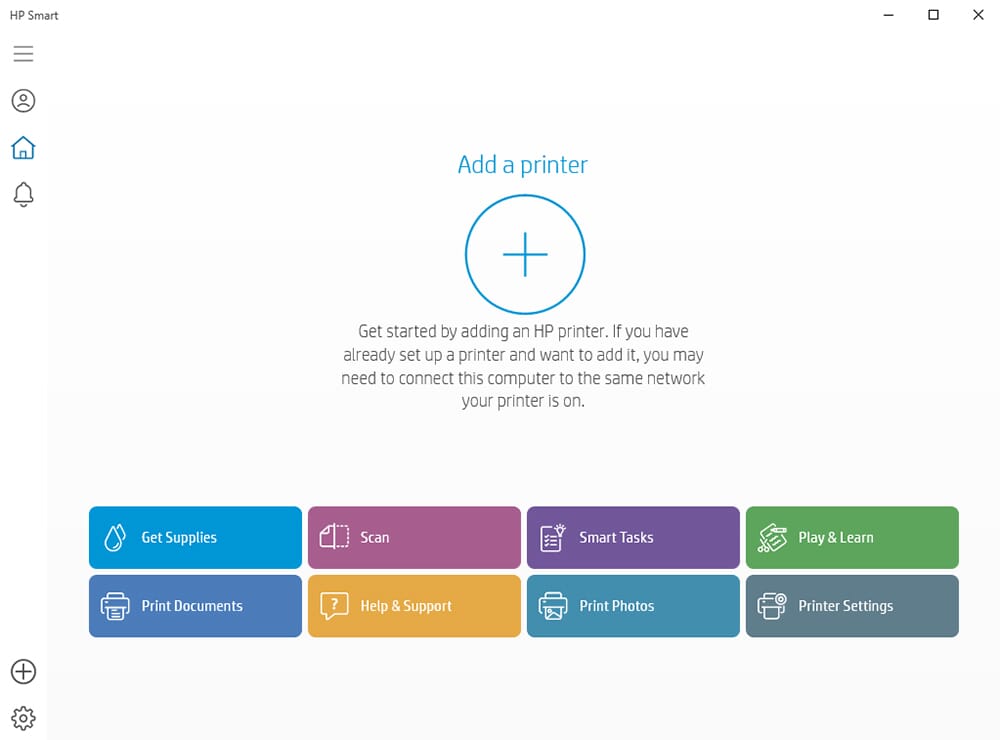
HP Smart is the companion app for HP printers, offering easy printing, scanning, and basic editing.
Platforms: Windows, Mac, iOS, Android
Price: Free
Direct Printing: Yes (to HP printers)
If you own an HP printer, HP Smart is essential software. It handles printer setup, wireless connectivity, and makes printing from any device straightforward.
The app includes basic photo editing—crop, rotate, filters, and adjustments. Nothing fancy, but enough to prep a quick print without opening another app. The real value is in the printing workflow: select photos from your camera roll or cloud storage, choose print settings, and send to your HP printer wirelessly.
HP Smart also handles scanning (if your printer supports it), ink level monitoring, and printer troubleshooting. The HP Instant Ink integration can save money if you print regularly.
Obviously, this only makes sense if you have an HP printer. But if you do, it’s the best way to manage your printing workflow on that device.
Best for: HP printer owners who want easy wireless printing and basic photo preparation.
10. Epson Print Layout
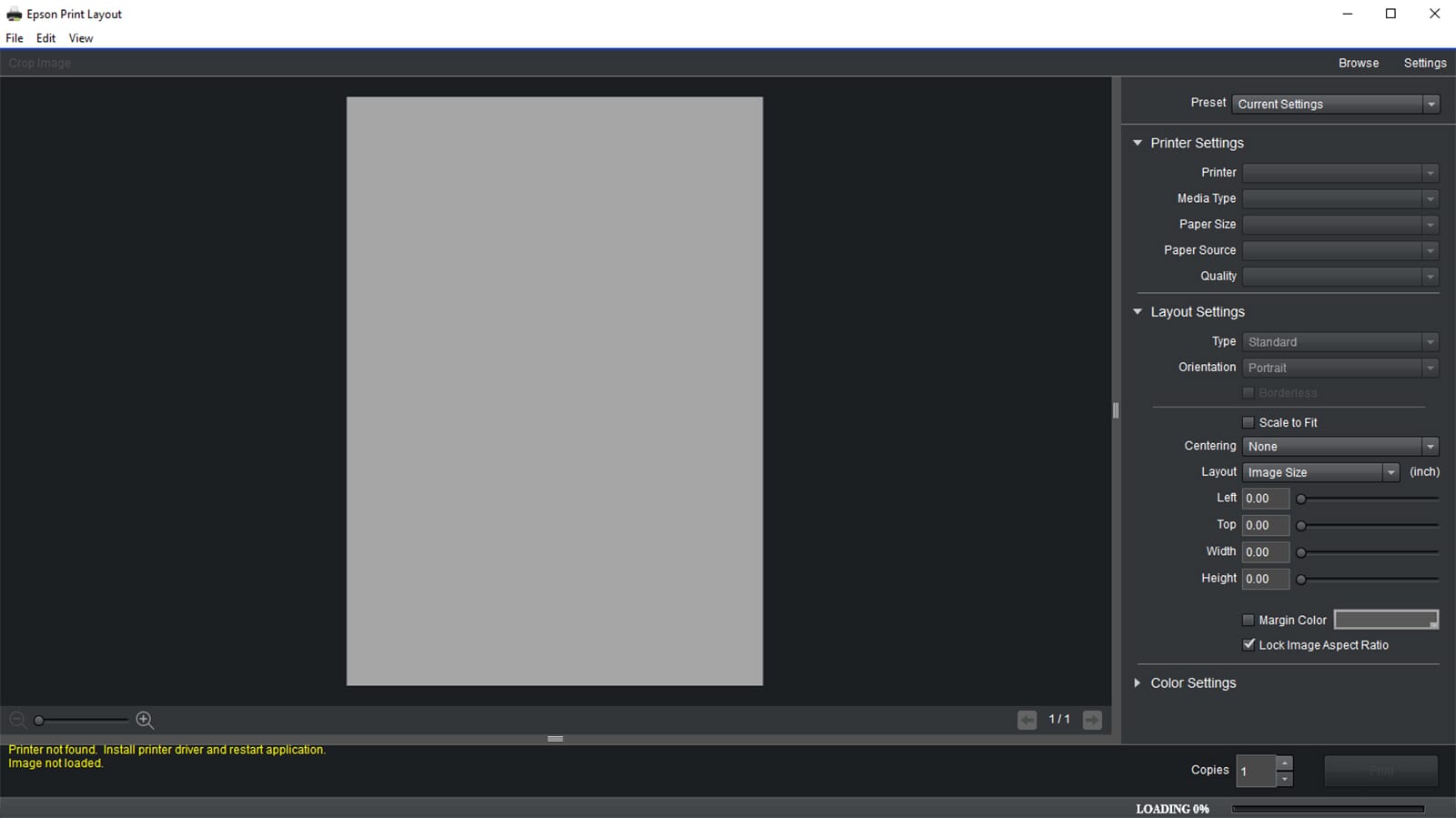
Epson Print Layout offers professional-grade print control for Epson printer owners, especially those using photo printers.
Platforms: Windows, Mac
Price: Free
Direct Printing: Yes (to Epson printers)
Epson Print Layout is a specialized printing application for Epson photo printers. If you own an Epson printer and care about print quality, this free software is a significant upgrade over standard print dialogs.
The feature set caters to serious photographers: ICC profile management for accurate colors, soft proofing to preview results before printing, gallery wrap options for canvas prints, and dedicated black-and-white printing modes with multiple ink configurations.
Layout options include standard prints, contact sheets, and panoramas. You can add borders, watermarks, and custom layouts. The software integrates with Lightroom and Photoshop as a plugin, streamlining the workflow from edit to print.
This isn’t for casual users—the learning curve is real, and you need an Epson printer to use it. But for photographers printing at home on Epson hardware, it unlocks the full potential of your printer. (Shopping for the printer itself? See our guide to the best portable photo printers.)
Best for: Photographers with Epson printers who want maximum control over print quality and color accuracy.
Pro Tip: Edit Your Photos Before Printing
Printing software handles layout and output, but your prints are only as good as the photos you feed them. Before sending files to print, run them through a dedicated photo editor like Luminar Neo to correct exposure, sharpen details, and remove distractions. Its AI tools can enhance skin tones, fix lighting, and upscale resolution — all in a few clicks.
Get Your Print Resolution Right (Before You Hit Print)
No software can rescue a print output at too low a resolution. The standard for sharp photo prints is 300 PPI (pixels per inch). To find the largest size a photo can print sharply, divide each pixel dimension by 300:
- A 12 MP phone photo (4032×3024) prints crisp up to about 13×10 inches at 300 PPI.
- A 24 MP camera file (6000×4000) is good for roughly 20×13 inches.
- For large wall art viewed from a distance, you can drop to 200–240 PPI and print bigger without visible softness.
Need a bigger print than your pixels allow? AI upscaling buys real headroom — see how it holds up in our Topaz Photo AI review, where a 4× upscale rebuilt genuine detail rather than just interpolating it. Lightroom’s built-in Enhance does a lighter version of the same trick.
Color space matters too. Export in sRGB for online print services (Shutterfly, Snapfish, retail kiosks) – they expect it, and it prevents dull, shifted colors. For home printing, soft-proof against your specific printer-and-paper ICC profile in Lightroom, GIMP, or Epson Print Layout so what you see matches what comes out. And if you’re printing scans of old family photos, organize and digitize them first for the best source files.
How to Choose the Right Photo Printing Software
With so many options available, here’s what to consider when choosing your photo printing software:
Your Printing Needs
Home printing: If you print at home, prioritize software with good color management and ICC profile support (Lightroom, GIMP, Epson Print Layout). Your printer brand matters—HP Smart and Epson Print Layout are optimized for their respective printers.
Print services: For ordering prints online, look at Shutterfly, Snapfish, or Canva Print. Consider what products you want—Shutterfly excels at photo books, while Canva offers more creative templates.
Editing Requirements
Professional editing: Lightroom and GIMP offer the most powerful editing tools. Lightroom is easier to learn; GIMP is free but steeper.
Quick edits: Canva, Google Photos, and Photoshop Express handle basic corrections efficiently. Their AI features can improve photos with one click.
Budget
Free options: Google Photos, GIMP, Photoshop Express, HP Smart, and Epson Print Layout are all free. Canva and Fotor have generous free tiers.
Subscriptions: Lightroom requires Adobe’s Photography Plan ($9.99/month). Canva Pro and Fotor Pro offer additional features for monthly fees.
Platform Compatibility
Consider where you’ll be working. Web-based tools (Canva, Fotor, Google Photos) work anywhere. Desktop software (Lightroom, GIMP) offers more power but less flexibility. Mobile apps matter if you primarily shoot on your phone.
Which Photo Printing Software Is Best for You?
After testing all these options, here are our recommendations:
- For most people: Canva — The combination of easy design tools, AI features, and integrated printing makes it the best all-around choice.
- For photographers: Adobe Lightroom — The professional standard with unmatched editing and print control.
- For free backup + printing: Google Photos — Easy, AI-powered, and free with convenient retail printing.
- For photo books and gifts: Shutterfly — The widest selection of products with reliable quality.
- For budget prints: Snapfish — Best prices on standard prints and everyday photo products.
- For free professional editing: GIMP — All the power of Photoshop at no cost.
The best photo printing software is the one that fits your workflow. Start with what you need most—whether that’s editing power, design templates, or print service integration—and you’ll find the right tool for your photos.
Pricing, versions, and feature details were re-verified against official sources for 2026.
Software & Pricing
- Adobe – Creative Cloud Photography plan – Lightroom pricing & Print module
- GIMP – GIMP 3.0 release (March 2025) – Non-destructive editing & modernized UI
- Canva – Canva Print & pricing – All-in-one design + print
PhotoWorkout is reader-supported. When you buy through some links on this page, we may earn an affiliate commission at no extra cost to you. It never affects our picks.



