


- Excire Foto 2027 launched today (June 16, 2026) for Windows and macOS — the standalone, AI-powered photo manager that runs entirely on your machine, with no cloud processing and no subscription.
- The headline new feature is AI text search: Excire now reads visible text inside photos (street signs, race numbers, menus, storefronts) so you can find images by the words in them.
- Other major additions: a World Map View, a light-table-style Survey Mode for culling, Focus Peaking and Rule of Thirds overlays, an AI filter bar with a Timeline Graph, and video export.
- It’s a one-time license — US$249 / €229, dropping to a US$219 / €199 launch price; upgrades from 2025 cost $79 and from 2024 $99, with a free 14-day trial.
- PhotoWorkout readers can take 15% off with code PHOTOWORKOUT.
While the rest of the photo-software world races to push AI into the cloud, Excire has spent years going the other way — and today it doubled down. Pattern Recognition Company launched Excire Foto 2027 on June 16, 2026, the newest version of its standalone, AI-powered photo manager that runs entirely on your own computer, with no cloud round-trip and no monthly fee.
The pitch is the same one that has won Excire a loyal following: as photo libraries balloon into the tens of thousands, finding and organizing images becomes the real bottleneck — and Excire attacks it with on-device AI search, culling and tagging. The 2027 release adds a genuinely useful headline feature (AI text recognition), a new map view, and a batch of culling and evaluation tools. Here’s everything that’s new.
PhotoWorkout is reader-supported. If you buy through links in this post we may earn a commission at no extra cost to you.
What’s new in Excire Foto 2027
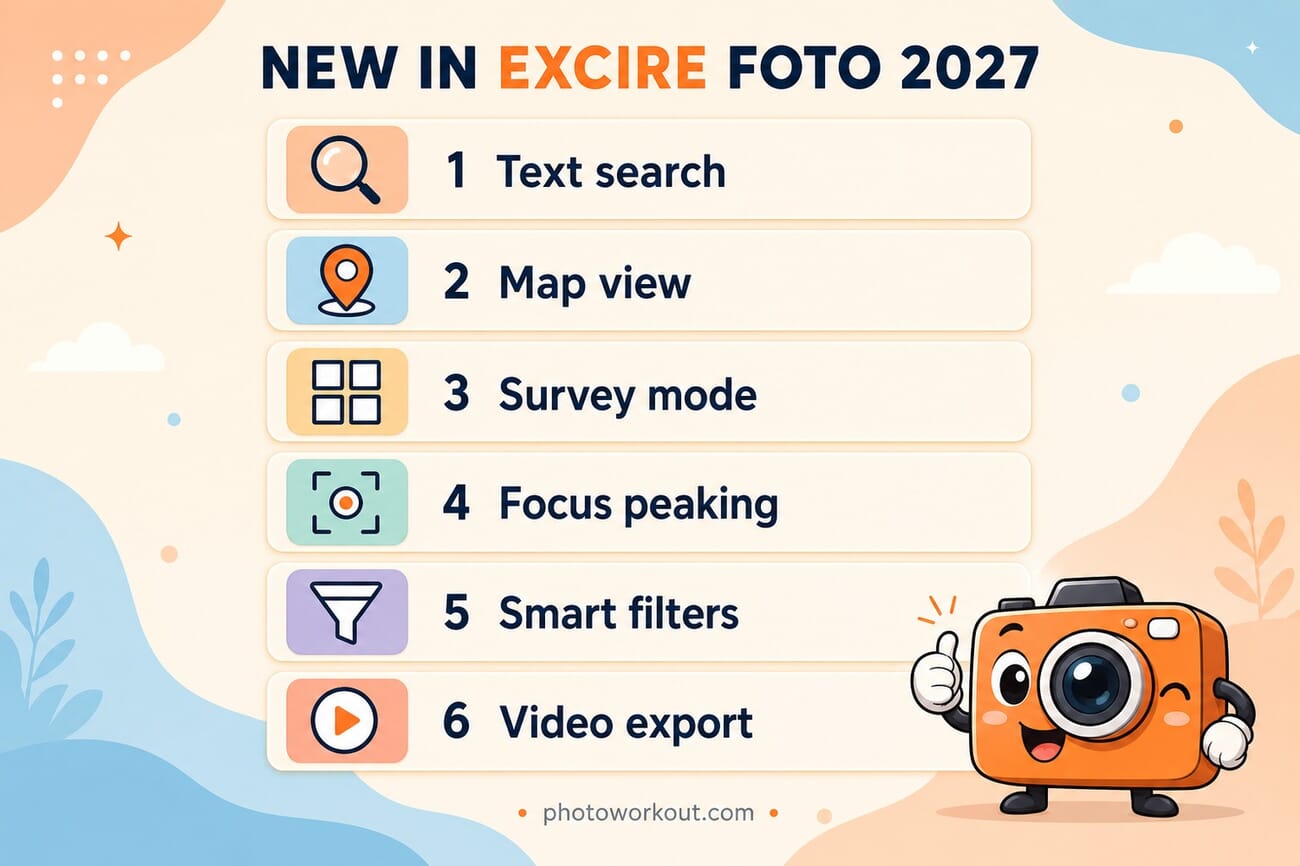
Excire Foto 2027 builds on the existing search, organization and culling toolkit with several substantial additions:
AI text search (OCR)
The standout feature: Excire can now recognize visible text inside your photos. Type a word — a street sign, a storefront name, an athlete’s bib number, a vehicle decal, a restaurant menu — and it surfaces every image containing that text. For anyone who shoots events, travel or documentary work, this turns an unsearchable archive into a queryable one.
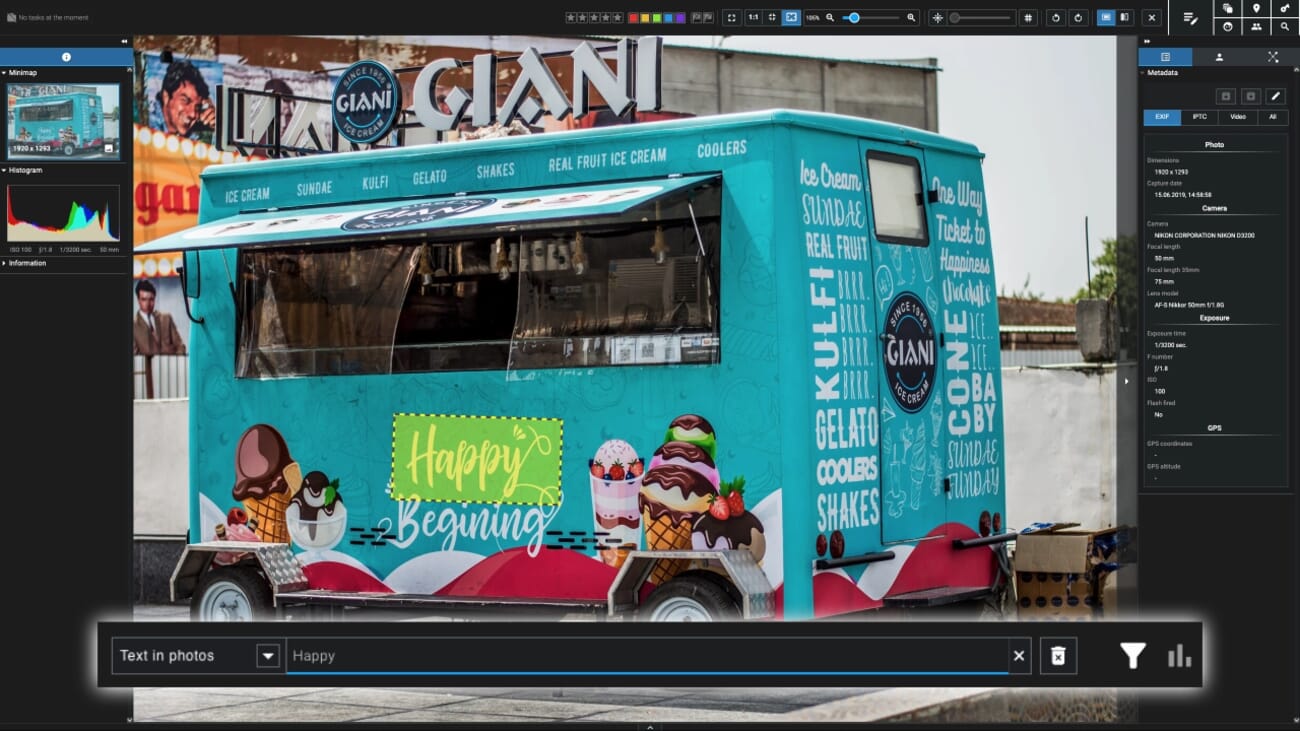
World Map View
A new interactive Map View lets you browse the library geographically using GPS data — drill into a city, a region or a far-flung trip, and visualize your whole photographic history by location. It’s a natural fit for travel photographers rediscovering older work.
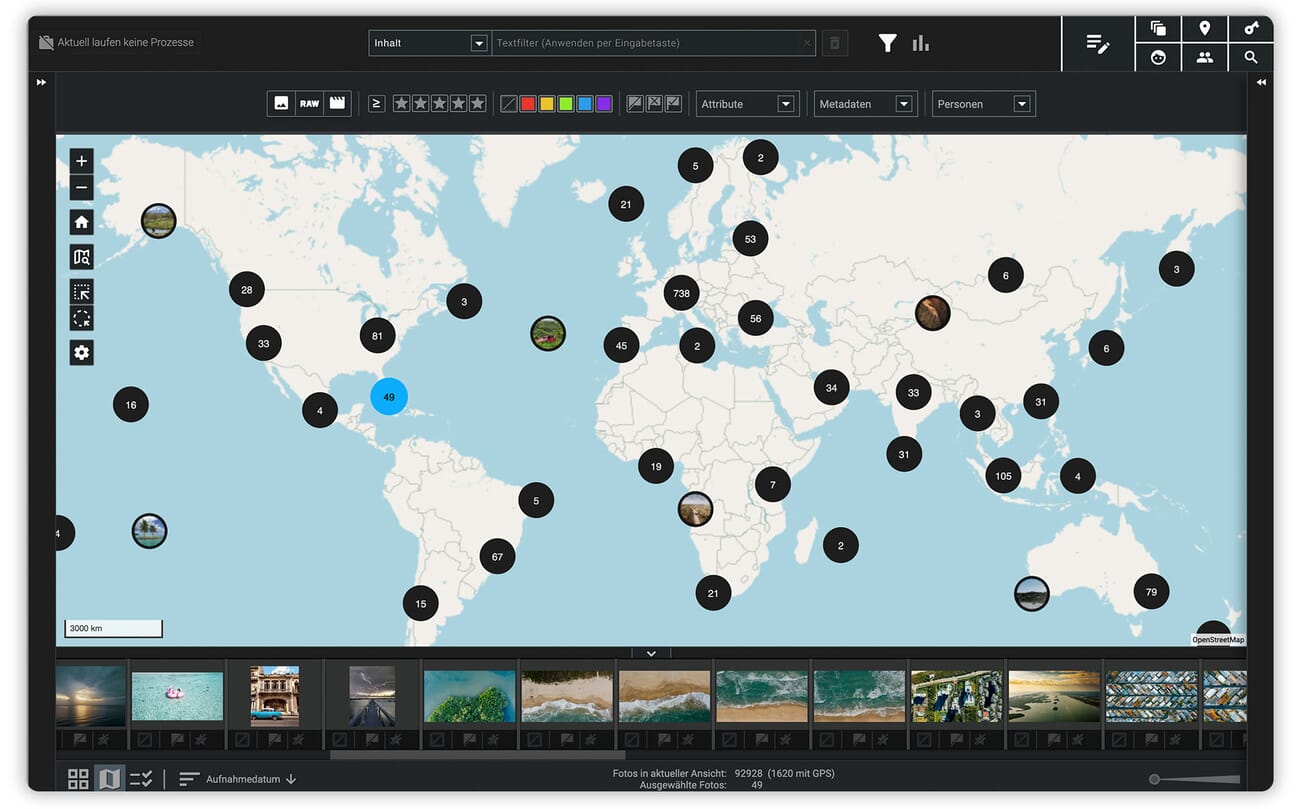
Survey Mode and better culling
Inspired by the analog light table, the new Survey Mode lets you review, compare, rate and select images side by side without distraction. It’s paired with two new evaluation overlays — Rule of Thirds gridlines and Focus Peaking — that make it easy to judge composition and pin-point sharpness at a glance while culling.
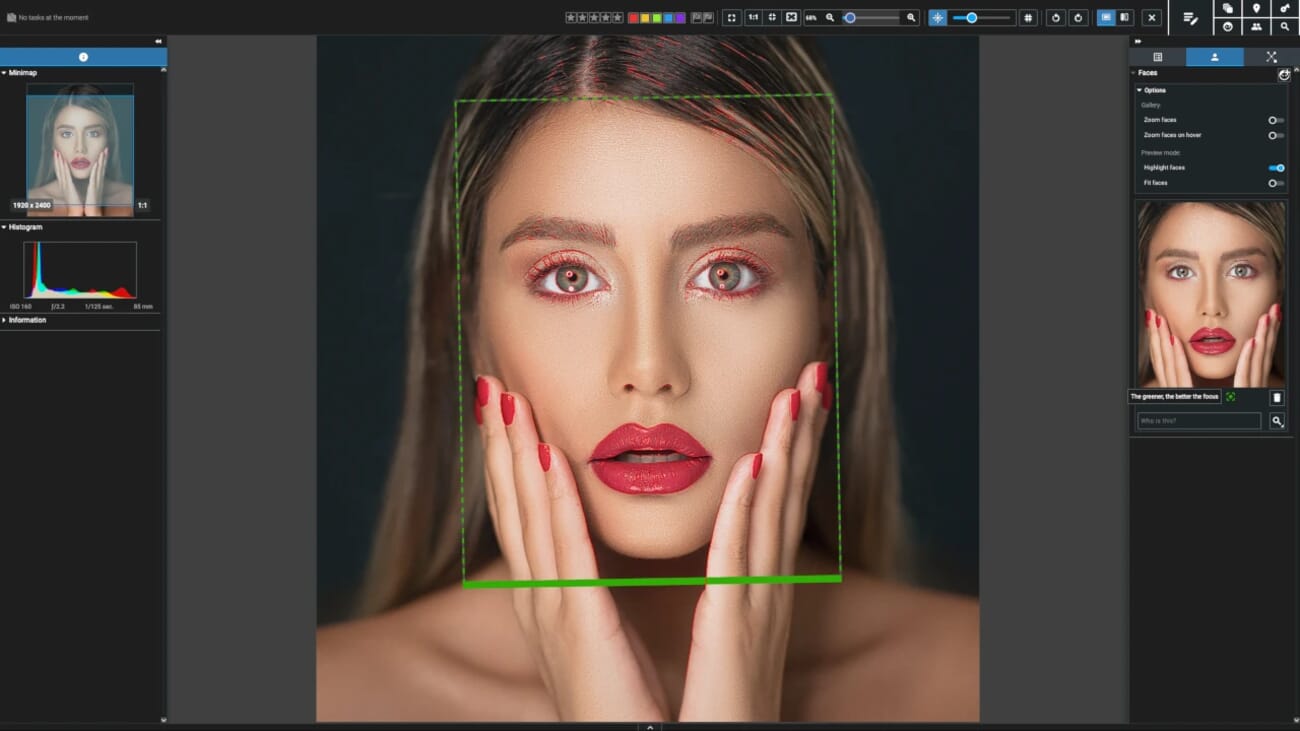
Smart filtering, sharing and more
An AI-powered filter bar and an at-a-glance Timeline Graph speed up navigating big libraries, while a longer list of workflow upgrades rounds out the release: cloud sharing via Microsoft OneDrive and Nextcloud, video export, automatic keyword generation from folder names, hideable AI keywords, clipboard support, adjustable side panels, and a quick-search tool for folders and collections.
Still no cloud, still no subscription
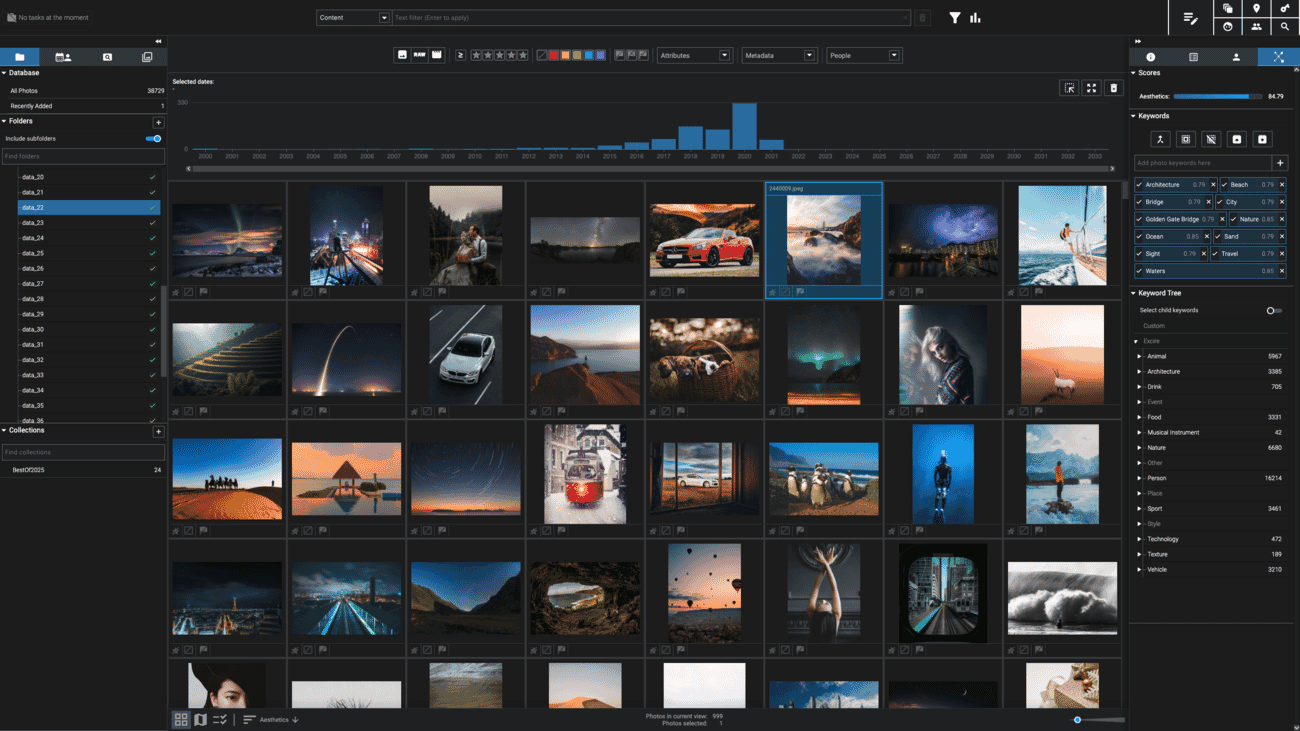
The detail that keeps Excire distinct in 2026 is what it doesn’t do: it doesn’t require a subscription, and its AI runs locally rather than in the cloud. “The latest release introduces powerful new tools that make it faster and easier to search, organize, and curate large media collections — all without relying on the cloud or requiring a subscription,” said Erhardt Barth, CEO of Pattern Recognition Company.
That positioning is timely. The whole industry tilted toward on-device AI in 2026 — Adobe just brought on-device AI to Photoshop, and Apple leaned into local processing at WWDC. Excire’s advantage is that it has been local-and-one-time-purchase all along, which also makes it a natural counterpoint when you’re weighing which AI tools will still be around in a year.
Price, availability and upgrades
Excire Foto 2027 is available today for Windows and macOS, downloadable directly from Excire. It’s a one-time license — no subscription — at US$249 / €229 / £229 / CHF 229, reduced to US$219 / €199 / £199 / CHF 199 during the limited-time launch promotion. Existing owners can upgrade: Excire Foto 2025 users pay US$79, and 2024 users US$99. A free 14-day trial is available if you want to test it on your own library first.
PhotoWorkout readers can take an extra 15% off with the code PHOTOWORKOUT at checkout. If you want the full rundown — how the search actually performs, where it fits next to Lightroom, and the keywording workflow — see our hands-on Excire Foto review. You can also grab the software or start the trial on the Excire site.

Frequently Asked Questions
What is the headline new feature in Excire Foto 2027?
AI text search. Excire Foto 2027 recognizes visible text inside photos — signs, numbers, menus, storefronts — and lets you find images by typing the words they contain. It joins existing tools like natural-language search, facial recognition, GPS, duplicate detection and AI culling.
Is Excire Foto a subscription?
No. Excire Foto 2027 is a one-time license (US$249 / €229, with a US$219 / €199 launch price), and its AI runs locally on your computer rather than in the cloud.
Can I upgrade from an older version?
Yes. Excire Foto 2025 owners can upgrade to 2027 for US$79, and Excire Foto 2024 owners for US$99. A free 14-day trial is also available.
Does it work with Lightroom?
Excire Foto is a standalone application. For Lightroom Classic users, the company offers a separate plugin, Excire Search, that brings the same AI search into the Lightroom catalog.
The bottom line
Excire Foto 2027 is a meaningful step for a tool that already did the unglamorous job of taming huge libraries well. Text search alone will save event and travel shooters real time, and the map view, Survey Mode and Focus Peaking add genuine value to culling — all without a subscription or a single byte leaving your machine. At a US$219 launch price (15% less with code PHOTOWORKOUT), it’s an easy one to trial.
Reporting and reference for this story:
Image Sources
- Excire Foto 2027 box render + UI screenshots — official Excire / Pattern Recognition Company press assets – Featured (staged via Photoroom) + in-body screenshots
- “New in Excire Foto 2027” infographic + vertical pin — stylized PhotoWorkout illustrations – Created in-house (gpt-image-2)
This post contains affiliate links. If you buy through them, PhotoWorkout may earn a commission at no extra cost to you.



