

Whether you’re batch-processing wedding galleries in Lightroom Classic or running AI Denoise on dozens of high-res RAWs, your desktop’s CPU, RAM, and GPU directly determine how long you wait. A sluggish machine turns a 20-minute cull into an hour of frustration.
This guide compares 4 standout desktops for photo editing — from a $629 budget-friendly tower to a $1,729 all-in-one with a built-in 4.5K Retina display. Every recommendation below prioritizes single-core CPU speed (what Lightroom actually uses most), sufficient RAM, fast NVMe storage, and capable GPU acceleration for modern AI tools.
Here are the top picks for the best desktops for photo editing.
When you buy through links on our site, we may earn a commission at no cost to you. We evaluate products independently. Commissions do not affect our evaluations. As an Amazon Associate, we earn from qualifying purchases.
Top Picks


Best Desktops for Photo Editing: Top 4 Compared
| Specifications | ||||
|---|---|---|---|---|
| Rating | 94/100 | 89/100 | 85/100 | 81/100 |
| CPU | Apple M4 10-core | Apple M4 8-core | AMD Ryzen 9 8945HS | AMD Ryzen 7 8700G |
| RAM | 24GB Unified | 16GB Unified | 32GB DDR5-5600 | 32GB DDR5-5200 |
| Storage | 512GB NVMe SSD | 256GB NVMe SSD | 1TB NVMe SSD | 1TB NVMe SSD |
| Graphics | M4 10-core GPU | M4 8-core GPU | AMD Radeon 780M | AMD Radeon 780M |
| Display | 24" 4.5K Retina | 24" 4.5K Retina | N/A (BYO monitor) | N/A (BYO monitor) |
| Price | $1,729 | $1,192 | $800 | $629 |
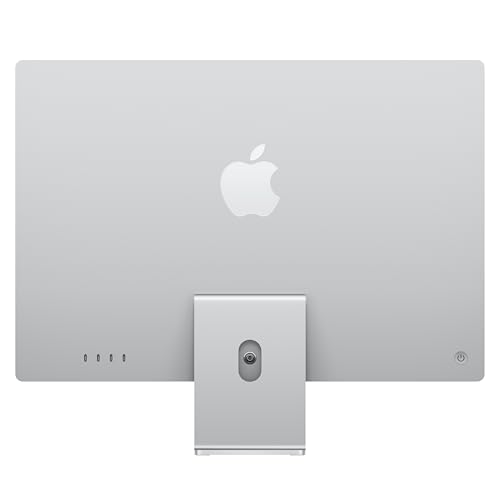
Apple iMac M4 24-inch (10-Core CPU, 10-Core GPU, 24GB Unified Memory, 512GB SSD)
Photographers who want a gorgeous all-in-one with a factory-calibrated 4.5K display, eliminating the need to buy and calibrate a separate monitor — ideal for color-critical work right out of the box.
- Stunning 24-inch 4.5K Retina display with P3 wide color gamut and 500 nits brightness — accurate color straight from the factory.
- M4 10-core CPU delivers excellent single-core performance for Lightroom Classic and Photoshop, with 24GB unified memory for smooth multitasking.
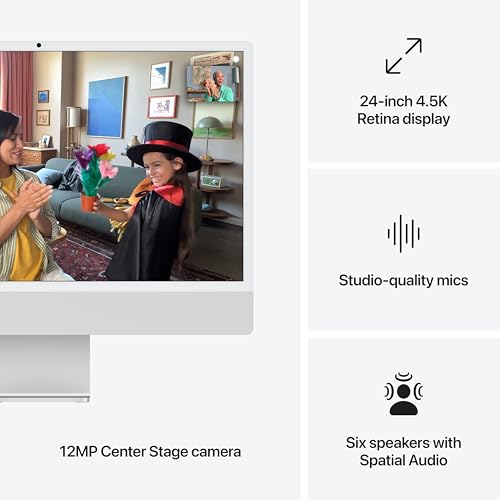
- All-in-one design eliminates cable clutter — one power cable and you are editing. Built-in 1080p FaceTime camera, speakers, and microphone included.
- 24-inch screen may feel cramped for photographers who use many panels and palettes simultaneously.
- 512GB internal storage requires external drives for growing RAW libraries, and RAM is not user-upgradeable after purchase.
The iMac M4 (10-core) is the best desktop for photo editing right now. The combination of a factory-calibrated 4.5K Retina display, fast M4 chip, and 24GB unified memory means accurate color, snappy performance, and smooth multitasking — all in a single package that takes minutes to set up. The tradeoffs: 24 inches can feel tight for panel-heavy workflows, and 512GB of internal storage fills fast with RAW files. But for most photographers, the convenience of accurate color without buying and calibrating a separate monitor makes this the clear winner.
Performance & Value Overview:
The top pick with a score of 94/100, the Apple iMac M4 24-inch (10-core) delivers the best combination of display quality, editing speed, and out-of-the-box readiness. For photographers who want to unbox a computer and start editing with accurate color immediately, nothing else comes close.




Performance & Workflow:
The M4 10-core CPU and 10-core GPU handle Lightroom Classic culling, Develop adjustments, and Photoshop layers with ease. 24GB unified memory keeps everything responsive when jumping between apps. Batch exports run quickly, and AI Denoise processes without the long waits that plague older machines. The performance gap between this and a dedicated Mac mini or Mac Studio is narrower than many expect — for straight photo editing, the M4 chip is more than enough.
Display & Design:
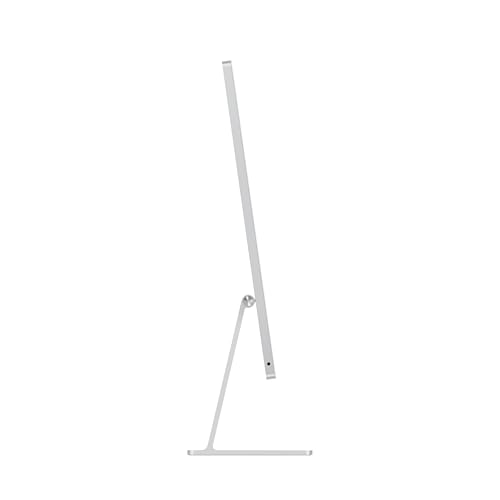
The 24-inch 4.5K Retina display is the headline feature — 11.3 million pixels, P3 wide color gamut, 500 nits brightness, and True Tone technology. Colors look accurate and vibrant, gradients render smoothly, and fine detail is razor-sharp. For photographers who work with color-critical files, this display rivals standalone monitors for photo editing costing $500 or more. Available in seven colors, the slim all-in-one design keeps your desk clean.
Who It’s For:
Enthusiast and semi-professional photographers who want a beautiful, color-accurate all-in-one that works perfectly out of the box. Ideal for portrait and wedding photographers who need reliable color, hobbyists upgrading from a laptop, and anyone who values a clean, minimal desk setup without fussing over color management and calibration.
Verdict:
The iMac M4 (10-core) is the most complete photo editing desktop available. Its 4.5K Retina display, combined with the M4 chip’s fast single-core performance and 24GB of unified memory, delivers an editing experience that feels premium from the moment it powers on. The only real sacrifices are the 24-inch screen size and non-upgradeable RAM — but for the vast majority of photographers, those tradeoffs are well worth the simplicity and color accuracy.
Pricing & Where to Buy
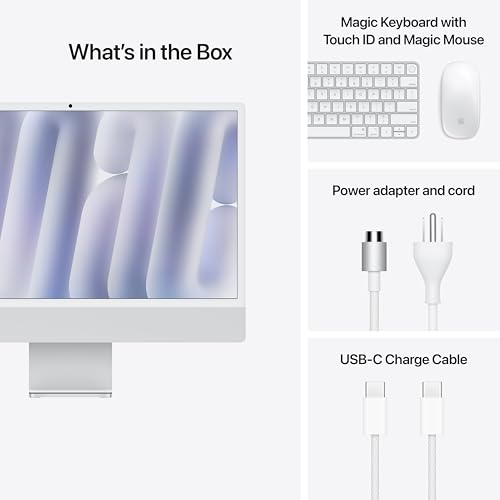
The iMac M4 (10-core, 24GB, 512GB) is priced at $1,729 (as of March 2026). The base 10-core model with 16GB/256GB starts at $1,299. Apple’s Magic Keyboard and Magic Mouse are included in the box.
- Buy on Amazon — Prime shipping available
- Check price at B&H Photo
- Check price at Adorama
- Apple Store — configure custom specs or choose your color
Apple iMac M4 24-inch (8-Core CPU, 8-Core GPU, 16GB Unified Memory, 256GB SSD)
Hobbyist and enthusiast photographers who want the same gorgeous 4.5K Retina display as the premium iMac at a significantly lower entry price — the best value all-in-one for photo editing.
- Same stunning 24-inch 4.5K Retina display with P3 wide color gamut as the 10-core model — identical factory-calibrated color accuracy.
- M4 8-core CPU still delivers strong single-core performance for Lightroom Classic — daily editing tasks feel fast and responsive.
- $537 less than the 10-core model while keeping the same display quality, design, and all-in-one convenience.
- 16GB unified memory can feel tight when running Lightroom, Photoshop, and a browser with many tabs simultaneously.
- 256GB internal SSD is very limited — external storage is essentially mandatory from day one for any RAW photography workflow.
The base iMac M4 proves you do not need to spend $1,700+ to get the same stunning 4.5K Retina display and color accuracy. The 8-core M4 handles Lightroom Classic and Photoshop smoothly for typical workflows, and the display alone is worth the price of admission. The tradeoffs: 16GB of memory and 256GB of storage are tight, so plan for an external SSD and be mindful of how many apps you run simultaneously. For photographers who prioritize display quality over raw horsepower, this is the smart buy.
Performance & Value Overview:
The #2 pick scoring 89/100, the Apple iMac M4 24-inch (8-core) delivers the same beautiful Retina display as its pricier sibling at a $537 discount. For photographers whose priority is accurate color rather than maximum multitasking headroom, this is the better value proposition.


Performance & Workflow:
The M4 8-core CPU and 8-core GPU handle everyday photo editing tasks well — Lightroom Classic culling, Develop adjustments, and standard batch exports all run smoothly. The single-core performance difference between the 8-core and 10-core M4 is minimal for photo work. Where the gap shows is in heavy multitasking: 16GB unified memory is sufficient for focused editing sessions but can feel tight when juggling Lightroom, Photoshop, a browser, and other apps simultaneously.
Display & Value:
The display is identical to the 10-core model — the same 24-inch 4.5K Retina panel with P3 wide color gamut, 500 nits brightness, and True Tone. That is significant because a standalone P3 monitor with similar specs costs $500-$800 on its own. At $1,192, this iMac is essentially a high-quality monitor with a capable M4 computer built in. The same clean, slim design in all seven color options completes the package.
Who It’s For:
Hobbyist photographers, enthusiasts on a budget, and anyone stepping up from laptop editing who wants accurate color without the complexity of choosing and calibrating a separate monitor. Also a strong choice for photographers who shoot in JPEG or moderate-resolution RAW and do not need 24GB of memory for their typical workflow.
Verdict:
The iMac M4 (8-core) is the best value all-in-one desktop for photo editing. The display alone justifies the price, and the M4 chip handles editing tasks with confidence. Add a $100 external SSD to solve the storage limitation, and this becomes a remarkably capable editing station for under $1,300.
Pricing & Where to Buy
The iMac M4 (8-core, 16GB, 256GB) starts at $1,192 (as of March 2026). The 512GB storage option in other colors runs around $1,249. Magic Keyboard and Magic Mouse are included.
- Buy on Amazon — Prime shipping available
- Check price at B&H Photo
- Check price at Adorama
- Apple Store — configure custom specs or choose your color
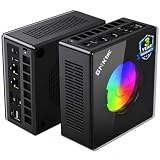
GMKtec K11 Mini PC (AMD Ryzen 9 8945HS, 32GB DDR5, 1TB SSD)
Photographers who want maximum CPU and RAM performance in a compact form factor at a competitive price — ideal for those who already own a quality monitor and want raw editing speed over all-in-one convenience.
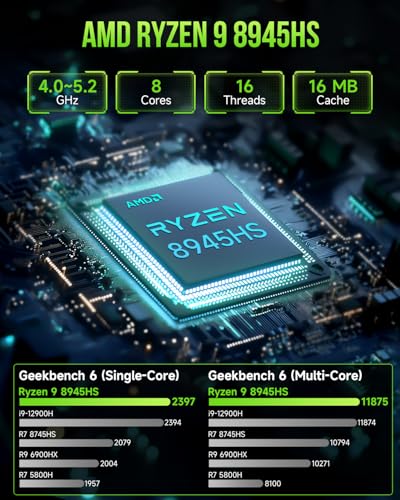
- AMD Ryzen 9 8945HS with 8 cores and 16 threads (up to 5.2 GHz) delivers strong single-core and multi-core performance for fast Lightroom exports and Photoshop rendering.
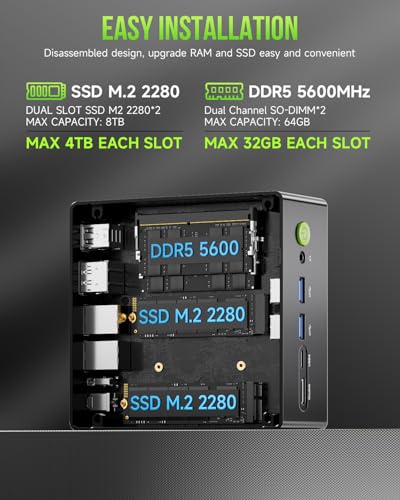
- 32GB DDR5-5600 RAM and 1TB NVMe SSD out of the box — more memory and storage than both iMac base models, with easy upgradeability.
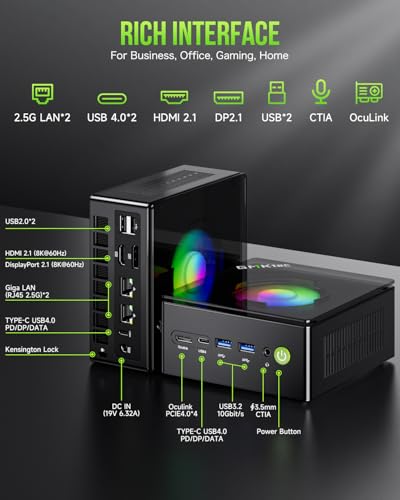
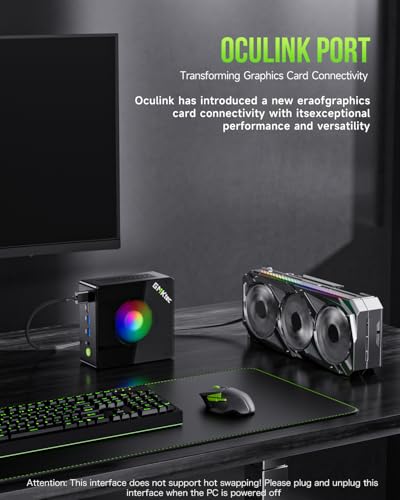
- Oculink port enables connecting an external GPU enclosure for dedicated graphics power — a future-proofing option no other desktop in this roundup offers.
- Integrated AMD Radeon 780M graphics are adequate for basic AI tasks but fall behind Apple’s M4 GPU for heavy AI Denoise and Generative Fill workloads.
- No built-in display — requires purchasing a separate monitor, adding $200-$800+ to the total setup cost.
The GMKtec K11 is the best mini PC for photo editing — it packs a powerful Ryzen 9 processor, 32GB of DDR5, and 1TB of fast NVMe storage into a compact chassis at $800. The Oculink port is a standout feature that lets you add a dedicated GPU later without replacing the entire machine. The tradeoff: no display, and the integrated Radeon 780M cannot match Apple’s M4 GPU for AI-accelerated tasks. But for photographers who already have a good monitor and want raw performance with upgrade flexibility, this punches well above its price.
Performance & Value Overview:
The #3 pick with a score of 85/100, the GMKtec K11 Mini PC is a compact powerhouse that delivers serious multi-core performance at a fraction of what Apple charges. At $800 with a Ryzen 9 processor, 32GB DDR5, and 1TB SSD, it offers the most raw computing power per dollar in this roundup.
Performance & Workflow:
The AMD Ryzen 9 8945HS (up to 5.2 GHz boost) with 8 cores and 16 threads handles Lightroom batch exports, Photoshop composites, and multi-app workflows impressively. 32GB DDR5-5600 RAM provides comfortable headroom for large catalogs and complex edits. The 1TB PCIe 4.0 NVMe SSD keeps imports, previews, and catalog operations fast, and a second M.2 slot means you can add more storage without external drives.
Standout Features:
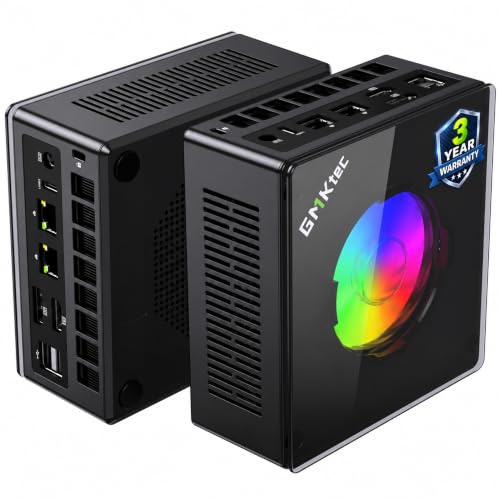
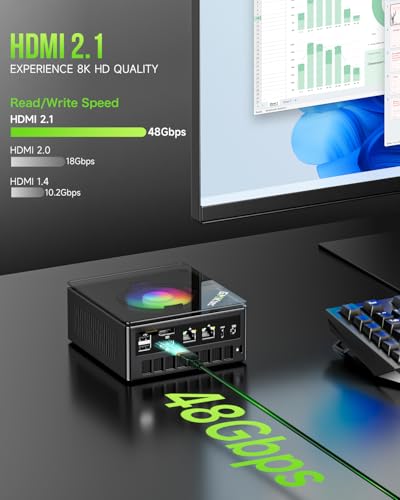
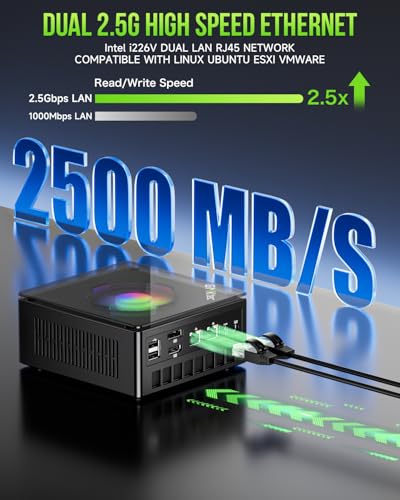
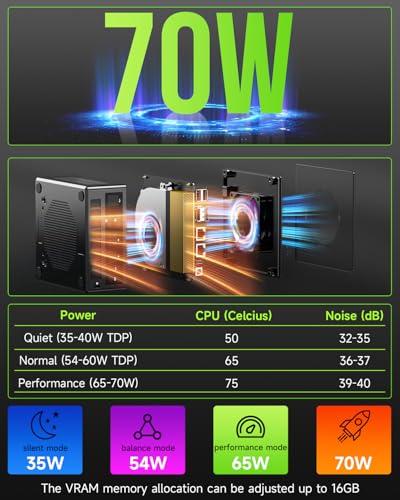
The Oculink port is the headline differentiator — it allows connecting an external GPU enclosure for dedicated NVIDIA graphics power, something no iMac or traditional mini PC in this price range offers. You also get dual 2.5G Intel LAN ports for fast NAS access, USB4 connectivity, HDMI 2.1 and DisplayPort for up to 4 simultaneous 4K displays, and Wi-Fi 6. The dual-fan cooling system with three performance modes lets you balance noise and speed based on your workload.
Who It’s For:
Windows-savvy photographers who already own a quality monitor and want maximum performance per dollar in a compact form factor. Ideal for those who value upgradeability — the ability to expand RAM to 96GB, add storage, or attach an external GPU makes this a platform that grows with your needs. Also a strong choice for photographers who handle heavy batch processing or video editing alongside photo work.
Verdict:
The GMKtec K11 delivers the best performance value in this roundup. Pair it with a good monitor and you have a photo editing workstation with more raw multi-core power than any iMac — plus an upgrade path for dedicated GPU acceleration via Oculink. The 847 reviews at 4.5 stars confirm its reliability in real-world use.
Pricing & Where to Buy
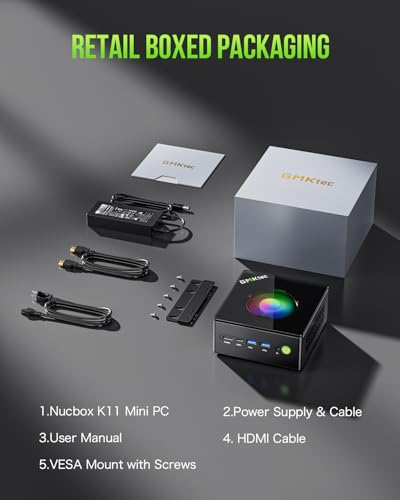
The GMKtec K11 (Ryzen 9 8945HS, 32GB DDR5, 1TB SSD) is priced at $800 (as of March 2026). A VESA mount bracket is included for monitor-back mounting.
- Buy on Amazon — Prime shipping available
- GMKtec official store — sometimes runs bundle deals and exclusive configurations
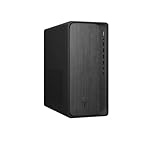
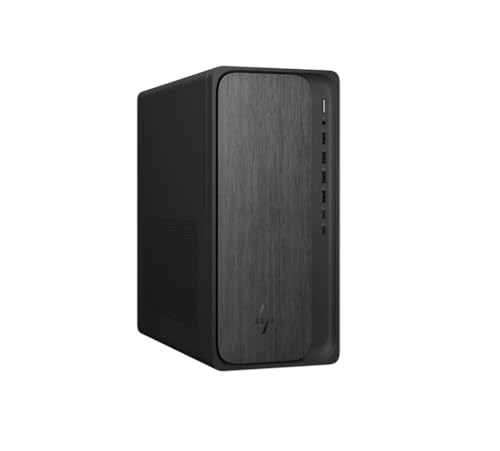
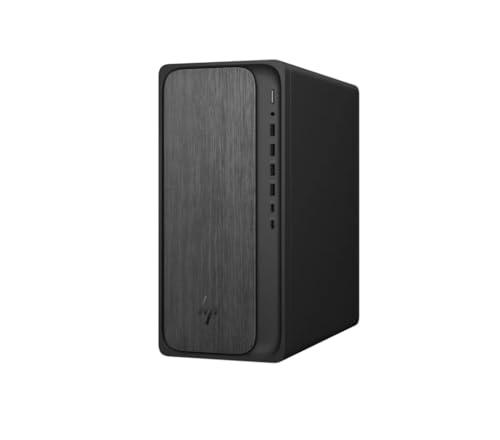
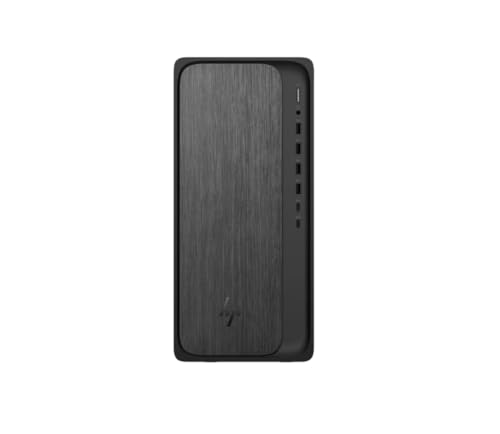
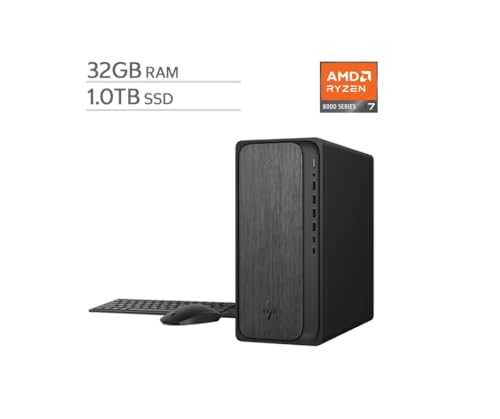
HP OmniDesk Desktop PC (AMD Ryzen 7 8700G, 32GB DDR5, 1TB NVMe SSD)
Budget-conscious photographers who want a reliable Windows desktop with generous RAM and storage, easy upgradeability, and a familiar tower form factor — all without spending more than $650.
- 32GB DDR5-5200 RAM and 1TB NVMe SSD provide ample working memory and storage for moderate photo editing workflows right out of the box.
- At $629, it is the most affordable desktop in this roundup with 32GB RAM — strong value for photographers who already own a monitor.
- Standard tower form factor with DDR5 DIMM slots and M.2 NVMe slots makes RAM and storage upgrades straightforward.
- Integrated Radeon 780M graphics lag behind Apple’s M4 GPU for heavy AI Denoise and Generative Fill workloads.
- Limited review count (17 ratings) means less real-world validation compared to established product lines.
The HP OmniDesk is the best budget desktop for photo editing. At $629, it packs 32GB of DDR5 and 1TB of NVMe storage — specs that cost significantly more in Apple’s lineup. The AMD Ryzen 7 8700G handles Lightroom and Photoshop competently, and the tower design makes future upgrades simple. The tradeoff: Ryzen 7 single-core performance trails Apple’s M4, the integrated GPU is weaker for AI-heavy tasks, and the limited review count means fewer real-world data points. But for photographers who want a capable Windows editing machine without breaking the bank, this delivers.
Performance & Value Overview:
The #4 pick scoring 81/100, the HP OmniDesk Ryzen 7 is the top budget option in this roundup and the best choice for photographers who prefer Windows and want the most RAM and storage for the money. At $629, it undercuts every other pick significantly.
Performance & Workflow:
The AMD Ryzen 7 8700G (up to 5.1 GHz boost) with 8 cores and 16 threads delivers solid Lightroom and Photoshop performance. 32GB DDR5-5200 gives comfortable headroom for large catalogs and Photoshop composites. The 1TB NVMe SSD keeps imports, previews, and catalog operations fast. While the Ryzen 7 does not match Apple’s M4 in raw single-core speed, the difference is modest in everyday photo editing tasks.
Standout Features & Value:
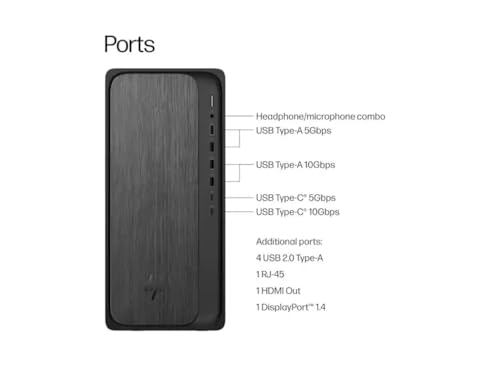
The biggest advantage of the HP OmniDesk is practical upgradeability — standard DDR5 DIMM slots mean you can expand to 64GB later, and M.2 NVMe slots accept additional drives. AMD’s Ryzen AI NPU (16 TOPS) is ready for emerging AI features in creative apps. You also get Wi-Fi 6, Bluetooth 5.4, and a full set of USB ports. The included keyboard and mouse save an extra purchase, which is a nice touch at this price point.
Who It’s For:
Budget-conscious photographers who want generous RAM and storage without spending over $650, with the flexibility to upgrade components as needs grow. Also a strong choice for photographers who use Windows-only software, prefer a familiar tower form factor, or want a secondary editing station without a major investment. Great for those getting started with photo editing who want room to grow.
Verdict:
The HP OmniDesk delivers the most specs per dollar in this roundup. It will not match an iMac’s display quality or an M4 chip’s single-core speed, but it offers a well-rounded, upgradeable package that handles everyday photo editing confidently. For photographers who would rather spend their budget on lenses than on a computer, this is the practical choice.
Pricing & Where to Buy
The HP OmniDesk (Ryzen 7 8700G, 32GB DDR5, 1TB SSD) is priced at $629 (as of March 2026). A keyboard and mouse are included in the box.
- Buy on Amazon — Prime shipping available
- HP official store — check for direct purchase options
Choose the Best Desktop for Photo Editing
The right desktop depends on your priorities. If display quality and color accuracy matter most, the iMac M4 (10-core) is the clear winner — its 4.5K Retina display delivers factory-calibrated P3 color that most external monitors struggle to match. The iMac M4 (8-core) gets you the same display for $537 less if you can work within 16GB of memory.
If raw performance and upgradeability are your priorities, the GMKtec K11 at $800 delivers the most multi-core power per dollar, with an Oculink port for future GPU expansion. Pair it with a quality monitor for photo editing and you have a setup that can grow with your needs.
And if budget is the deciding factor, the HP OmniDesk at $629 packs 32GB of DDR5 and 1TB of fast SSD into a familiar tower that handles Lightroom and Photoshop confidently. No matter which pick you choose, any of these four desktops will dramatically improve your editing experience compared to an aging machine.

