

Drone footage demands more from video editing software than typical camera recordings. Between stabilizing aerial shots, color grading LOG footage from DJI and Autel drones, and handling 4K or 5.4K resolution files, not every editor is up to the task. The right software can transform shaky flyovers into cinematic masterpieces — the wrong choice leads to frustration, dropped frames, and washed-out colors.
This guide compares the 10 best drone video editing programs available in 2026, covering everything from free options perfect for social media clips to professional-grade tools used in Hollywood post-production. Each review focuses specifically on how well the software handles drone footage, including stabilization, color grading, 4K+ performance, and export quality.
When you buy through links on our site, we may earn a commission at no cost to you. We evaluate products independently. Commissions do not affect our evaluations.
Key Takeaways
- Best overall: Adobe Premiere Pro — industry-standard tools, AI-powered editing, excellent for professional drone cinematography
- Best free option: DaVinci Resolve 20 — Hollywood-grade color grading and AI tools at no cost
- Best for Mac users: Final Cut Pro — optimized Apple Silicon performance for smooth 4K/5.4K editing
- Best for social media: CapCut — free, AI-driven, and perfect for quick drone edits for Instagram and YouTube
- Best for beginners: Microsoft Clipchamp — free with Windows 11, simple and approachable
Industry-standard video editor with AI-powered tools, advanced color grading, and seamless 4K/5.4K drone footage workflows.
Hollywood’s most-used post-production tool, now with 100+ AI features. The free version is remarkably powerful for drone footage.
Free AI-powered editor from ByteDance with auto-captions, stabilization, and one-click effects perfect for drone content on Instagram and YouTube.
Blazing-fast performance on Apple Silicon with magnetic timeline, Visual Search, and professional color grading tools.
Quick Comparison Table
| Software | Price | Platform | Skill Level | Best For |
|---|---|---|---|---|
| Adobe Premiere Pro | $22.99/mo | Windows, Mac | Intermediate–Pro | Professional drone cinematography |
| DaVinci Resolve 20 | Free / $295 Studio | Windows, Mac, Linux | Intermediate–Pro | Color grading, AI-assisted editing |
| Final Cut Pro | $299.99 or $4.99/mo | Mac, iPad | Intermediate | Fast Apple ecosystem workflow |
| CapCut | Free / $9.99/mo Pro | Windows, Mac, Web, Mobile | Beginner | Social media drone content |
| VEGAS Pro | $249 or $9.99/mo | Windows | Intermediate | Multi-track editing, VR/360° |
| PowerDirector 365 | $4.33/mo (annual) | Windows, Mac | Beginner–Intermediate | Creative effects on a budget |
| iMovie | Free | Mac, iPad, iPhone | Beginner | Simple Mac-based editing |
| Clipchamp | Free | Windows, Web | Beginner | Quick edits, no download needed |
| Lightworks | Free / $9.99/mo | Windows, Mac, Linux | Intermediate | VFX and cross-platform editing |
| VideoStudio Ultimate | $79.99 one-time | Windows | Beginner–Intermediate | Transitions and budget editing |
1. Adobe Premiere Pro
Industry-standard video editor with AI-powered tools including Auto Color, AI audio enhancement, and advanced Lumetri color grading — ideal for polishing drone footage shot in LOG profiles.
Adobe Premiere Pro remains the gold standard for professional drone video editing. Used to edit blockbuster films like Deadpool and Gone Girl, the software handles everything drone pilots need: stabilization via Warp Stabilizer, precise Lumetri color grading for D-Log and HLG footage, and smooth 4K/5.4K timeline performance through intelligent proxy workflows.
Recent updates have introduced AI-powered features that significantly speed up drone editing workflows. Auto Color intelligently adjusts white balance and exposure based on scene content — particularly useful for aerial footage shot across varying lighting conditions. The AI-enhanced speech-to-text engine automatically generates captions, which is valuable for narrated drone tours and real estate flyovers.
The Lumetri Color panel is where Premiere Pro truly shines for drone work. It handles LOG footage from DJI, Autel, and other drone manufacturers with precision, offering curve adjustments, color wheels, and creative LUT application. The integration with Adobe After Effects also makes it easy to add motion graphics, titles, and visual effects to aerial sequences.
At $22.99 per month (which includes 100 GB of cloud storage and mobile apps), the subscription cost is significant. However, for professionals producing commercial drone content — real estate tours, construction documentation, or cinematic films — the investment pays for itself quickly. A 7-day free trial is available to test the workflow before committing.
2. DaVinci Resolve 20
DaVinci Resolve 20 is Hollywood’s most-used post-production tool, now with over 100 AI features. The free version delivers professional-grade color grading, visual effects, and audio post — all without paying a cent.
DaVinci Resolve 20 has made a massive leap forward from previous versions. With over 100 new features — many powered by AI — it has cemented its position as the most powerful free video editor available. For drone pilots on a budget who refuse to compromise on quality, nothing else comes close.
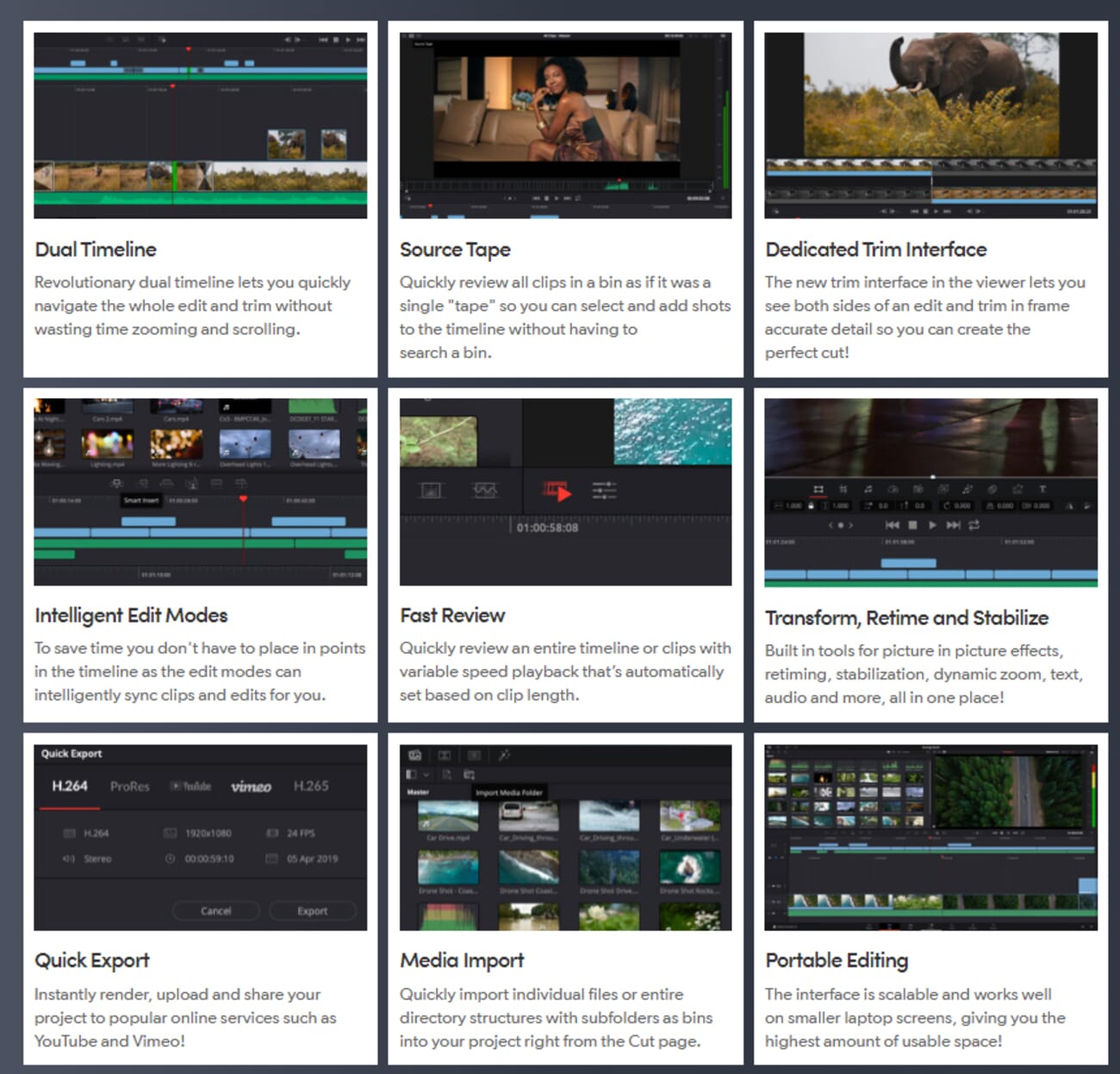
The headline AI additions in version 20 are transformative for drone workflows. AI IntelliScript can create timelines from a text script, which is ideal for narrated drone documentary projects. AI Multicam SmartSwitch intelligently assembles multi-angle timelines — useful when shooting the same location from different drone passes. The AI Audio Assistant automatically creates a professional audio mix, balancing music, voiceover, and ambient sound.
Color grading remains DaVinci Resolve’s crown jewel, and it is arguably the single best reason to choose this software for drone footage. The Emmy-award-winning image processing uses 32-bit float precision and patented YRGB color science, handling HDR workflows and LOG footage with unmatched accuracy. Magic Mask — now improved with better depth detection — can isolate skies, landscapes, and moving subjects in aerial footage with a single stroke.
The software is organized into dedicated “pages” — Media, Cut, Edit, Fusion, Color, Fairlight, and Deliver — which segments the workflow logically. This structure takes time to learn but ultimately creates an efficient pipeline from raw drone footage to finished export. The free version handles most drone editing needs admirably; the Studio version ($295 one-time purchase) adds advanced AI tools, neural engine features, and stereoscopic 3D support.
3. Apple Final Cut Pro
Final Cut Pro delivers blazing-fast performance on Apple Silicon Macs with an intuitive magnetic timeline, AI-powered Visual Search, and professional color grading — ideal for drone editors in the Apple ecosystem.
Final Cut Pro is Apple’s professional video editor, and for drone pilots using Mac hardware, it offers performance that is hard to beat. Thanks to deep optimization for Apple Silicon M-series chips, the software handles 4K and even 5.4K drone footage with remarkable smoothness — often outperforming Premiere Pro on equivalent hardware.
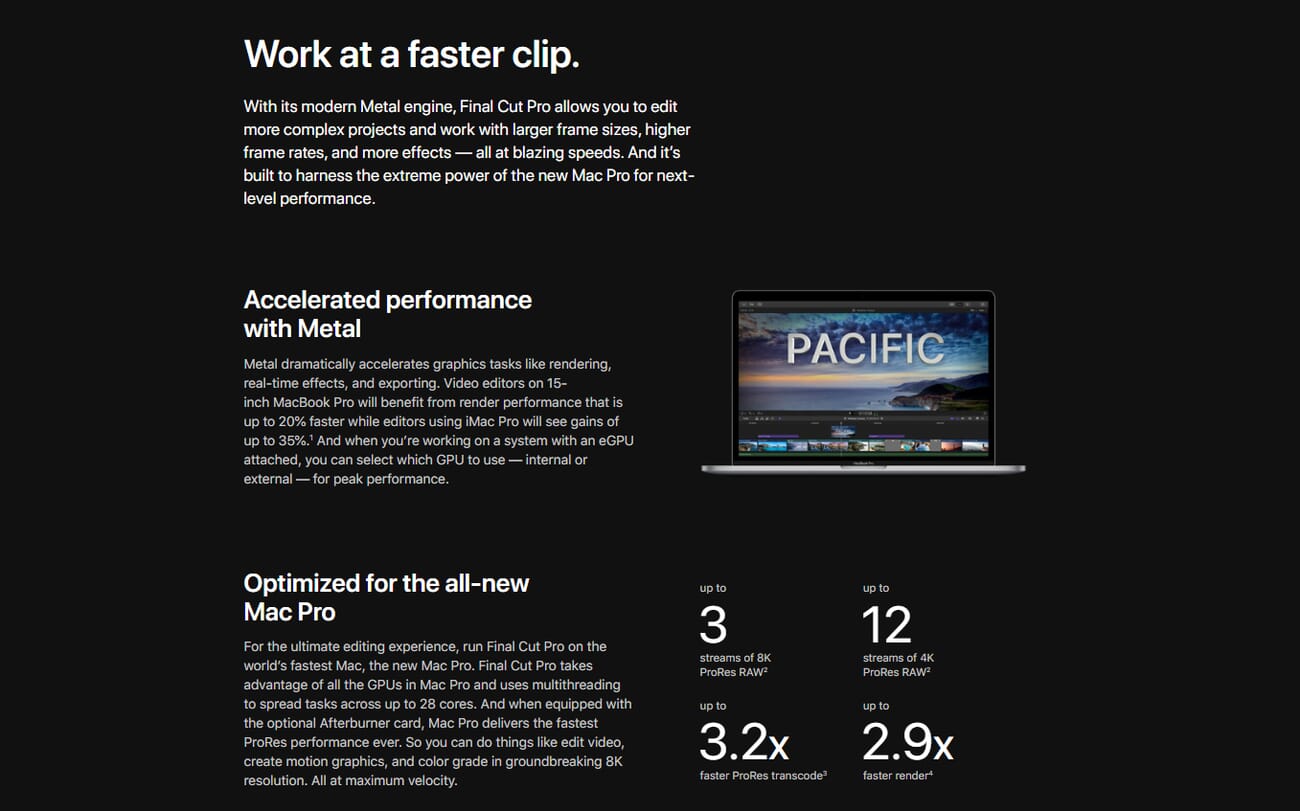
Recent updates have introduced AI-powered features that streamline drone editing. Visual Search allows editors to type descriptions like “sunset over mountains” and instantly find matching clips in their library — a huge time-saver when working with hours of aerial footage. Transcript Search analyzes speech to locate spoken phrases, which is perfect for drone tour narrations.
The magnetic timeline is one of Final Cut Pro’s most distinctive features. Unlike traditional track-based timelines, it automatically prevents gaps and sync problems, making it faster to assemble sequences from multiple drone passes. Combined with instant previews and real-time rendering, the editing experience feels remarkably fluid.
Color grading tools are professional-grade, with color wheels, curves, and hue/saturation controls that handle D-Log and HLG footage well. The ability to edit on iPad alongside Mac creates a flexible workflow — rough cuts can be assembled in the field on an iPad immediately after a drone flight, then polished on a desktop later.
Final Cut Pro is available as a one-time purchase for $299.99 or as a subscription at $4.99 per month. A 90-day free trial provides ample time to test the workflow with real drone projects.
4. CapCut
CapCut is a free, AI-driven video editor from ByteDance that excels at turning drone footage into polished social media content. Available on desktop, web, and mobile with powerful auto-editing features.
CapCut has emerged as one of the most popular video editors in the world, and for good reason. Developed by ByteDance, it offers a surprisingly capable editing experience — completely free — that is particularly well-suited for turning drone footage into social media content. With over a billion downloads across platforms, it has quickly become the go-to editor for creators who prioritize speed and shareability.
The AI features are CapCut’s standout strength for drone editing. One-click stabilization smooths out jittery aerial footage, AI-powered auto-captions add text overlays in seconds, and smart color correction adjusts exposure and white balance automatically. The AI video generator can even create complete edits from a text description, assembling clips with transitions, music, and effects — useful for creating quick highlight reels from a day of drone flying.
Export presets are optimized for every major social platform, including vertical formats for Instagram Reels and TikTok, and widescreen for YouTube. The desktop version handles 4K footage reasonably well, though it lacks the proxy workflow systems that professional editors offer for managing large volumes of high-resolution drone files.
Where CapCut falls short is in advanced color grading. There are no dedicated LOG LUT tools, and the color correction suite is basic compared to DaVinci Resolve or Premiere Pro. For drone pilots shooting in D-Log or D-Log M and seeking cinema-quality color work, CapCut is not the right tool. But for creating engaging, shareable drone content quickly and for free, it is exceptionally effective.
The free tier includes no watermarks on exports. CapCut Pro ($9.99/mo) adds cloud storage, premium effects, and additional AI credits.
5. VEGAS Pro
VEGAS Pro offers nested timelines, full 360° video support, and AI-assisted editing tools — making it a strong choice for complex drone projects with multiple video and audio layers.
VEGAS Pro occupies a solid middle ground between beginner-friendly editors and professional-grade workstations. Its nested timeline system is particularly useful for complex drone projects that combine multiple video angles, audio tracks, music, and voiceover into layered compositions.
For drone pilots capturing 360° footage — an increasingly popular format with drones like the DJI Air 3 and compatible 360 cameras — VEGAS Pro’s full VR and 360° editing support is a significant advantage. The software can stitch, edit, and export immersive video formats that many competing editors struggle with or don’t support at all.
AI features in the latest version include intelligent scene detection, which automatically identifies cuts and transitions in long drone recordings, and AI color matching that can unify the look across clips shot at different times of day. The extensive template library provides ready-made graphics, titles, and transitions that speed up production for real estate tours and promotional drone videos.
VEGAS Pro is available as a perpetual license for approximately $249 or as a subscription at $9.99 per month. A free trial is available. The main limitation is that it runs on Windows only, so Mac and Linux users will need to look elsewhere.
6. CyberLink PowerDirector 365
PowerDirector 365 delivers AI-powered editing, hundreds of effects and transitions, and solid 4K support at a fraction of the cost of professional editors.
PowerDirector 365 from CyberLink is an excellent option for hobbyist drone pilots who want creative editing tools without the professional price tag. The 2025/2026 version has added AI storytelling features that are genuinely useful for drone content — describe a narrative in text, and the AI assembles clips, adds transitions, and even generates voiceover.
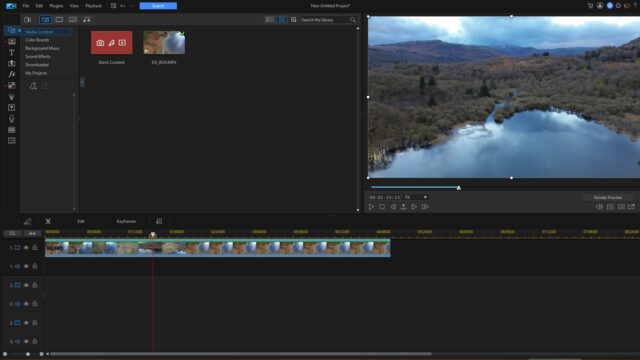
The video collage feature is a standout for drone content, allowing multiple aerial shots to play simultaneously in split-screen layouts. Keyframe controls provide precise editing capability, and the transition library is massive — hundreds of intro templates, animated stickers, and motion overlays are included. For creating bright, eye-catching social media content from drone footage, PowerDirector delivers a lot of creative value.
The AI Model Lab is a newer addition that provides access to the latest AI models for editing tasks like object removal, background replacement, and automatic color correction. The AI voiceover feature can generate narration for drone tours without needing a microphone or recording setup.
Pricing is where PowerDirector really differentiates itself. The annual subscription works out to approximately $4.33 per month — a fraction of what Premiere Pro costs. The month-to-month plan is significantly more expensive at $19.99, so the annual commitment is strongly recommended. A free version with limited features is also available.
7. Apple iMovie
iMovie comes free on every Apple device and provides a simple, intuitive editing experience that is perfect for beginners creating their first drone videos.
iMovie is Apple’s free video editor and serves as the ideal starting point for drone pilots who are new to video editing. Available on macOS, iPadOS, and iOS, it provides enough tools to create polished drone videos without the complexity of professional software.
Related Posts
The interface is designed for simplicity. Drag-and-drop editing, preset styles, and one-click effects make it possible to turn raw drone footage into a watchable video in minutes. The intelligent audio matching feature is particularly clever — when adding a music track, iMovie automatically adjusts the clip length to fit the footage, creating a more polished result without manual trimming.
Creative filters and preset color styles allow beginners to apply cinematic looks without understanding color theory. While these presets don’t offer the precision of DaVinci Resolve’s color tools, they produce attractive results for social media posts and personal projects. The stabilization feature can also smooth out minor vibrations in drone footage, though it isn’t as sophisticated as what Premiere Pro or DaVinci Resolve offer.
The main limitation is the lack of advanced features. There is no LOG footage support, no LUT application, and limited export control. For drone pilots who shoot exclusively in standard color profiles and want to create simple edits for sharing on social media, iMovie is a perfect — and free — solution. Those who eventually need more control can upgrade to Final Cut Pro, which shares a similar design philosophy.
8. Microsoft Clipchamp
Clipchamp is Microsoft’s free video editor built into Windows 11, offering a gentle introduction to drone video editing with a clean, browser-like interface and stock media library.
Microsoft Clipchamp is the simplest entry point for Windows users who want to start editing drone footage. Built into Windows 11 and also available as a web application, it requires no software installation and provides a clean, approachable editing environment.
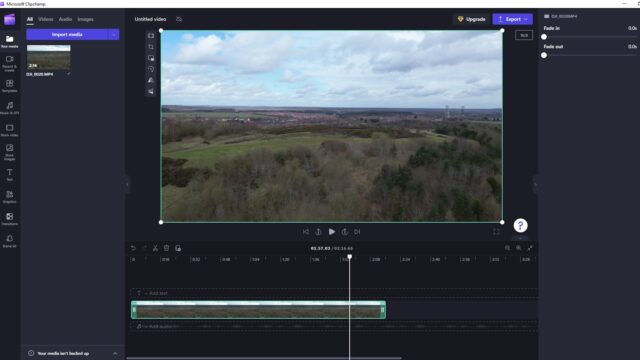
The editing tools cover the basics well: trimming, cutting, splitting, adding text overlays, transitions, and audio tracks. A built-in stock media library provides royalty-free music and video clips that can supplement drone footage, and export presets make it easy to create videos optimized for different platforms.
The timeline view shows separate tracks for video, audio, and overlays, giving a clear visual representation of the edit. While the functionality is basic compared to professional editors, it is more than sufficient for creating simple drone highlight reels, social media clips, and personal video projects.
The main limitation is the 1080p export cap on the free tier, which underutilizes the 4K or 5.4K resolution of modern drone cameras. For editors who need full resolution output or advanced tools like color grading and stabilization, Clipchamp should be viewed as a stepping stone to more capable software rather than a long-term solution.
9. Lightworks
Lightworks is a veteran editor used on Hollywood films like Pulp Fiction and The Wolf of Wall Street, offering a solid free tier with advanced trimming, VFX, and multi-format support across Windows, Mac, and Linux.
Lightworks has a storied history in Hollywood, having been used to edit films like Pulp Fiction, The Wolf of Wall Street, and Hugo. The software offers a capable free version that runs on Windows, Mac, and Linux — making it the most cross-platform option on this list.
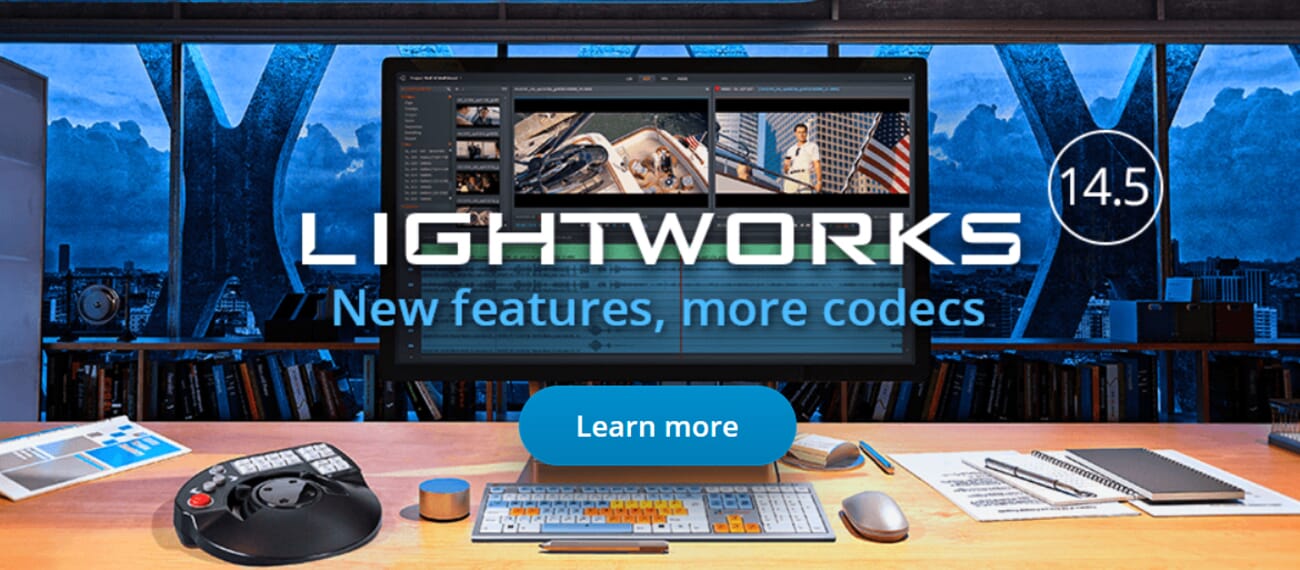
For drone editing, Lightworks’ advanced multi-point trimming is particularly useful. Multiple segments from a long drone recording can be selected and combined into a single clip, making it easy to cut out unwanted sections like takeoffs, landings, and turbulent segments. The auto-save feature ensures work is never lost — a small but important detail during long editing sessions.
The VFX library includes graphics, text, motion graphics, transitions, and creative filters. LUT support allows color grading of drone footage, and the range of filters is extensive enough to produce artistic looks. The drag-and-drop interface works well for building timelines, though the overall UI design feels somewhat dated compared to newer competitors.
The free version is limited to 720p export, which is a significant drawback for drone footage that is typically recorded in 4K. The paid subscription at $9.99 per month unlocks full resolution export, additional codec support, and premium features. For Linux users or editors who need a free cross-platform option with professional heritage, Lightworks is worth considering — though DaVinci Resolve’s free version offers more features at the same price (free).
10. Corel VideoStudio Ultimate
VideoStudio Ultimate offers a one-time purchase option with a comprehensive transition library, basic color grading, and straightforward editing tools for hobbyist drone pilots.
Corel VideoStudio Ultimate rounds out this list as a budget-friendly option for hobbyist drone pilots who prefer a one-time purchase over subscriptions. At $79.99, it provides a complete editing suite without recurring costs.
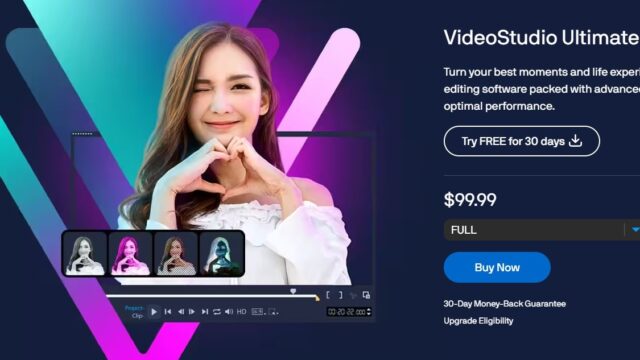
The transition library is VideoStudio’s strongest feature for drone work. Smooth fades, motion blur transitions, and camera movement effects create polished scene changes between aerial clips. Basic editing tools cover all the essentials — trimming, cropping, rotating, and splitting footage — and the color grading suite allows tonal adjustments to correct exposure and white balance issues in drone recordings.
However, VideoStudio Ultimate has fallen behind competitors in several areas. It lacks the AI-powered features found in PowerDirector, Premiere Pro, and DaVinci Resolve. Updates are less frequent, and the software does not support LOG footage grading or advanced color science. Audio editing tools are also limited compared to other options at similar price points.
For drone pilots who need a simple, affordable, one-time-purchase editor for basic editing and creative transitions, VideoStudio Ultimate remains a viable option. But those seeking more advanced features or future-proofing should consider DaVinci Resolve (free) or PowerDirector 365 (affordable subscription) instead.
Best Free Drone Video Editing Software
Budget-conscious drone pilots have several strong free options available:
- DaVinci Resolve 20 (Free) — The most powerful free option by far. Professional-grade color grading, AI tools, VFX, and audio editing. Best for serious editors willing to invest time in learning the software.
- CapCut (Free) — Best for quick social media edits. AI-powered stabilization, auto-captions, and one-click effects make it the fastest path from raw drone footage to published content.
- iMovie (Free on Apple devices) — Simplest option for Mac/iPhone/iPad users. Great for beginners who want attractive results with minimal effort.
- Clipchamp (Free on Windows) — Easiest option for Windows users. Limited to 1080p but sufficient for basic social media edits.
- Lightworks (Free) — Cross-platform with professional pedigree, but limited to 720p export in the free tier.
For most drone pilots, DaVinci Resolve 20 is the clear recommendation among free options. The only reason to choose something else is if the learning curve is too steep (choose CapCut or iMovie) or if a specific platform isn’t supported (Lightworks for Linux).
How to Choose Drone Video Editing Software
Selecting the right editor depends on several factors specific to drone workflows:
Budget
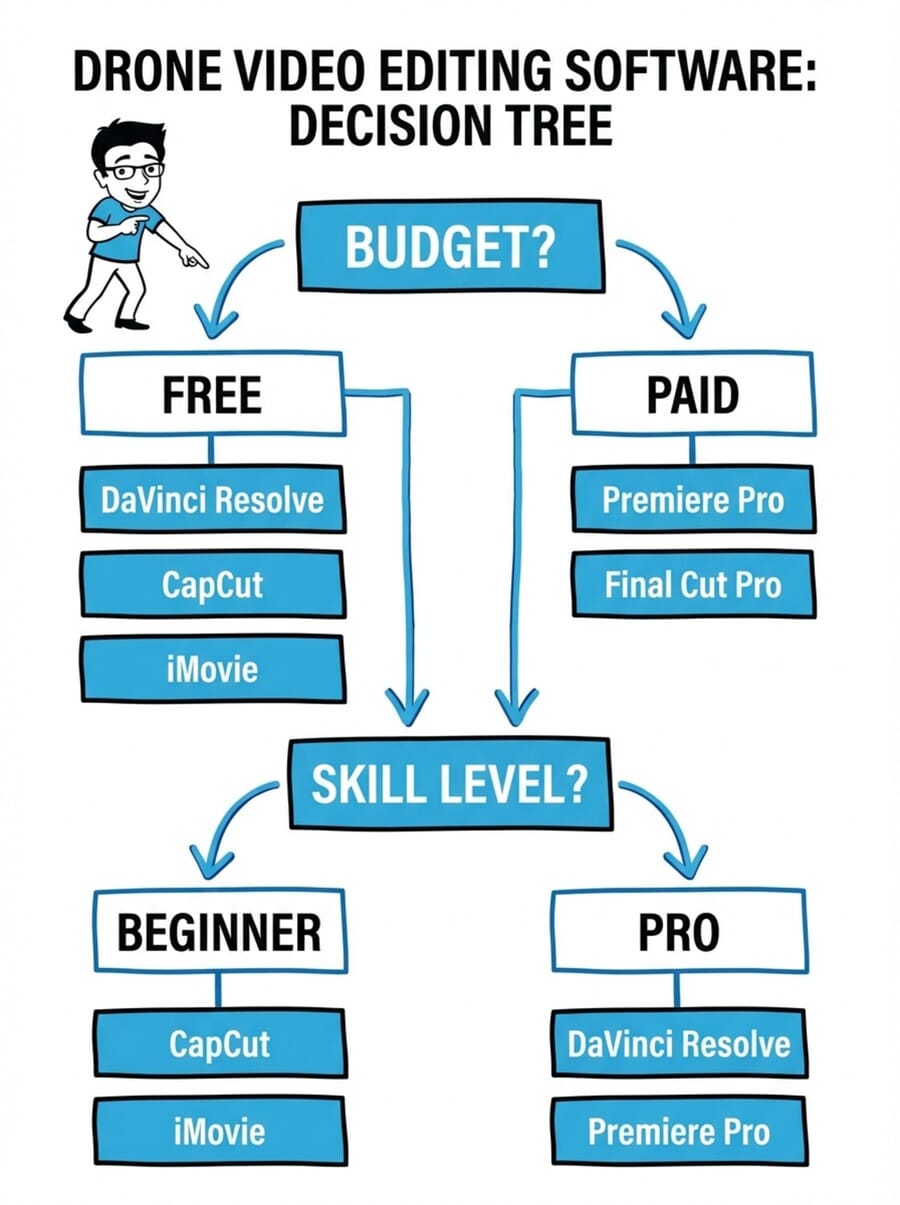
Free options like DaVinci Resolve and CapCut are remarkably capable. For hobbyists and social media creators, there is genuinely no need to spend money. Professionals who need integration with broader production workflows (Adobe Creative Cloud) or Apple ecosystem optimization (Final Cut Pro) will find the investment worthwhile.
Skill Level
Beginners should start with CapCut, iMovie, or Clipchamp — all offer intuitive interfaces with minimal learning curves. Intermediate editors will appreciate PowerDirector 365 or VEGAS Pro. Advanced users will get the most from DaVinci Resolve 20, Premiere Pro, or Final Cut Pro.
4K and 5.4K Support
Modern drones record in 4K or higher, so the editor must handle these resolutions smoothly. Premiere Pro, DaVinci Resolve, and Final Cut Pro all excel here, especially with proxy workflow support. Free options like Clipchamp and Lightworks are limited in their export resolution on free tiers.
Color Grading Needs
If shooting in D-Log, D-Log M, HLG, or any LOG profile, color grading tools are essential. DaVinci Resolve is the undisputed leader here, followed by Premiere Pro and Final Cut Pro. Budget and beginner editors generally lack LOG support and are better suited for footage recorded in standard color profiles.
Platform Compatibility
Windows users have the most choices. Mac users should strongly consider Final Cut Pro or iMovie for optimized performance. Linux users are limited to DaVinci Resolve and Lightworks. Mobile editors who want to edit on-location should look at CapCut or iMovie.
Frequently Asked Questions
What is the best free software for editing drone videos?
DaVinci Resolve 20 is the best free drone video editor overall. It offers professional-grade color grading, AI-powered editing tools, visual effects, and audio post-production — all at no cost. For simpler needs, CapCut is excellent for quick social media edits, and iMovie is perfect for Apple users who want an easy starting point.
Do drone videos need special editing software?
Drone footage benefits from editors that support 4K+ resolution, video stabilization, and color grading (especially for LOG footage). While any video editor can technically edit drone clips, software with these specific capabilities — such as Premiere Pro, DaVinci Resolve, or Final Cut Pro — produces significantly better results from aerial footage.
What software do professional drone videographers use?
Most professional drone videographers use Adobe Premiere Pro, DaVinci Resolve, or Final Cut Pro. Premiere Pro is the most common in commercial production workflows, DaVinci Resolve dominates in color grading and post-production, and Final Cut Pro is popular among Mac-based independent creators. Many professionals use DaVinci Resolve specifically for color grading, even if they edit in a different application.
Can CapCut edit 4K drone footage?
Yes, CapCut’s desktop version can import and edit 4K drone footage. However, it lacks the proxy workflow systems and advanced performance optimizations found in professional editors, so playback may be less smooth with large 4K files. For social media content where the final output is typically 1080p, CapCut handles drone footage very well.
What is the best drone video editor for beginners?
For absolute beginners, CapCut (cross-platform), iMovie (Apple devices), or Clipchamp (Windows) offer the gentlest learning curves. All three are free and provide enough tools to create attractive drone videos. CapCut’s AI features are particularly helpful for beginners, as they automate many editing decisions that would otherwise require technical knowledge.
Should drone footage be edited in LOG or standard color profiles?
LOG profiles (like DJI’s D-Log M) capture a wider dynamic range, preserving more detail in highlights and shadows. This provides more flexibility during color grading but requires additional editing work to achieve a pleasing look. Standard color profiles produce footage that looks good straight out of the camera. Beginners should start with standard profiles; intermediate and advanced editors will benefit from LOG shooting paired with proper color grading software like DaVinci Resolve or Premiere Pro.

