
The Best Light Meter Apps in 2026 (7 Picks)
Turn your smartphone into a reliable light meter with these top-rated apps. Whether you shoot film or just want a backup for your camera, these apps deliver accuracy within 1/10th of a stop.

Photo editing software, AI tools, and organization apps for desktop and mobile. Comparisons, tutorials, and recommendations for every workflow.
Turn your smartphone into a reliable light meter with these top-rated apps. Whether you shoot film or just want a backup for your camera, these apps deliver accuracy within 1/10th of a stop.

Skip the drugstore. These 10 passport photo apps use AI to create compliant photos from your phone, with options for every budget.

Aftershoot just added a full RAW editor, moving beyond AI culling into edit-and-deliver. Here’s how it compares to Lightroom and Capture One, who should switch, and whether the all-in-one pitch holds up.

The best AI photo editing software in 2026: Adobe Photoshop with Generative Fill, Luminar Neo, Topaz Photo, Pixlr, DxO PhotoLab, Imagen AI, and more. Compare features, pricing, and find the right AI editor for your workflow.
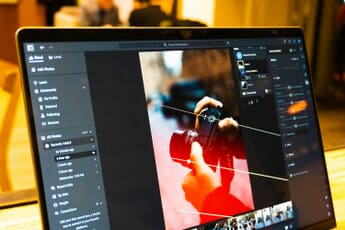
Imagen dropped full AI photo editing to $10 for a month, kicking off a peak-season price war. Here’s how it stacks up against Photoshop, Lightroom, and Topaz on price and AI features.
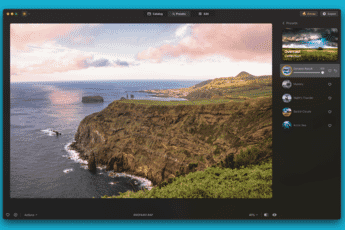
Luminar Neo 1.19.9: Elevate your photo editing with advanced AI tools and seamless functionality.
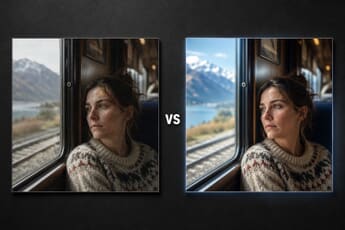
We told OpenAI’s gpt-image-2 the camera model and EXIF data from 10 real photos — without showing it the photos — and asked it to recreate the scenes. From the Leica M9 to the iPhone 15 Pro, here’s where the model nails the camera’s signature and where it drifts into generic photo-realism.

Capture One 16.8 beta adds Enhanced Denoise, a built-in AI noise reduction tool that auto-applies to high-ISO files. Hands-on testing already shows it beating Lightroom Denoise AI on night-sky scenes. The three-way comparison against Lightroom and Topaz Photo AI, for 2026.

Accidentally deleted photos? These 6 best photo recovery apps for Android can help you recover lost images from internal storage and SD cards. All apps work without rooting.

Amazon Photos just dropped a Memory Feed, AI photo search, and Alexa voice controls. Here is how it stacks up against Google Photos, iCloud Photos, and PhotoPrism — including the free, open-source self-hosted option most comparisons skip.
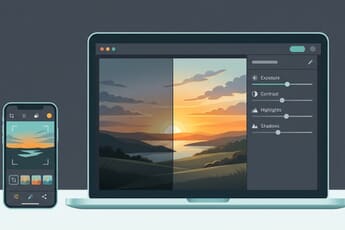
If you’re looking to understand photo editing for beginners, then this article is all you need. Discover how to create stunning edits, fast!

Capture One went subscription-only and a commercial photographer responded by building Tether Studio: $99 once, no subscription, 2,900+ cameras. Here’s how the new app compares to free options like darktable and Canon EOS Utility — plus when subscription tethering still wins.
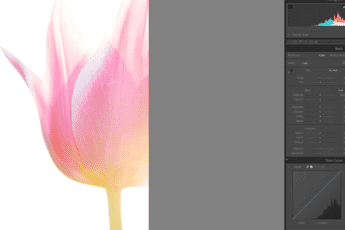
Do you want to know how to edit photos in Lightroom for gorgeous results? This article shares a quick-and-easy process for beautiful Lightroom edits.
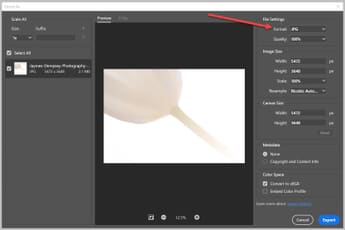
Want to convert your RAW photos to JPEGs? This comprehensive guide covers every method—from free built-in tools on Mac and Windows to professional software like Lightroom, Luminar Neo, and Photoshop, plus free alternatives like darktable.

The best apps to change photo backgrounds with AI. Compare PhotoRoom, Remove.bg, LightX and more — one-tap background removal and replacement.
Topaz Labs releases five new AI models: Gaia 2 for animation upscaling, two faster Starlight video models for Pro users, Starlight 2.5 for making AI video look real, and True Detection for catching false resolution in photos.

Master Snapseed photo editing with this step-by-step guide. Covers the 3.0 redesign, basic and advanced editing tools, the new film camera, and how Snapseed compares to built-in AI editors like Google Photos and Apple Photos.
Compare the 13 best stock photo sites for photographers and creators. Covers premium platforms (Adobe Stock, Shutterstock, iStock), free libraries (Unsplash, Pexels, Pixabay), and AI-generated stock options with current pricing.
Compare the 6 best focus stacking software options for macro and landscape photography. From dedicated tools like Helicon Focus and Zerene Stacker to all-in-one editors like Photoshop and Affinity Photo 2.

Learn how to back up your Lightroom photos using the 3-2-1 rule, organize folders and Collections, set up catalog backups, enable XMP sidecars, and choose between cloud and NAS storage.

Our in-depth ON1 Photo RAW 2026 review covers everything: AI masking, RAW processing, layers, pricing, and how it compares to Lightroom, Luminar Neo, and Capture One.

An honest review of InPixio Photo Studio — its AI-powered editing tools, pricing, pros and cons, and how it compares to Lightroom, Luminar Neo, and other alternatives.

Editor’s Key Takeaways: Find the Best AI Photo Editing Tool for Your Workflow AI-powered photo editing tools have become essential for photographers who want to

How do you edit photos to create something incredible? In this article, discover the secrets to amazing photo editing. An ultimate guide.

We compared the top 10 photo portfolio websites and analyzed their features. See the pros and cons of these top-rated website builders!

Discover the best panorama stitching software in 2026, including free options like Affinity Photo and Hugin, AI-powered tools like Luminar Neo, and professional-grade PTGui Pro.

Looking for free Luminar Neo presets? We picked the 12 best free Templates including Creative, Kyoto, Film Noir, and more to speed up your editing workflow.