

- Skylum’s Black Friday 2026 sale cuts Luminar (formerly Luminar Neo) to $99 for Desktop Only, $139 for All Platforms and $159 for Max, all one-time purchases.
- PhotoWorkout readers can add code PHOTOWORKOUT for an extra $10 off at checkout.
- The sale lands right after the Fall 2026 update (Luminar 1.29), which added printing with soft proofing, 3D fog, smarter crops and a conversational AI Assistant.
- Watch the checkout: an auto-upgrade plan is preselected and renews at $33 to $59 a year after the first year. You can switch it off.
- For most photographers, All Platforms at $139 is the best value because it adds the mobile and web apps.
Skylum has opened its Black Friday sale on Luminar, its AI photo editor, and the timing is better than usual. The sale arrives two weeks after the biggest update of the year, so buyers get the new printing, fog and AI Assistant features at the lowest one-time price Skylum has offered in 2026.
Here is exactly what each plan costs, what is included, which renewals to watch out for at checkout, and which plan makes sense for which photographer. Prices were checked on Skylum’s own pricing page on November 11, 2026.
Luminar Black Friday 2026 Prices
| Plan | Black Friday price | What you get |
|---|---|---|
| Desktop Only | $99 one-time | Mac and Windows app on 2 computers, plugin for Lightroom Classic and Photoshop, 1 year of AI tools |
| All Platforms | $139 one-time | Desktop plus Luminar Mobile and Luminar on Web on up to 3 devices each, cross-device editing, Spaces web galleries |
| Max | $159 one-time | All Platforms plus one year of Luminar Prime and the creative library: 2,900+ presets, 490+ LUTs, 490+ overlays, 70+ skies and 24+ courses |
Skylum advertises the sale as up to 77% off. Its pricing page shows a countdown but no fixed end date, and partner coverage says the offer runs until November 30. See the current Luminar Black Friday prices, and add code PHOTOWORKOUT at checkout for an extra $10 off.
What Renews and What Doesn’t
Luminar is a perpetual license: the version you buy keeps working. Two things are time-limited, and both are easy to miss:
- AI tools for one year. Restoration, GenErase, GenSwap, GenExpand and the AI Assistant are included for 365 days, then continue through a Luminar Prime renewal.
- A preselected auto-upgrade plan. Checkout adds an upgrade subscription that is free for the first year and then costs $33 (Desktop Only), $49 (All Platforms) or $59 (Max) a year. If you only want the version you are buying, untick it.
Neither is a trap if you know about it, but the headline price is only the full story for the first year.
What You Get After the Fall 2026 Update
Luminar 1.29, released on October 28, is included in every plan. The highlights for photographers:
- Printing: print at home with ICC profiles and soft proofing, or order fine art, canvas, metal and framed prints from inside the app.
- Atmosphere: fog is now a 3D volume that takes color from the scene and reacts to its light.
- Smart Compositions: the Crop tool suggests up to 12 compositions and straightens horizons in one click.
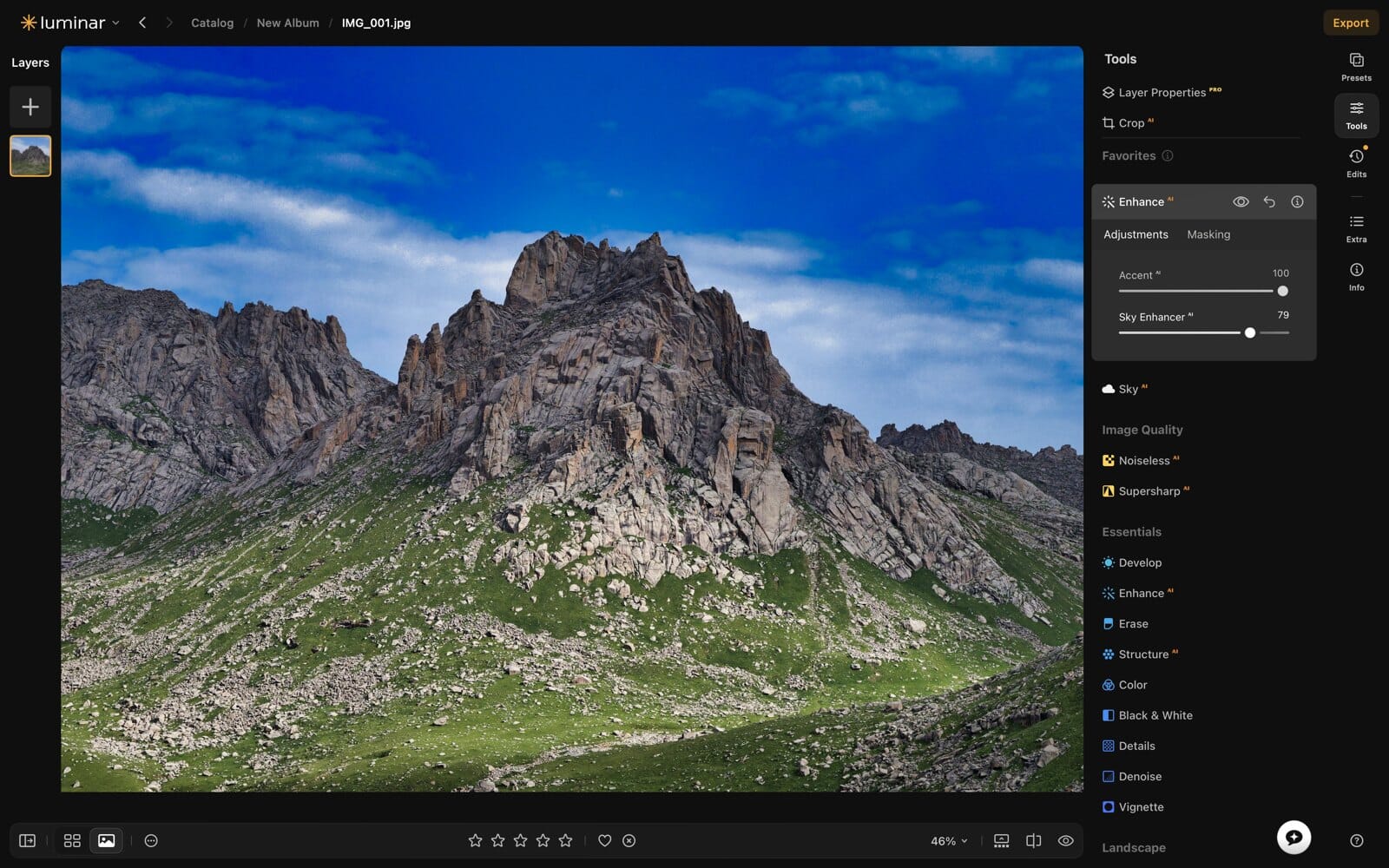
- Enhance and generative tools: a rebuilt Enhance with fewer halos and blown highlights, and more reliable GenErase, GenSwap and GenExpand.
- AI Assistant 2.0: a conversational assistant that suggests tools and comments on your photos.
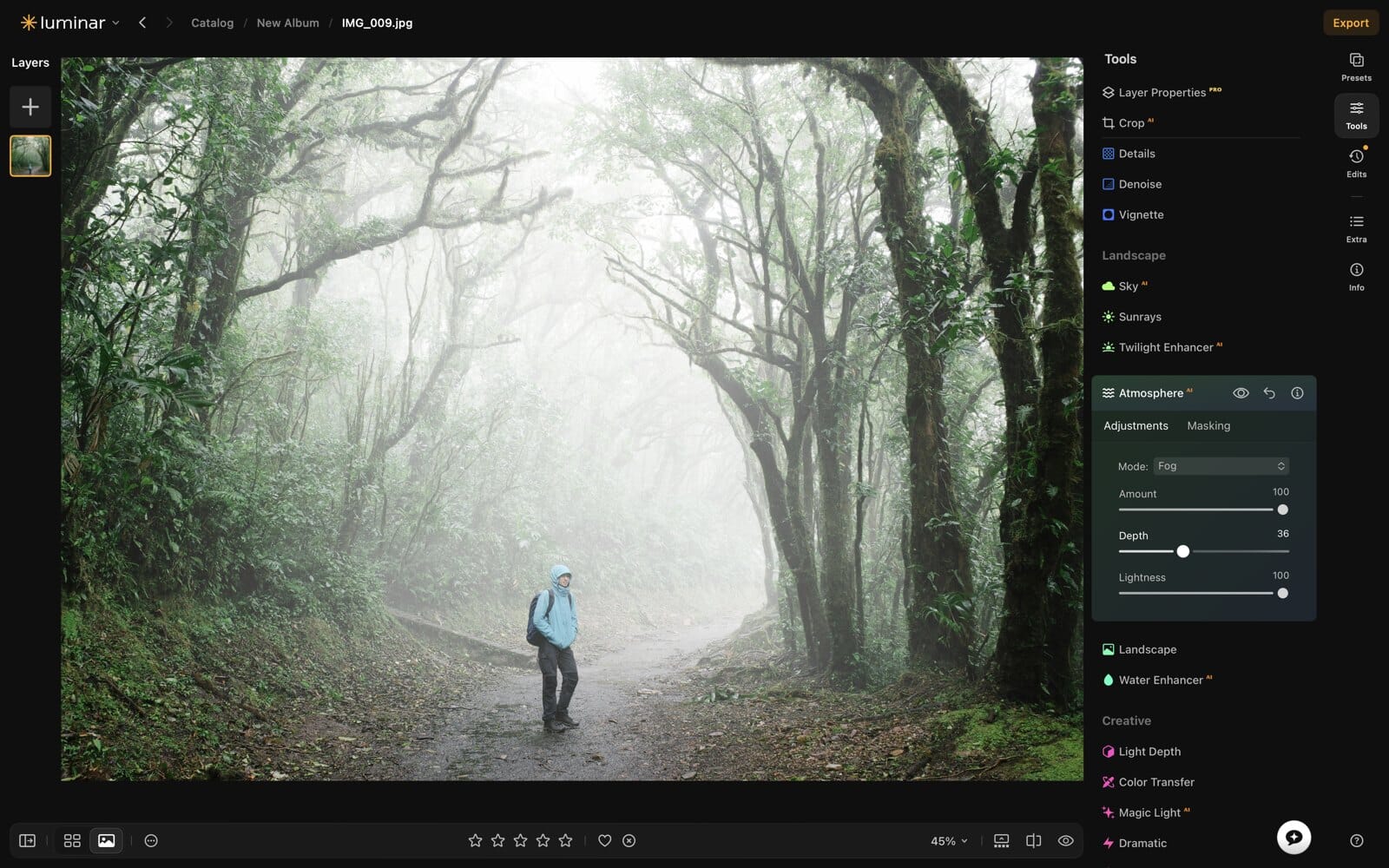
For a full, hands-on look at the update and how Luminar compares with Lightroom and other editors, read the PhotoWorkout Luminar review.
How This Compares With Earlier 2026 Sales
This is the cheapest Luminar has been all year. During Skylum’s Summer Sale in June 2026, new users paid $119 for the desktop license, $149 for cross-device and $164.99 for Max. Black Friday undercuts that by $20 on the desktop plan, $10 on All Platforms and about $6 on Max, and it includes the Fall 2026 features that did not exist in June. If you skipped the summer deal, waiting paid off.
Existing Luminar owners usually get separate upgrade pricing when they sign in to their Skylum account, so check there before buying a second license.
Which Luminar Plan Should You Buy?
- Desktop Only ($99): you edit only on a Mac or PC, or you want Luminar mainly as a Lightroom or Photoshop plugin.
- All Platforms ($139): the best value for most people. You can start an edit on your phone and finish it on the desktop or in a browser for $40 more.
- Max ($159): worth it if you will use the presets, LUTs, skies and courses, which would cost far more separately. Skip it if you prefer to build your own looks.

Frequently Asked Questions
How much is Luminar on Black Friday 2026?
Skylum lists Desktop Only at $99, All Platforms at $139 and Max at $159, all one-time purchases, as checked on November 11, 2026. Code PHOTOWORKOUT takes an extra $10 off.
When does the Luminar Black Friday sale end?
Skylum’s pricing page shows no fixed end date. Partner coverage says the sale runs until November 30, 2026.
Is Luminar a subscription?
No. It is a perpetual license. The AI tools are included for the first year and then renew through Luminar Prime, and checkout preselects an optional auto-upgrade plan you can switch off.
Is Luminar Neo the same as Luminar?
Yes. Skylum renamed Luminar Neo to Luminar in August 2026. Licenses and features carry over.
Does the Black Friday deal include the Fall 2026 update?
Yes. Every plan includes Luminar 1.29 with printing, 3D fog, Smart Compositions and AI Assistant 2.0.
The Bottom Line
If you have been waiting for a good moment to buy Luminar, this is it: the lowest one-time prices of 2026 on the most complete version yet. Pick All Platforms unless you only ever edit at your desk, untick the auto-upgrade if you do not want it, and use code PHOTOWORKOUT for the extra $10. Get Luminar at the Black Friday price.
Prices and plan details were checked on Skylum's website on November 11, 2026.
Sources
- Skylum: Luminar pricing – Black Friday prices, plan contents and renewals
- Skylum: What's New in Luminar – Luminar 1.29 release notes, October 28, 2026
- Camera Jabber: Luminar Fall Update – Sale timing through November 30
Image Sources
- Interface screenshots: Skylum – Featured image, Atmosphere and Enhance screenshots provided by Skylum to partners
- Pin illustration: created with GPT-Image-2.6 – Stylized PhotoWorkout illustration