


- The free, no-subscription alternative to Adobe’s photo stack finally covers the whole workflow: browse, develop RAW, edit pixels, and cut video, all for $0.
- The last missing piece was a browser/asset manager to replace Adobe Bridge. Imagin Raw, a 9MB open-source Mac tool, shipped to Hacker News on July 21 and fills exactly that gap.
- The rest of the stack: the now-free unified Affinity (Photo, Designer, Publisher) for pixel editing, RapidRAW, Darktable, or RawTherapee for RAW development, and the free DaVinci Resolve for video.
- So why is leaving still hard? Not the software. It is the catalog. None of these tools import a Lightroom catalog cleanly, and that lock-in, not the editor, is the product Adobe actually sells.
We recently covered a 30-year Photoshop user who finally quit Adobe, for Apple’s $12.99 Creator Studio. That is one exit ramp. This is the other, and it costs nothing. As of this month, the genuinely free, open-source alternative to Adobe’s photography stack closed its last real gap, which means you can now assemble a complete browse-develop-edit-deliver workflow for exactly $0.
That is the good news. The catch, and the reason so many photographers still pay Adobe every month despite years of cancel-fatigue, is not the tools. It is one specific piece of lock-in that no free app can undo for you. Here is the full free stack, the new arrival that completes it, and the single thing that still traps you.
When you buy through links on our site, we may earn a commission at no cost to you. We evaluate products independently. Commissions do not affect our evaluations.
The Free Stack Now Covers the Whole Workflow
For years, the free-software argument had a hole in it. You could develop RAWs for free and edit pixels for free, but the pieces did not add up to a coherent workflow the way Lightroom plus Photoshop does. This cycle, the last gap closed. The full pipeline now exists at zero cost.
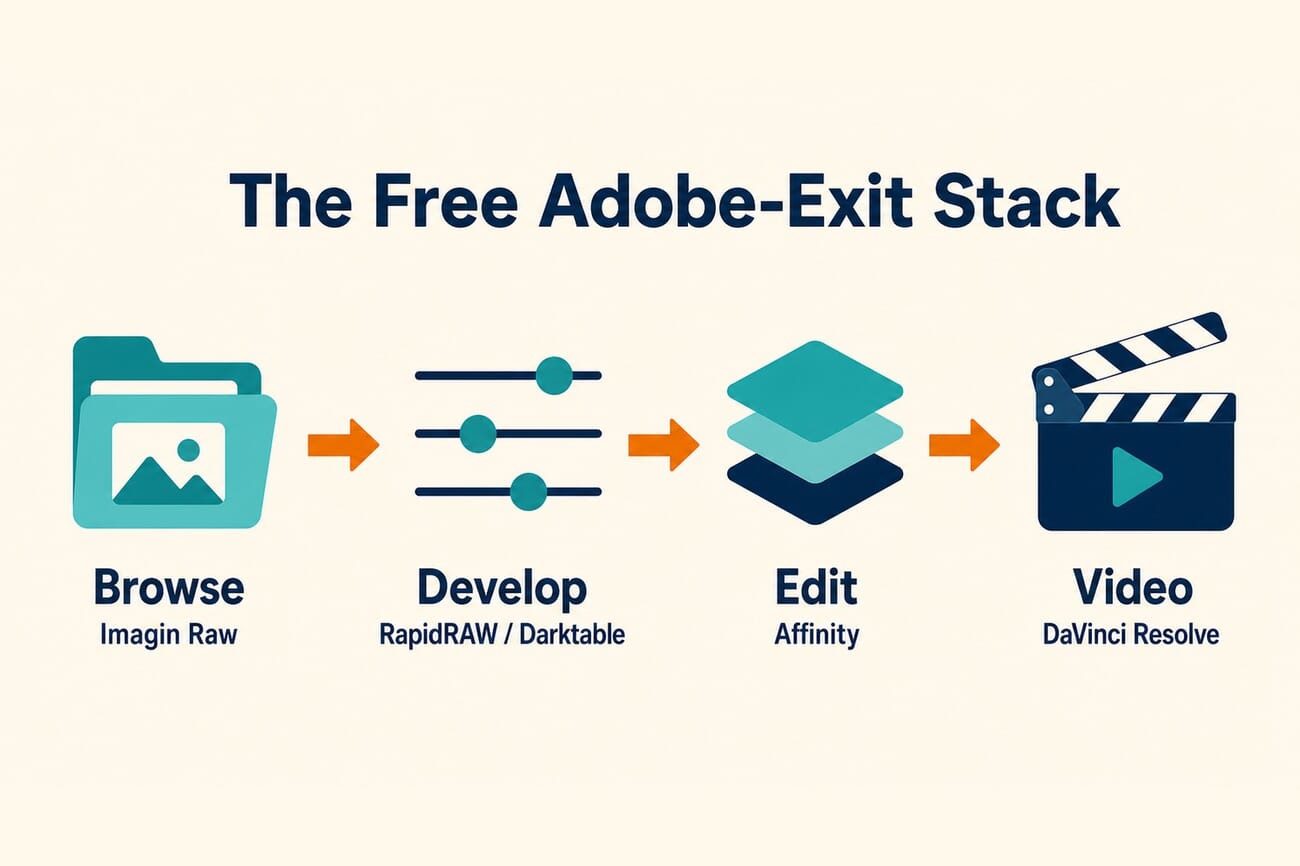
Map it against Adobe’s lineup and the coverage is close to one-for-one: browse and manage instead of Adobe Bridge, develop RAW instead of Lightroom, edit layers instead of Photoshop, and cut video instead of Premiere. The only thing missing is the single-vendor cohesion, everything living inside one subscription, which is exactly what Adobe charges for.
The Missing Piece Just Shipped: Imagin Raw
The stubborn gap was always the browser, the digital asset manager you use to sort, rate, and cull thousands of files before editing. That is Adobe Bridge’s job, and free replacements for it have been thin. On July 21, a new one landed on Hacker News: Imagin Raw, an open-source Mac asset manager that weighs just 9MB.
Nine megabytes is the headline. Adobe Bridge is a heavyweight install; Imagin Raw is a tiny, focused tool for browsing and organizing a photo library, exactly the piece the free stack was missing. It is early and minimal, as new open-source projects are, but it plugs the DAM-shaped hole that kept the free workflow from feeling complete. Combined with the tools below, there is now a free answer for every stage.
The Rest of the Free Stack
Pixel editing: Affinity (now free). The biggest shift is Affinity. Under Canva’s ownership, the unified Affinity app, combining what were Photo, Designer, and Publisher, went completely free, and it added Camera RAW profiles earlier this year. With more than three million users, it is the most credible free Photoshop replacement available, layers, masks, retouching, and all, with no subscription.
RAW development: RapidRAW, Darktable, or RawTherapee. For turning RAW files into finished images, the free options are genuinely good now. RapidRAW is a fast, GPU-accelerated, non-destructive editor with a modern interface; Darktable and RawTherapee are the mature, powerful open-source workhorses. Any of the three handles the Lightroom develop role.
Video: DaVinci Resolve. If your work spans stills and motion, Blackmagic’s free DaVinci Resolve is a professional-grade editor and colorist that outclasses what most creators need, and it now even has a dedicated photo workflow. We covered its new Photo page that directly challenges Lightroom.
The One Thing That Still Traps You: Your Catalog
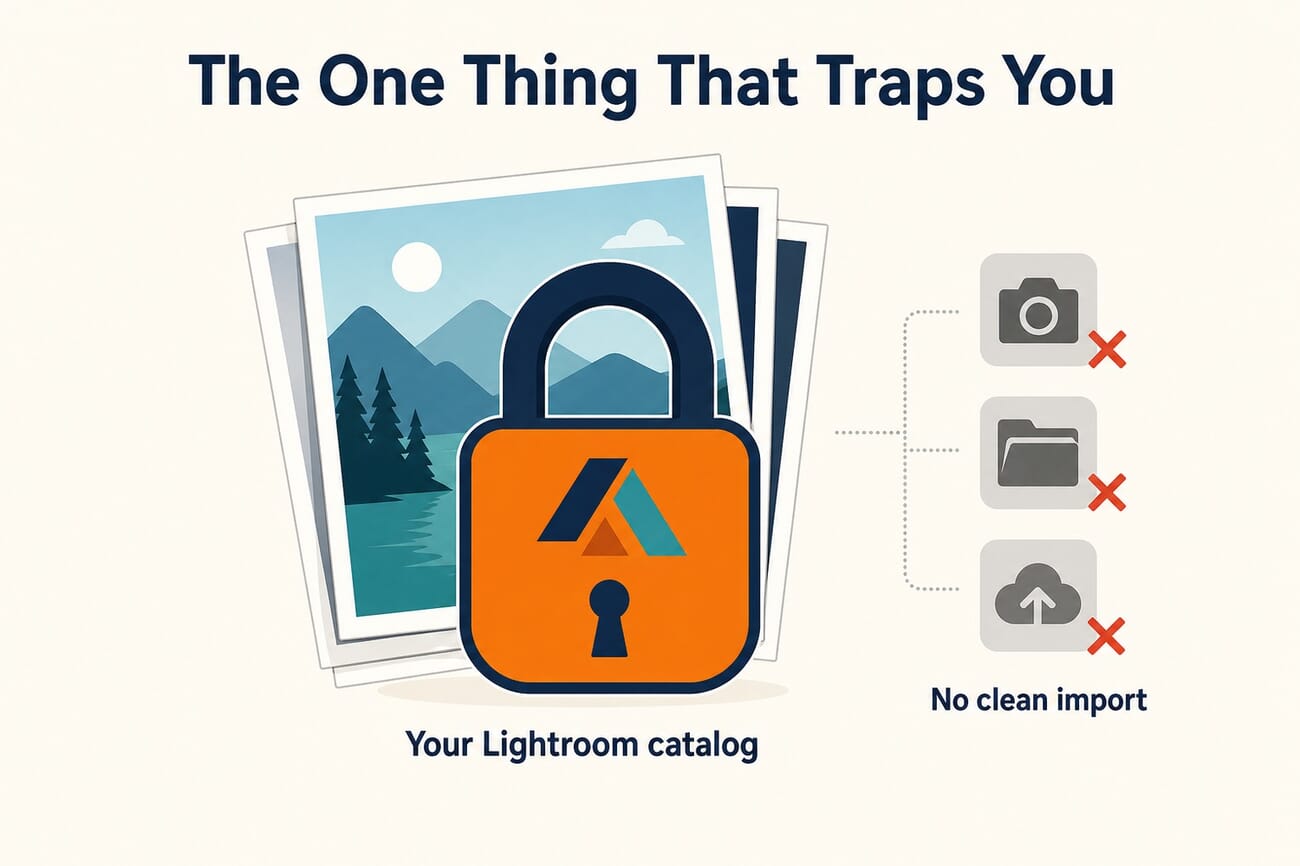
Here is the honest part the free-tools evangelists skip. You can download every app above tonight and still not leave, because the thing that actually locks you in is not Lightroom the editor. It is your Lightroom catalog: years of edits, ratings, keywords, collections, and virtual copies, stored in Adobe’s proprietary database.
None of the free tools import that catalog cleanly. You can move the original files easily enough, but the non-destructive edits and the organizational metadata do not come with them in any reliable, complete way. Rebuilding a decade of edits and keywords by hand is a wall most people simply will not climb. That, not the quality of the editor, is why the cancellation never happens.
It is worth saying plainly: the catalog lock-in is the product Adobe actually sells. The software is replaceable, and now, for free. The switching cost is the moat. Any serious plan to leave has to start with a catalog-migration strategy, exporting edited copies, salvaging metadata via XMP sidecars where possible, and accepting that some history will be left behind.
So Why Is It Still So Hard?
Beyond the catalog, three frictions keep people paying. First, cohesion: Adobe’s apps are built to hand files between each other seamlessly, while a free stack is a set of separate tools you have to wire together yourself. Second, muscle memory: relearning shortcuts and workflows after years in Lightroom is real, unpaid work. Third, features at the edges, tight cloud sync, specific plugins, or a particular AI tool, that a free stack may not replicate exactly.
None of that is insurmountable, and the frustration driving people out is loud, cancel threads and “end of an era” posts are a weekly fixture now, amplified by Adobe pushing AI features some users never asked for. But wanting to leave and actually leaving are separated by exactly the friction above. The free stack removes the price objection entirely; it does not remove the effort. For a different route that trades $0 for convenience, our look at the $12.99 Apple Creator Studio exit is the companion to this one, and the AI-workflow angle shows up in how Adobe is wiring its own tools into AI assistants.
When Free Hits a Wall: Excire Foto 2027 for Serious Libraries
The free stack has a ceiling, and it is worth being honest about where it sits. Imagin Raw is quick and pleasant on a modest library, but in our own hands-on testing on a Mac it turned sluggish and stopped responding once we pointed it at a large catalog. That is the expected trade-off for a 9MB, early-stage tool: it was never built to index tens of thousands of RAW files, deep metadata, and instant search the way a mature catalog application is.
For a professional workflow, or any library big enough that the free browsers stall, the catalog app we still recommend is Excire Foto 2027. It is paid, but at a one-time $219 (regularly $249), not a recurring subscription, so it fits the same goal of escaping Adobe’s monthly rent. It handles very large libraries without choking, reads a wide range of RAW and image formats, and its on-device AI search (find photos by content, faces, or keywords, with nothing uploaded to a cloud) is far faster than manual culling at scale. If you have the budget for a single payment and your archive is the kind that makes free DAMs freeze, Excire is the catalog layer worth buying. We went deep on it when Excire Foto 2027 launched.

Frequently Asked Questions
Can I really replace Adobe entirely for free?
For the software, yes. Imagin Raw (browse), RapidRAW, Darktable or RawTherapee (RAW), Affinity (pixel editing), and DaVinci Resolve (video) together cover the whole workflow at $0. The hard part is not finding free apps; it is migrating your existing Lightroom catalog, which no free tool imports cleanly.
What is Imagin Raw?
A new open-source Mac digital asset manager, about 9MB, that browses and organizes a photo library. It shipped to Hacker News on July 21, 2026 and fills the Adobe Bridge role that the free stack had been missing. It is early-stage but focused on exactly that job.
Is Affinity actually free now?
Yes. Under Canva, the unified Affinity app (formerly separate Photo, Designer, and Publisher programs) became free, and it added Camera RAW profiles earlier this year. It is a full-featured, no-subscription pixel editor with layers, masks, and retouching, the strongest free Photoshop alternative available.
Can I import my Lightroom catalog into these tools?
Not cleanly. You can move your original image files, but the non-destructive edits, ratings, keywords, and collections stored in Lightroom’s proprietary catalog do not transfer reliably or completely. Salvaging metadata via XMP sidecars helps for some data, but expect to leave some edit history behind. This catalog lock-in is the main reason leaving Adobe is harder than it looks.
The Bottom Line
The price objection to leaving Adobe is officially dead. With Imagin Raw completing the picture, a photographer can browse, develop, edit, and deliver for $0, using tools that are genuinely good, not just cheap. But the reason so many still pay was never really the money; it was the catalog, the years of edits and metadata locked in Adobe’s database. Free software solved the easy problem. The switching cost is the one Adobe has quietly built its business on, and it is the wall you will have to climb to actually leave.
Tools & Coverage
- Imagin Raw – open-source Mac asset manager (GitHub) – The 9MB Adobe Bridge alternative, shipped to Hacker News July 21, 2026.
- Excire Foto 2027 – AI photo catalog (paid, one-time purchase) – The recommended catalog app for large, professional libraries that free DAMs cannot handle.
- RapidRAW – GPU-accelerated open-source RAW editor (GitHub) – The canonical repository (not the community forks).
- Luminous Landscape – Affinity goes free, what professional photographers need to know – On Canva making the unified Affinity free.
- Blackmagic Design – DaVinci Resolve – The free professional video editor and colorist.
Image Sources
- PhotoWorkout – concept image, stack and catalog-lock-in infographics, and pin – Original PhotoWorkout editorial illustrations. The featured image is a concept illustration, not a screenshot.