


- Fujifilm Instax Mini Link 3 takes the top spot with its charming Instax film prints, excellent app, and fun creative features.
- Canon IVY 2 Mini is the best value pick – affordable ZINK prints with peel-and-stick backing and a polished app.
- Liene Pearl N200 Pro delivers the sharpest prints of any pocket printer thanks to dye-sublimation technology.
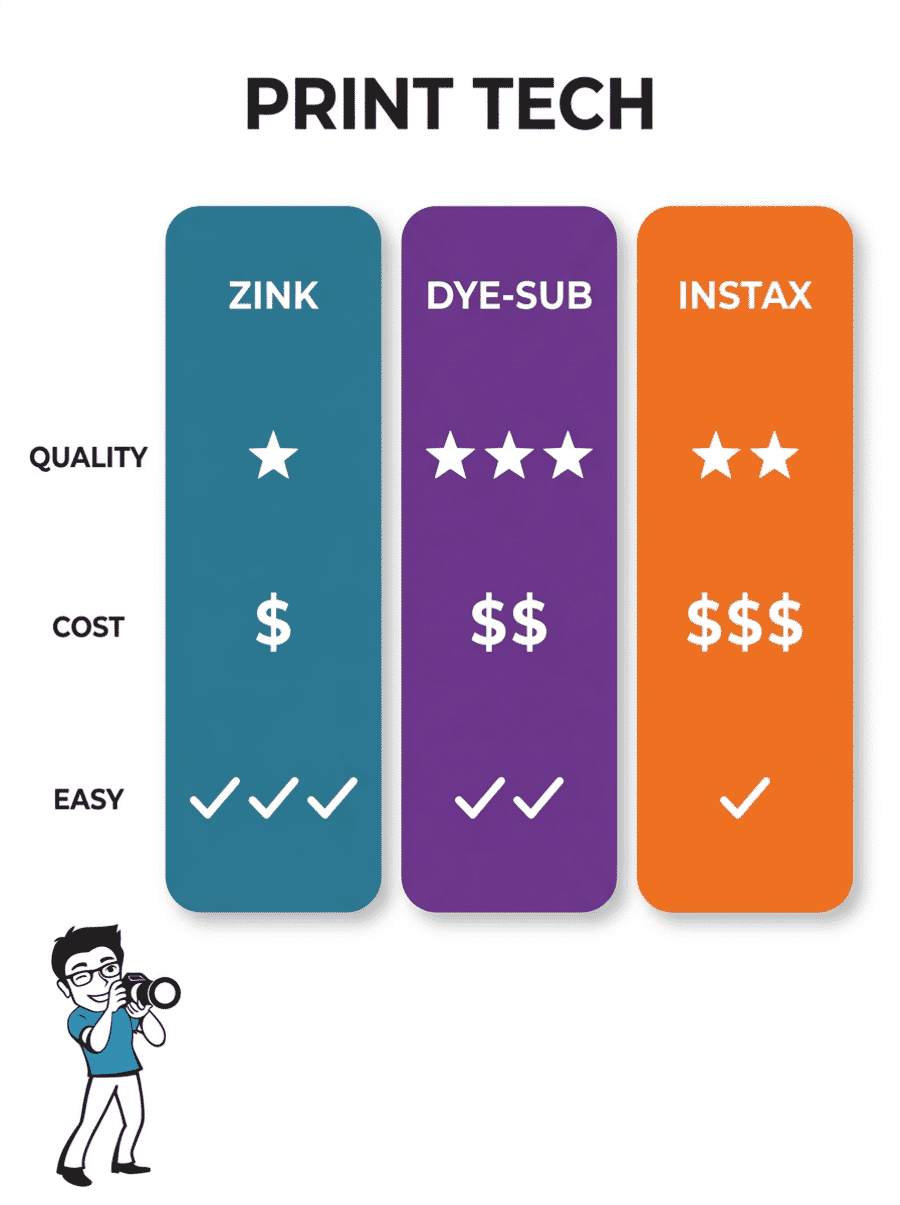
- Three print technologies compete: ZINK needs no ink, dye-sub produces the best colors, and Instax film gives that nostalgic instant-photo look.
- Kodak Step is the budget pick at under $75 – a solid starter printer that weighs just 2.4 ounces.
Best Mini Photo Printers for iPhone
There is something oddly satisfying about holding a physical print of a photo that was on your iPhone just seconds ago. Mini photo printers have become one of the most popular photography accessories for iPhone users, and the market has exploded with pocket-sized options that connect wirelessly and print in under a minute.
These tiny printers are perfect for parties, travel, scrapbooking, or just handing someone a spontaneous photo as a keepsake. Unlike larger portable photo printers that handle 4×6″ prints and sit on a desk, the printers in this guide are truly pocket-sized – small enough to toss in a purse or jacket pocket.
This guide compares the 9 best mini photo printers that work with iPhone, covering three different print technologies: ZINK (zero ink), dye-sublimation, and Instax film. Each has trade-offs in print quality, cost per print, and convenience that matter more than the printer price itself.
When you buy through links on our site, we may earn a commission at no cost to you. We evaluate products independently. Commissions do not affect our evaluations. As an Amazon Associate, we earn from qualifying purchases.
Best Mini Photo Printers for iPhone




How to Choose a Mini Photo Printer
The printer itself is the cheap part. What really matters is the ongoing cost per print, the print technology, and how good the companion app is. Here is what to consider before buying.
Print Technology: ZINK vs. Dye-Sub vs. Instax Film
ZINK (Zero Ink) embeds color crystals directly in the paper, so there are no ink cartridges to replace. The prints are water-resistant and peel-and-stick. Cost per print runs about $0.25-$0.50. Print quality is decent but not as vivid as dye-sub. Most mini printers (Canon IVY, HP Sprocket, Kodak Step) use ZINK.
Dye-sublimation heats colored dye ribbons that fuse into the paper in multiple passes. The result is noticeably sharper, more color-accurate prints with a protective laminate coating that resists fading and fingerprints. Cost per print is about $0.35-$0.60. The Polaroid Hi-Print and Liene Pearl N200 Pro use this technology.
Instax film is Fujifilm’s proprietary instant film with that iconic white border. The prints have a unique analog charm that digital technologies cannot quite replicate. The trade-off is higher cost per print ($0.50-$0.80 per shot) and no peel-and-stick backing. Only the Fujifilm Instax Mini Link printers use this film.
Cost Per Print
This is arguably more important than the printer price. A $70 printer with $0.50/print paper costs more over time than a $120 printer with $0.30/print paper. ZINK paper is generally cheapest, dye-sub cartridge packs are mid-range, and Instax film is the most expensive per shot. Budget about 100-200 prints per year for casual use and factor that into the total cost.
App Quality
Every mini printer requires a companion app to send photos from your iPhone. The app experience varies wildly – from polished (Canon Mini Print, Fujifilm Instax) to frustrating (some budget brands). Look for apps that offer easy photo editing, filters, collage templates, and reliable Bluetooth pairing. A printer with a terrible app is a printer that collects dust.
Print Size and Portability
All printers in this guide produce 2×3″ prints (roughly credit-card sized), except the Instax Mini Link which prints on slightly larger 2.1×3.4″ Instax Mini film. For portability, weight ranges from 2.4 oz (Kodak Step) to 12 oz (Liene Pearl N200 Pro). The lightest printers genuinely fit in a pocket; the heavier ones are more of a purse/bag item.
Mini Photo Printer Comparison
| Specifications | |||||||||
|---|---|---|---|---|---|---|---|---|---|
| Print Tech | Instax Film | ZINK | Dye-Sub | Dye-Sub | ZINK | Instax Film | ZINK | ZINK | Dye-Sub (4PASS) |
| Print Size | 2.1×3.4 in | 2×3 in | 2×3 in | 2×3 in | 2×3 in | 2.1×3.4 in | 2×3 in | 2×3 in | 2×3 in |
| Weight | 1.6 oz | 5.1 oz | 12 oz | 1.06 oz | 6.1 oz | 7.4 oz | 2.4 oz | 6.4 oz | 7.1 oz |
| Connectivity | Bluetooth | Bluetooth 5.0 | Bluetooth | Bluetooth | Bluetooth | Bluetooth/USB | Bluetooth/NFC | Bluetooth 5.0 | Bluetooth |
| Peel & Stick | No | Yes | Yes | No | Yes | No | Yes | Yes | No |


Fujifilm Instax Mini Link 3 Smartphone Printer
iPhone users who want charming instant film prints with a premium app experience
- Excellent Instax film quality with iconic white borders
- Best-in-class companion app with creative AR features
- Ultralight at just 1.6 oz – truly pocketable
- USB-C charging with battery life for ~100 prints
- Instax film is the most expensive per print (~$0.65-0.80)
- No peel-and-stick backing on prints
- Slightly larger print size may not fit standard 2×3 slots
The Instax Mini Link 3 produces the most charming prints of any pocket printer. The Instax film output has an analog warmth that ZINK and dye-sub prints simply cannot match. If you value that nostalgic instant-photo aesthetic and do not mind paying more per print, this is the one to get.

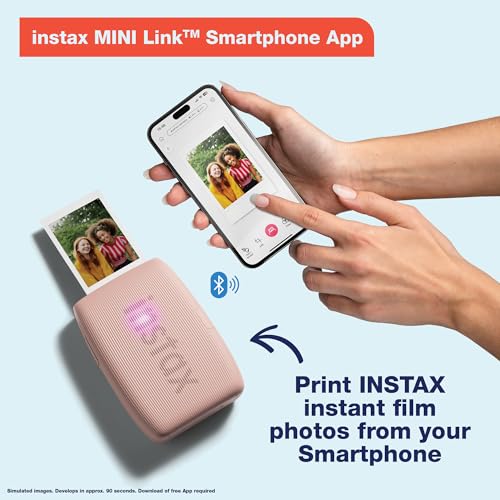
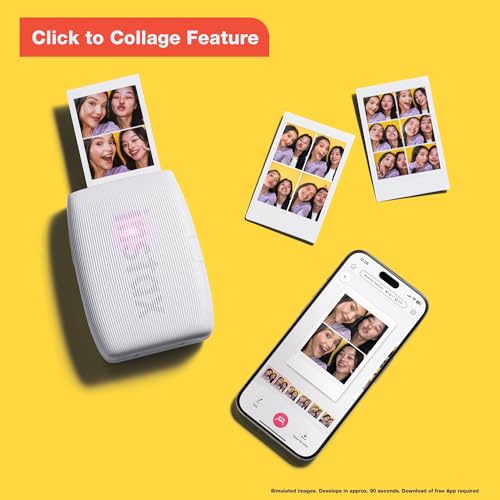
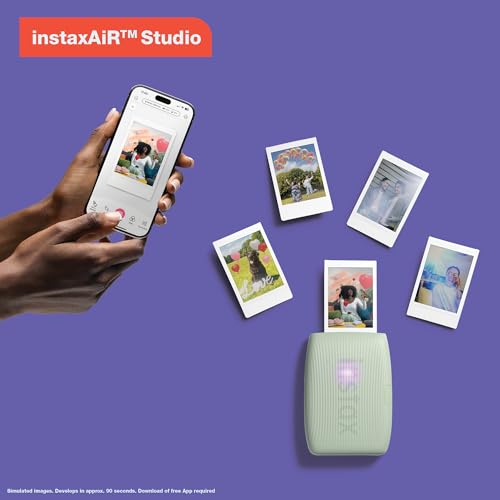
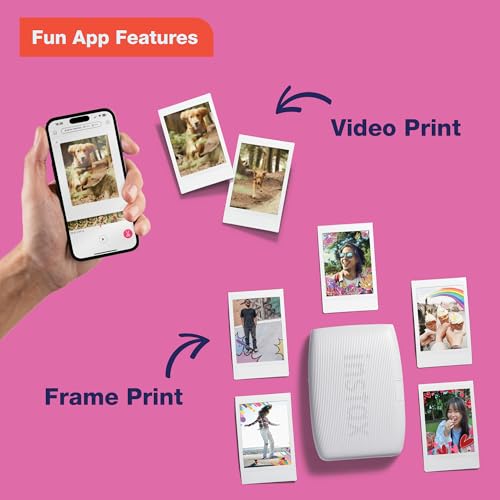
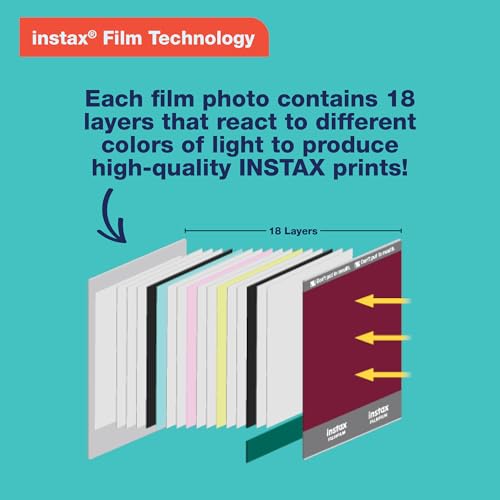
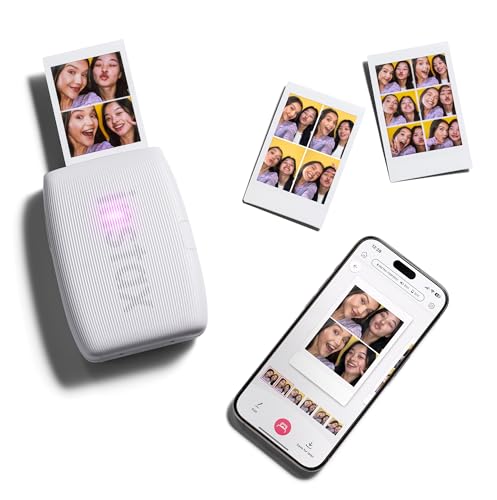
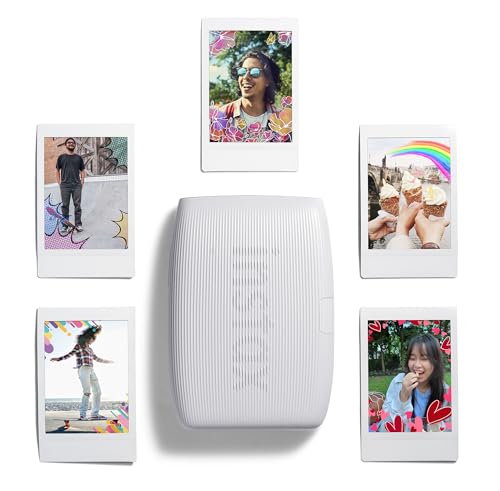
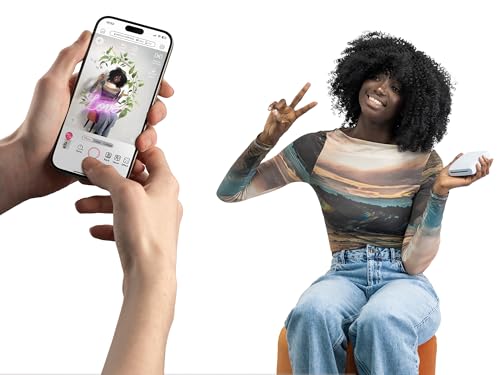
The Fujifilm Instax Mini Link 3 takes the top spot because it delivers something no other pocket printer can: genuine Instax film prints with that unmistakable white border and analog texture. Every print feels like a keepsake rather than a printout.
The companion app is the best in this category. Beyond basic printing, it includes AR effects, an “Instax AiR” feature for drawing in augmented reality before printing, collage templates, and the ability to print directly from iPhone Photos. Bluetooth pairing is quick and reliable, and the printer handles about 100 prints per battery charge via USB-C.
At just 1.6 ounces, the Link 3 is the lightest printer on this list – genuinely pocketable. The main trade-off is cost: Instax Mini film runs about $0.65-0.80 per shot depending on where it is purchased, which is roughly double the cost of ZINK paper. But for the print quality and experience, many users consider it worth the premium.
The Instax Mini Link 3 comes in three colors: Clay White, Rose Pink, and Sage Green. It launched in August 2024 and is the latest generation of Fujifilm’s smartphone printer line.
Pricing & Where to Buy
The Fujifilm Instax Mini Link 3 is priced at around $117 for the printer only (as of March 2026). Bundle packages with film packs are available from $135-165. Note that Instax Mini film must be purchased separately for ongoing use.
- Buy on Amazon – Prime shipping available, multiple color options
- Check price at B&H Photo
- Fujifilm official store
Canon IVY 2 Mini Photo Printer
iPhone users who want affordable, hassle-free prints with peel-and-stick backing
- Excellent Canon Mini Print app with polished editing tools
- ZINK peel-and-stick prints – great for stickers and decor
- No ink cartridges ever needed
- Improved print quality over first-gen IVY with better skin tones
- Print quality not as vivid as dye-sub options
- Only 2 left in stock at time of review – availability fluctuates
The Canon IVY 2 Mini hits the sweet spot of price, quality, and convenience. The Canon Mini Print app is genuinely polished (not a given in this category), and ZINK technology means zero ink hassles. The peel-and-stick backing makes every print a potential sticker, which is a hit at parties and events.


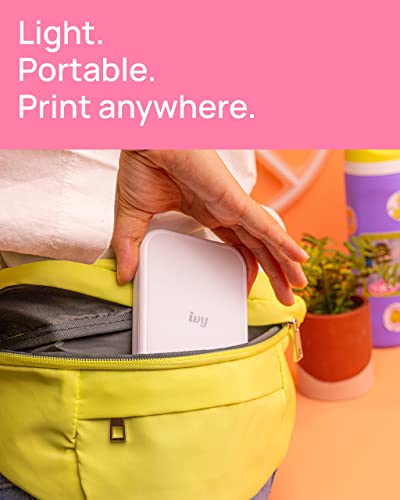


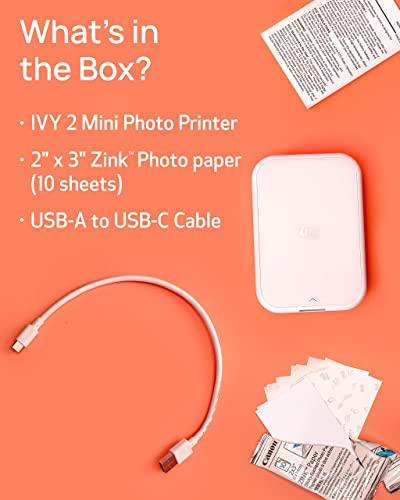

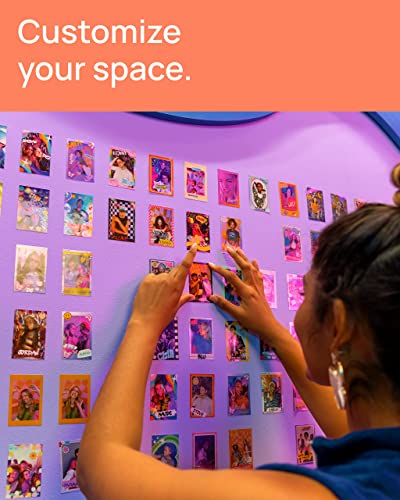

The Canon IVY 2 Mini is the best all-around value for most iPhone users. At around $91, it offers a well-balanced package: solid print quality, a genuinely good app, and the convenience of ZINK peel-and-stick prints that need no ink cartridges.
Canon improved the IVY 2 over its predecessor with better skin tone reproduction, improved photo contrast, and sharper output. The Canon Mini Print app stands out for its reliability – Bluetooth 5.0 pairing is quick, and the app includes collage layouts, filters, and frame options. It works well with both iOS and Android.
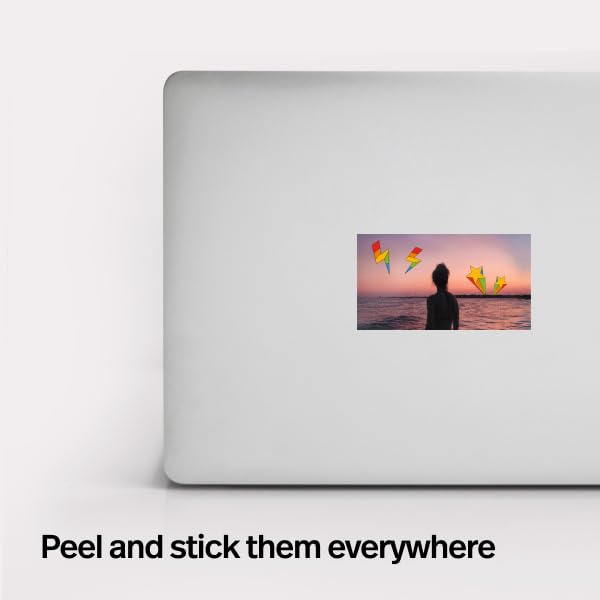
Every print has adhesive backing, so they double as stickers – stick them on laptops, journals, walls, or hand them out at events. The printer weighs 5.1 ounces and fits in a large pocket or small bag. ZINK paper costs about $0.30-0.45 per print depending on the pack size, making it one of the more affordable options per print.
Pricing & Where to Buy
The Canon IVY 2 Mini is priced at $91 in Pure White and $120 in Blush Pink (as of March 2026). The printer includes 10 sheets of ZINK paper and a USB-C charging cable.
- Buy on Amazon – Prime shipping, both colors available
- Check price at B&H Photo
- Canon official store
Liene Pearl N200 Pro Portable Photo Printer
Print quality enthusiasts who want the sharpest, most vivid mini prints possible
- Dye-sublimation produces noticeably sharper prints than ZINK
- AI-powered editing features in the companion app
- Peel-and-stick adhesive backing on prints
- InstaPic Print mode for shoot-and-print at events
- Heaviest in this roundup at 12 oz – not truly pocketable
- Newer product with fewer reviews (138 as of March 2026)
- Requires cartridge replacements alongside paper
If print quality is the priority, the Liene Pearl N200 Pro is the clear winner among pocket-sized printers. Dye-sublimation technology delivers sharper resolution and more accurate colors than any ZINK printer. The trade-off is weight (12 oz makes it a bag item, not a pocket item) and the need to replace both cartridges and paper.
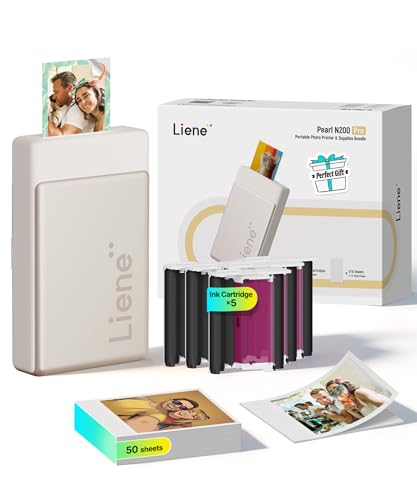
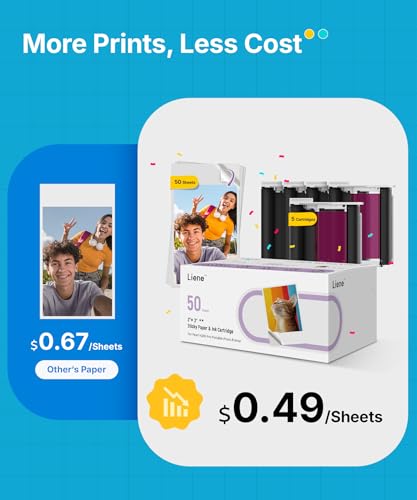


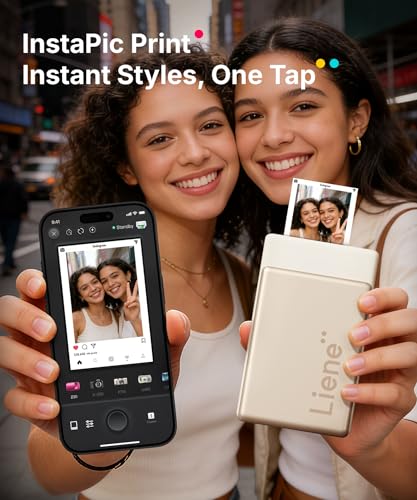


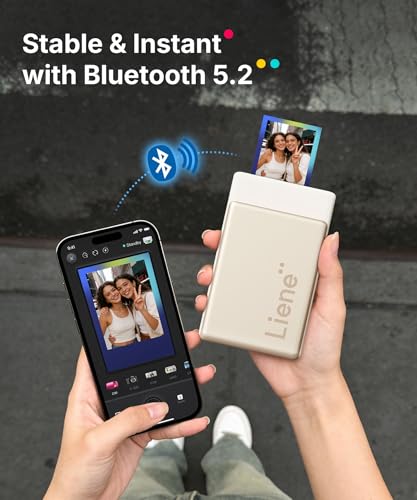

The Liene Pearl N200 Pro is the newest printer on this list (released December 2025) and it pushes mini printer quality forward. Using dye-sublimation technology in a compact 2×3″ format, it produces prints that are visibly sharper and more color-accurate than any ZINK-based competitor.
The companion Liene Photo App includes some genuinely useful features: AI-powered background removal, style transfer for artistic portraits, a built-in camera mode for instant shoot-and-print, and customizable frames, watermarks, and stickers. The prints have adhesive backing, and the laminated dye-sub output resists water, scratches, and fingerprints.
The trade-off for that print quality is size and weight. At 12 ounces, the Pearl N200 Pro is the heaviest printer here – still portable, but more of a bag item than a jacket-pocket item. It also requires cartridge replacements along with paper refills. The bundle includes 50 sheets and 5 cartridges to get started.
Pricing & Where to Buy
The Liene Pearl N200 Pro bundle is priced at $120 (as of March 2026), which includes 50 sheets of adhesive paper and 5 cartridges. Refill packs run about $18-25 for 40 sheets plus cartridges.
- Buy on Amazon – Bundle with 50 sheets and 5 cartridges
- Liene official store
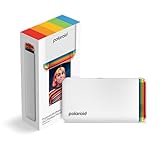
Polaroid Hi-Print Gen 2 Pocket Photo Printer
Polaroid fans who want premium dye-sub print quality in a recognizable brand
- Dye-sublimation produces rich, water-resistant prints
- Iconic Polaroid brand with strong resale appeal
- Extremely light at just 1.06 oz (printer only)
- Gen 2 improvements: faster printing, better Bluetooth
- Paper cartridges are proprietary and pricier than ZINK
- No peel-and-stick backing on standard prints
- App could be more polished compared to Canon/Fujifilm
The Polaroid Hi-Print Gen 2 combines excellent dye-sub print quality with the Polaroid brand cachet. The prints come out rich and vivid with a protective laminate that resists water and fingerprints. The Gen 2 model improves on the original with faster print speeds and more reliable Bluetooth connectivity.

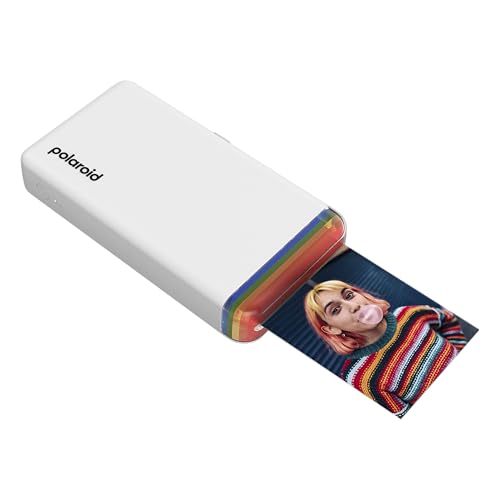

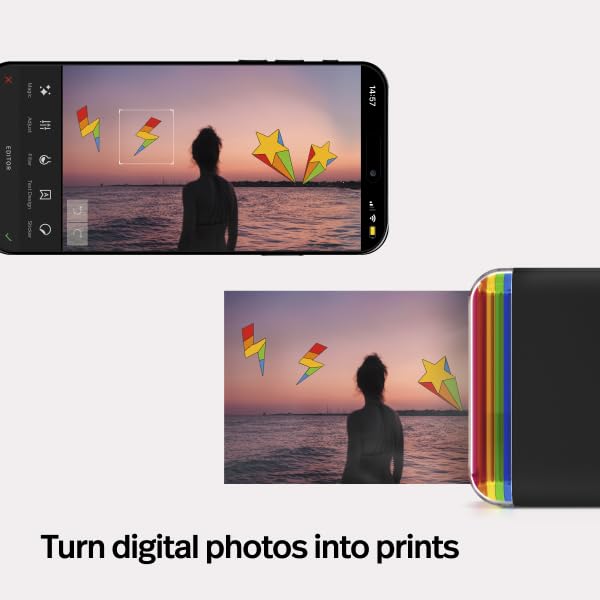

The Polaroid Hi-Print Gen 2 is Polaroid’s answer to the pocket printer market, and it brings legitimate print quality to the table. Using dye-sublimation technology, it produces 2×3″ prints with rich, accurate colors and a laminate coating that makes prints water-resistant and smudge-proof.
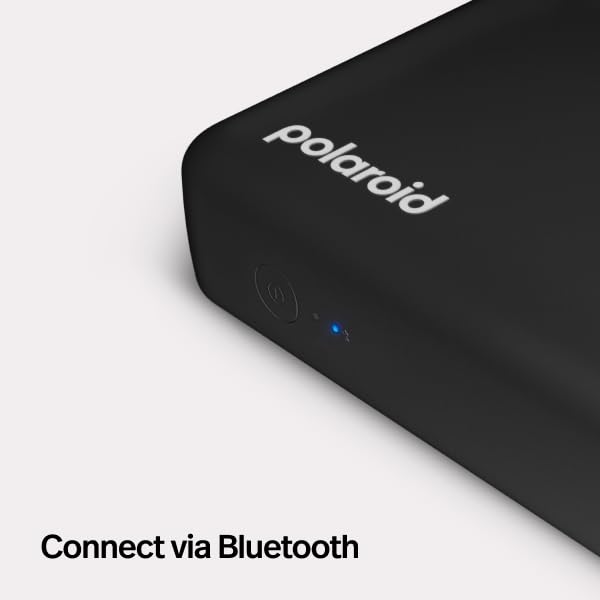
The Gen 2 model (released February 2024) improves on the original with faster Bluetooth connectivity and quicker print times. The Polaroid Hi-Print app includes basic editing features, filters, and collage options. The printer itself is remarkably light at just 1.06 ounces and connects via Bluetooth and USB-C.
The main downside is ongoing cost. Polaroid’s proprietary dye-sub cartridges are pricier per print than ZINK paper, and the prints do not have adhesive backing. A 20-sheet cartridge pack runs about $16, putting the cost at around $0.80 per print. The Hi-Print Gen 2 is available in both white and black.
Pricing & Where to Buy
The Polaroid Hi-Print Gen 2 (printer only) is priced at $109 (as of March 2026). A bundle with 40 sheets of paper is available for around $140.
- Buy on Amazon – White printer only, Prime eligible
- Check price at B&H Photo
- Polaroid official store
HP Sprocket Portable 2×3 Instant Photo Printer
First-time buyers who want a proven, widely-reviewed pocket printer
- 25,000+ reviews – the most battle-tested pocket printer
- ZINK peel-and-stick prints with no ink needed
- 14 color options to match personal style
- HP Sprocket app with augmented reality features
- Print quality is average for the ZINK category
- Older Bluetooth version (not 5.0)
- 2018 release – hardware design is showing its age
The HP Sprocket is the most popular pocket printer for good reason: it just works. With over 25,000 reviews and a 4.4-star rating, it has proven itself as a reliable workhorse. Print quality is typical for ZINK technology – good enough for fun prints but not gallery-worthy. The app includes AR features where printed photos can trigger video playback.
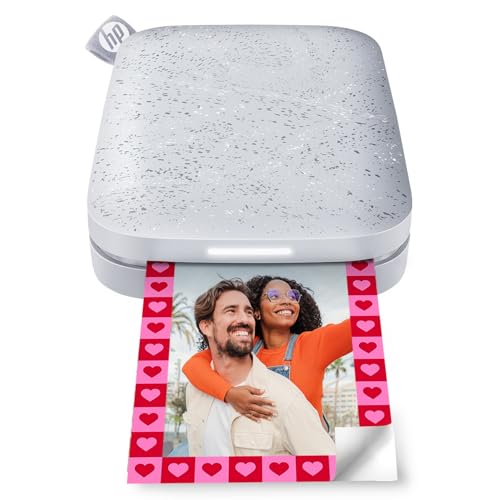
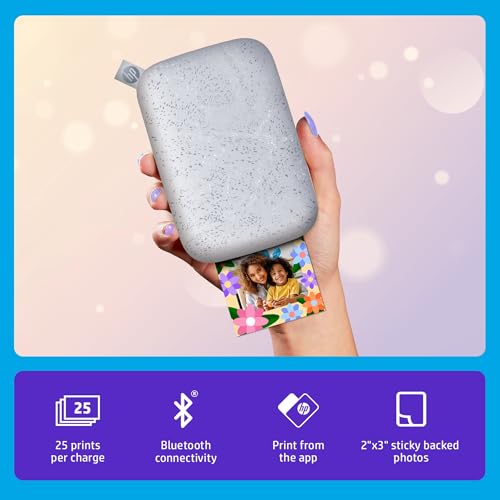
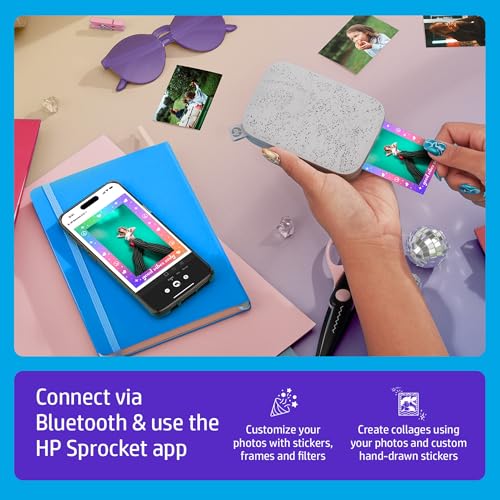
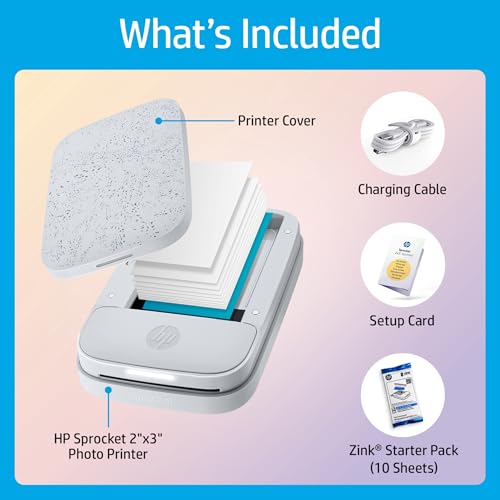
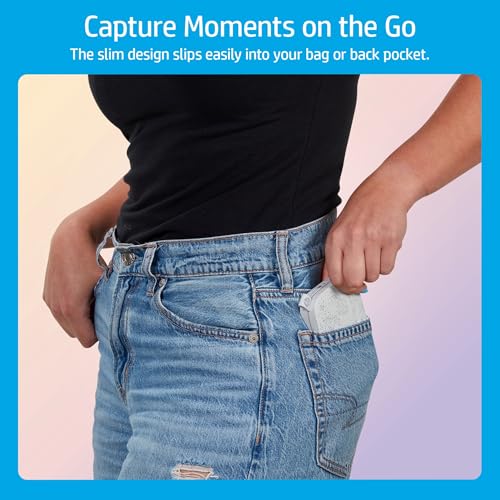
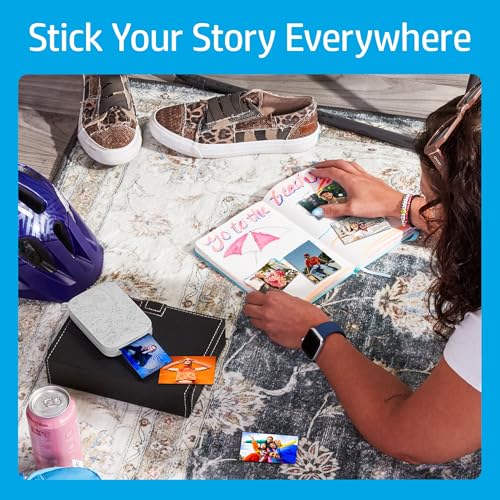

The HP Sprocket is the OG of pocket photo printers. With over 25,000 reviews on Amazon – more than any other mini printer – it has an extensive track record of reliability. It produces standard 2×3″ ZINK peel-and-stick prints that need no ink cartridges.
The HP Sprocket app includes a unique augmented reality feature: printed photos can be “revived” by pointing the phone camera at them, triggering embedded video playback. It also offers standard editing tools, filters, and customizable sticker options. The printer comes in an impressive 14 color options.
The main caveat is age. The HP Sprocket launched in 2018, and while it still works perfectly well, the hardware design and Bluetooth version are showing their age compared to newer competitors. Print quality is solid but average for ZINK – newer printers like the Canon IVY 2 have improved on ZINK output quality. Still, for a proven, widely-available option under $90, it remains a safe choice.
Pricing & Where to Buy
The HP Sprocket is priced at around $89 (as of March 2026). Starter bundles with extra ZINK paper are available for about $100-110.
- Buy on Amazon – 14 colors available, Prime shipping
- Check price at B&H Photo
- HP official store
Fujifilm Instax Mini Link 2 Smartphone Printer
Instax fans who want to save vs. the Link 3 without sacrificing much
- Same charming Instax film output as the Link 3
- Proven reliability with 1,600+ reviews and 4.8-star rating
- instax AiR Studio for fun AR drawing effects
- Available in multiple colors at competitive prices
- Previous generation – lacks Link 3’s latest app features
- Slightly heavier than the Link 3 at 7.4 oz
- Instax film cost remains the highest per print
The Instax Mini Link 2 delivers the same beloved Instax film prints as the Link 3 at a slightly lower price. It is the previous generation, so it misses some of the Link 3’s newest app features, but the core experience – charming analog prints from your iPhone – is identical. A smart choice if the Link 3’s price feels steep.

The Fujifilm Instax Mini Link 2 is the previous generation of Fujifilm’s smartphone printer, and it remains an excellent option for iPhone users who love Instax film. The print output is essentially identical to the Link 3 – the same 2.1×3.4″ Instax Mini format with that distinctive white border and analog texture.
Where the Link 2 differs from its successor is primarily in the app features. It includes instax AiR Studio for augmented reality effects but lacks some of the Link 3’s newer creative tools. The hardware is slightly heavier at 7.4 ounces and uses an older Bluetooth version, though real-world pairing with iPhones is still reliable.
With a 4.8-star rating across 1,600+ reviews, the Instax Mini Link 2 is proven and well-liked. At around $100, it is competitive with the Link 3’s $117 price point. For users who simply want great Instax prints without the latest bells and whistles, it is the better value.
Pricing & Where to Buy
The Fujifilm Instax Mini Link 2 is priced at $100 (as of March 2026). Bundle deals with film packs start at around $80 for the printer plus 20 sheets.
- Buy on Amazon – Clay White, Prime shipping
- Check price at B&H Photo
- Fujifilm official store
Kodak Step Instant Smartphone Photo Printer
Budget-conscious buyers who want a reliable mini printer without spending $100+
- Under $75 – most affordable in this roundup
- Ultralight at just 2.4 oz – truly fits in any pocket
- Nearly 20,000 reviews with a 4.4-star rating
- ZINK sticky-back prints with Bluetooth and NFC
- Print quality is basic – fine for fun, not for framing
- Kodak app is functional but less polished than Canon/Fujifilm
- Smaller paper capacity (10 sheets)
The Kodak Step is the budget king of mini photo printers. At under $75 and weighing just 2.4 ounces, it is the cheapest and lightest option on this list. Print quality is standard ZINK fare – perfectly fine for party prints and stickers, but do not expect the sharpness of dye-sub output. For the price, it is hard to complain.
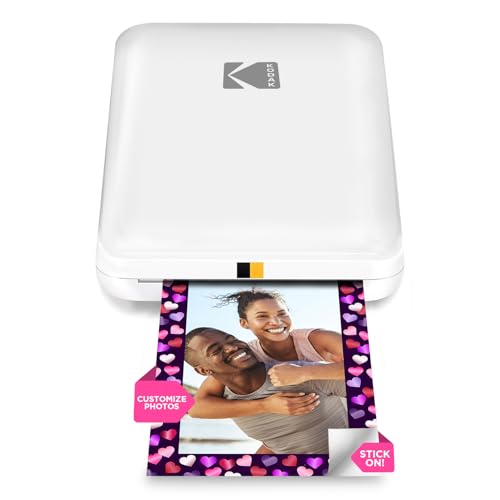
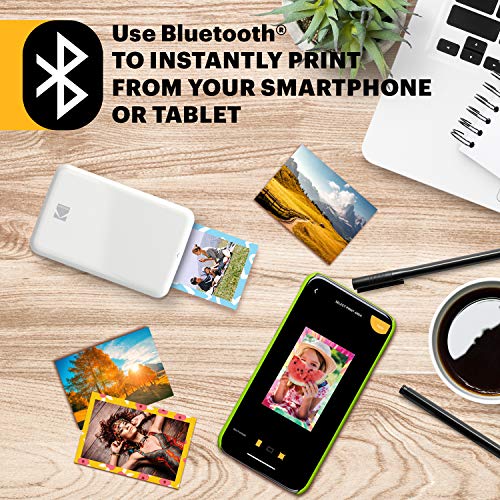


The Kodak Step is the lightest and most affordable printer in this roundup. At 2.4 ounces, it is barely noticeable in a pocket, and at $73, it costs less than dinner for two. It uses ZINK technology for 2×3″ peel-and-stick prints with no ink cartridges.
The printer supports both Bluetooth and NFC for pairing with iPhones and Android devices. The Kodak app includes basic editing, filters, and beauty mode options. Print quality is standard for ZINK – acceptable for fun prints and stickers, but noticeably less vivid than dye-sub options like the Polaroid Hi-Print or Liene Pearl N200 Pro.
With nearly 20,000 reviews and a 4.4-star rating, the Kodak Step has proven itself as a reliable budget option. It is a great starter printer for someone trying out mini printing for the first time, or as a gift for a teenager who wants instant prints at social events.
Pricing & Where to Buy
The Kodak Step is priced at $73 in white and $80 in pink (as of March 2026). ZINK paper refill packs of 20 sheets run about $10-12.
- Buy on Amazon – Prime shipping, white and pink options
- Check price at B&H Photo
Liene 2×3 Photo Printer
Users who want a solid ZINK printer with Bluetooth 5.0 and good bundle value
- Bluetooth 5.0 for fast, reliable iPhone pairing
- Peel-and-stick ZINK prints with no ink cartridges
- Competitive pricing with good bundle options
- 4.5-star rating across 1,600+ reviews
- Print quality comparable to other ZINK printers – not a standout
- Less brand recognition than Canon, HP, or Kodak
- Heavier than Kodak Step at 6.4 oz
The Liene 2×3 is a solid mid-range ZINK printer that competes directly with the Canon IVY 2 and HP Sprocket. Its main advantage is Bluetooth 5.0 connectivity and competitive bundle pricing. Print quality is on par with other ZINK printers. A good choice if the Canon IVY 2 or HP Sprocket are out of stock.

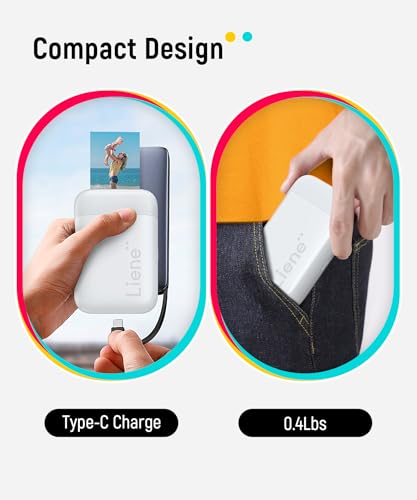
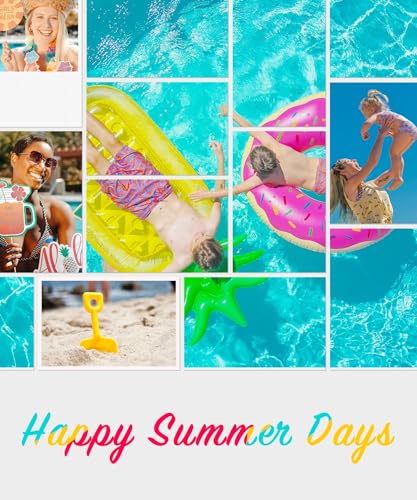
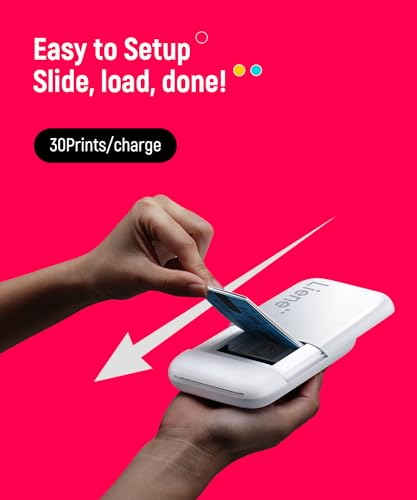
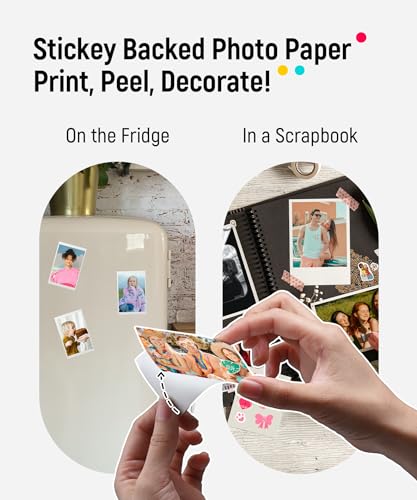
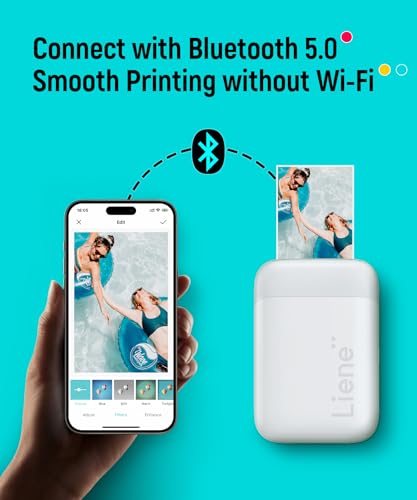
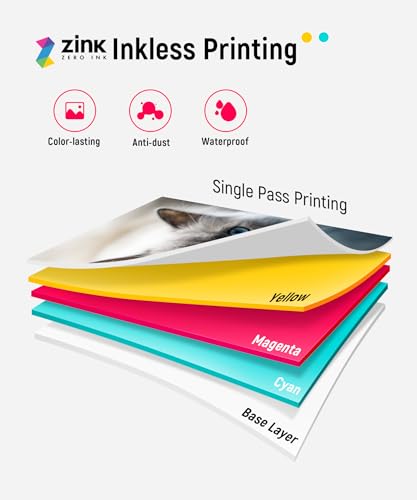
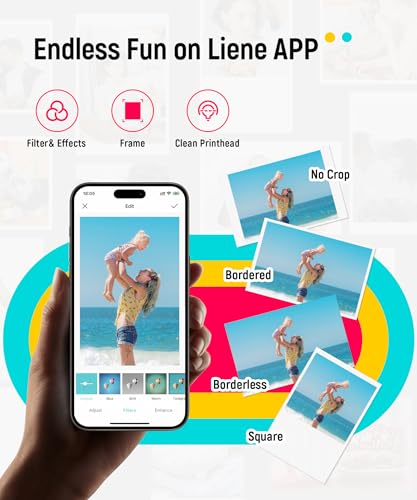
The Liene 2×3″ Photo Printer is a capable ZINK printer that competes in the same space as the Canon IVY 2 and HP Sprocket. It connects via Bluetooth 5.0 for reliable pairing with iOS and Android devices and produces standard 2×3″ peel-and-stick prints.
The Liene app includes photo editing tools, filters, and collage templates. Print quality is comparable to other ZINK printers in this roundup – good for casual prints and stickers, but dye-sub options will always produce more vivid results. The printer weighs 6.4 ounces and sits in the middle of the pack for portability.
Where the Liene 2×3″ shines is value: the $90 price point often includes 10 sheets of ZINK paper, and larger bundle options are available with 50 sheets at a competitive per-print cost. With 1,600+ reviews and a 4.5-star rating, it is well-regarded by buyers.
Pricing & Where to Buy
The Liene 2×3″ Photo Printer starts at $90 with 10 sheets included (as of March 2026). A bundle with 50 sheets is available for about $105.
- Buy on Amazon – Prime shipping, multiple bundle options
- Liene official store
Kodak Mini 2 Retro 2×3 Portable Photo Printer
Users who want dye-sub print quality on a Kodak budget
- 4PASS dye-sublimation produces sharper prints than ZINK
- Retro design inspired by classic Kodak cameras
- Includes 38 sheets of paper in the box
- Laminated output resists water and fading
- 4.1-star rating is the lowest in this roundup
- Heavier at 7.1 oz with bulkier design
- App experience is inconsistent based on user reviews
The Kodak Mini 2 Retro is the most affordable way to get dye-sublimation print quality in a portable format. Its 4PASS technology produces noticeably better prints than ZINK printers, with laminated output that lasts longer. The retro Kodak design is charming, though the app experience has room for improvement.
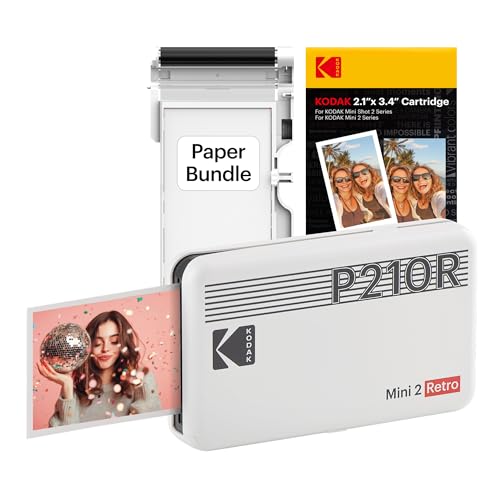

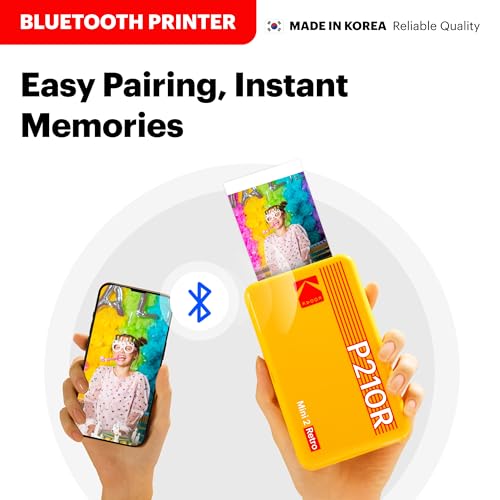

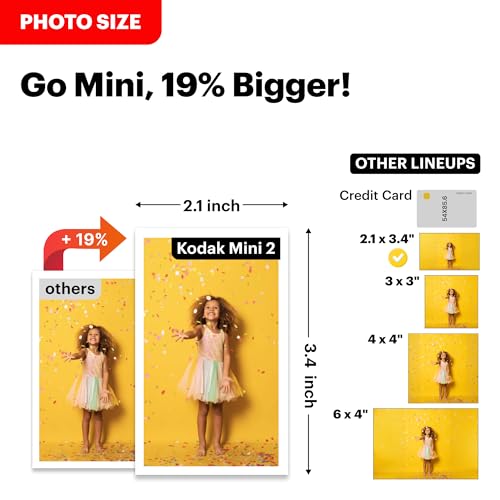
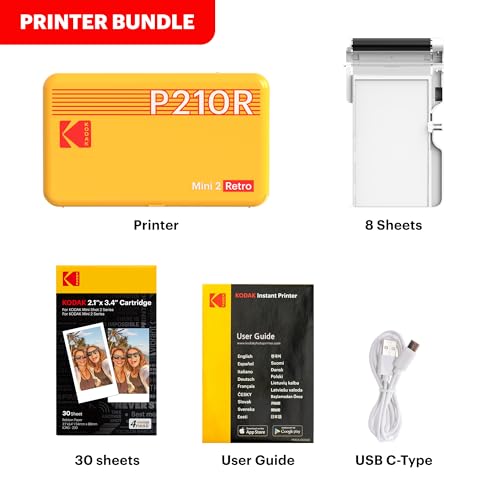

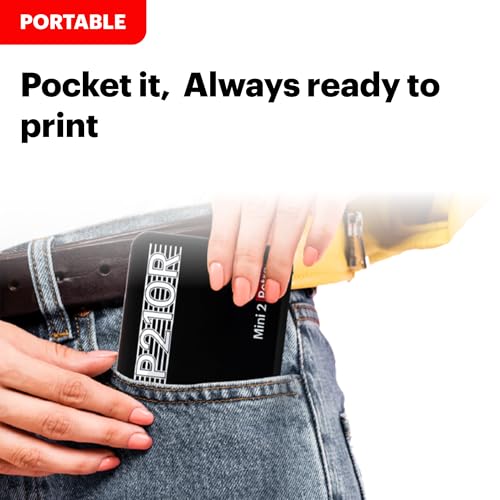
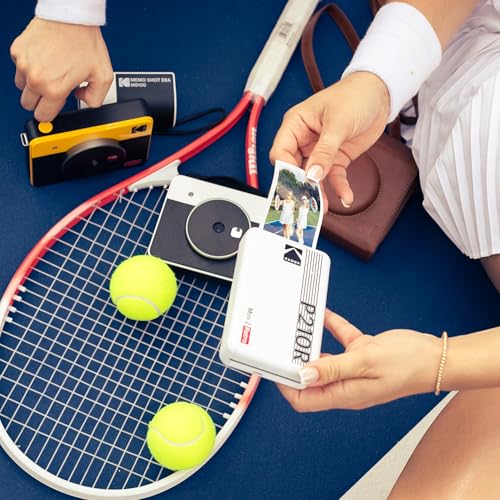
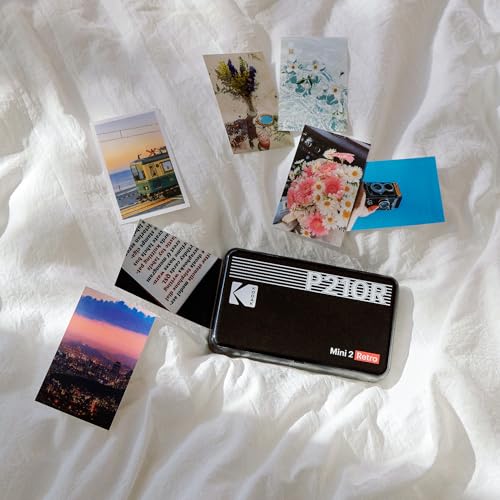
The Kodak Mini 2 Retro brings dye-sublimation quality to the budget end of the market. Using Kodak’s proprietary 4PASS technology, it produces 2×3″ prints in four color passes that are sharper and more vivid than ZINK output, with a laminated surface layer that resists water, fingerprints, and UV fading.
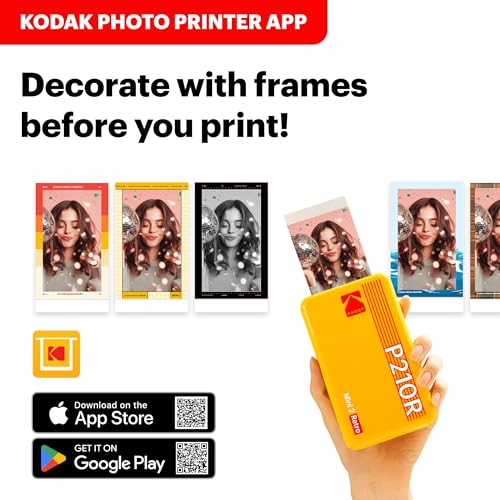
The retro design is a nice touch – inspired by classic Kodak cameras with a rounded body and the familiar Kodak branding. The box includes 38 sheets of paper, which is more generous than most competitors. The printer connects via Bluetooth and uses the Kodak Photo Printer app for editing and printing.
The trade-off is a slightly lower user satisfaction rate. At 4.1 stars from 11,000+ reviews, the Kodak Mini 2 Retro scores lower than competitors. Common complaints center on the app experience and occasional connectivity issues. The prints themselves are genuinely good once they come out – it is the journey to get there that can be frustrating for some users.
Pricing & Where to Buy
The Kodak Mini 2 Retro is priced at $100 and includes 38 sheets of photo paper (as of March 2026). Additional 4PASS paper refills run about $15 for 30 sheets.
- Buy on Amazon – Includes 38 sheets, Prime shipping
- Check price at B&H Photo
Choose the Best Mini Photo Printer
For most iPhone users, the Canon IVY 2 Mini offers the best balance of price, print quality, and app experience. ZINK peel-and-stick prints are hassle-free, and the Canon app is genuinely polished.
For the absolute best experience, the Fujifilm Instax Mini Link 3 stands apart. The Instax film prints have an analog charm that no digital technology can replicate, and the app is the best in the business. The higher cost per print is the trade-off.
If print quality matters most, go with the Liene Pearl N200 Pro or Polaroid Hi-Print Gen 2 – dye-sublimation is noticeably better than ZINK for sharpness and color accuracy. And for anyone on a tight budget, the Kodak Step at under $75 gets the job done.
For those looking for larger format portable printers that handle 4×6″ prints, check out the best portable photo printers guide. And for help getting the most out of your iPhone camera before printing, see the guide to printing photos from your phone.
Final Recommendations
Fujifilm Instax Mini Link 3
Canon IVY 2 Mini
Liene Pearl N200 Pro
Kodak Step
Related Articles
Disclosure/Disclaimer: As an Amazon Associate, we earn from qualifying purchases. Certain content was provided "as is" from Amazon and is subject to change or removal at any time. Product prices and availability: Amazon prices are updated daily or are accurate as of the date/time indicated and are subject to change. Any price and availability information displayed on Amazon.com at the time of purchase will apply to the purchase of this product.