


- Best Overall: Luminar Neo — industry-leading Sky AI with automatic water reflections, scene relighting and generative tools; a one-time purchase, and currently up to 70% off in Skylum’s Summer Sale (ends June 28).
- Best for Professionals: Adobe Photoshop — dedicated Sky Replacement plus Generative Fill for the most complex composites.
- Best All-in-One: ON1 Photo RAW 2026 — Sky Swap AI with motion blur and automatic reflections; a strong one-time-purchase Lightroom/Photoshop alternative.
- Best for Landscapes: LandscapePro 3 — specialized sky replacement with atmospheric effects like fog and rain.
- AI turned sky replacement from hours of manual masking into a one-click job — quality now comes down to realistic reflections, relighting and edge handling.
When you buy through links on our site, we may earn a commission at no cost to you. We evaluate products independently. Commissions do not affect our evaluations.
Introduction
If you’ve ever captured a stunning landscape only to find the sky looking flat, overcast, or blown out, you’re not alone. Weather doesn’t always cooperate with photographers—but in 2026, that’s no longer a problem.
Sky replacement software has evolved dramatically in recent years. What once required painstaking manual masking and hours of Photoshop work can now be accomplished with a single click using AI-powered tools. These programs intelligently detect sky boundaries (even around complex subjects like hair and tree branches), match lighting and color tones, and even add realistic reflections in water.
Whether you’re a professional photographer looking to save time or a hobbyist wanting to transform dull photos into dramatic images, there’s a sky replacement tool that fits your needs and budget. Let’s dive into the best options available in 2026!
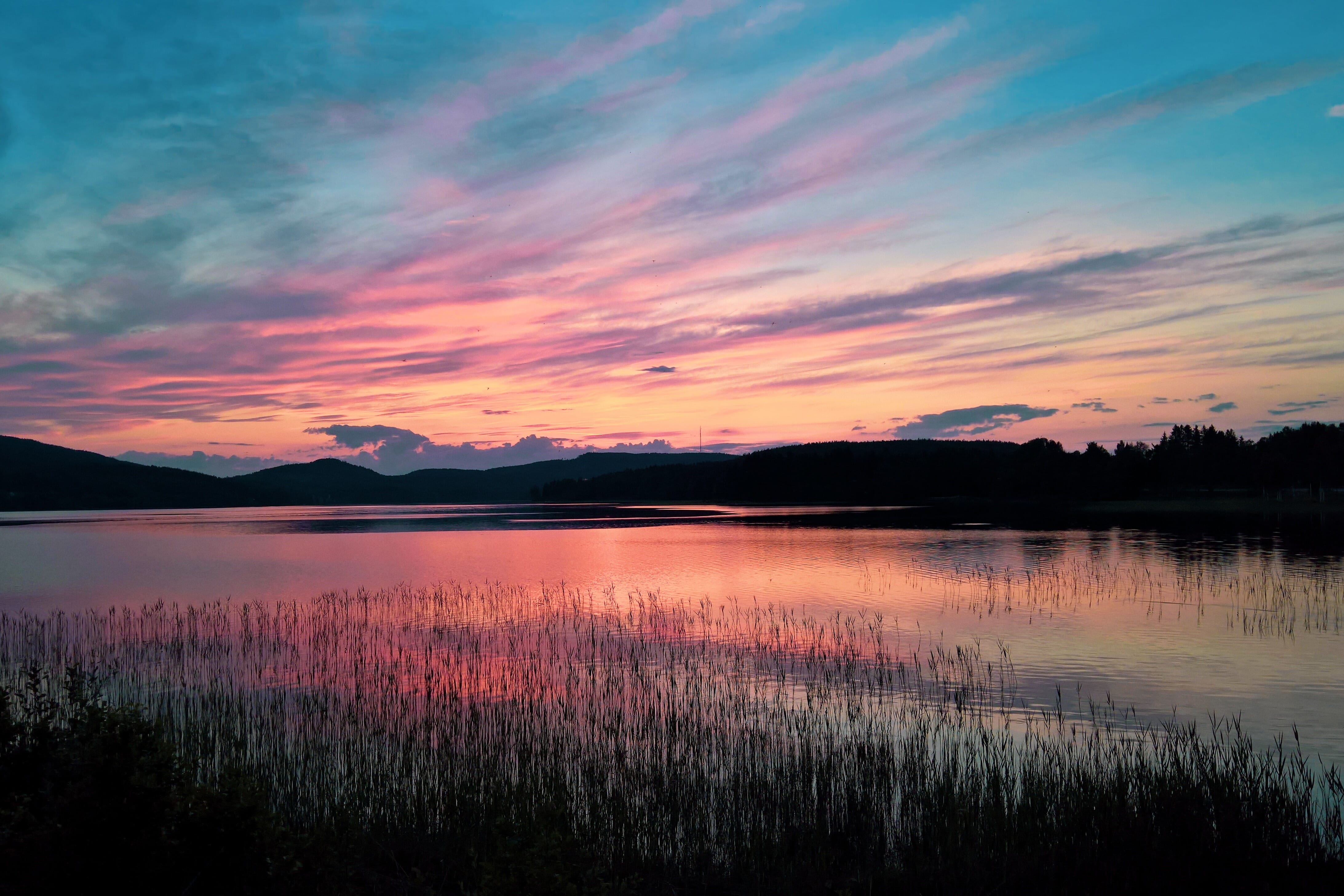

Our top sky-replacement pick, Luminar, is up to 70% off through June 28.
Best Sky Replacement Software in 2026
1. Luminar Neo
Luminar Neo offers the most advanced AI-powered sky replacement available, with automatic water reflections, scene relighting, and a massive library of sky presets.
Luminar Neo from Skylum has firmly established itself as the go-to solution for sky replacement in 2026. Building on the success of Luminar AI, Neo takes sky swapping to a new level with its advanced Sky AI feature.
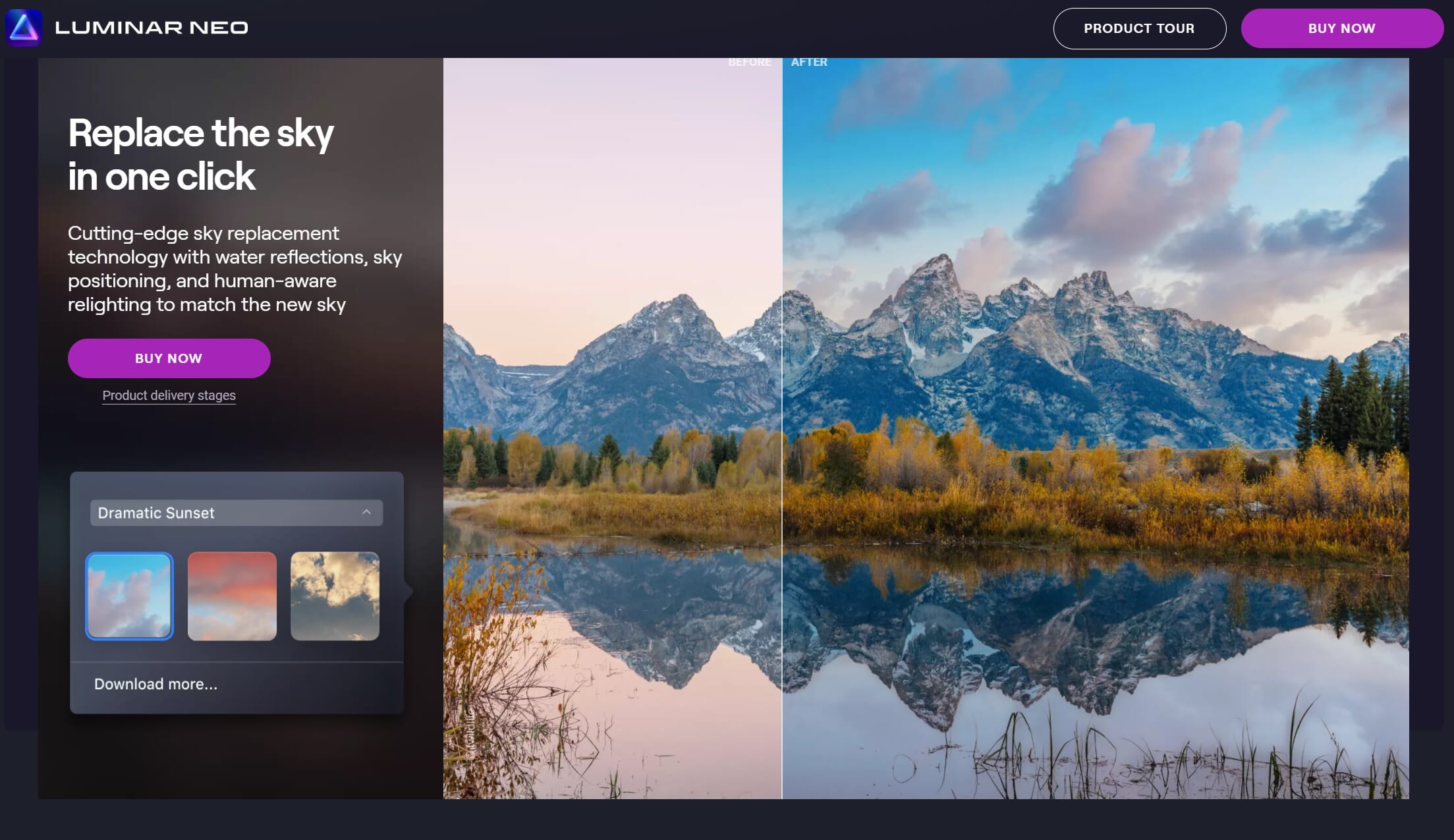
What sets Luminar Neo apart is its intelligent approach to sky replacement. The software doesn’t just swap the sky—it analyzes your entire image and makes comprehensive adjustments. When you select a new sky, Neo automatically:
- Masks around complex edges like hair, trees, and buildings with remarkable accuracy
- Adjusts the lighting and color temperature of your foreground to match the new sky
- Creates realistic reflections in water bodies
- Repositions and scales the sky for optimal composition
The 2025-2026 updates brought even more powerful features, including the Restoration tool for reviving old photos, Light Depth for dimensional lighting effects, and improved generative AI tools. GenErase lets you remove unwanted objects with AI-generated fill, while GenExpand can extend your scene beyond the original frame—perfect for creating wider landscapes.
Pricing: —64.99 for a perpetual desktop license, —84.99 for cross-device (includes mobile), or —99.99 for the Max license with Creative Library access. All plans include one year of updates and generative AI access.
2. Adobe Photoshop

Photoshop combines its dedicated Sky Replacement tool with revolutionary Generative Fill AI, giving professionals unmatched flexibility for complex sky composites.
Adobe Photoshop has dramatically improved its sky replacement capabilities since its initial AI-powered feature launched. The dedicated Sky Replacement tool (Edit > Sky Replacement) provides an intuitive panel where you can select from preset skies or upload your own, with real-time previews of the result.
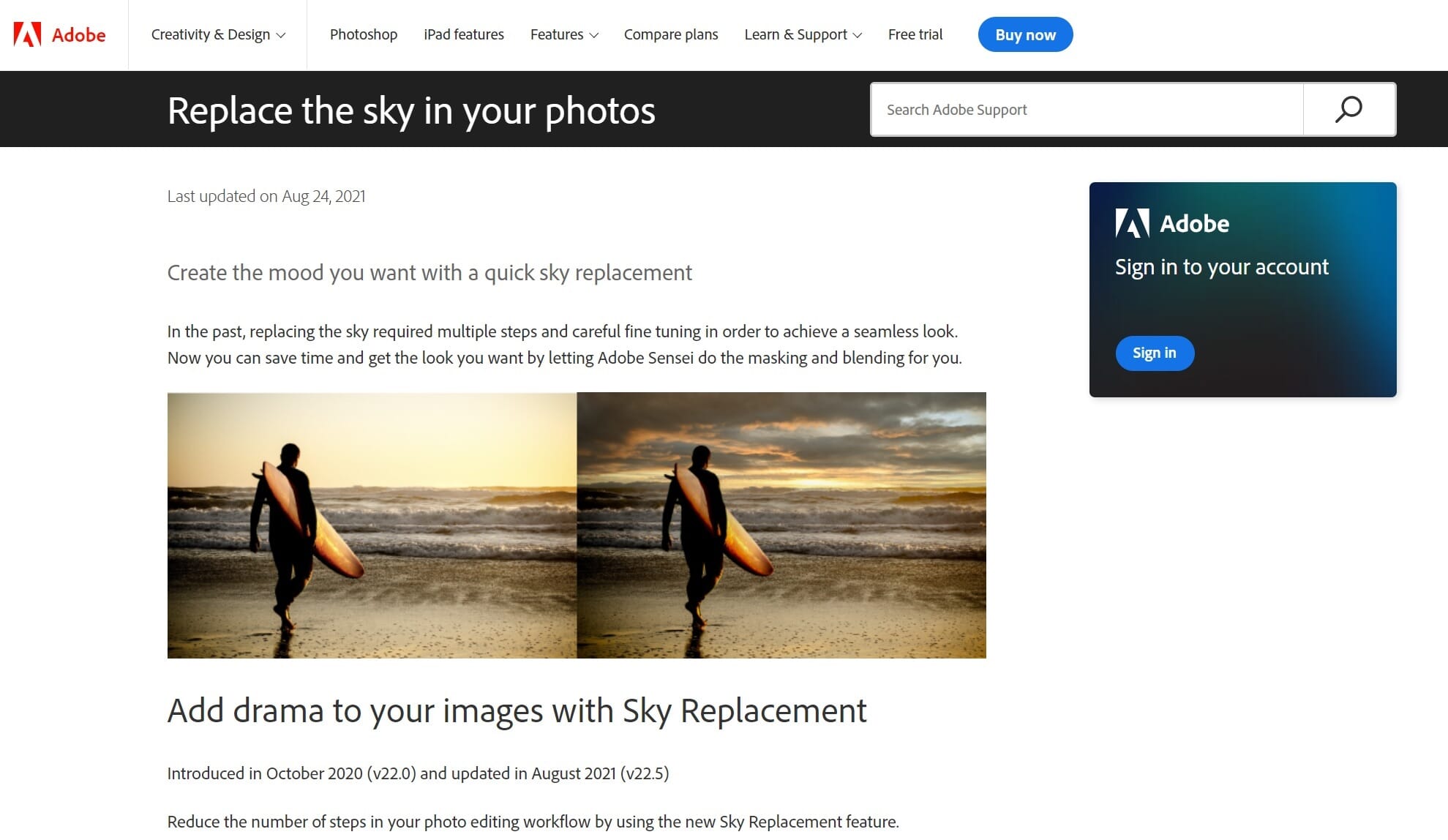
But where Photoshop truly shines in 2026 is the combination of Sky Replacement with Generative Fill. You can now select the sky area and use AI to generate entirely new, unique skies based on text prompts. Want a “dramatic stormy sunset with lightning”? Just type it in. This opens creative possibilities that preset sky libraries simply can’t match.
The Sky Replacement tool automatically adjusts foreground lighting, but Photoshop’s real power lies in the full layer control it provides. After the initial replacement, you have complete access to adjustment layers, masks, and blending modes to fine-tune every aspect of the composite. For professionals doing commercial work or complex composites, this level of control is essential.
Pricing: Photoshop is available only through Adobe’s Creative Cloud subscription. The Photography Plan (Photoshop + Lightroom) costs $9.99/month for 20GB storage or $19.99/month for 1TB. Photoshop alone is $22.99/month.
3. ON1 Photo RAW 2026

ON1 Photo RAW 2026 combines sky replacement with a complete photo editing suite, making it a compelling Lightroom and Photoshop alternative with no subscription required.
ON1 Photo RAW 2026 has emerged as a serious contender in the all-in-one photo editing space, and its sky replacement capabilities are a major reason why. The latest version 2026.2 brings significant improvements with enhanced AI masking and new creative filters.
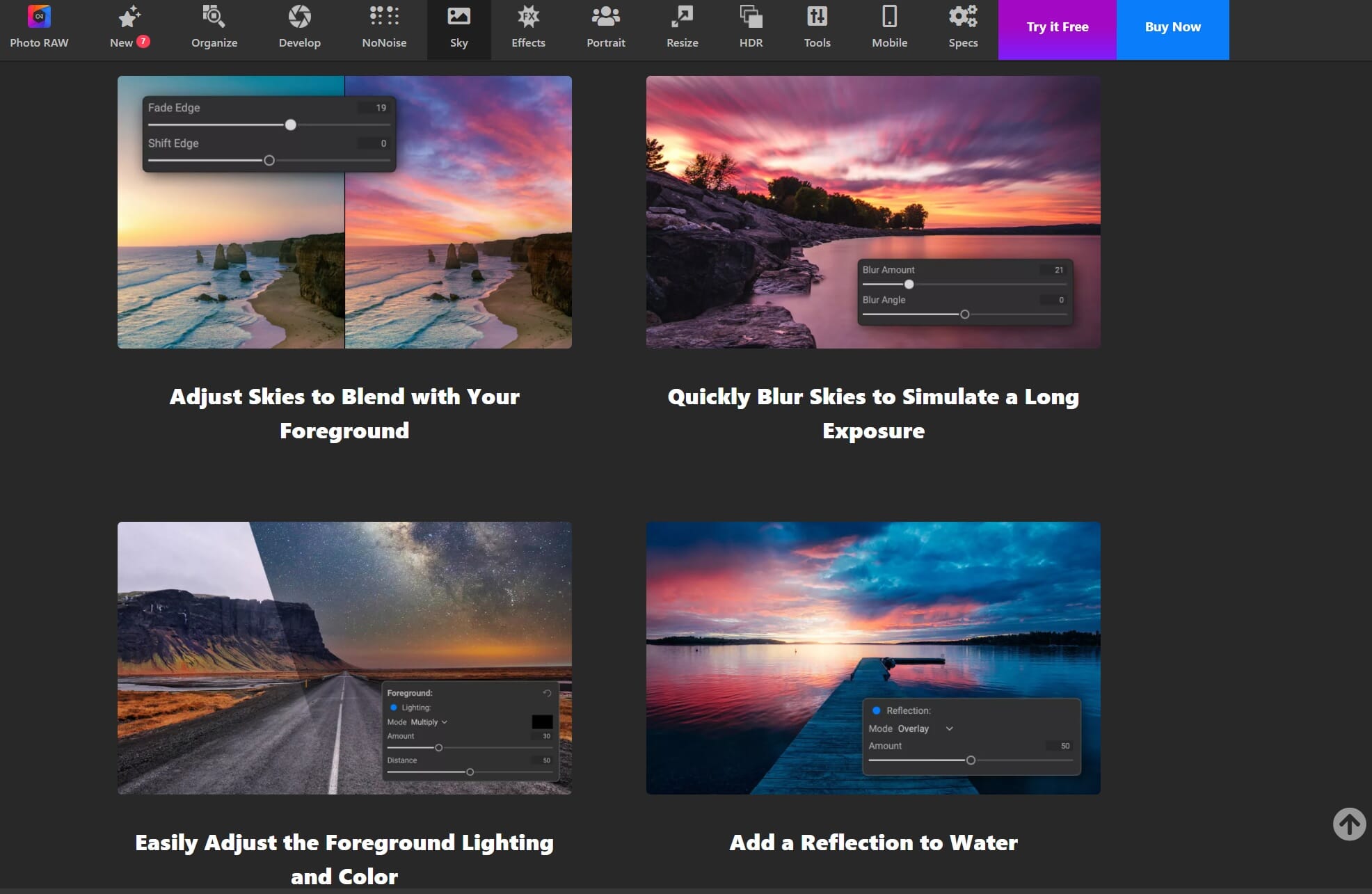
ON1’s Sky Swap AI does what you’d expect—accurate masking, automatic color matching, and a library of sky presets. But it adds some unique features that photographers love:
- Motion blur for skies: Simulate long-exposure cloud movement, perfect for adding drama to static shots
- Cinematic Depth Lighting: New in 2026, this feature uses AI depth masks to add professional lighting effects
- One-click subject and background masking: Instantly separate foreground from sky
- Generative Erase: Remove unwanted objects with AI-powered fill
What makes ON1 particularly attractive is that it’s a complete photo management and editing solution. You get RAW processing, cataloging, layers, effects, and retouching tools—all in one application. If you’re looking to replace both Lightroom and Photoshop without a subscription, ON1 deserves serious consideration.
Pricing: Photo RAW 2026.2 is available for a one-time purchase (price varies by edition—standard or MAX which includes plugin functionality). Subscriptions to Photo RAW MAX start around $7.99/month and include all future upgrades.
Related Post: ON1 Photo RAW Review
4. LandscapePro 3
LandscapePro 3 focuses exclusively on landscape photo editing, with intelligent sky replacement and unique atmospheric effects like rain, fog, and lens flares.
LandscapePro 3 takes a different approach from general-purpose editors. Made by the same company behind PortraitPro (the popular portrait retouching software), LandscapePro focuses exclusively on outdoor and landscape photography—and it excels in this niche.
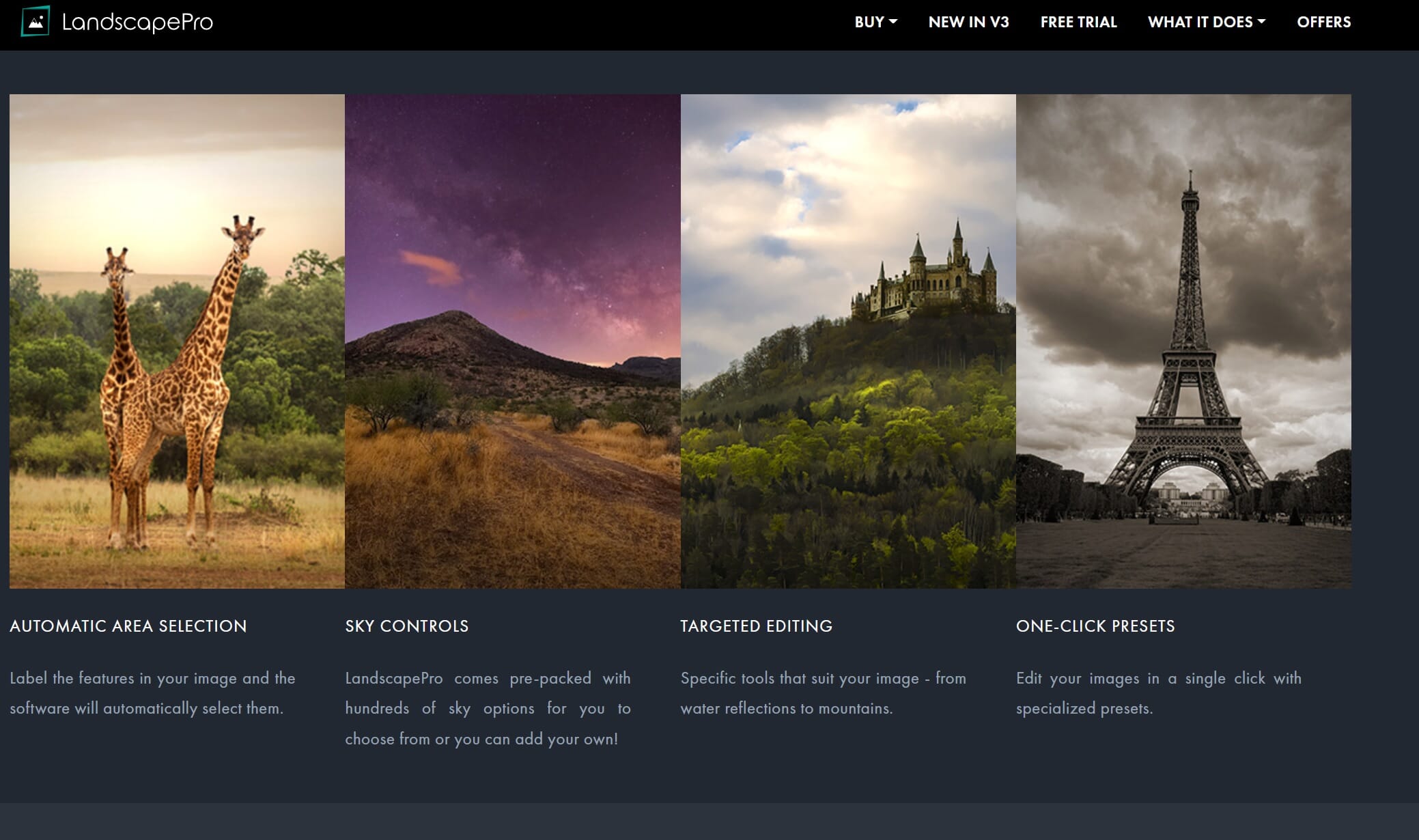
The software uses AI to automatically detect and label features in your landscape—sky, mountains, water, vegetation, buildings—and provides specific editing controls for each. For sky replacement, you get:
- Hundreds of pre-loaded sky options to choose from
- Ability to add your own custom skies
- Automatic adjustment of other scene elements to match the new sky
- Batch processing for efficiency
Version 3 added atmospheric effects that can transform ordinary landscapes into dramatic scenes. Add realistic rain, snow, fog, or lens flares with simple sliders. There’s also an object removal tool and the ability to add watermarks to protect your work.
Pricing: LandscapePro 3 starts at approximately $49.95 for the standard edition. The Studio version (with RAW support and Photoshop Smart Filter capability) and Studio Max (with batch processing and histogram) are available at higher price points.
5. Corel PaintShop Pro 2025

PaintShop Pro offers AI-powered background replacement and solid editing tools at a fraction of competitors’ prices. Great for hobbyists who want capable software without subscription fees.
Corel PaintShop Pro has been a budget-friendly Photoshop alternative for decades, and while it doesn’t have a dedicated sky replacement feature like the other options on this list, its AI Background Replacement tool can accomplish similar results.
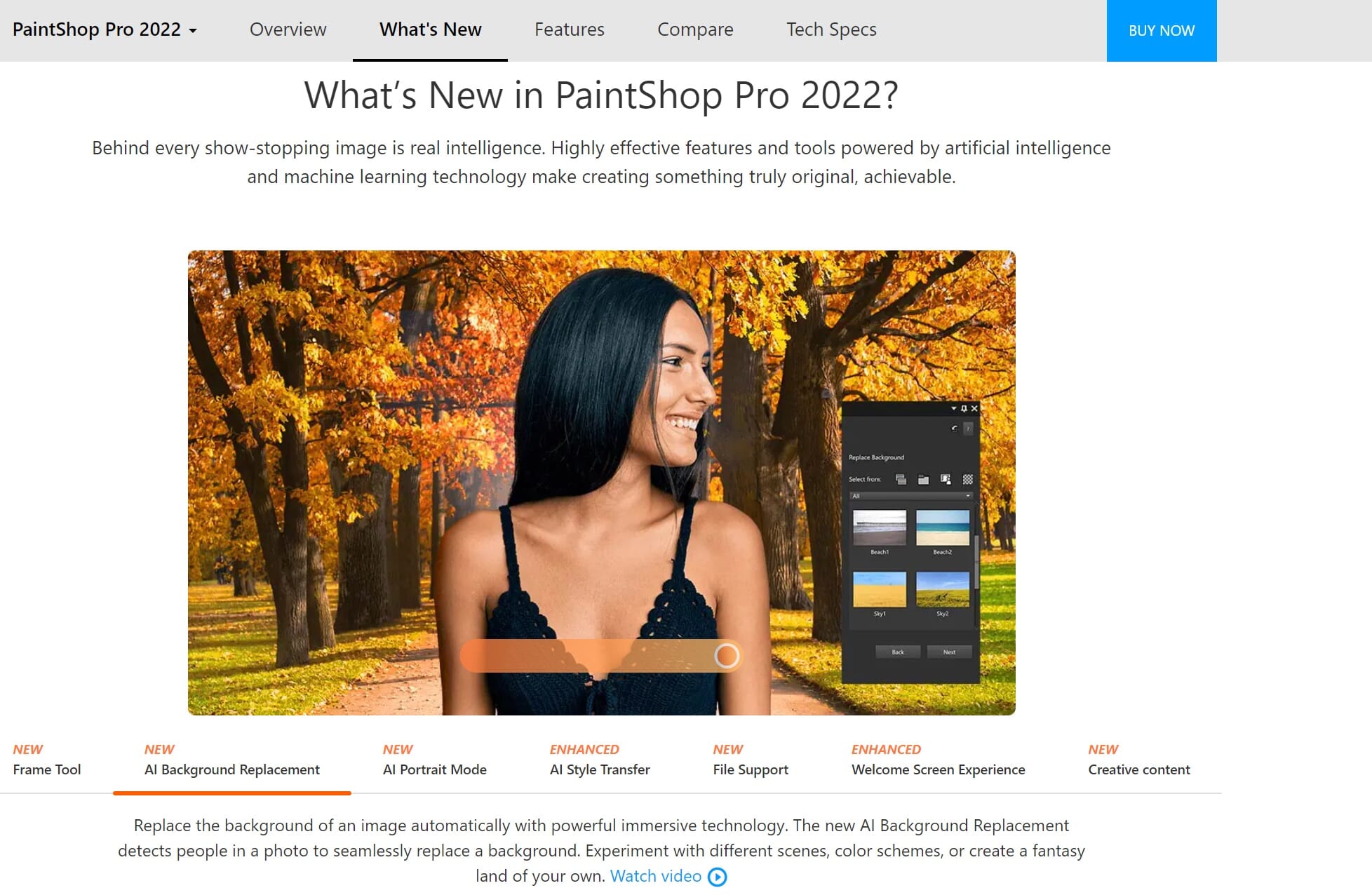
The AI Background Replacement feature uses machine learning to detect and mask subjects, allowing you to replace backgrounds (including skies) with reasonable accuracy. Combined with PaintShop Pro’s layer system and adjustment tools, you can create convincing sky replacements—it just requires a bit more manual work than the AI-first alternatives.
Where PaintShop Pro shines is value. You get a fully-featured photo editor with layers, masks, RAW support, and hundreds of creative tools for a one-time purchase that’s often under $100 (frequently on sale for much less). For photographers on a tight budget or those who do occasional sky swaps rather than regular compositing work, it’s a sensible choice.
Pricing: PaintShop Pro 2025 typically retails around $79.99 for the standard version, with the Ultimate edition (including additional creative software) priced higher. Frequent sales can drop prices significantly. Windows only.
Luminar Neo vs. Adobe Photoshop: Head-to-Head Comparison
Since Luminar Neo and Adobe Photoshop are the two most popular choices for sky replacement, let’s compare them directly:


Ease of Use
Luminar Neo wins. Everything happens in one organized panel with intuitive sliders. Select a sky, adjust a few settings, and you’re done. The automatic water reflections and scene relighting happen without any extra steps.
Photoshop’s Sky Replacement tool is also straightforward, but you’ll often want to apply additional adjustments using layers and masks—which requires more expertise.
Masking Accuracy
Tie. Both programs handle complex edges remarkably well. Tree branches, wispy hair, and intricate architecture are masked accurately by both. Photoshop may have a slight edge in edge refinement options, but Luminar’s results are equally impressive out of the box.
Creative Flexibility
Photoshop wins. With Generative Fill, you can create entirely new skies from text descriptions. Combined with full layer control, adjustment layers, and advanced masking tools, Photoshop offers unlimited creative possibilities. Luminar is more constrained to its preset skies and fixed adjustment options.
Value
Luminar Neo wins. A one-time —64.99 payment versus an ongoing $22.99/month subscription is a significant difference. Over three years, Photoshop costs over $800 while Luminar costs —65 once (plus optional upgrade fees for major new versions).
The Verdict
Choose Luminar Neo if you want the fastest, easiest sky replacement with excellent results and no subscription. It’s perfect for photographers who want great skies without becoming compositing experts.
Choose Photoshop if you’re a professional who needs maximum creative control, uses Generative Fill for unique creations, or already relies on Adobe’s ecosystem for other work. The subscription cost is justified if you use Photoshop’s broader capabilities regularly.
How to Choose the Right Sky Replacement Software
With so many options available, here’s a quick guide to help you decide:
- Want the best sky replacement with minimal effort? ? Luminar Neo
- Need maximum creative control and already use Adobe products? ? Photoshop
- Looking for an all-in-one Lightroom/Photoshop replacement? ? ON1 Photo RAW 2026
- Specialize in landscape photography? ? LandscapePro 3
- On a tight budget and don’t mind a learning curve? ? Corel PaintShop Pro
Start Replacing Skies Like a Pro
Sky replacement technology has never been more accessible or more impressive. In 2026, AI-powered tools make it possible for anyone to transform a photo with a dull, overcast sky into a dramatic image with stunning clouds, vibrant sunsets, or moody storm fronts.
Each program on our list offers a free trial, so we encourage you to test them with your own photos before committing. Pay attention to how well each handles your typical subjects and shooting conditions—results can vary depending on your specific needs.
Whether you choose Luminar Neo’s effortless AI, Photoshop’s creative power, or one of the other excellent options, the key is finding software that fits your workflow and helps you achieve your creative vision. Happy editing!

