

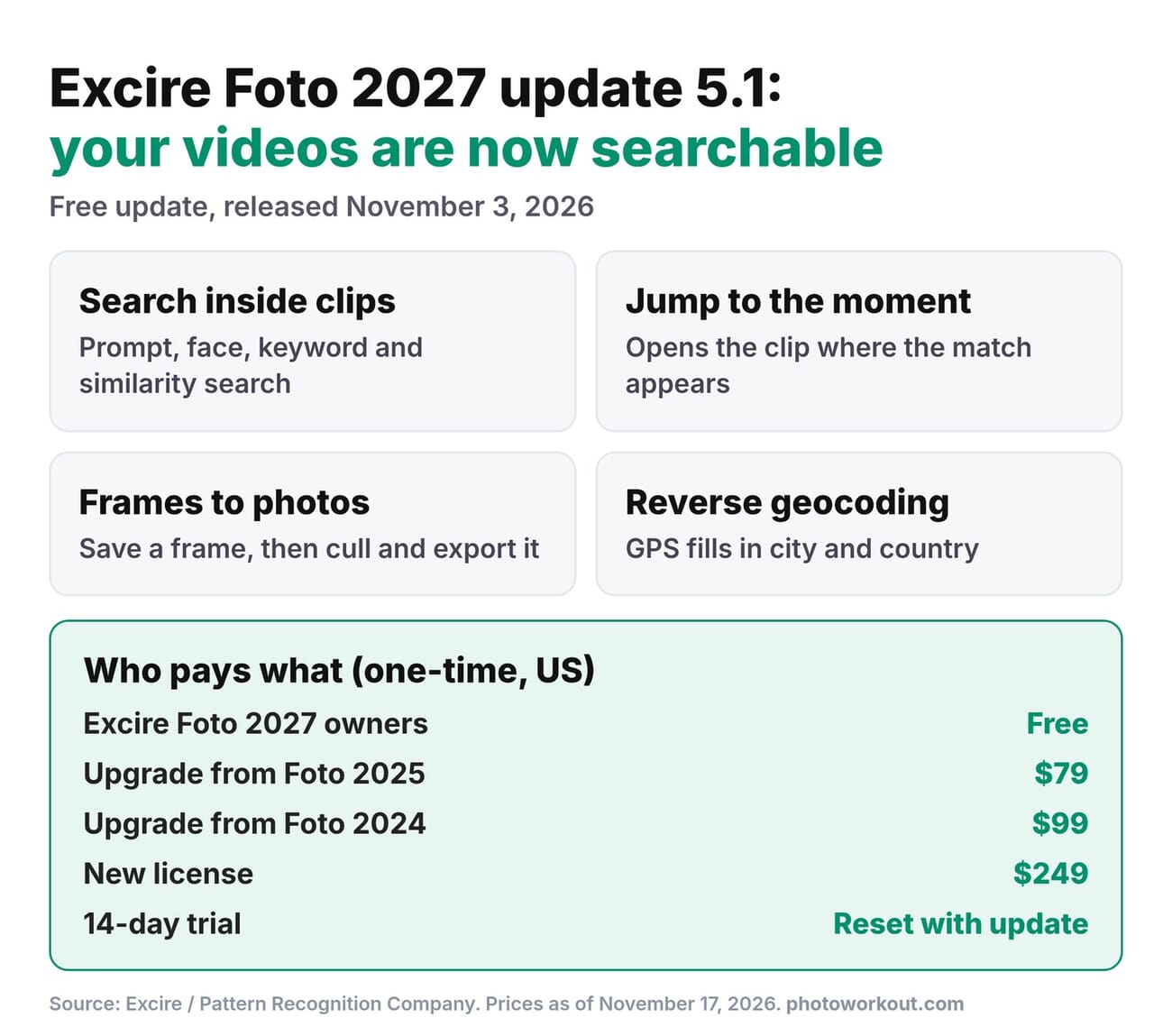
- Excire Foto 2027 version 5.1, released November 3, 2026, makes videos searchable by content: natural-language prompts, faces, people, keywords and visual similarity.
- Search results open a clip at the moment the match appears, and any frame can be saved as a photo that you can then cull, keyword and export.
- Reverse geocoding turns existing GPS coordinates into city, state and country metadata, in batches.
- The update is free for Excire Foto 2027 owners. New licenses cost $249 one-time, upgrades $79 (from 2025) or $99 (from 2024), and the 14-day trial has been reset.
- Everything still runs locally on Windows and macOS, with no cloud upload and no subscription.
Most photo organizers treat video as a second-class file: a thumbnail, a date and whatever filename the camera gave it. Finding the ten seconds where your kid blows out the candles still means scrubbing through clip after clip. Excire’s latest free update goes after exactly that problem.
Version 5.1 of Excire Foto 2027 indexes what is inside your videos, so the same AI searches that already work on photos now find specific moments in clips. It also adds frame-to-photo export and automatic location names from GPS data. Here is what changed, who gets it for free, and whether it is worth a second look if you passed on Excire before.
What the Free Update Adds
Advanced video indexing
Excire Foto now analyzes each video and extracts a set of frames that represent its content. Those frames are keyworded automatically and become searchable with the tools Excire users already know: natural-language prompt search, face and people search, keyword search and similarity search. Previously, video support was more basic, with playback and limited AI search across the clip as a whole.
Find the exact moment in a clip
Search for “surfer riding a wave” or a specific person, and matching videos appear in the results. Open one, and Excire jumps to the point where that content appears. For anyone with years of family, travel or event footage, this is the feature that saves real time.
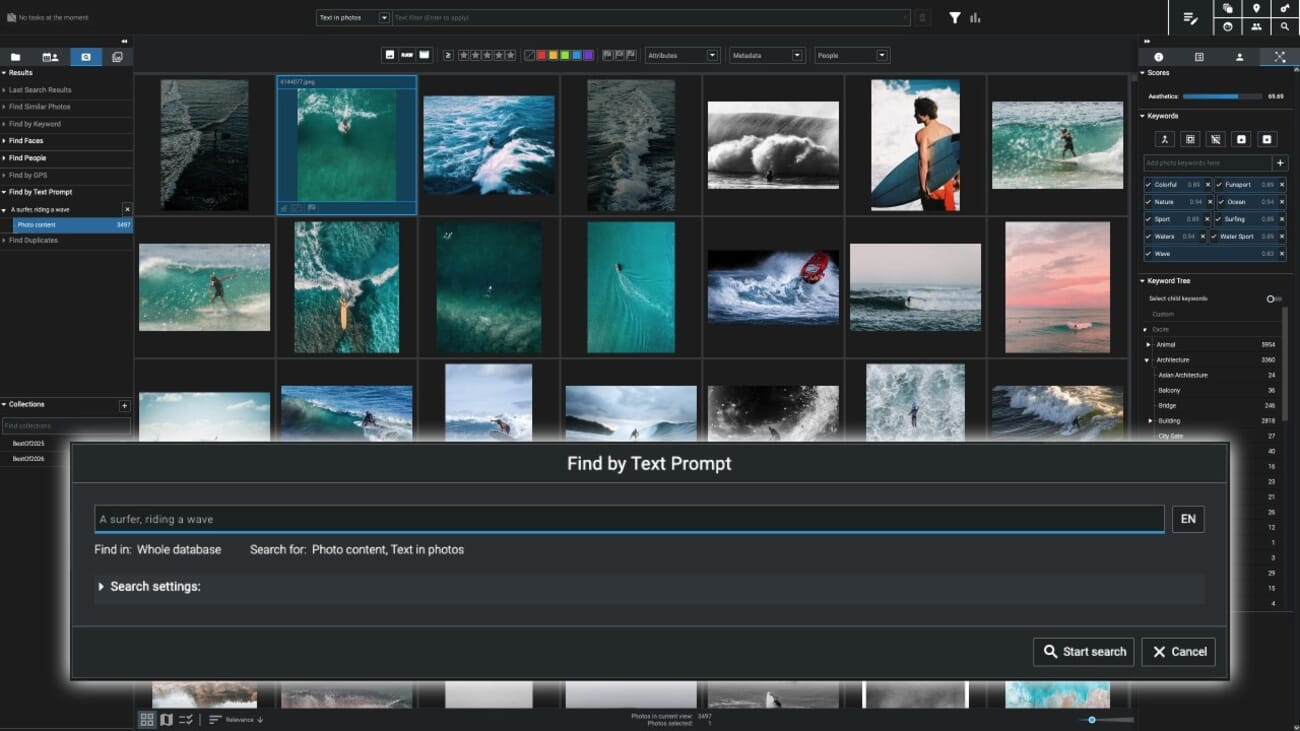
Control over searchable frames
You can add or remove the frames Excire uses to represent a video, add metadata to individual frames, and use a frame as the starting point for a similarity search. All of this is non-destructive: the original video file is never changed.
Save video frames as photos
Any frame can be saved as a separate photo without leaving Excire. Once saved, it behaves like any other image in the library: it can be analyzed, searched, culled and exported. For hybrid shooters pulling stills from 4K or 8K footage, that removes a round trip through a video editor.
Excire’s own walkthrough shows the video features in action:
Reverse geocoding
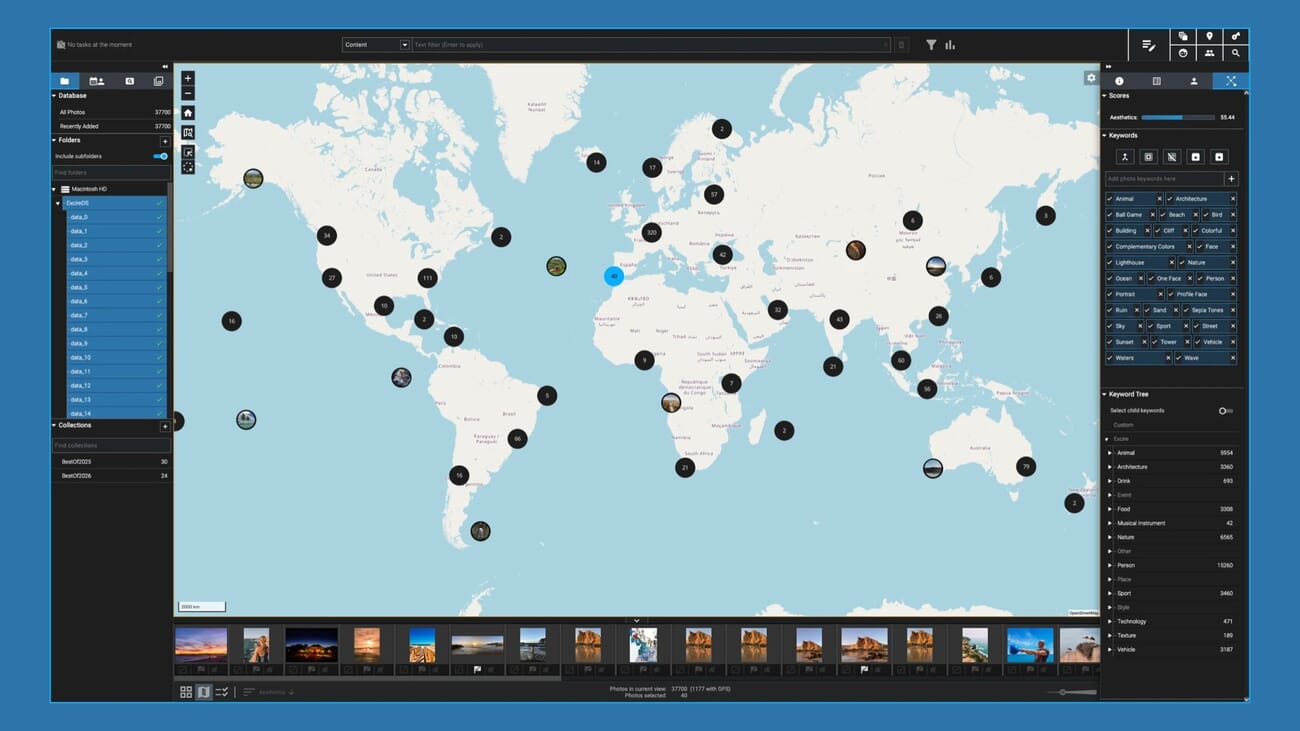
Photos from phones and GPS-equipped cameras carry coordinates, but the city and country fields usually stay empty. Excire can now fill them in from the existing GPS data, either automatically when images are added or in batches with a right-click. That makes location searches and metadata exports far more useful, especially alongside the existing map view.
Who Gets It and What It Costs
The update is free for everyone who already owns Excire Foto 2027: install it from inside the software, restart, and Excire offers to re-index existing videos with the new advanced indexing. Pricing for everyone else is unchanged and still subscription-free:
- New license: $249 one-time (€229 / £229).
- Upgrade from Excire Foto 2025: $79.
- Upgrade from Excire Foto 2024: $99.
- Free trial: 14 days, and the trial period has been reset with this update, so people whose trial already expired can test it again.
- PhotoWorkout readers: the code PHOTOWORKOUT takes 15% off at checkout on the Excire website.
Black Friday note: Excire ran a larger promotion over Black Friday and Cyber Monday last year. Nothing has been announced for 2026 yet. If a deal appears, it will be added here and to the Black Friday photography deals roundup.
Is It Worth a Look Now?
For photographers who only shoot stills, this update changes little beyond reverse geocoding. For anyone whose library is now half video, it closes the biggest gap in Excire’s pitch. Lightroom Classic still treats video as an afterthought, and cloud tools that can search inside clips require uploading your footage. Excire does it locally, on a one-time license.
The caveats are the usual ones. Indexing a large video library takes time and disk space, AI search quality depends on the footage, and Excire is an organizer, not an editor. For the full picture of what the software does well and where it falls short, see the hands-on Excire Foto 2027 review. And if culling is your main pain point, Excire also features in the AI culling software comparison.

Frequently Asked Questions
Is the Excire Foto 2027 video update free?
Yes, for existing Excire Foto 2027 owners. Install it from within the software. Owners of Excire Foto 2024 or 2025 need a paid upgrade ($99 or $79), and new users pay $249 for a one-time license.
Can Excire Foto search inside videos?
Since version 5.1, yes. It extracts representative frames from each video, keywords them and makes them searchable by text prompt, face, person, keyword and similarity, then opens the clip at the matching moment.
Does Excire upload my videos to the cloud?
No. All analysis runs locally on your Windows or macOS computer. Nothing is uploaded, which is one of Excire’s main differences from cloud-based photo services.
What is reverse geocoding in Excire Foto?
It reads the GPS coordinates already stored in a photo or video and fills in the city, state and country metadata fields, either automatically on import or in batches for existing files.
Bottom Line
Excire Foto 2027’s 5.1 update is the kind of free upgrade that changes who the software is for. Searching inside videos, jumping to the right moment and pulling stills from footage turn it from a photo organizer into a mixed-media library tool, without a cloud upload or a subscription. Owners should install it and re-index their videos. Everyone else gets a fresh 14-day trial to see whether it handles their own footage well.
Features and pricing come from Excire's announcement and support documentation, checked on November 17, 2026.
Primary Sources
- ePHOTOzine: Excire Foto 2027 adds advanced video search and reverse geocoding – Excire press release with features, pricing and November 3 availability
- Excire support: version comparison – Version 5.1 feature list
- Excire: Find exact moments in your videos (YouTube) – Official tutorial (embedded above)
- Excire: How to use reverse geocoding (YouTube) – Official tutorial (embedded above)
Image Sources
- Featured image: Excire Foto 2027 box art and interface – Excire affiliate press assets, composited by PhotoWorkout
- Prompt search and map view screenshots – Official Excire screenshots
- Update infographic – Infographic by PhotoWorkout from Excire's announcement
- Pinterest graphic – PhotoWorkout graphic using Excire box art