


- In early October 2026, a wave of free, open-source Adobe alternatives appeared on GitHub, including PhotoCraft (a Photoshop clone) and LightCraft (a Lightroom clone), largely written by AI coding tools rather than a big engineering team.
- The headline is not the apps themselves, which are early-alpha and not ready to replace your main editor. It is the cost collapse: AI has made cloning a professional creative app a weekend-scale project for a solo developer.
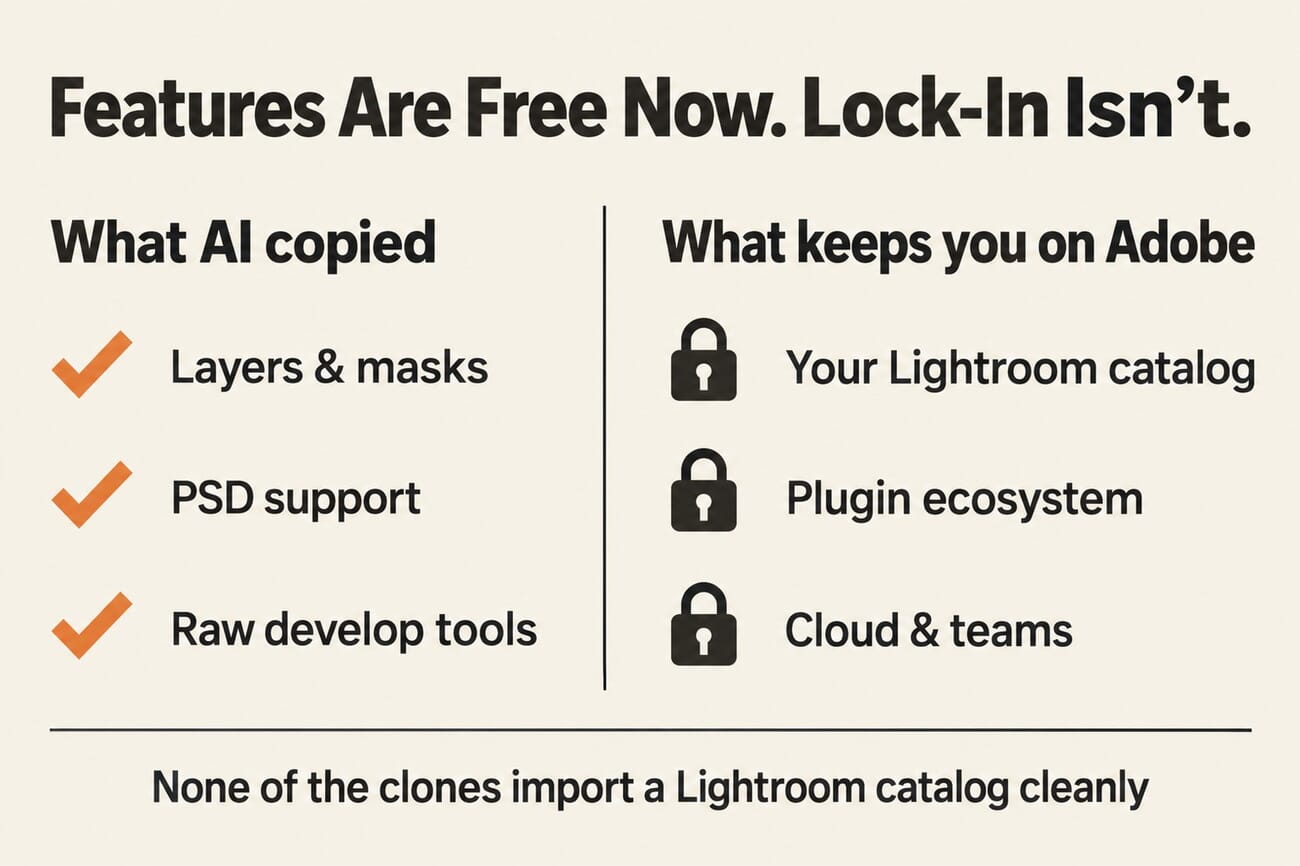
- That reframes the whole leave-Adobe debate. If features can be copied cheaply, features are no longer Adobe’s moat. What actually keeps photographers locked in is their catalog and ecosystem, and none of these clones import a Lightroom catalog cleanly.
- The honest advice: keep your current tools, but watch this closely. It lands on an Adobe already under real pressure from subscription fatigue, its Topaz acquisition, and pay-once rivals adding AI.
For two years, “just leave Adobe” has been a running theme in photography circles, and the honest answer was always complicated. This month it got a strange new chapter. In early October, a cluster of free, open-source clones of Adobe’s creative apps landed on GitHub, and the striking part is how they were made: largely by AI coding tools, by tiny teams or single developers, in a fraction of the time and money a project like this used to demand.
The coverage calls it “vibe-coding,” the loose practice of building software by directing AI agents rather than hand-writing most of the code. It is easy to overhype, and these tools are nowhere near ready to run a real business on. But under the novelty is a shift photographers should understand, because it changes what Adobe is actually selling, and why it is still so hard to leave.
What just dropped
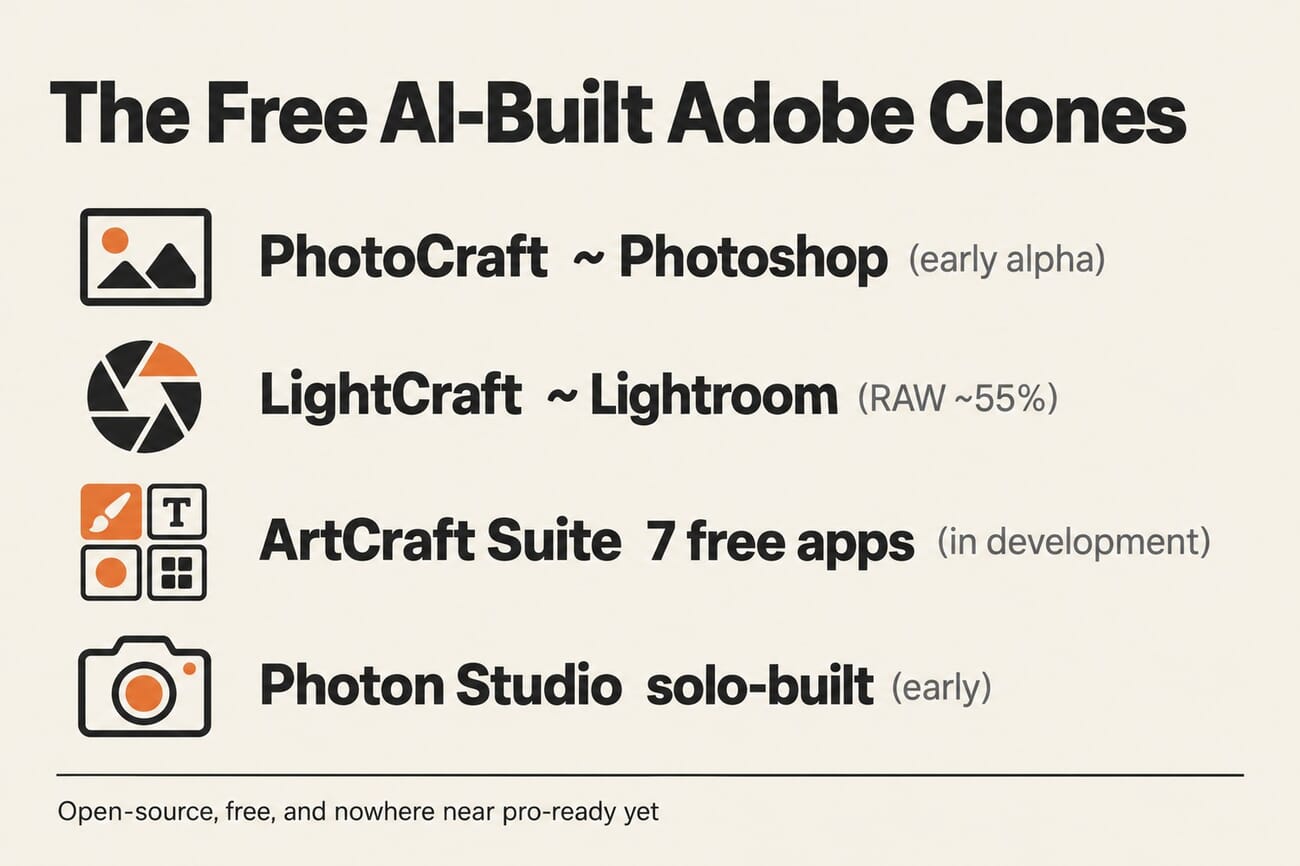
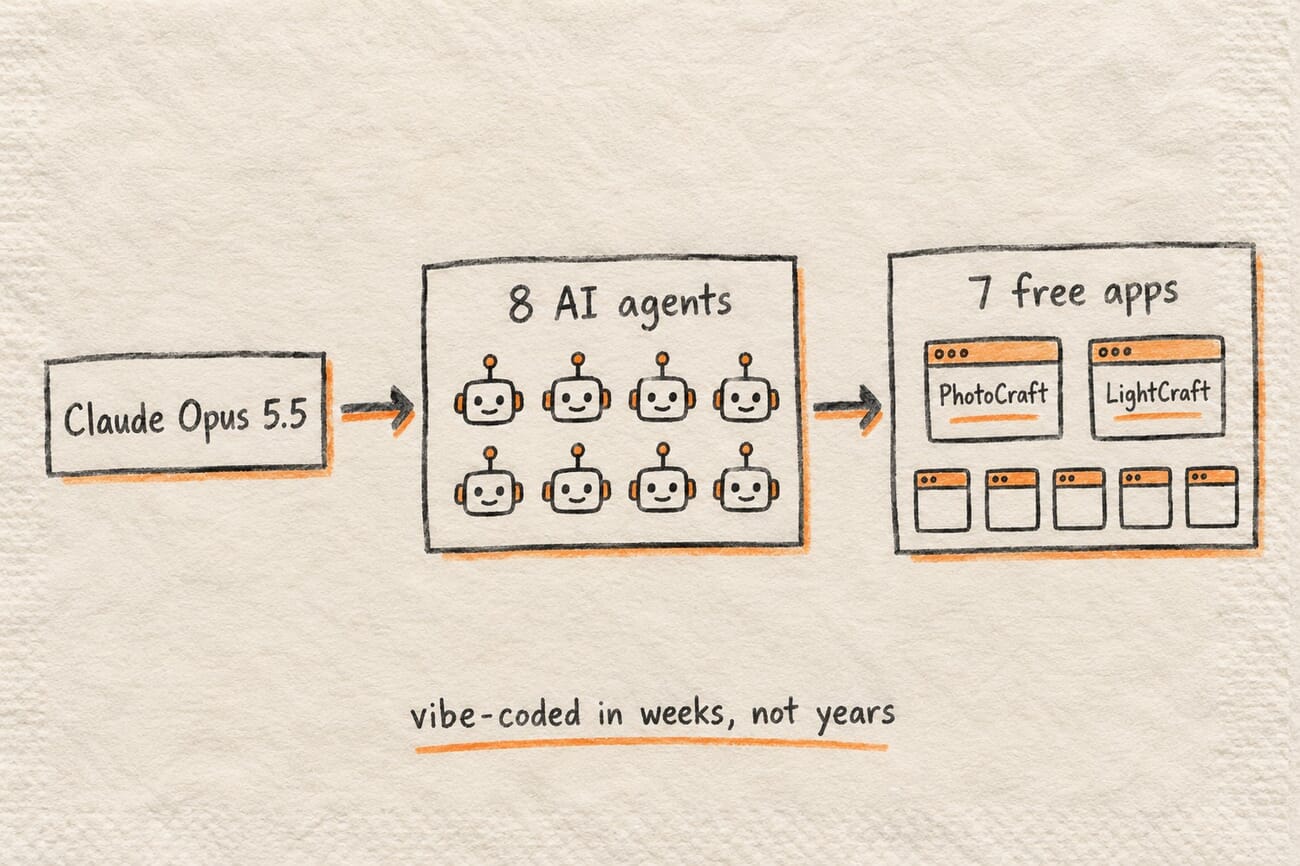
The centerpiece is ArtCraft’s “Crafting Apps,” a suite of seven free, open-source Adobe alternatives written from scratch in Rust and released in early October. Two target photographers directly. PhotoCraft, the Photoshop clone, opens and saves PSD and PSB files at 8-, 16- and 32-bit, supports RGB, CMYK, Lab and grayscale with ICC color management and soft-proofing, and handles layers, masks and adjustment layers. Its GitHub repo lists roughly 9,900 stars and over 1,700 automated tests, with 307 of 309 test PSD files reportedly round-tripping unchanged. LightCraft, the Lightroom clone, offers a tone curve, an 8-band color mixer, color-grading wheels, presets and AI-style sky, subject and background masks.
What makes it a story is the build method: the developer describes the suite as generated with Claude Opus 5.5 running eight parallel AI agents. A separate project, Photon Studio, is a free offline Photoshop-style editor built by a single developer who says it cost roughly $2,000 in AI model tokens to create. (Be skeptical of the hype around it: the developer has claimed “more than 20,000 users,” but independent trackers put actual downloads much lower, in the low thousands, so treat the adoption numbers as marketing, not fact.)
The honest caveat: these are alpha, not daily-drivers
Before anyone cancels Creative Cloud, the reality check. These projects are explicitly early. PhotoCraft is described as early alpha, several of the ArtCraft apps are still “in development,” and LightCraft’s own roadmap lists RAW support at around 55 percent and its AI and computational features at roughly 15 percent complete. That means missing file-format support, rough edges, bugs, and no guarantee any given project survives past a burst of launch attention. The sensible move is to keep your current editor as your working tool and treat these as fascinating experiments to watch, not production software.
The real story: AI collapsed the cost of cloning Adobe
Here is why this matters even if you never download a single one of these apps. Building a credible Photoshop or Lightroom competitor used to take a funded company years. These projects suggest that cost has fallen through the floor: a Photoshop clone that round-trips PSDs is now something a small team can stand up in weeks using AI agents, and a usable editor is a roughly $2,000-in-tokens side project. When the engineering moat around an app like Photoshop drops this far, features stop being a durable advantage. Anything Adobe ships can, in principle, be reverse-engineered and given away faster than before. That is the genuinely new facet of the long-running leave-Adobe conversation: not “switch to this tool,” but “the thing that made these tools expensive to build just got cheap.”
Why Adobe still wins, for now: the moat is lock-in, not features
If features are no longer the moat, what is? For photographers, the honest answer is your catalog and your ecosystem. Years of Lightroom edits, keywords, collections and develop history live in a catalog that none of these new clones import cleanly. Add plugins, presets, cloud sync, team workflows and muscle memory, and the real cost of leaving Adobe has very little to do with whether a rival has layers or a tone curve. It is the switching friction, which is exactly why even committed switchers find it hard. The vibe-coded clones chip at the feature wall while the catalog wall stays standing.
Adobe is already under pressure
The timing is what makes this more than a curiosity. Adobe is absorbing a major rival after the FTC cleared its acquisition of Topaz Labs, it is facing years of subscription-price complaints, and pay-once competitors are catching up on the one thing they used to lag on: DxO PhotoLab 10 added Lightroom-grade AI masking subscription-free, and a broader price war is reshaping AI editing. A flood of free, AI-built clones does not topple Adobe on its own, but it is one more crack in a wall that is taking hits from several directions at once.

Frequently Asked Questions
Are the free AI-built Photoshop and Lightroom clones any good?
They are promising but early. PhotoCraft can open and save PSD files and handle layers and masks, and LightCraft has real develop tools, but both are early-alpha with missing features and rough edges. They are worth watching, not yet worth relying on for professional work.
What does “vibe-coded” mean?
It is informal slang for building software mainly by directing AI coding agents rather than writing most of the code by hand. The ArtCraft apps were reportedly generated with AI agents, which is why a project of this scale appeared so quickly and cheaply.
Can these clones replace Lightroom for my photo library?
Not today. Beyond their alpha maturity, none of them import an existing Lightroom catalog cleanly, so you would lose years of edits, keywords and collections. Catalog lock-in, not features, is the main reason switching from Adobe remains hard.
Should I cancel my Adobe subscription because of this?
No. The practical advice is to keep your current tools and watch this space. The significance here is the trend, that AI has made cloning pro creative apps cheap, not that any single clone is ready to be your daily editor.
The bottom line
It is tempting to read “someone vibe-coded a free Photoshop” as either a gimmick or the end of Adobe, and it is neither. The apps are early and most people should not touch them yet. But the economics behind them are real and they are not reversible: AI has turned a once-unthinkable engineering effort into a side project, and that erodes the idea that Adobe’s feature set is untouchable. For now, Adobe’s moat holds because it is built on your catalog and your habits, not its toolbars. The open question for the next few years is how long a moat made of switching friction can hold when the features on the other side keep getting cheaper to build.
Primary Coverage
- PetaPixel: Someone rebuilt free, open-source versions of Photoshop, Premiere and Lightroom using AI – Overview of the ArtCraft Crafting Apps suite and how it was built.
- Gizmodo: Someone vibe-coded a free knockoff of Adobe Creative Suite – Context on the vibe-coding trend and the apps' scope.
- Hacker News discussion – Developer and community commentary on the clean-room implementations.
- ArtCraft (getartcraft.com) and GitHub repository – The official Crafting Apps site and source code.
Image Sources
- Concept illustration, infographics and build-pipeline sketch: PhotoWorkout – Original PhotoWorkout editorial graphics.