


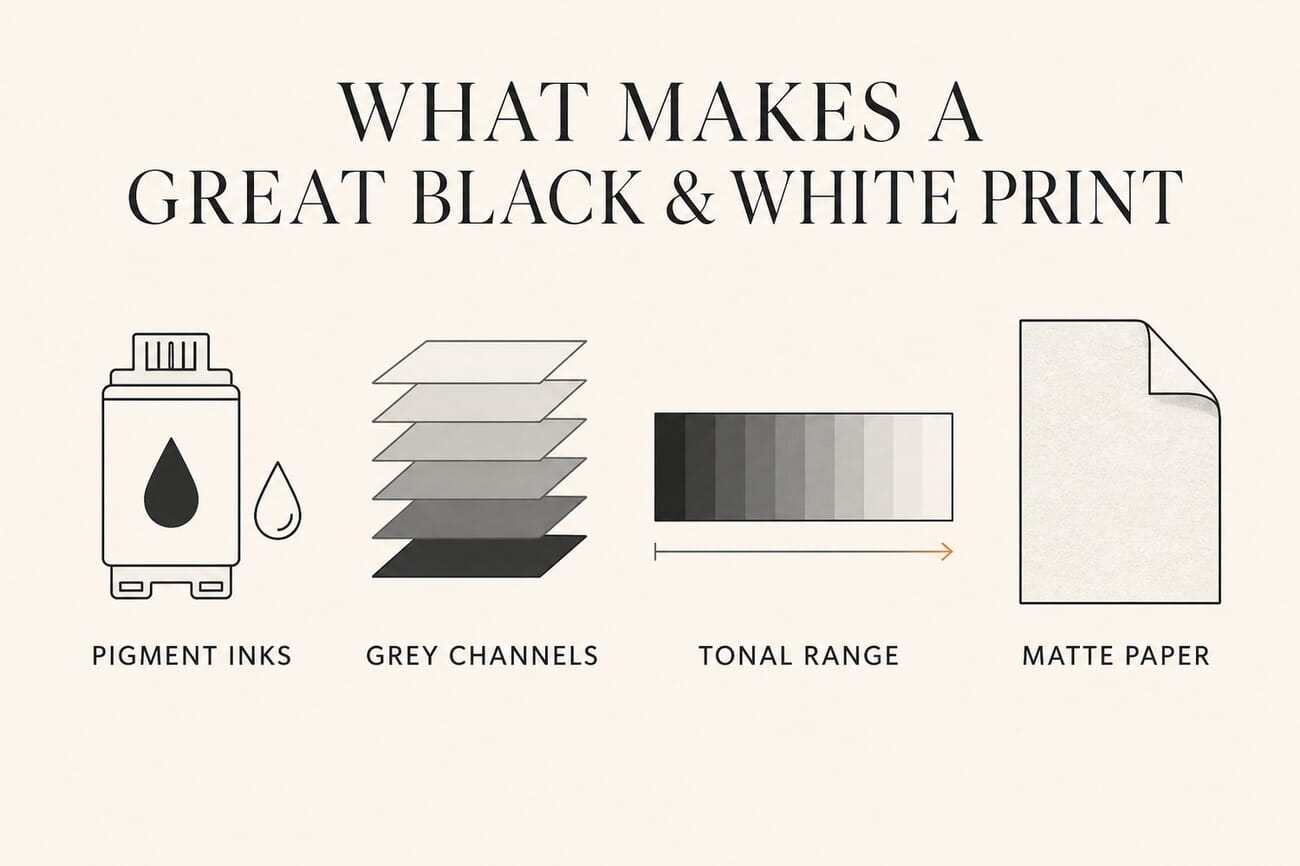
- For serious black-and-white printing, look for pigment inks and dedicated grey channels, which is what separates a rich monochrome print from a flat grey one.
- The Canon imagePROGRAF PRO-310 and PIXMA PRO-200S lead for neutral, archival B&W thanks to their pro inksets; the Epson Expression Photo XP-15000 is the value pick around $300.
- Match the printer to your output size: letter and A4 models for proofs and everyday prints, 13-inch models for exhibition-scale work.
- The paper matters as much as the printer. A good matte or baryta fine-art stock is where black-and-white tonality comes alive.
- Budget for the long haul: ink and paper, not the printer itself, are the real ongoing cost of fine-art printing.
Wrong printer choices waste expensive fine art paper and ink, plus the hours you could spend shooting. For black-and-white work, the right inkset, screening, and paper handling decide whether your shadows breathe or block up. Prosumer photographers and serious hobbyists care about neutral grayscale, archival longevity, and heavy stock handling, with ink costs that make sense over a year.
We analyzed and compared 5 printers for black-and-white photography and ranked them for tonal smoothness, Dmax, maintenance behavior, and cost per print. The Canon imagePROGRAF Professional 13″ scored 87/100 for quietly excellent monochrome, consistent paper feed, and long-lasting pigment output. The Canon PIXMA PRO-200S Professional earned 81/100, a fast option that shines on glossy stocks. We also call out specialized picks for gallery pigment output and low-maintenance setups.
You’ll get clear guidance on inksets, practical maintenance routines that minimize clogs, and realistic cost per print breakdowns. We organize picks by use case and budget, with notes on profiles, heavy paper feeding, and setup tips. If you need occasional color alongside exquisite monochrome, we flag models with a wide color gamut that still hold a neutral gray.
When you buy through links on our site, we may earn a commission at no cost to you. We evaluate products independently. Commissions do not affect our evaluations. As an Amazon Associate, we earn from qualifying purchases.
Top Picks





A great monochrome print is a system, not just a printer. The best results come from pairing the right machine with the right fine-art paper, then letting pigment inks, dedicated grey channels, and a wide tonal range do the work. If you print larger formats, our guide to the best professional wide-format printers goes deeper, and if you only print occasionally, you can even print straight from your phone.
Best Photo Inkjet Printers 2026: 5 Prosumer Picks for Gallery-Quality Color
| Specifications | |||||
|---|---|---|---|---|---|
| Rating | 87/100 | 81/100 | 70/100 | 45/100 | 44/100 |
| Ink type | Pigment-Based | Dye-Based | Claria Photo HD Ink | Pigment ink | 6-Colour Claria Photo HD Inks |
| Number of ink colors | 9 | 8 | 6 | 6 | 6 |
| Display size | 3.0-inch | 3.0-inch | 2.4" | 4.3-inch | 4.3-inch |
| All-in-One | No | No | No | Yes | Yes |
| Year | 2025 | 2025 | 2017 | 2020 | 2022 |
| Maximum paper size | 13 x 19 in | 13 x 19 in | 13 x 19 in | 8.5 x 14 in | 8.5 x 14 in |
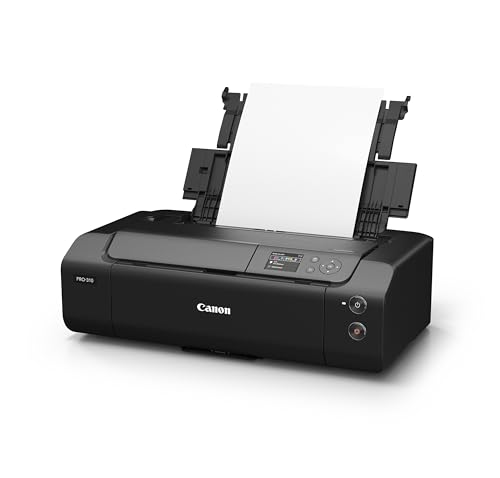
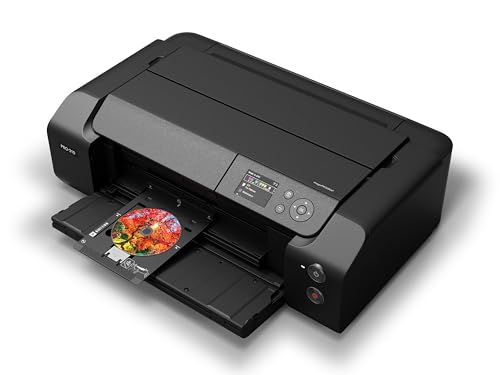
Canon imagePROGRAF Professional 13" PRO-310 Wireless Inkjet Photo Printer with 3.0-Inch…
photographers and hobbyists who want gallery-quality, archival pigment prints up to 13″x19″ from a dedicated desktop printer and are willing to pay for premium inks
- 9-color LUCIA PRO II pigment ink + Chroma Optimizer for wide gamut, smooth gloss uniformity and gallery-grade color
- A3+ (13″ x 19″) support and custom long-panorama printing for portfolio and gallery-size output
- Pigment-based inks that prioritize archival longevity and scratch resistance
- High ongoing ink and consumables cost, you must justify per-print expense
- Mixed reports on ease of setup and workflow integration (some buyers find setup fiddly)
Need gallery-grade prints at home or for client proofs? You get 9-color pigment printing with gloss control and true A3+ output so your portfolio and gallery prints reproduce color and tonal transitions more faithfully. The tradeoff: you’ll pay noticeably more per print for inks and occasional maintenance, but you’ll gain durable, archival prints and consistent gloss/black performance that justify the expense for sales and exhibitions.
Print Quality & Ranking:
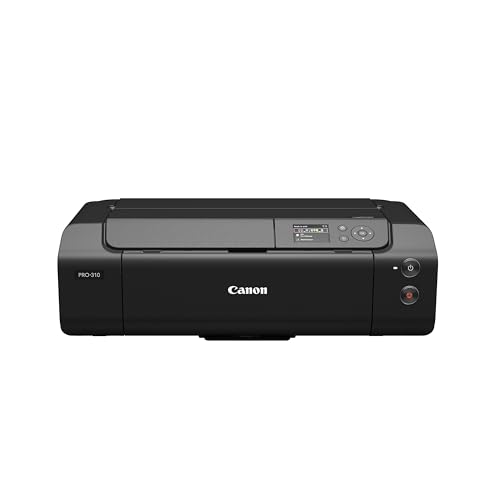
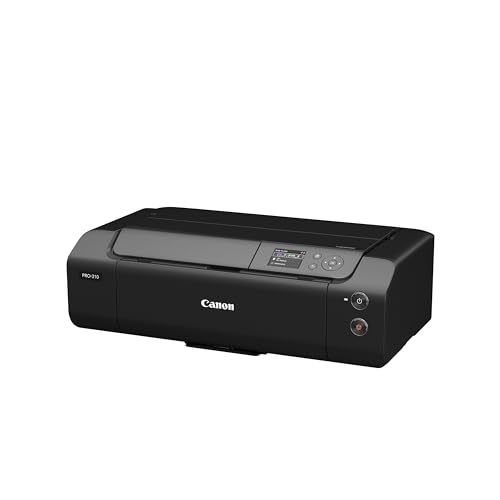
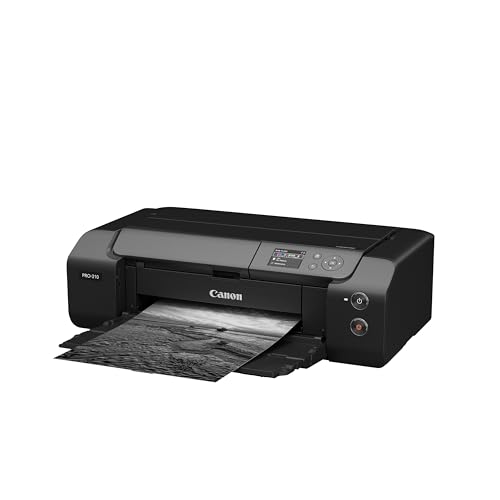
As our #1 pick for desktop photo printing, the Canon imagePROGRAF Professional 13″ (PRO-310) provides gallery-ready output backed by a 87/100 performance score. The 9-color LUCIA PRO II ink set with Chroma Optimizer renders rich color, deep blacks, and smooth tonal transitions so your prints look consistent on glossy and matte media.


Ink System & Longevity:
You get pigment-based inks designed for archival permanence and better scratch resistance, ideal when you sell prints or build long-term portfolios. Dedicated matte black plus gloss control elevates monochrome and luster finishes, while 1200 x 1200 dpi precision keeps fine detail crisp in landscapes, portraits, and illustrations.
Media Support & Workflow:
Print up to A3+ (13 x 19 inches) and create long panorama pieces for showstopping spreads. An anti-clogging system and improved skew correction help maintain reliability, and the 3.0-inch color LCD with wireless, USB, and Ethernet streamlines setup from your editing app or studio laptop. That mix delivers excellent value for creators who want consistent output without outsourcing.
Who It’s For:
If you prioritize permanence and color fidelity over sheer speed, this model brings pro-level control to your desk. Perfect for: fine art prints, portfolio prints, exhibition work.
Our Verdict:
Final recommendation: Choose the PRO-310 if you want dependable A3+ pigment output with gloss uniformity and repeatable color for client-ready work. It carries premium running costs, yet the archival quality and reliability offer a strong price-to-performance ratio for serious creators. Who is this for? Prosumer photographers and creative hobbyists who value in-house control, lasting prints, and consistent results for sales, shows, and proofs.
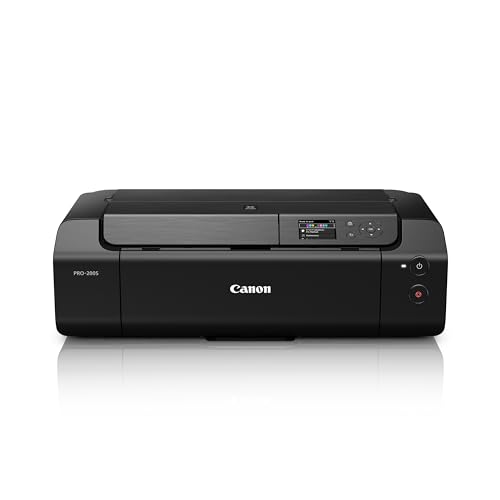
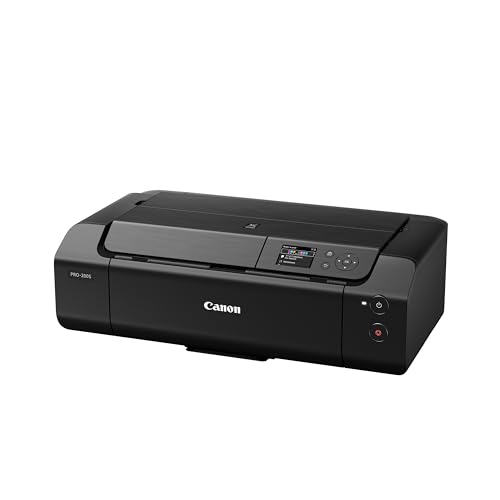
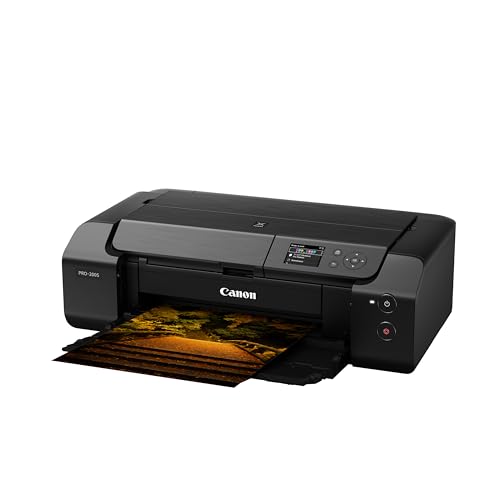
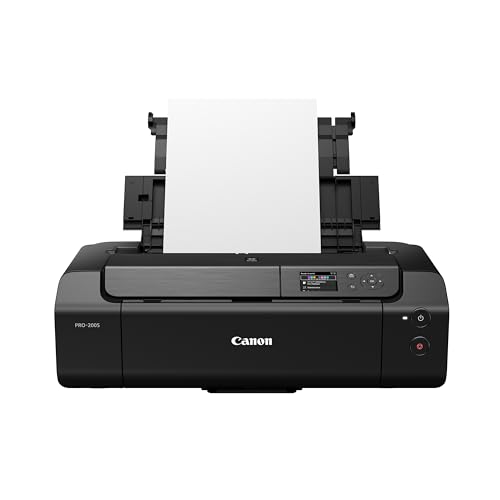
Canon PIXMA PRO-200S Professional 13" Wireless Inkjet Photo Printer with 3.0" Color LCD…
Prosumer creatives who want fast, vibrant 13″x19″ color prints for portfolios, client previews, and wall art where color pop and speed matter more than maximum archival permanence.
- Vibrant wide-gamut color from an 8-color dye ink set, excellent for punchy, saturated color prints and smooth gradations
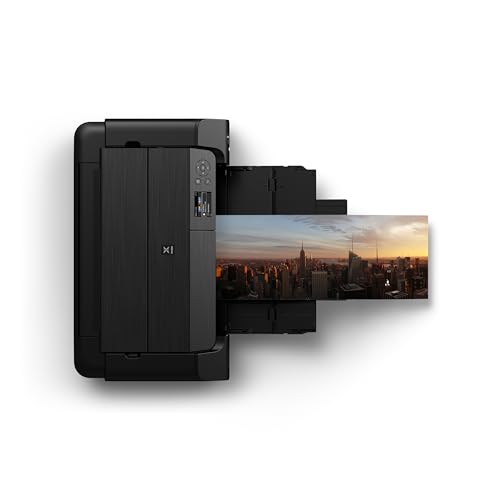
- True borderless A3+ (13″ x 19″) output with fast print times, good for portfolio sheets and large decor prints
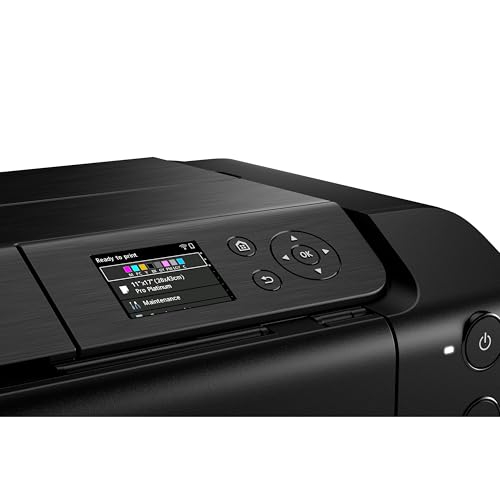
- Compact, easy setup with wireless + 3.0″ color LCD, strong market momentum (#1 search position and heavy recent sales) indicating current popularity and ecosystem support
- Dye-based inks, less archival fade resistance and weaker deep matte blacks compared with pigment-based pro printers (important for gallery/long-term archival sales)
- Unclear/limited info on handling very heavy fine-art or textured papers and thick media feed path, may require careful paper selection or extra handling
Need vibrant 13″x19″ prints for portfolio pages, client proofs, or gallery-style wall art? You’ll get punchy, wide-gamut color, fast borderless prints, and an easy wireless workflow so you can produce high-impact color work at home or in a small studio. The tradeoff: because it uses dye inks you’ll get less guaranteed museum permanence than with pigment printers, so if you’re selling archival prints long-term you may opt to reserve the PRO-200S for client previews and personal decor while using a pigment-based model for final archival editions.
Print Quality:
This A3+ photo printer provides bold, wide-gamut color for prosumers who want impact at home or in a small studio. It ranks #2 with a strong 81/100 thanks to the 8-color dye-based engine at 4800 x 2400 dpi, which produces vibrant hues and smooth tonal transitions.

Speed & Connectivity:
Borderless 13×19 prints finish in about 90 seconds, so you can refresh portfolio pages before a client meeting. Built-in wireless and Ethernet plus a 3.0″ color LCD keep setup simple and let you print from laptops or mobile devices without a tangle of cables.
Standout Features & Value:
13×19 borderless, panorama support, 8-color dye-based inks, wireless and Ethernet, and the handy 3.0″ color LCD create a smooth at-home print flow. Choose the PRO-200S new model for the latest support, and enjoy a strong price-to-performance ratio that brings professional-looking color to your desk.
Who It’s For:
Perfect for: portfolio prints, client proofs, wall art. If you value fast turnaround and vibrant color for presentations, pop-up shows, and home decor, this option fits your needs.
Our Verdict:
Final recommendation: this pick balances color punch, speed, and simplicity, which is why it stands as our #2 A3+ photo printer. Who is this for? Prosumer photographers and creative hobbyists who want high-impact color prints at home with minimal fuss and excellent value for the features.
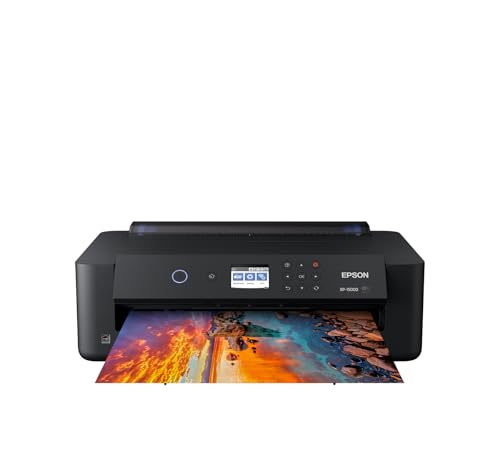
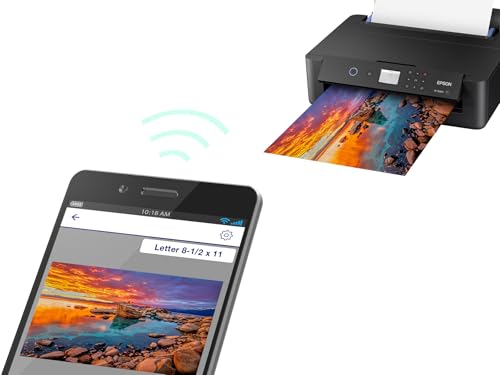
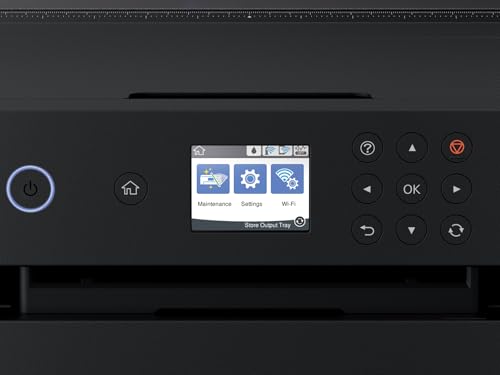
Epson Expression Photo HD XP-15000 Wireless Color Wide-Format Printer, Amazon Dash…
You want affordable, large-format 13×19 color and rich black-and-white prints at home for portfolios, gifts, or wall art, without paying pro-printer prices; not ideal if you require pigment-level archival permanence or heavy fine-art paper workflows.
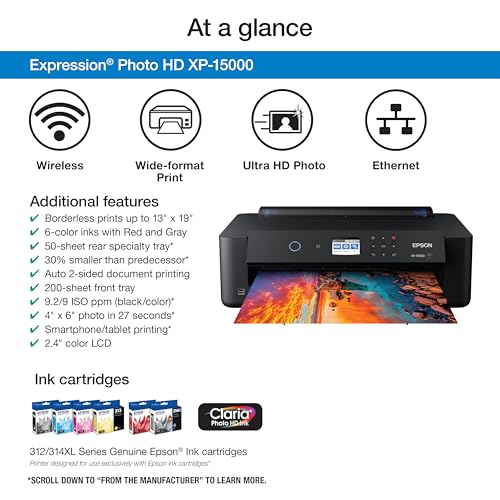
- True wide-format (up to 13 x 19″) borderless printing, lets you produce portfolio- and wall-size prints at home
- 6-color Claria Photo HD system (includes Red + Gray) for an expanded color gamut and improved black-&-white tonal rendering
- Individual ink cartridges, replace only the color you need, and the printer is compact for its class
- Uses dye-based Claria inks rather than pigment Ultrachrome, lower long-term archival stability compared with pro pigment printers
- Limited support for very heavy or textured fine-art stocks (rear tray sits 50 sheets; not a dedicated fine-art feed or roll support)
Want large, gallery-style 13×19 prints from your desktop? You get wider color gamut and richer black-and-white prints than basic consumer models thanks to the 6-color Claria system, letting you print portfolio pieces and wall art at home quickly. The tradeoff: you’ll be using dye-based inks (so archival permanence and heavyweight fine-art handling aren’t at the pro level) and you’ll pay more over time for replacement cartridges, a reasonable exchange if you value low up-front cost and fast in-house production, but not if you need museum-grade permanence.
Print Quality & Color Accuracy:
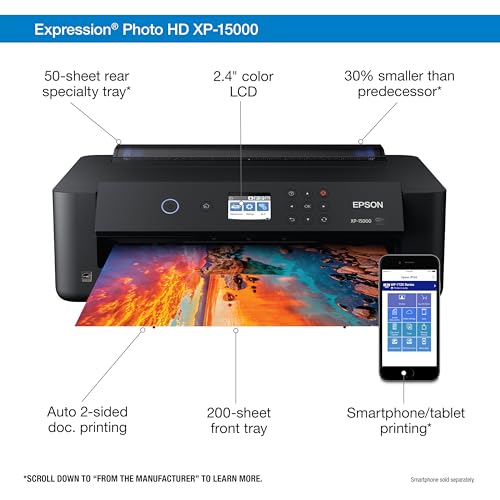
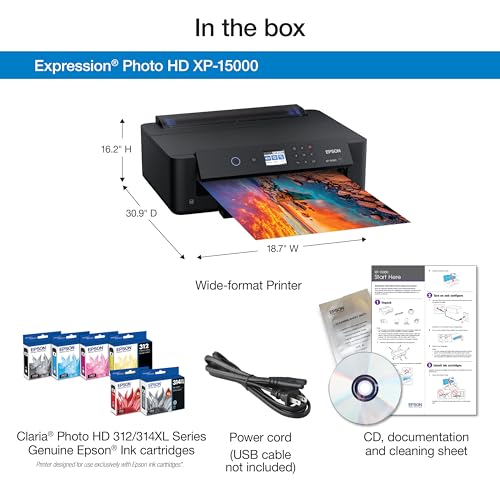
Compact wide-format design brings gallery-ready output to your desk. Positioned at #3 for its balance of size, color, and value, this pick earned a solid score near 70/100 thanks to rich tones and crisp detail that make your images pop.

Ink System & Color:
The 6-color Claria Photo HD setup adds dedicated Red and Gray inks, giving you a wider color gamut and smoother black-and-white transitions for portraits, landscapes, and moody monochrome. High-resolution 5760 x 1440 dpi printing preserves fine texture, so skin, foliage, and skies look natural and nuanced.
Paper Handling & Workflow:
Create large, display-ready pieces with 13×19 borderless prints, then switch to everyday jobs using the front 200-sheet tray and rear 50-sheet photo feed. Seamless connections via wireless, Ethernet, or USB keep your process smooth, while individual ink cartridges and auto 2-sided document printing add practical day‑to‑day versatility.
Who It’s For:
Perfect for: portfolio prints, wall art, client proofs. If you want large, vibrant output from a compact desktop unit with quick, reliable color for personal projects and light client work, this model fits neatly into a home studio setup.
Our Verdict:
Final recommendation: Choose this printer if you want to produce striking 13×19 borderless photos at home with expanded color from a 6-color Claria Photo HD system and easy wireless workflow. Who is this for? Prosumers and creative hobbyists who value a strong price-to-performance ratio, vivid color, and simple connectivity for fast, in-house prints.
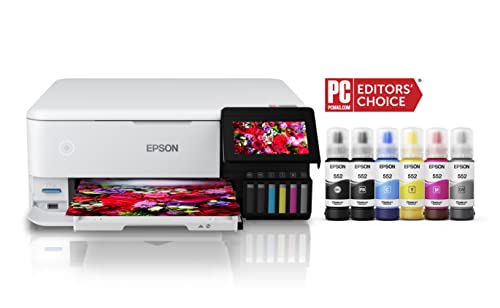
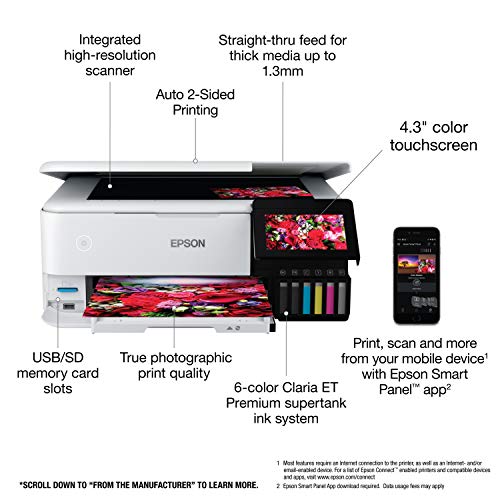
Epson EcoTank Photo ET-8500 Wireless Color All-in-One Supertank Printer with Scanner…
Photographers who want low-cost large (up to 13×19) photo prints and many proofs at home, good for portfolio testing, personal wall art, and high-volume hobby printing, but not for museum-archival fine art sales.
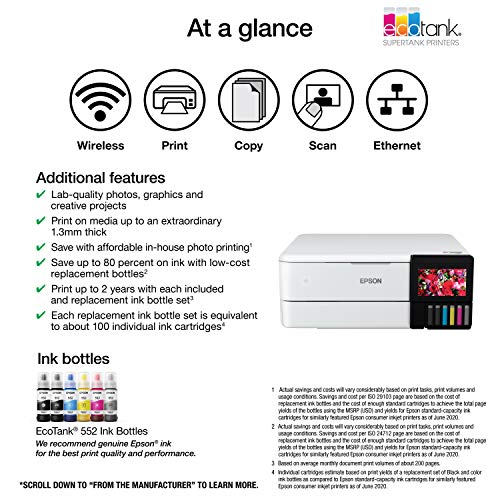
- Very low running cost thanks to EcoTank refill bottles, good if you print a lot of test/proof prints
- 6-color Claria ET Premium photo inks and borderless 13×19 support let you produce attractive large photo prints
- Modern conveniences: wireless/Wi‑Fi Direct, 4.3″ touchscreen and all‑in‑one scanner/copier for a home studio workflow
- AUDIENCE MISMATCH: Uses dye‑based photo inks (Claria ET) rather than professional pigment archival inks, limits archival longevity and ultimate color stability/gamut
- Limited heavy-media handling and small input capacity (Max input 10), not ideal for batches of thick fine‑art paper or gallery prints on textured stock
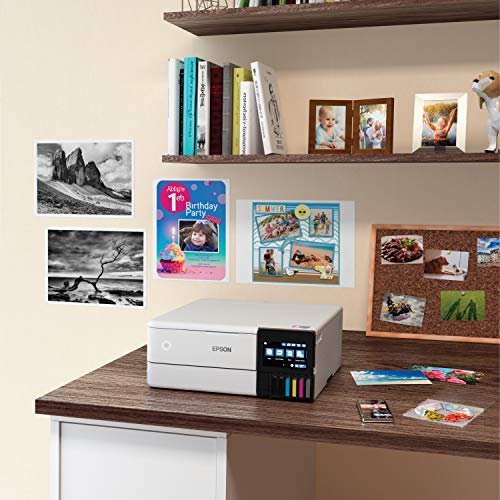
Need an affordable way to print lots of large proof and gift photos at home? You get 13×19 borderless printing and tiny per‑page ink costs so you can churn proofs and client copies without bleeding your budget. The tradeoff: you won’t get the pigment‑ink permanence and the absolute color‑gamut control that gallery‑grade fine art sales demand, but you will be able to proof, print wall art, and produce high‑quality personal/gallery‑sized prints quickly and cheaply.
Overview & Ranking:
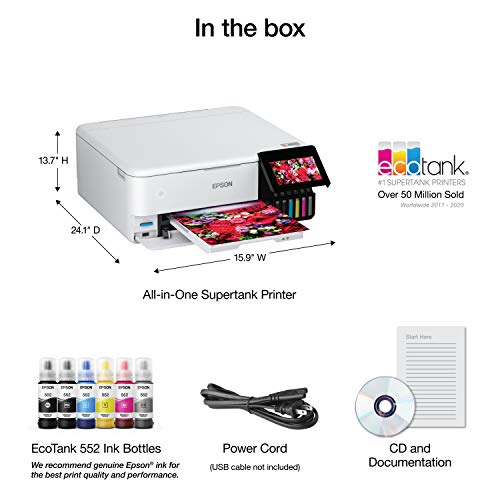
This printer provides big, beautiful photos while keeping running costs very low. It ranks #4 with a balanced 45/100, pairing A3+ output and an EcoTank Supertank so you can proof and produce at home without ink anxiety.

Print Quality:
With 6-color Claria ET Premium photo inks and up to 5760 x 1440 dpi resolution, you get smooth gradients, clean detail, and vibrant color. Print up to 13×19 borderless for portfolio spreads, panoramas, and wall art that look polished straight from your desk.
Standout Features & Value:
The refillable EcoTank Supertank with ink bottles keeps per-print costs tiny, encouraging frequent proofing and long runs of gift prints. An all-in-one design adds a flatbed photo scanner and copier, plus a responsive 4.3-inch color touchscreen with Wi‑Fi/Wi‑Fi Direct, Ethernet, and USB to streamline your home‑studio workflow.
Who It’s For:
If you want large prints and lots of proofs without frequent ink refills, this pick fits your pace. Perfect for: client proofs, portfolio prints, home decor.
Our Verdict:
Choose this model if you value low running costs, attractive 13×19 output, and the convenience of an all-in-one. It delivers an excellent price-to-performance balance for prosumers and hobbyists who want control of color prints at home.
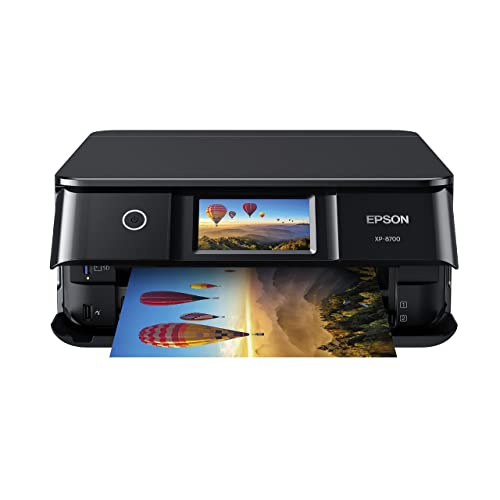
Epson Expression Photo XP-8700 Wireless All-in-One Printer with Built-in Scanner and…
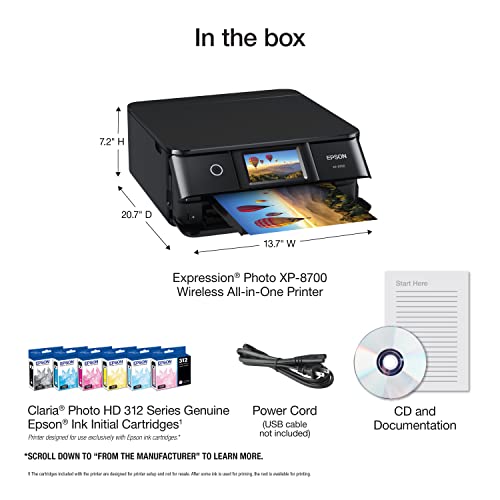
You if you want a compact home printer that delivers high-quality 4×6 to 8.5×11 photo prints, occasional fine‑art/archival tests on heavy stock, and easy wireless operation without the cost or size of a pro 13″+ printer.
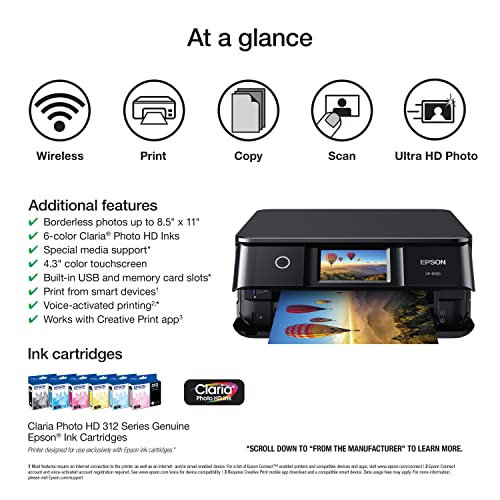
- 6-color Claria Photo HD inks + 5760 x 1440 dpi produce very good consumer/prosumer photo prints (vibrant, smooth gradations)
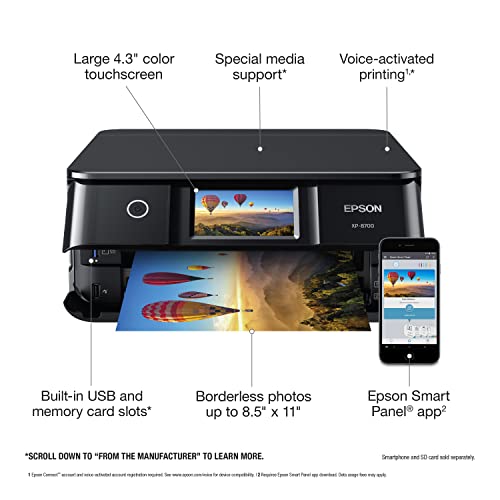
- Compact all‑in‑one with easy wireless printing and a 4.3″ touchscreen, convenient for home studio use
- Rear feed and separate photo tray let you use heavier/specialty papers (up to 8.5″ x 14″) for proofing and small fine‑art sheets
- Dye‑based Claria inks have weaker archival permanence and gamut compared with pigment or pro photo inks, not ideal for long‑term gallery sales
- Max printable size limited to 8.5″ x 14″, unsuitable if you need larger gallery prints
Want a compact home printer that makes beautiful 4×6 and letter‑size prints you can hang or include in a portfolio? You get vibrant, borderless photos, simple wireless workflow, and the ability to print on select heavier/specialty papers, at a price that keeps you inside your prosumer budget. Tradeoff: the dye‑based inks and limited maximum size mean it’s best for proofs, portfolio pieces, and home decor rather than archival gallery runs or large fine‑art prints. If you value convenience and very good color at small sizes, this will save you time and upfront cost; if you need highest archival permanence or larger formats, plan to upgrade to a pro pigment printer.
Print Quality & Overview:
Powered by 6‑color Claria Photo HD at 5760 x 1440 dpi, this printer produces smooth tones and crisp detail for small‑format work. It comes in at #5 in our roundup with a performance score of 44/100, chosen for its balance of compact all‑in‑one convenience and strong color for everyday photo prints.

Print Quality & Color Accuracy:
Skin tones look natural and skies stay clean thanks to the six‑ink dye set that delivers smooth gradations. Borderless 4×6 and 8.5 x 11 photos have punch without harsh edges, so your portfolio pages and keepsakes look polished from a desktop device.
Paper Handling & Workflow:
Rear feed and a separate photo tray let you keep matte and glossy loaded at the same time for quick swaps. It supports media up to 8.5 x 14 inches, giving you room for letter‑size display prints and heavier proofing stocks. Simple Wi‑Fi/Wi‑Fi Direct, a 4.3‑inch color touchscreen, and a built‑in scanner/copier keep your process fast from phone to print to archive.
Who It’s For:
Perfect for: portfolio prints, client proofs, home decor. If you want a compact all‑in‑one that handles glossy photos and occasional art papers with easy wireless control, this choice fits your desk and your pace.
Our Verdict:
Final recommendation: pick this model if you need high‑quality small prints, a convenient scanner/copier, and a strong price‑to‑performance ratio in a compact footprint. Who is this for? Prosumer shooters and creative hobbyists who value vibrant color, simple media handling, and reliable wireless printing for day‑to‑day photo projects.
Your Perfect Photo Printer: Final Picks by Use Case
Canon imagePROGRAF Professional 13" PRO-310
Canon PIXMA PRO-200S Professional 13"
Epson Expression Photo HD XP-15000
Epson EcoTank Photo ET-8500 Wireless
Epson Expression Photo XP-8700 Wireless
Sources and further reading:
Reference
Image Sources
- Printer product images – Product images via Amazon
- What makes a great black-and-white print (infographic) – PhotoWorkout illustration


Disclosure/Disclaimer: As an Amazon Associate, we earn from qualifying purchases. Certain content was provided "as is" from Amazon and is subject to change or removal at any time. Product prices and availability: Amazon prices are updated daily or are accurate as of the date/time indicated and are subject to change. Any price and availability information displayed on Amazon.com at the time of purchase will apply to the purchase of this product.

