


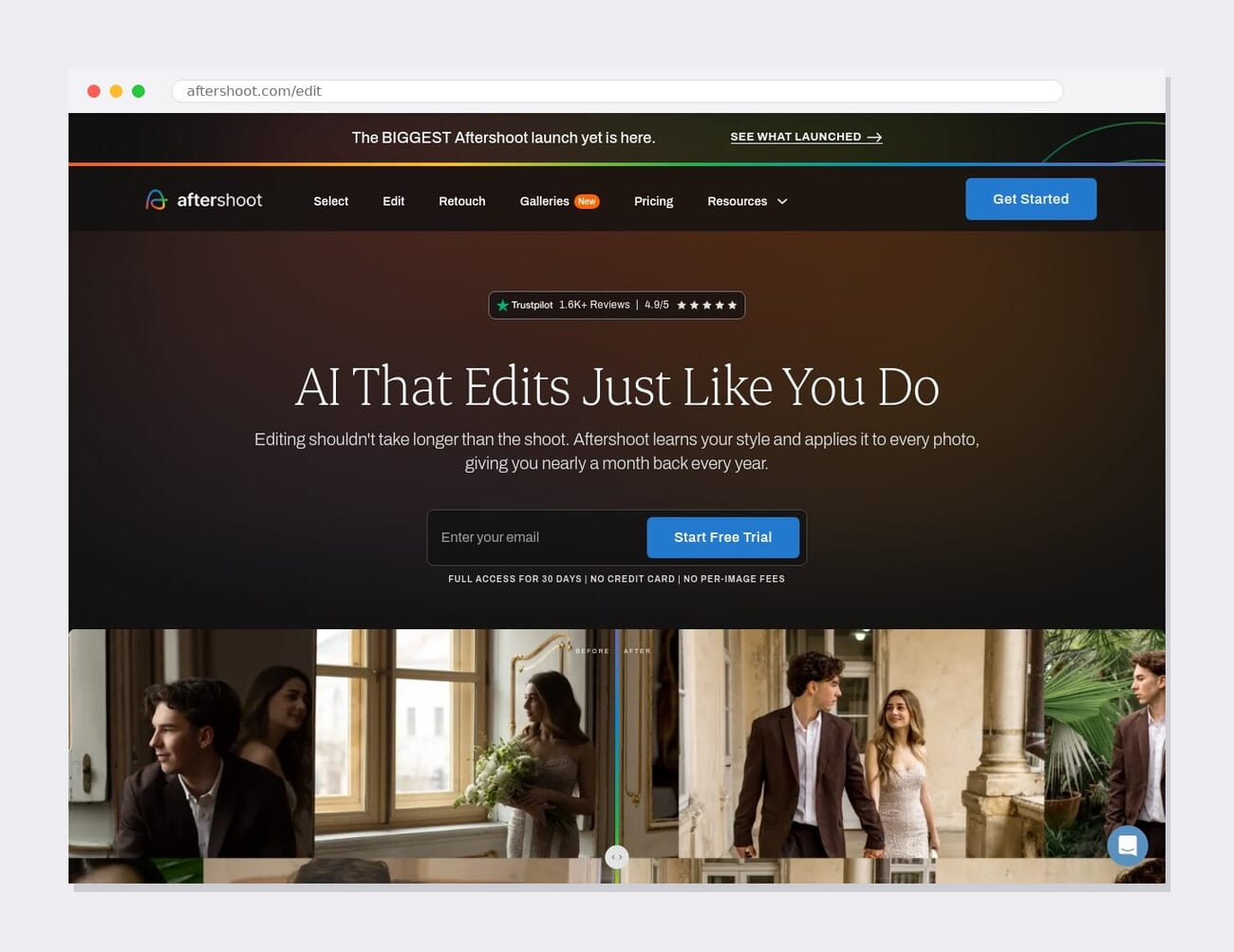
- Aftershoot — long known as an AI culling tool — now includes Aftershoot Develop, a full RAW editing workspace with sliders, masks, presets, AI denoise, and direct export, plus AI editing and retouching.
- It runs entirely offline/locally and uses flat pricing (from ~$10/mo) with no per-image fees — a big deal for high-volume shooters whose costs otherwise scale with image count.
- It’s not a 1:1 replacement for Lightroom’s ecosystem/cloud or Capture One’s color and tethering depth — but for a cull → edit → deliver volume workflow, the all-in-one pitch genuinely holds up.
- Best fit: wedding, event, and other high-volume photographers who already lean on AI culling. Fine-art editors and studio/tethered shooters still have reasons to stay on Lightroom or Capture One.
Aftershoot built its name on one thing: AI culling — chewing through thousands of wedding or event frames and flagging the keepers. With its latest update, it’s no longer a one-trick tool. Aftershoot now bundles a full RAW editor, AI editing and retouching, organizing, and delivery into a single app — and it’s pitching itself as the only program a high-volume photographer needs, from import to client gallery.
That’s a direct shot at Lightroom and Capture One, the two editors that have anchored professional workflows for years. So the real question isn’t whether Aftershoot can edit a RAW file — it can — but whether the all-in-one pitch actually holds up, and who should consider switching. Here’s the honest comparison.
When you buy through links on our site, we may earn a commission at no cost to you. We evaluate products independently. Commissions do not affect our evaluations.
What Aftershoot Now Does
The headline addition is Aftershoot Develop — a proper RAW editing workspace with tone and color sliders, masking, presets, AI denoising, and object removal, with direct export at the end. Combined with its existing AI culling and AI retouching, the workflow is now genuinely end-to-end: import, cull, edit in your style, retouch, and deliver, without ever leaving the app. Two things make it distinct from the incumbents:
- It runs locally and offline. No cloud round-trip, no internet required to run a batch — your files stay on your machine.
- Flat pricing, no per-image fees. Whether you process 500 images or 5,000, the cost (from around $10/month) doesn’t change — unlike credit- or volume-based AI editors where a busy season inflates the bill.
And if you’re not ready to abandon your existing editor, Aftershoot exports in one click to Lightroom, Capture One, and Photoshop — so it can slot in as a culling-and-first-pass layer rather than an all-or-nothing switch.
Aftershoot vs Lightroom vs Capture One
| Aftershoot | Lightroom | Capture One | |
|---|---|---|---|
| Core strength | AI culling + editing, high volume | All-round editing + ecosystem | Color, tethering, studio |
| AI culling | Best-in-class, built in | None native | None native |
| RAW editing | Yes (Develop), AI-first | Deep, mature | Deep, top-tier color |
| Tethering | No | Basic | Industry-leading |
| Runs offline | Yes, fully local | Hybrid/cloud | Yes |
| Pricing | Flat, ~$10/mo, no per-image fees | Subscription only | $299 perpetual or ~$179/yr |
| Mobile + cloud sync | No | Yes (strength) | Limited |
Who Should Switch — and Who Shouldn’t
Switch (or at least add it) if: you shoot high volume — weddings, events, portraits in bulk — and already cull with AI. Aftershoot collapses cull → edit → deliver into one local app, and the flat pricing means your software cost doesn’t spike when your shoot count does. If your AI-editing bill scales with images, that alone can justify the move.
Stay put if: you live in Lightroom’s mobile-and-cloud ecosystem, or you rely on Capture One’s color science and tethered capture for studio work — Aftershoot doesn’t tether, and its editing is AI-first rather than the deep manual control fine-art and commercial editors expect. For meticulous, frame-by-frame work, the incumbents still lead.
Does the All-in-One Pitch Hold Up?
Mostly — with an honest caveat. For the photographer Aftershoot is built for — high throughput, consistent style, fast turnaround — the single-app workflow is a real productivity win, and being fully offline with predictable pricing is genuinely differentiated. Where it doesn’t yet match the incumbents is editing depth (its strength is AI doing the heavy lifting in your style, not pixel-level manual finesse), tethering (absent), and the mobile/cloud reach Lightroom owns. “Beyond culling” is now accurate; “replaces Lightroom and Capture One for everyone” is not. For the right photographer, though, the all-in-one promise is closer to true than it’s ever been.
FAQ
Can Aftershoot fully replace Lightroom now?
For a high-volume cull-edit-deliver workflow, it can be the only app you open. For mobile/cloud editing, deep manual control, or tethered studio work, Lightroom and Capture One still do things Aftershoot doesn’t — and it exports to them in one click if you want a hybrid setup.
How much does Aftershoot cost?
Flat subscription pricing from around $10/month, with no per-image charges regardless of how many photos you process — a key contrast with credit- or volume-based AI editors.
Does Aftershoot work offline?
Yes. It runs entirely locally on your machine and doesn’t need an internet connection to cull or edit — useful for working on the road and for keeping client files off the cloud.
Does it tether?
No — tethered capture remains a gap. If you need tethering for studio or product work, Capture One is still the benchmark.
The Bottom Line
Aftershoot’s jump from culling tool to full RAW editor is the most significant move in its history, and it reshapes the math for high-volume shooters: one local app, flat pricing, cull to delivery. It isn’t going to pry fine-art editors off Capture One or pull cloud-native users out of Lightroom — and it shouldn’t try to. But as an all-in-one engine for photographers drowning in images, the pitch finally has the features to back it up. If that’s you, it’s worth a trial run this season.
Featured image: Radek Grzybowski / Unsplash.
Primary Coverage
- Digital Camera World — Aftershoot's RAW-editing update – Report on Aftershoot expanding beyond culling into full editing.
- Aftershoot — Edit / Develop (official) – Feature set, offline operation, and pricing.
Image Sources
- Unsplash — Radek Grzybowski, Zulfugar Karimov – Illustrative editing-workflow photography.
PhotoWorkout may earn a commission on qualifying purchases made through links in this post, at no extra cost to you.