


- Excire Foto 2025 is a standalone AI-powered photo organizer for Windows and Mac — no subscription, one-time $199 purchase.
- New Smart Culling module uses AI to auto-group and rate photos by similarity, aesthetics, and sharpness — saving hours of manual selection.
- Now supports video files alongside photos, with AI keywording and an integrated player.
- Face tagging lets users name faces once and auto-populate people collections across an entire library.
- Best suited for photographers with large libraries (10,000+ images) who want powerful search without Adobe’s subscription model.
- Use coupon code PHOTOWORKOUT for 15% off at checkout.
When you buy through links on our site, we may earn a commission at no cost to you. We evaluate products independently. Commissions do not affect our evaluations.
Introduction
Excire Foto 2025 is a standalone photo management app that uses AI to search, organize, and keyword an entire photo library. It runs locally — no internet needed after installation.
Built by Excire, a German company specializing in AI image recognition, the product lineup includes:
- Excire Foto 2025 — the standalone organizer (reviewed here)
- Excire Search 2026 — a Lightroom Classic plugin
- Office Edition — designed for teams and businesses
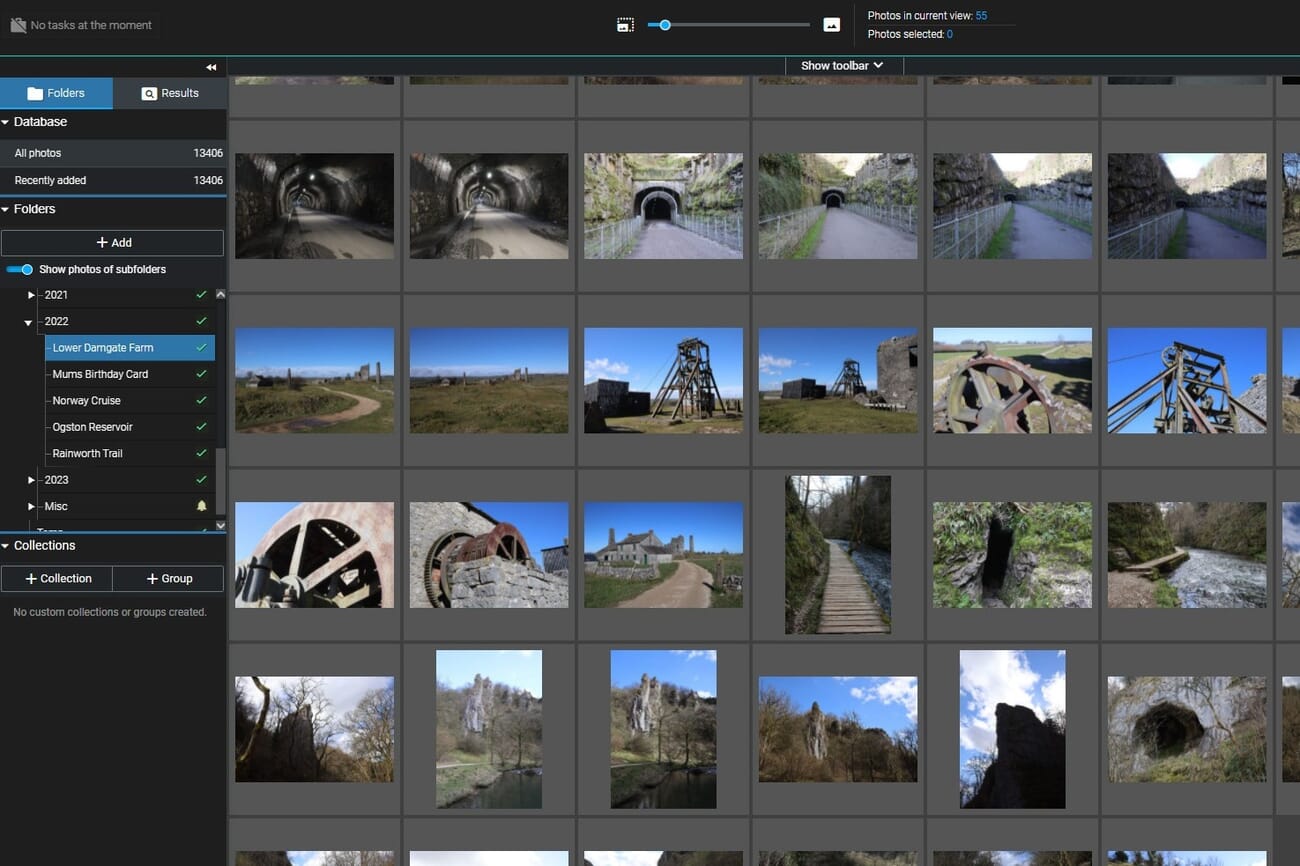
This review covers the latest version in depth — AI search, smart culling, face tagging, and video support. Screenshots show the Excire Foto 2022 interface, but the core layout remains similar in the 2025 release.
 PhotoWorkout’s Rating: 4.3/5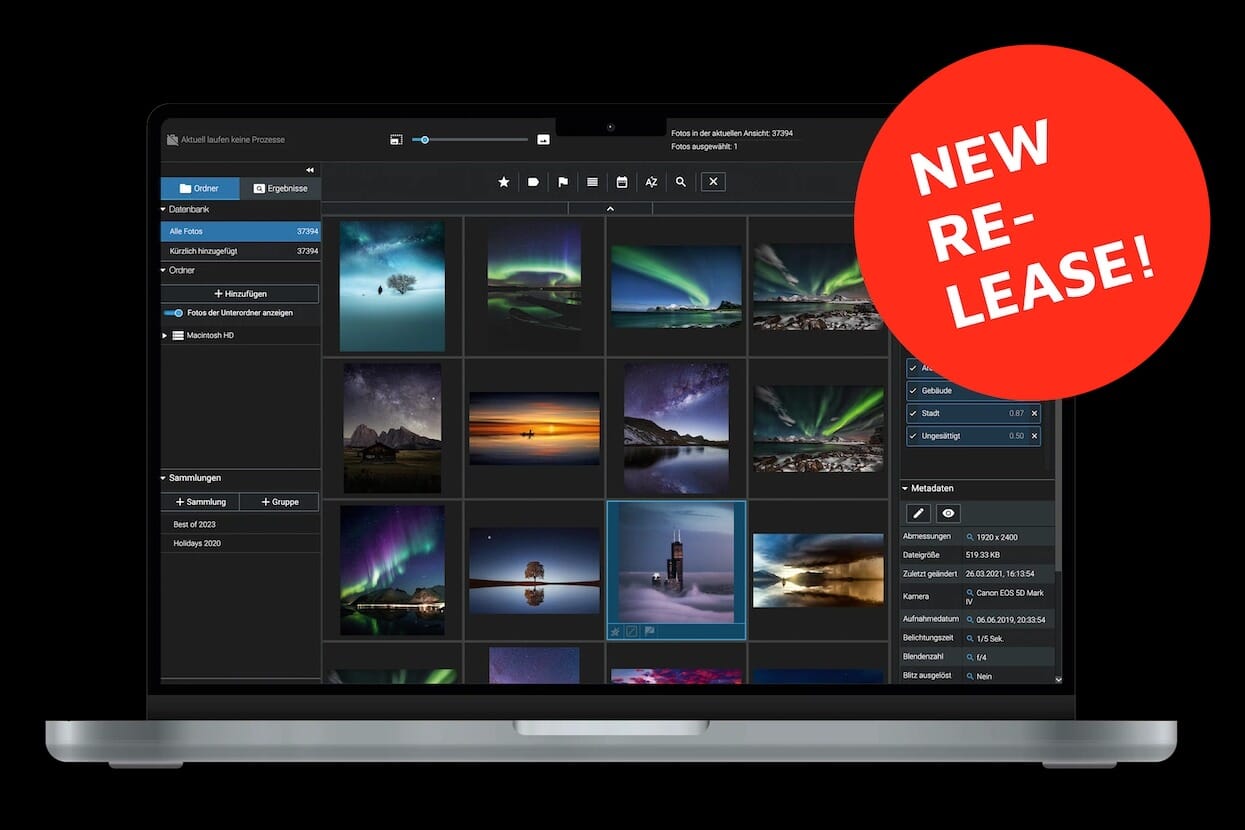
Excire Foto 2025 is a powerful standalone photo management program for Windows and Mac. It features AI-powered search, smart culling, face tagging, video support, and advanced keywording — making it the most comprehensive dedicated photo organizer available.
$199 (one-time payment)- Excellent AI-powered search and keywording
- Smart Culling saves hours on photo selection
- Video file support alongside photos
- Intuitive face tagging and people collections
- One-time purchase — no subscription
- No image editing tools
- Higher price than some alternatives
- Initial catalog import can be slow with large libraries
Update History
What’s New in Excire Foto 2025
The 2025 release is the biggest update in Excire Foto’s history. Three headline features stand out: Smart Culling, video support, and face tagging.Smart Culling
Smart Culling is an AI-powered module designed to solve one of photography’s most tedious tasks: selecting the best shots from a large batch. The system automatically groups photos by similarity, subject, and people — then ranks each group by aesthetics and sharpness. Photographers who shoot events, weddings, or wildlife will find this especially useful. Instead of manually comparing hundreds of near-identical frames, Smart Culling surfaces the strongest candidates and flags obvious rejects. The grouping can be adjusted by sensitivity, and final selections remain fully manual.Video Support
Excire Foto 2025 now manages video files alongside photos in the same library. The software applies AI keywords to video content and includes an integrated video player — eliminating the need to switch between applications. This is a practical addition for hybrid shooters who capture both stills and video on the same memory card. Videos appear in the same grid, respond to the same search queries, and can be organized into the same collections as photos.Face Tagging
The new face tagging system goes beyond simple face detection. Users can name-tag individual faces, and Excire Foto automatically populates “people” collections across the entire library. Sharpness markers on face previews help identify the best portrait shots at a glance. This builds on the existing face-finding capabilities (covered in detail below) by adding persistent identity tracking. Once a face is tagged, every photo containing that person is automatically grouped together.Other Improvements
Additional new features include a Comparison View for side-by-side photo evaluation, automatic 1:1 preview rendering for faster zooming, and new filter options for file type and aspect ratio. These smaller additions round out what is already a comprehensive feature set.Performance & System Requirements
Excire Foto 2025 requires Windows 10/11 or macOS 11+ with a minimum of 8 GB RAM (16 GB recommended). All AI processing runs locally on the CPU — no GPU or internet connection is needed. Initial catalog building is the most resource-intensive operation. Importing and analyzing a library of 50,000 photos can take several hours on the first run, as the AI engine processes every image for keywords, faces, and similarity data. After that initial analysis, searches and browsing are fast. The software supports up to 50,000 search results per query — a significant improvement over earlier versions. For photographers with libraries exceeding 100,000 images, performance remains responsive for day-to-day use, though initial import times scale accordingly. A fast SSD and 16 GB RAM are recommended for larger collections. Those looking to invest in better hardware should consider a desktop optimized for photo editing.Supported File Types
Excire Foto handles all major image formats: JPEG, TIFF, PNG, PSD, and most RAW formats from Canon, Nikon, Sony, Fujifilm, and other manufacturers. PSD support was added in the 2022 release, making it useful for photographers who work in Photoshop. With the 2025 update, video file support has been added. Common formats like MP4 and MOV are recognized, keyworded by AI, and displayed alongside photos in the same library view. This hybrid approach is increasingly important as more photographers shoot both stills and video.Folder Management
Excire Foto uses a non-destructive, reference-based approach to file management. The software reads photos from existing folders on disk without moving or copying them. Users simply point Excire Foto to their photo directories, and the AI engine indexes everything in place.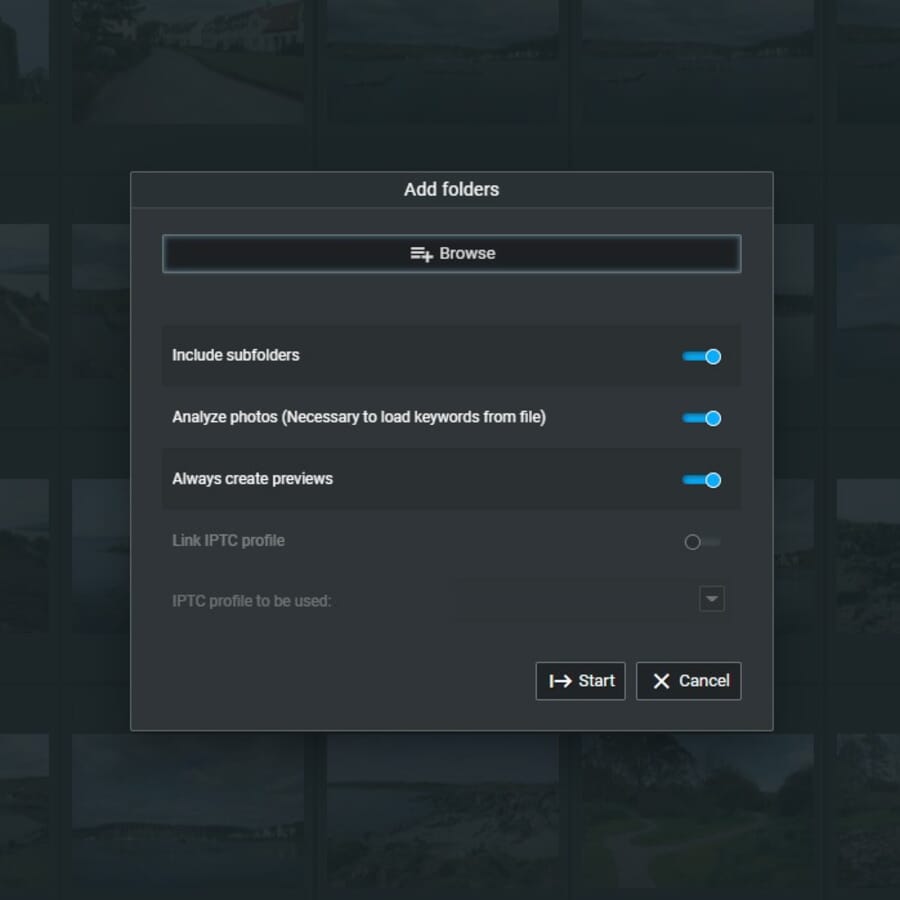
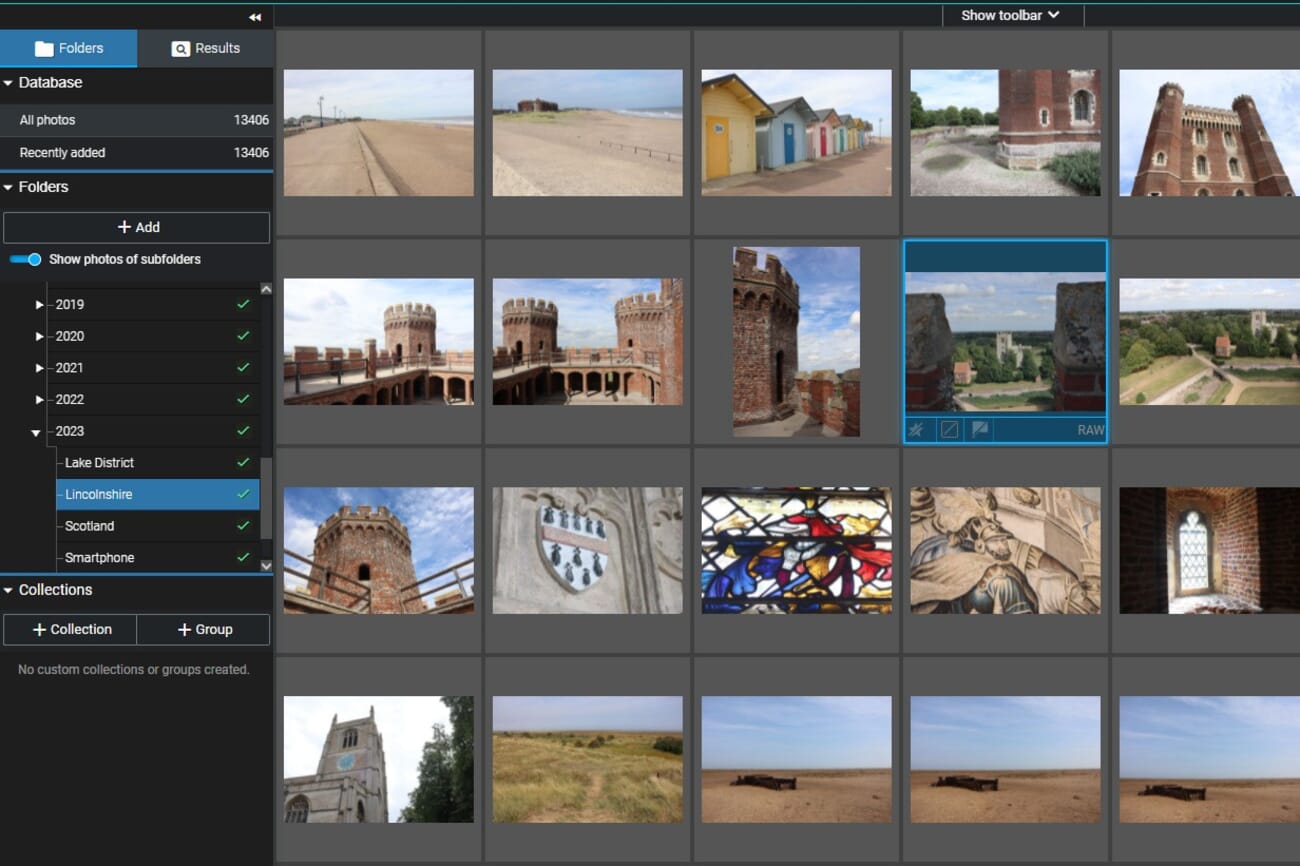
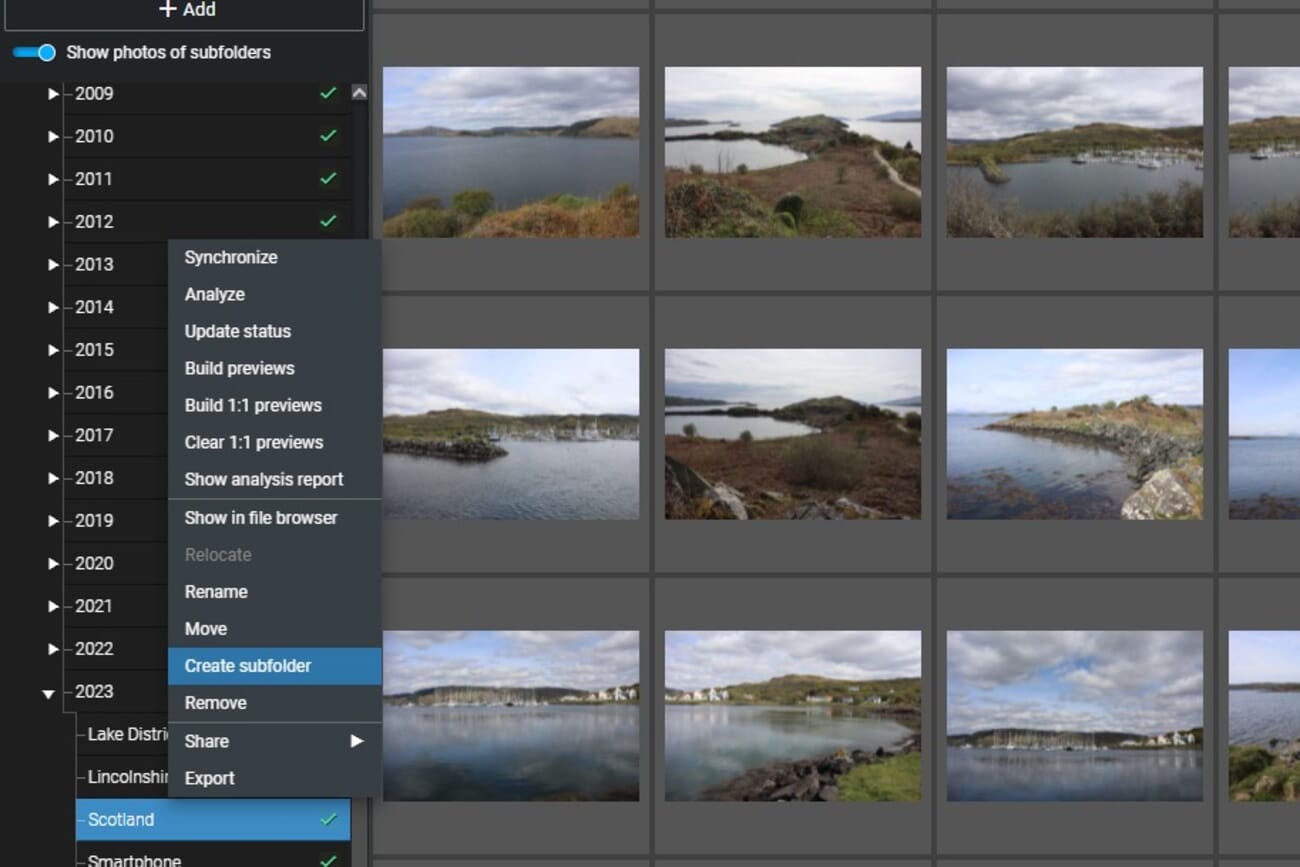
Photo Management & Metadata
The metadata editor in Excire Foto provides access to EXIF, IPTC, and XMP fields. Photographers can view and edit titles, descriptions, copyright information, and custom metadata directly within the application. All changes are written to standard metadata fields, ensuring compatibility with other software.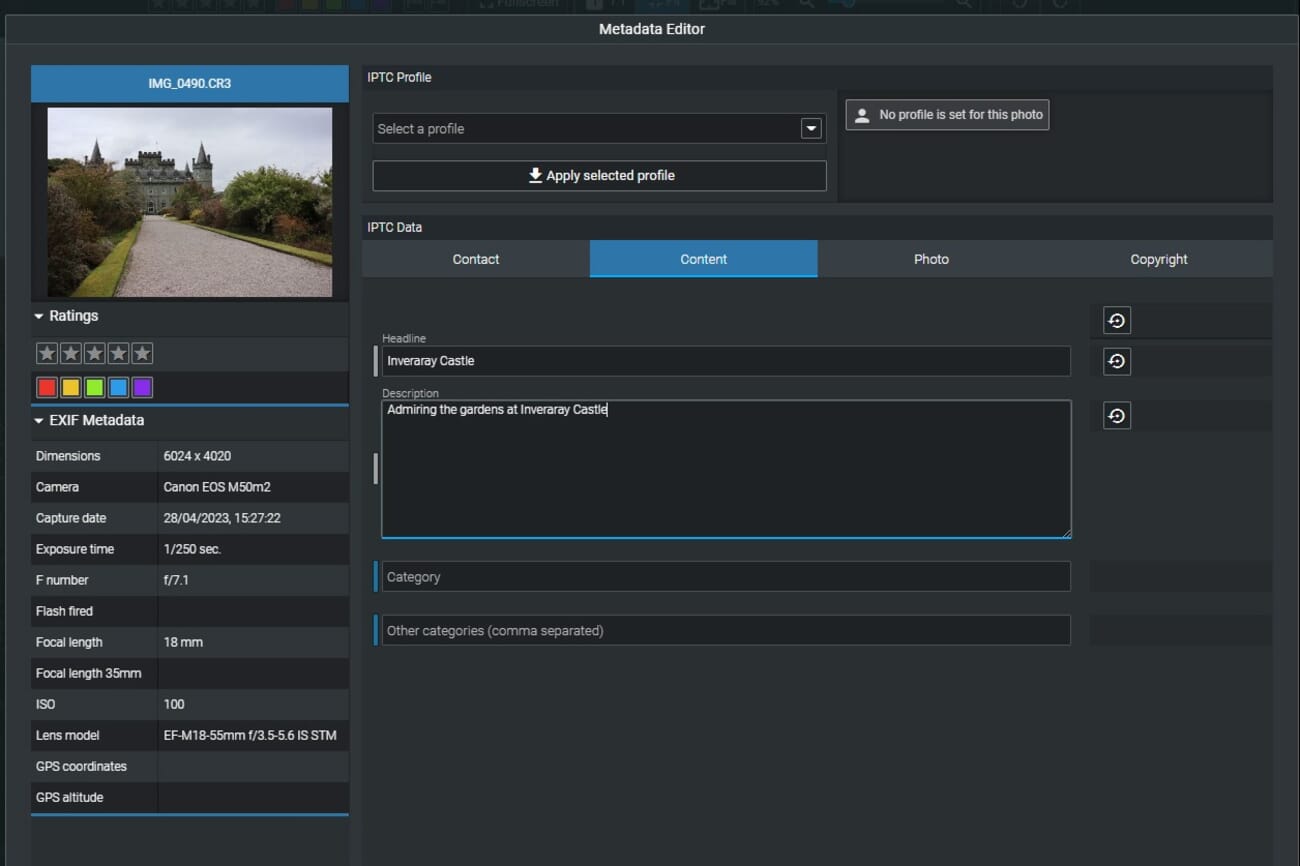
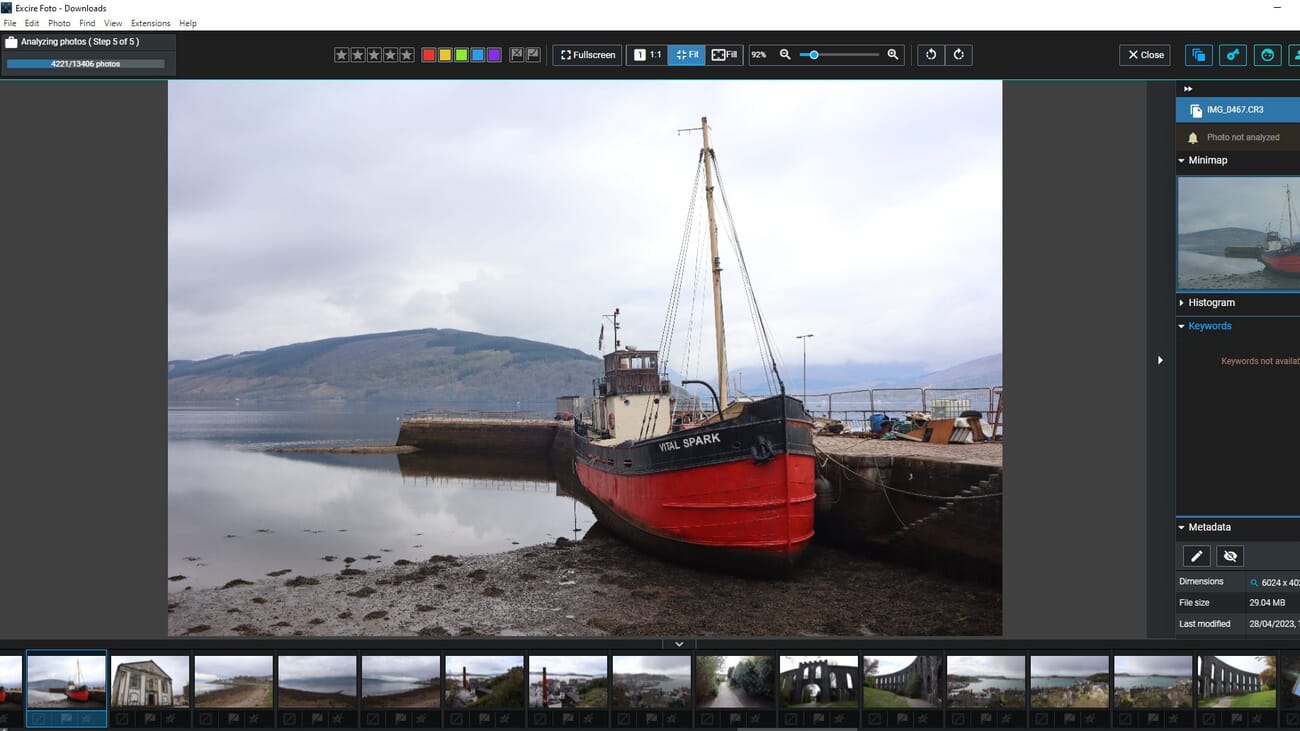
AI-Powered Search Tools
Search is where Excire Foto truly differentiates itself from conventional photo organizers. The AI engine provides multiple search methods, each designed for a different use case.Automatic Keywording
Excire Foto can automatically assign keywords to every photo in a library using AI image recognition. The system identifies objects, scenes, activities, colors, and moods — generating relevant tags without any manual input.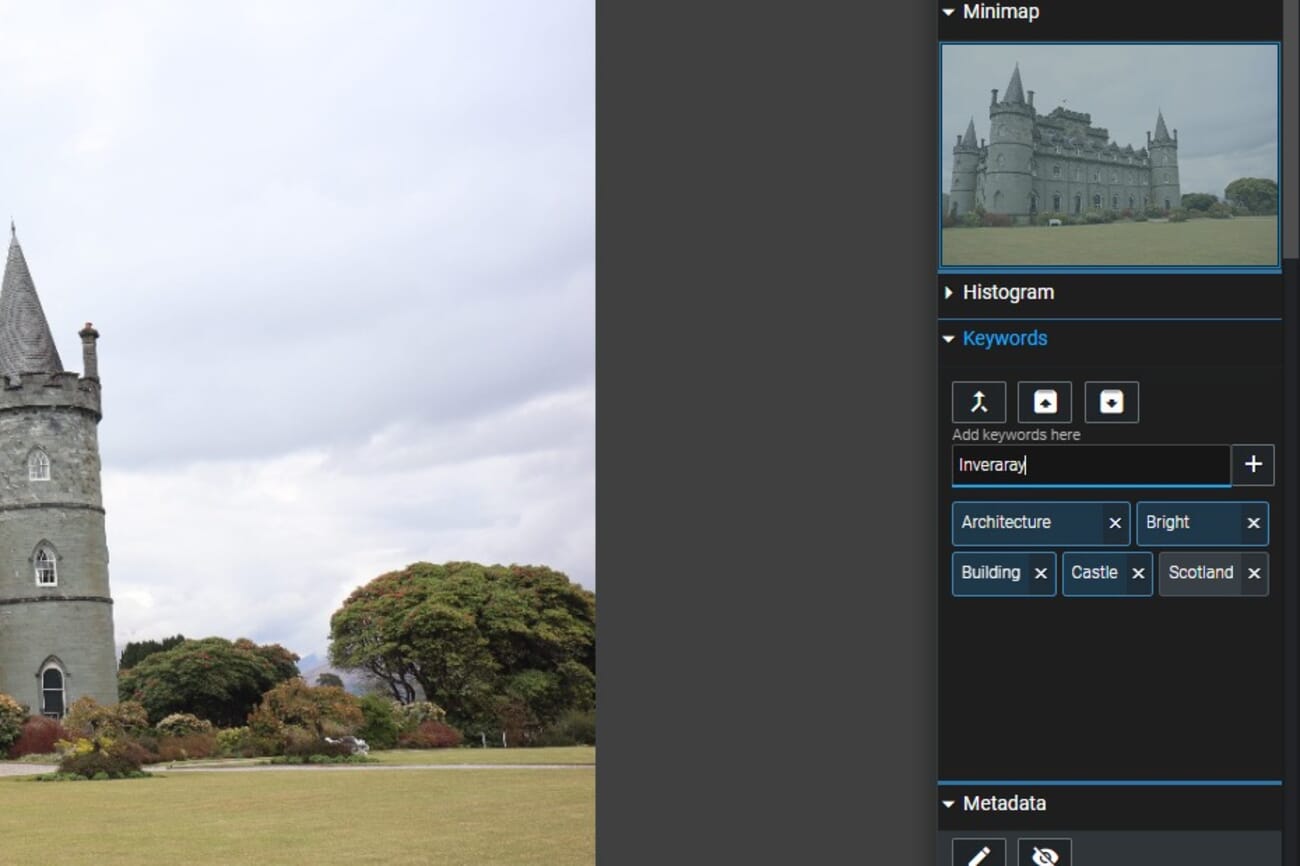
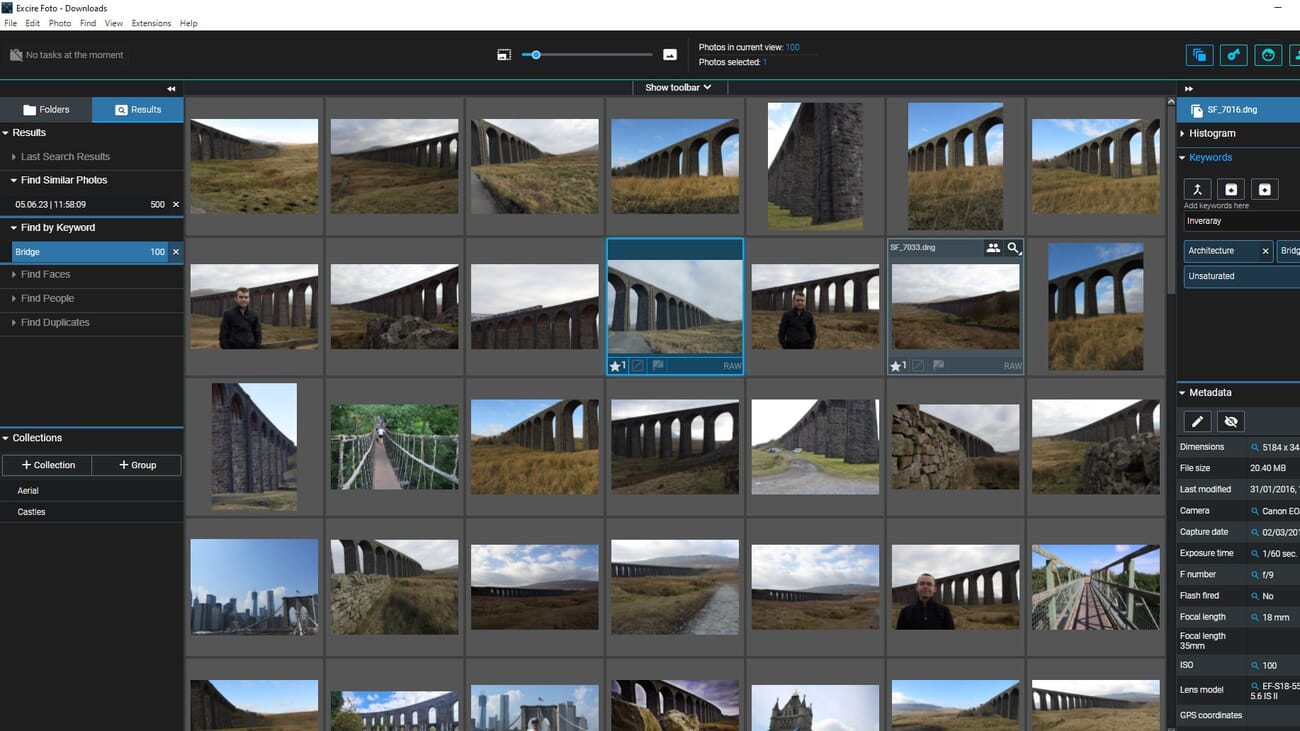
Find by Keyword
The keyword search interface allows browsing by AI-assigned tags or manually added keywords. Users can select single or multiple keywords from a hierarchical keyword tree to filter the library. The 2024 update added multiselection and Boolean operations to this feature.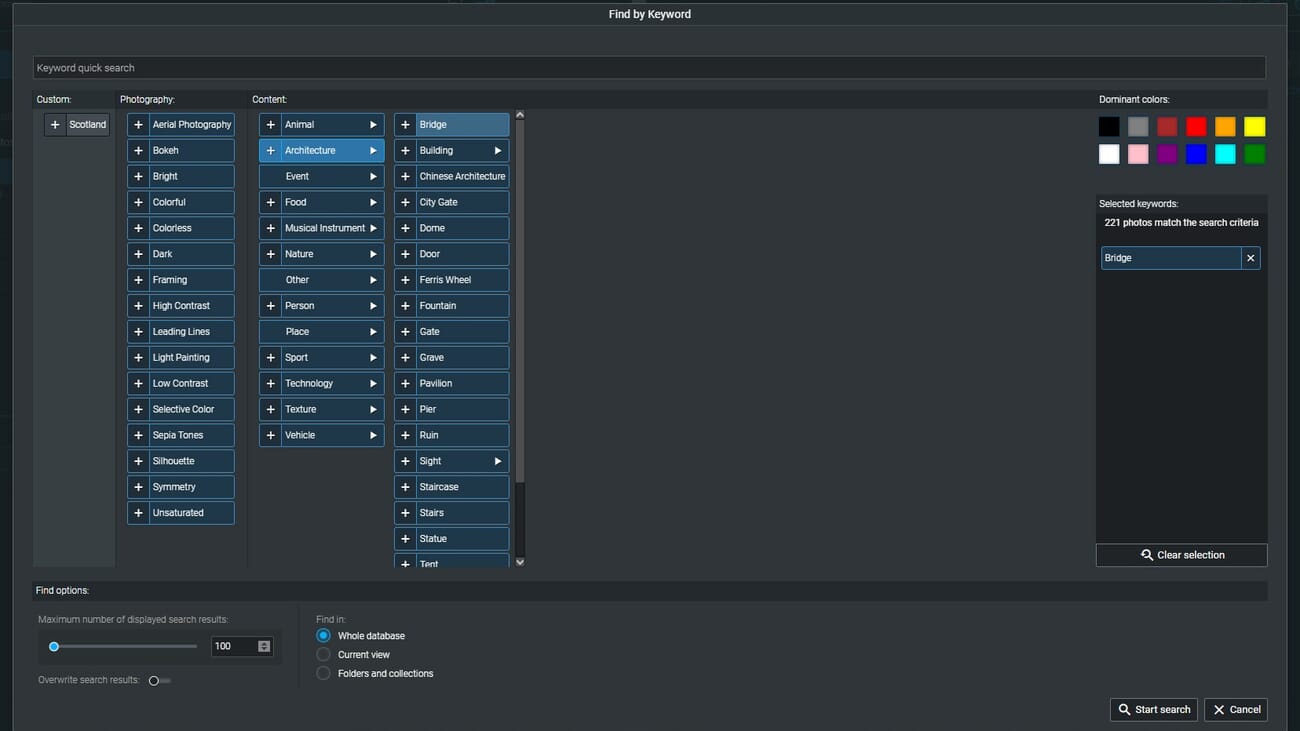
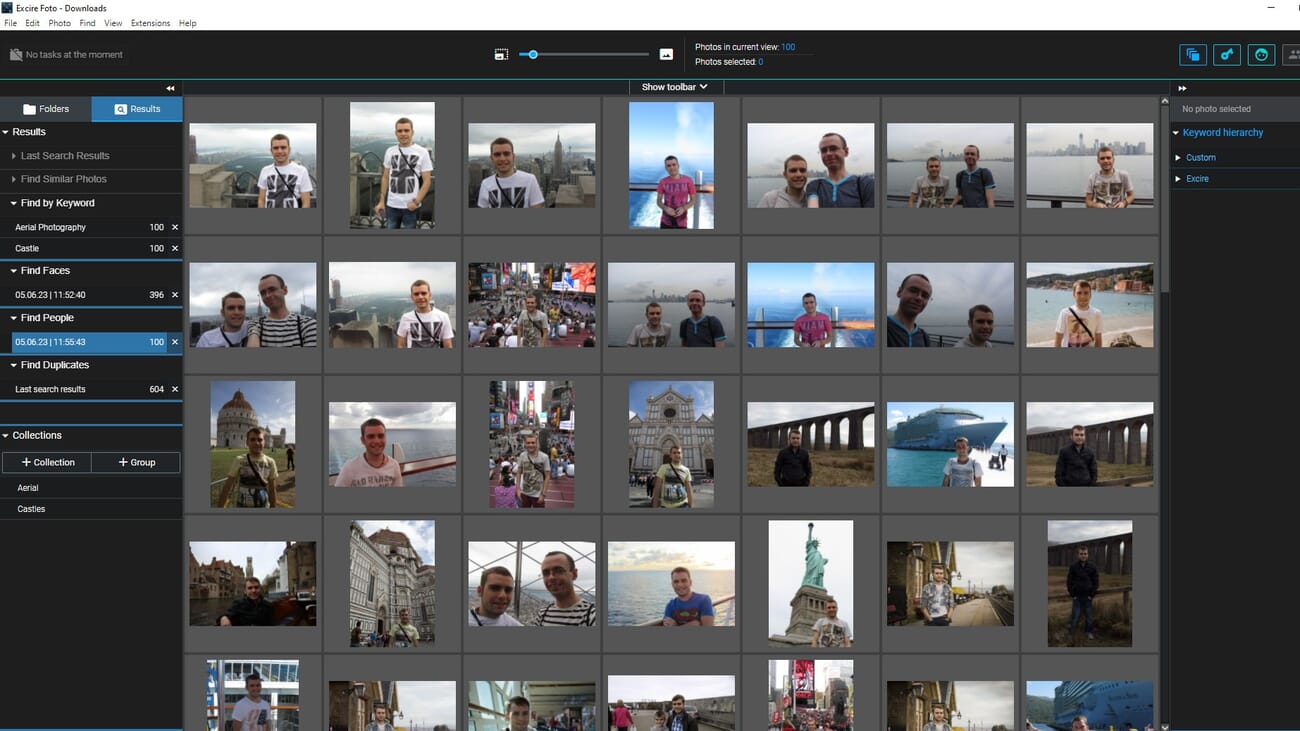
Find People & Faces
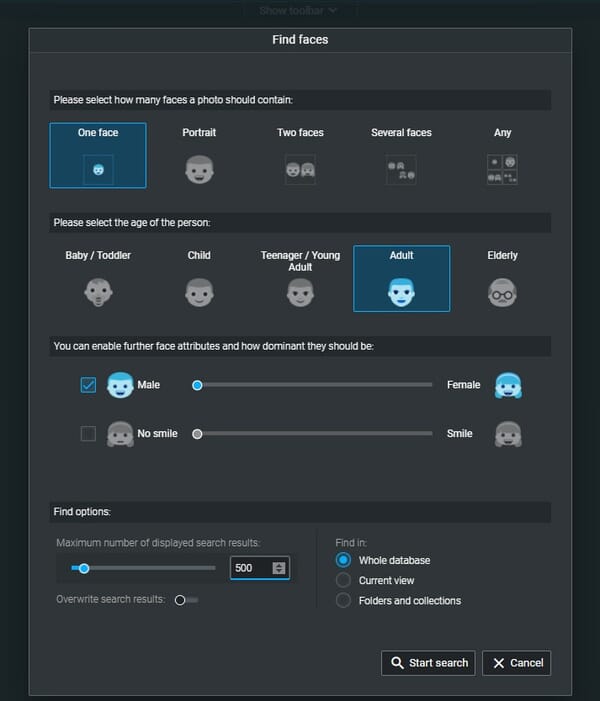
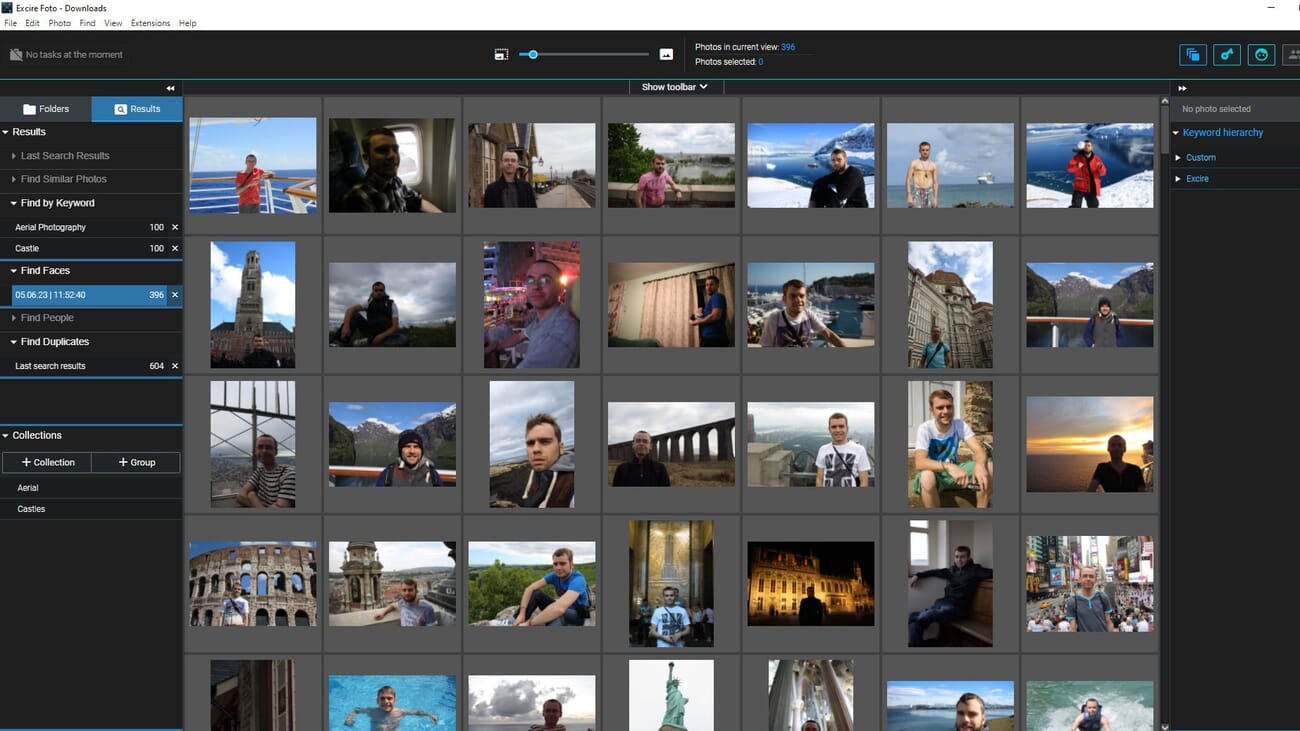
The people-finding feature uses AI to detect and identify human faces across an entire library. Users can search for photos containing people, specify the number of people, or filter by age range and gender. The 2025 face tagging feature extends this by allowing persistent name assignments.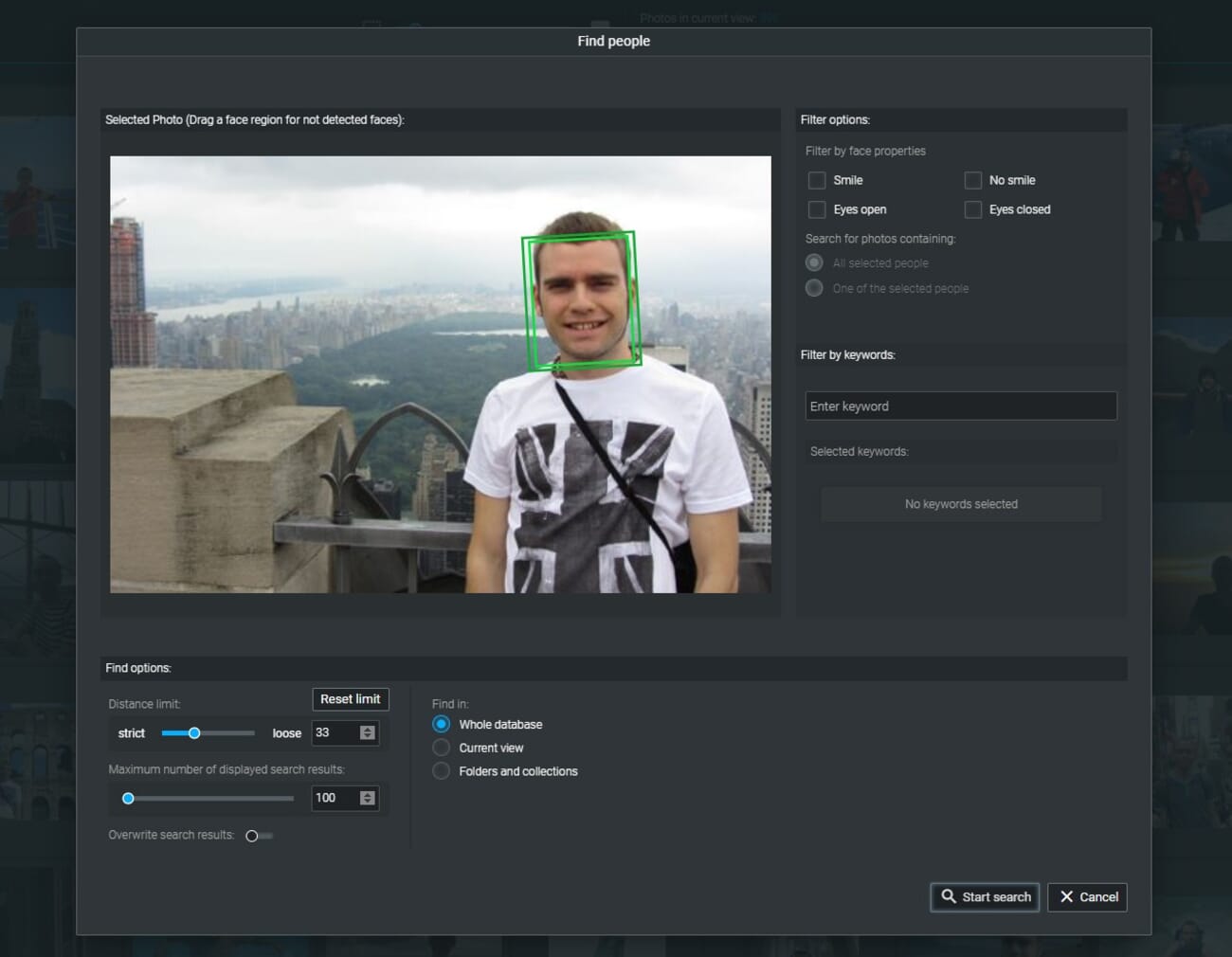
Find Similar Photos
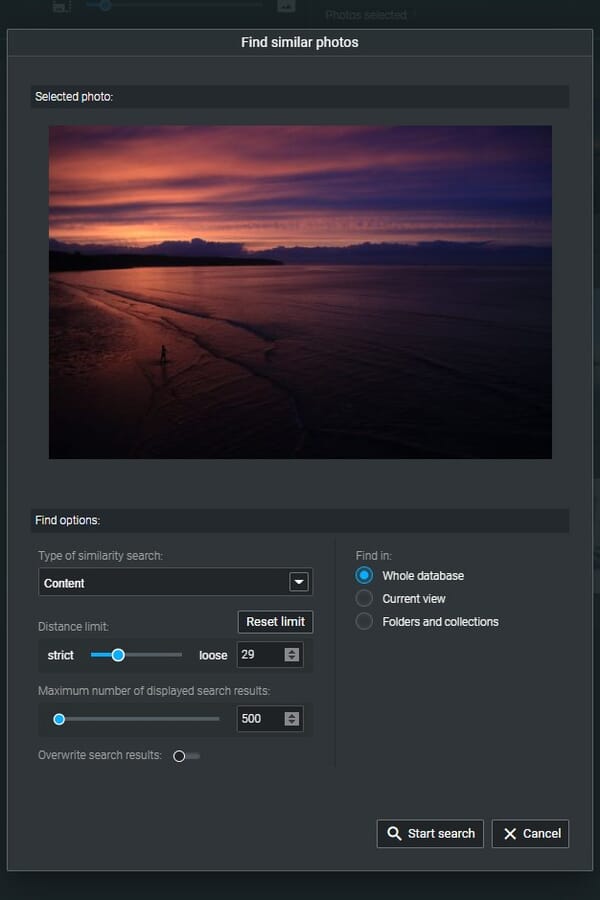
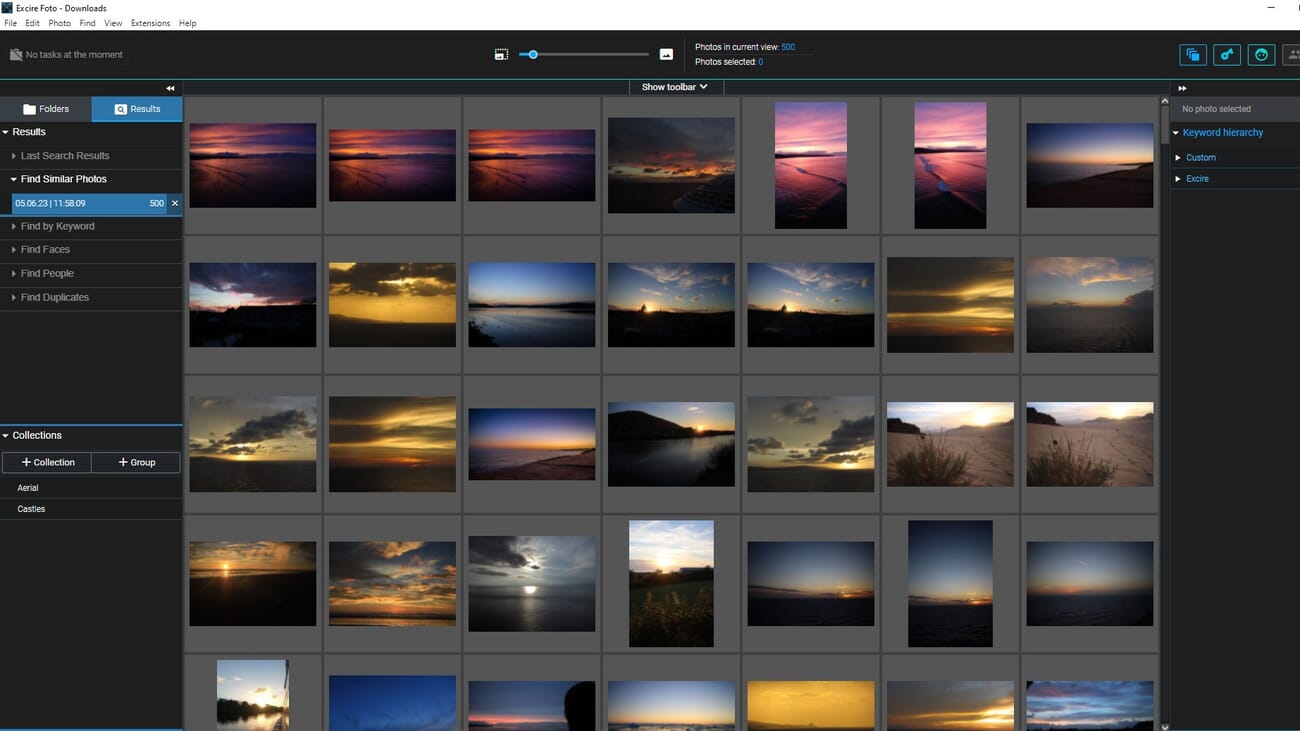
The similarity search lets users select any photo and find visually similar images throughout the library. This is useful for finding alternate shots from the same session, locating images with similar composition, or discovering thematic connections across different shoots.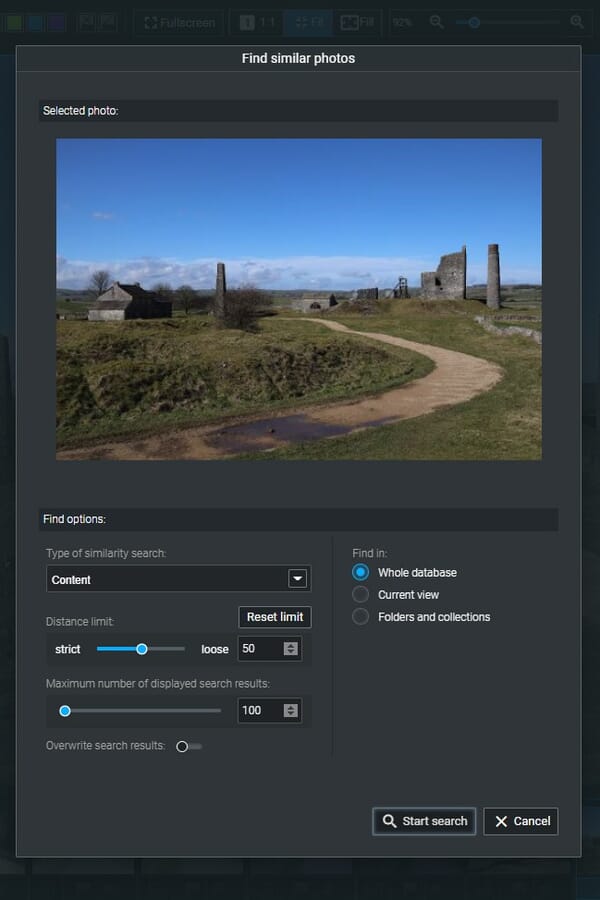
Duplicate Finder
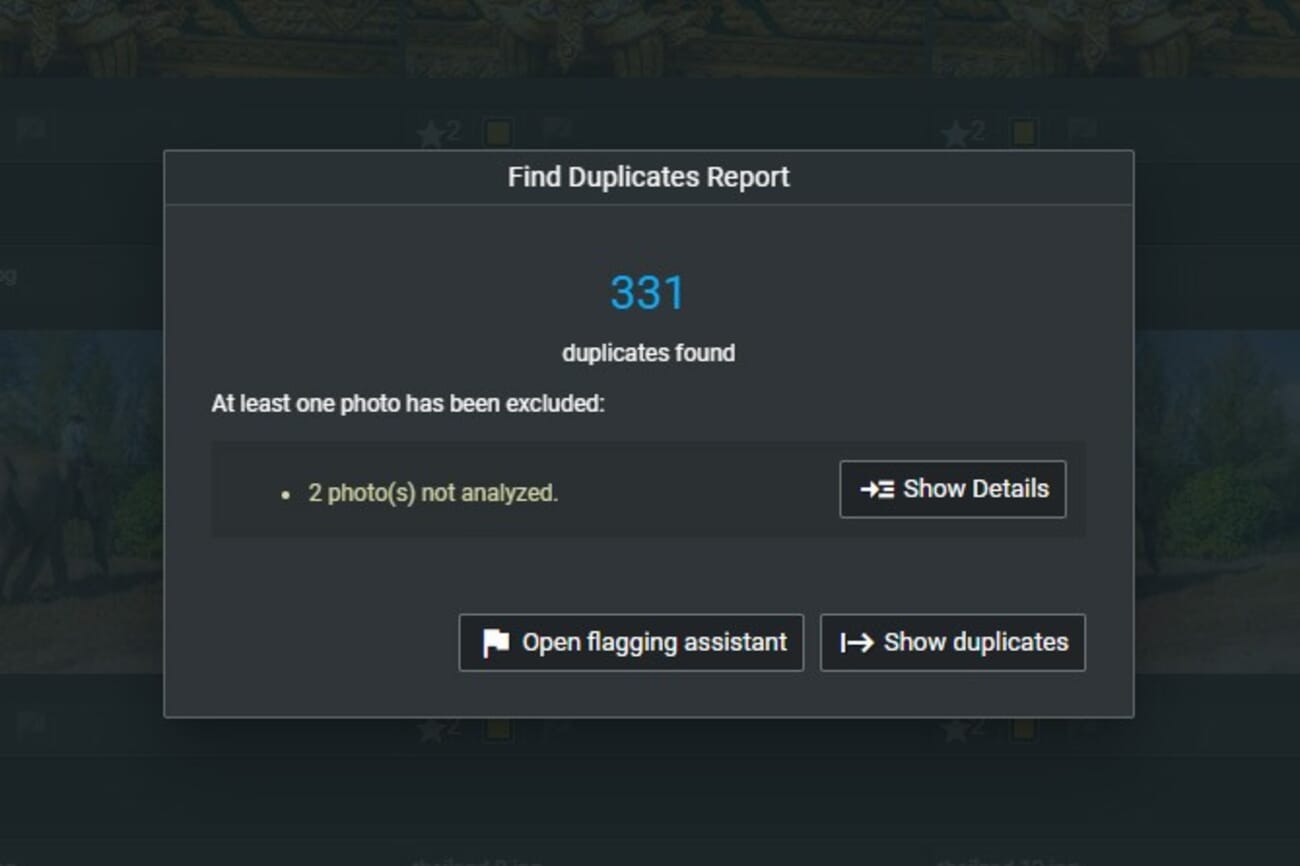
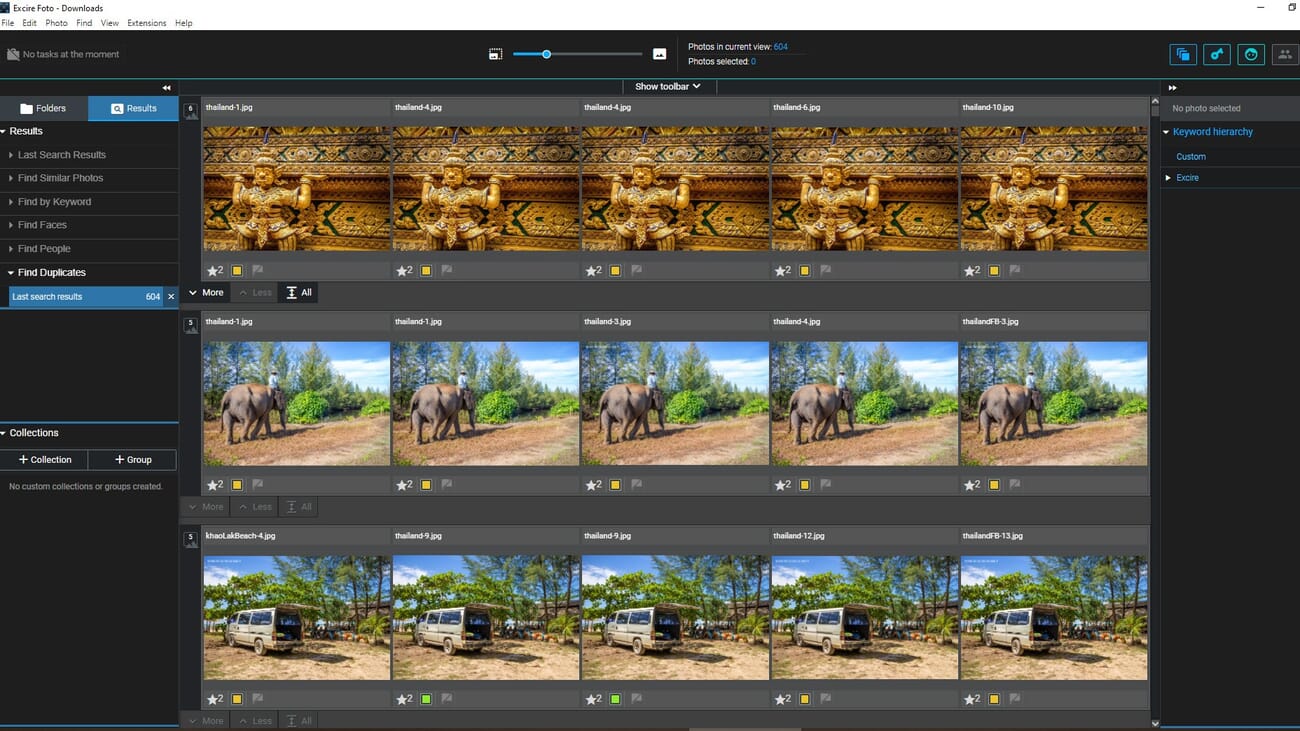
The duplicate finder identifies identical or near-identical photos across the library. It can detect exact duplicates (same file) and similar duplicates (same scene, different exposures or crops). This is invaluable for reclaiming disk space and cleaning up disorganized libraries.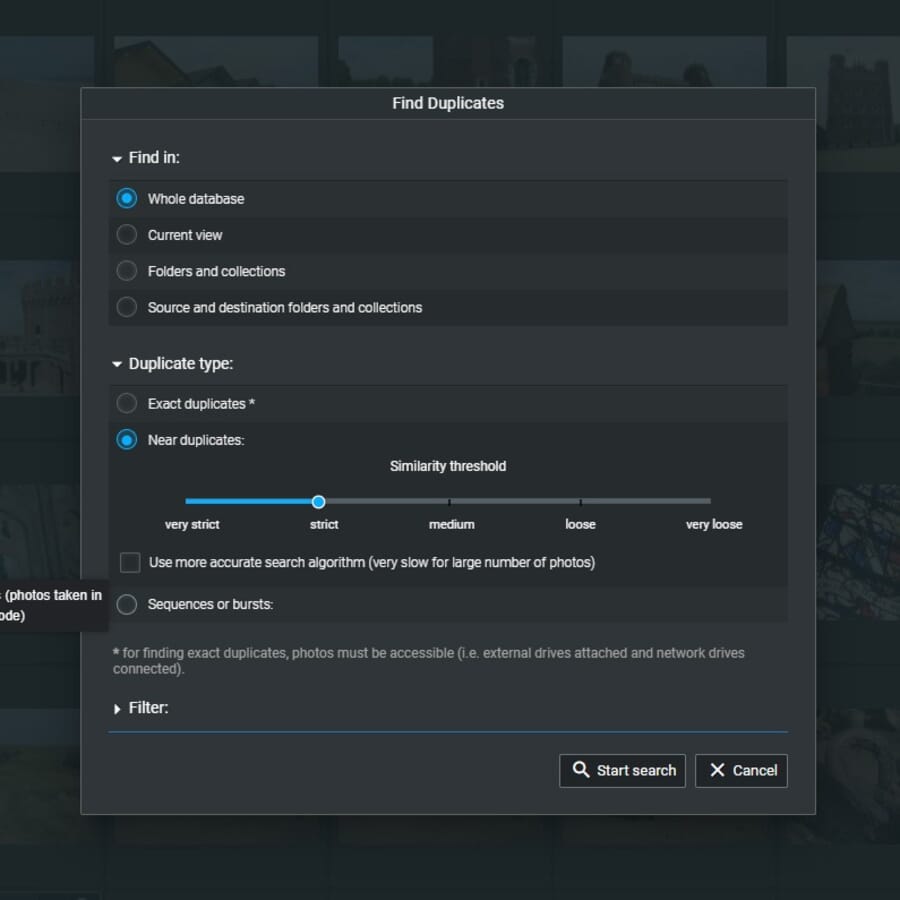
Collections
Collections in Excire Foto work like virtual albums — they group photos without moving files on disk. Users can create collections manually by dragging images, or automatically based on search criteria, keywords, or AI-detected content.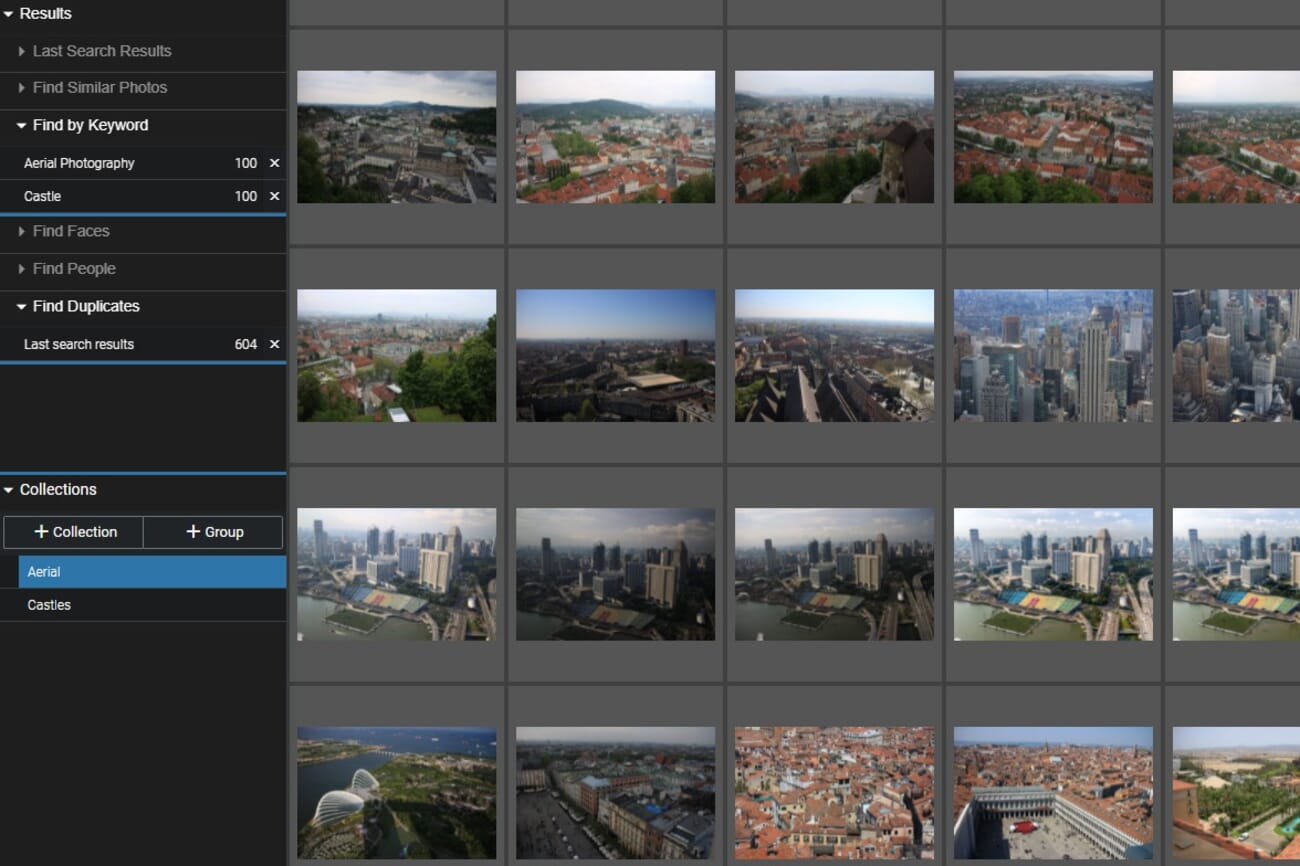
Pricing
Excire Foto 2025 is a one-time purchase at $199 (with a launch discount of $169 available at time of writing). There is no subscription — the license is perpetual and includes all updates within the major version. A 14-day free trial is available with no payment information required. This is enough time to import a library, test the AI search features, and evaluate whether the software fits a particular workflow. Use coupon code PHOTOWORKOUT for 15% off the purchase price. Compared to Adobe Lightroom’s $10/month subscription ($120/year), Excire Foto pays for itself within two years — while offering AI search capabilities that Lightroom still lacks natively. For users who prefer to stay within the Adobe ecosystem, Excire Search 2026 is available as a Lightroom Classic plugin. The standalone Excire Foto is the better choice for photographers who want independence from subscription software.Alternatives to Excire Foto
Several alternatives exist depending on budget and workflow preferences:- Adobe Lightroom Classic — The industry standard for photo management and editing. Requires a monthly subscription ($10+/month) but offers integrated editing tools that Excire Foto lacks. Best for photographers already in the Adobe ecosystem. See the best photo organizers for Windows and photo organizers for Mac for more options.
- Aftershoot — An AI-focused culling and editing tool. Strong culling features but less comprehensive in search and keywording than Excire Foto. Subscription-based pricing.
- ACDSee Photo Studio — A veteran photo manager with DAM features, face recognition, and basic editing. Available as a one-time purchase or subscription. Less sophisticated AI than Excire Foto but more feature-rich overall.
- Google Photos — Free (with storage limits) and offers excellent AI search. However, it requires cloud upload of all photos, raises privacy concerns, and lacks professional organizational tools. Best for casual photographers.
Verdict: Who Should Use Excire Foto 2025?
Excire Foto 2025 is best suited for photographers who:- Have large, disorganized libraries — The AI keywording and search tools can make sense of tens of thousands of untagged photos in hours rather than weeks.
- Want to avoid subscriptions — A single $199 payment replaces ongoing monthly fees.
- Shoot events or portraits — Face tagging and Smart Culling are game-changers for wedding, event, and family photographers.
- Value privacy — All processing happens locally. No photos are uploaded to the cloud.
- Shoot hybrid photo/video — The new video support eliminates the need for a separate media manager.