


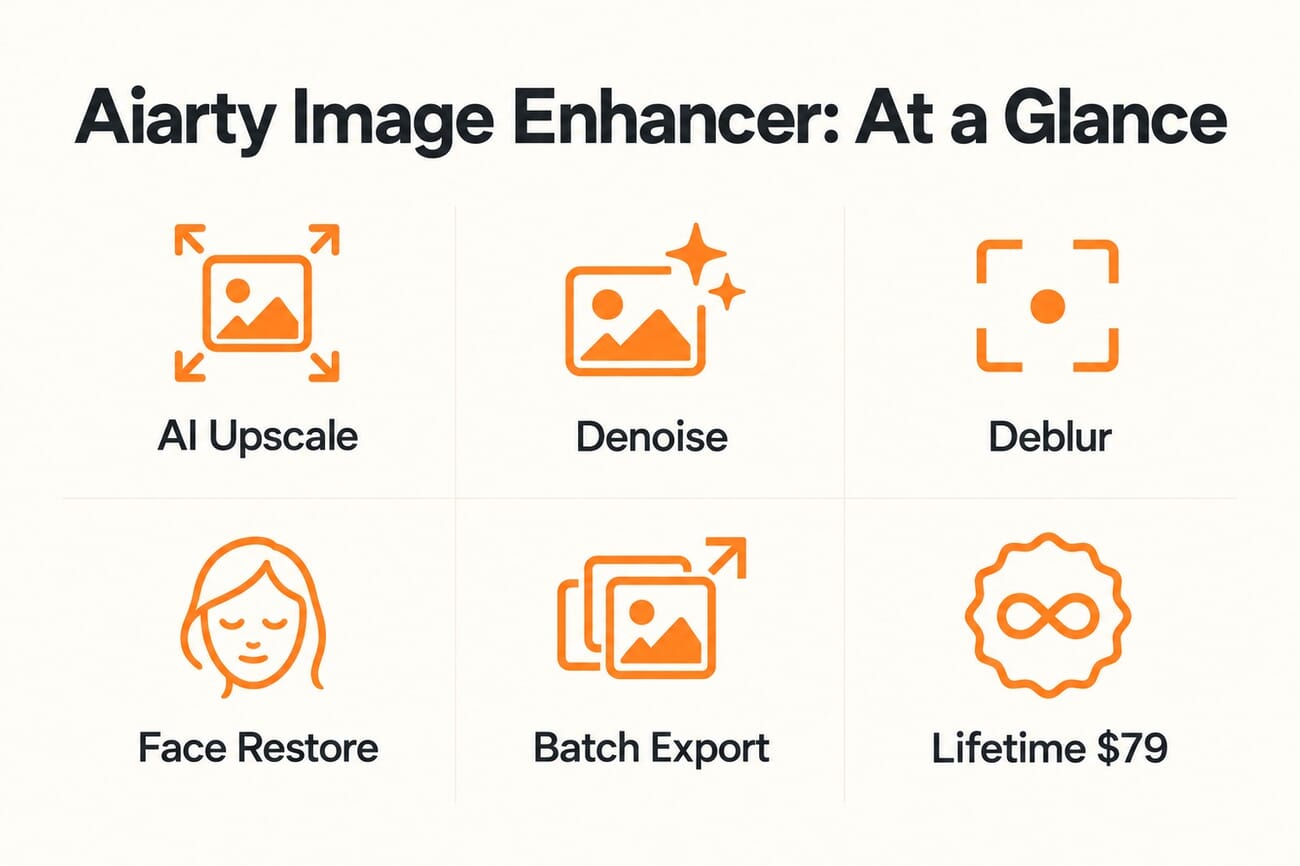
- Aiarty Image Enhancer is a desktop AI tool (Windows and Mac) that upscales, denoises, deblurs, and restores photos, with face restoration, object erasing, color and HDR tools, and batch processing built in.
- In real use it is genuinely good. Its generative models (such as More-Detail GAN v3) recover convincing detail and clean up noise and blur, and the batch export makes it fast for working through folders of images, including AI-generated art and old low-res photos.
- The headline reason to look: it sells as a one-time lifetime license from about $79 (covering up to three computers, free updates, no subscription), a sharp contrast to Topaz Photo AI, which is now owned by Adobe.
- Verdict: a strong-value AI upscaler. It is not magic (like all generative upscalers it can invent or over-smooth fine texture), but for the price, the batch workflow, and the no-subscription model, it is an easy recommendation to try.
AI upscalers have quietly become a staple of the modern editing kit, the tool you reach for when a shot is too soft, too noisy, or too small to print or publish. Topaz has owned that conversation for years, but it is no longer the only serious option. Aiarty Image Enhancer has been turning heads for one simple reason: it does most of what the big names do, and it sells for a one-time price instead of a subscription.
We put it through a real-world edit to see whether the value holds up, enhancing an everyday outdoor photo and pushing it through Aiarty’s AI models. Here is what it does, how it performs, what it costs, and how it stacks up against Topaz Photo AI, the tool most photographers will compare it to.
When you buy through links on our site, we may earn a commission at no cost to you. We evaluate products independently. Commissions do not affect our evaluations.
What Aiarty Image Enhancer does
At its core, Aiarty is a generative AI image enhancer. It upscales images (commonly 2x, with higher factors available), reduces noise, fixes motion and focus blur, and rebuilds fine detail and texture, all driven by a choice of AI models rather than a single one-size-fits-all filter. Around that core it adds dedicated face restoration for old or low-res portraits, object erasing, plus color and HDR adjustments and quick edits, so a lot of routine cleanup can happen in one place.
The model picker is the heart of it. You choose an engine for the job, for example a “More-Detail” GAN model tuned to generate clarity and sharpness while deblurring and denoising, or a smoother model for gentler results, and you can stack a second pass for tougher images. It is squarely aimed at photographers, designers, e-commerce sellers cleaning up product shots, and anyone restoring family photos, as well as the fast-growing crowd cleaning up AI-generated images.
How it performs in real use
For a genuine test we took an everyday outdoor photo, a florist display shot at 70mm, f/8, ISO 320, at a modest 1086 x 724 pixels, and ran it through Aiarty’s More-Detail GAN v3 model at a 2x upscale with a second AIGC-smooth pass. The result, doubled to 2172 x 1448, was a clear step up: crisper foliage and moss texture, cleaner edges on the signage, and a sharper, more legible QR code and text, without the harsh halos that cheaper sharpeners produce.
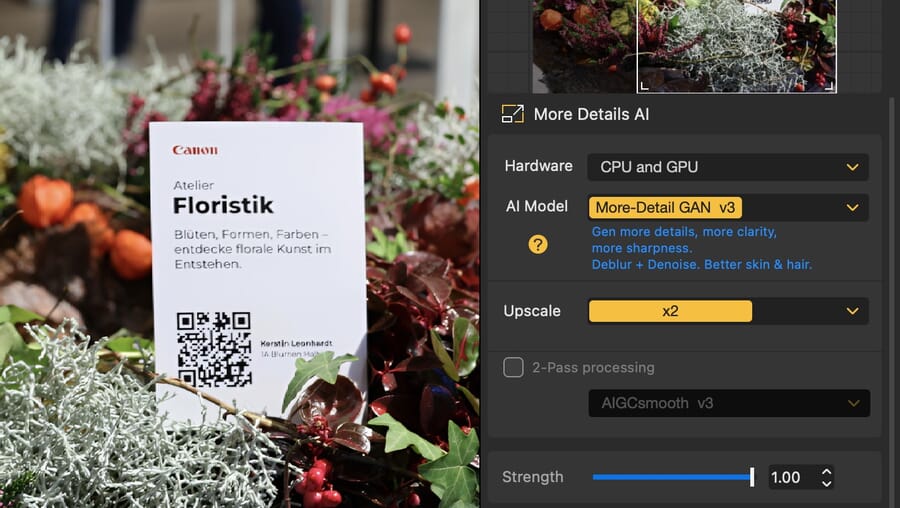
The honest caveat is the one that applies to every generative upscaler, including the expensive ones: this is reconstruction, not resurrection. On heavily degraded files the AI effectively invents detail that was never captured, which looks great at a glance but can smear fine, random textures (think individual hairs or distant leaves) or subtly alter them. Aiarty handled our test well, and its strength slider and multiple models give you room to dial the effect back when it overreaches, but treat the output as a very convincing interpretation rather than hidden “true” pixels. For the kind of noise reduction photographers lean on most, our guide to the best noise reduction software puts tools like this in context.
Pricing: the lifetime license is the real story
This is where Aiarty makes its strongest case. It is sold as a one-time lifetime license from roughly $79 (frequently discounted from around $155), covering up to three computers with free updates and no recurring fee, alongside a cheaper one-year option. For anyone who resents subscriptions, that is a meaningful difference: you pay once and own it.
The timing sharpens the point. Topaz Photo AI, the category leader, was acquired by Adobe in 2026, a company famous for moving its tools onto subscriptions. Whether or not Topaz’s pricing changes, a capable rival offering a flat, own-it-forever license suddenly looks a lot more appealing. You can download the free Aiarty trial to test it on your own images, or get the lifetime license if it earns a place in your workflow.
Aiarty vs Topaz and the competition
So is it a Topaz killer? Not quite, and it does not need to be. In side-by-side terms, Topaz Photo AI still holds a slight edge in subtle photographic fidelity on the hardest files, the kind of restraint that keeps a portrait looking photographic rather than rendered. But Aiarty closes most of that gap, often wins on raw detail generation for upscaling and AI-art cleanup, and its batch export is excellent for working through volumes of images quickly.
Weigh it like this: if you want the most trusted name and are comfortable with Adobe’s ecosystem, Topaz remains the safe pick. If you want roughly 90% of the result for a one-time price, strong batch processing, and no subscription hanging over you, Aiarty is the smarter buy for most people, and genuinely excellent for anyone cleaning up AI-generated images at scale.
Frequently Asked Questions
What is Aiarty Image Enhancer?
It is a desktop AI image enhancer for Windows and Mac that upscales photos, reduces noise, fixes blur, and restores detail using generative AI models. It also includes face restoration, object erasing, color and HDR tools, and batch processing, aimed at photographers, designers, e-commerce, and AI-art cleanup.
How much does Aiarty Image Enhancer cost?
It is sold as a one-time lifetime license from about $79 (often discounted from around $155), which covers up to three computers with free updates and no subscription. There is also a cheaper one-year license, and a free trial so you can test it before buying.
Is Aiarty better than Topaz Photo AI?
It depends on your priorities. Topaz Photo AI still holds a small edge in subtle photographic fidelity on the toughest files, but Aiarty matches it closely, often leads on raw detail generation and upscaling, has strong batch export, and costs a one-time fee rather than tying you to a subscription, especially relevant now that Topaz is owned by Adobe.
Can Aiarty fix very blurry or low-resolution photos?
Often, yes, within limits. Its deblur and upscale models can dramatically improve soft or small images, but because the AI reconstructs detail that was not originally captured, results on severely degraded files are an interpretation rather than a perfect recovery. The strength slider and multiple models let you control how aggressive the effect is.
The verdict
Aiarty Image Enhancer earns its reputation. It is a genuinely capable AI upscaler and restorer that handled a real-world photo cleanly, backs its detail work with useful extras like face restoration and batch export, and wraps it all in a clear, approachable interface. It will not perform miracles on hopeless files, and Topaz still edges it on the most demanding photographic work, but for most photographers and creators the combination of strong results, fast batch processing, and a one-time lifetime license makes it an easy tool to recommend trying, especially in a world drifting toward subscriptions. Download the free trial, run it on your own problem images, and let the results decide.
Based on hands-on use of Aiarty Image Enhancer, the developer's official feature and pricing information, and third-party reviews. Verified as of October 23, 2026.
Primary Coverage
- Aiarty – Image Enhancer product page and specifications – Official feature set: AI models, upscaling, denoise, deblur, face restoration, batch export.
- Aiarty – pricing and lifetime license details – Lifetime and one-year license pricing and multi-computer coverage.
- RedShark News – Aiarty Image Enhancer overview – Independent coverage of the lifetime license and feature set.
Image Sources
- Aiarty Image Enhancer interface and model panel screenshots – Screenshots captured by PhotoWorkout while testing Aiarty Image Enhancer.
- PhotoWorkout review pin illustration – Original PhotoWorkout editorial illustration.
When you buy through links on our site, we may earn a commission at no cost to you.