


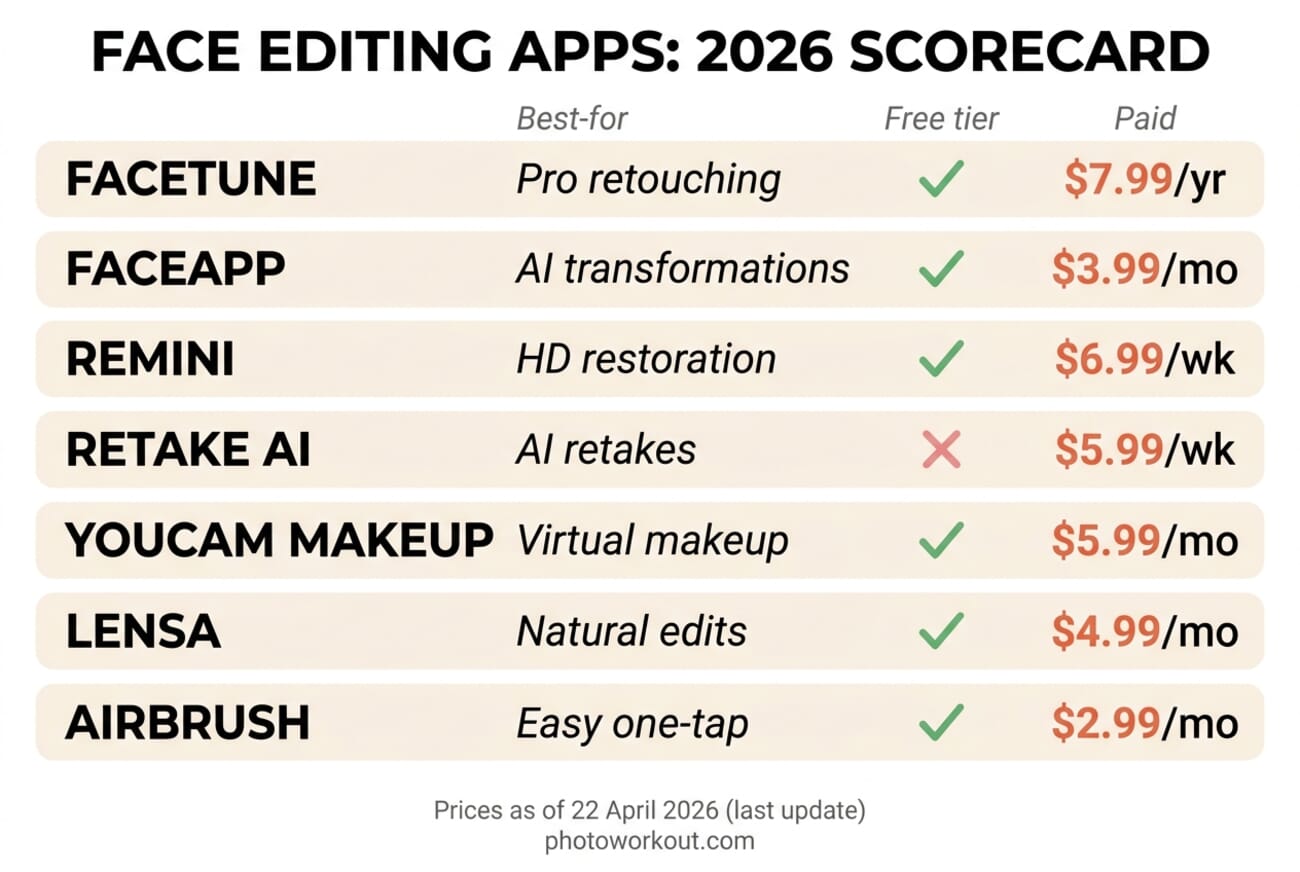
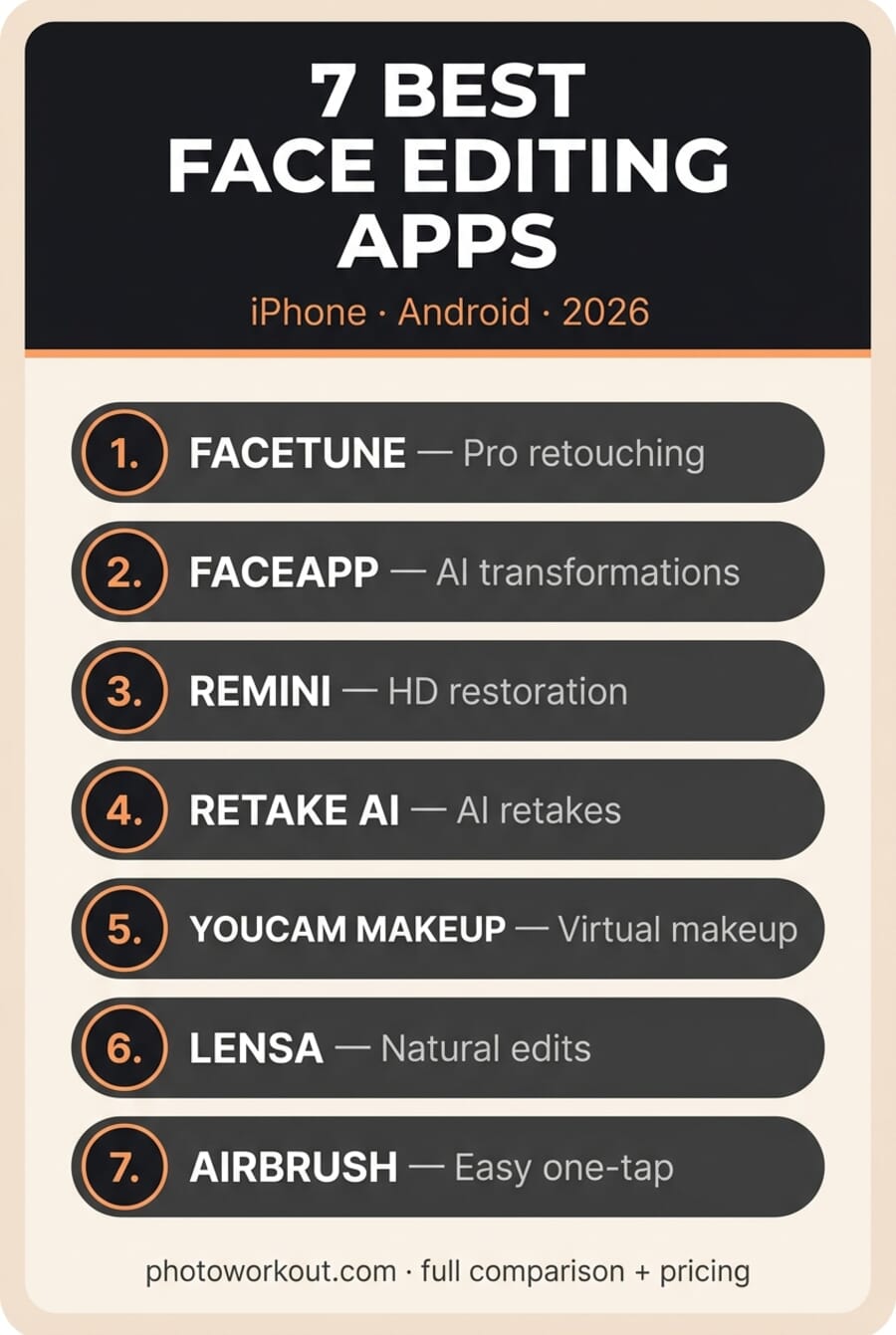
- Facetune remains the pro standard for detailed manual retouching — skin, teeth, reshape, and AI Headshots — from $7.99/yr.
- FaceApp is still the most-downloaded face editor with 1.7M+ ratings; best for viral AI transformations (aging, hair, gender swap).
- Remini is the 2026 breakout: AI photo-enhancement and HD face restoration from low-res sources. Free tier available, $6.99/wk for unlimited.
- Retake AI pioneered the ‘AI retake’ category — trains a lightweight model on your face, generates new photos in new poses and lighting. $69.99/yr.
- Free starting point: AirBrush (easiest) or YouCam Makeup (best for virtual makeup try-on). Both deliver professional results on their free tiers with ads.
Face editing apps have changed more in the last 18 months than in the previous decade. Generative AI now sits inside every major app — not as a novelty filter, but as the primary editing engine. The best apps in 2026 don’t just smooth skin; they generate entirely new photos of the same face, restore decade-old portraits to HD, and try on makeup looks in real-time as the camera rolls.
This guide sorts them for every need: whether you want a free Facetune alternative, a one-tap app to enhance and beautify a selfie, a serious manual retoucher, or AI that restores and upscales old photos. Below are seven apps worth your time in 2026 — what each is genuinely best at, which ones are free, and an honest note on where face editing crosses the line.
This guide covers the seven apps that actually matter in 2026 for iPhone and Android — ranked, priced, and compared on the real-world strengths that separate them. Every app on the list has a 4+ star average, active development through 2026, and a clear answer to the question: who is this best for?
When you buy through links on our site, we may earn a commission at no cost to you. We evaluate products independently. Commissions do not affect our evaluations.
Quick Picks by Use Case
- If you want one app: Facetune — broadest toolkit, pro-grade manual control plus AI Headshots.
- If you want viral AI filters: FaceApp — the aging, hair, and style filters that drive TikTok trends.
- If you have old or low-res photos: Remini — the best AI photo-enhancement on phones, period.
- If you want AI-generated retakes of yourself: Retake AI — trains on your face, generates new photos in new outfits and poses.
- If you want to try on makeup looks: YouCam Makeup — 300M+ users, real brand partnerships.
- If you want ‘me, but slightly better’: Lensa — subtle natural enhancements, no over-edited look.
- If you’re new to face editing: AirBrush — the simplest interface on this list, one-tap automations.
1. Facetune
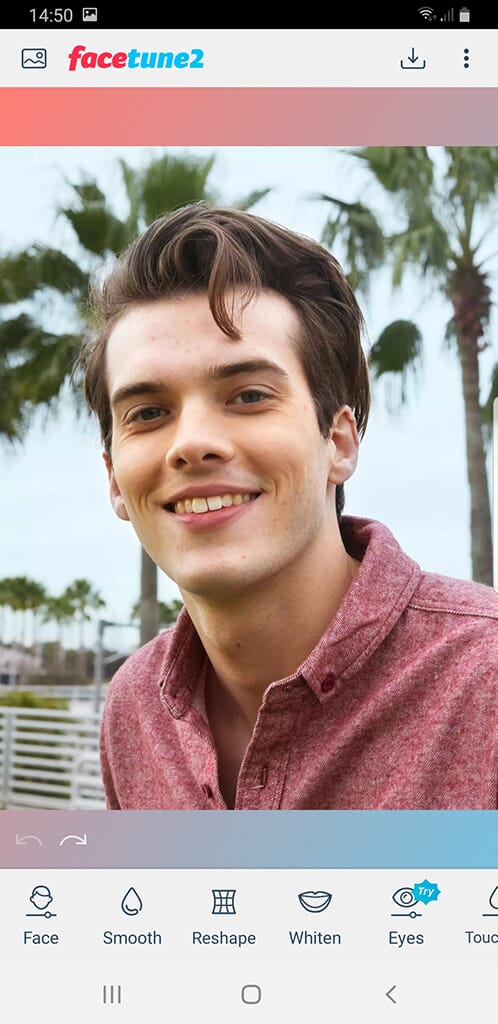
Facetune by Lightricks remains the most complete face-editing toolkit on mobile. The 2025–2026 updates added AI Headshots, generative hair try-on, virtual outfits, and a refined Skin 2.0 model that handles texture without plasticizing.


Free trial available. Facetune VIP runs $7.99/yr (entry) up to $59.99/yr (full), or $19.99/mo. iOS and Android.
Facetune’s biggest competitive advantage in 2026 is breadth. Manual retouchers get the best sliders; AI users get headshot generation and hair try-on; video creators get the same tools applied to 15-60 second clips. Nothing else on this list does all three well.
The one caveat: the free tier has narrowed significantly since 2023. Users who remember casually stumbling into Facetune for one-off edits will find most of what they want behind VIP now. For anyone who edits more than once a month, the $7.99/yr entry tier is a rounding error; for anyone editing quarterly, pair the free tier with one of the AI photo editors listed in our roundup.
2. FaceApp
FaceApp is still the most downloaded face editor on both stores with 1.7M+ ratings and a 4.7★ average. The aging, gender-swap, and hairstyle filters that went viral in 2019 have only improved — the 2026 neural model handles texture, lighting, and ethnic diversity far better than early versions.
Free with ads. FaceApp Pro runs $3.99/mo or $19.99/yr. iOS and Android.
FaceApp is best thought of as a specialist, not a generalist. It doesn’t offer the manual sliders Facetune does, and it’s weaker at subtle retouch. But for a one-tap “what would I look like in 40 years?” or “show me with long hair” transformation, nothing competes — the results consistently fool viewers.
3. Remini

Remini has quietly become the most-installed AI photo enhancement app globally. Its specialty is restoring blurry, low-resolution, or decades-old face photos to sharp HD — the results can feel like magic, especially for old family portraits and social-media-compressed snapshots.
Free with daily credits and watermarks. Personal Plan $6.99/wk, Business $9.99/wk. iOS and Android.
What sets Remini apart is its very specific goal: it doesn’t try to make users look better — it tries to make a photograph clearer. Blurry selfies, compressed social-media downloads, pixelated screenshots, old photographs that were taken on phones with 2-megapixel cameras — Remini sharpens all of them without the plastic-skin artifacts that plagued earlier AI upscalers.
The app also generates AI headshots from a handful of self-portraits, putting it in direct competition with Facetune and Retake AI for professional profile images. Remini’s generated portraits tend toward the cleaner, studio-lit end of the spectrum; Retake AI’s lean more editorial.
4. Retake AI
Retake AI essentially created the ‘AI retake’ category. Users upload 10-20 selfies; the app trains a lightweight model on the face and then generates brand-new photos in different poses, outfits, lighting, and backgrounds — with recognizable facial identity preserved.
$5.99/wk or $69.99/yr (yearly is much better value). iOS-first, Android available.
The appeal of Retake AI isn’t retouching — it’s generation. The model creates images that don’t exist: the user in a business suit in front of a brick wall, at a beach in golden hour, or in a studio with rim lighting. Facial identity is preserved well enough that most viewers can’t distinguish them from real photographs.
That’s useful for dating app profiles, LinkedIn headshots, and social content where shooting real new photos is impractical. It’s also raising fair ethical questions — Retake AI photographs the user never actually took are, strictly, not photographs of the user. The line between ‘a better edit’ and ‘a fictional photo’ has blurred, and how that lands with viewers is still being sorted out.
5. YouCam Makeup

YouCam Makeup is the category leader for real-time virtual makeup. With 300M+ users and brand partnerships spanning Maybelline, L’Oréal, MAC and others, it’s the app where users can actually buy the lipstick they just virtually tried.
Free with ads and in-app purchases. YouCam Premium is $5.99/mo or $29.99/yr. iOS and Android.
Beyond makeup, YouCam does full face retouching, hair color try-on, body reshaping, and teeth whitening. The AI Agent feature added in early 2026 analyzes face shape and suggests personalized makeup looks — it’s gimmicky in some hands, genuinely useful in others.
6. Lensa

Lensa’s specialty is enhancement that doesn’t look like enhancement. Its Magic Retouch and Smart Adjust tools produce subtle, balanced results — the opposite of the over-smoothed, plasticky look that plagued early beauty apps.
Free tier. Lensa Pro is $4.99/mo or $29.99/yr. iOS and Android.
Lensa’s AI approach leans on subtlety. A typical Lensa edit fixes lighting balance, smooths texture just enough to eliminate fatigue signs, and adjusts color temperature — viewers generally can’t tell it was edited. That makes it the preferred choice for professional contexts (LinkedIn, headshots, editorial) where heavy retouching would read as dishonest.
7. AirBrush
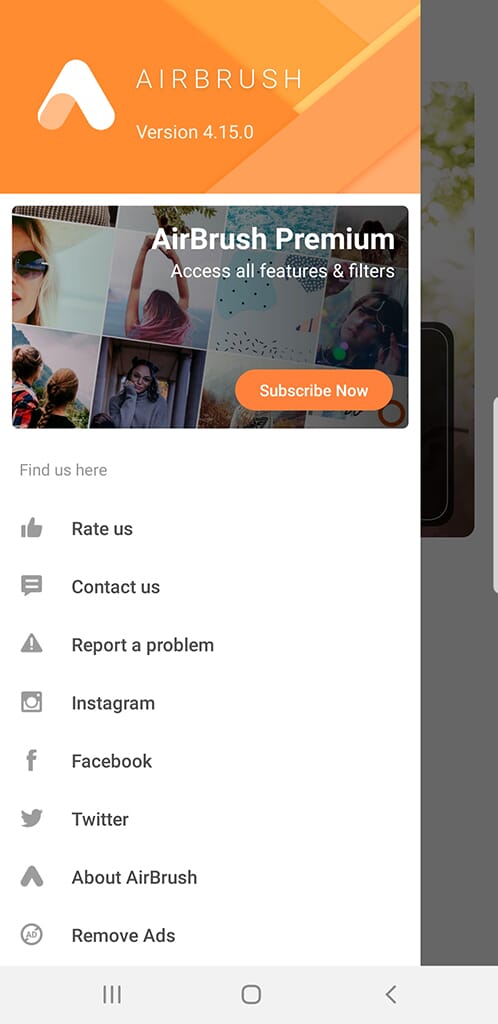
AirBrush is the easiest entry point for anyone new to face editing. The interface is stripped to one-tap AI retouch for skin, blemishes, teeth, and whites-of-eyes, plus a small set of manual sliders for those who want more control.
Free with ads. AirBrush Premium is $2.99/mo or $19.99/yr. iOS and Android.
For readers whose only question is “what app should I install if I just want to touch up a selfie before posting it?” — AirBrush is the answer. Install, import, tap one button, share. The learning curve is zero.
The Best Free Face Editing Apps (and Facetune Alternatives)
You don’t have to pay to get most of the way there. If you specifically want a free Facetune alternative, AirBrush is the closest match — its free tier covers the core retouching people actually use Facetune for (smooth, reshape, blemish and teeth fixes) without a subscription. For makeup-style edits and virtual try-on, YouCam is the best free pick, and FaceApp’s free tier still nails the viral AI transforms (age, smile, hairstyle). For broader free editing that also handles faces cleanly, Google’s Snapseed is completely free, watermark-free, and surprisingly powerful with its selective tools.
The catch with free tiers is the familiar one: watermarks, locked AI features, ads, and export limits. If you edit faces often, a paid app (Facetune for manual control, Remini for AI restoration) pays for itself fast — but for the occasional selfie touch-up or a one-off “beautify” pass, the free options above are more than enough.
Which Face Editing App Is Right for You?
The right app depends less on which has the most features and more on what kind of editing actually fits the reader’s workflow. Here’s the decision tree in plain language:
- Editing detailed portraits where precision matters? Facetune, because the manual controls are unmatched.
- Creating viral social content with style transforms? FaceApp, because the AI filters are the viral-est AI filters.
- Restoring blurry or old photos? Remini, because this is literally what it was built for.
- Generating new headshots of yourself? Retake AI for editorial, Remini for studio-clean, Facetune for integration with a full edit workflow.
- Trying on makeup or hair? YouCam Makeup, because the brand-shopping integration is unique.
- Avoiding the over-edited look? Lensa, because it’s the most restrained of the group.
- Starting out or editing casually? AirBrush, because the one-tap workflow is forgiving.
For most readers, the right combination is two apps: Facetune for serious edits plus a specialist (Remini for restoration, Retake AI for generation, or YouCam for makeup experimentation). Running just one app means choosing between precision and specialty capabilities.
A Note on Over-Editing (and Ethics)
Every app on this list can over-edit. Facetune’s slider can push to plastic. FaceApp’s filters can homogenize features. Retake AI can generate photos of people doing things they never did. The ethical and psychological implications are real — and increasingly a mainstream conversation. It’s also worth remembering that heavily AI-edited faces increasingly get flagged by detection tools — sometimes wrongly accusing genuine photos — so a lighter touch is safer for anything you’ll publish or submit.
Practical guidance: (1) edit less, not more — subtle edits hold up; heavy ones date quickly. (2) For professional contexts (LinkedIn, dating profiles, journalism), disclose when generation was used; viewers appreciate honesty. (3) For content aimed at young audiences, the same skin-smoothing that feels harmless to an adult user has well-documented impact on adolescent self-image. Keep that in mind when choosing defaults.
The broader AI-photography trend is moving in the opposite direction from over-editing. As we covered earlier this year, the best AI photo tools of 2026 are increasingly subtle — models trained to preserve realism, not destroy it. Lensa and Remini represent that trend well.
Frequently Asked Questions
What’s the best free face editing app in 2026?
AirBrush has the best unrestricted free experience — all core edit tools work on the free tier with ads, no time limits. For more advanced AI features on a free tier, FaceApp offers a generous selection before hitting the FaceApp Pro paywall. Facetune’s free tier has been significantly reduced in 2026.
Is it safe to upload face photos to these apps?
Each app has its own privacy policy worth reading. Facetune (Lightricks), YouCam (Perfect Corp), AirBrush (Meitu), Lensa (Prisma Labs), and Remini (Bending Spoons) are all established companies with published policies. FaceApp and Retake AI have smaller developer footprints — review their policies specifically if data-sensitivity matters. Avoid apps that ask for unnecessary permissions or lack a privacy policy entirely.
Can these apps replace Photoshop or Lightroom?
For casual mobile edits, yes. For professional work involving print-grade color, precise masking, layered edits, or RAW processing, no. Photoshop remains the tool for pro retouchers; these apps are for everyday and social-content workflows.
Which face editing app has the best AI headshot generator?
Three worth comparing: Facetune’s AI Headshots (integrated with the full editing suite), Remini (fastest, leans clinical/studio), and Retake AI (most editorial, most expensive). For LinkedIn profiles specifically, Remini wins on speed and Facetune on polish.
Are face editing apps different on iPhone vs Android?
Every app on this list works on both iOS and Android, but flagship iOS versions often receive new features weeks or months before Android equivalents. Facetune, Lensa, and Retake AI in particular are iOS-first. Android users see parity eventually but aren’t always first in line.
How much should I actually pay for a face editing app?
For most users, $3-5 per month for one specialized app plus a free tier elsewhere covers everything needed. Annual plans on Facetune ($59.99/yr full) and Retake AI ($69.99/yr) are better value than weekly subscriptions. Avoid paying $6.99 per week — that annualizes to $363, more than a Creative Cloud Photography subscription.
Do any of these apps work well for men?
All of them — the underlying AI models are trained on diverse datasets. That said, Lensa, Facetune, and AirBrush are the most gender-neutral in interface design. YouCam Makeup is specifically oriented toward makeup experimentation, which not every user wants.
What’s the difference between face editing and AI photo enhancement?
Face editing changes specific features: smooth skin, whiten teeth, reshape jaw. AI photo enhancement improves technical quality: sharpen, denoise, upscale, restore detail. Remini is primarily enhancement; Facetune is primarily editing. Several apps (Lensa, AirBrush) do both.
App icons: official developer press assets via Apple App Store and Google Play Store. 2026 scorecard, Pinterest pin, and featured graphic: PhotoWorkout.
All sources and pricing verified on April 22, 2026.
App stores and developers
- Apple App Store — Facetune by Lightricks – Current iOS listing with pricing and feature list.
- Apple App Store — Remini AI Photo Enhancer – Official app listing for Remini by Bending Spoons.
- Apple App Store — Retake AI – Retake AI official iOS listing.
Reviews and coverage
- Sonary — Facetune AI Tools Review 2026 – Recent editorial review of Facetune's AI Headshots and virtual try-on features.
- Perfect Corp — 12 Best Free Face Editing Apps in 2026 – Perfect Corp's industry roundup (YouCam developer).
- ToolsForHumans — Remini AI review 2026 – Independent review of Remini's enhancement capabilities and pricing.
- Lightricks — What's the difference between Facetune VIP and the free version? – Official pricing and tier-comparison from the developer.
Image Sources
- Featured image — PhotoWorkout – Stylized PhotoWorkout illustration created in-house.
- App comparison scoreboard — PhotoWorkout – Original PhotoWorkout infographic summarizing the seven apps.
- Vertical pin graphic — PhotoWorkout – Original PhotoWorkout illustration.



