


- Epson FastFoto FF-680W – Top pick for batch scanning. 1 photo/second with WiFi, duplex, and 30-sheet auto feeder.
- ScanSnap iX2500 Photo Edition – Premium wireless scanner with 5-inch touchscreen and WiFi 6. Up to 100 photos/minute.
- Plustek ePhoto Z300 – Best value with 9,600+ reviews. CCD sensor scans 4×6 photos in 2 seconds.
- Canon CanoScan LiDE 400 – Budget flatbed pick at $97. 4800 dpi with USB-C.
- ClearClick QuickConvert 2.0 – Best standalone scanner. No computer needed – built-in screen and battery.
- Prices range from $75 to $630, covering flatbed, sheetfed, and portable scanner types for every budget and use case.
When you buy through links on our site, we may earn a commission at no cost to you. We evaluate products independently. Commissions do not affect our evaluations.
Timing Your Photo Scanner Purchase for Prime Day 2026
If you can wait a week, it is worth it: Amazon Prime Day is almost here, and photo scanners are a reliably discounted category. The big sheet-fed models that top this list — Epson’s FastFoto FF-680W and the Fujitsu ScanSnap iX-series — routinely see their biggest price drops of the year during Prime Day and the holiday sales that follow, sometimes $50–$100 off. The budget Canon CanoScan LiDE flatbeds and the Plustek ePhoto Z300 dip too, though by smaller margins. Set a price alert on the model you want now, and check it the moment the deals go live rather than buying blind.
One trap to avoid while you shop: the older Epson FastFoto FF-640 (further down this list) currently sells for more than its newer replacement, the FF-680W, and stock is nearly gone — so unless you spot the FF-640 deeply discounted, the FF-680W is the better buy at any price near parity. And if you only have a few hundred photos to digitize, do the math before buying hardware at all: a mail-in photo scanning service can come out cheaper than a $200–$600 scanner for a one-time project, while a scanner wins if you have thousands of prints or plan to keep digitizing.
Don’t want to scan them yourself?
A mail-in service digitizes your photos, slides and film for you, then ships the originals back.
Best Photo Scanners for Digitizing Printed Photos
Old photo albums fade. Shoeboxes of 4×6 prints get damaged by humidity, sunlight, and time. Digitizing your printed photos is the best way to preserve those memories – and a good photo scanner makes the process fast and painless.
The right scanner depends on how many photos you need to digitize and how quickly. Sheetfed scanners like the Epson FastFoto FF-680W rip through stacks of photos at up to 1 per second. Flatbed scanners like the Canon CanoScan LiDE 400 handle one photo at a time but offer higher resolution for enlargements. Portable scanners let you scan at a relative’s house without hauling a computer.
We researched specs, analyzed thousands of user reviews, and compared 12 photo scanners across every price point. Here are our top picks for digitizing printed photos.
Looking for film & slide scanners? If you need to digitize 35mm negatives, slides, or film strips, check out our dedicated guide: Best Slide & Film Scanners in 2026
When you buy through links on our site, we may earn a commission at no cost to you. We evaluate products independently. Commissions do not affect our evaluations. As an Amazon Associate, we earn from qualifying purchases.
Best Photo Scanners


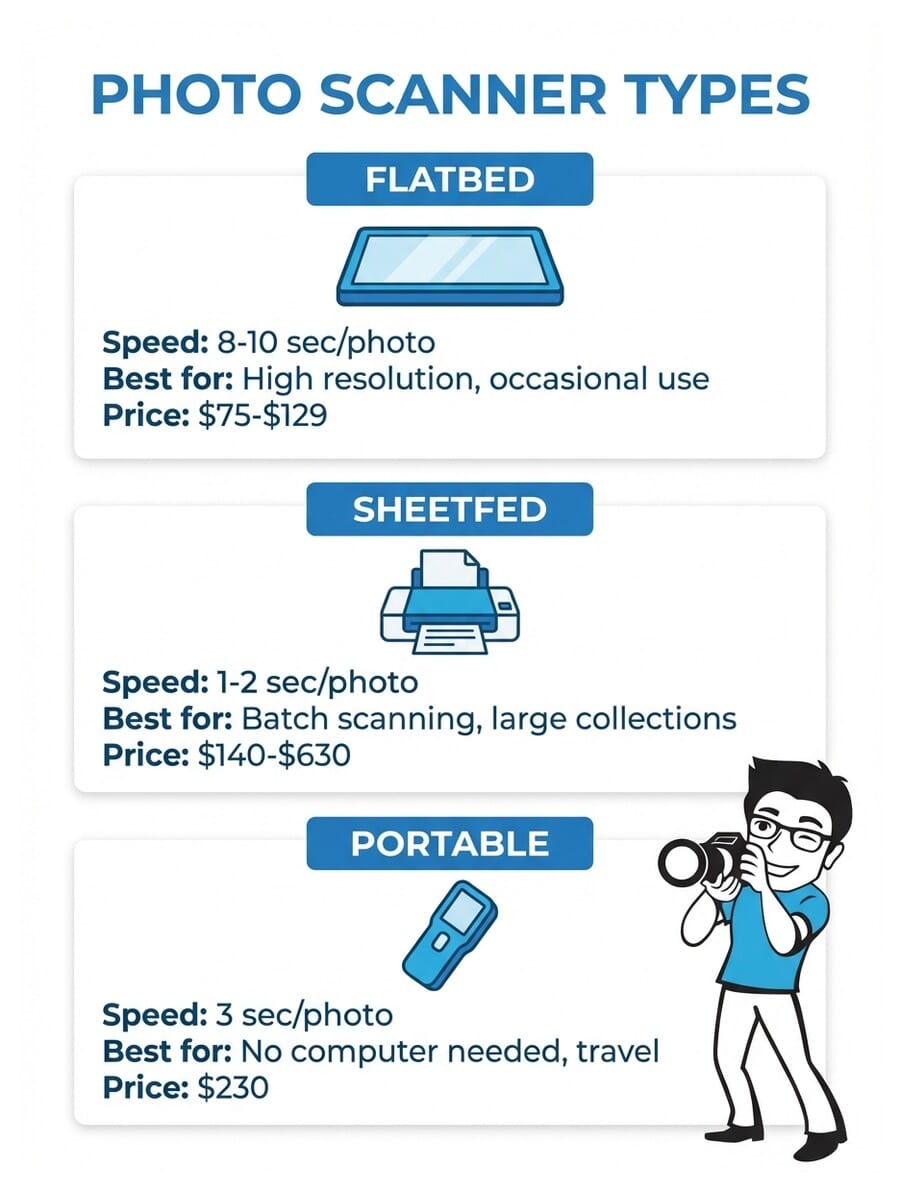
Photo Scanner Comparison
| Specifications | ||||||||||||
|---|---|---|---|---|---|---|---|---|---|---|---|---|
| Scanner Type | Sheetfed | Sheetfed | Sheetfed | Sheetfed | Sheetfed | Sheetfed | Flatbed | Flatbed | Portable | Sheetfed | Sheetfed | Flatbed |
| Optical Resolution | 600 dpi | 600 dpi | 600 dpi | 600 dpi | 600 dpi | 600 dpi | 4800 dpi | 4800 dpi | 22 MP (interpolated) | 600 dpi | 600 dpi | 2400 dpi |
| Scan Speed | 1 photo/sec | 100 photos/min | 2 sec per 4×6 | 1 photo/sec | 40 ppm | 30 ppm | 8 sec per scan | 10 sec per scan | 3 sec per scan | 2 sec per 4×6 | 3 sec per photo | 10 sec per scan |
| Connectivity | USB + WiFi | USB + WiFi 6 | USB | USB | USB | USB + WiFi | USB-C | USB | SD card + USB | USB | USB | USB |
| Auto Feeder | Yes (30 sheets) | Yes (50 sheets) | Manual feed | Yes (30 sheets) | Yes (60 sheets) | Yes (20 sheets) | No | No | No | Manual feed | Manual feed | No |
| Price | $613 | $555 | $220 | $588 | $287 | $280 | $97 | $129 | $230 | $230 | $140 | $75 |





1. Epson FastFoto FF-680W
Epson FastFoto FF-680W
Photographers with large photo collections who need the fastest batch scanning with wireless convenience
- Scans up to 1 photo per second at 300 dpi
- Single-pass duplex captures front and back
- WiFi + USB connectivity with mobile app
- Auto color restoration and red-eye correction
- Handles photos from wallet-size to panoramic
- Premium price point at $613
- Requires careful feeding of fragile prints
- Software can be finicky on Mac
The FF-680W is the gold standard for digitizing printed photos at speed. It scans a 4×6 at 300 dpi in about one second, handles stacks of 30 photos at a time, and captures handwritten notes on the back in a single pass. WiFi connectivity and the FastFoto app round out a premium package that justifies its price for anyone with boxes of photos to preserve.
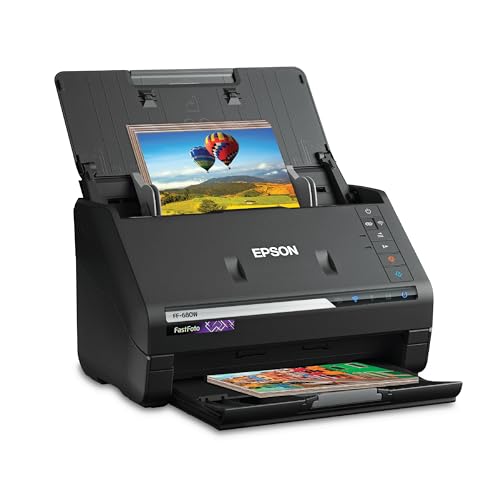
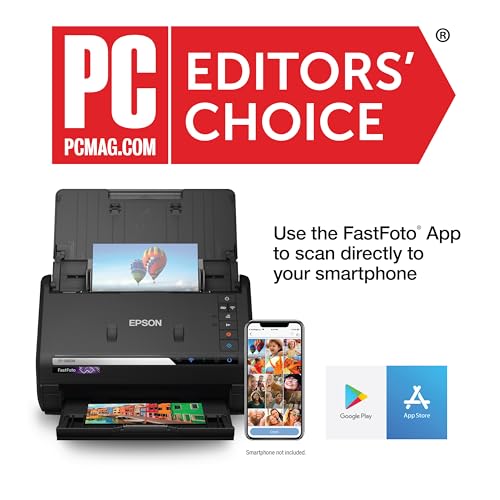


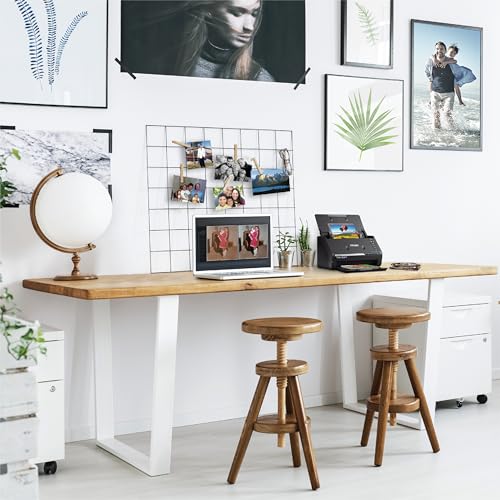

Ranked #1 with a score of 96/100, the Epson FastFoto FF-680W earns its spot as our top recommendation for digitizing printed photos. Priced at $613, it falls into the premium category.
The FF-680W is the scanner to beat for batch photo scanning. Its 30-sheet auto document feeder means you can load a stack of photos and let it run – capturing one photo per second at 300 dpi. The single-pass duplex design captures both the front image and any handwritten notes on the back simultaneously, which is invaluable for preserving the context behind old family photos.
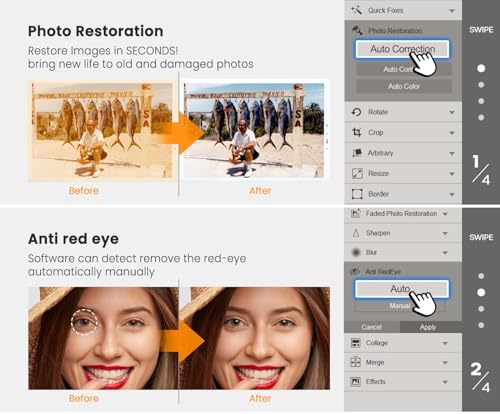
WiFi connectivity sets the FF-680W apart from its predecessor, the FF-640. You can scan wirelessly from anywhere in the room and use the Epson FastFoto mobile app to organize, enhance, and share photos directly from your phone. The software includes automatic color restoration, red-eye correction, and dust removal – features that genuinely help when scanning faded prints from the 1970s and 1980s.
Reviewers consistently praise the scanning speed but note that very fragile or curled photos require extra care when feeding. For large collections of standard 4×6 prints in reasonable condition, the Epson FastFoto FF-680W is the clear winner.
2. ScanSnap iX2500 Photo Edition
ScanSnap iX2500 Photo Edition
Power users who want the newest tech with touchscreen controls, WiFi 6, and the fastest throughput available
- 5-inch touchscreen for easy profile selection
- WiFi 6 for fastest wireless scanning
- Includes 3 photo carrier sheets for fragile prints
- Up to 100 photos per minute throughput
- Excellent ScanSnap Home software
- Expensive at $555
- Photo carrier sheets are consumables
- Primarily a document scanner adapted for photos
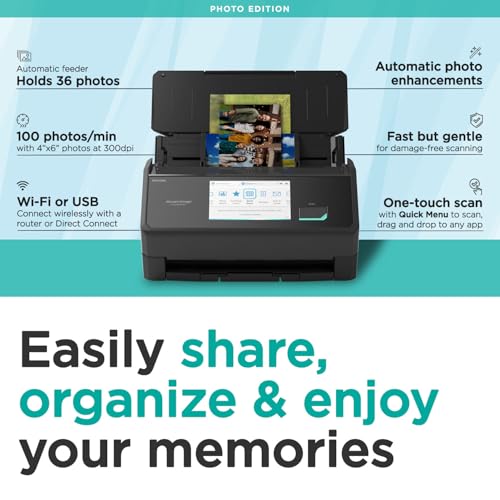
The iX2500 Photo Edition is ScanSnap’s latest and most advanced scanner, built specifically for photo digitization. Its 5-inch touchscreen, WiFi 6 connectivity, and included photo carrier sheets for delicate prints make it a compelling premium choice. At up to 100 photos per minute, it rivals the Epson FF-680W for speed.
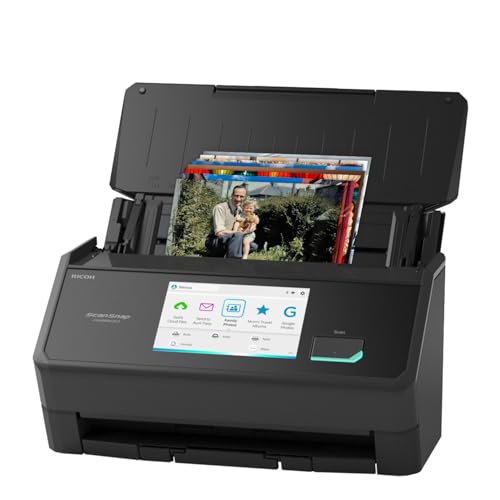
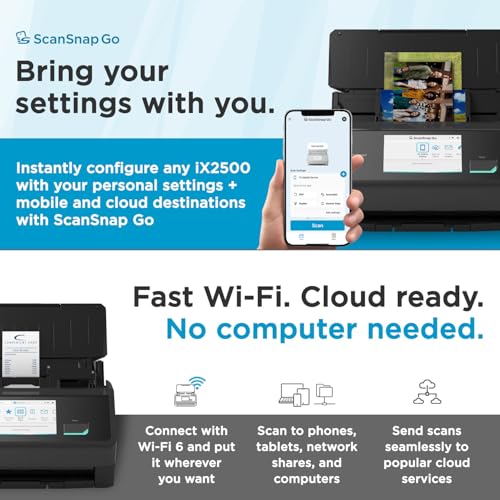
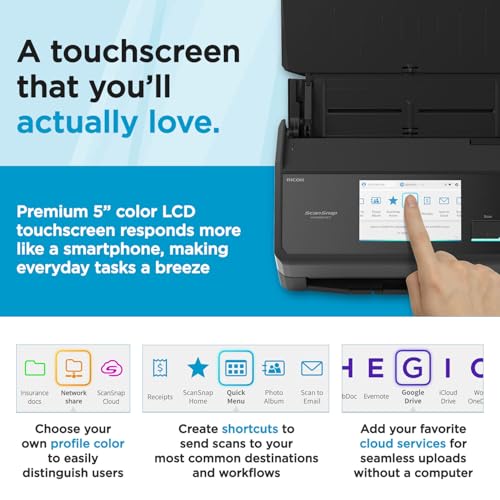
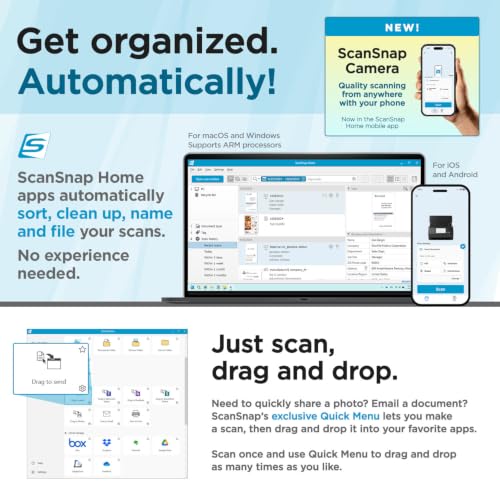

Ranked #2 with a score of 93/100, the ScanSnap iX2500 Photo Edition earns its spot as a strong contender for digitizing printed photos. Priced at $555, it falls into the premium category.
The iX2500 Photo Edition represents the newest technology in this roundup. Its 5-inch touchscreen makes selecting scan profiles intuitive – no computer interaction needed to start scanning. WiFi 6 provides the fastest and most stable wireless connection available, and the 50-sheet ADF handles bigger batches than most competitors.
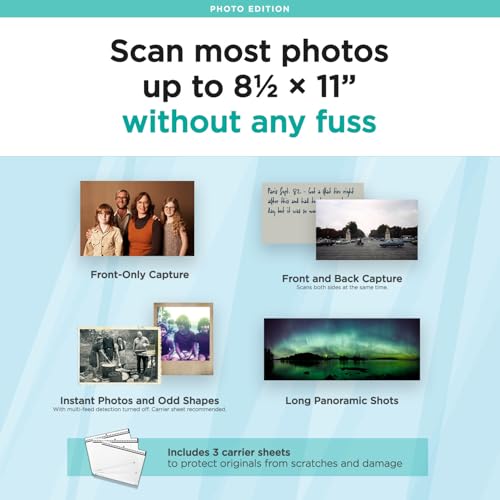
What makes the Photo Edition special is the included photo carrier sheets. These transparent sleeves protect delicate, fragile, or very old prints from the scanning mechanism. Standard sheetfed scanners can sometimes damage borderline prints, so this is a thoughtful inclusion for archival scanning.
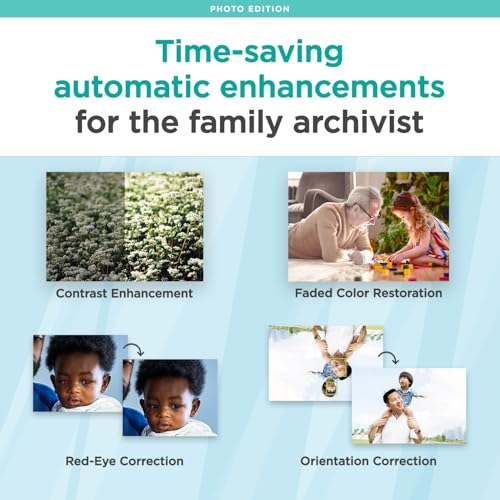
ScanSnap Home software is among the best in the business for organizing scanned content. It automatically categorizes documents vs. photos, applies image enhancement, and syncs across devices. At $555, the ScanSnap iX2500 Photo Edition is a premium investment that delivers premium results.
3. Plustek ePhoto Z300
Plustek ePhoto Z300
Home users who want a fast, affordable dedicated photo scanner without the complexity of a flatbed
- 4.5-star rating with 9,600+ reviews
- Scans 4×6 in 2 seconds at 300 dpi
- CCD sensor for superior color accuracy
- Auto-crop, deskew, and color enhancement
- Supports 3×5 through 8×10 sizes
- USB only – no wireless option
- Manual one-at-a-time feeding
- Max 600 dpi optical resolution
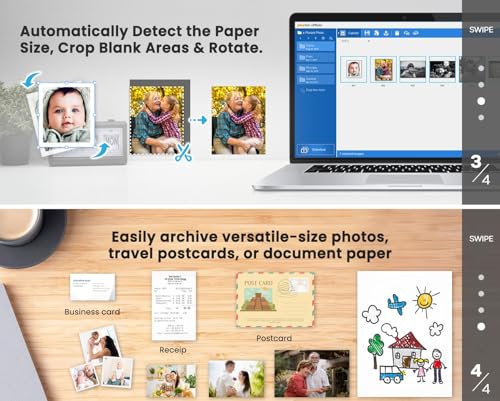
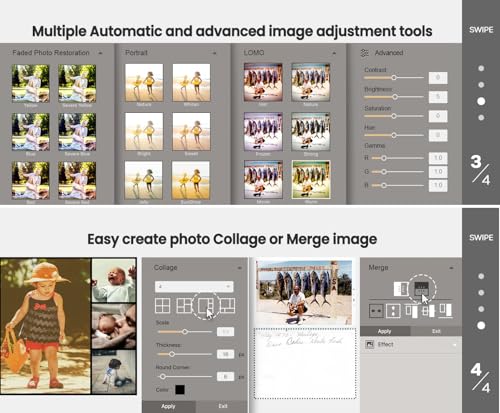
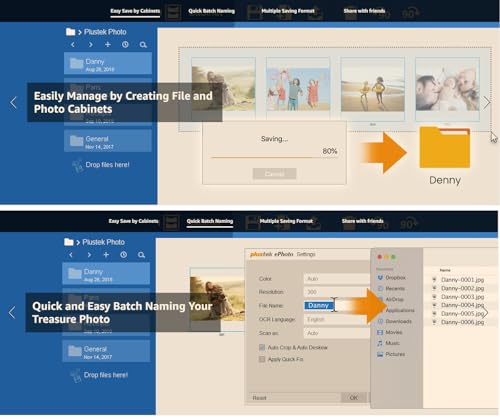
The Z300 has earned its reputation with nearly 10,000 Amazon reviews and a 4.5-star rating. It scans a 4×6 photo in just 2 seconds at 300 dpi, with auto-crop, deskew, and color restoration built in. The CCD sensor delivers better color depth than cheaper CIS-based scanners. A proven workhorse at a reasonable price.
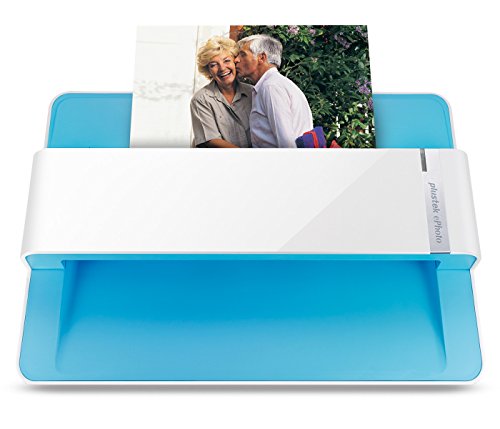

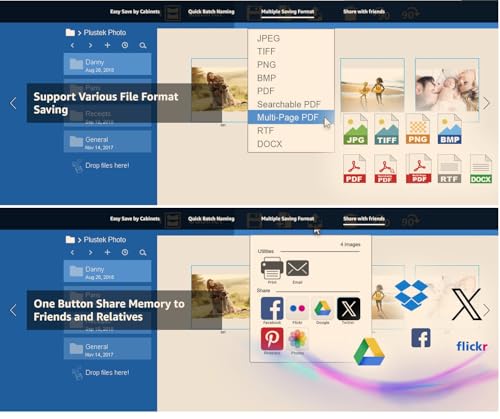
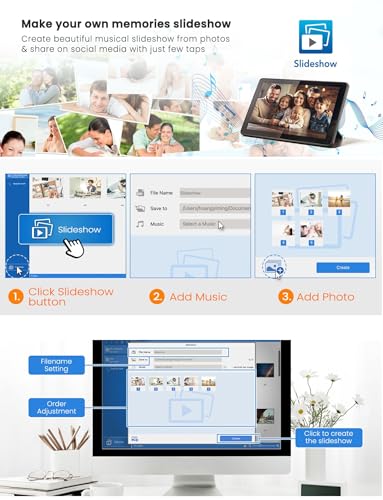

Ranked #3 with a score of 91/100, the Plustek ePhoto Z300 earns its spot as a strong contender for digitizing printed photos. Priced at $220, it falls into the mid-range category.
With nearly 10,000 Amazon reviews and a 4.5-star average, the Plustek ePhoto Z300 is the most reviewed photo scanner on the market. That kind of track record speaks for itself. The CCD sensor delivers richer color depth than cheaper CIS-based alternatives, which matters when scanning vintage prints with subtle color gradations.
Operation is straightforward: insert a photo, it scans in about 2 seconds at 300 dpi, and the software auto-crops, deskews, and enhances the image. Supports sizes from 3×5 snapshots up to 8×10 prints. The lack of an auto feeder means you feed photos one at a time, but the 2-second scan time means you can still process hundreds per hour with minimal effort.
At $220, the Plustek Z300 hits the sweet spot between the budget flatbeds below $130 and the premium sheetfed scanners above $500. If you want proven reliability without breaking the bank, this is the scanner to get.
4. Epson FastFoto FF-640
Epson FastFoto FF-640
Users who want FastFoto speed without paying extra for WiFi and don’t mind a USB-only connection
- Same fast scanning engine as FF-680W
- 30-sheet auto document feeder
- Single-pass duplex for front and back
- Color restoration and enhancement tools
- Handles wallet to panoramic sizes
- USB only – no wireless
- Older model, less refined software
- Still expensive at $588
The FF-640 is the wired predecessor to the FF-680W and shares its core scanning engine. You still get the same blazing 1-photo-per-second speed, 30-sheet auto feeder, and single-pass duplex scanning. The main trade-off is no WiFi – but if you’re scanning near your computer anyway, the savings may be worth it.


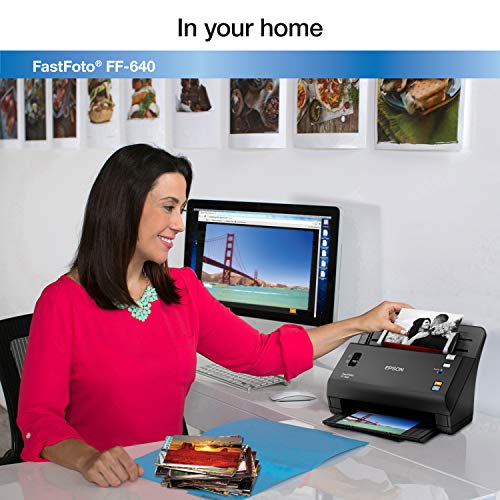

Ranked #4 with a score of 89/100, the Epson FastFoto FF-640 earns its spot as a strong contender for digitizing printed photos. Priced at $588, it falls into the premium category.
The Epson FastFoto FF-640 shares the same core scanning engine as the top-ranked FF-680W. That means identical speed (1 photo per second), the same 30-sheet auto feeder, and the same single-pass duplex capability. The primary difference is connectivity: USB only, no WiFi.
For users who plan to scan near their computer anyway, the absence of WiFi is barely a compromise. The FF-640’s software still includes automatic color restoration, red-eye correction, and enhancement tools. It handles everything from wallet-size photos to panoramic prints.
The caveat is pricing: at $588, the FF-640 is only $25 less than the WiFi-equipped FF-680W. Unless you find it on sale, the FF-640 is harder to recommend over its wireless sibling. But if availability or a good deal makes it the better value, it’s an equally capable scanner.
5. Canon imageFORMULA RS40
Canon imageFORMULA RS40
Users with mixed photo and document collections who want a versatile scanner with a large auto feeder
- 60-sheet ADF – largest in this roundup
- Simultaneous duplex scanning at 40 ppm
- Handles photos, Polaroids, cards, receipts
- Bundled photo enhancement software
- TWAIN driver for broad compatibility
- 3.9-star rating suggests mixed experiences
- Photo quality not as refined as dedicated photo scanners
- No wireless connectivity
The RS40 bridges the gap between document scanner and photo scanner. Its 60-sheet ADF handles both standard documents and photos (including Polaroids), while bundled software provides red-eye correction and face smoothing. Duplex scanning captures both sides simultaneously. A solid choice if you need to digitize photos AND paperwork.


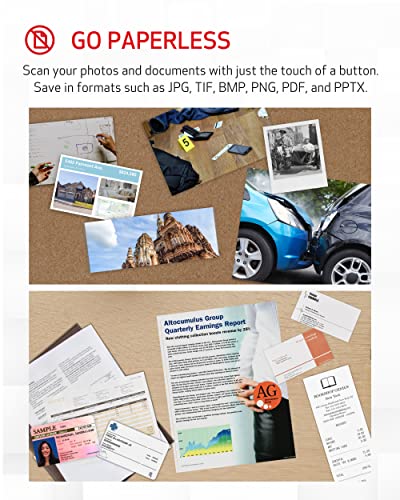
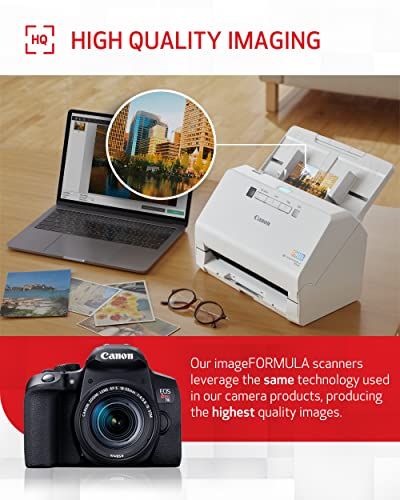
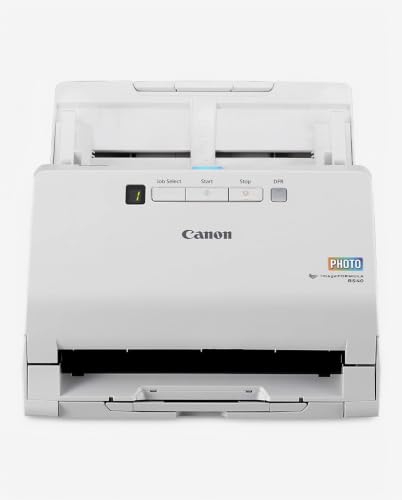
Ranked #5 with a score of 87/100, the Canon imageFORMULA RS40 earns its spot as a strong contender for digitizing printed photos. Priced at $287, it falls into the mid-range category.
The Canon imageFORMULA RS40 takes a different approach: it’s a document scanner that’s been optimized for photos. The 60-sheet auto document feeder is the largest in this roundup, and it handles a mixed bag of media types – photos, Polaroids, receipts, business cards, and standard documents all in one session.
Duplex scanning at 40 pages per minute makes the RS40 fast for its class. The bundled software includes photo-specific enhancements: red-eye correction, face smoothing, and color restoration. TWAIN driver support means it works with virtually any scanning software on both Windows and Mac.
The 3.9-star rating reflects mixed reviews – some users report occasional paper jams with very old or thin photos. But for anyone digitizing a mixed collection of photos and documents, the Canon RS40 offers the best versatility at $287.
6. ScanSnap iX1300
ScanSnap iX1300
Users with limited desk space who want wireless scanning for photos and documents in a compact form factor
- Ultra-compact U-turn design saves desk space
- WiFi + USB dual connectivity
- 30 ppm duplex scanning
- Handles thick cards and photos
- Excellent ScanSnap Home software
- 20-sheet ADF is smaller than competitors
- Photo-specific features are limited
- Not as fast as dedicated photo scanners
The iX1300 stands out for its space-saving U-turn design – it takes up barely more room than a loaf of bread. Despite its size, it offers WiFi connectivity, 30 ppm duplex scanning, and handles everything from photos to thick cards. ScanSnap Home software is consistently praised for its organization features.

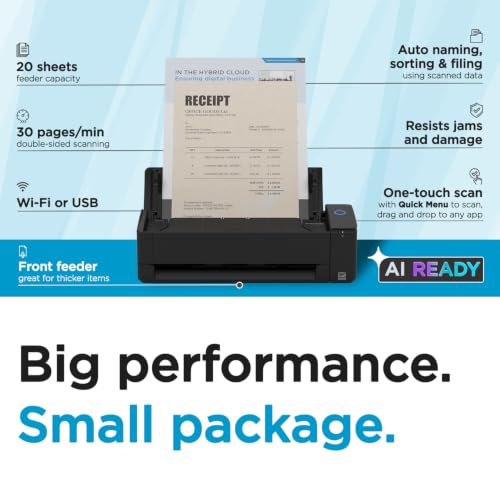
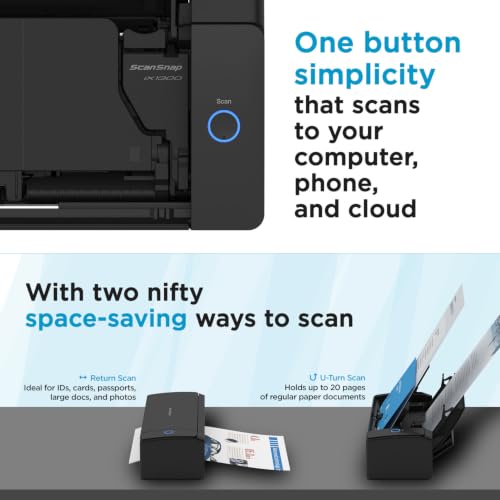
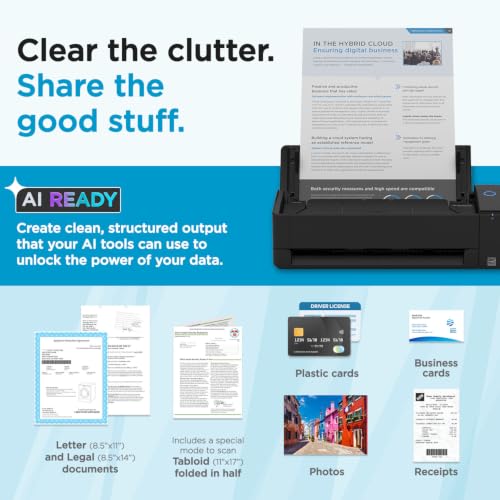
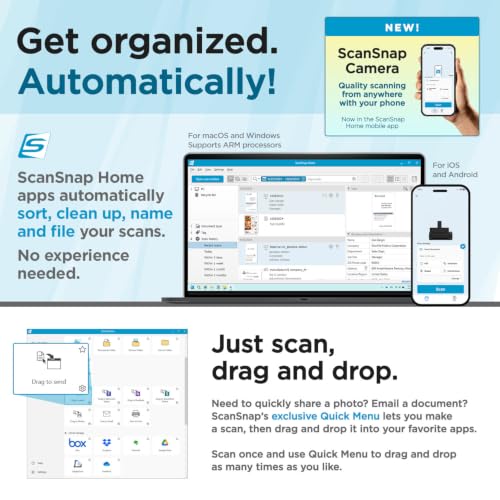
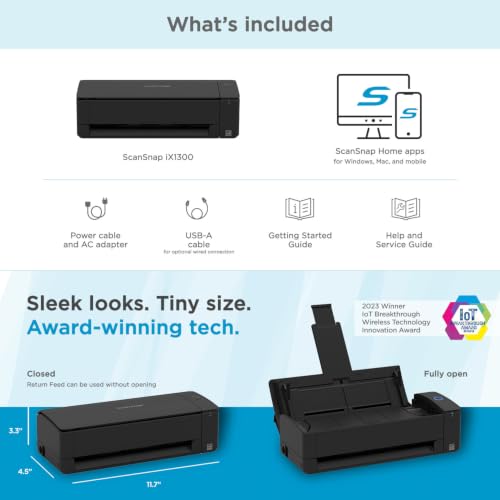
Ranked #6 with a score of 86/100, the ScanSnap iX1300 earns its spot as a strong contender for digitizing printed photos. Priced at $280, it falls into the mid-range category.
Space is the selling point of the ScanSnap iX1300. Its innovative U-turn paper path means the scanner doesn’t need room behind it for paper output – it feeds in and out from the front. Closed, it takes up barely more desk space than a hardcover book.
Despite its size, the iX1300 is genuinely capable: WiFi + USB connectivity, 30 ppm duplex scanning, and compatibility with thick items like postcards and photo prints. ScanSnap Home software handles the organizational heavy lifting, automatically sorting scanned content into categories.
It’s not a dedicated photo scanner – it’s a compact document scanner that handles photos well. If desk space is limited and you need wireless scanning for both photos and documents, the ScanSnap iX1300 at $280 is a smart compromise.
7. Canon CanoScan LiDE 400
Canon CanoScan LiDE 400
Budget-conscious users who want high-resolution flatbed scanning with USB-C convenience for occasional photo digitization
- 4800 x 4800 dpi optical resolution
- USB-C connectivity (single cable, bus-powered)
- Auto Scan Mode detects document type
- Built-in image correction features
- Excellent value at $97
- Manual one-at-a-time scanning (no ADF)
- Slower than sheetfed scanners
- CIS sensor less accurate than CCD for color depth
The LiDE 400 offers the highest optical resolution in this roundup at 4800 dpi – far more than you need for prints, but useful if you want to enlarge scans significantly. USB-C connectivity is a modern touch, and at $97, it’s an excellent value for a flatbed. The trade-off is speed: one photo at a time, manually placed on the glass.


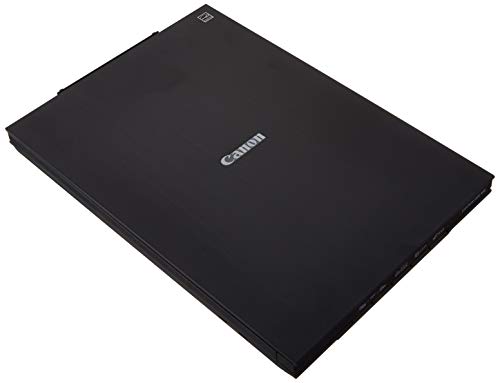
Ranked #7 with a score of 85/100, the Canon CanoScan LiDE 400 earns its spot as a strong contender for digitizing printed photos. Priced at $97, it falls into the budget category.
The Canon CanoScan LiDE 400 is our budget pick, and it punches above its $97 price point. The 4800 x 4800 dpi optical resolution is the highest in this roundup – useful if you want to scan a small print and enlarge it to poster size. USB-C connectivity is a welcome modern touch that most competitors lack.
Auto Scan Mode automatically detects whether you’re scanning a photo, document, or magazine and adjusts settings accordingly. Built-in image correction handles basic color and exposure adjustments. The scanner is slim (0.4 inches thick), lightweight, and USB-powered – no separate power adapter needed.
The trade-off with any flatbed is speed: you place one photo at a time on the glass, close the lid, and wait about 8 seconds per scan. For small collections, this is fine. For thousands of photos, look at the sheetfed options above. But for quality per dollar, the Canon LiDE 400 is hard to beat.
8. Epson Perfection V39 II
Epson Perfection V39 II
Users who want Epson’s photo restoration software with a capable flatbed scanner for occasional scanning
- Easy Photo Fix restores faded photo colors
- Removable lid for thick items and books
- USB-powered – no separate power adapter
- Scan to cloud storage built in
- 4800 dpi optical resolution
- Manual scanning only – no auto feeder
- 3.9-star average suggests inconsistent quality
- Slower than sheetfed alternatives
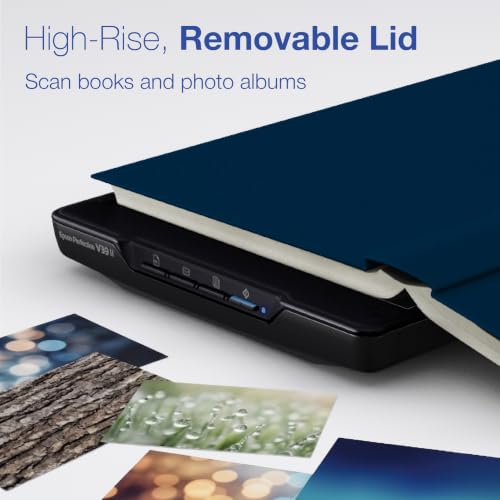
The V39 II is Epson’s entry-level flatbed with a removable lid that accommodates thick books and albums. Its standout feature is Easy Photo Fix – one-click color restoration for faded photos. Cloud scanning support and USB-powered operation keep things simple. With 5,400+ reviews, it’s a proven and popular choice.

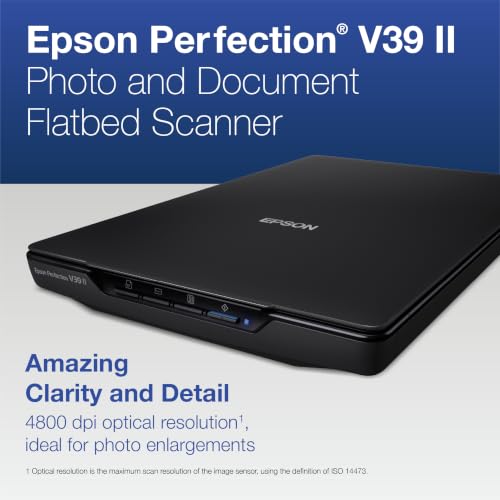
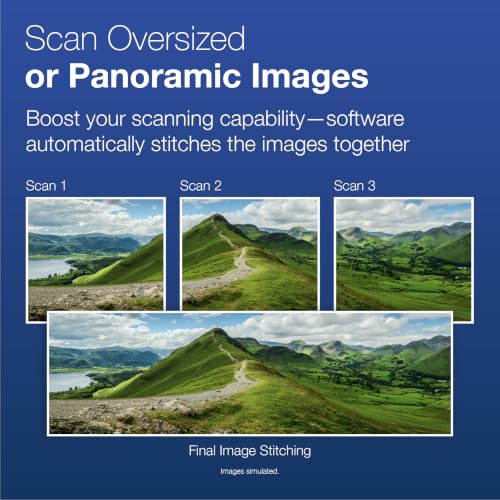

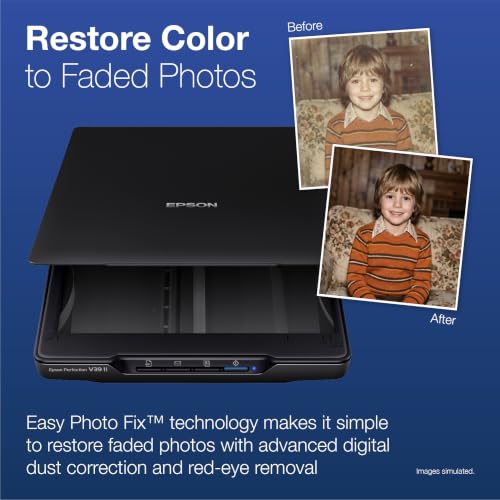
Ranked #8 with a score of 84/100, the Epson Perfection V39 II earns its spot as a strong contender for digitizing printed photos. Priced at $129, it falls into the budget category.
The Epson Perfection V39 II builds on Epson’s long history with consumer flatbed scanners. Its standout feature is Easy Photo Fix – a one-click color restoration tool that breathes life back into faded prints. The removable lid accommodates thick items like photo albums and scrapbooks, so you can scan pages without damaging the binding.
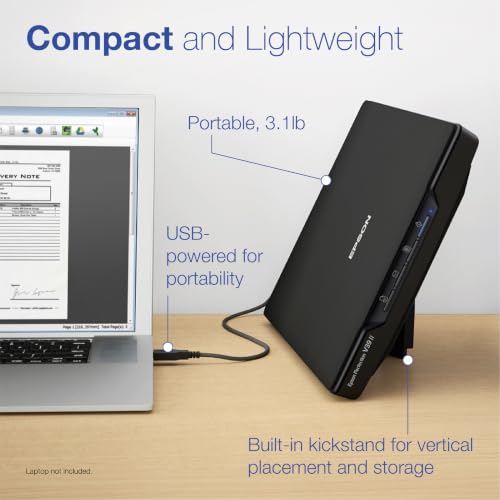
Scan-to-cloud functionality is built in via Epson ScanSmart, letting you send scans directly to Google Drive, Dropbox, or other cloud storage. The scanner is entirely USB-powered, keeping cable management simple. At 4800 dpi optical resolution, it matches the Canon LiDE 400 for detail.
With 5,400+ reviews and a 3.9-star average, the V39 II is popular but not perfect – some users report driver issues on newer macOS versions. At $129, it’s a capable flatbed for occasional photo scanning with excellent photo restoration software.
9. ClearClick QuickConvert 2.0
ClearClick QuickConvert 2.0
Non-tech-savvy users who want a standalone device that scans photos without needing a computer
- No computer required – fully standalone
- Built-in 5-inch LCD preview screen
- Rechargeable battery for cord-free use
- Scans photos without removing from albums
- 2-year warranty from a US small business
- 22 MP is interpolated, not true optical
- One photo at a time – no batch scanning
- Image quality limited compared to CCD/CIS scanners
The QuickConvert 2.0 is unique in this roundup: it requires no computer. Power it on, insert your photo, and the built-in 5-inch LCD shows a preview. Scans save directly to an SD card. The rechargeable battery means true portability. It also handles slides and negatives, though for that purpose we recommend checking our dedicated slide scanner guide.
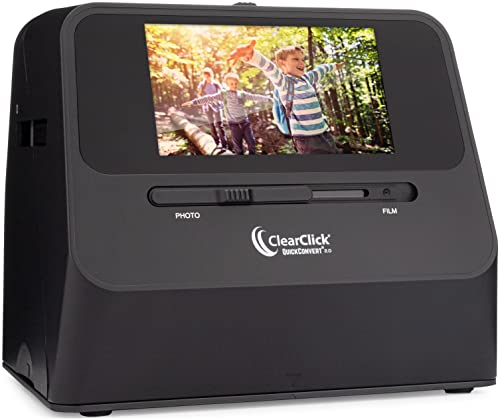

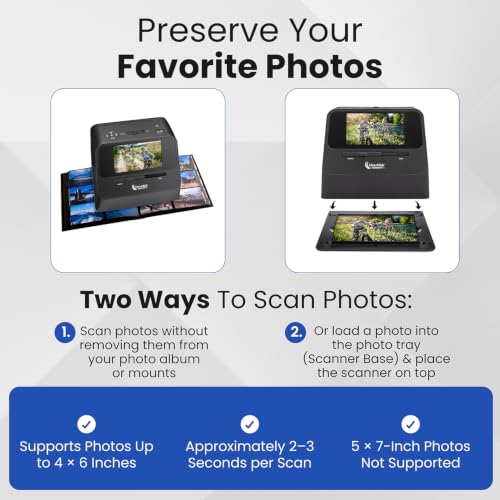
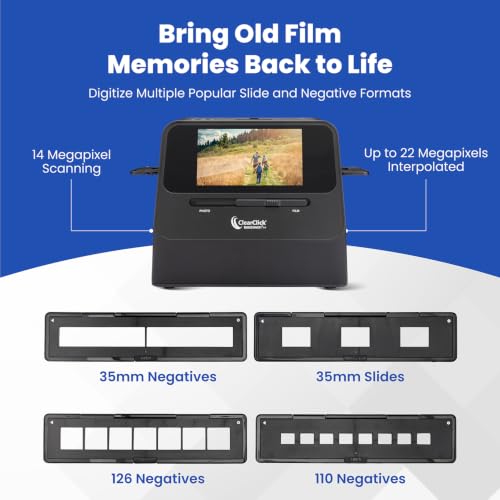

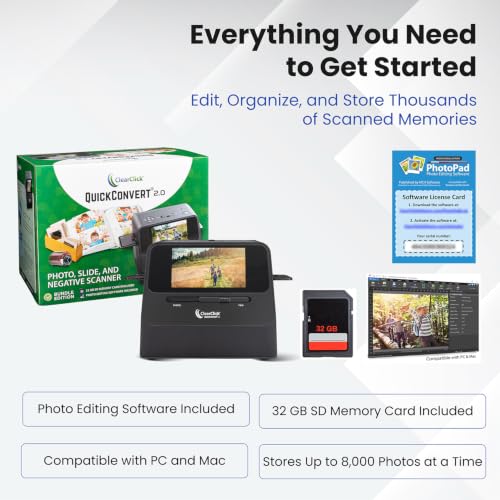

Ranked #9 with a score of 83/100, the ClearClick QuickConvert 2.0 earns its spot as a strong contender for digitizing printed photos. Priced at $230, it falls into the mid-range category.
The ClearClick QuickConvert 2.0 is the only scanner here that doesn’t need a computer at all. Turn it on, insert your photo face-down, and the built-in 5-inch LCD screen shows an instant preview. Scans save to an SD card (or internal memory) for later transfer. A rechargeable battery means no power cord is needed either.
This standalone design makes it perfect for scanning at a relative’s house, at estate sales, or anywhere you don’t want to set up a computer. It can even scan photos without removing them from photo album pages. The 22 megapixel resolution is interpolated rather than true optical, so quality won’t match CCD-based scanners – but for digital sharing and casual archiving, it’s perfectly adequate.
Note: the QuickConvert 2.0 also handles slides and negatives, but for serious film scanning, check our dedicated slide scanner guide. For printed photos specifically, the ClearClick QuickConvert 2.0 excels as a no-fuss standalone solution.
10. Plustek ePhoto Z300 + Carrying Bag
Plustek ePhoto Z300 + Carrying Bag
Travelers or users who want to bring a photo scanner to relatives’ houses or family gatherings
- Includes custom carrying bag for portability
- Same proven Z300 scanner (4.8-star rated)
- CCD sensor for accurate color reproduction
- Fast 2-second scans at 300 dpi
- Mac and PC compatible
- $10 premium over standalone Z300
- USB only – no wireless
- Manual feeding one photo at a time
This bundle pairs the proven Plustek Z300 scanner with a custom carrying bag, making it easy to transport to family reunions or relatives’ homes where the old photo albums live. The scanner itself is identical to the standalone Z300 – same CCD sensor, same 2-second 4×6 scans. The bag adds genuine value if you plan to scan on the go.
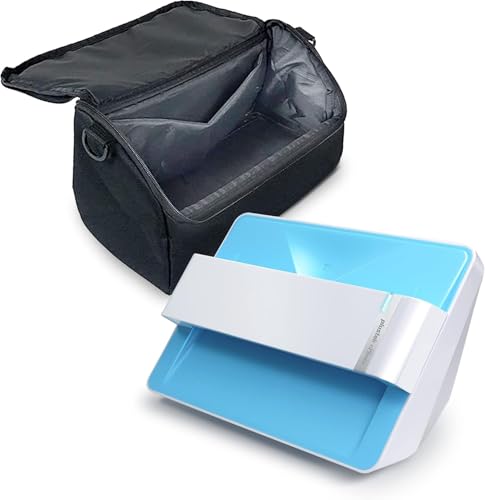
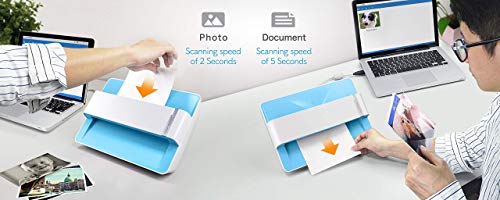

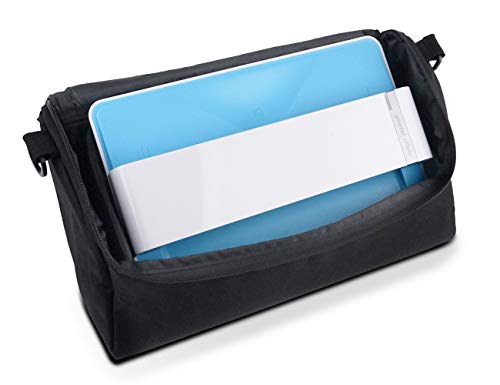


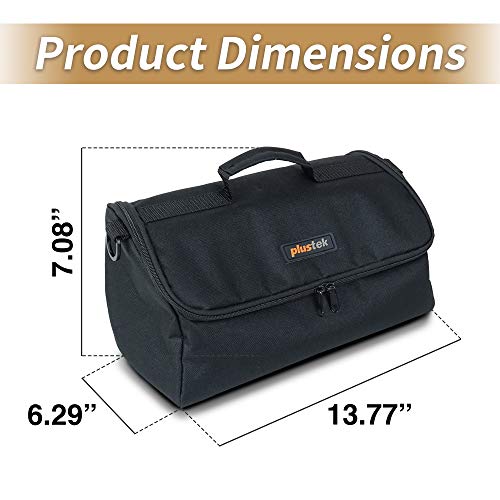
Ranked #10 with a score of 82/100, the Plustek Z300 + Carrying Bag earns its spot as a strong contender for digitizing printed photos. Priced at $230, it falls into the mid-range category.
This bundle pairs the acclaimed Plustek ePhoto Z300 scanner with a custom carrying bag designed to fit the scanner, cables, and accessories. If you plan to bring your scanner to family gatherings, relatives’ homes, or anywhere photos are stored, the Z300 + Carrying Bag bundle makes that practical.
The scanner itself is identical to the standalone Z300 ranked #3 in this list – same CCD sensor, same 2-second scan speed, same auto-crop and enhancement features. The carrying bag is padded and purpose-built, with compartments for the scanner body, USB cable, and calibration sheet.
At $230 (roughly $10 more than the standalone Z300), the bag represents good value if portability matters to you. The 4.8-star rating from 109 reviews reflects high satisfaction from buyers who specifically wanted the portable bundle.
11. HP Portable USB Photo Scanner
HP Portable USB Photo Scanner
Mobile professionals and travelers who need the lightest, most compact photo scanner available
- Ultra-slim and lightweight design
- USB-powered – no separate adapter needed
- HP WorkScan software for Windows and Mac
- Simple single-button operation
- Good value at $140 for a portable scanner
- Single-sided scanning only (simplex)
- Slower than dedicated photo scanners
- Limited photo enhancement features
HP’s entry in the portable scanner market emphasizes compactness above all else. It’s slim enough to slip into a laptop bag and USB-powered for go-anywhere scanning. The HP WorkScan software handles basic enhancement. At $140, it sits between budget flatbeds and premium sheetfed scanners – a middle ground for users who prioritize portability over speed.


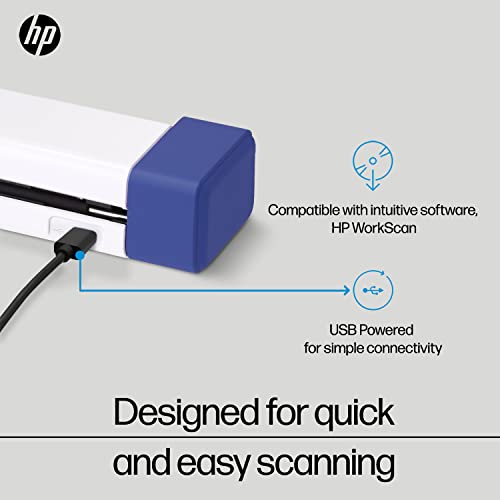
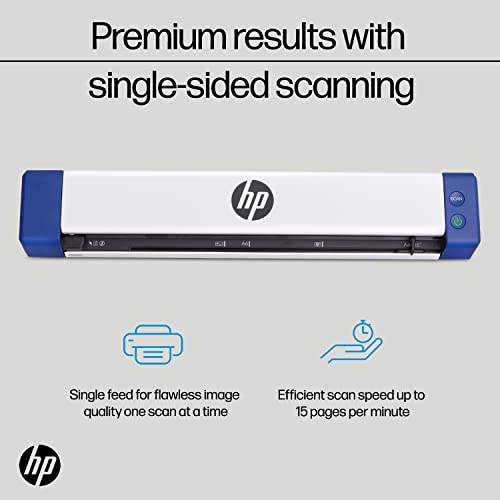
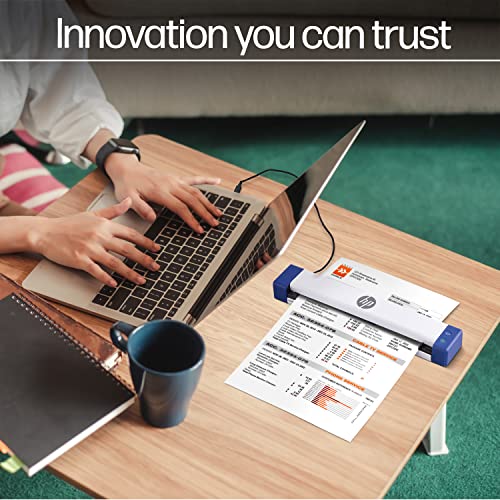
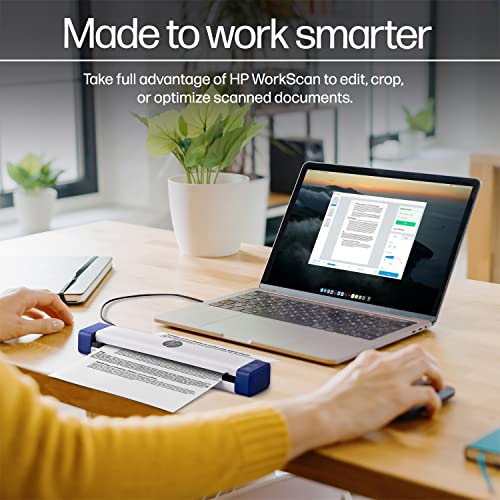
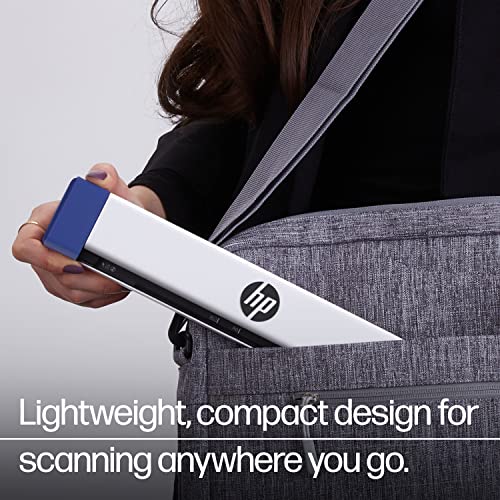
Ranked #11 with a score of 80/100, the HP Portable USB Photo Scanner earns its spot as a strong contender for digitizing printed photos. Priced at $140, it falls into the budget category.
The HP Portable USB Photo Scanner is designed for one thing: being as compact and portable as possible. It’s slim enough to slide into a laptop bag alongside your computer, and it’s entirely USB-powered. For professionals who need to scan documents and photos on client sites, or travelers digitizing photos at family homes, the form factor is the main selling point.
HP WorkScan software provides basic scanning, editing, and organization on both Windows and Mac. The scanner handles photos, receipts, business cards, and documents. It’s a simplex (single-sided) scanner, so you’ll need to flip items manually for duplex scanning.
At $140, the HP scanner sits in the middle of the price range. It won’t win any speed contests, but if compact portability is your top priority, it delivers.
12. Canon CanoScan LiDE 300
Canon CanoScan LiDE 300
Budget buyers who need an affordable flatbed for occasional photo and document scanning
- Most affordable option at $75
- Auto Scan Mode detects document type
- USB-powered – no adapter needed
- Compact and lightweight design
- Built-in image correction
- 2400 dpi – lower than other flatbeds
- No USB-C (older USB-A connector)
- Minimal photo enhancement features
At $75, the LiDE 300 is the most affordable scanner in this roundup. It handles basic photo scanning duties with 2400 dpi resolution – plenty for standard prints. Auto Scan Mode and built-in correction features keep things simple. If you only need to scan a few photos occasionally and don’t want to spend much, this gets the job done.


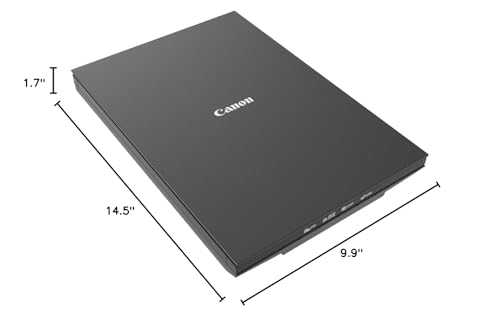
Ranked #12 with a score of 78/100, the Canon CanoScan LiDE 300 earns its spot as a strong contender for digitizing printed photos. Priced at $75, it falls into the budget category.
The Canon CanoScan LiDE 300 is the entry point for photo scanning at just $75. It handles the basics: place a photo on the glass, scan at up to 2400 dpi, and the software applies basic corrections. Auto Scan Mode automatically detects what you’re scanning and adjusts settings accordingly.
It’s USB-powered and compact, making it easy to store when not in use. The 2400 dpi resolution is lower than the LiDE 400’s 4800 dpi, but for scanning standard prints at their original size, it’s more than adequate.
The main limitation compared to the LiDE 400 is the older USB-A connector (no USB-C) and lower maximum resolution. If you’re on a tight budget and only need to scan occasional photos, the Canon LiDE 300 at $75 is the most affordable way to start digitizing your photo collection.
Epson FastFoto FF-680W
Plustek ePhoto Z300
Canon CanoScan LiDE 400
ScanSnap iX2500 Photo Edition
ClearClick QuickConvert 2.0
Choose the Best Photo Scanner for Your Needs
The right photo scanner depends on your collection size and patience level. For large collections (hundreds or thousands of prints), the Epson FastFoto FF-680W or ScanSnap iX2500 Photo Edition will save you hours with their auto feeders and fast scanning speeds.
For moderate collections, the Plustek ePhoto Z300 offers the best balance of speed, quality, and price. Its CCD sensor delivers better color accuracy than budget flatbeds, and the 2-second per photo speed keeps things moving.
For occasional scanning or tight budgets, the Canon CanoScan LiDE 400 at $97 or the Canon LiDE 300 at $75 handle the job. And if you want to scan without any computer at all, the ClearClick QuickConvert 2.0 stands alone as the best standalone option.
Whatever you choose, the most important step is simply starting. Photos degrade over time – every day you wait, those prints lose a little more color and detail. Even a budget scanner today preserves more than no scanner tomorrow.
Looking for film & slide scanners? Our dedicated guide covers the best scanners for 35mm negatives, slides, and film strips: Best Slide & Film Scanners in 2026
Pricing, availability and specifications were verified against Amazon and manufacturer listings at the time of this update.
Image Sources
- Product images via Amazon product listings – Shown in each scanner's gallery
- Vertical pin — stylized PhotoWorkout illustration – Created in-house


Disclosure/Disclaimer: As an Amazon Associate, we earn from qualifying purchases. Certain content was provided "as is" from Amazon and is subject to change or removal at any time. Product prices and availability: Amazon prices are updated daily or are accurate as of the date/time indicated and are subject to change. Any price and availability information displayed on Amazon.com at the time of purchase will apply to the purchase of this product.

