

Editor’s Key Takeaways: Find the Best AI Photo Editing Tool for Your Workflow

AI-powered photo editing tools have become essential for photographers who want to speed up their workflow without sacrificing quality. In fact, recent AI photography statistics show that 99% of creative professionals now use generative AI in some capacity. Here are the best options available today:
- Adobe Lightroom Classic — The best all-around AI photo editor with powerful noise reduction, masking, and batch processing;
- Topaz Photo AI — Dedicated AI enhancement tool for noise reduction, sharpening, and upscaling;
- Adobe Photoshop — Industry-standard editor with AI Generative Fill and Neural Filters for advanced compositing;
- Luminar Neo — Creative AI editor with one-click sky replacement and portrait retouching;
- Aftershoot — AI-powered culling and editing tool built specifically for wedding and event photographers;
- Capture One — Professional tethered shooting platform with excellent color science and AI masking;
- Lightroom Mobile — Free mobile editing app with AI-powered tools for editing on the go;
- Retouch4me — AI-powered retouching plugins for portrait photographers who want natural, texture-preserving results.
Whether you need professional-grade desktop editing or a free mobile option, these AI photo editing tools cover every budget and skill level.
When you buy through links on our site, we may earn a commission at no cost to you. We evaluate products independently. Commissions do not affect our evaluations.
Introduction
AI has fundamentally changed how photographers edit their images. Tasks that once took hours of manual work — noise reduction, subject masking, sky replacement, and batch processing — can now be accomplished in seconds with remarkable accuracy.
The best AI photo editing tools go beyond simple automation. They learn from your editing style, suggest intelligent adjustments, and handle the technical heavy lifting so you can focus on the creative aspects of photography. Even design platforms are getting in on the action — Canva’s new Magic Layers feature now uses AI to decompose flat images into editable layers, blurring the line between photo editing and graphic design. From Adobe’s industry-standard apps to specialized tools like Topaz Photo AI and Aftershoot, the options have never been better.
Here are my top picks for AI photo editing software, tested and compared across real-world photography workflows.

Lightroom Classic offers the most complete AI editing workflow with powerful noise reduction, intelligent masking, and seamless batch processing for photographers of all levels.

Topaz Photo AI delivers the best standalone noise reduction, sharpening, and upscaling. Essential for rescuing high-ISO shots and preparing images for large prints.

Photoshop’s Generative Fill and Neural Filters push the boundaries of what AI can do in photo editing, from extending backgrounds to realistic object removal.

Aftershoot uses AI to cull thousands of photos in minutes and apply consistent edits, cutting wedding and event post-processing time dramatically.
1. Adobe Lightroom Classic
Adobe Lightroom Classic is the most complete AI photo editing tool for photographers, offering intelligent noise reduction, AI masking, lens blur, and powerful batch processing in a non-destructive RAW workflow.
Includes Photoshop + 20GB cloud storage. 7-day free trial.
Adobe Lightroom Classic is my top pick for the best AI photo editing tool. It combines a complete RAW editing workflow with powerful AI features that genuinely save time — from intelligent noise reduction to one-click subject masking.
The AI Denoise feature is a standout. It analyzes your image and removes noise while preserving fine detail in a way that was simply impossible a few years ago. Photographers who shoot concerts, wildlife, or astrophotography at high ISO values will notice the biggest improvement. The AI masking tools are equally impressive — select a subject, sky, or specific object with a single click, then apply targeted adjustments without tedious manual selections.
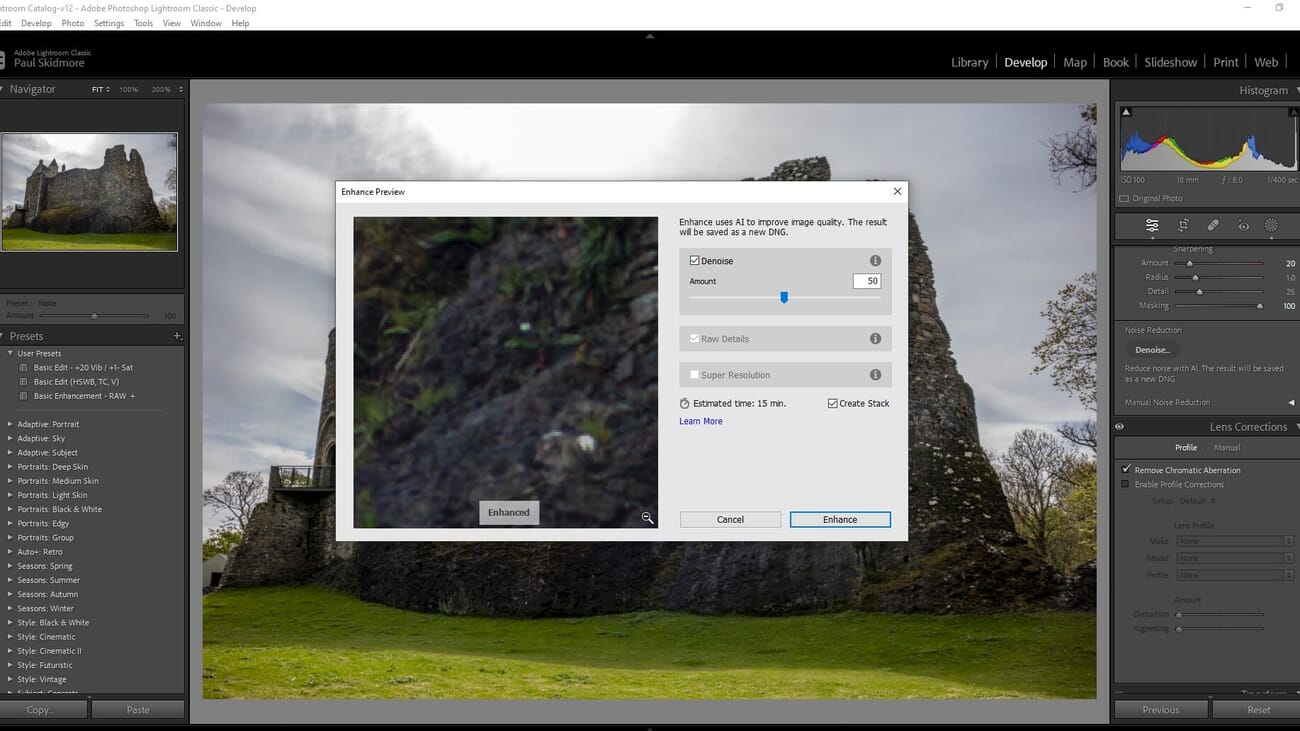
Lightroom Classic also excels at batch processing. You can apply AI-powered edits across hundreds of photos simultaneously, sync settings, and use adaptive presets that adjust automatically based on each image. For wedding and event photographers processing thousands of images, this alone justifies the subscription cost.
The Lens Blur feature adds realistic depth-of-field effects using AI depth mapping, while Content-Aware Remove intelligently fills in areas when you remove unwanted objects. Combined with the extensive preset ecosystem and Photoshop integration via the Photography Plan, Lightroom Classic remains the most complete AI editing solution available.
Pricing
Lightroom Classic is available through Adobe’s Photography Plan at $9.99/month, which also includes Photoshop and 20GB of cloud storage. A 7-day free trial is available. For photographers who need both Lightroom and Photoshop, this bundle offers exceptional value.
2. Topaz Photo AI
Topaz Photo AI combines the best noise reduction, sharpening, and upscaling tools into a single AI-powered application. Essential for rescuing high-ISO shots and preparing images for large prints.
Free updates for 1 year. 30-day money-back guarantee.
Topaz Photo AI is the best dedicated AI enhancement tool available. It combines noise reduction, sharpening, and upscaling into a single streamlined application that delivers results no other tool can match.
The noise reduction engine is genuinely impressive. It removes grain from high-ISO images while preserving textures and fine details that other denoise tools tend to smudge away. Side-by-side comparisons with Lightroom’s built-in Denoise show that Topaz often retains more detail, especially in challenging low-light shots. The sharpening module is equally capable, recovering detail from slightly soft images in ways that feel almost magical.
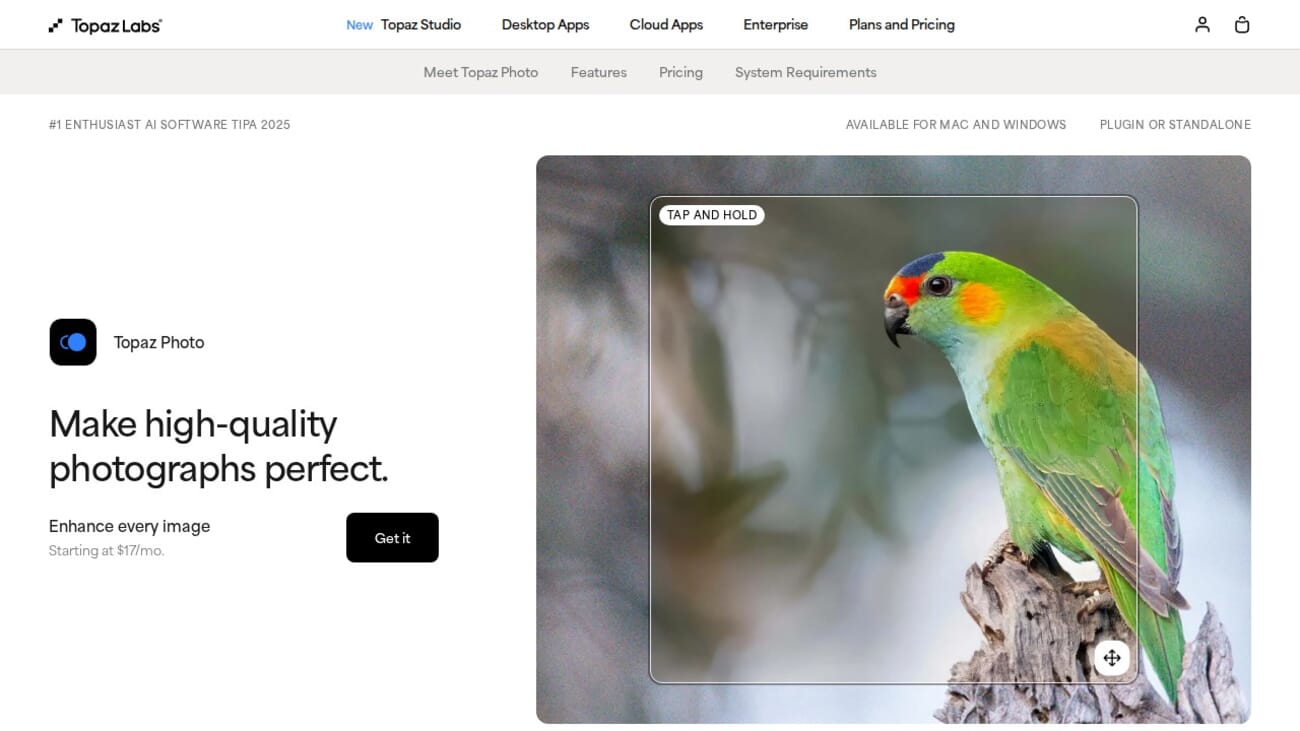
The upscaling feature is particularly valuable for photographers who need to crop heavily or prepare images for large prints. Topaz Photo AI can enlarge images up to 6x while generating convincing new detail using AI. It also works as a plugin for Lightroom Classic and Photoshop, fitting seamlessly into existing workflows.
Pricing
Topaz Photo AI is a one-time purchase at $199, with free updates for one year. After that, you can continue using the version you have or pay for an annual upgrade. There is a 30-day money-back guarantee, so you can test it risk-free. For photographers who shoot in challenging conditions, it pays for itself quickly.
3. Adobe Photoshop
Adobe Photoshop combines decades of editing power with cutting-edge AI features like Generative Fill, Neural Filters, and Content-Aware Fill for advanced compositing and retouching.
Bundled with Lightroom Classic. 7-day free trial.
Adobe Photoshop remains the most powerful photo editor ever made, and its recent AI features have made it even more capable. Generative Fill lets you select any area and describe what you want to appear — extend a background, add objects, or replace elements with stunning realism. Adobe’s latest addition is the AI Assistant with voice commands, letting you describe edits in natural language on web and mobile.
The Neural Filters panel offers AI-powered portrait retouching, skin smoothing, color transfer, and even the ability to change facial expressions or age. While some of these filters are experimental, the results continue to improve with each update. For complex compositing, Photoshop’s layer-based workflow combined with AI-powered selections makes it unbeatable.
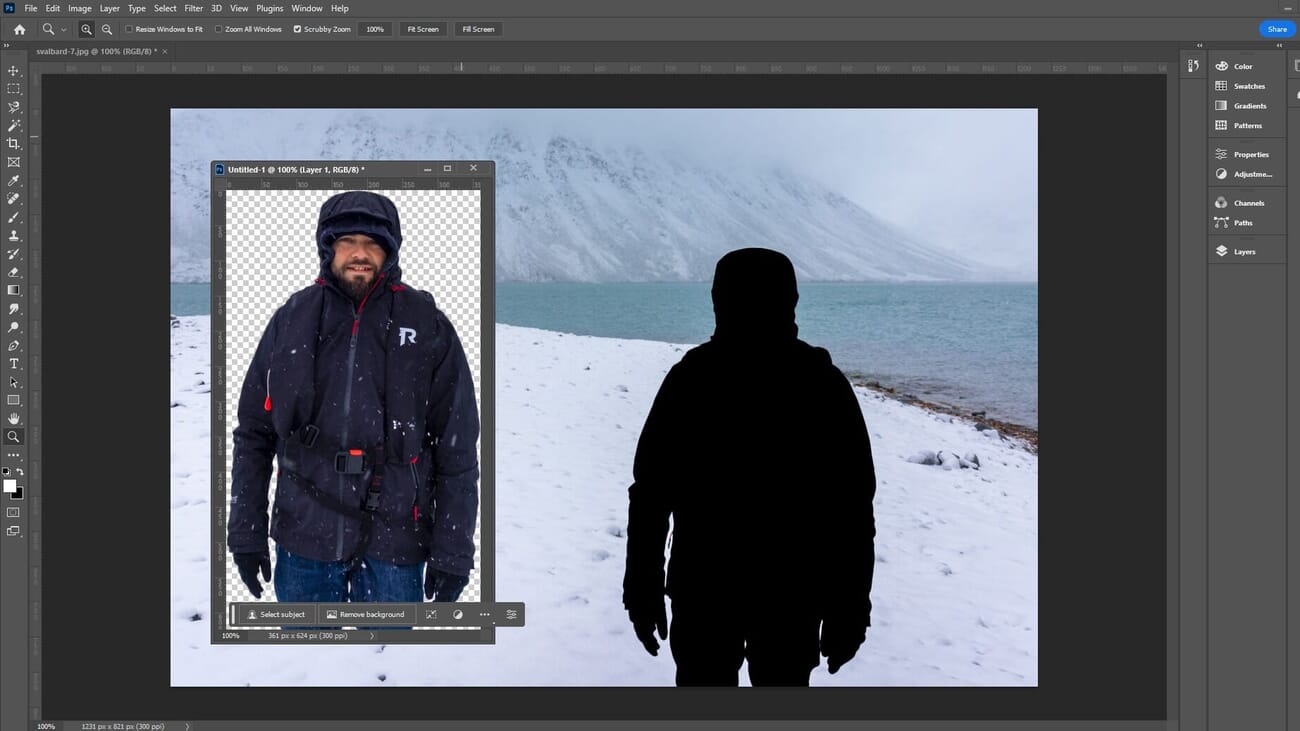
Content-Aware Fill and the Remove Tool use AI to intelligently fill in areas when you erase unwanted objects, analyzing surrounding textures and patterns to create seamless results. For photographers who need to go beyond basic adjustments — retouching portraits, creating composites, or making complex selections — Photoshop is irreplaceable.
Pricing
Photoshop is included in Adobe’s Photography Plan at $9.99/month alongside Lightroom Classic. It is also available as a standalone subscription at $22.99/month. For most photographers, the Photography Plan is the best value since you get both applications.
4. Luminar Neo
Luminar Neo offers one-click AI tools for sky replacement, portrait enhancement, and creative effects. Its intuitive interface makes advanced editing accessible to photographers of all skill levels.
7-day free trial. Lifetime plans available.
Luminar Neo is the best choice for photographers who want powerful AI editing without the complexity of Adobe’s ecosystem. Its sky replacement tool is the best in the business — it detects the sky automatically, matches lighting and color temperature, and blends the new sky so naturally that the results are often indistinguishable from reality.
Beyond sky replacement, Luminar Neo offers a suite of AI portrait tools including Face AI for enhancing facial features, Skin AI for natural retouching, and Body AI for subtle adjustments. The GenErase tool uses generative AI to remove unwanted objects and fill in the background intelligently. For landscape photographers, the Atmosphere AI adds realistic fog, mist, or haze effects.
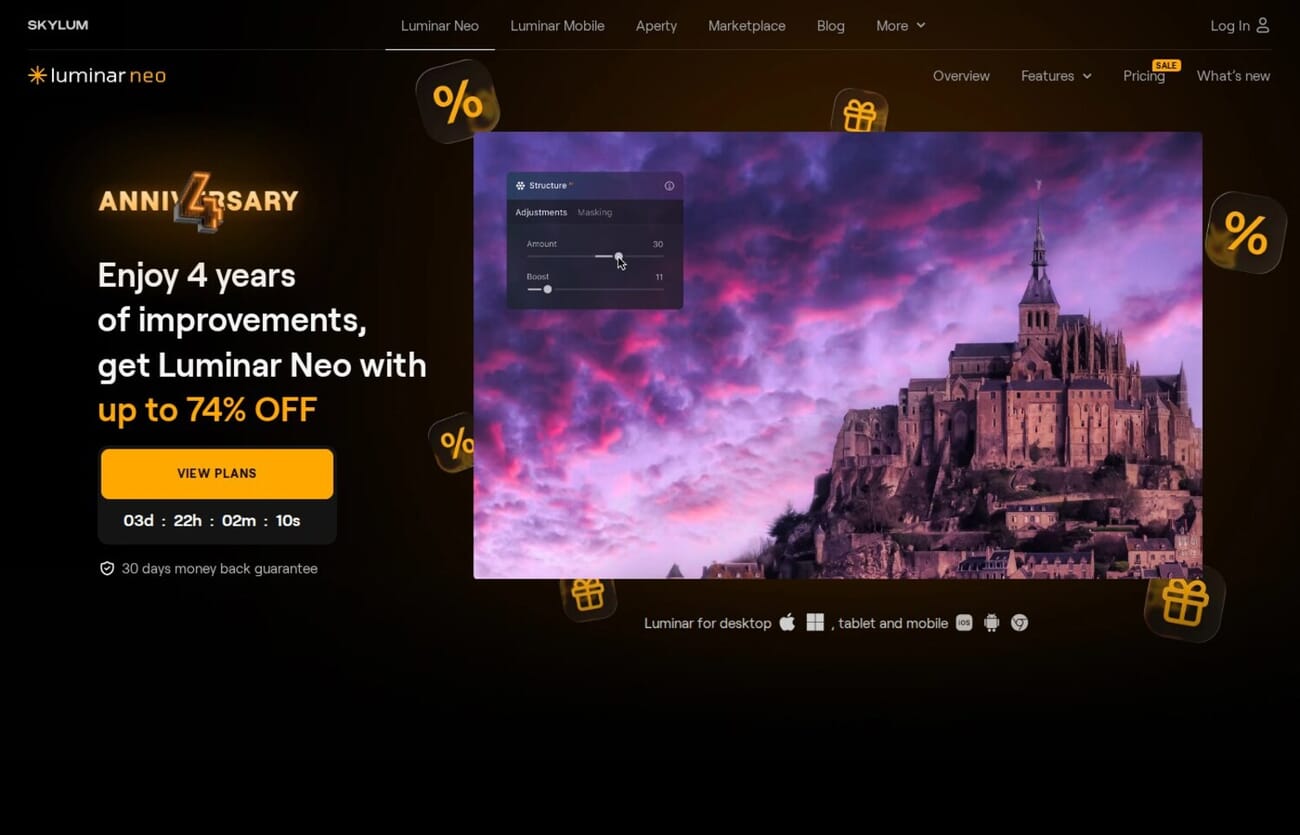
Luminar Neo also works as a plugin for Lightroom Classic and Photoshop, so you can incorporate its AI tools into your existing workflow. The interface is considerably simpler than Adobe’s apps, making it a great choice for hobbyists and enthusiasts who want impressive results without a steep learning curve.
Pricing
Luminar Neo is available as a subscription at $14.95/month or $149/year, with extension packs available for additional AI tools. A lifetime license option is also available for those who prefer a one-time purchase. There is a 7-day free trial to test all features before committing.
5. Aftershoot
Aftershoot uses AI to automatically cull, rate, and edit thousands of photos in minutes. Built specifically for wedding and event photographers who need to process large volumes quickly.
Free plan available (culling only). 30-day trial of paid features.
Aftershoot is purpose-built for photographers who process large volumes of images, particularly wedding and event photographers. Its AI culling feature can analyze thousands of photos and automatically identify the keepers — flagging duplicates, blurry shots, closed eyes, and poor exposures in minutes rather than hours.
What sets Aftershoot apart is its AI editing capability. The software learns from your previous edits and creates a personalized AI profile that can apply your editing style to new images automatically. After processing a few hundred photos manually, the AI begins to predict your adjustments with impressive accuracy, turning hours of repetitive editing into a few clicks.
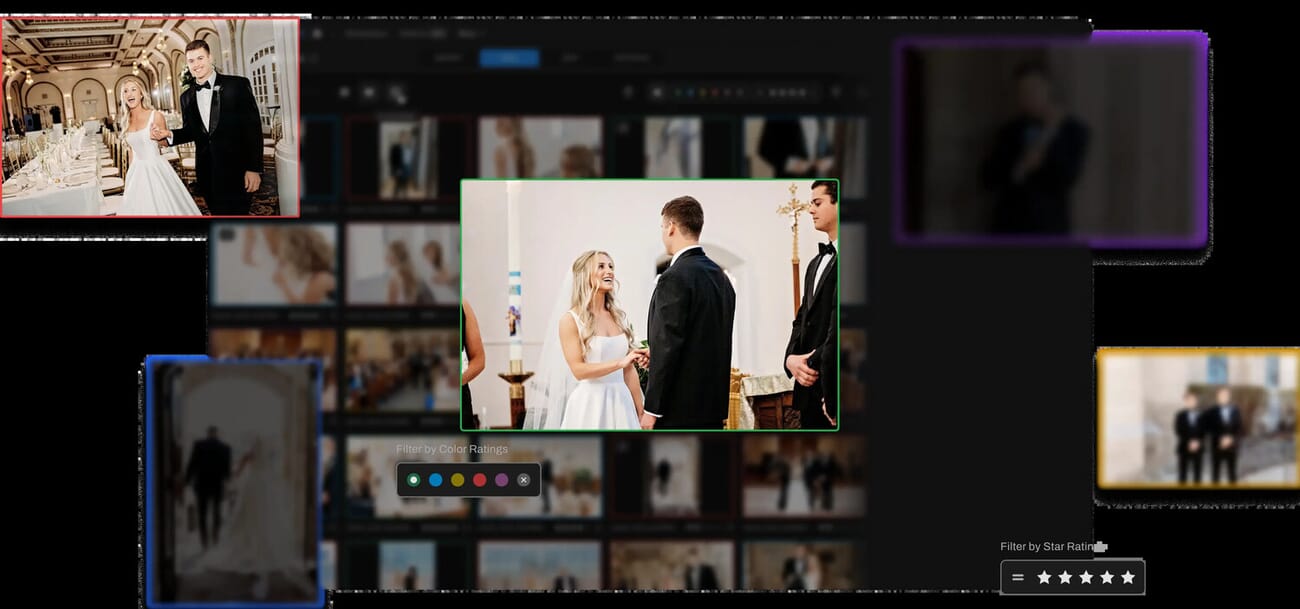
Aftershoot integrates directly with Lightroom Classic and Capture One, exporting its AI-generated edits as XMP metadata that you can fine-tune in your preferred editor. The free plan includes basic culling features, making it easy to test before committing to a subscription.
Pricing
Aftershoot offers a free plan with basic AI culling. Paid plans start at $14.99/month and include AI editing profiles, advanced culling features, and priority processing. A 30-day trial of premium features is available. For wedding photographers processing 20,000+ images per season, the time savings easily justify the cost.
6. Capture One

Capture One is the professional choice for tethered shooting and color accuracy, with AI-powered masking and Smart Adjustments that learn from your editing patterns.
30-day free trial. Special plans for Fujifilm and Sony users.
Capture One is the preferred choice for studio photographers and commercial shooters who demand the highest color accuracy and tethered shooting capabilities. While it has fewer AI features than Adobe’s apps, the AI tools it does offer are thoughtfully implemented.
The Smart Adjustments feature uses AI to analyze your editing history and suggest adjustments for new images based on your style. The AI masking tools can detect subjects and backgrounds with a single click, similar to Lightroom’s masking but with Capture One’s superior layer-based workflow. The color grading tools remain unmatched — many fashion and product photographers choose Capture One specifically for its color science.
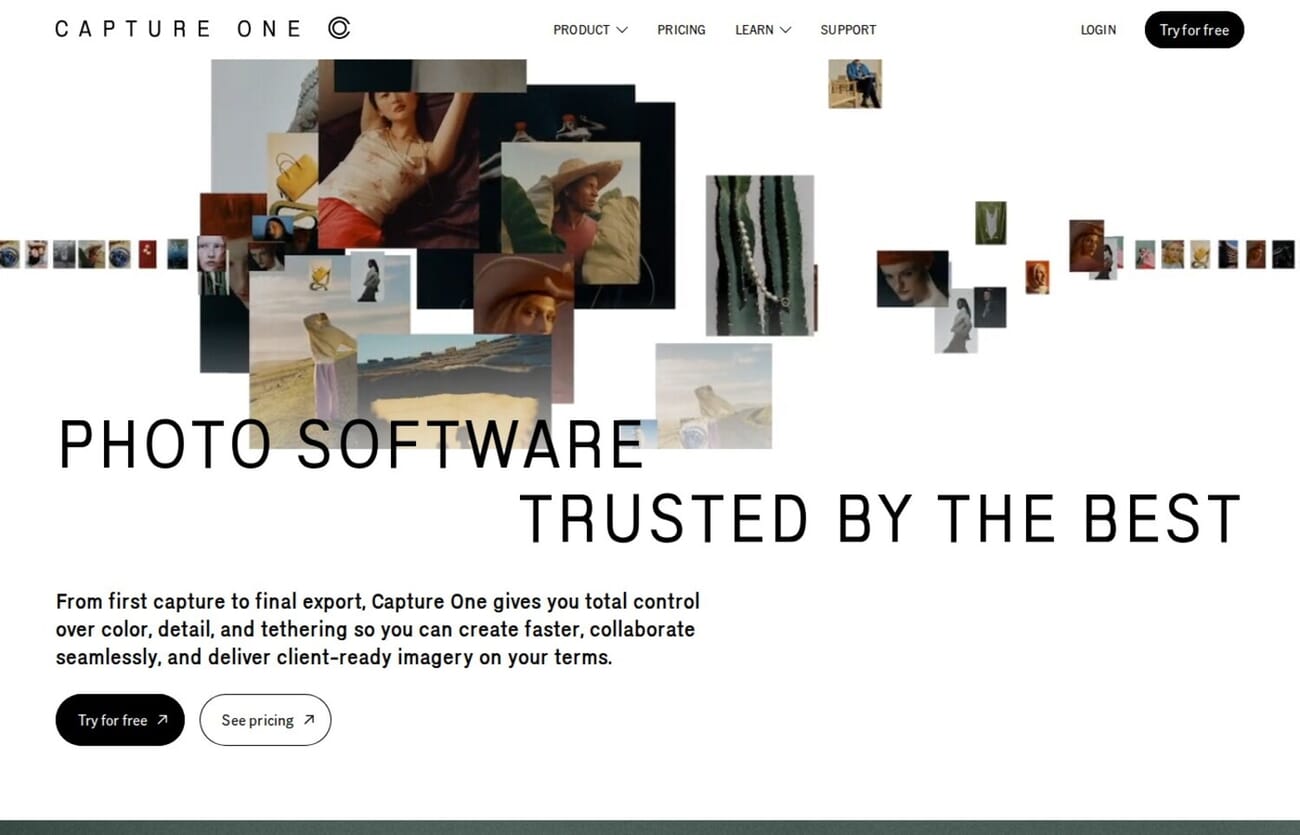
Tethered shooting support in Capture One is the best in the industry. Images appear on screen within seconds of capture, with live view and remote camera control built in. For studio work, this workflow is simply irreplaceable.
Pricing
Capture One is available as a subscription at $24.50/month or as a perpetual license for $349. Special discounted plans are available for Fujifilm and Sony camera owners. A 30-day free trial lets you test all features before buying. The price is higher than alternatives, but professional photographers who rely on tethered shooting and color accuracy consider it essential.
7. Lightroom Mobile

Adobe Lightroom Mobile brings professional AI editing tools to your phone and tablet for free. Edit RAW files, apply AI-powered adjustments, and sync across devices with the premium plan.
Free version includes AI editing tools. Premium adds RAW support and cloud storage.
Lightroom Mobile is the best free AI photo editing app available. The free version includes many of the same AI-powered tools found in Lightroom Classic — intelligent masking, AI-powered presets, and automatic adjustments — all optimized for touchscreen editing.
The built-in camera app is surprisingly capable, offering manual controls, RAW capture (with premium), and HDR shooting. For photographers who want to edit on the go, the AI-powered Adaptive Presets analyze each image and adjust their settings accordingly, giving you consistent results across different lighting conditions.
With a premium subscription (included in the Photography Plan), Lightroom Mobile gains RAW editing support, cloud storage for syncing your library across devices, and access to the full AI Denoise feature. It is an excellent companion to Lightroom Classic for editing on the go, or a powerful standalone editor for mobile-first photographers.
Pricing
Lightroom Mobile is free to download with a generous set of AI editing tools. The premium version is included with any Adobe Photography Plan ($9.99/month) or Lightroom standalone plan ($9.99/month with 1TB cloud storage). For casual mobile editing, the free version is remarkably capable.
8. Retouch4me

Retouch4me offers a suite of AI-powered retouching plugins for Photoshop, Lightroom, and Capture One. Each plugin targets a specific retouching task — from blemish removal to skin tone correction — delivering natural results that preserve skin texture.
Free trial available. Subscription from $20/mo or one-time purchase.
Retouch4me takes a different approach to AI retouching. Instead of one all-in-one tool, it offers a suite of specialized plugins — Heal for blemishes, Dodge & Burn for skin contouring, Skin Tone for color correction, Mattifier for shine reduction, and Clean Backdrop for background cleanup. Each plugin does one thing exceptionally well.
What sets Retouch4me apart is how natural the results look. While many AI retouching tools create a plastic, over-smoothed appearance, Retouch4me preserves the original skin texture. The AI works the way a professional retoucher would — removing imperfections while keeping the skin looking real. This is why the plugins have been endorsed by PiXimperfect and adopted by over 300,000 photographers worldwide.
The plugins work as layers in Photoshop, which means you can refine the AI output manually if needed. For portrait, wedding, and school photographers processing hundreds of images, this workflow saves significant time while maintaining quality. The modular approach also means you only pay for the retouching tasks you actually need.
Pricing
Retouch4me offers both one-time purchases and subscriptions. Individual plugins cost around $99-149 each (as of March 2026), or you can subscribe starting at $20/month for access to all plugins. The company (RELU OU, also behind 3D LUT Creator) offers free trials of each plugin so you can test before buying. For photographers who only need specific retouching tasks, buying individual plugins makes sense; for heavy users, the subscription provides better value.
Choose the Best AI Photo Editing Tool
AI photo editing tools have matured significantly, and the right choice depends on your specific workflow and needs. Each tool in this list excels in a different area, so many photographers use a combination.
Adobe Lightroom Classic is my top recommendation for most photographers. Its combination of AI noise reduction, intelligent masking, and batch processing makes it the most complete AI editing solution, especially when bundled with Photoshop in the Photography Plan.
For dedicated image enhancement, Topaz Photo AI delivers the best noise reduction and upscaling available. Wedding and event photographers should look at Aftershoot for its time-saving AI culling and editing features. And if you want powerful AI editing without any cost, Lightroom Mobile offers a surprisingly complete free option.
For portrait photographers, Retouch4me delivers AI retouching that preserves natural skin texture — a specialized tool for those who need to process many portraits quickly without the plastic look of other AI tools.
Whatever your budget or skill level, AI photo editing tools will save you time and help you achieve better results. The technology continues to improve rapidly, and the tools listed here represent the best options available today.
For a hands-on look at what AI can do with your photos, see our guide to editing photos with Google Gemini, which walks through five real before-and-after demos with exact prompts.
Adobe has also been expanding AI capabilities in Lightroom — see our coverage of the Lightroom Classic 15.2 update for details on the new Firefly integration and Generative Upscale features.

