

iPhone Photography School Fall Sale
Limited-time discounts on the courses we recommend. Deal ends when the sale does.

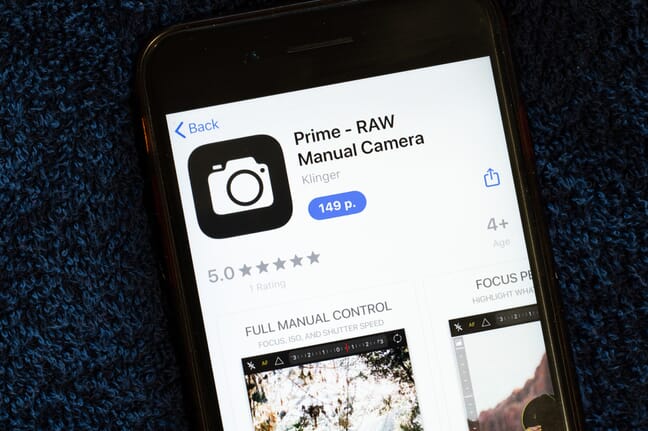
- Manual camera apps unlock ISO, shutter speed, focus, and RAW capture that Apple’s stock Camera app withholds – especially valuable on non-Pro iPhones.
- Best overall: Halide Mark III (Apple Design Award). Best free: Blackmagic Camera (pro video, no IAP). Best value: ProCam ($9.99, no subscription).
- This 2026 refresh replaced Hydra – delisted from the App Store – with NeuralCam Aperture, and updated Halide to its new Mark III release.
- Every rating and price below was checked live against the App Store on June 3, 2026.
When you buy through links on our site, we may earn a commission at no cost to you. We evaluate products independently. Commissions do not affect our evaluations.
Why Use a Manual Camera App?
Apple’s native Camera app is excellent for quick shots, but it limits your control. You can’t manually set ISO, choose exact shutter speeds, or shoot in uncompressed RAW on non-Pro iPhones.
Manual camera apps solve this by giving you:
- Full manual controls — ISO, shutter speed, white balance, focus
- RAW capture — Even on non-Pro iPhones (DNG format)
- Focus assists — Peaking, magnification, histograms
- Long exposure — Light trails, smooth water, night photography
- Professional video — Log profiles, waveforms, manual audio
Here are the best options for 2026.
Manual Camera Apps Compared: By the Numbers
App Store ratings and prices as of June 3, 2026. Several apps download free but unlock pro features via a one-time purchase or subscription.
| App | Rating | Reviews | Price | Updated |
|---|---|---|---|---|
| Halide Mark III | 4.5 | 13K | Free + paid unlock | May 2026 |
| Blackmagic Camera | 4.8 | 19K | Free | Apr 2026 |
| Camera+ | 4.5 | 12K | Free + IAP | May 2026 |
| ProCamera | 4.7 | 11K | Free + IAP | Apr 2026 |
| ProCam | 4.6 | 35K | $9.99 | May 2026 |
| VSCO | 4.7 | 275K | Free + sub | May 2026 |
| Slow Shutter Cam | 4.6 | 2.8K | $2.99 | Apr 2026 |
| NeuralCam Aperture | 4.4 | 2.1K | Free + IAP | 2025 |
1. Halide Mark III
Apple Design Award winner with intuitive gesture controls and powerful RAW capabilities.

Price: $49.99 one-time purchase or $11.99/year subscription
Halide – now in its Mark III release – is the gold standard for iPhone photography apps. Winner of an Apple Design Award, it combines professional power with an interface so elegant you can operate it one-handed.
Key features:
- Gesture-based controls for exposure and focus
- Process Zero — bypass Apple’s processing for film-like results
- Neural Macro — macro photography on any iPhone
- ProRAW support with 12-bit and 10-bit options
- Focus peaking, histogram, waveform, zebras
- Built-in 10-day photography course (want more? See iPhone photography courses)
Halide respects your time. It’s designed for photographers who want to slow down and compose deliberately. The Process Zero feature produces images with a distinctly analog character that stands out from typical iPhone photos.
2. Blackmagic Camera
Cinema-grade camera interface from the makers of professional film cameras — completely free.
Price: FREE (no in-app purchases)
A game-changer released in 2023. Blackmagic — known for their cinema cameras — brought their professional camera interface to iPhone. It’s completely free with no limitations.
Key features:
- Cinema camera-style interface
- Shutter angle, ISO, white balance, frame rate controls
- Focus peaking, histogram, waveform, zebras
- Record to Blackmagic Cloud in ProRes
- Log recording for color grading
- Works on iPhone and iPad
This app has no business being free. The interface mimics Blackmagic’s $2,000+ cinema cameras, and it integrates directly with DaVinci Resolve for professional workflows. Essential for any serious video creator. (See also: Best iPhone Filmmaking Courses)
3. Camera+
All-in-one app combining manual camera controls with a comprehensive editing suite.
Price: Free with in-app purchases
Camera+ has evolved from a paid app to a freemium model with powerful features. It combines capture and editing, making it a complete mobile photography solution.
Key features:
- Manual and RAW shooting modes
- Slow Shutter for long exposures
- Action mode for tracking moving subjects
- Magic ML for AI-powered auto-enhancement
- UltraRes AI upscaling
- Comprehensive editing suite built-in
If you want one app for both shooting and editing, Camera+ delivers. The learning curve is gentle, but the ceiling is high.
4. ProCamera
The Swiss Army knife of iPhone camera apps with comprehensive photo and video features.
Price: Free to download, with pro features via in-app purchase (previously a $14.99 paid app)
ProCamera is the Swiss Army knife of iPhone camera apps. It’s been around since 2010 and has evolved into a comprehensive tool for photo and video.
Key features:
- Full manual photo and video controls
- LUT support for video color grading
- HDR capture
- RAW/DNG and HEIF support
- Professional audio metering
- Apple Watch remote control
ProCamera tries to do everything, and largely succeeds. It’s not as elegant as Halide, but it’s more feature-complete for users who need maximum versatility.
5. ProCam
Excellent value with comprehensive pro features and no subscription required.
Price: $9.99 one-time purchase
ProCam offers excellent value with a one-time purchase and comprehensive features. No subscriptions, no IAP nagging.
Key features:
- Full manual controls
- Slow shutter, burst mode, portrait mode
- 3D photo capture
- 4K video up to 60fps
- Time-lapse recording
- RAW capture
At $9.99 with no subscriptions, ProCam is the best value for photographers who want serious controls without ongoing costs.
6. VSCO

Legendary film-emulation presets for photographers who prioritize visual consistency.
Price: Free with premium subscription ($29.99/year)
VSCO straddles the line between camera app and editing suite. Its film-inspired presets are legendary among mobile photographers and content creators.
Key features:
- Manual camera controls
- 200+ film-emulation presets (premium)
- RAW editing support
- Video editing
- Community features
VSCO’s presets have a cohesive, editorial quality that’s hard to replicate elsewhere. If you’re building a consistent visual aesthetic for social media, VSCO is the tool.
7. Slow Shutter Cam
Does one thing exceptionally well: long exposures on iPhone.
Price: $2.99
A focused app that does one thing exceptionally well: long exposures on iPhone.
Key features:
- Motion blur mode for light trails
- Light trail mode for traffic, fireworks
- Low light mode for night photography
- Manual shutter speeds up to 30 seconds
- Live preview of long exposure effect
While other apps include slow shutter as a feature, Slow Shutter Cam perfects it. The live preview alone is worth the price for anyone interested in light trails, waterfalls, and night photography.
8. NeuralCam Aperture
AI-driven computational capture that pulls detail out of difficult light – the modern successor to the multi-shot HDR apps photographers used to rely on.
Price: Free with in-app purchases
This refresh retired Hydra, a once-popular computational-photography app that has since been pulled from the App Store. NeuralCam Aperture fills the same role with a modern, AI-driven approach: it uses on-device machine learning to capture detail in low light and create DSLR-style portraits.
Key features:
- AI night mode and low-light enhancement
- Portrait mode with adjustable depth
- Photo Coach guidance for better shots
- Works in any lighting condition
- Free to download, with a pro unlock
For shooting in tricky light without a tripod, NeuralCam’s computational approach does the heavy lifting – a practical pick when the native Night mode is not enough. It rates 4.4 stars on the App Store.
What About Apple’s Native Camera?
iOS 17 and 18 significantly improved Apple’s Camera app:
- ProRAW: Available on iPhone Pro models
- ProRes: Professional video codec
- Cinematic Mode: Rack focus in video
- Action Mode: Stabilization for handheld video
- 48MP: Full-resolution capture on iPhone 15/16 Pro
For quick shots, Apple’s camera is excellent. Third-party apps shine when you need RAW on non-Pro iPhones, manual control over every parameter, specialized features like slow shutter or HDR stacking, or professional video tools beyond ProRes.
Which App Should You Choose?
Here’s a quick guide based on your needs:
- Overall best: Halide Mark II
- Free professional: Blackmagic Camera
- Capture + editing: Camera+
- Best value (one-time): ProCam ($9.99)
- Long exposures: Slow Shutter Cam
- Video/filmmaking: Blackmagic Camera
- Aesthetic presets: VSCO
- Low-light/computational: NeuralCam Aperture
Most photographers benefit from having 2-3 apps: a primary manual camera (Halide or ProCamera), a specialized tool (Slow Shutter Cam, Blackmagic), and an editing app if needed. For desktop editing, see our guide on how to edit photos in Lightroom.
App ratings and prices were verified against the live App Store on the date of publication.



