- Modern AI passport-photo apps remove backgrounds, check compliance, and crop to spec from your phone – usually free, often in under three minutes.
- Best overall: PhotoAiD (AI + human verification, money-back guarantee, 4.5 stars on both stores). Best free: Passport Size Photo Editor (a verified 4.8 stars).
- Best for iPhone: Passport Photo – ID Photo by Vitalij Schaefer (4.5 stars, 20K+ ratings). Best one-time purchase: TAPUNIVERSE’s $4.99 app, no subscription.
- All ratings, review counts, and install figures below were pulled live from the Apple App Store and Google Play on June 3, 2026.
When you buy through links on our site, we may earn a commission at no cost to you. We evaluate products independently. Commissions do not affect our evaluations.
Introduction
Getting a passport photo used to mean a trip to the drugstore, awkward lighting, and paying $15 or more for two tiny prints. In 2026, a smartphone does it better – and often for free.
The latest passport-photo apps use AI to remove backgrounds automatically, check compliance against official requirements, and even nudge head position to meet biometric standards. Some combine AI with human expert review, virtually guaranteeing acceptance.
To separate the genuinely good apps from the abandoned ones, every pick below was checked against live Apple App Store and Google Play data on June 3, 2026 – real ratings, review counts, install figures, and last-update dates, not marketing claims. That check changed the list: one previous pick had its iOS app pulled from the store, and another had almost no users, so both were re-evaluated. Here are the 10 best passport photo apps for 2026, for iPhone and Android, whether you need a free tool or premium home delivery of prints.
Passport Photo Apps Compared: By the Numbers
Ratings, review counts, and installs reflect live Apple App Store and Google Play data as of June 3, 2026. Where an app is on both stores, ratings and review counts are shown as iOS / Android.
| App | Platforms | Store rating | Reviews | Installs | Price |
|---|---|---|---|---|---|
| PhotoAiD | iOS, Android | 4.5 / 4.5 | 16K / 83K | 10M+ | Free + premium |
| AI Passport & ID Photo Maker | Android | 4.5 | 59K | 1M+ | Freemium |
| Passport Photo Maker – VISA/ID | Android | 4.5 | 139K | 10M+ | Free |
| Passport Size Photo Editor | Android | 4.8 | 87K | 5M+ | Free (ads) |
| PhotoID | Android | 4.6 | 2.4K | 50K+ | Freemium |
| Passport Photo: ID Photo Print | Android | 4.8 | 5.9K | 100K+ | $4.99 once |
| ID Passport VISA Photo Maker | Android | 4.5 | 22K | 1M+ | Freemium |
| Passport Photo Code UK | Android | 4.7 | 1.1K | 100K+ | Paid |
| Passport Photo & IDPhoto Maker | Android | 4.6 | 8.3K | 1M+ | Freemium |
| Passport Photo – ID Photo (VS) | iOS, Android | 4.5 / 4.4 | 21K / 13K | 1M+ | Free |
1. PhotoAiD
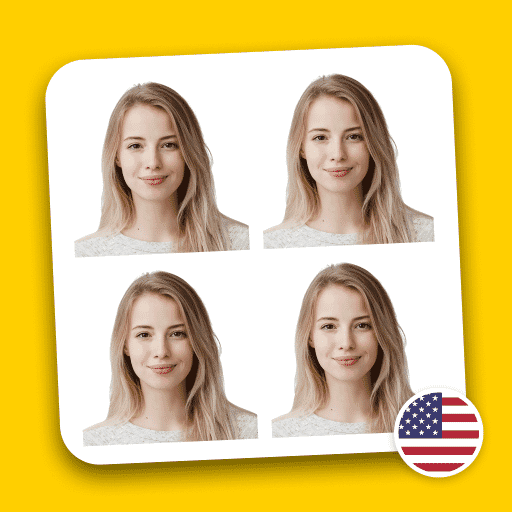


PhotoAiD has processed millions of passport photos, making it one of the most experienced services in the market. It combines artificial intelligence with human expertise – after the AI checks the photo for compliance, a real person reviews it before the final result is delivered. PhotoAiD is also available as a web application for those who prefer a computer.
The process takes about three minutes. Users can take a new photo or upload an existing one; the AI removes the background, adjusts lighting, and crops to the exact specification. If something is wrong – shadows on the face or incorrect head positioning – the app prompts a retake. As an EU-based service, PhotoAiD is also GDPR-compliant, a point worth noting for anyone concerned about how their biometric image is handled.
What sets PhotoAiD apart is the guarantee: if the photo is rejected by the passport office, the user gets their money back. That confidence comes from the dual verification system that catches errors before submission. Live store ratings back it up – 4.5 stars on both the App Store and Google Play, across nearly 100,000 combined reviews.
Best for: Anyone who wants peace of mind that their photo will be accepted.
2. AI Passport & ID Photo Maker

This Isaaclight AI app represents the new generation of AI-powered passport photo makers. It handles everything automatically – background removal, head positioning, and compliance checking for 150+ countries.
This Isaaclight app represents the newer generation of passport-photo technology. Rather than requiring human review, it relies entirely on artificial intelligence to verify compliance – which means results in seconds rather than minutes.
It supports 150+ countries, each with their own requirements, and automatically detects which specification to apply. The AI also checks for common rejection reasons like glasses glare, closed eyes, or improper facial expressions. A live 4.5-star rating across roughly 59,000 Google Play reviews (1M+ installs) shows it has earned real traction.
Beyond passports, it handles visa photos, ID cards, and green cards. The freemium model lets users test basic features before paying.
Best for: Android users who want quick results and trust AI to get it right.
3. Passport Photo Maker – VISA/ID
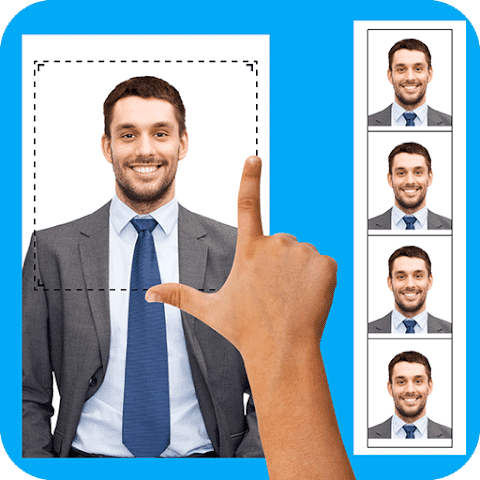
This Andronepal app is budget-friendly with an ink saver mode that optimizes photos for home printing. Combine multiple photos into standard print sheets and save money.
Andronepal’s Passport Photo Maker has been downloaded more than 10 million times, largely because of its practical, money-saving approach. The standout ink-saver feature optimizes photos for home printing, reducing ink use without sacrificing quality.
It arranges multiple passport photos on standard print sizes (4×6, 5×7, A4) so several copies print at once – useful for families or backup copies. The template database covers passport requirements worldwide. With 139,000+ reviews at 4.5 stars it is one of the most-reviewed apps in this category, though its last major update was in early 2025, so it is a mature, stable tool rather than a cutting-edge one.
Background removal is available as a premium feature for those who need it.
Best for: Budget-conscious Android users who want to print at home or locally.
4. Passport Size Photo Editor

With 4.8 stars on Google Play, this is the highest-rated free passport photo app. It offers professional editing tools including white balance, brightness, contrast, and saturation adjustments.
With a live 4.8-star rating across 87,000+ reviews, Passport Size Photo Editor from Z Mobile Apps is the highest-rated free option on this list – and that rating held up when checked against Google Play in June 2026. It offers professional-grade editing tools that rival paid alternatives.
The editing suite includes white-balance, brightness and contrast, saturation, and sharpening tools to fix problems like yellow lighting before generating the photo. The auto background-removal tool handles most solid-color backgrounds effectively.
A convenient touch is direct export to major retailers like CVS, Walgreens, and Amazon for professional printing, often cheaper than in-store photo services.
Best for: Android users who want maximum editing control for free.
5. PhotoID: Passport Photo Maker

PhotoID stands out for its clean, contemporary design with real-time, green-check compliance indicators as you frame the shot. Note: the iOS version has been pulled from the App Store, so it is now Android-only, with a smaller (50K+ install) user base.
PhotoID stands out for its modern, intuitive interface. Where many passport apps feel dated or cluttered, PhotoID offers a clean design that guides users step by step, with real-time green-check indicators as the shot is framed.
One important caveat surfaced in our June 2026 check: the iOS version has been removed from the App Store, so PhotoID is now Android-only, with a more modest 50,000+ installs and a 4.6-star rating across about 2,400 reviews. Background removal still happens with a single tap, and the app handles the technical requirements automatically.
It covers 100+ countries and includes templates for various document types. A subscription unlocks all features, with basic functionality free.
Best for: Android users who value a clean, guided experience.
6. Passport Photo: ID Photo Print

TAPUNIVERSE takes a refreshing approach – a single $4.99 payment, no subscriptions, no ads. You get background removal, multiple formats, and direct phone printing.
TAPUNIVERSE takes a refreshingly simple approach: pay once, own forever. In a market dominated by subscriptions, this $4.99 app gives everything upfront with no recurring costs or premium upsells.
It includes all the essentials: background removal to white, multiple size formats (3×4, 4×4, 4×6, 5×7, 2×2 inches), and editing tools for brightness, color temperature, and sharpening. You can print directly from a compatible phone-connected printer. Its 4.8-star Google Play rating (100K+ installs) reflects how well the no-nonsense model lands.
The straightforward pricing makes it ideal for occasional use – pay once and create passport photos whenever needed, for yourself or family.
Best for: Android users who dislike subscriptions and want a one-time purchase.
7. ID Passport VISA Photo Maker
This Yarsa Labs app is a no-frills option that gets the job done. It covers all countries, offers multiple print sizes, and includes an ink saver feature.
Yarsa Labs designed this app for simplicity. It is lightweight, loads quickly, and does not overwhelm with features. For users who just want a compliant passport photo without fuss, it delivers – and a 4.5-star rating across 22,000+ reviews (1M+ installs) shows it works for a lot of people.
It covers passport requirements for all countries and offers multiple print sizes, plus an ink-saver feature for home printing. One honest caveat: this particular build has not seen a major update since early 2024, so it lags the AI-first apps on automatic compliance checking.
The free version handles basic photo creation; background removal and some advanced features require a premium upgrade.
Best for: Android users who want a simple, no-frills tool.
8. Passport Photo Code UK
This is the only app officially pre-approved by the UK government for passport applications. Get a digital code within 24 hours for online applications, or printed photos via Royal Mail.
This app holds a unique distinction: it is officially pre-approved by the UK government for passport submissions. Using Passport Photo Code UK gets you a digital code within 24 hours that you enter directly on the UK passport application website.
The digital-code system removes the need for physical photos entirely for online applications. For those who prefer prints, the app offers Royal Mail delivery, including next-day special delivery for urgent needs. Its 4.7-star rating is strong, though the audience is smaller (100K+ installs) given the UK focus.
While built for UK passports, the service has expanded to other countries. The government pre-approval means near-guaranteed acceptance for British applications.
Best for: UK residents applying for British passports.
9. Passport Photo & IDPhoto Maker

This KX Camera Team app has a unique feature: formal attire overlays. Add a suit or formal clothing to your photo, useful for professional IDs when you are not dressed appropriately.
The KX Camera Team built a distinctive feature into this app: formal-attire overlays. If you need a passport or ID photo but are not dressed appropriately, the app can digitally add a suit, blouse, or other formal clothing – for men, women, and children.
Beyond the attire feature, it offers standard functionality including AI-powered processing, custom background colors, and flexible print templates from 3R to A4. A 4.6-star rating across 8,000+ reviews (1M+ installs) keeps it credible.
The overlay is especially useful for professional ID cards, company badges, or visa applications where appearance matters – no need to change clothes for a quick photo.
Best for: Users who need formal attire added or want creative control.
10. Passport Photo – ID Photo
This Vitalij Schaefer app is the strongest iOS pick on the list – 20,000+ ratings at 4.5 stars and updated in May 2026. It ships templates for 100 countries plus job-application formats, with one-tap white-background replacement. A matching Android build (by Codenia) keeps it cross-platform.
Vitalij Schaefer’s Passport Photo – ID Photo is the standout iPhone option, and the data backs it: 4.5 stars across more than 20,000 App Store ratings, with a fresh May 2026 update. A matching Android build (published by Codenia) carries another 13,000+ reviews, so the experience is genuinely cross-platform.
It formats, prints, or saves passport photos in seconds, with templates for 100 countries and more than ten predefined job-application formats. Automatic white-background replacement is the headline feature, and it is free to start, with some output formats behind an in-app purchase.
For iPhone users in particular – who lost the PhotoID iOS app and are otherwise steered toward PhotoAiD – this is the most-reviewed, currently-maintained native option available.
Best for: iPhone users who want a free, well-maintained native app.
How to Take a Good Passport Photo at Home
Even the best app cannot fix a poorly taken photo. Follow these tips for the best results:
- Use natural light: Face a window during daytime. Avoid harsh overhead lighting that creates shadows.
- Plain background: Stand against a white or light-colored wall. The app will remove the background, but starting clean helps.
- Camera at eye level: Have someone else take the photo, or use a tripod with a timer.
- Neutral expression: Mouth closed, eyes open, no smiling (most countries require this).
- No glasses: Most countries now require photos without glasses, even prescription ones.
- High resolution: Use your phone’s main camera, not the selfie camera, for better quality.
Frequently Asked Questions
Are passport photo apps accepted by governments?
Yes. Apps like PhotoAiD have processed millions of accepted photos, and Passport Photo Code UK is officially pre-approved by the UK government. The safest results come from apps that pair AI checks with a human review or an acceptance guarantee.
What size should a US passport photo be?
US passport photos must be 2×2 inches (51x51mm), with the head between 1 and 1 3/8 inches from chin to crown. Every app listed above has the correct US template built in.
Can I use a selfie for my passport photo?
It is better not to. Most apps work best when someone else takes the photo with the rear (main) camera, which has higher resolution than the front camera. The US State Department also advises against selfies for passport photos.
Do I need to remove my glasses?
Yes. As of recent rules, most countries – including the US – require passport photos without glasses, even prescription ones. The compliance checks in these apps will usually flag glare or frames.
How much do passport photo apps cost?
Prices range from free (often ad-supported) to about $20 for premium services with printed delivery. Many use a freemium model – free to create, with a fee to export the final high-resolution file. A few, like TAPUNIVERSE’s app, charge a single $4.99 with no subscription.
Are these apps safe with my biometric data?
It varies. EU-based services such as PhotoAiD are GDPR-compliant, and some apps process images locally on your device. If data handling matters to you, favor apps that state a clear privacy policy or offer on-device processing.
Conclusion
Passport-photo apps have come a long way. In 2026, AI handles the technical requirements automatically, and the best apps either guarantee acceptance or refund your money. Whether you pick a free option like Passport Size Photo Editor or a premium service like PhotoAiD, you can skip the drugstore and get better results from your phone. And once the passport photo is sorted, the same phone handles plenty of other photo chores – from scanning old prints to recovering accidentally deleted shots.
Our top recommendation remains PhotoAiD for its mix of AI, human verification, and money-back guarantee. For a free tool, Passport Size Photo Editor earns its verified 4.8-star rating. iPhone users are best served by Passport Photo – ID Photo by Vitalij Schaefer, the most-reviewed native iOS option that is still actively maintained.
Pricing, ratings, review counts, and install figures were verified against live store and government data on the date of publication.