


- Excire Foto 2027 is the top pick for AI-powered photo organization — natural language search, smart culling, and 100% on-device privacy
- Adobe Lightroom Classic remains the professional standard with AI masking and comprehensive cataloging
- Windows Photos now includes powerful free AI organization on Copilot+ PCs
- ACDSee Photo Studio Ultimate offers all-in-one DAM, editing, and AI in a single purchase
- Capture One Pro provides the best RAW processing and tethered shooting for professionals
- Free alternatives like digiKam and XnView MP offer solid organization without cost
- Choose based on photo volume, RAW editing needs, AI feature preferences, and budget
Got thousands of photos scattered across folders? The right organizer software turns that chaos into a searchable, accessible library — whether managing 100,000+ RAW files or years of family snapshots.
AI has changed everything here. Modern organizers now offer:
- Automatic tagging — faces, objects, and scenes recognized without manual work
- Natural language search — type “sunset at the beach” and find matching photos instantly
- Smart duplicate detection — reclaim storage by finding near-identical shots
- On-device processing — no cloud uploads, full privacy (especially on Windows Copilot+ PCs)
This guide covers the best photo organizer software for Windows — from professional DAM solutions to free alternatives — ranked by AI capability, speed, and value.
AI-Powered Photo Organizers: The 2026 Revolution
The integration of artificial intelligence into photo management has reached a tipping point, particularly with Windows Copilot+ PCs featuring dedicated Neural Processing Units (NPUs). These systems can process and analyze photos locally without requiring cloud connectivity, addressing privacy concerns while delivering unprecedented organization capabilities.

- Semantic Search: Search for “sunset over mountains” or “child playing soccer” without manually tagging photos
- Face Recognition: Automatic grouping of photos by people, even as they age over decades
- Scene Classification: Intelligent categorization by location types, activities, and photographic composition
- Duplicate Detection: Advanced algorithms that identify similar shots, even with different exposures or crops
- Quality Assessment: Automatic ranking of photos by technical and aesthetic criteria
When you buy through links on our site, we may earn a commission at no cost to you. We evaluate products independently. Commissions do not affect our evaluations.
Excire Foto 2027: Dedicated AI Photo Management

Excire Foto 2027 adds AI text search (it reads the words inside your photos), a World Map view and faster Survey Mode culling — on top of on-device AI search, auto-keywording, face recognition and smart culling. No cloud, no subscription.
Coupon PHOTOWORKOUT = 15% off. One-time $249 (currently $219 launch price). Free 14-day trial.
While most photo organizers add AI features on top of existing workflows, Excire Foto 2027 was built from the ground up around artificial intelligence. Developed by a German AI research team, it runs entirely on-device — no cloud uploads, no subscriptions, and no privacy concerns. The 2027 release (out since June 2026) pushes that further with AI text search that reads words inside your images, a new World Map view for browsing by location, and faster Survey Mode culling with Focus Peaking overlays.
The free-text search is the standout feature — type natural language descriptions like “sunset over mountains with a person” and Excire finds matching photos instantly, without any manual tagging required. The smart culling feature automatically groups similar shots, identifies the sharpest images, checks if eyes are open, and selects the best photos from each burst.
Key AI Features (Updated for 2027)
- Free-text search — Find photos using natural language descriptions with no manual tagging
- Automatic keywording — AI assigns relevant keywords for scenes, objects, colors, and aesthetics
- Face recognition — Identifies and groups people across the entire library, processed locally
- AI-assisted culling — Selects best shots from bursts based on sharpness, composition, and expressions
- Video management — Indexes and keywords video files alongside photos
- AI text search (new in 2027) — Reads visible text inside photos, so you can find shots by a street sign, menu, race number or storefront
- World Map view (new in 2027) — Browse the whole library by GPS location on an interactive map
- Survey Mode & Focus Peaking (new in 2027) — A light-table culling workflow with sharpness overlays to keep the keepers faster
Also Worth Trying: Topaz Photo AI
Topaz Photo AI uses machine learning to sharpen, denoise, and upscale photos in a single click. It’s particularly strong for batch AI enhancement — the AI models were trained on millions of real photographs and produce noticeably better results than traditional filters. Available as a standalone app or Lightroom/Photoshop plugin ($199/year or $39/month).

Pricing
Excire Foto 2027 — the latest version, released in 2026 — is a one-time purchase of $249, currently $219 at the limited launch price. Use coupon code PHOTOWORKOUT for 15% off with a free 14-day trial. An Excire Search plugin is also available for Lightroom Classic users who want to add AI search to their existing workflow. For a deeper look, see the full AI photo organizer comparison, and our hands-on Excire Foto 2027 review for a full walkthrough of the new features.
Adobe Lightroom Classic: The Professional Standard

Adobe Lightroom Classic remains the gold standard for photo organization and RAW processing, with enhanced AI features.
Photography Plan includes Photoshop. 7-day free trial.
Key Organization Features
- Enhanced AI Tagging: Automatic keyword generation using Adobe’s Sensei AI, now capable of recognizing specific camera models, lens types, and shooting techniques
- Smart Collections: Dynamic collections that automatically update based on criteria like camera settings, location data, or AI-detected subjects
- Advanced Search: Combine traditional metadata searches with AI-powered content recognition
- Facial Recognition: Improved People view with better accuracy across different lighting conditions and ages
- Map Module: GPS-based organization with offline map support and location hierarchy
Pricing and Availability
Lightroom Classic is available through Adobe’s Creative Cloud Photography Plan at $9.99/month, which also includes Photoshop and 20GB of cloud storage. For professionals managing extensive photo libraries, the plan provides exceptional value despite the subscription model.Best For
Professional photographers, serious enthusiasts, and anyone who needs powerful RAW processing combined with comprehensive organization tools. The learning curve is significant, but the long-term benefits for large photo libraries make it worthwhile.Windows Photos App: Built-in AI Power

Windows Photos app now features powerful on-device AI organization and basic editing tools, completely free.
Included free with Windows 10/11.
AI-Enhanced Features
- Automatic Albums: AI creates themed albums based on events, locations, and people without manual intervention
- Best Photo Selection: Intelligent algorithms identify the best shots from burst sequences and similar photos
- Timeline Organization: Automatic chronological grouping with smart event detection
- Search by Content: Natural language search capabilities powered by on-device AI
- Memory Suggestions: Proactive creation of photo stories and slideshows from significant events
Integration Benefits
The Windows Photos app seamlessly integrates with OneDrive for cloud backup, Xbox for sharing gaming screenshots, and other Microsoft services. For users already in the Microsoft ecosystem, this integration provides a frictionless experience.Limitations
While impressive for a free, built-in solution, Windows Photos lacks advanced metadata management, RAW processing capabilities, and the sophisticated organizational tools needed for professional workflows.ACDSee Photo Studio Ultimate 2026: All-in-One Solution

ACDSee Photo Studio Ultimate 2026 combines powerful DAM features with comprehensive editing tools in a single package.
One-time purchase. 30-day free trial available.
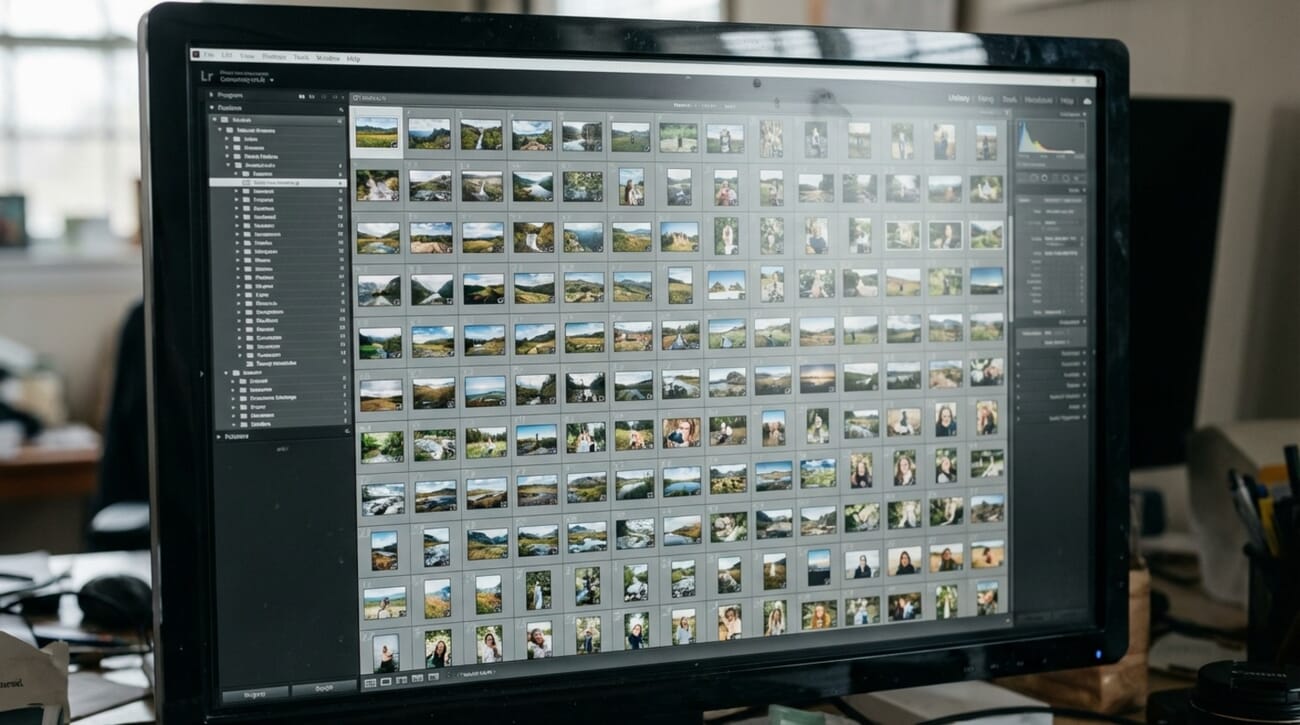
Organization Strengths
- Hierarchical Keywords: Sophisticated keyword management with parent-child relationships and synonym support
- Custom Metadata: Flexible metadata fields that can be customized for specific workflows
- Advanced Filtering: Multiple filter criteria can be combined to quickly locate specific photos
- Batch Operations: Efficient bulk editing of metadata, keywords, and file operations
- Database Management: Robust catalog system that handles hundreds of thousands of images efficiently
AI Integration
The latest version includes ACDSee’s AI Keyword Assistant, which automatically suggests relevant keywords based on image content, significantly reducing the manual effort required for comprehensive tagging.Pricing
ACDSee Photo Studio Ultimate 2026 is available for $149.99 as a one-time purchase, making it an attractive alternative to subscription-based competitors. Regular sales often bring the price below $100.Capture One Pro 24: Premium RAW Organization

Capture One Pro 24 offers superior RAW processing and organization tools, especially popular among studio photographers.
Subscription or perpetual license available. 30-day trial.
Professional Organization Tools
- Session and Catalog Workflows: Flexible organization methods suited to different professional needs
- Advanced Color Tagging: Sophisticated rating and tagging system with customizable color labels
- Smart Albums: Dynamic collections based on complex criteria including technical metadata
- Keyword Hierarchy: Professional-grade keyword management with batch application tools
- Metadata Templates: Streamlined copyright and contact information application
Integration with Professional Workflows
Capture One Pro excels in studio environments with tethered shooting support and seamless integration with professional lighting systems. Its organization tools are designed around commercial photography workflows.Pricing
Capture One Pro 24 is available for $299 as perpetual license or through subscription at $24/month. While expensive, the superior RAW processing quality and professional organization features justify the cost for serious photographers.Photo Mechanic Plus: Speed-Focused Organization

Photo Mechanic Plus excels at lightning-fast photo culling, keyword management, and metadata workflows for professional photographers.
One-time purchase. 30-day free trial.
Speed-Optimized Features
- Instant Preview Generation: Embedded JPEG previews enable immediate photo review without RAW processing delays
- Rapid Keywording: Keyboard shortcuts and templates enable extremely fast metadata application
- Efficient Culling: Tag and rating system optimized for quick decision-making
- Batch Metadata Application: Powerful templates for copyright, contact, and caption information
- FTP Integration: Direct upload capabilities for news and sports photography workflows
Catalog System
Photo Mechanic Plus includes a catalog system that enables organization across multiple drives and locations while maintaining the software’s signature speed advantage.Pricing
Photo Mechanic Plus is available for $139 as a perpetual license, with regular updates included for the first year. The focused feature set and one-time purchase model make it attractive for professionals with specific speed requirements.Luminar Neo: AI-First Organization

Luminar Neo 2026 combines advanced AI editing capabilities with smart organization features for creative photographers.
One-time purchase or subscription available. Free trial.
AI-Powered Organization
- Automatic Cataloging: AI analyzes and categorizes photos during import without user intervention
- Smart Tagging: Comprehensive automatic keyword application based on subject matter, composition, and technical analysis
- Aesthetic Rating: AI evaluation of photo quality using composition rules and technical criteria
- Similar Photo Grouping: Automatic clustering of related images for easier selection and organization
- Content-Aware Search: Natural language queries that understand photographic concepts
Integration with Editing Workflow
Luminar Neo’s strength lies in seamlessly combining organization with advanced AI editing tools, creating an efficient workflow from import to final output.Pricing
Luminar Neo is available for $199 as a perpetual license or through a subscription model at $9.95/month. Frequent promotional pricing makes it accessible to enthusiast photographers.Free Photo Organization Software
Budget-conscious photographers and those with basic organization needs have several excellent free alternatives that provide robust photo management capabilities without licensing costs.digiKam: Open-Source Professional Features
digiKam offers professional-grade organization tools in a free, open-source package:- Comprehensive Metadata Support: Full EXIF, IPTC, and XMP metadata handling
- Advanced Search: Complex queries combining multiple metadata fields
- Face Detection: Automatic face recognition and tagging capabilities
- Geolocation: GPS-based organization with map integration
- Batch Processing: Extensive tools for bulk operations and metadata editing
XnView MP: Versatile Free Viewer
XnView MP provides excellent organization features for over 500 image formats:- Multi-Tab Interface: Efficient browsing of multiple folders simultaneously
- Customizable Categories: Color-coded category system for quick visual organization
- Metadata Editing: Basic EXIF and IPTC editing capabilities
- Slideshow Creation: Built-in presentation tools for photo sharing
- Format Conversion: Batch conversion between numerous image formats
Google Photos Desktop Integration
While primarily a cloud service, Google Photos provides excellent free organization through desktop backup:- Unlimited Storage: Free 15GB storage shared across Google services
- AI-Powered Search: Advanced content recognition and natural language queries
- Automatic Albums: Smart grouping by events, locations, and people
- Face Grouping: Accurate face recognition across photo libraries
- Cross-Platform Access: Seamless synchronization across devices
Specialized Organization Solutions
Certain photography specialties benefit from dedicated organization tools designed around specific workflows and requirements.FastStone Image Viewer: Lightweight Efficiency
FastStone combines fast performance with essential organization features in a compact package:- Minimal Resource Usage: Efficient performance on older or resource-constrained systems
- Full-Screen Browsing: Distraction-free photo review with overlay information
- Basic Editing Tools: Simple adjustments without launching separate applications
- Slideshow Features: Customizable presentations with transition effects
IrfanView: Classic Reliability
IrfanView remains popular for its stability and comprehensive format support:- Extensive Format Support: Handles virtually every image format including RAW with plugins
- Batch Processing: Powerful tools for bulk operations and conversions
- Plugin Architecture: Expandable functionality through add-on modules
- Minimal Interface: Clean, uncluttered design focused on core functionality
Cloud Storage Integration in 2026
Modern photo organization increasingly relies on cloud integration for backup, synchronization, and collaborative workflows. The leading software solutions have evolved sophisticated cloud connectivity options.Hybrid Local-Cloud Workflows
The optimal 2026 approach combines local organization tools with cloud backup and synchronization:- Local RAW Storage: Full-resolution files remain on fast local storage for editing performance
- Cloud JPEG Sync: Smaller web-quality versions sync to cloud services for mobile access
- Metadata Synchronization: Ratings, keywords, and collections sync across devices
- Collaborative Features: Shared albums and commenting for team workflows
Privacy Considerations
Windows Copilot+ PCs enable powerful AI organization without sending photos to external servers, addressing growing privacy concerns about cloud-based image analysis.Essential Backup Strategies for Organized Photos
Effective photo organization must include comprehensive backup planning to protect against data loss and ensure long-term accessibility.The 3-2-1 Rule Enhanced
Modern backup strategies extend the traditional 3-2-1 rule:
- 3+ Copies: Original plus at least two backups
- 2+ Storage Types: Different media types (SSD, HDD, cloud)
- 1+ Offsite Location: Geographic separation for disaster protection
- Version Control: Multiple generations of backups for data corruption protection
- Regular Testing: Periodic restoration tests to verify backup integrity
Automated Backup Integration
The best photo organization software includes seamless backup integration that works transparently with your organization workflow.Performance Optimization for Large Libraries
Managing photo libraries exceeding 100,000 images requires attention to performance optimization and system configuration.Hardware Considerations
- SSD Storage: Solid-state drives dramatically improve catalog database performance
- RAM Requirements: 32GB+ recommended for large libraries with AI processing
- GPU Acceleration: Modern graphics cards accelerate AI analysis and preview generation
- Network Storage: NAS systems provide expandable storage with backup redundancy
Database Optimization
Regular maintenance ensures optimal performance as photo libraries grow:- Catalog Optimization: Regular database maintenance and corruption checking
- Preview Management: Smart preview generation balances speed with storage usage
- Metadata Indexing: Proper indexing accelerates search and filter operations
- Archive Strategies: Separate active and archive catalogs for performance
Mobile Device Synchronization
Modern photo workflows increasingly involve mobile devices, requiring seamless synchronization between desktop organization tools and smartphone/tablet apps.Cross-Platform Compatibility
The leading photo organizers provide mobile companion apps that maintain organization consistency:- Adobe Lightroom Mobile: Full synchronization with desktop catalogs
- Capture One Live: Wireless tethering and remote control capabilities
- ACDSee Mobile: Basic organization features with desktop sync
- Cloud Service Integration: Google Photos, iCloud, and OneDrive connectivity
Real-World Workflow Examples
Understanding how different photographers use organization software helps choose the right solution for specific needs.Wedding Photographer Workflow
Professional wedding photographers manage 2,000-5,000+ images per event: 1. Import with Photo Mechanic Plus: Lightning-fast ingestion and initial culling 2. Transfer to Lightroom Classic: Detailed editing and client gallery preparation 3. Cloud Backup: Automatic backup to multiple cloud services 4. Client Delivery: Gallery creation with integrated ordering systemsTravel Photographer Workflow
Travel photographers prioritize mobile synchronization and geotagging: 1. Mobile Capture: Smartphone and mirrorless camera coordination 2. Adobe Lightroom Ecosystem: Seamless mobile-to-desktop synchronization 3. GPS Integration: Automatic location tagging and map-based organization 4. Social Media Integration: Direct sharing to multiple platformsFamily Photography Organization
Enthusiast photographers managing family photos focus on simplicity and AI assistance: 1. Windows Photos AI: Automatic organization and face recognition 2. OneDrive Integration: Family sharing and mobile access 3. Luminar Neo: AI-powered enhancement and automatic organization 4. Physical Backup: External drive backup for critical memoriesHow to Choose Your Photo Organization Software
Selecting the optimal photo organization software depends on several key factors that vary significantly between users.
Photo Volume Assessment
- Under 10,000 photos: Windows Photos app or free alternatives provide sufficient functionality
- 10,000-50,000 photos: ACDSee Photo Studio or Luminar Neo offer balanced features and performance
- 50,000-200,000 photos: Adobe Lightroom Classic or Capture One Pro provide professional-grade organization
- 200,000+ photos: Specialized DAM solutions or Photo Mechanic Plus for speed-critical workflows
Workflow Integration
Consider how photo organization fits into your complete photography workflow:- Editing Requirements: Combined organization/editing tools vs. specialized solutions
- Output Needs: Print, web, social media, or client delivery requirements
- Collaboration: Team workflows and shared catalog needs
- Mobile Integration: Smartphone and tablet synchronization requirements
Budget Considerations
- Free Solutions: digiKam, XnView MP, Windows Photos for basic needs
- One-Time Purchase: ACDSee, Luminar Neo, Photo Mechanic Plus for ownership preference
- Subscription Models: Adobe Creative Cloud, Capture One subscription for continuous updates
- Professional ROI: Consider time savings and workflow efficiency for business use
Future Trends in Photo Organization
The evolution of photo organization software continues accelerating, driven by AI advances and changing photographer needs.Emerging Technologies
- Advanced AI Recognition: Improved accuracy in subject, scene, and technical analysis
- Blockchain Metadata: Immutable copyright and ownership verification
- Augmented Reality Integration: AR-based photo browsing and organization interfaces
- Voice Control: Natural language commands for hands-free organization
Workflow Evolution
- Real-Time Organization: AI organization during capture rather than post-processing
- Predictive Suggestions: Machine learning that anticipates user organization preferences
- Cross-Platform Standardization: Universal metadata standards for seamless software migration
- Integrated Social Features: Collaborative organization and community-driven tagging
References and image credits for this guide:
Image Sources
- Software box, interface and product images — courtesy each vendor – Used to illustrate each pick


What is the Best Photo Organizer for Large Collections?
For photographers managing extensive photo libraries exceeding 100,000 images, Adobe Lightroom Classic remains the gold standard. Its robust catalog system, advanced metadata management, and AI-powered organization tools handle massive collections efficiently. The combination of smart collections, hierarchical keywords, and facial recognition makes it ideal for professional workflows. Alternative considerations for large collections include ACDSee Photo Studio Ultimate for its comprehensive DAM features and one-time purchase model, or Photo Mechanic Plus when speed is the primary requirement for culling and initial organization.Can Free Software Handle Professional Photo Organization?
Yes, free solutions like digiKam provide surprisingly comprehensive professional features including advanced metadata management, face recognition, and geolocation support. However, free software typically requires more technical knowledge to configure optimally and may lack the polished user experience and integrated editing capabilities of premium solutions. For professional use, the time savings and workflow efficiency of premium software often justify the cost through improved productivity and reduced manual organization effort.How Important is AI in Modern Photo Organization?
AI has become crucial for managing modern photo volumes efficiently. Features like automatic tagging, face recognition, and content-based search dramatically reduce manual organization time. Windows Copilot+ PCs enable powerful on-device AI processing that addresses privacy concerns while delivering sophisticated organization capabilities. However, AI should complement rather than replace manual organization techniques. The most effective workflows combine AI automation for bulk processing with manual refinement for critical photos and professional requirements.Should I Choose Cloud-Based or Local Photo Organization?
The optimal approach combines local organization for performance and privacy with cloud integration for backup and mobile access. Local organization provides faster access to full-resolution files and better privacy control, while cloud services enable cross-device synchronization and collaborative features. Windows Copilot+ PCs enable the best of both approaches by providing powerful local AI processing while maintaining selective cloud connectivity for backup and sharing.Conclusion: Building Your Perfect Photo Organization System
The landscape of photo organization software offers unprecedented capabilities through AI integration, particularly with Windows Copilot+ systems enabling powerful on-device processing. Whether you’re managing family vacation photos or professional photography business archives, the right combination of software and workflow can transform digital chaos into an efficiently organized, searchable library. For most users, the decision comes down to balancing features, performance, and cost:- Professional photographers benefit most from Adobe Lightroom Classic or Capture One Pro for their comprehensive feature sets and industry integration
- Enthusiast photographers find excellent value in ACDSee Photo Studio Ultimate or Luminar Neo for their balanced capabilities and one-time purchase options
- Casual users can achieve excellent results with the enhanced Windows Photos app or free alternatives like digiKam
- Speed-focused workflows benefit from Photo Mechanic Plus for rapid culling and metadata application

