

Editor’s Key Takeaways: Top 10 Collage Apps for iPhone: Create Stunning Memories in 2026
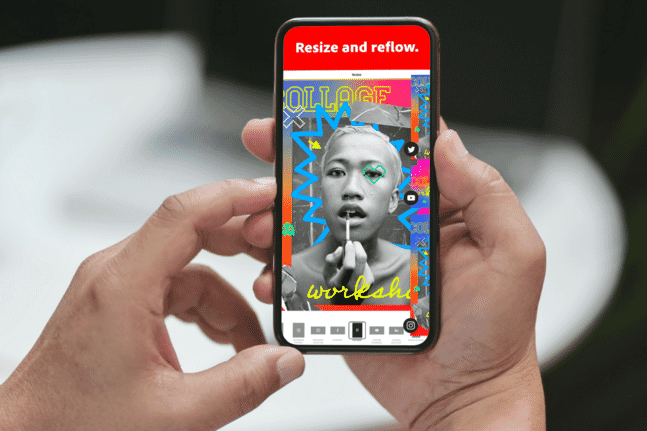
This article on PhotoWorkout.com outlines the 10 best photo collage apps for iPhone users in 2026, perfect for enhancing your social media presence or sharing with friends and family.
- Canva: The all-in-one design powerhouse with Magic Video AI, Video 2.0 timeline, and thousands of collage templates. Free tier available, Pro at $119.99/year.
- PicCollage: Now rebranded as an “AI Photo Editor” with smart background removal, AI font pairing, and highlight detection. Great for cards and quick collages.
- Google Photos: Free with 15GB storage. Major collage improvements in late 2025 — new workflow lets you pick templates before photos.
- Picsart: The most comprehensive AI toolkit with text-to-image generation, AI Expand, and both grid and freestyle collages. 150M+ users worldwide.
- Adobe Express: Evolved into a full AI design platform with Firefly integration. Best for social media marketers.
- Unfold: Owned by Squarespace, perfect for Instagram Stories and Reels with 400+ templates. Bio Sites for monetization.
- MOLDIV: 312 stylish frames and 135 magazine layouts. One of the most reliable collage apps with 4.7★ rating.
- PhotoGrid: 20,000+ templates and new AI Creation Hub. Great for social media content.
- Diptic: Classic one-time purchase ($2.99) with no subscription required. 194+ layouts.
- FrameMagic: Privacy-first (no data collection) with unique polygon layouts and iOS 26 support.
Each app has unique features tailored to different user needs, making it easy to find one that suits your creative vision.
When you buy through links on our site, we may earn a commission at no cost to you. We evaluate products independently. Commissions do not affect our evaluations.
Introduction
There are times when sharing just one photo isn’t enough. Sometimes it’s just as good — or maybe better! — to display more than one image, especially if you’ve taken a handful of pictures from a recent vacation or a party on social media.
There are definitely lots of collage-making applications out there. But which is right for you? In this article, we share the 10 best collage apps for iPhone users in 2026 — so you can create stunning collages for social media, friends, and family.
What’s new in 2026: Most collage apps have added AI-powered features like automatic background removal, smart templates, and even text-to-image generation. We’ve updated our picks to highlight the best AI capabilities alongside traditional collage features.
1. Canva


Canva has evolved from a simple design tool into an AI-powered creative platform, and it’s easy to see why it tops our list. The app is packed with thousands of collage templates, and it gives you the opportunity to create unique, aesthetically pleasing designs.
In 2026, Canva introduced Video 2.0 with a multi-layer timeline editor and Magic Video, an iPhone-exclusive feature that automatically stitches clips into social-ready videos with beats, effects, and text.
To create a Canva collage, navigate to “Photo Collages” and pick from the numerous available templates. Simply click on the existing photos and replace them with your own. You can then add text, stickers, and AI-generated elements for extra creativity.
The app also offers real-time collaboration, making it great for team-based designs. With 220+ million users globally, Canva remains the go-to choice for both beginners and professionals.
2. PicCollage
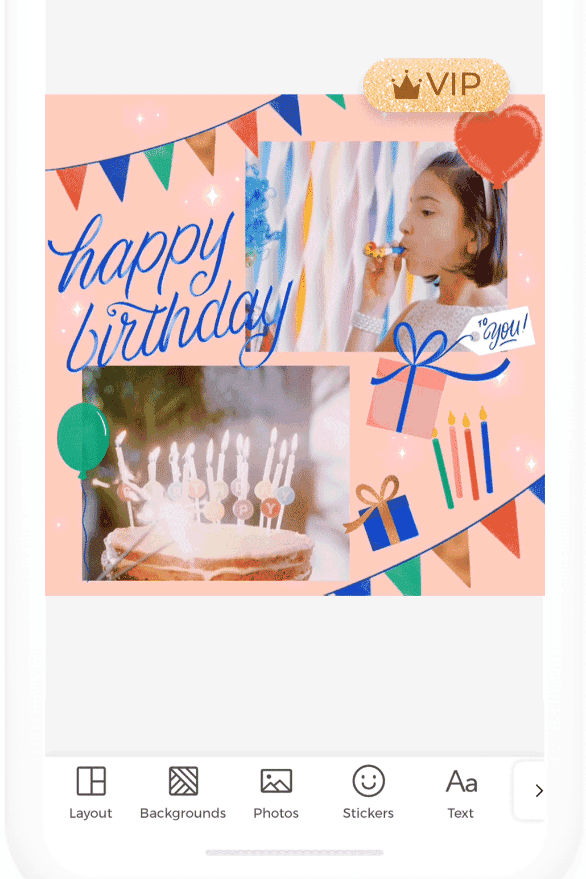
PicCollage has rebranded as “PicCollage: AI Photo Editor,” reflecting its evolution beyond simple collages. The app is full of amazing features powered by artificial intelligence.
New AI capabilities include smart background removal, AI highlight detection that auto-focuses on key elements, and AI font pairing that suggests complementary fonts for your text.
The free starter pack provides grid layouts that can display up to 20 photos in one collage. The steps to creating a collage are easy to follow: choose from “Grids,” “Freestyle,” or “Templates,” select a post size and layout, then pair your photos with backgrounds, texts, and animations.
PicCollage now supports Apple Vision Pro and requires iOS 17 or later. VIP pricing is reasonable at $4.99/month or $35.99/year.
3. Google Photos

Google Photos is a photo application that connects to your phone’s gallery and syncs with your Google account. The app provides 15GB of free storage and lets you create animations, movies, and collages with your photos.
In late 2025, Google significantly improved the collage maker. The October 2025 update introduced a new workflow where you can pick your template first before selecting photos — a much more intuitive approach. New “modern” and “clean” templates were added, along with event-specific layouts for holidays and occasions.
To make a collage, navigate to the new “Create” tab (added August 2025). Choose to create a new collage, select up to nine photos, and the application provides you with options in just a few seconds. A built-in share button makes exporting easier than ever.
Google also added “Ask Photos” — an AI-powered natural language search that rolled out globally in November 2025.
Related Posts
4. Picsart
Picsart has emerged as one of the most powerful creative apps available, with over 150 million users worldwide. It’s an all-in-one platform that lets you edit photos, create videos, and make stunning collages.
What sets Picsart apart is its AI toolkit — over 20 generative AI tools including:
- AI Image Generator: Create images from text prompts
- AI Expand: Extend image boundaries with AI-generated content
- AI Replace: Face swaps, hair color changes, and more
- Remove Object: Erase unwanted elements seamlessly
For collages, choose between Grid Collage for symmetrical templates or Freestyle Collage for mood board-style designs. You can also create video collages by combining clips with music.
The app offers 60 million+ stickers, Story Maker templates optimized for Instagram, and new content added weekly without requiring app updates. Pricing starts at $12.99/month or $57/year for Picsart Gold.
5. Adobe Express
Previously called Adobe Spark, Adobe Express has evolved into “Adobe Express: Create Anything” — a comprehensive AI-powered design platform. It provides over a thousand templates and assets to create different types of social media content like posters, stories, logos, and collages.
The app now features Adobe Firefly integration for generative AI capabilities. You can create images from text prompts, use AI-powered background removal, and access auto-captions for videos.
To create your collage, decide whether you want to start from scratch or edit a template. If you choose a template, tap on the existing photos one by one and replace them with your own using the “Replace” option. You can then enhance your photos with filters, remove backgrounds, or add texts, stickers, and animations.
Note that Adobe Express now requires iOS 18.0 or later. Pricing includes a mobile-only tier at $4.99/month or the full Adobe Express at $99.99/year.
6. Unfold

Unfold, now owned by Squarespace, has rebranded to “Unfold: Reels & Story Maker” — reflecting the shift toward short-form video content. It remains one of the most beautiful apps for creating social media content.
The app offers over 400 templates ranging from simple options in the Clasico collection to more complex picks in the Zodiac or Film collection. New AI features include background removal and enhanced editing tools.
What makes Unfold special is its Bio Sites feature — create a link-in-bio page where you can sell digital products, collect tips, run crowdfunding campaigns, and integrate with PayPal/Stripe. You can also schedule posts directly to Instagram business/creator accounts.
Unfold supports Apple Vision Pro and is available on Mac via Apple Silicon. Pricing is competitive at $2.99-4.99/month or $19.99/year for Unfold+.
7. MOLDIV
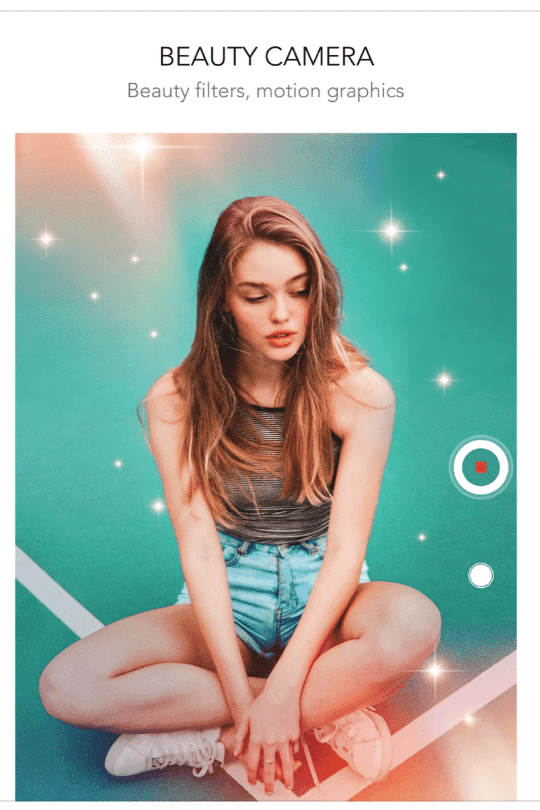
MOLDIV is an all-in-one, easy-to-use app that lets you edit both photos and videos. It’s a great choice for beginners and professionals alike, with a proven track record — many users report using it reliably for over a decade.
The app offers 312 stylish frames for collages, 135 magazine-style layouts, and a popular “Stitch” tool that creates vertical photo strips perfect for storytelling.
MOLDIV now supports Apple Vision Pro (visionOS 1.0+) and has expanded to include 200+ video templates across 36 categories. The integrated beauty camera lets you take enhanced selfies directly within the app.
To create a collage, tap on the Collage option and choose from 120 free layouts (or access all 312 with Premium). Pricing includes a free tier, Premium at $6.99-9.99/month, or a lifetime purchase at $69.99-139.99.
8. PhotoGrid
PhotoGrid offers over 20,000 collage templates and a new AI Creation Hub with text-to-image generation and AI effects.
PhotoGrid is an application designed specifically for collages, offering a massive library of over 20,000 templates. It lets you create high-resolution designs easily posted to different social media sites.
New in 2026 is the AI Creation Hub, which centralizes all AI tools including text-to-image generation and AI effects like the Valentine’s Day filters.
PhotoGrid can create both photo and video collages, combining up to 16 photos or 9 videos in a single design. It integrates with stock photo websites for royalty-free content access.
To design a collage, choose from existing templates or tap “Grid” to create your own. Premium removes watermarks and ads, unlocks 4K HD quality, and extends video grids to 15 minutes.
9. Diptic
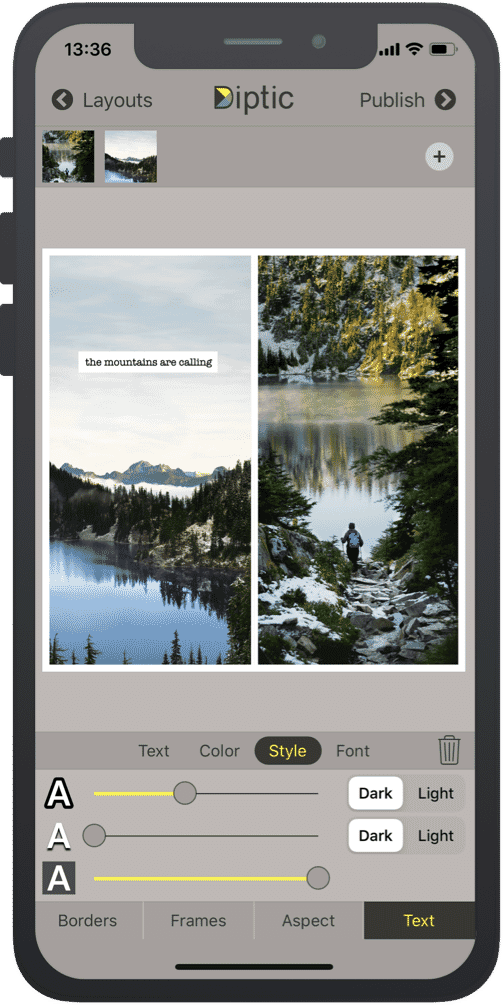
Diptic offers a one-time purchase model ($2.99) with no subscription required — a refreshing alternative in the subscription-heavy app market.
Diptic stands out with its one-time purchase model — just $2.99 with no subscription required. In an era of subscription fatigue, this is refreshing.
The app boasts 194+ layout choices designed to fit various needs, with additional packs available as optional purchases. Diptic supports both photo and video collages, letting you customize borders within and outside the photos.
A unique feature is the ability to add music from your personal library to video collages — something many competitors don’t offer. The app provides 14 filters and adjustments for brightness, contrast, and more.
Recent updates made Expandable Layouts free (previously $0.99), improved the home screen design, and removed all data collection for enhanced privacy. Diptic now supports Apple Vision Pro alongside iPhone, iPad, and Mac.
10. FrameMagic
FrameMagic offers unique polygon layouts, 3D mesh collages, and a strong privacy stance — the app collects no user data.
FrameMagic offers some of the most unique collage options available, allowing highly creative designs. Choose from collage types like Vertical Stitch, Auto (automatically creates layouts with unlimited photos), 3D Mesh, Montage, and Polygon layouts.
The app was recently updated with iOS 26 “Liquid Glass” UI support (October 2025), custom cell shapes in video collages, and the ability to apply rounded corners to entire collages.
FrameMagic is notably privacy-focused — the developer confirms no user data is collected. The app loads multiple photos at once and offers unique decorations, backgrounds, and gradients.
With the “Grid” option, select the “Photo” tab and load as many images as you want for an automated collage you can customize. Pricing includes a free tier, $2.99/month subscription, or lifetime unlock at $14.99-99.99.
Pick the Perfect Photo Collage App!
Whether you want to arrange your photos in an artistic way or create a simple grid to show off your best memories, collages are the way forward. There’s no need to pick just one photo; put them into a collage, and you’ll be good to go!
Quick recommendations based on your needs:
- Best overall: Canva — unmatched template variety and AI features
- Best for Instagram: Unfold — designed specifically for Stories and Reels
- Best AI features: Picsart — 20+ generative AI tools
- Best free option: Google Photos — 15GB free storage, solid collage maker
- Best one-time purchase: Diptic — $2.99, no subscription
- Best for privacy: FrameMagic — collects no user data
We hope you found a good app to make your collage. Choose the one that suits you best!