

When you buy through links on our site, we may earn a commission at no cost to you. We evaluate products independently. Commissions do not affect our evaluations. As an Amazon Associate, we earn from qualifying purchases.
iPhone Photography School (IPS) has been teaching smartphone photography since 2013, racking up over 600,000 students worldwide. But with so many free YouTube tutorials and competing platforms in 2026, are their paid courses still worth it?
We reviewed their full course catalog, platform experience, and student feedback to give you an honest assessment. Here’s what we found.
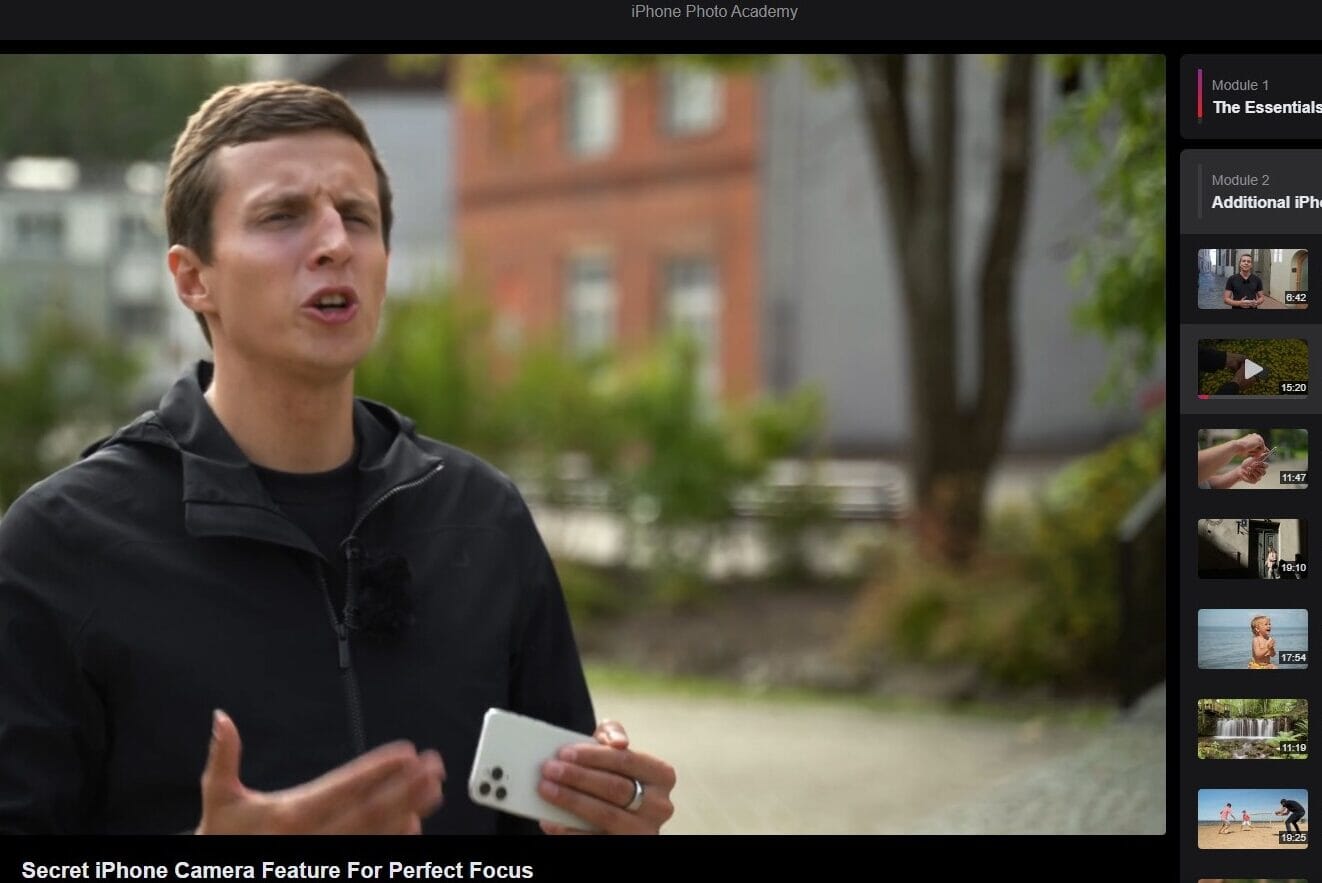
14+ structured video courses covering iPhone photography, editing, video, and specialist topics. One-time payment with lifetime access. 30-day money-back guarantee. Available in 8 languages with iOS app for offline viewing.
Who is iPhone Photography School?
iPhone Photography School was founded by Emil Pakarklis in 2013, making it one of the longest-running iPhone photography education platforms. What started as a blog and single course has grown into a catalog of 14+ courses covering everything from basic composition to drone photography.
The two key instructors you’ll encounter are:
- Emil Pakarklis – Founder and instructor for the beginner-focused courses (iPhone Photo Academy, iPhone Editing Academy). His teaching style is approachable and well-suited for complete beginners.
- Clifford Pickett – Professional iPhone photographer who has shot commercial work for Clinique, British Airways, and National Geographic – all using just an iPhone. He teaches the more advanced courses including Capture it All and iPhone Landscape Mastery.

Course Catalog Overview
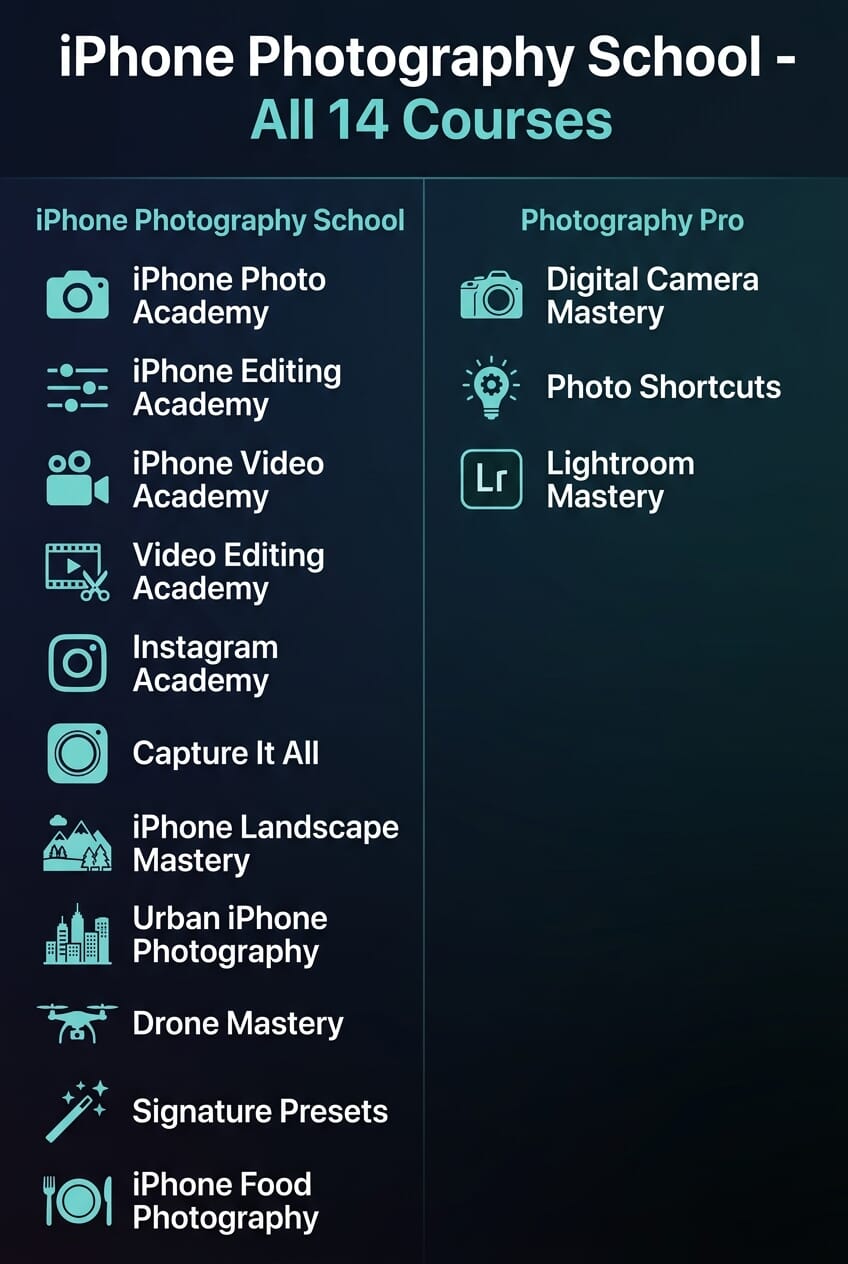
As of 2026, iPhone Photography School offers these courses:
- iPhone Photo Academy – The beginner flagship. Camera basics, composition, techniques. Taught by Emil. (~$49)
- iPhone Editing Academy – Photo editing with Snapseed and other apps. Taught by Emil.
- Capture it All – The most comprehensive course. 63 videos, 422 minutes. Stills, video, timelapse, drone, editing. Taught by Cliff. (~$99)
- iPhone Landscape Mastery – 7 modules organized by landscape type. Taught by Cliff.
- iPhone Food Photography – Specialist course for food and restaurant photography.
- iPhone Video Academy – Video shooting techniques for iPhone. (Read our review.)
- Video Editing Academy – Post-production and editing for video.
- Instagram Academy – Social media photography and growth.
- Urban iPhone Photography – Street and city photography techniques.
- Drone Mastery – Aerial photography and videography.
- Digital Camera Mastery – For DSLR/mirrorless users (not iPhone-specific).
- Photo Shortcuts – Quick tips and techniques.
- Lightroom Editing Mastery – Desktop editing workflows.
- All-Access Pass – NEW in 2026. Lifetime access to every course for one price.
That’s a lot of courses. Let’s look at the standouts in detail.
(Read our full iPhone Food Photography review.)
Flagship Course: Capture it All
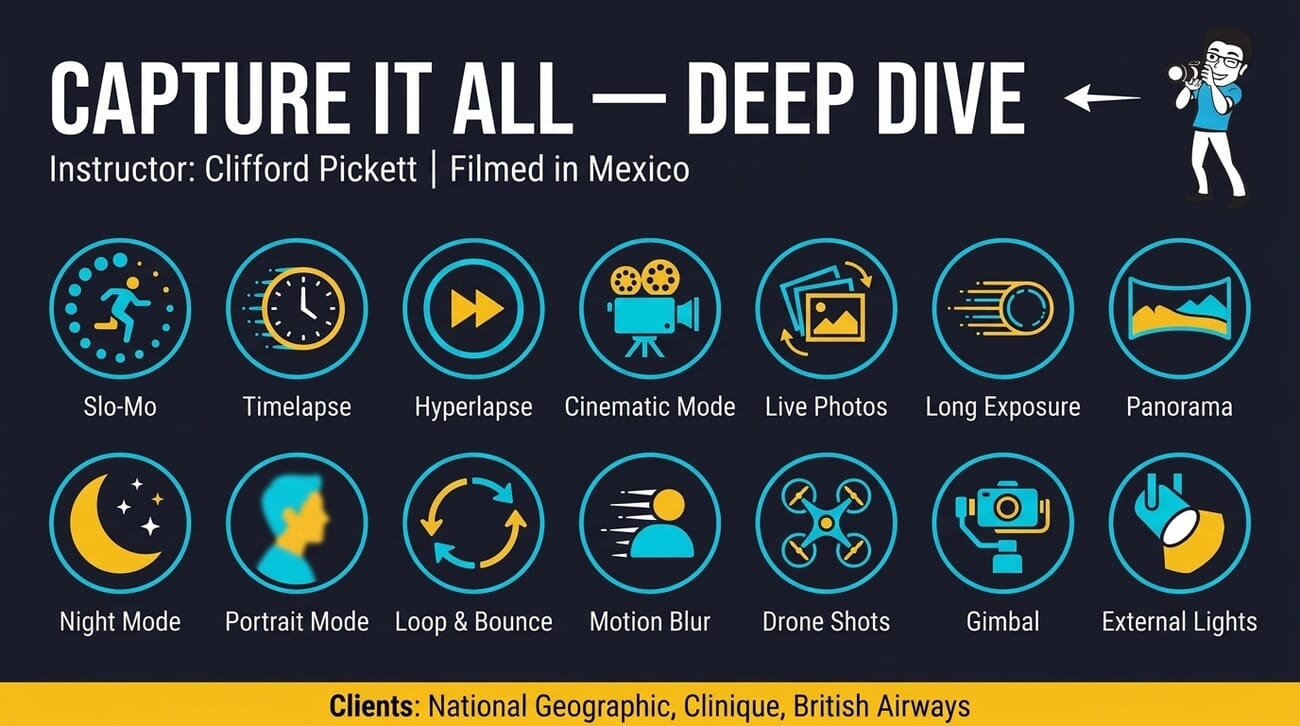
Capture it All is IPS’s most comprehensive offering and the one we’d recommend if you’re picking just one course. Taught by Clifford Pickett and shot on location in Mexico, it covers an impressive range of topics across 63 video lessons (422 minutes total).
The course covers:
- Still photography fundamentals and advanced techniques
- Video shooting and cinematic techniques
- Timelapse and hyperlapse creation
- Drone photography basics
- Photo and video editing workflows

What makes this course stand out is Cliff’s professional background. Having shot commercial campaigns for major brands using only an iPhone, he brings real-world credibility that most iPhone photography instructors lack. The production quality reflects this – lessons are well-shot and professionally edited.
At around $99 (discounted price), it’s the priciest individual course, but it essentially combines what other platforms would split into 4-5 separate courses. If you want a single, comprehensive iPhone photography education, Capture it All is the one to get.
Beginner Course: iPhone Photo Academy
iPhone Photo Academy is where most students start, and it’s specifically designed for complete beginners. Emil Pakarklis teaches the fundamentals: how the iPhone camera works, exposure and lighting basics, composition rules, and practical shooting techniques.

The course is well-structured with clear progression from basics to more creative techniques. At ~$49, it’s an affordable entry point. The skip-point navigation lets you jump directly to topics you care about rather than watching everything sequentially.
One thing to note: if you’ve been shooting with your iPhone for a while and already understand basics like the rule of thirds, exposure lock, and HDR, you’ll likely find a lot of this material too basic. For a deeper look at every module, read our full iPhone Photo Academy review. This course is genuinely for people who are just getting started with iPhone photography.
Ready to master your iPhone camera? Try Capture it All – the most comprehensive iPhone photography course available. 63 video lessons, lifetime access, and a 30-day money-back guarantee.
Other Notable Courses
New to iPhone photography? Start with the iPhone Photo Academy – the beginner-friendly course that covers all the fundamentals. One-time payment, lifetime access.
iPhone Editing Academy
Taught by Emil, this course focuses on photo editing with Snapseed and other mobile editing apps. It’s a solid complement to the Photo Academy if you want to improve your post-processing skills. The step-by-step editing walkthroughs are particularly useful for beginners who feel overwhelmed by editing tools. Read our full iPhone Editing Academy review for a detailed module-by-module breakdown.

iPhone Landscape Mastery
Cliff Pickett’s landscape course is organized into 7 modules by landscape type – mountains, beaches, forests, urban landscapes, and more. (Read our full iPhone Landscape Mastery review.) This structure is smart because it means you can jump straight to the environments you actually shoot in. The course includes location-specific tips that go beyond generic landscape advice.

Video and Specialist Courses
The newer additions – iPhone Video Academy, Video Editing Academy, Drone Mastery, and Urban iPhone Photography – fill out the catalog nicely. These are more niche courses that make the most sense as part of the All-Access Pass rather than individual purchases. The iPhone filmmaking courses in particular are a welcome addition for creators who want to shoot video on their phones.
Platform and Learning Experience
IPS delivers courses through a clean web interface and a dedicated iOS/iPad app that supports offline viewing. The platform features:
- Progress tracking – Mark lessons complete and pick up where you left off
- Skip points – Jump to specific topics within longer lessons
- 8 language options – Subtitles and interface in multiple languages
- AI photo feedback – Upload your photos and get AI-powered analysis and improvement suggestions (new feature)
- Offline access – Download lessons through the iOS app for learning on the go

The AI photo feedback tool is a genuinely useful 2026 addition. You upload a photo, and it analyzes composition, lighting, and technique, then suggests specific improvements. It’s not a replacement for human feedback, but it’s a nice practice tool – especially for solo learners who don’t have a photography community to get critiques from.
What’s missing: there’s no community forum, no peer review system, and no direct instructor access. You’re essentially learning solo with video content and the AI tool. If you want a more interactive learning experience with community feedback, you’ll need to look elsewhere.
Pricing and Value
Let’s be honest about IPS pricing, because the sales pages won’t be.
Every course page shows a “normal price” alongside the current discounted price. Like most online course platforms, IPS uses promotional pricing as a standard practice — the discounted prices ($49-99) are what you’ll typically pay. During seasonal sales, discounts can go even deeper.
Here’s what you’ll actually pay:
- Individual courses: $49-$99 each (one-time payment, lifetime access)
- All-Access Pass: One payment for lifetime access to every course (new option in 2026)
- Money-back guarantee: 30 days, no questions asked
At the real prices ($49-99), the courses offer genuine value. You’re getting professionally produced video content with lifetime access and no recurring fees. Compare that to a Skillshare subscription ($14/month) or a MasterClass membership ($10/month), and the one-time payment model becomes attractive for focused learners.
The All-Access Pass is the best deal if you want to explore multiple topics. Rather than buying 3-4 individual courses, you get everything for one price – including any future courses they add.
Some students have noted cross-promotion of other courses within the platform. This is standard for multi-course platforms — IPS offers 14+ courses, so they naturally highlight related content you might find useful.
Ready to Master iPhone Photography?
647,000+ students already enrolled. Courses from $49 with lifetime access.
What Real Students Say
iPhone Photography School has a 4.9/5 rating on Trustpilot based on thousands of reviews. That’s an exceptionally high score. Looking at reviews from January-February 2026, the overwhelmingly positive feedback centers on:
- Clear, easy-to-follow instruction – Repeatedly praised as beginner-friendly
- Immediate improvement – Students report noticeably better photos after completing courses
- Good production quality – Well-shot, professional video lessons
- Responsive support – Quick replies from the IPS team when issues arise
The few critical reviews tend to mention that the content is too basic for their level — which is fair, since the courses are designed for beginners and intermediates. Some also noted the promotional emails, which you can easily unsubscribe from.
Who Should (and Shouldn’t) Buy
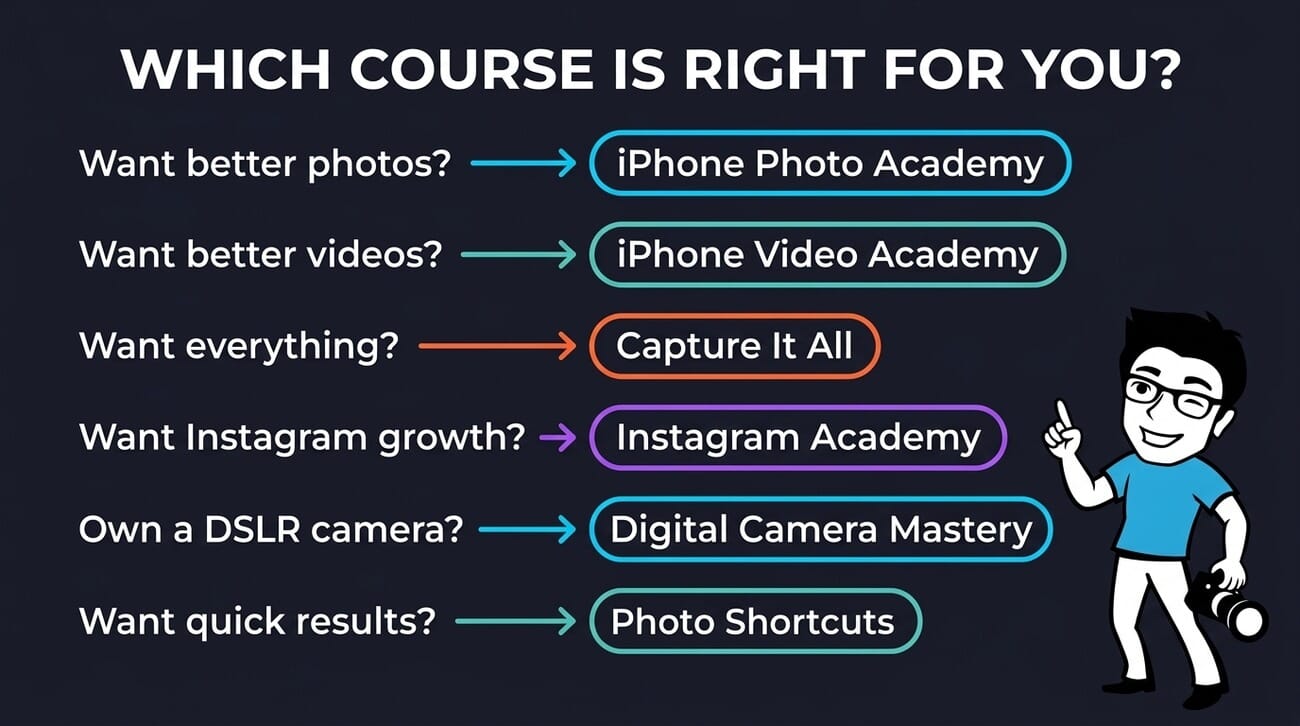
IPS courses are a good fit if you:
- Are a beginner who wants structured learning rather than random YouTube tutorials
- Prefer one-time payment over monthly subscriptions
- Want to learn iPhone-specific techniques (not generic photography theory)
- Learn best through video instruction with clear examples
- Want offline access through the iOS app
Skip IPS if you:
- Already understand composition, exposure, and basic editing – the courses will feel too basic
- Want advanced techniques like manual RAW editing or pro-level color grading
- Prefer community-based learning with peer feedback and forums
- Are on a tight budget – free YouTube content covers much of the same ground
- Use Android – courses are iPhone-focused and the app is iOS only
Ready to master your iPhone camera? Try Capture it All – the most comprehensive iPhone photography course available. 63 video lessons, lifetime access, and a 30-day money-back guarantee.
Verdict
iPhone Photography School delivers genuinely good beginner courses with solid production quality. The course content is well-produced, clearly taught, and effective for beginners. With one-time pricing, lifetime access, and a 30-day money-back guarantee, it’s a low-risk way to level up your iPhone photography.
Our recommendation: if you’re new to iPhone photography, start with iPhone Photo Academy ($49) or go straight for Capture it All ($99) if you want the most comprehensive experience. If you’re already comfortable with your iPhone camera, your money is better spent on a manual camera app and practice time.
The 30-day money-back guarantee means there’s no risk in trying. And with Trustpilot’s 4.9/5 rating from thousands of students, the odds are good you’ll find value in the content.
Is iPhone Photography School worth it in 2026?
Yes, for beginners. The courses are well-produced and effective at teaching iPhone photography fundamentals. At $49-99 per course with lifetime access, they offer good value compared to monthly subscriptions. However, experienced photographers will find the content too basic.
Does iPhone Photography School offer a free trial?
No, there’s no free trial. However, all courses come with a 30-day money-back guarantee, so you can try any course risk-free and get a full refund if it’s not for you.
What’s the best iPhone Photography School course to start with?
For complete beginners, start with iPhone Photo Academy ($49). If you want the most comprehensive single course covering photography, video, timelapse, and editing, go with Capture it All ($99). For the best overall value, consider the All-Access Pass.
Is iPhone Photography School a subscription?
No. All courses are one-time purchases with lifetime access. There are no monthly or annual fees. Once you buy a course, you keep access forever, including any future updates to that course.
Can I use iPhone Photography School on Android?
The course content is accessible through any web browser, so Android users can watch lessons online. However, the dedicated app with offline viewing is iOS only. The course techniques are also iPhone-specific, though many general photography principles apply to any smartphone.

